


Key highlights
- Understand how a Managed VPS with Plesk gives you full server control without requiring deep technical knowledge.
- Explore the key differences between Plesk and cPanel so you can choose the right control panel for your VPS hosting needs.
- Learn how Plesk simplifies website, domain, email and database management through one intuitive dashboard.
- Uncover the practical benefits of Plesk VPS hosting, from built-in security and backups to scalability and multi-site management.
- Know how to set up Plesk on a Bluehost VPS step by step so you can launch and manage your hosting environment efficiently.
Managing a server shouldn’t feel complicated. If you’re tired of clunky interfaces, endless configurations or limited control, a Managed VPS with Plesk might be your answer.
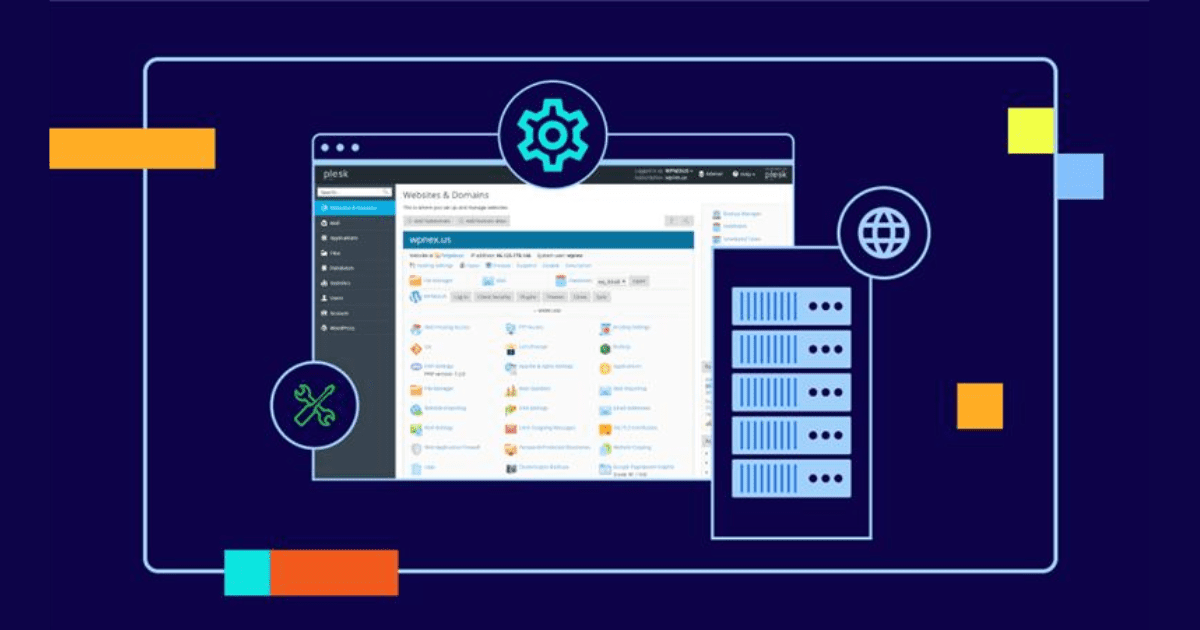
Plesk is a popular web hosting control panel that simplifies website and server management with an intuitive dashboard and powerful automation tools.
Plesk VPS hosting brings the perfect mix of power and simplicity. It’s ideal for developers, small business owners and eCommerce brands who want full control without full-time sysadmin headaches.
Whether you’re a small business owner or a developer or a growing eCommerce brand, Plesk makes server management seamless. Let’s dive into why it’s gaining popularity in 2026.
What is Managed VPS hosting with Plesk?
A Managed VPS with Plesk is a hosting service where you get a virtual private server (VPS) that’s pre-configured and maintained for you with the Plesk control panel installed for easy management.
Unlike traditional VPS hosting, you won’t need deep technical knowledge. Your provider handles server updates, security and performance while you manage sites, domains, databases and email through Plesk’s user-friendly interface.
Plesk vs cPanel: Which is better for VPS hosting?
- Plesk is better for beginners, Windows users and WordPress-heavy sites.
- cPanel is ideal for Linux pros and those who want advanced controls.
Comparison: Plesk vs cPanel for VPS Hosting
When choosing a control panel for your VPS hosting, the decision often comes down to Plesk vs cPanel. Both offer strong features, but they differ in ease of use, compatibility and user focus.
Let’s have a look:
| Feature | Plesk | cPanel |
| OS compatibility | Linux & Windows (cross-platform) | Linux only |
| Interface | Visually intuitive, modern UI | Functional but more technical UI |
| WordPress management | Built-in WordPress Toolkit | Requires third-party plugin (WP Toolkit) |
| Ease of use | Beginner-friendly, drag-and-drop tools | Better for users with server experience |
| Security tools | Built-in firewall, malware scanner | Security via manual or added modules |
| Email & DNS setup | Easy, guided setup process | Requires more manual configuration |
| Extension marketplace | Wide range of one-click install extensions | Very wide, but may need manual integration |
| Resource usage | Lightweight, efficient on VPS | Slightly heavier on system resources |
| Licensing cost | Slightly more affordable for entry VPS plans | Can get expensive with multiple domains |
Verdict: Choose Plesk VPS hosting if you want a user-friendly, all-in-one panel with support for Windows or Linux. Go with cPanel if you’re already familiar with Linux server environments and prefer a more traditional layout.
10 benefits of Managed VPS hosting with Plesk
- Manage your server without technical complexity:Plesk’s intuitive control panel lets you manage websites, domains, email accounts and databases from one dashboard, so you don’t need advanced server administration skills.
- Customize your server exactly the way you need: Full root access gives you complete control over configurations, software installations and server settings for advanced customization.
- Deliver faster and more reliable websites: Dedicated server resources and optimized configurations help your sites load faster and perform consistently, even under higher traffic.
- Keep your websites protected from common threats: Built-in security tools such as malware scanning, firewalls, automatic updates and DDoS protection help safeguard your server and hosted sites.
- Run multiple websites and projects from one place: Plesk makes it easy to manage multiple domains, hosting accounts and virtual hosts from a single interface.
- Protect your data with quick recovery options: Built-in backup and restore tools allow you to schedule automatic backups and recover your site quickly if something goes wrong.
- Scale your server as your business grows: Easily upgrade CPU, RAM and storage resources so your server keeps up with increasing traffic or new projects.
- Choose the operating system that fits your workflow: Plesk works with both Linux and Windows servers, giving you flexibility based on your preferred environment.
- Launch websites and applications quickly: Install WordPress, Joomla, Magento and other tools in just a few clicks from the Plesk control panel.
- Manage multiple servers efficiently: A centralized Plesk dashboard lets agencies and developers control several VPS or dedicated servers from one place.
Why choose Plesk for your VPS hosting?
Plesk VPS hosting combines the flexibility of Virtual Private Servers with the simplicity of the Plesk control panel. It gives a user-friendly dashboard for managing websites, apps and powerful servers. It’s an all-in-one solution that helps businesses and developers handle complex hosting tasks with ease.
Quick definition: Plesk is a web hosting control panel that simplifies server management through an intuitive interface.
Today, businesses need hosting solutions that let them focus on growth rather than backend technicalities. That’s where Plesk shines – by offering automation, security and convenience in one package. Whether you’re running a small eCommerce site or managing multiple client websites, ease-of-use translates to better productivity, fewer errors and faster deployment.
Why VPS Plesk matters:
- Reduces reliance on technical expertise
- Speeds up website launch and maintenance
- Lowers operational costs by saving time
7 key features of Managed Plesk VPS hosting
Here’s a quick snapshot of what you can expect:
- Intuitive dashboard: Manage websites, email, DNS, databases and more from one user-friendly interface.
- Advanced security tools: Built-in firewall, fail2ban, malware scanner, ModSecurity and automatic updates to protect your server and sites.
- Backup and restore options: Scheduled or manual backups ensure quick disaster recovery when needed.
- Multi-level user access: Assign admin, reseller and user roles to delegate tasks effectively.
- Developer-friendly tools: SSH access, Git support, Docker integration and staging tools for smooth app deployment and testing.
- Scalable resources: Easily adjust CPU, RAM and storage to match growing business needs.
- 24/7 support & monitoring: Get expert help and proactive server monitoring to minimize downtime.
Bonus: Plesk hosting services are designed to let you focus on your core business while your server takes care of itself.
Also read: What is Docker? – GeeksforGeeks
Comparison table: Top Plesk VPS hosting providers in 2026
Let’s have a look at the high-performance VPS hosting providers in 2026.
| Provider | Key features | Ideal for |
| Bluehost* | NVMe SSD, DDR5 RAM, AMD EPYC CPUs, full root access, free domain, Plesk/cPanel | SMBs, developers, WordPress users |
| Hostinger | KVM VPS, Plesk licenses, full root access, 24/7 support, dedicated IP | Budget-conscious users, small projects |
| Liquid Web | Managed VPS, 10 Gbps network, DDoS attack protection, Plesk Web Pro, Acronis backups | Enterprises, mission-critical sites |
| Kamatera | Hourly billing, custom configurations, Plesk add-ons, global data centers | Developers, SaaS startups |
| DreamHost | SSD storage, unmetered bandwidth, Plesk support, 100% uptime guarantee | Bloggers, small businesses |
| Hosting.com | SSD storage, Plesk integration, 24/7 support, multiple OS choices | Developers, small to medium businesses |
Note: Bluehost offers both cPanel and Plesk as optional add-ons and neither is pre-installed by default. If you select one during the VPS purchase process, it is automatically installed and ready to use. If you add it later, you will need to install the control panel manually. For best results, install cPanel or Plesk on a fresh server environment to avoid potential configuration conflicts.
Also read: Cost Comparison for All VPS Plans
Why Bluehost leads in 2026 for Plesk VPS?
With Bluehost managed VPS hosting, you get full root access and complete control over your server environment. This gives developers, agencies and growing businesses the flexibility to install and configure software such as Plesk on their own terms, while maintaining full control over server settings, resources and configurations.
Key features include:
- Centralized dashboard for managing VPS infrastructure: A unified customer dashboard provides a single view of your VPS resources, account information and server environment. From this interface, users can monitor performance, manage settings and oversee multiple servers, including dedicated hosting environments, from one place.
- Flexible resource scaling through enhanced control panels: Enhanced control panel capabilities allow users to increase CPU, RAM and storage on demand without requiring administrator assistance. This flexibility helps ensure that applications and websites continue running smoothly as workloads grow.
- Web-based managers for everyday server tasks: Self-managed VPS environments support web-based managers for files, databases and email. These graphical interfaces allow users to perform common server tasks without relying entirely on command-line operations, while still retaining advanced access when needed.
- Container management with Portainer: For teams deploying containerized applications, integrated support for Portainer provides a visual interface to manage Docker environments. Developers can start, stop, update and redeploy containers directly from the dashboard without complex command-line workflows.
- Full root and SSH access for advanced configuration: Advanced users maintain full root and SSH access to the server environment. This allows deeper configuration, direct log analysis and full control over system-level adjustments when required.
- Advanced server configuration capabilities: Developers can directly manage important server components such as
.htaccessfiles, cron jobs andphp.inisettings. This level of control supports custom workflows, scheduled automation and application-specific configuration.
With these capabilities in place, Bluehost VPS provides a flexible environment for managing applications, infrastructure and automation workloads. Explore Bluehost Visual VPS hosting to configure your server resources and deploy your environment with ease.
How to set up Plesk VPS with Bluehost in 7 steps?
Setting up Plesk on your Bluehost VPS is straightforward. Follow these steps:
- Choose your VPS plan
- Register or connect your domain
- Access your VPS via SSH
- Install Plesk Control Panel
- Activate your Plesk license
- Configure your server settings
- Secure your server
Let’s look at the step-by-step process to set up Plesk VPS with Bluehost in detail:
How to set up Plesk VPS with Bluehost: A Step-by-Step guide
- Choose your VPS plan: Visit the Bluehost VPS hosting page and select a plan that suits your needs. Each plan includes features like full root access, NVMe SSD storage and unmetered bandwidth.
- Register or connect your domain: During the setup process, you can register a new domain or connect an existing one. Bluehost offers a free domain for the first year with new hosting plans.
- Access your VPS via SSH: After purchasing your VPS plan, Bluehost will provide your server’s IP address and login credentials. Use an SSH client like Terminal (macOS/Linux) or PuTTY (Windows) to connect:
bash

ssh root@your_vps_ip
Replace
your_vps_ipwith the IP address provided by Bluehost.
- Install Plesk Control Panel: Once connected to your server via SSH, run the following command to install Plesk:
bash

sh <(curl https://autoinstall.plesk.com/one-click-installer || wget -O - https://autoinstall.plesk.com/one-click-installer)
The installation may take 15-20 minutes. After completion, you can access Plesk at:
plaintext

https://your_vps_ip:8443
Log in using the ‘root’ user or create an ‘admin’ user as needed.
- Activate your Plesk license: In the Plesk interface, navigate to the license management section. If you have a license key from Bluehost, enter it here to activate your Plesk installation.
- Configure your server settings: Within Plesk, you can:
- Add and manage domains and subdomains
- Set up email accounts
- Install applications like WordPress
- Configure DNS settings
- Manage databases
Plesk’s intuitive interface makes these tasks straightforward, even for those new to server management.
- Secure your server: Ensure your server is secure by:
- Setting up a firewall
- Enabling automatic updates
- Installing SSL certificates
- Regularly backing up your data
It offers built-in tools and Plesk extensions to help with these security measures.
By following these steps, you’ll have a fully functional Plesk VPS hosting environment on Bluehost, ready to manage your websites and applications efficiently.
Also read: Cpanel and Plesk Installation Guide for Your VPS | Bluehost
Tips for optimal performance
- Regular backups: Schedule automated backups to safeguard your data.
- Security measures: Implement SSL certificates and configure firewalls to enhance security.
- Resource monitoring: Use Plesk’s tools to monitor server performance and optimize resource usage.
Ready to supercharge your website? Discover Bluehost’s lightning-fast VPS plans – tailored for every business, developer and online store. Get more power, flexibility and control with 24/7 expert support.
Check out our VPS plans & pricing.
Final thoughts
Plesk isn’t just another control panel; it’s the difference between wrestling with configs and actually launching your next big thing. When paired with managed VPS hosting, it gives you serious muscle: full root access, tight security and freedom to scale, without the usual complexity.
Want power without pain?
We’ve built our managed VPS with Plesk at Bluehost exactly for that. Instant setup. Intuitive interface. Zero hassle.
Ready to switch to stress-free Plesk server management? Get our VPS hosting now!
FAQs
VPS hosting with Plesk typically starts at $25 to $30 per month, depending on the hosting provider, server resources and included features.
Yes, Plesk offers a user-friendly interface with visual tools, making it simple for beginners to manage websites, emails and server settings without technical knowledge.
Absolutely. Managed VPS hosting with Plesk allows easy scalability. You can upgrade your server resources anytime to handle more traffic or projects.
Plesk includes built-in security features like malware scanning, firewalls, automatic updates and DDoS protection to keep your server environment safe.
Yes, the VPS with Plesk panel supports multiple operating systems, including popular Linux distributions and various Windows versions for maximum flexibility.
Definitely. Managed VPS with Plesk lets you host and manage multiple websites from a single dashboard using virtual hosts and isolated server environments.



Write A Comment