 ChatGPT,
 Claude,
 Gemini,
 Grok — all four for

Key highlights
- Learn how to build an SEO-friendly website that improves visibility, supports better rankings and creates a smoother experience for visitors.
- Understand which website foundations matter most in 2026, from mobile-friendly design and fast loading speeds to clean structure and optimized content.
- Explore practical ways to strengthen on-page SEO using headings, internal links, title tags, meta descriptions and keyword placement.
- Know how to improve technical performance with image optimization, simple URLs and faster page speed to support both users and search engines.
- Uncover how tools like Google Search Console, Google Analytics and Bluehost features can help you monitor performance and keep your site optimized over time.
After spending months building a well-designed, SEO-friendly website, only to realize it’s not showing up on Google, can be incredibly frustrating. In 2026, having a visually appealing website is no longer enough; if your site isn’t optimized for search engines, it risks being virtually invisible online.
With search algorithms evolving constantly, securing a spot on the first page requires more than just quality content. Google now prioritizes user experience, mobile responsiveness, fast loading speeds and AI-powered search behavior. Without a solid SEO strategy, businesses risk losing valuable traffic, leads and sales to competitors who are optimizing more effectively.
Whether you’re running a business, launching a startup or building a personal blog, an SEO-friendly website is crucial for achieving online success. This guide will explore the latest SEO strategies to help you improve your search rankings, attract more visitors and maintain a competitive edge in 2026.
Ready to make your website one that Google favors most? Let’s get started!
Quick SEO-friendly website checklist
Use this quick checklist to make sure your website includes the core elements that support strong search visibility and user experience.
- Use a clear domain and simple URL structure
- Make your website mobile-friendly
- Improve page speed
- Write helpful content that matches search intent
- Use clear headings and internal links
- Track performance with Google Search Console
What is an SEO-friendly website?
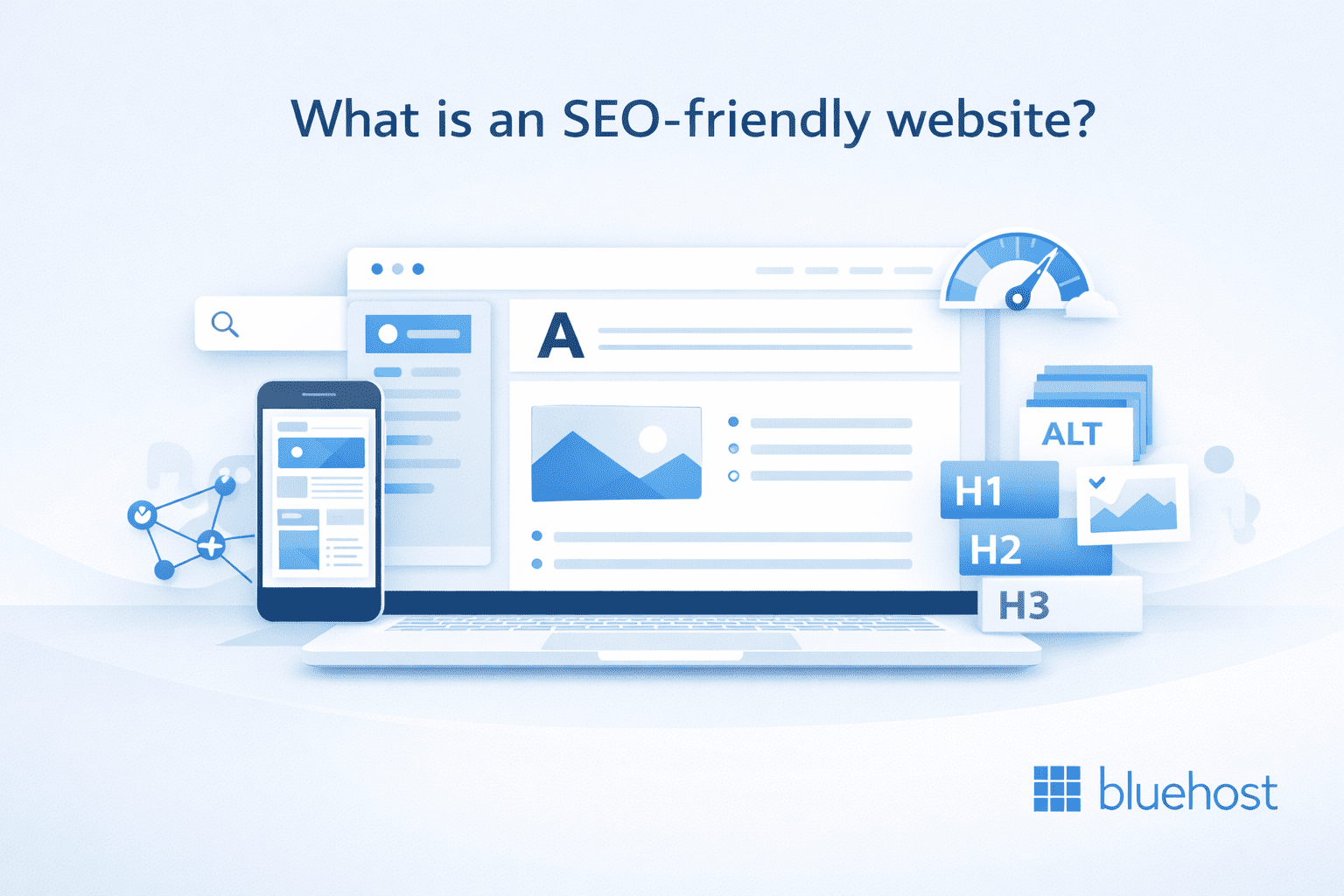
An SEO-friendly website is a site built so search engines can easily crawl, understand and index its pages while real visitors can quickly find what they need. In practice, that means your website has helpful content, a clear structure, a mobile-friendly design, fast load times and descriptive page elements like titles, headings, links and image alt text.
And the stakes are high. According to studies by Backlinko, the top organic result on Google earns a significantly larger share of clicks, while results on page two get very little attention. That is why building an SEO-friendly website is so important. It helps your pages get discovered, improves user experience and gives your content a stronger chance to rank where people actually click.
Google’s SEO guidance emphasizes making content discoverable and easy to understand. That means a well-optimized website does more than target keywords. It creates a better user experience and gives search engines clearer signals about what each page is about. When your site is easy to navigate, loads smoothly on mobile devices and aligns with what people are actually searching for, it has a better chance of ranking well and attracting the right traffic over time.
Why SEO-friendly website foundations matter?
Implementing SEO strategies right from the beginning when creating a website can lead to significant benefits, including:
- More trust and credibility: Websites that show up higher in search results are seen as more reliable. When users notice your website at the top, they tend to trust your brand more, which helps improve your online reputation and ensures an improved user experience.
- Better user experience: Search engines like Google prefer websites that provide a smooth user experience. A site made for SEO loads faster works better on mobile and is easy to use. All of this creates more satisfied users who spend more time on your website.
- Affordable growth: Unlike paid ads that require a lot of spending, SEO gives lasting benefits. By improving your content and website design, you can attract visitors without always paying for ads. This makes it a smart way to gain leads and grow your business.
- Better search rankings and more traffic: Websites that work well for SEO tend to rank higher in search results, leading to more visitors. Studies show that the top search result gets almost 27% of all clicks. A well-optimized website can really increase your reach and engagement.
Neglecting SEO means missing out on making your website an important online tool. To improve your online presence and ensure long-term growth, you need to focus on search engine optimization. This is a key part of your digital marketing plans.
Also read: Step-by-Step Guide to Building an SEO Website Structure
How to make an SEO-friendly website in 2026?

Building an SEO-friendly website in 2026 means creating a site that is easy for search engines to understand and easy for people to use. That starts with strong foundations like your domain, hosting, site structure and mobile experience, then continues with content, page performance and ongoing SEO monitoring. When these elements work together, your website becomes easier to discover, easier to navigate and better positioned to rank over time.
1. Choose a strong domain
Your domain name is one of the first things people notice about your website, so it should be simple, memorable and easy to spell. A strong domain builds trust, supports brand recognition and makes it easier for visitors to find you again.
For SEO, clarity matters more than forcing in keywords. Choose a domain that reflects your brand and avoids unnecessary numbers, symbols or complicated wording. A clean domain creates a stronger first impression and gives your website a more professional foundation.
Before registering, use Bluehost to find a domain name that suits your brand and helps you avoid legal issues. Maintaining brand consistency and security is key. With Bluehost, finding and managing your domain is seamless, laying the foundation for success.
Also read: How to Choose a Domain for Business & Boost Your Brand
2. Pick reliable hosting
Your hosting provider plays a major role in how your website performs. Fast load times, strong uptime and dependable security all affect user experience, which can influence how well your site performs in search.
Reliable hosting helps your pages load smoothly, keeps your site available to visitors and supports the technical performance search engines expect. Choosing hosting that gives you speed, stability and built-in security features can make it much easier to build an SEO-friendly website from the start.
For WordPress sites, Bluehost Hosting offers plans with NVMe storage, support for multiple websites on select tiers and plan options built for different traffic levels, including plans designed for sites with up to 200K visits per month.
Plus, you get AI-powered site creation tools, a free domain for the first year, free site migration, SSL, Cloudflare CDN with Argo Routing and a Web Application Firewall for top-notch security. Bluehost also provides DDoS protection, weekly website backups on eligible plans and 24/7 chat support, with phone support included on select plans, to help keep your site running smoothly.
With all these features, Bluehost makes hosting simple, secure and optimized for SEO. Even WordPress itself recommends Bluehost, so you know you’re in good hands.
Also read: How to Choose a Web Hosting Service Provider: Find Your Best Fit
3. Simplify site structure
A clear site structure helps both visitors and search engines move through your website more easily. When your pages are logically organized, it becomes easier for people to find information and for search engines to crawl and index your content.
Keep your navigation simple and group related pages together in a way that makes sense. Clean URLs, clear menus and a logical page hierarchy all help create a website structure that supports better usability and stronger SEO.
That’s where Bluehost WordPress AI Builder makes things easier, our AI tool helps you build a professional website. You can make a site that is good for search engines without any coding.
Also, it has ready-made templates and easy-to-use design tools and works well with WordPress. WordPress AI Builder makes sure your site runs fast and is easy to find online. This way, you can achieve long-term success.
4. Design for mobile first
A mobile-friendly website is essential because a large share of web traffic now comes from phones and tablets. If your site is difficult to use on smaller screens, visitors are more likely to leave quickly and search engines may see that as a poor experience.
Designing for mobile first means using responsive layouts, readable text, touch-friendly buttons and content that adapts smoothly across screen sizes. A website that works well on mobile is more accessible, more user-friendly and better prepared for modern search expectations.
Also read: Mobile Optimization Best Practices for SEO and Performance
5. Boost speed and UX
Website speed has a direct impact on how people interact with your pages. Slow-loading websites can frustrate visitors, increase bounce rates and make it harder for users to complete important actions.
To make your site load faster, consider these ways to improve it:
- Make server response time faster: Reduce HTTP requests and break down server tasks.
- Get smaller images and media files: Use tools to maintain high quality while reducing file sizes.
- Turn on browser caching: Store common files on users’ browsers to help speed up load times.
- Use a Content Delivery Network (CDN): Share standard content on many servers worldwide for faster access.
- Get a better hosting plan: A reliable hosting provider with high bandwidth can improve your performance.
Improving speed also improves user experience. Compressing images, reducing unnecessary scripts and using a performance-focused setup can help pages load faster and feel smoother. A faster site keeps visitors engaged and sends stronger quality signals to search engines.
Bluehost offers reliable hosting and unmetered bandwidth on select plans to support strong website performance. You can also use tools like Google Page Speed Insights to see how your site is performing and get advice to improve it even more.
Also read: UX vs UI: Meaning, Differences & Why Both Matter in Web Design
6. Use clear headings
Headings make your content easier to read and easier to understand. They help break up long sections, guide readers through the page and show search engines how your content is organized.
Use one clear H1 for the main topic, then structure the rest of the page with logical H2s and H3s. Well-written headings improve readability, make content more scannable and help highlight the main ideas on each page.
7. Match search intent
Search intent is the reason behind a user’s query. Some people want information, some want to compare options and others are ready to make a purchase. Creating content that matches that intent gives your pages a better chance of ranking and being useful.
Before writing a page or blog post, think about what the user is really trying to find. Then build content that answers that need clearly and directly. When your content matches search intent, it becomes more relevant to both search engines and readers.
Also read: Content Marketing vs SEO: How They Work Together
8. Optimize images
Images can improve the look and usefulness of your website, but they also need to be optimized properly. Large image files can slow down your pages, while missing alt text can reduce accessibility and weaken SEO value.
Use descriptive file names, compress images before uploading and write clear alt text that explains what the image shows. Optimized images help improve page speed, support accessibility and give search engines more context about your content.
Additionally, always add an alt tag for each image. Alt text is a reminder in HTML that tells what the image shows. It appears if the image does not load. This helps people with disabilities, including those who use screen readers and also helps search engines know what your pictures mean.
Consider adding short captions under images. Captions give more context and improve user experience and engagement.
Also read: How to Optimize Images: Bitmapped Graphics and Resizing
9. Add smart internal links
Internal links connect one page on your website to another. They help visitors discover related content and help search engines understand how your pages relate to each other.
Add links where they are useful and relevant, not just where they fit. Linking to important pages, service pages and related blog posts can improve navigation, strengthen content relationships and make your website easier to explore.
You can include internal links in text, pictures or buttons and make sure they fit well in the content. When you add links, focus on how relevant they are for discovering new pages. This means linking related pages to improve the reader’s experience and help with indexing.
A well-structured internal linking strategy can:
- Get more people interested by helping visitors look at more pages.
- Lower bounce rates by showing users content that matters.
- Make page authority better because linked pages share ranking strength.
Also read: Internal Linking for SEO: Boost Rankings in WordPress
10. Track SEO performance
SEO is not something you set once and forget. To keep improving, you need to monitor how your website performs in search and how visitors interact with your content.
Tools like Google Search Console and Google Analytics can help you track impressions, clicks, user behavior and page performance. Reviewing this data regularly helps you spot what is working, fix weak areas and make smarter SEO decisions over time.
If you want a quick way to evaluate your website’s SEO health, use Bluehost’s free website SEO checker. This tool analyzes important factors like on-page optimization, technical performance and overall search visibility to give you a clearer picture of how your website is performing.
It is a simple way to identify opportunities for improvement and understand which areas of your website may need attention. By combining insights from analytics tools with a quick SEO audit, you can make more informed decisions and continue strengthening your website’s search performance.
How Bluehost can help you build an SEO friendly website?
Building an SEO-friendly website starts with the right foundation and Bluehost helps simplify that process from the beginning. Bluehost is officially recommended by WordPress and is trusted by over 5 million WordPress users, making it a strong choice for website owners who want a platform built for WordPress performance, ease of use and growth. Bluehost also offers built-in tools and services that support SEO at different stages, whether you are just getting started with on-page optimization or want experts to manage everything for you.
For users who want more control over content optimization, Bluehost also offers access to Yoast SEO, that help improve search visibility directly inside WordPress. For users who would rather hand off the work, Bluehost Full Service + SEO provides a more hands-on option with expert support, content improvements and ongoing optimization. Together, these options help growing businesses and brands that want a more guided path to SEO success.
Yoast SEO Free
Yoast SEO Free is a strong starting point for website owners who want to improve their content without getting overwhelmed by technical SEO. It is designed for beginners and growing websites that need clear guidance on how to optimize pages, blog posts and core site elements for search engines.
With Yoast SEO Free, you can:
- Optimize content around one focus keyword
- Get basic SEO analysis and recommendations
- Improve readability with built-in content checks
- Preview how your page may appear in Google search results
- Preview how the content may look when shared on social media
- Handle important technical SEO basics inside WordPress
It is a practical option for users who want to learn SEO fundamentals while improving content quality and visibility as they publish. If you are just starting out, Yoast SEO Free gives you a simple way to build better habits, improve page-level SEO and make your content easier for search engines to understand.
Yoast SEO Premium
Yoast SEO Premium is built for website owners who want more advanced tools, more automation and more flexibility as their SEO needs grow. It expands on the free version with features that help save time, reduce errors and support a stronger optimization workflow.
With Yoast SEO Premium, you can:
- Optimize for multiple keywords and related phrases
- Get internal linking suggestions while writing
- Use a redirect manager to reduce broken links and 404 errors
- Access AI-powered help for titles, meta descriptions and optimization
- Preview and refine how pages appear across search and social
- Get 24/7 support when you need guidance
- Access advanced add-ons and training resources
Yoast SEO Premium is a better fit for businesses that are serious about ranking, scaling content and making SEO more efficient across their website. Bluehost’s Yoast SEO Premium highlights Premium features such as AI-powered optimization, internal linking suggestions, redirect automation, full access to Yoast SEO Academy and expert support to help improve your SEO strategy.
When you are ready to go beyond the basics, Yoast SEO Premium helps you work faster, optimize smarter and unlock more opportunities to grow your traffic.
Full Service + SEO
Full Service + SEO is designed for business owners who want results without having to manage the website, content updates and SEO work themselves. Instead of relying on tools alone, this service combines expert website design, SEO support and ongoing updates in one managed solution.
With Full Service + SEO, you get:
- A custom WordPress website built around your business goals
- SEO-friendly content creation and keyword optimization
- Ongoing website updates and design changes
- Analytics and performance tracking
- Continued SEO improvements over time
- Expert support from a dedicated team
- An optional eCommerce add-on for growing businesses
This service is especially valuable for small and medium-sized businesses that need a professional online presence but do not have the time or in-house expertise to manage design and SEO on their own. Bluehost describes Full Service + SEO as an all-in-one website design and SEO solution for small businesses, with expert support aimed at improving visibility and saving time.
If you want experts to handle the strategy, updates and optimization for you, Full Service + SEO gives you a more hands-off way to build a stronger online presence and grow with confidence.
Final thoughts
Building an SEO-friendly website in 2026 is less about chasing quick fixes and more about creating a strong foundation that search engines and visitors can trust. When your site has a clear structure, helpful content, mobile-friendly design and fast performance, it becomes easier for search engines to understand your pages and easier for users to stay engaged.
That is where the right SEO tools can make a real difference. As your website grows, keeping up with keyword optimization, readability, metadata, internal links and ongoing updates can quickly become time-consuming. Bluehost Yoast SEO helps simplify that process by giving you practical guidance directly inside WordPress, so you can improve your content as you create it. Whether you are using Yoast SEO Free to build better optimization habits or stepping up to Yoast SEO Premium for advanced features and smarter automation, it gives you a more efficient way to strengthen visibility and support long-term growth.
If you want your website to do more than just look good, it needs the tools to compete in search. Bluehost makes that easier by pairing WordPress-friendly hosting with SEO solutions designed to help you create stronger content, avoid common mistakes and improve your chances of ranking.
Get started with Bluehost Yoast SEO Premium and turn everyday website updates into bigger opportunities for traffic, visibility and growth.
FAQs
An SEO-friendly website is a site built to help search engines crawl, understand and index its pages more easily while giving visitors a smooth experience. It usually includes helpful content, clear site structure, fast load times, mobile-friendly design and optimized elements like titles, headings, internal links and image alt text.
To make your website more SEO-friendly, focus on the basics first. Use a clear domain name, simple URL structure, mobile-friendly design, fast hosting, helpful content that matches search intent and optimized titles, headings and images. Internal links and regular performance tracking also help improve visibility over time.
Mobile-friendly design is important for SEO because search engines evaluate how well your website performs on mobile devices. If your site is hard to read or navigate on a phone, visitors are more likely to leave quickly, which can hurt engagement and search performance. A responsive design helps improve usability, accessibility and rankings.
Page speed affects SEO because slow-loading websites create a poor user experience and can make it harder for visitors to stay engaged. Faster websites are easier to use, tend to have lower bounce rates and are better positioned to support strong search performance. Improving image size, reducing unnecessary scripts and using reliable hosting can all help.
Yoast SEO helps WordPress website owners optimize content for search engines by providing recommendations for keywords, readability, metadata and technical SEO basics. It also helps users preview how pages may appear in search results, improve on-page SEO and build content that is easier for both readers and search engines to understand.
Yoast SEO Premium can be worth it for small business websites that want more advanced SEO tools and easier optimization. It includes features like support for multiple keywords, internal linking suggestions, redirect management and AI-powered optimization tools. For businesses that want to save time and improve search visibility, it can offer more flexibility than the free version.

Write A Comment