 ChatGPT,
 Claude,
 Gemini,
 Grok — all four for
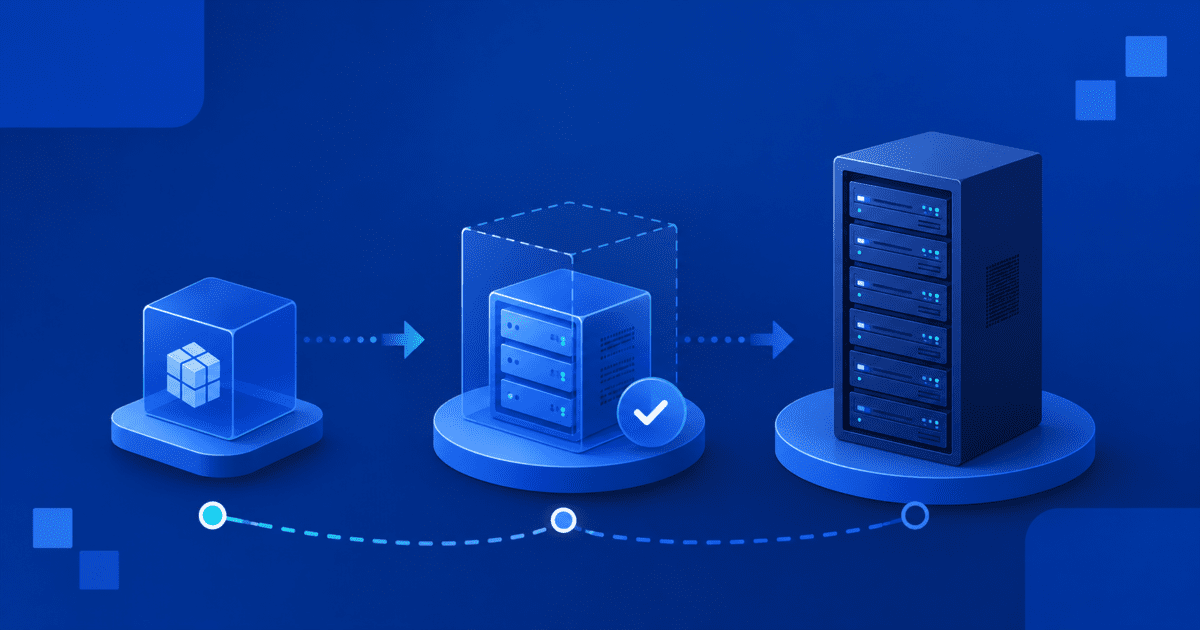
There is a specific point where a standard VPS stops feeling like enough.
Your site still runs. Your apps still work. But traffic spikes feel heavier, background jobs take longer and performance becomes harder to predict. You may start seeing VPS performance issues during checkout periods, automation runs, client traffic surges or development workloads.
At the same time, a dedicated server may feel like too much. Bare metal gives you full physical hardware, but it can also bring higher cost, longer provisioning and more operational overhead than your team needs right now.
That is the gap virtual dedicated server hosting is built to fill.
A virtual dedicated server gives you dedicated resources, stronger isolation and full root access without forcing you into a full bare-metal environment. For growing teams, agencies, ecommerce businesses and developers, VDS hosting can be the practical upgrade path between VPS and dedicated servers.
When VPS starts falling short
A standard VPS is a strong starting point for many websites and applications. It gives you more control than shared hosting and more flexibility for custom stacks, development environments and production workloads.
But VPS hosting still depends on shared physical infrastructure. Multiple tenants run on the same host, and providers often divide resources across those tenants based on expected usage patterns.
That model works well when workloads are light and predictable. It becomes less reliable when your workload starts using more CPU, memory or disk I/O for longer periods.
You may be ready to upgrade from VPS if you notice:
- Traffic spikes slowing down your site or application
- Checkout, database or admin actions taking longer than expected
- Batch processing, AI tasks or automation jobs competing for resources
- Client sites affecting each other in a multi-site agency setup
- Performance changing even when your own workload has not changed
- A growing need for root access hosting with stronger isolation
This is where noisy neighbor hosting becomes a real concern. Even if your VPS is configured well, another tenant on the same physical host can create resource pressure that affects performance consistency.
For a personal blog or small brochure site, that may not matter much. For an ecommerce store, SaaS backend, developer pipeline or agency hosting environment, inconsistent performance can become a business problem.
Why dedicated hosting may be more than you need
The traditional answer to resource contention is dedicated hosting.
A dedicated server gives you full physical hardware. You do not share the server with other tenants, and you get deeper control over the environment.
That makes sense for certain workloads. Large enterprise systems, compliance-heavy environments, massive databases and infrastructure teams that need physical-level control may need dedicated hosting.
But not every growing business needs that much.
Dedicated hosting can be excessive if you mainly need:
- Better performance isolation
- Guaranteed CPU and memory allocation
- Root-level control
- Faster scaling
- Lower operational friction
- A more cost-efficient dedicated server alternative
This is the key distinction in the VDS vs dedicated server decision. Dedicated hosting gives you full physical ownership. VDS server hosting gives you dedicated virtual resources in an isolated environment.
For many teams, the second option is enough. You get dedicated-grade consistency without paying for or managing more hardware control than your workload requires.
How does virtual dedicated server hosting fill the gap?
Virtual dedicated server hosting sits between VPS and dedicated hosting.
A virtual dedicated server gives you an isolated server environment with dedicated CPU and memory allocations. Instead of competing for a shared resource pool, your allocated resources are reserved for your instance.
That makes VDS hosting different from standard VPS hosting. In a VDS vs VPS comparison, the biggest difference is not just server size. It is resource certainty.
With VDS hosting, you get:
- Dedicated resources hosting for more predictable performance
- Isolated server hosting to reduce noisy neighbor risk
- Full root access hosting for advanced configuration
- Unmanaged VDS hosting for teams that want control
- A scalable path without moving directly to bare metal
This makes VDS a strong VPS alternative when your issue is not that you need physical server ownership, but that your current VPS can no longer deliver consistent performance under load.
When should you choose VPS, VDS or dedicated hosting?
The main difference between VPS, VDS and dedicated hosting is the level of resource isolation, performance consistency and infrastructure control they provide.
| Hosting type | Best for | Resources | Performance consistency | Cost |
|---|---|---|---|---|
| VPS hosting | Small websites, blogs, development environments and early-stage business applications | Shared virtualized resources | Moderate | Lowest |
| VDS hosting | Growing websites, ecommerce stores, SaaS applications and production workloads | Dedicated virtual resources | High | Mid-range |
| Dedicated hosting | Enterprise applications, large databases and high-traffic platforms | Entire physical server | Highest | Highest |
VPS hosting
Choose VPS hosting when you need an affordable environment with flexibility and root access. It works well for predictable workloads that have not yet outgrown their allocated resources.
VDS hosting
Choose VDS hosting when VPS performance issues, resource contention or growing traffic begin affecting reliability. A virtual dedicated server provides dedicated resources and stronger isolation without the cost of a physical server.
Dedicated hosting
Choose dedicated hosting when you need full control of physical hardware, maximum performance and complete infrastructure isolation. This option is typically reserved for large-scale or enterprise workloads.
For many growing businesses, VDS hosting is the upgrade path between VPS and dedicated hosting. It delivers dedicated resources and stronger performance isolation without the cost and operational overhead of a bare-metal server.
Who should consider upgrading to VDS hosting?
You should consider upgrading to VDS hosting if your VPS is still useful but no longer provides enough performance consistency, resource isolation or control for growing workloads.
| User type | When VDS hosting makes sense | Why VDS helps |
|---|---|---|
| Agencies | You manage multiple client sites, staging environments or production workloads | Stronger isolation helps keep client workloads more stable |
| eCommerce stores | Checkout, database queries, inventory updates or campaign traffic are slowing down | Dedicated resources and NVMe storage make performance more predictable |
| SaaS teams | APIs, dashboards, user sessions and background jobs are creating sustained demand | More control over runtime, dependencies and server configuration |
| Developers | You need root access, containers, CI/CD runners, custom packages or testing environments | A VDS gives more control than VPS without the overhead of dedicated hosting |
Agencies
Agencies should consider VDS hosting when multiple client sites or production workloads need stronger isolation. A virtual dedicated server gives technical teams more control over server configuration while helping reduce performance issues caused by shared-resource behavior.
eCommerce stores
VDS for ecommerce is useful when VPS hosting starts struggling with checkout activity, database queries, cart updates, admin actions or seasonal traffic spikes. For WooCommerce, Magento and custom ecommerce stacks, dedicated resources can make the hosting environment more stable.
SaaS teams
VDS for SaaS apps works well when backend workloads need consistent performance. API calls, user sessions, dashboards, background jobs and database activity often need more predictable resources than a standard VPS can provide.
Developers
VDS for developers is a strong fit when teams need root access, custom packages, container tooling, automation workflows or CI/CD runners. It offers more flexibility and consistency than VPS hosting without requiring a full dedicated server.
When to stay on VPS
You may not need VDS hosting yet if your current VPS is stable, affordable and handling your workload comfortably.
Stay on VPS if:
- Your traffic is predictable
- Your site does not run heavy background jobs
- You do not see recurring CPU, RAM or disk I/O pressure
- You do not need stronger resource isolation
- Your current hosting cost is more important than dedicated performance
VDS hosting should be treated as an upgrade path, not a default starting point for every project.
When to choose dedicated hosting instead?
A dedicated server may be the better choice if you need complete physical control.
Choose dedicated hosting if:
- You need the maximum level of resource isolation and server-level control
- Your workload requires an entire server’s resources reserved exclusively for your account
- You have strict infrastructure or compliance needs
- Your team needs deeper control over physical server configuration
- Your application has outgrown even high-tier VDS hosting plans
In that case, VDS may not be enough. But for many teams, VDS is the better dedicated server alternative because it solves the performance and isolation problem without adding unnecessary hardware complexity.
What does Bluehost VDS hosting look like?
If VDS is the upgrade your workload needs, Bluehost VDS hosting is what that decision looks like in practice:
- AMD EPYC infrastructure, with dedicated vCPU and RAM allocated to your instance instead of pulled from a shared pool
- NVMe storage, which keeps disk-heavy work (databases, logs, scripts, high-traffic application files) from bottlenecking the way it can on standard VPS hosting
- Full root-level SSH access to configure the server, install your own software, and manage your own security and networking, since the environment is unmanaged by design
- Plans that scale as your workload grows, so moving up a tier means adjusting the same environment rather than repeating the VPS-to-dedicated decision you just made
That’s the version of this upgrade that doesn’t make you choose between waiting weeks on a migration and paying for hardware control you don’t need yet.
Final thoughts on choosing virtual dedicated server hosting
Virtual dedicated server hosting may not be the right starting point for every project. But it becomes a smart next step when your VPS is still useful, yet no longer gives you the consistency, isolation or control your workload needs.
That is the real value of VDS hosting. It gives growing websites, ecCommerce stores, SaaS apps, agencies and developers a stronger hosting environment without forcing them into the cost and complexity of a full dedicated server. You get dedicated virtual resources, root access and a clearer path to scale when performance starts to matter more.
Bluehost VDS hosting fits that middle stage. With isolated resources, NVMe storage, AMD EPYC infrastructure and unmanaged server control, it gives technical teams room to grow while keeping the upgrade path practical.
The question is not whether VPS, VDS or dedicated hosting is the most powerful option. The better question you need to sit with is: What level of control and performance does your workload actually need next?
FAQs
No. VPS and VDS both use virtualization, but they are not the same. In a VDS vs VPS comparison, the main difference is resource allocation. A VPS may share resources across tenants, while a VDS provides dedicated resources for stronger performance isolation.
Virtual dedicated server hosting is used for workloads that need more consistent performance than standard VPS hosting but do not require a full dedicated server. Common use cases include ecommerce stores, SaaS apps, agency hosting, developer environments, automation workloads and high-traffic applications.
Yes. VDS hosting can be a dedicated server alternative for teams that need dedicated resources, root access and stronger isolation but do not need full physical hardware ownership.
You should consider an upgrade from VPS to VDS if you are seeing VPS performance issues, resource contention, noisy neighbor hosting problems or limits around CPU, memory, storage or configuration control.
Yes. Bluehost VDS hosting is an unmanaged VDS hosting environment with root-level access, so technical users can configure the server, install custom software and manage their own stack.
Yes. VDS for eCommerce is useful when your store needs more consistent performance for checkout, database activity, traffic spikes, inventory updates and admin workflows.
Yes. VDS for developers is a strong fit when projects need root access hosting, custom runtimes, containers, CI/CD workflows or more predictable server performance than standard VPS hosting can provide.

Write A Comment