 ChatGPT,
  Claude,
  Gemini,
  Grok — all four for
 Bluehost AI Store: Understanding the AI Action Plan
The AI Action Plan of the Bluehost AI Store helps you identify and prioritize opportunities to improve your online store's visibility, product quality, sales performance, and channel reach. Powered by multiple AI agents, this feature analyzes your store data and generates actionable recommendations that can help optimize your store's performance.
This article explains where to find the AI Action Plan in your AI Store dashboard and how to analyze the recommendations it provides. It also includes a video walkthrough for additional guidance.
Where Can I Find the AI Action Plan?
You can access AI recommendations from the AI Store through either of the following locations:
- The AI Action Plan widget on the Dashboard
- The Merchant Command Center in the AI Insights tab
For more information, please visit the Bluehost AI Store: AI Insights Tab plan.
To view the complete AI Action Plan:
- Log in to your Bluehost Portal.
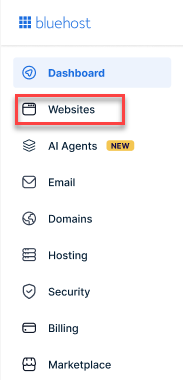
- From the left-hand menu, click the Websites tab.
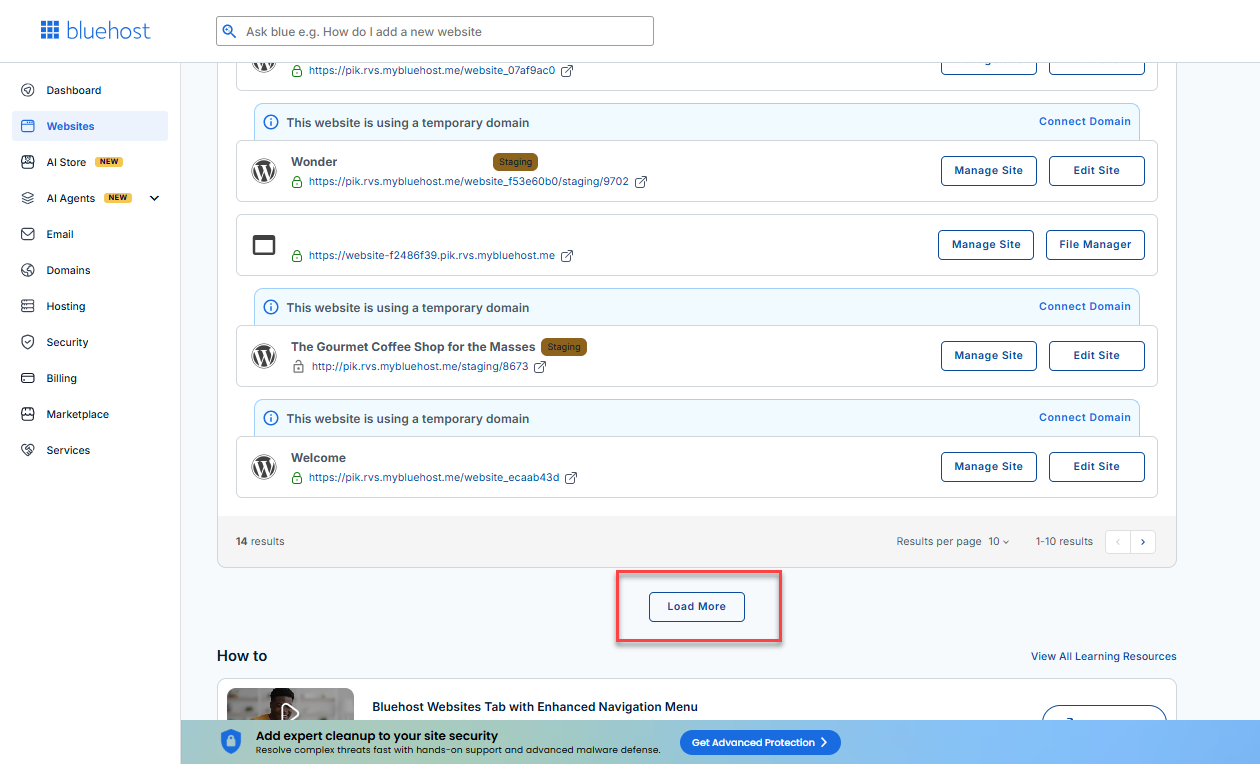
- Locate your Sell Online plan. If you have multiple websites, you need to scroll down and click the Load More link.
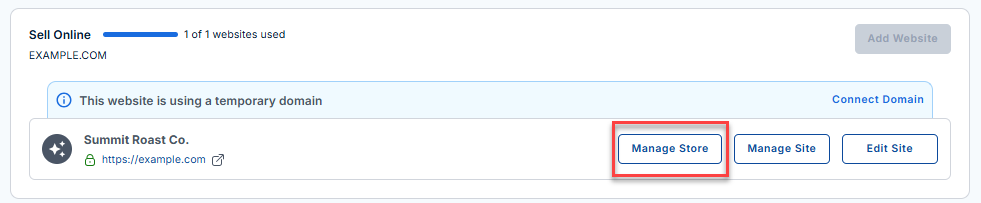
- Click the Manage Store button next to your site.
- You will be redirected to your Bluehost AI Store Dashboard.
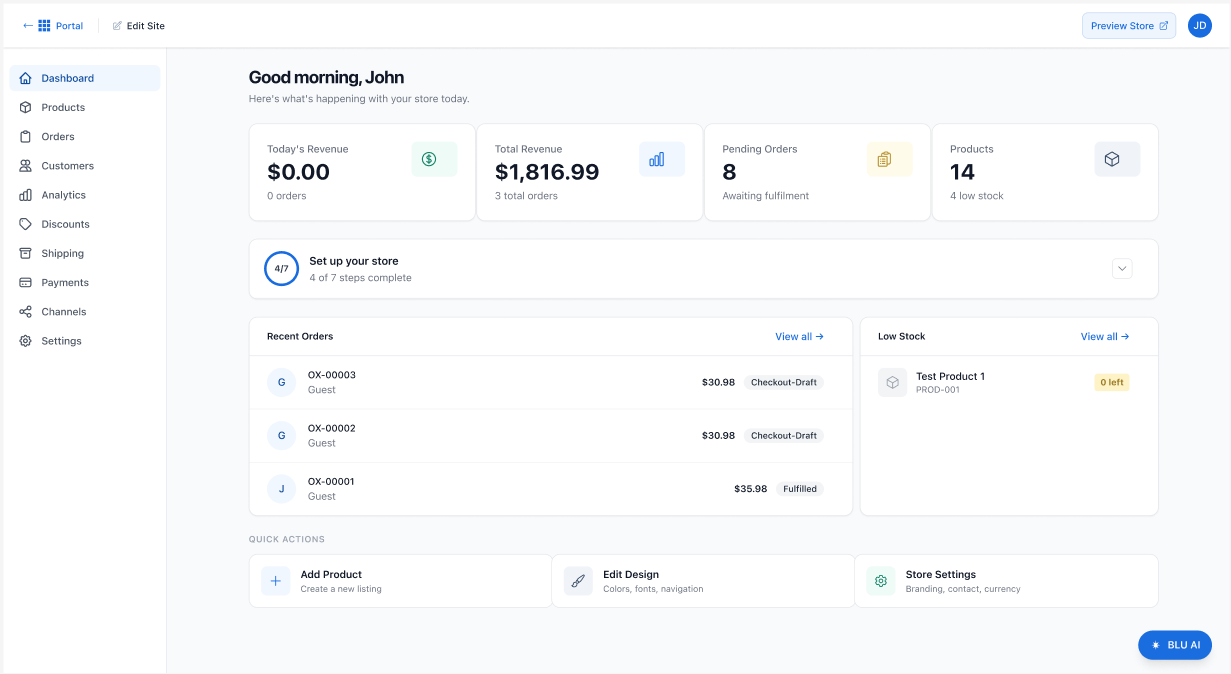
- In the Dashboard, scroll down to the AI Action Plan section.
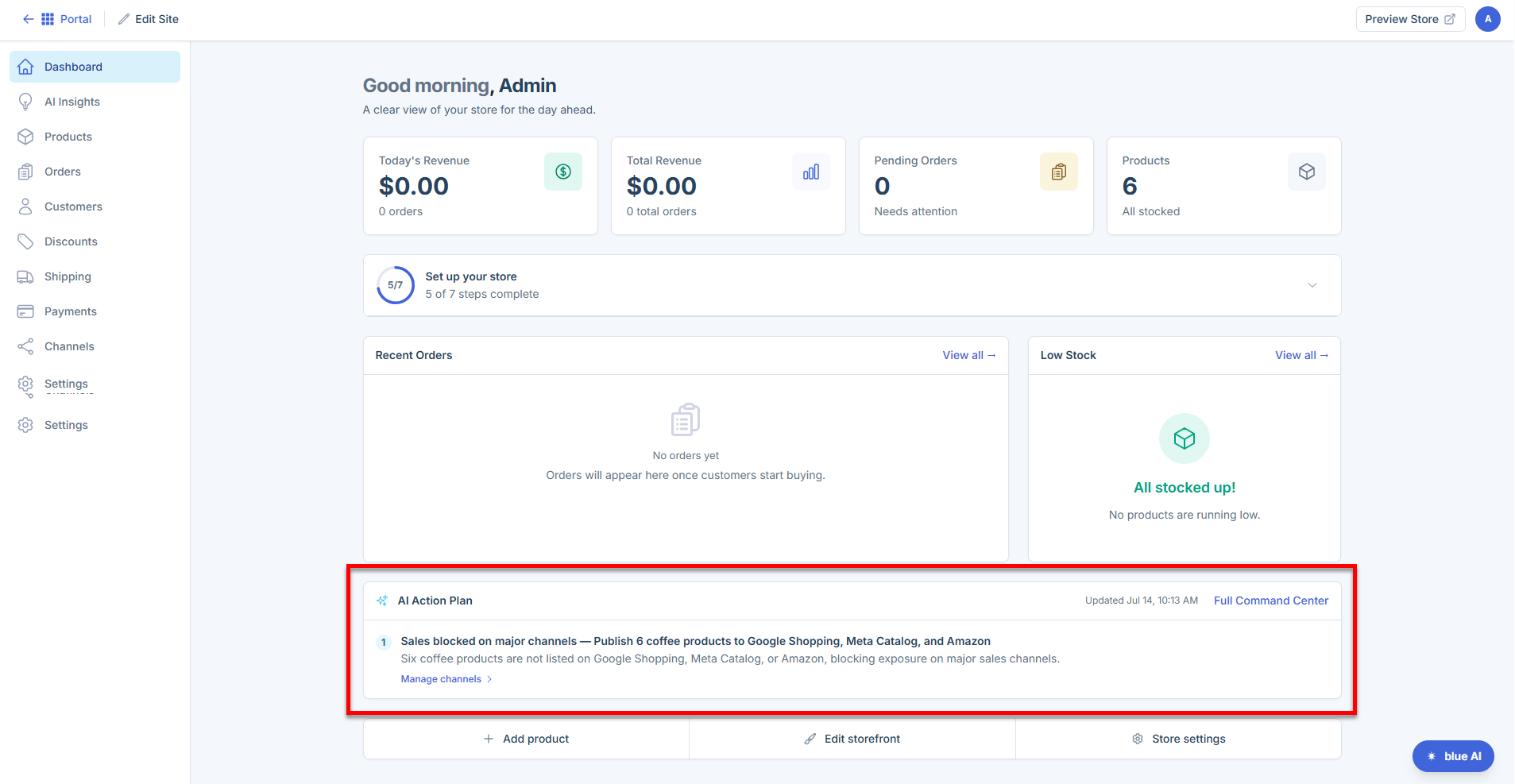
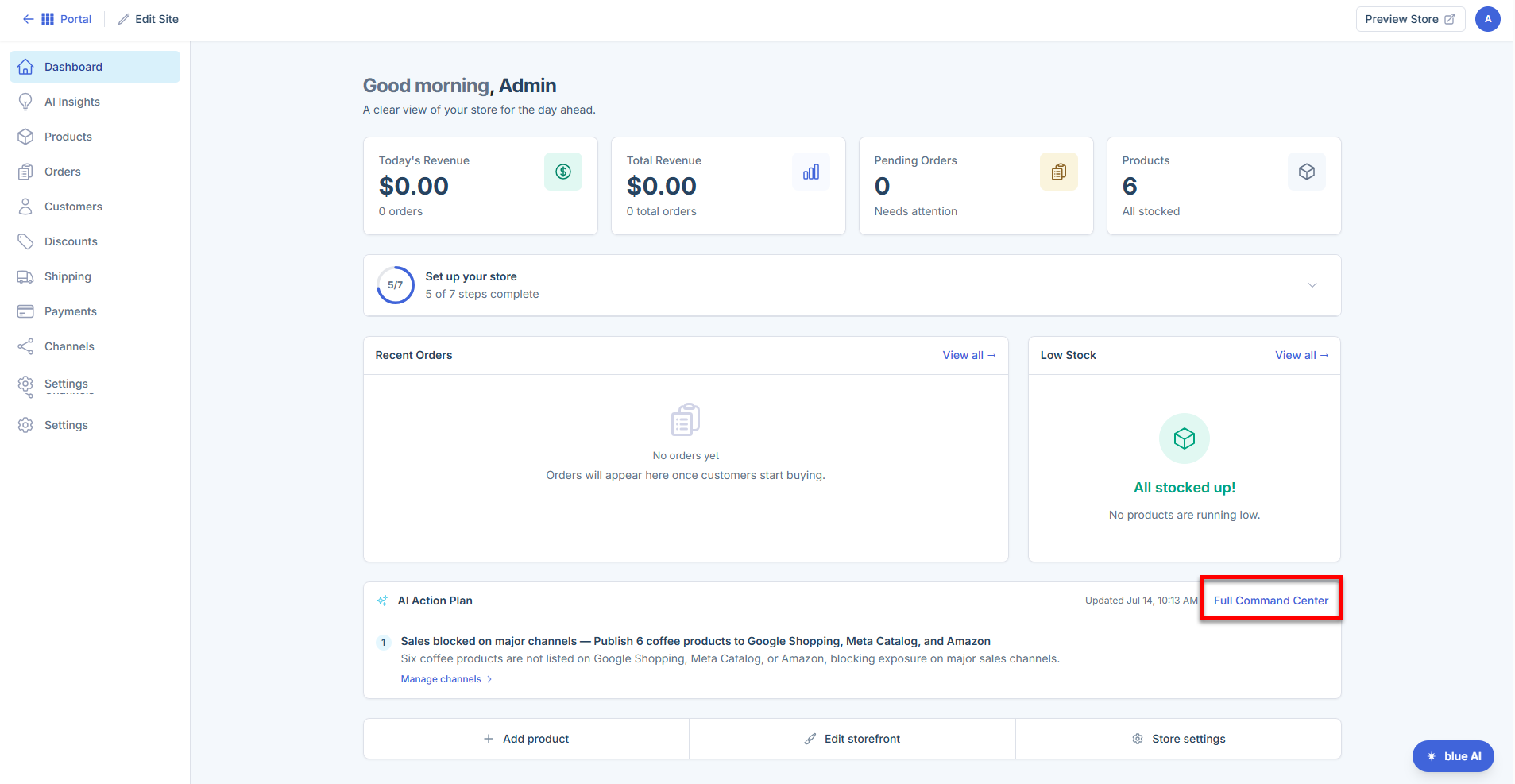
- The Dashboard displays a preview of your AI recommendations. To view the full list, click the Full Command Center link.
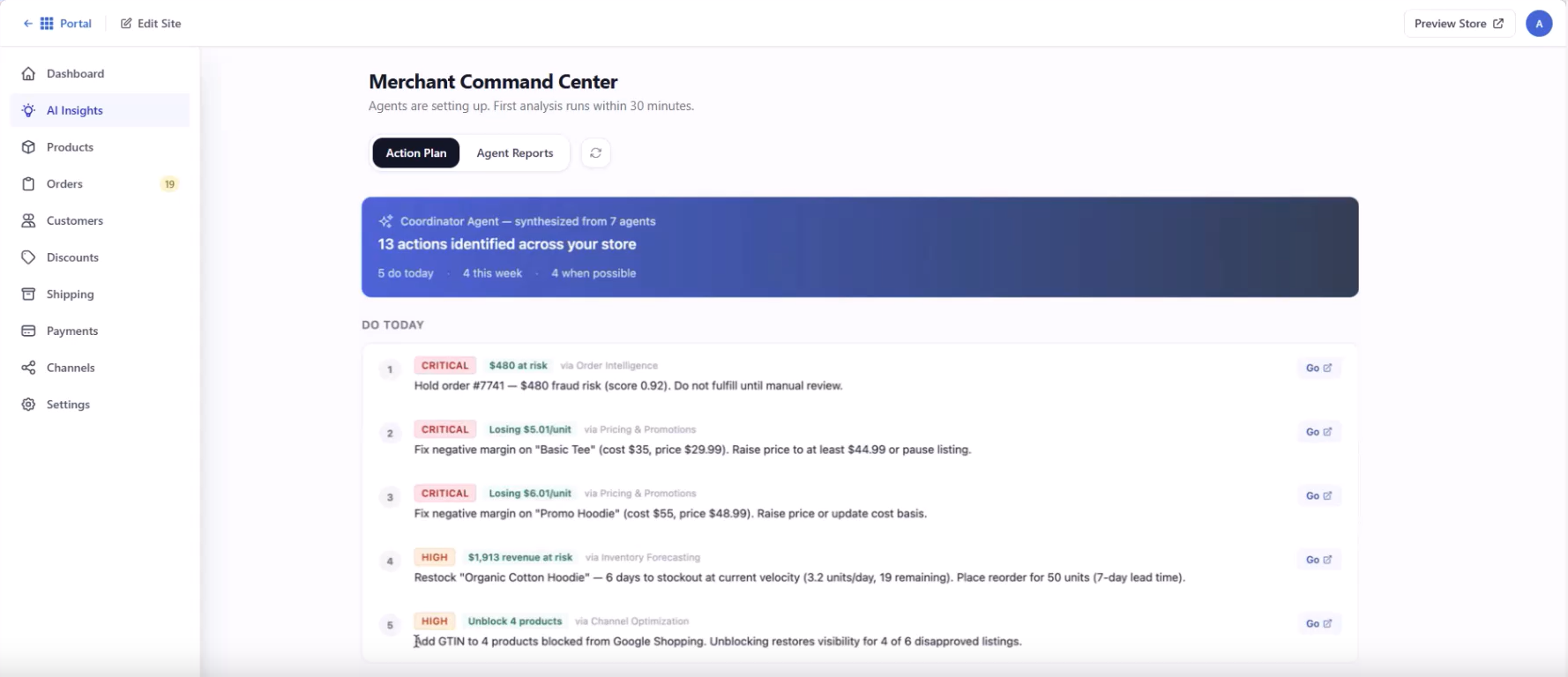
This will take you to the AI Insights tab. Alternatively, you can navigate directly to the AI Insights tab.
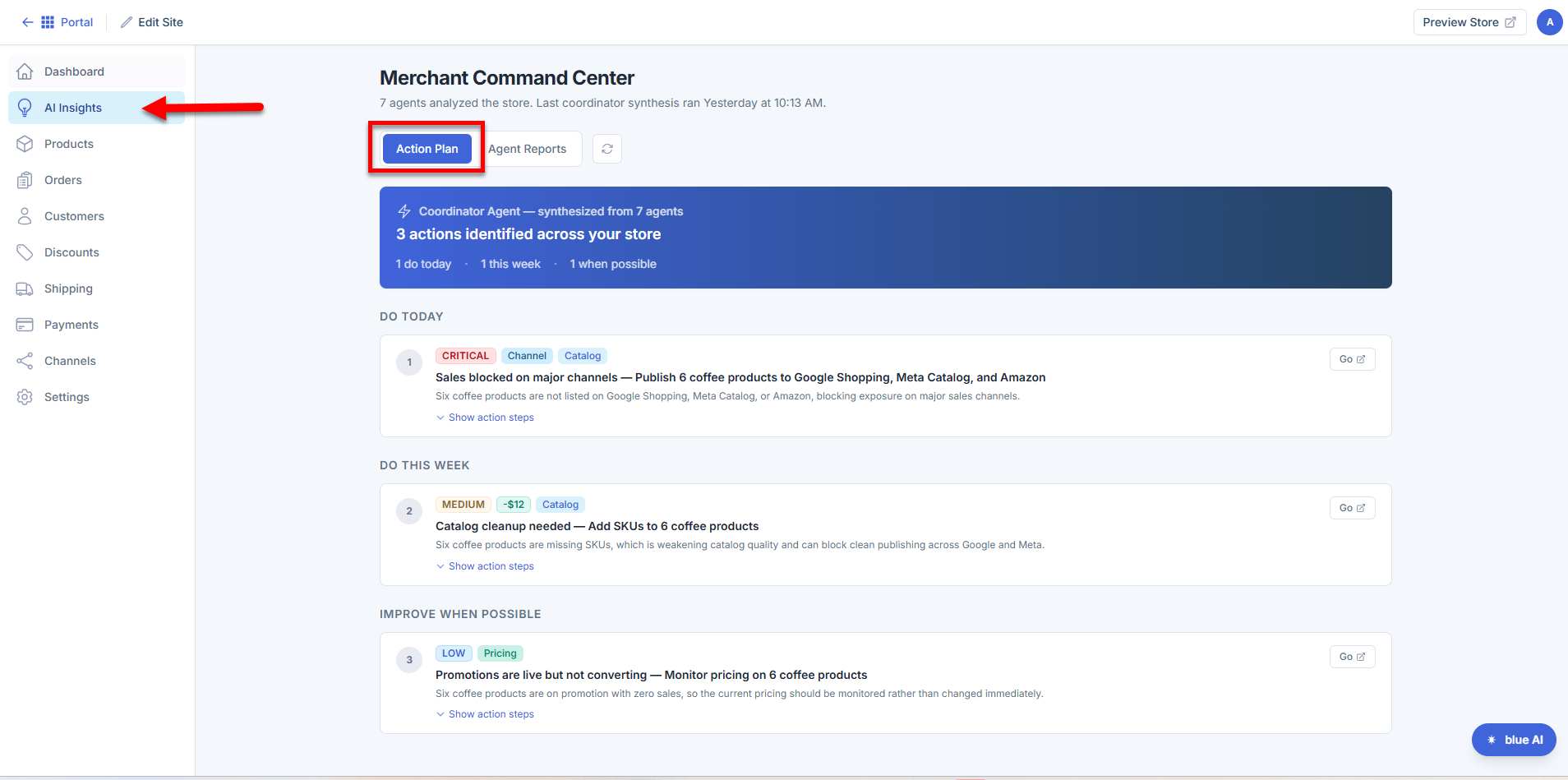
- In AI Insights, select the Action Plan tab to view the complete list of recommendations.
Understanding the AI Action Plan
The AI Action Plan highlights the most important recommendations to help you focus on the actions that can have the greatest impact on your store.
Action Plan Tab
The Action Plan tab shows all your recommendations organized into three priority groups. Items at the top of the list have the highest urgency and financial impact.
Priority Groups:
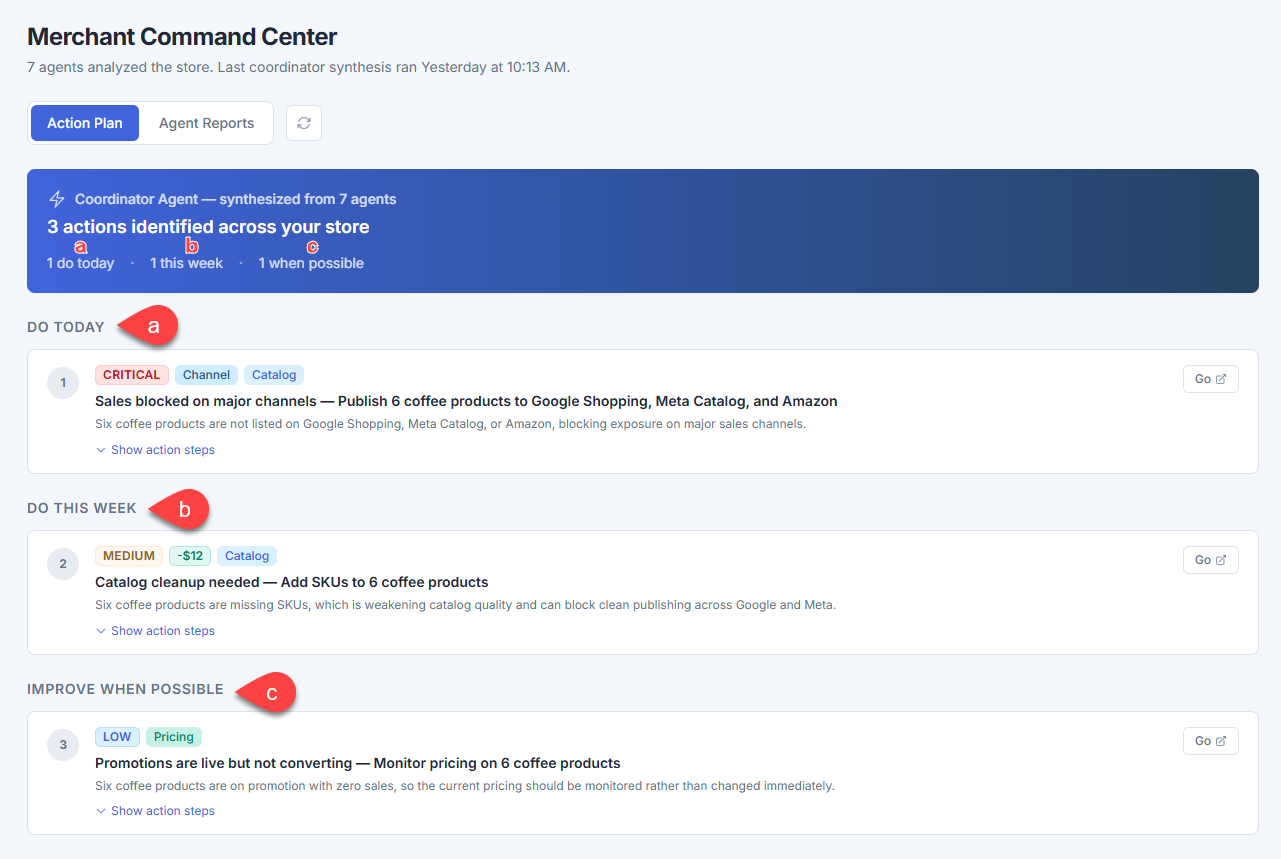
- Do Today - High-urgency issues actively blocking sales or putting significant revenue at risk. Address these as soon as possible.
- Do This Week - Important issues that can improve your store's performance and shouldn't wait long.
- Improve When Possible - Lower-priority optimizations for when you have time.
What's on each recommendation card?
This card includes the following components:
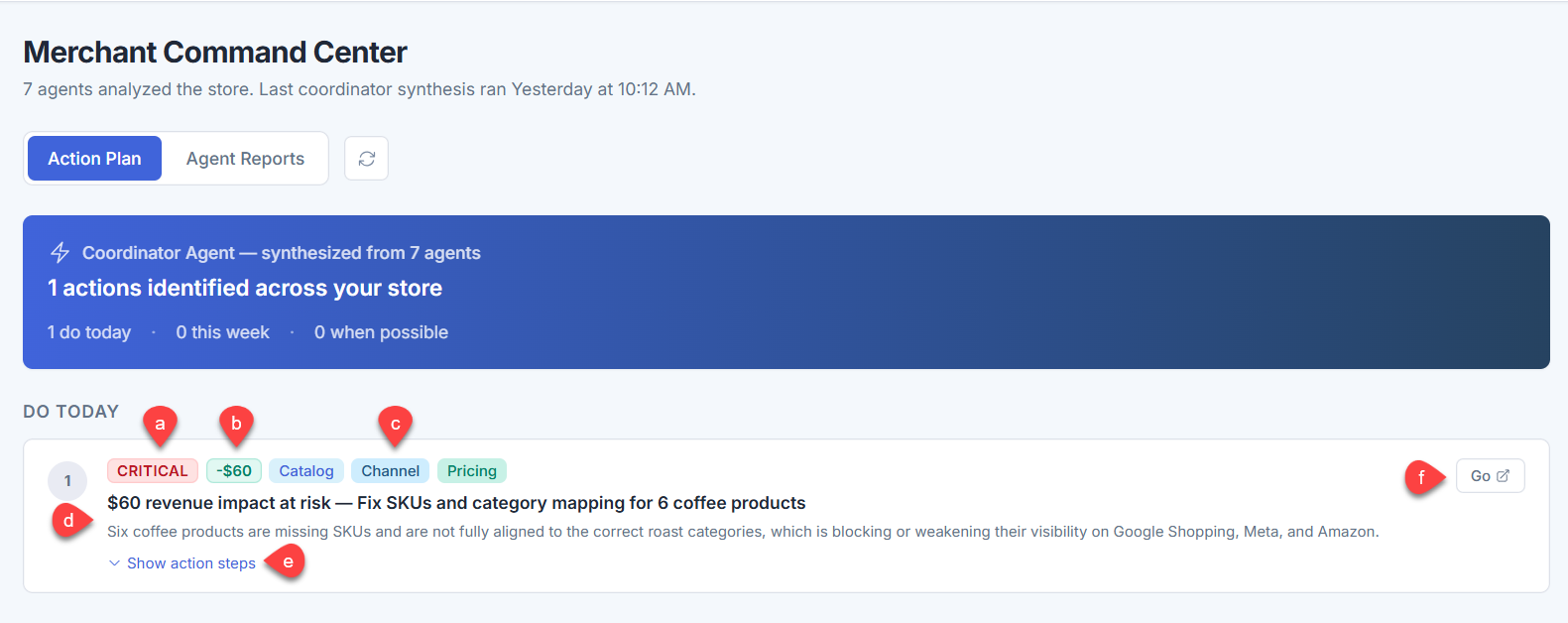
- Urgency tag - Reflects how time-sensitive the issue is (CRITICAL, HIGH, MEDIUM, or LOW).
- Financial impact tag - The estimated revenue at stake or opportunity value in dollars.
- Category tags - Indicates which area(s) of your store are affected (e.g., Order, Catalog, Channel, Marketing, Inventory).
- Title and description - Shows a summary of the issue and why it matters.
- Show action steps — Click to expand a step-by-step breakdown of what to do.
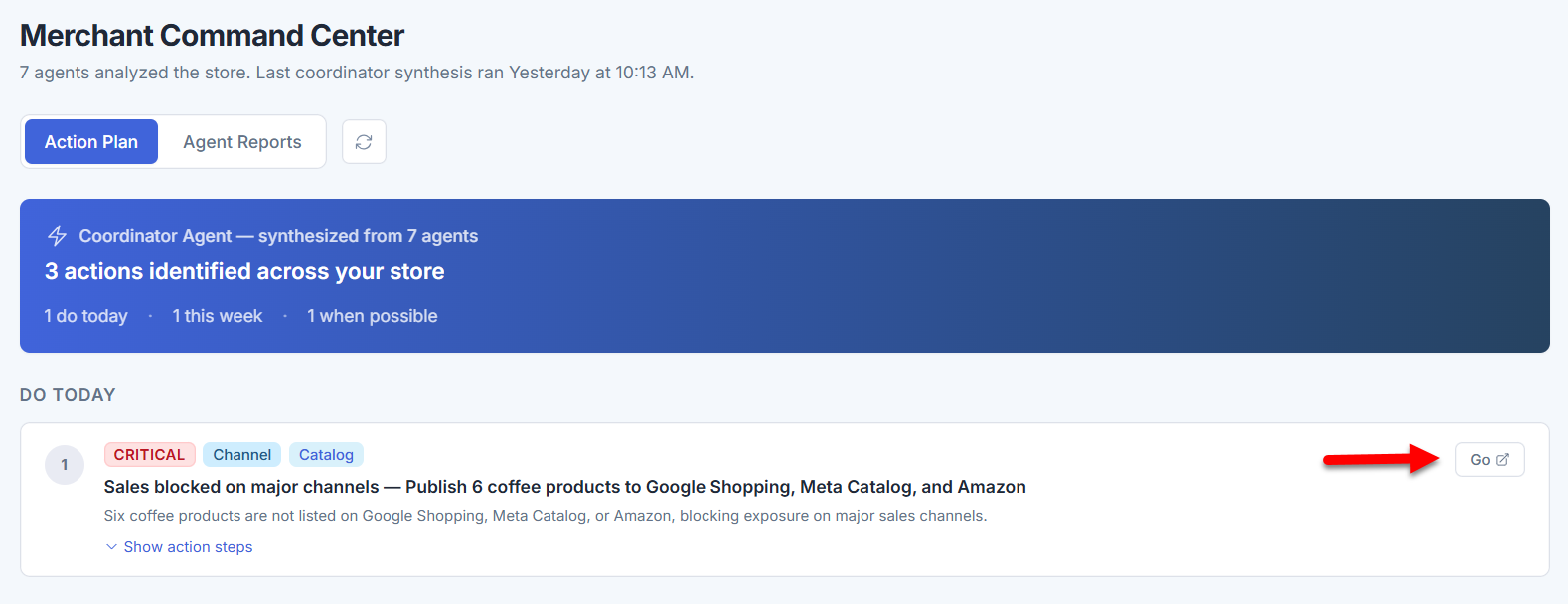
- Go button — Takes you directly to the relevant section of your store to fix the issue.
Agent Reports Tab
The Agent Reports tab shows what each individual AI agent found during its last analysis. This is useful if you want to dig into a specific area of your store — such as catalog health or channel performance — rather than viewing the consolidated action plan.
Here are the seven agents analyzing your store and what they monitor:
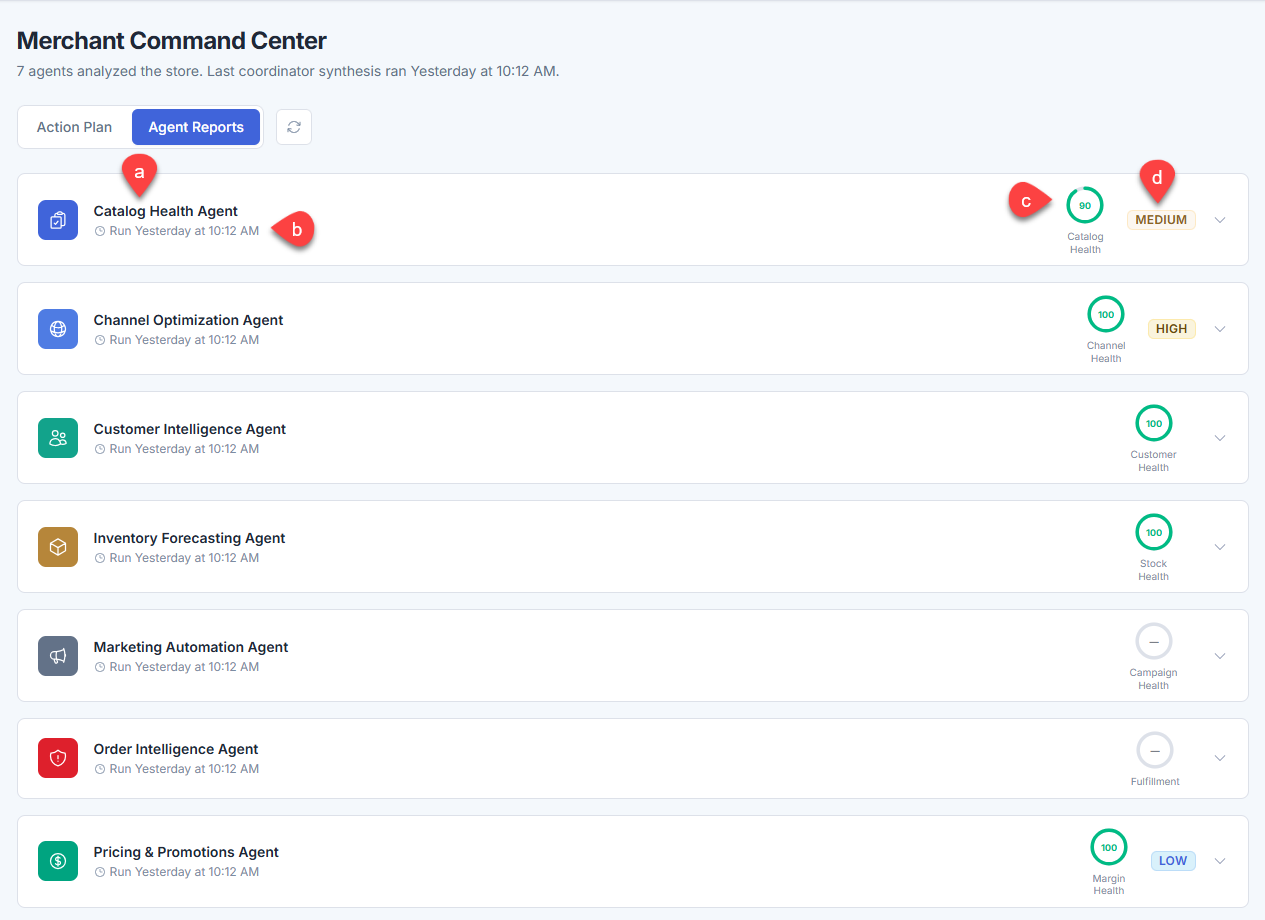
- Catalog Health Agent - Product data quality, prices, descriptions, images, and sellability.
- Channel Optimization Agent - Product listings on Google Shopping, Meta Catalog, and other channels.
- Customer Intelligence Agent - Customer segments, engagement, and retention opportunities.
- Inventory Forecasting Agent - Stock levels, stockout risk, and overstock.
- Marketing Automation Agent - Campaign opportunities and automation gaps.
- Order Intelligence Agent - Order fulfillment, payment status, and fraud risk.
- Pricing and Promotions Agent - Pricing gaps and promotional opportunities.
Each agent card shows:
- Agent name and number of critical issues found
- Last run time
- Health score - A 0–100 score for the area the agent monitors (e.g., Catalog Health, Channel Health, Margin Health)
- Urgency indicators - Overall urgency level for that agent's findings
Click the arrow on any agent card to expand it and see its detailed findings, including sub-scores and individual recommendations with direct links to the affected products or orders.
Taking Action on a Recommendation
- In the Action Plan tab, find the recommendation you want to address.
- Click Show action steps to see a breakdown of what's involved.
- Click Go to navigate directly to the section of your store associated with the issue.
- Complete the recommended task.
Once an issue is resolved, it will no longer appear the next time the AI analyzes your store.
Summary
Learn how to access and use the AI Action Plan in the Bluehost AI Store. This article explains where to find AI-generated recommendations, how recommendations are prioritized and categorized, and how to take action on identified issues to improve your store's visibility, performance, and overall quality.
If you need further assistance, Bluehost Chat Support is available 24 hours a day, 7days a week while Bluehost Phone Support is available 7 days a week from 7 am-12 midnight EST.
- Chat Support - While on our website, you should see a CHAT bubble in the bottom right-hand corner of the page. Click anywhere on the bubble to begin a chat session.
- Phone Support -
- US: 888-401-4678
- International: +1 801-765-9400
You may also refer to our Knowledge Base articles to help answer common questions and guide you through various setup, configuration, and troubleshooting steps.