 ChatGPT,
  Claude,
  Gemini,
  Grok — all four for
 Bluehost AI Store: Understanding Catalog Health
Maintaining optimal Catalog health in your Bluehost AI Store is the foundation for seamless multi-channel publishing, ensuring your products are always fully optimized, synchronized, and ready to sell.
To learn more about the AI Store platform and its core features, visit the following support articles:
What is Catalog Health?
Catalog health reflects the continuous analysis performed by multiple AI agents accross your online store's backend.
While your main AI Store dashboard gives you a quick overview of your store's overarching status, the AI Insights tab serves as your Merchant Command Center. Here, your catalog health is managed in two main ways:
- The Action Plan (Coordinator Agent): The AI synthesizes findings into prioritized, store-wide tasks. It flags major issues like Publishing Blockers (products failing to list on Google Shopping, Meta, or Amazon), Data Quality (missing SKUs), and Pricing Monitor alerts.
- Agent Reports (Catalog Health Agent): The Agent Reports section provides a granular look at your catalog's status. The dedicated Catalog Health Agent generates an overall health score and breaks down your inventory by readiness (for example, Ready to Sell, Ready to Rank, Ready to Sync). It tracks underlying metrics for Sellability, Discovery, and Operations while also providing specific, item-level improvements.
Why Catalog Health is Important
Catalog health ensures your product data is accurate, complete, and optimized for maximum visibility and sales across all channels. By maintaining strong catalog health, you reduce listing errors, improve customer trust, and make it easier to manage and grow your store.
For more information, visit the following articles:
How to Check and Improve Your Catalog Health
You can monitor and resolve catalog issues by navigating from your dashboard to the AI Insights tools.
Step 1: Navigate to the AI Insights Tab
- Log in to your Bluehost Portal.
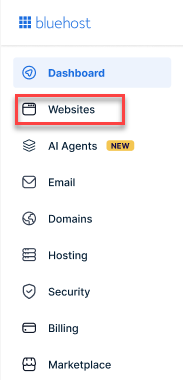
- From the left-hand menu, click the Websites tab.
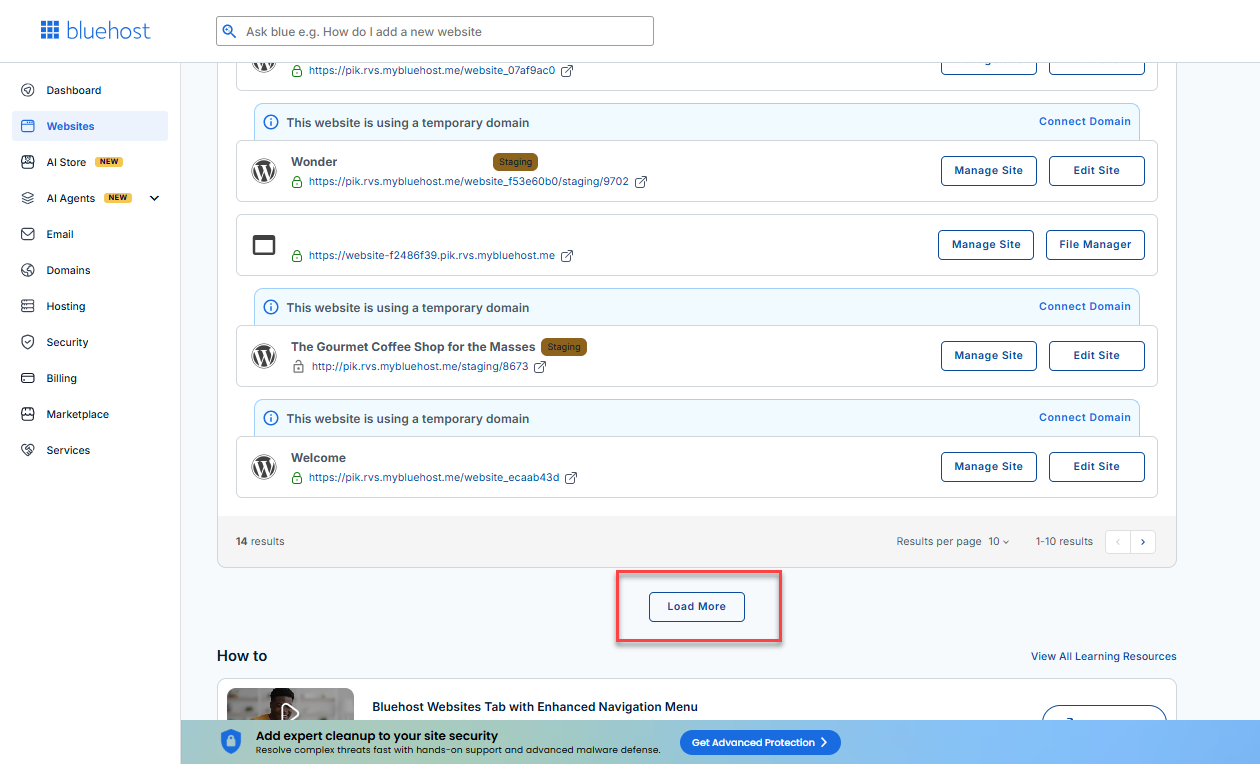
- Locate your Sell Online plan. If you have multiple websites, you need to scroll down and click the Load More link.
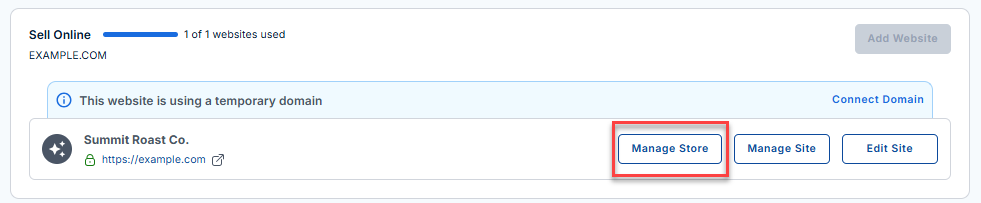
- Click the Manage Store button next to your site.
- You will be redirected to your Bluehost AI Store Dashboard.
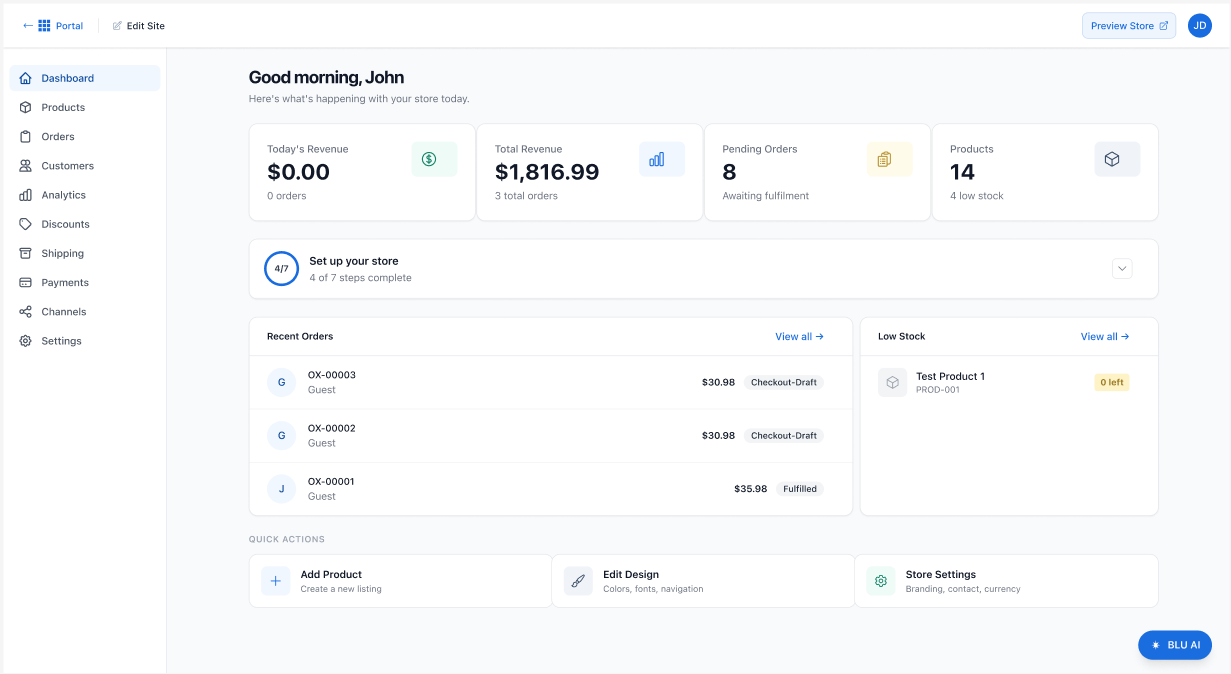
- Click the AI Insights tab in the left-hand menu.
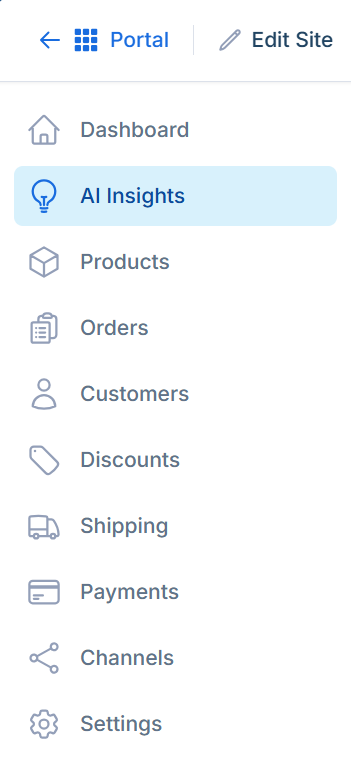
Step 2: Review Top Priorities in the Action Plan
Inside the AI Insights tab, you will land on the Merchant Command Center. The Action Plan tab displays a prioritized list of tasks divided into three timelines: Do Today, Do This Week, and Improve When Possible.
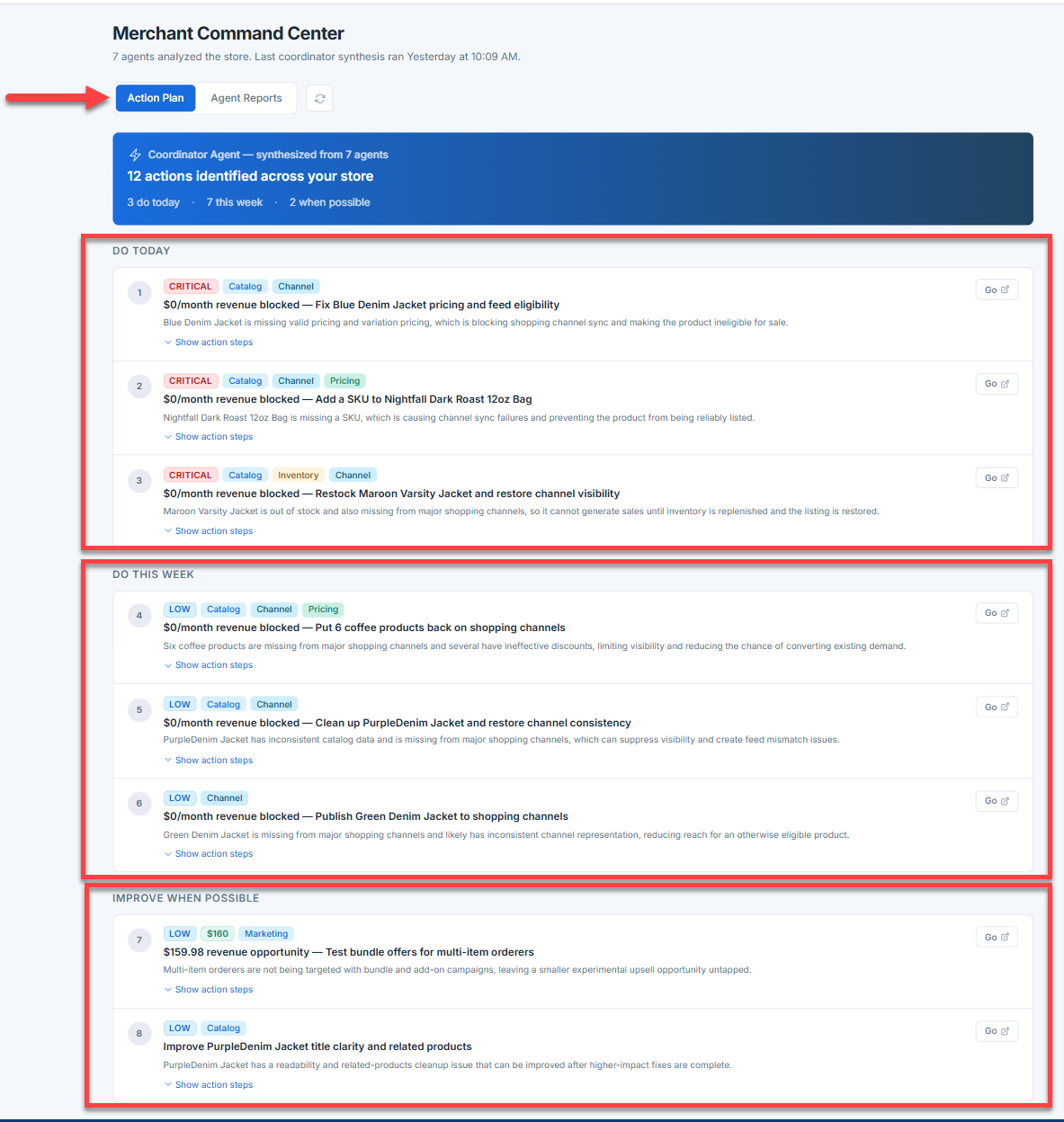
Look for action items marked with the Catalog tag to execute immediate fixes for structural issues affecting multiple products.
Step 3: Dive Deeper with Agent Reports
To view detailed catalog metrics and item-specific issues, switch from the Action Plan tab to the Agent Reports tab. Then, locate and expand the Catalog Health Agent section.
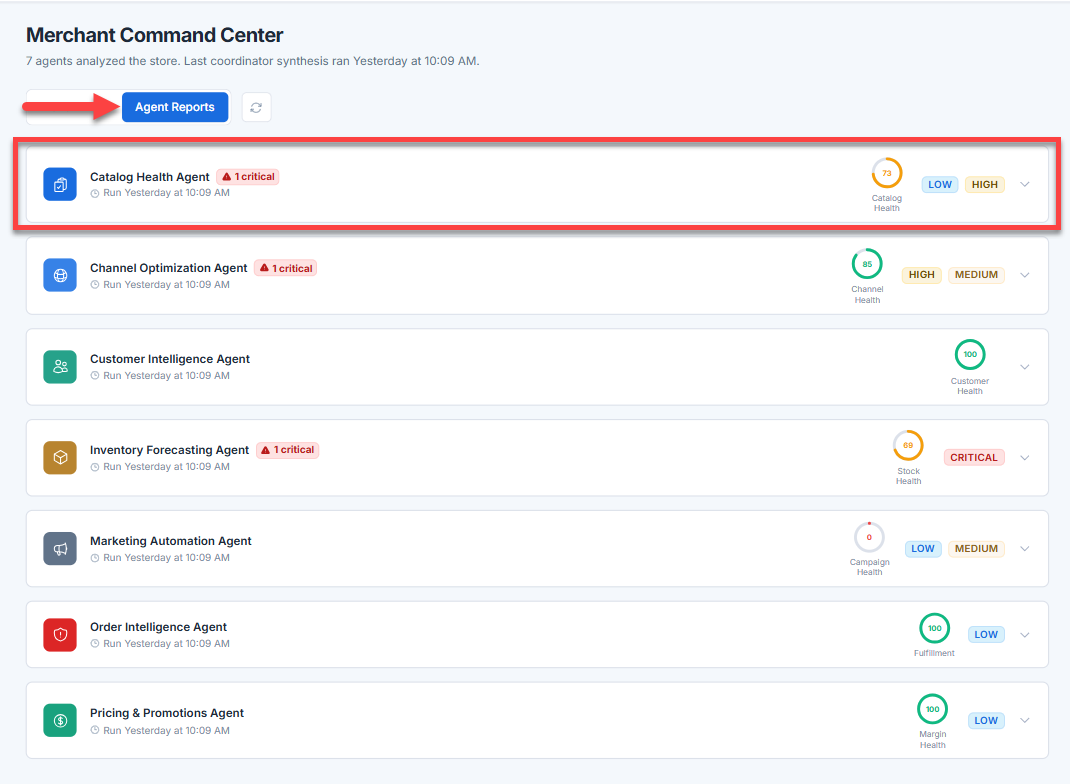
Step 4: Review the Catalog Health Agent
In the Catalog Health Agent, you will find a detailed breakdown of your catalog's standing:
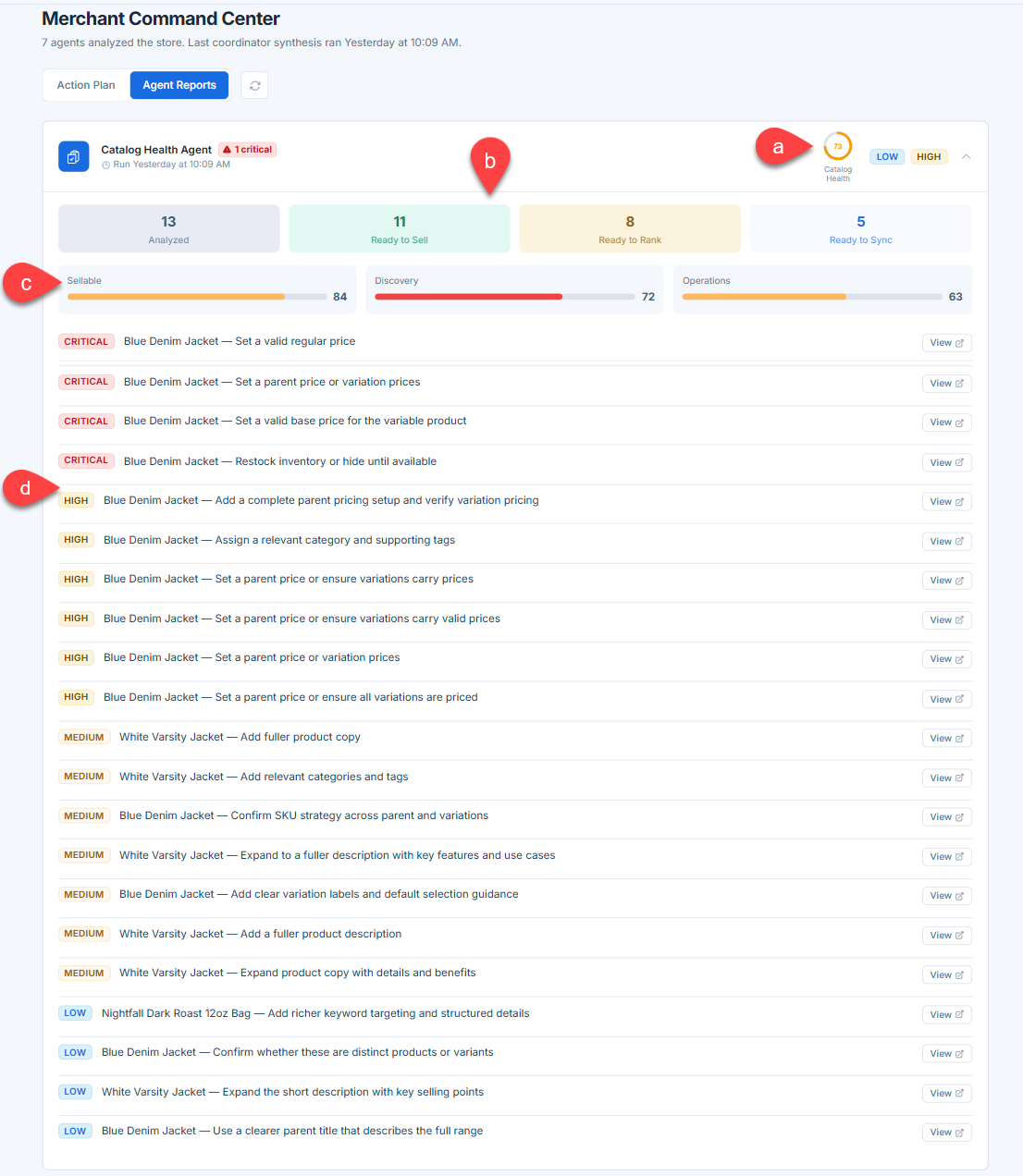
- Health Score: An overall health score indicating the general health of your catalog.
- Product Status: A high-level count of how many products have been Analyzed and how many are currently Ready to Sell, Ready to Rank, or Ready to Sync.
- Performance Bars: Progress bars showing the strength of your catalog across three pillars: Sellable, Discovery, and Operations.
- Item-Level Actions: A prioritized list of specific recommendations for individual products (such as setting valid prices, updating descriptions, or assigning categories), categorized by severity tags like
CRITICAL,HIGH,MEDIUM, andLOW. Click the View button next to any item action to inspect or resolve it directly.
Summary
Catalog health helps ensure your product listings are fully optimized and ready to sell. Through the AI Insights tab, AI agents continuously monitor your catalog to flag missing data, unblock external sales channels, and optimize pricing. You can tackle prioritized fixes in your Action Plan or explore detailed metrics via the Catalog Health Agent.
If you need further assistance, Bluehost Chat Support is available 24 hours a day, 7days a week while Bluehost Phone Support is available 7 days a week from 7 am-12 midnight EST.
- Chat Support - While on our website, you should see a CHAT bubble in the bottom right-hand corner of the page. Click anywhere on the bubble to begin a chat session.
- Phone Support -
- US: 888-401-4678
- International: +1 801-765-9400
You may also refer to our Knowledge Base articles to help answer common questions and guide you through various setup, configuration, and troubleshooting steps.