 ChatGPT,
  Claude,
  Gemini,
  Grok — all four for
 Bluehost AI Store: How to Connect Google Merchant Center
Google Merchant Center is a feature within Bluehost AI Store that enables you to connect your store to Google Shopping for seamless product listings and sales. This article will guide you through the process of connecting Google Merchant Center to your Bluehost AI Store and verifying your integration setup.
We've created a video guide to walk you through the process of connecting Google Merchant Center to your Bluehost AI Store.
How to Connect Google Merchant Center to Your Bluehost AI Store
- Log in to your Bluehost Portal.
- From the left-hand menu, click the Websites tab.
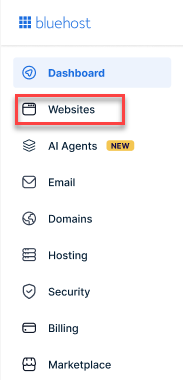
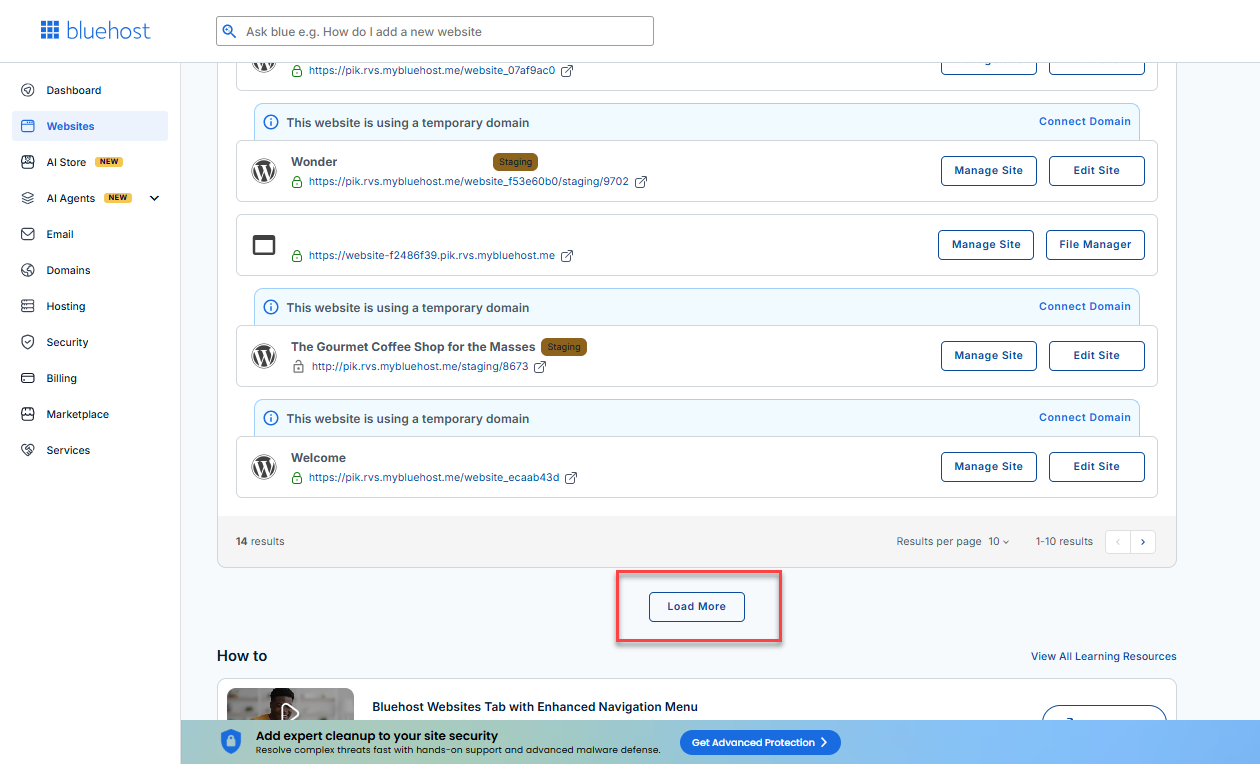
- Locate your Sell Online plan. If you have multiple websites, you need to scroll down and click the Load More link.
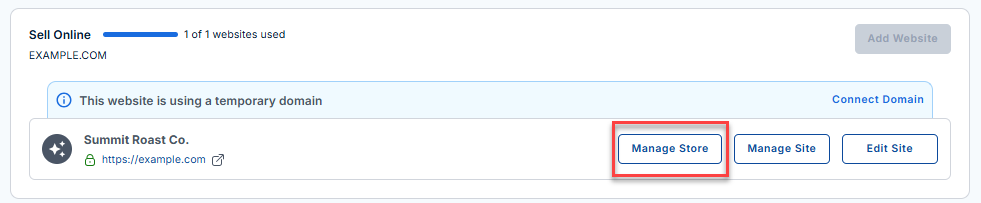
- Click the Manage Store button next to your site.
- You will be redirected to your Bluehost AI Store Dashboard.
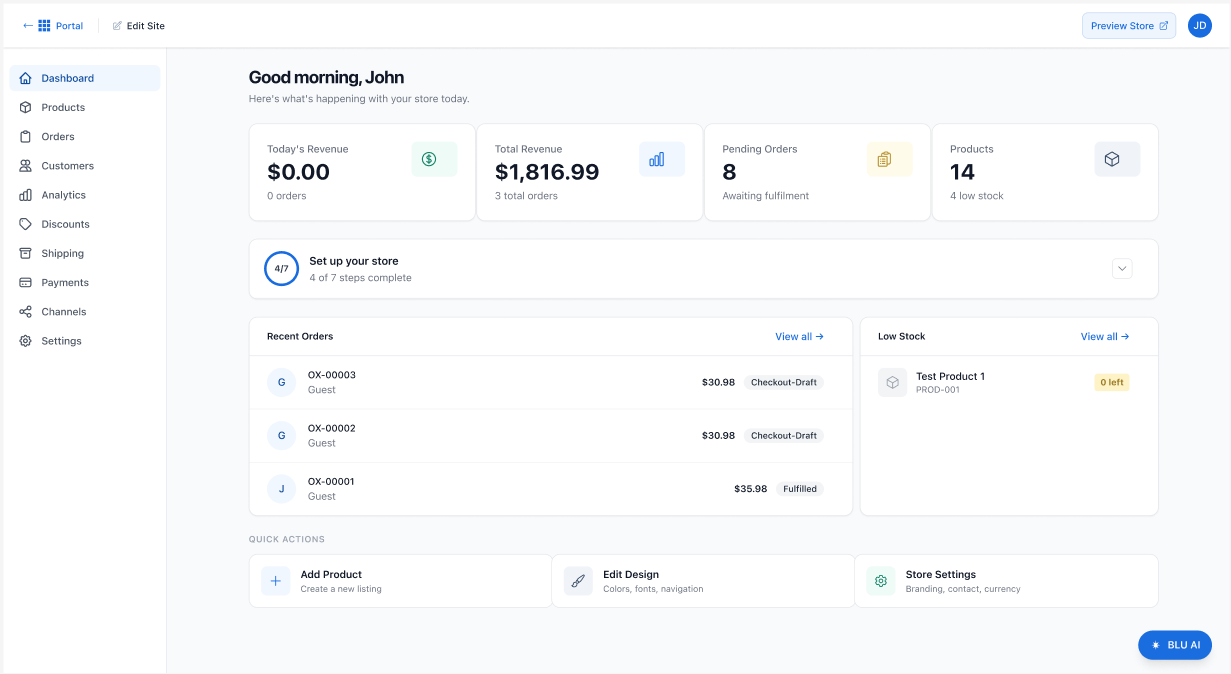
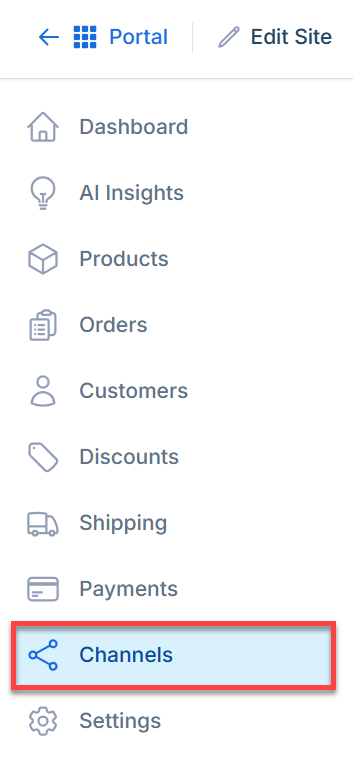
- In the AI Store dashboard, click Channels in the left menu.
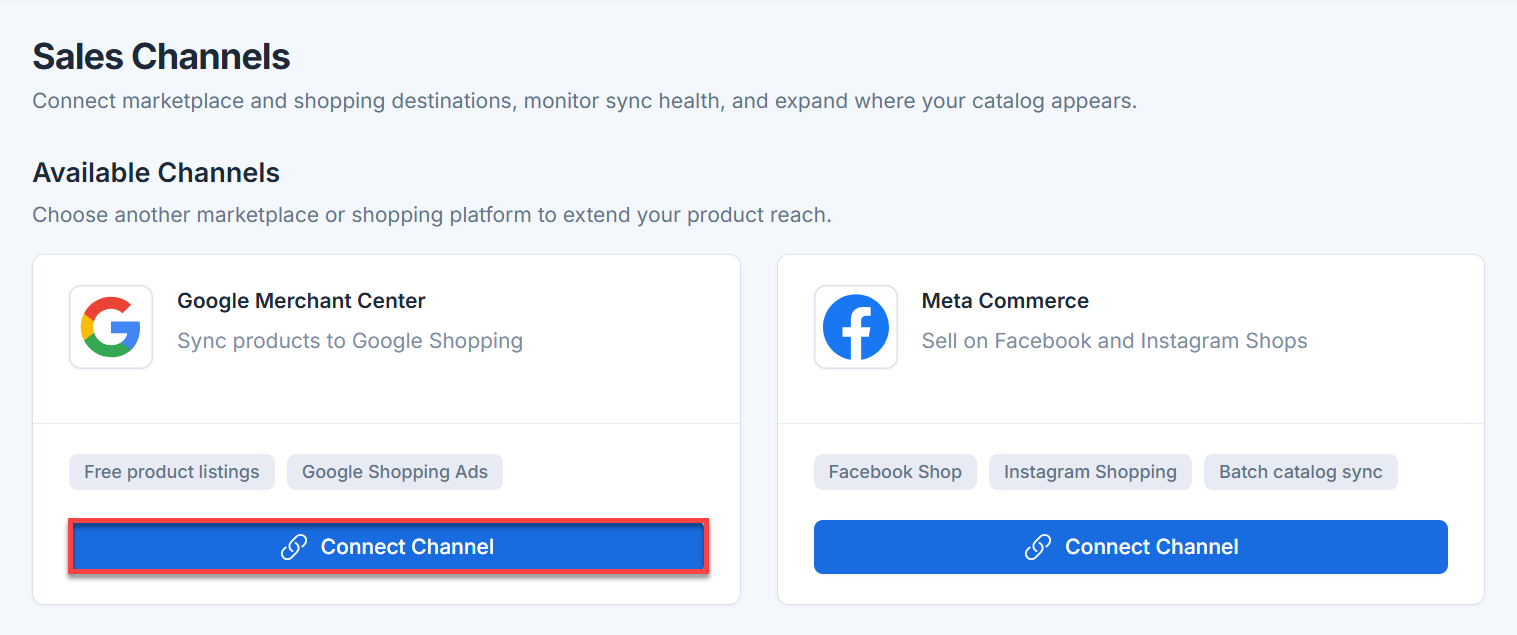
- Under the Google Merchant Center card, click Connect Channel.
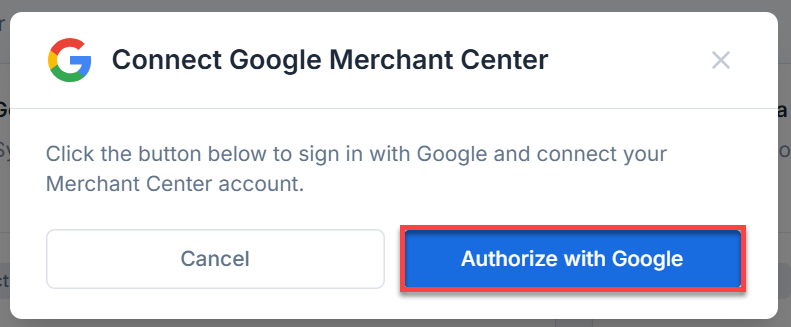
- Click the Authorize with Google button to sign in with your Google account and connect your Google Merchant Center catalog.
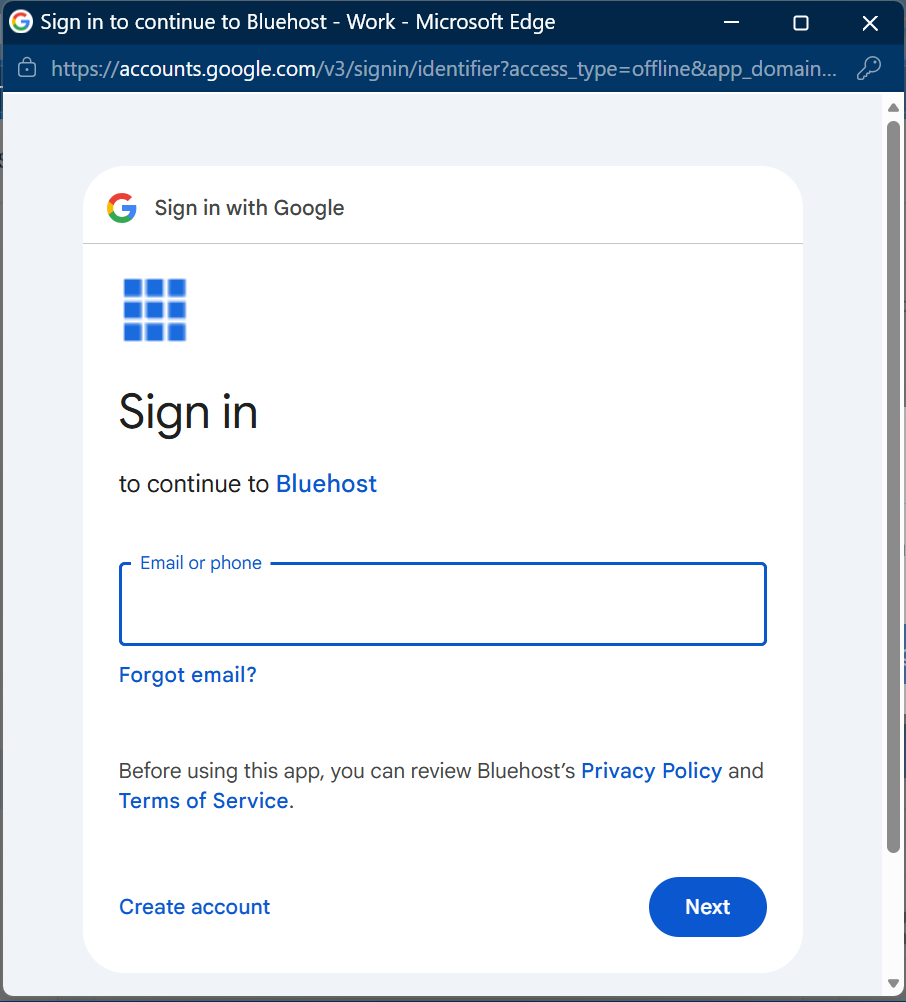
- If you already have a Google Merchant Center account, sign in using your Google credentials. If you do not have a Merchant Center account yet, follow the prompts to create one.
- Once you have completed Google’s verification process and authorize the connection, Google Merchant Center will be linked to your AI Store.
Summary
Google Merchant Center integration allows you to connect your Bluehost AI Store to Google Shopping for secure product listings and sales. This article provides a step-by-step guide on how to connect Google Merchant Center to your AI Store.
If you need further assistance, Bluehost Chat Support is available 24 hours a day, 7days a week while Bluehost Phone Support is available 7 days a week from 7 am-12 midnight EST.
- Chat Support - While on our website, you should see a CHAT bubble in the bottom right-hand corner of the page. Click anywhere on the bubble to begin a chat session.
- Phone Support -
- US: 888-401-4678
- International: +1 801-765-9400
You may also refer to our Knowledge Base articles to help answer common questions and guide you through various setup, configuration, and troubleshooting steps.