 ChatGPT,
  Claude,
  Gemini,
  Grok — all four for
 How to Purchase Bluehost Paid cPanel Email Plan
A Paid cPanel Email plan allows you to create professional email addresses using your domain name, such as [email protected], helping you establish credibility and strengthen your brand. With Bluehost Paid cPanel Email, you can manage custom domain email accounts, access webmail, configure email forwarding, set up autoresponders, and use spam filtering tools to streamline communication. It also supports integration with desktop and mobile email clients, allowing convenient access to your email from anywhere.
This article will guide you through purchasing a paid cPanel Email plan here at Bluehost. We have also created a video to help guide you through the process.
Purchase Bluehost Paid cPanel Email Plan
- Log in to your Bluehost Portal.
- From the left-hand navigation menu, click on the Email tab.
- Select cPanel from the available options.
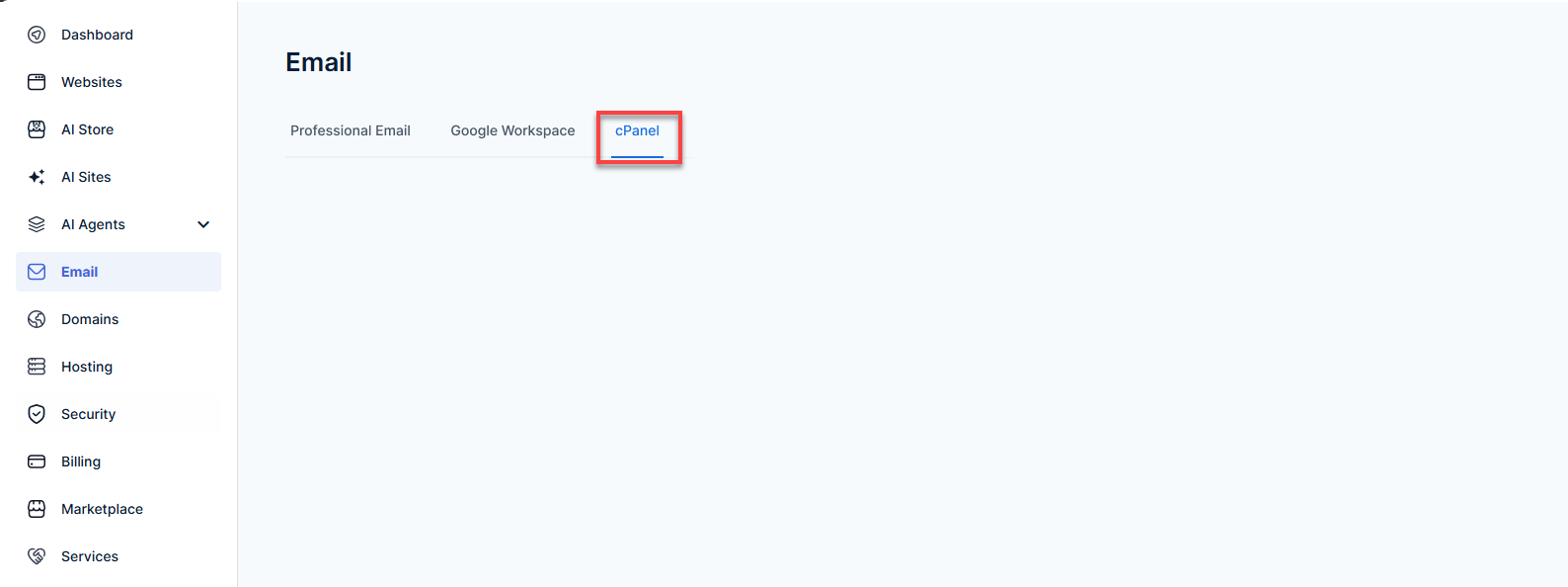
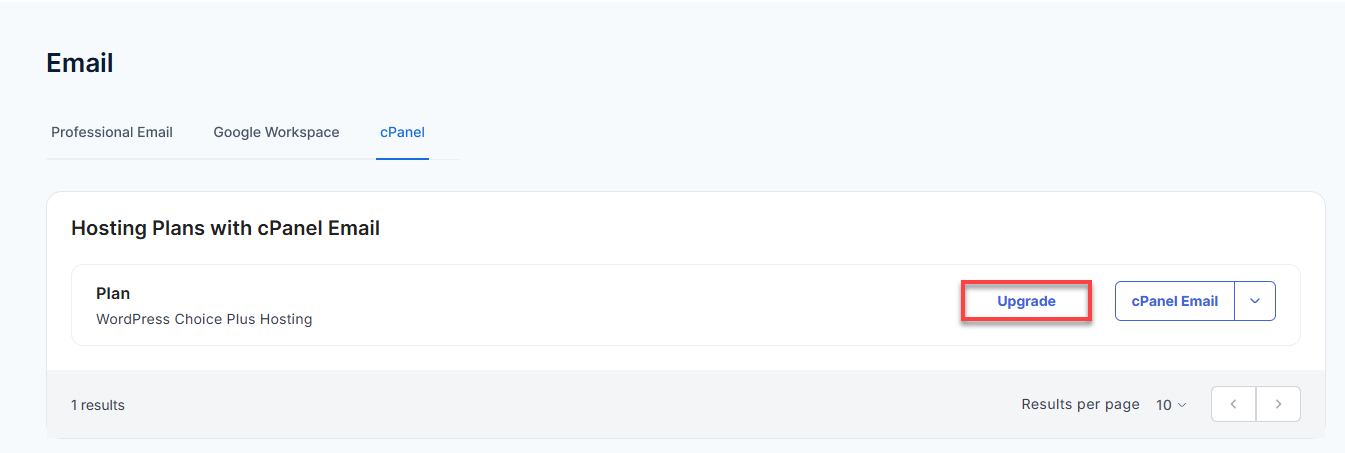
- Locate your hosting plan and click Upgrade.
- Select the cPanel Email plan that best fits your needs:
- cPanel Email Basic – 3–10 mailboxes
- cPanel Email Plus – 11–20 mailboxes
- cPanel Email Premium – Unlimited mailboxes
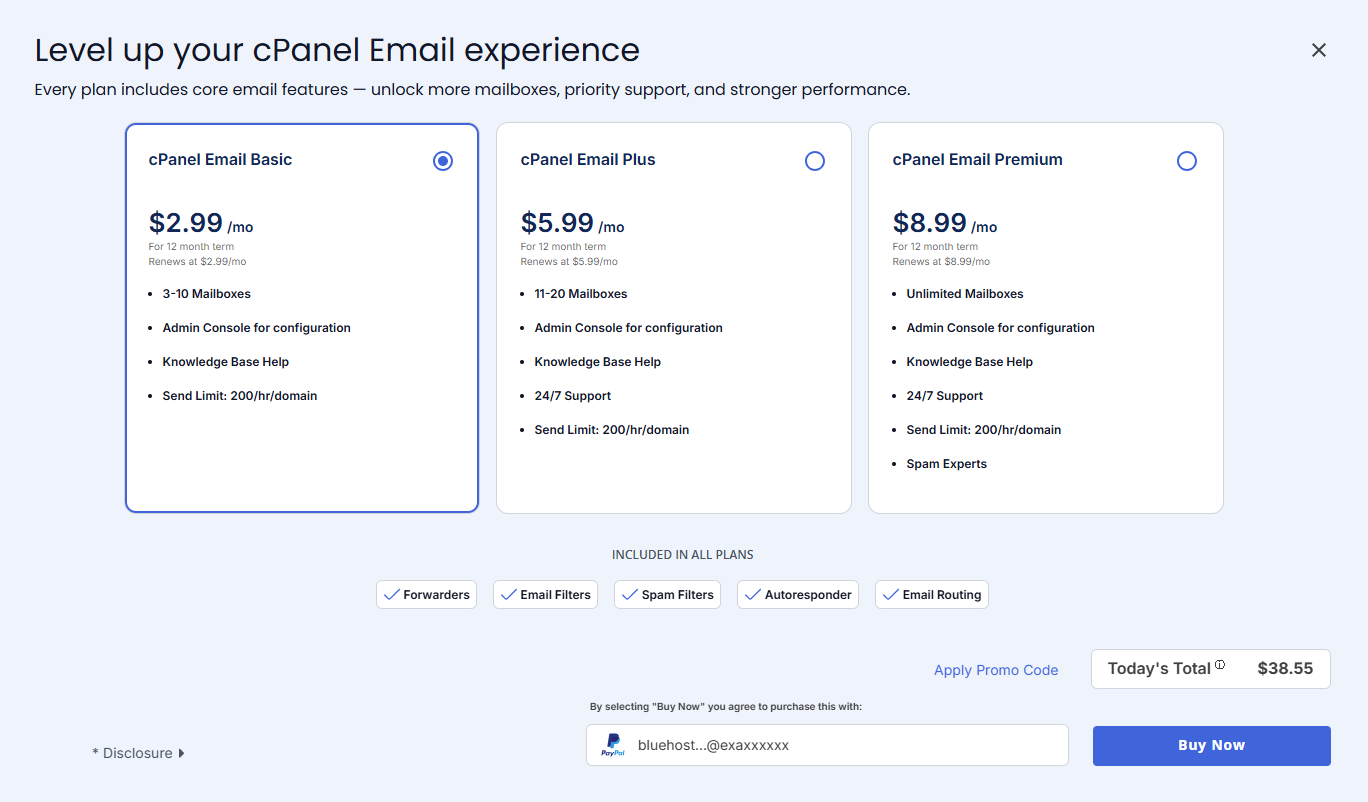 Pricing is subject to change—please visit your Bluehost Portal Email Tab for the current introductory/sign-up offer for Bluehost cPanel Email. For the most up-to-date renewal pricing, visit your Bluehost Portal Renewal Center.
- (Optional) Click Apply Promo Code and enter a valid promotional code.
- Review the selected plan, pricing details, and payment method.
- Verify the Today's Total amount and confirm the payment information displayed.
- Click Buy Now to complete the purchase.
By selecting Buy Now, you agree to purchase the selected cPanel Email plan and accept the applicable Terms and Conditions.
Summary
Purchasing a Bluehost Paid cPanel Email plan allows you to create and manage professional email accounts associated with your domain name. Once your plan is active, you can access the cPanel Email interface to create email accounts, configure forwarding, manage spam filters, set up autoresponders, and perform other email administration tasks. By using a custom domain email address, you can maintain a professional online presence while taking advantage of Bluehost's email management tools.
If you need further assistance, Bluehost Chat Support is available 24 hours a day, 7days a week while Bluehost Phone Support is available 7 days a week from 7 am-12 midnight EST.
- Chat Support - While on our website, you should see a CHAT bubble in the bottom right-hand corner of the page. Click anywhere on the bubble to begin a chat session.
- Phone Support -
- US: 888-401-4678
- International: +1 801-765-9400
You may also refer to our Knowledge Base articles to help answer common questions and guide you through various setup, configuration, and troubleshooting steps.