 ChatGPT,
  Claude,
  Gemini,
  Grok — all four for
 How to Delete an SSH Key on a Self-Managed VPS and VDS
Removing an unused or compromised SSH key from your Self-Managed VPS or Virtual Dedicated Server (VDS) is an essential security practice. Whether you are rotating keys or revoking access for a former team member, this guide provides step-by-step instructions on how to safely remove an SSH key.
Your SSH Keys Stay Put
Good news—you don't have to worry about re-adding your SSH keys every time you manage your server. For the root user, your SSH key generally remains securely configured and ready to use during standard server actions.
| Server Action | What Happens to Your Root SSH Key |
|---|---|
| Reboot | Typically remains fully configured and available after your server comes back online. |
| Restart | Stays active and accessible immediately after the restart under normal operations. |
| Reimage | Persists throughout the standard reimaging process and is ready to use when your server is restored. |
Important Note for Non-Root Users: This automatic persistence applies only to the root user. If you have configured SSH keys for additional users, those keys may not be retained if the user account or its configuration is reset. In such cases, you will need to reconfigure them manually.
In short, under normal operating conditions, you can perform standard reboots, restarts, and reimages with confidence—your root SSH key will remain in place.
Deleting an SSH Key via Bluehost Portal
Follow the steps below to delete an SSH key.
- Log in to your Bluehost Portal.
- In the left-hand menu, click Hosting, then select My Plans.
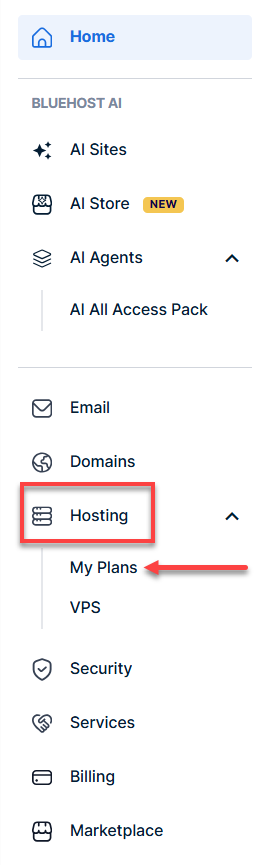
- Click the Manage button for the hosting package you want to reimage.

- Click the SSH Keys tab.
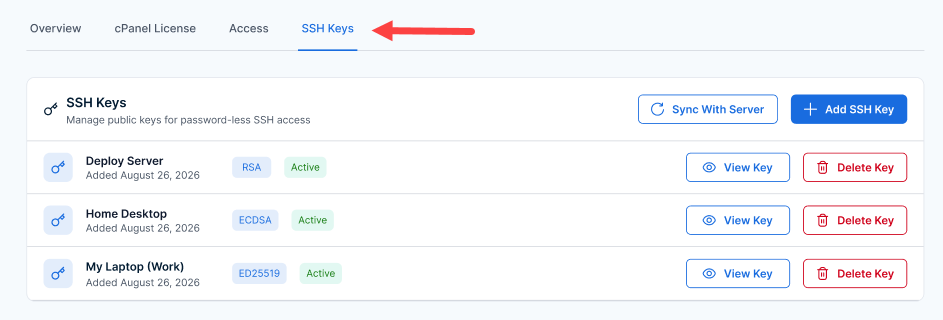
- Click the Delete Key button on the SSH Key you want to remove.
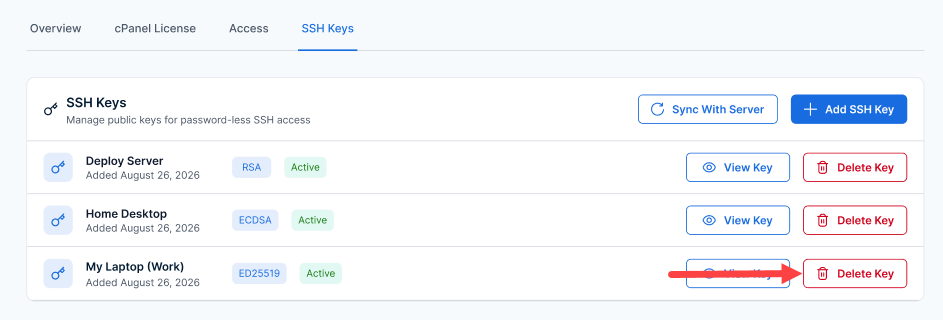
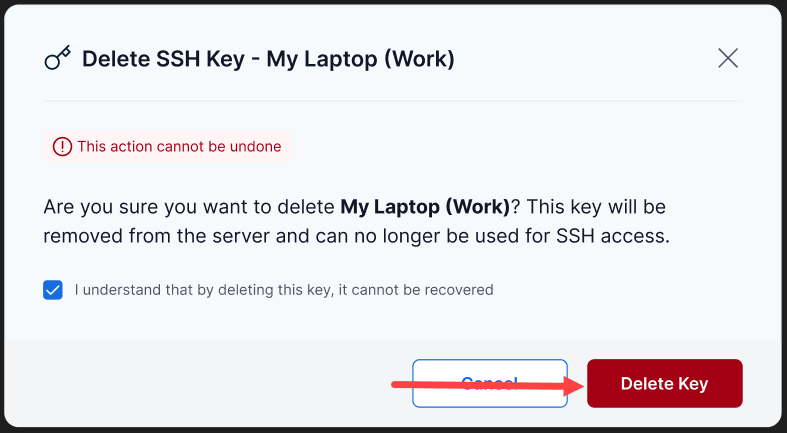
- Carefully read the warning to ensure you are deleting the correct key (for example, "My Laptop (Work)"). Then, select the checkbox to acknowledge that the key cannot be recovered and that the action cannot be undone.
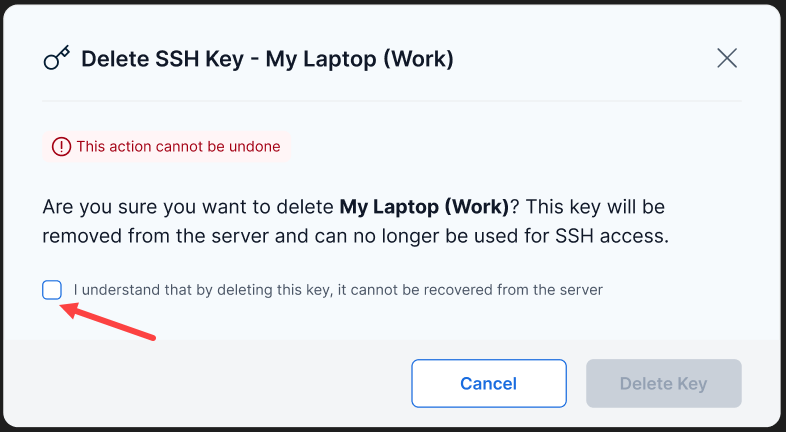
- Click the Delete Key button to confirm the deletion.
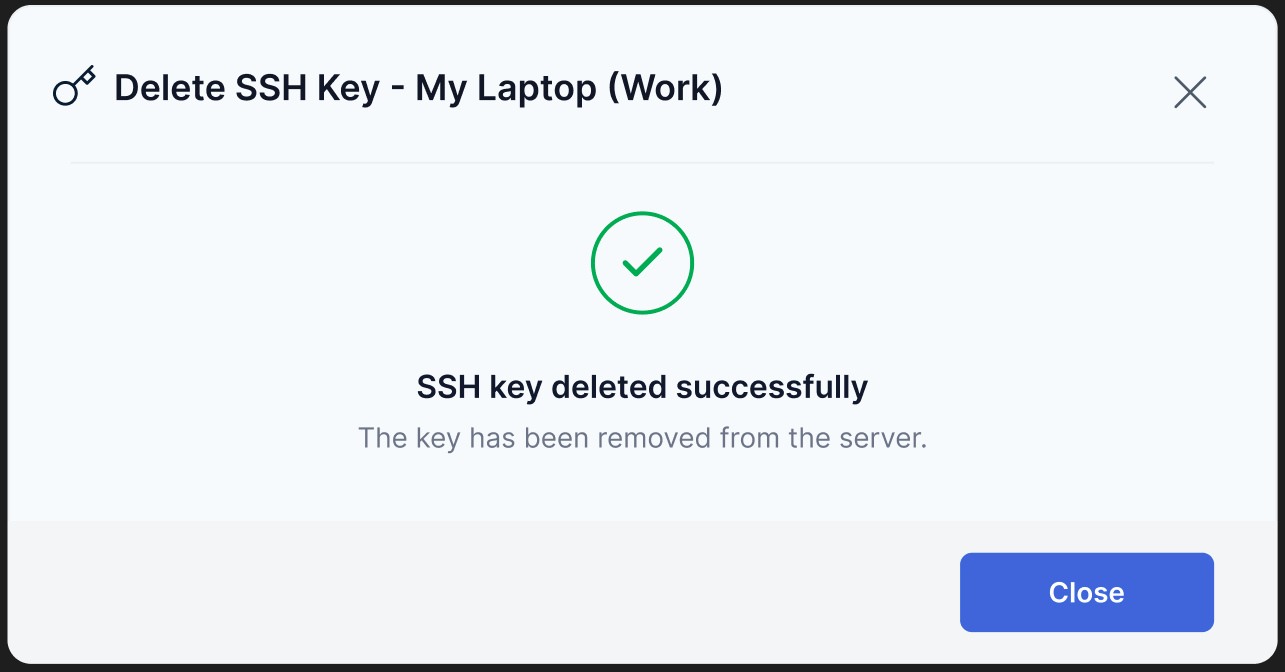
- Afterward, you will see a confirmation screen indicating that the SSH key has been deleted successfully.
Summary
Managing SSH keys is essential for maintaining secure and efficient server access on a self-managed VPS or VDS. By properly removing unused or compromised SSH keys, you can strengthen security, prevent unauthorized access, and protect your server environment. Regular SSH key maintenance helps ensure that only authorized administrators retain remote access.