 ChatGPT,
 Claude,
 Gemini,
 Grok — all four for
Bluehost Setup Tab: Onboarding Guide
Getting started with your AI website is easy with Bluehost's guided onboarding experience. The built-in Setup Checklist walks you through each step of the website creation process, helping you complete important tasks and launch your site with confidence.
This article explains how to access and use the Setup Checklist from your Bluehost Portal.
Accessing the Setup Page
- Log in to your Bluehost Portal.
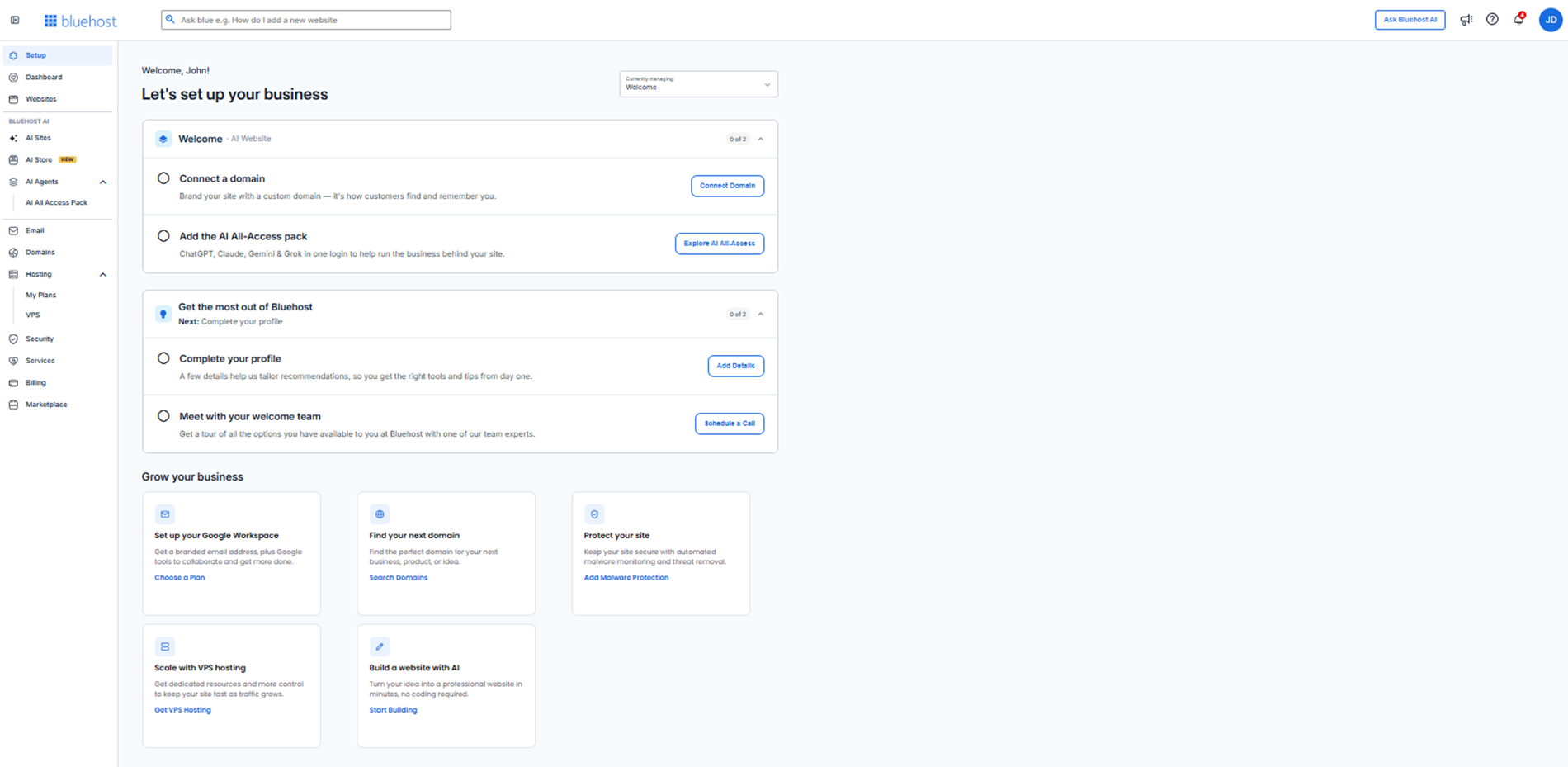
- After signing in, you will be taken to the Setup tab, your starting point for building and managing your AI website.
- The Setup page serves as your personalized step-by-step guide. It automatically adjusts based on your account and displays only the tasks relevant to your website and services.
Managing Multiple Websites
If you have multiple websites associated with your Bluehost account, you can easily switch between them using the Website Selector located at the top of the Setup page.
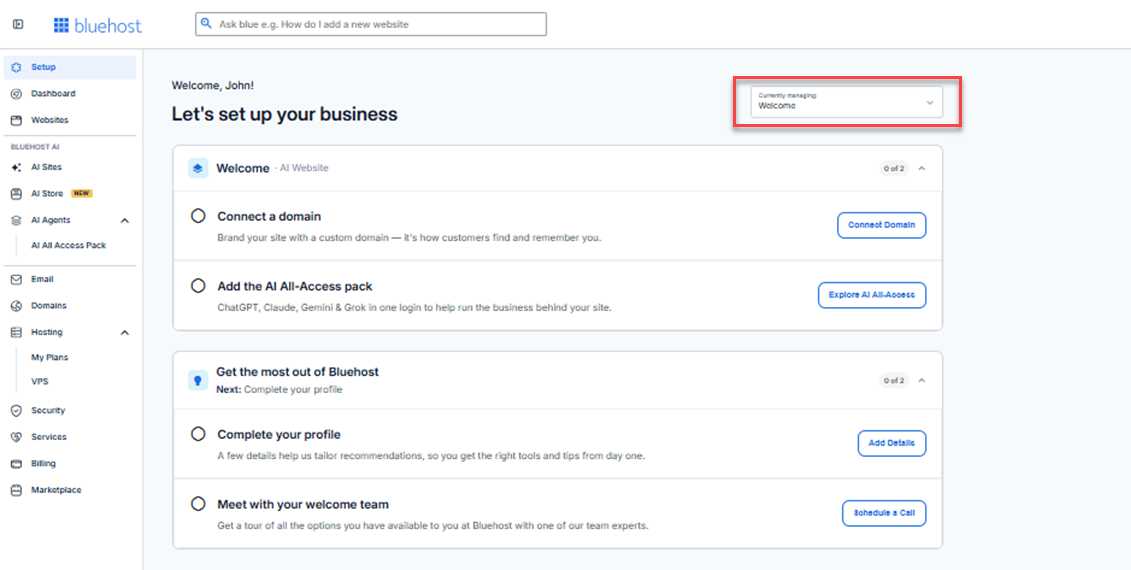
When you select a different website:
- The Setup Checklist updates automatically.
- Progress is displayed for the selected website.
- Recommended actions are tailored to that specific site.
This makes it easier to track setup progress and manage multiple websites from a single account.
Complete Important Setup Tasks
The Setup Checklist helps ensure you complete the essential steps needed to get your website online. Depending on your account and services, tasks may include:
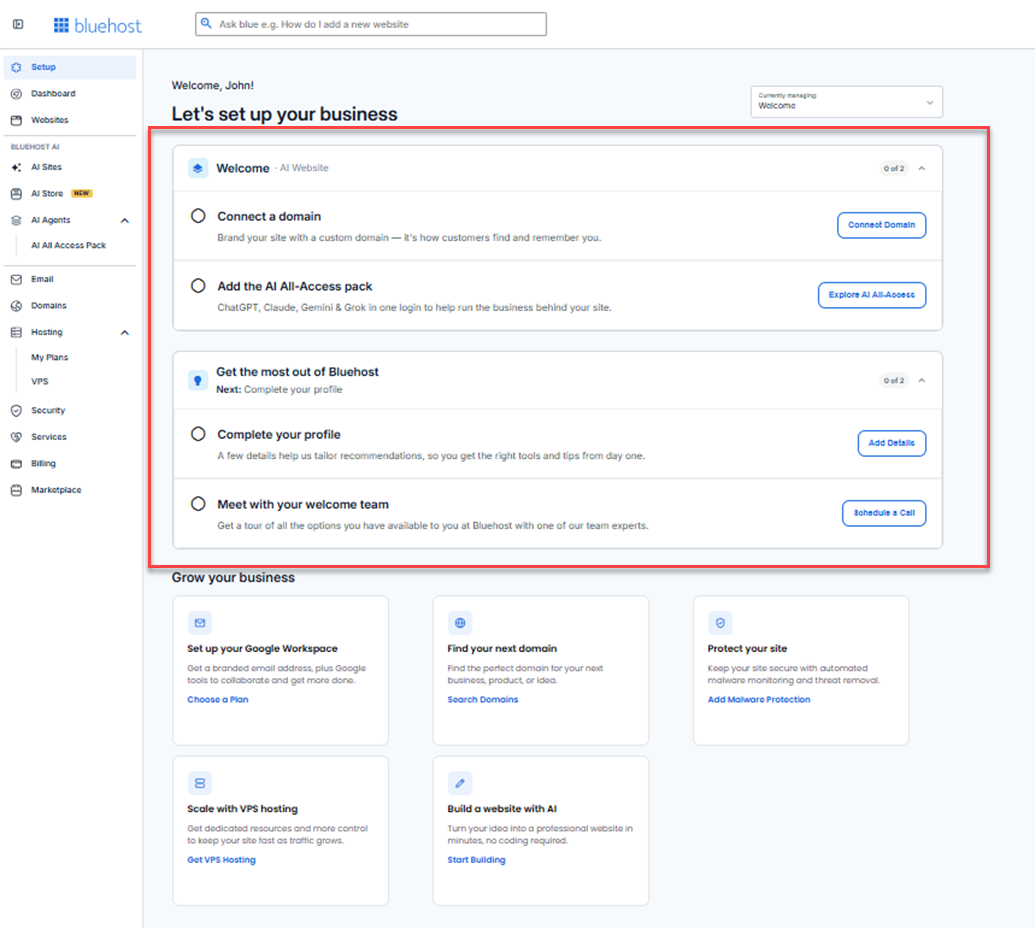
- Connecting a Domain.
- Activating or purchasing additional AI-powered products and services.
- Completing your account profile.
- Schedule a Call with a Bluehost Expert
As you complete each task, your checklist updates to track your progress.
Explore Additional Services
The Grow Your Business section highlights additional products and services available for your account.
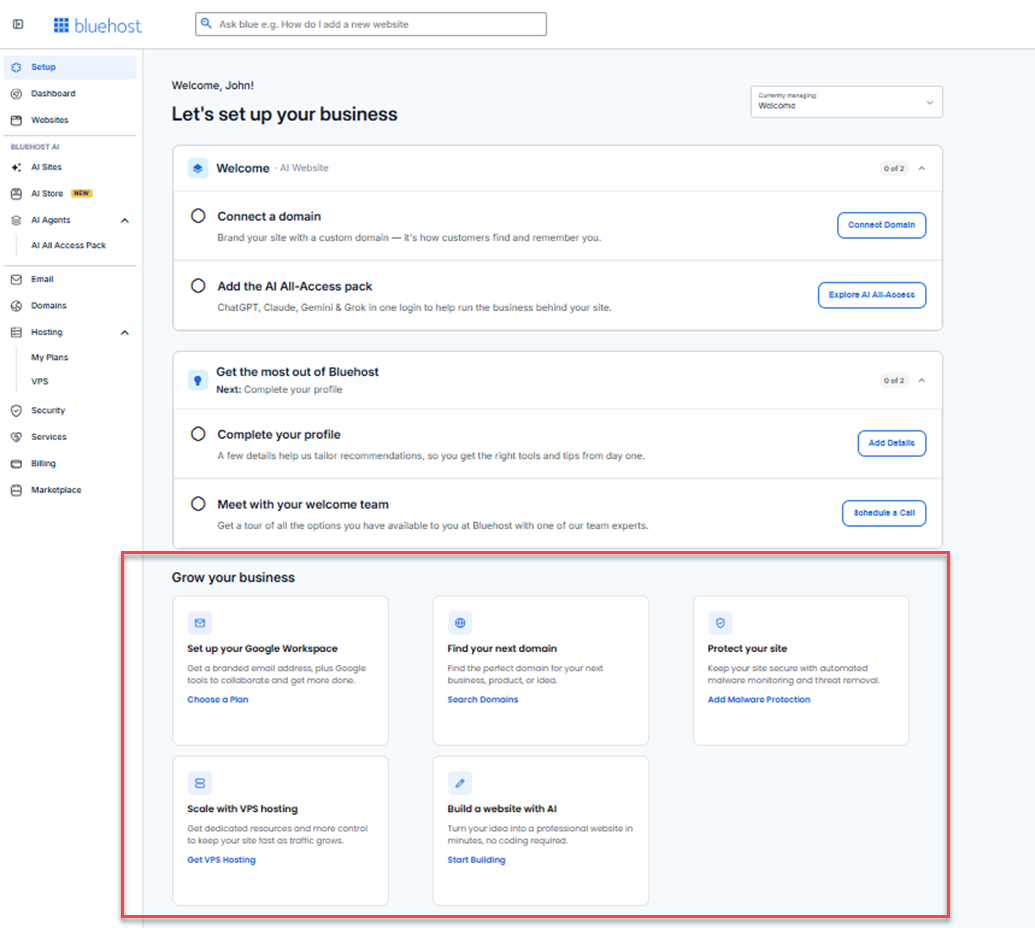
These recommendations can help you:
- Enhance your website's functionality.
- Improve your online presence.
- Expand your marketing efforts.
- Support your business growth as your website evolves.
Summary
The Setup page is designed to simplify the website creation process by guiding you through each important task. As you complete items on the checklist, you'll move closer to launching your website and establishing your online presence with Bluehost.
Whether you're creating your first website or managing multiple projects, the Setup Checklist helps keep everything organized and on track.
If you need further assistance, Bluehost Chat Support is available 24 hours a day, 7days a week while Bluehost Phone Support is available 7 days a week from 7 am-12 midnight EST.
- Chat Support - While on our website, you should see a CHAT bubble in the bottom right-hand corner of the page. Click anywhere on the bubble to begin a chat session.
- Phone Support -
- US: 888-401-4678
- International: +1 801-765-9400
You may also refer to our Knowledge Base articles to help answer common questions and guide you through various setup, configuration, and troubleshooting steps.