 ChatGPT,
  Claude,
  Gemini,
  Grok — all four for
 Getting Started with Bluehost Portal Dashboard
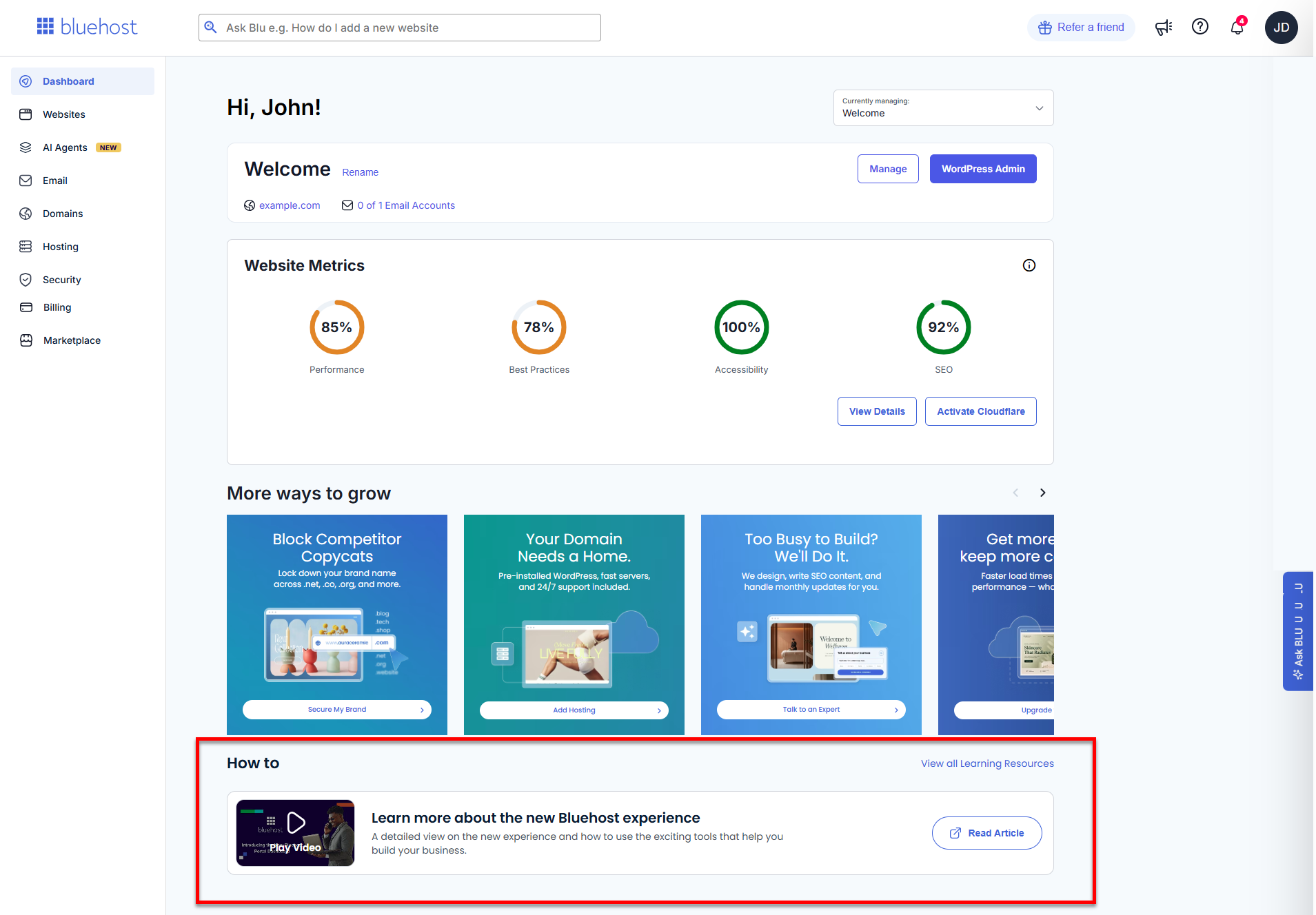
The Bluehost Portal Dashboard is your main center for managing your website. It is simple to use and keeps everything in order. You can see helpful information about the configuration of your website, monitor its search engine performance, and learn about various services that can improve your online visibility. This dashboard is made to make it easy for you to monitor the requirements of your website. It's like having all the tools you need to run your website at your fingertips! This tutorial will take you through every feature of the dashboard and demonstrate its capabilities.
We created this video to help you navigate the Bluehost Portal Dashboard.
Website Selector
The Website Selector lets you easily switch between the websites in your account. When you select a website, all sections in the dashboard—such as traffic, reports, and setup progress—will update to display details for that site. The selected domain will also show the number of email accounts associated with it, helping you track email usage at a glance. This ensures you are viewing and managing the correct website dashboard information.
From there, click Manage to access the tools you need to keep your website updated and running smoothly, or use the WordPress Admin button to instantly open the WordPress dashboard for the selected site in just one click.
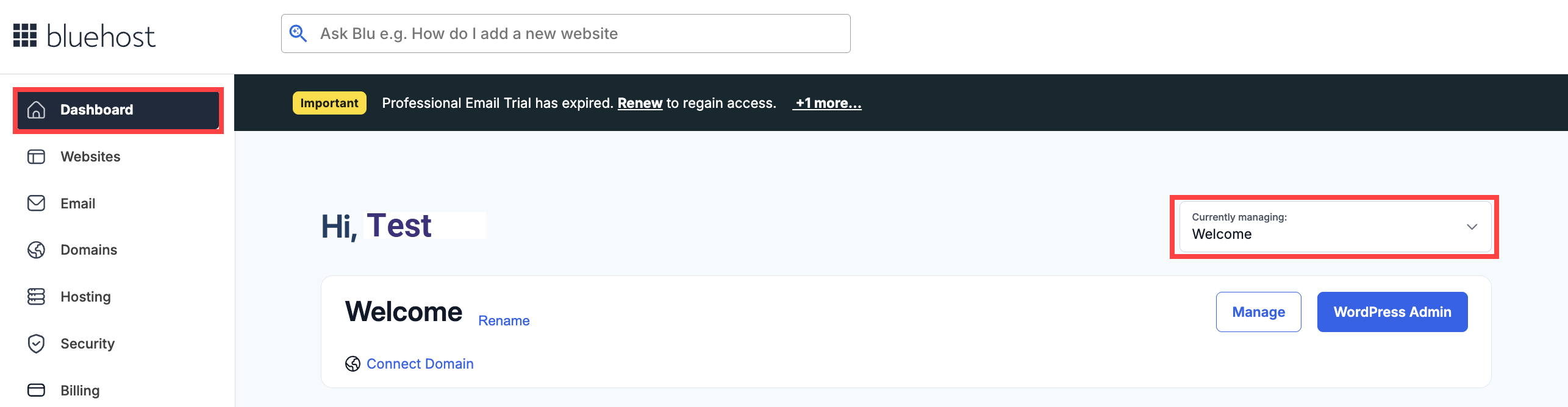
Website Metrics
The Website Metrics evaluates the technical performance and user experience of the selected website through four main metrics:
- Performance: Assesses how fast and responsive the website is.
- Best Practices: Reviews compliance with modern web development standards.
- Accessibility: Looks into how easily all users, including those with disabilities, can navigate your site.
- SEO: Provides a score according to search engine optimization best practices.
Each metric is represented as a percentage, pointing out areas that can be improved to enhance user experience and search rankings.
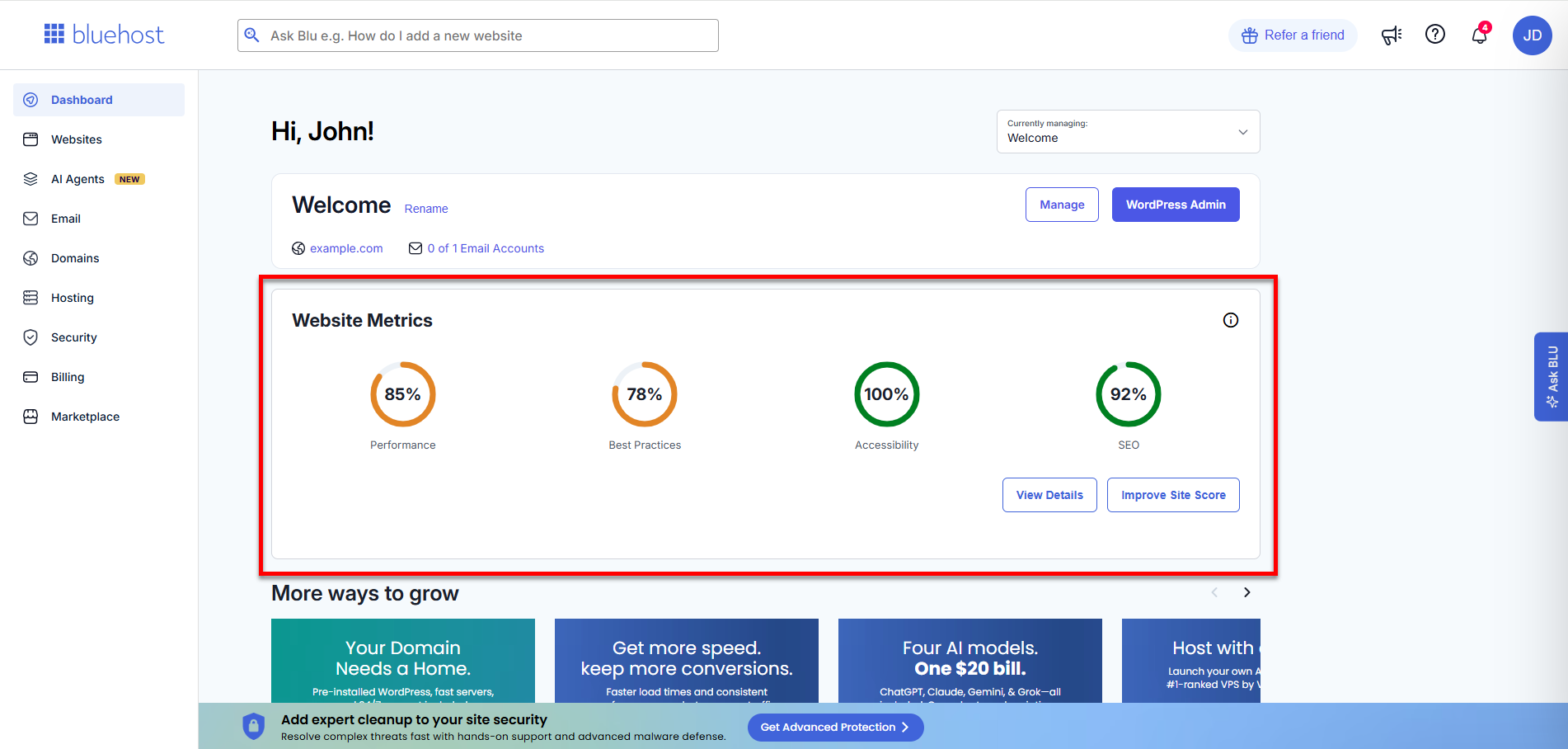
Click the View Details button to go to the Website Metrics page.
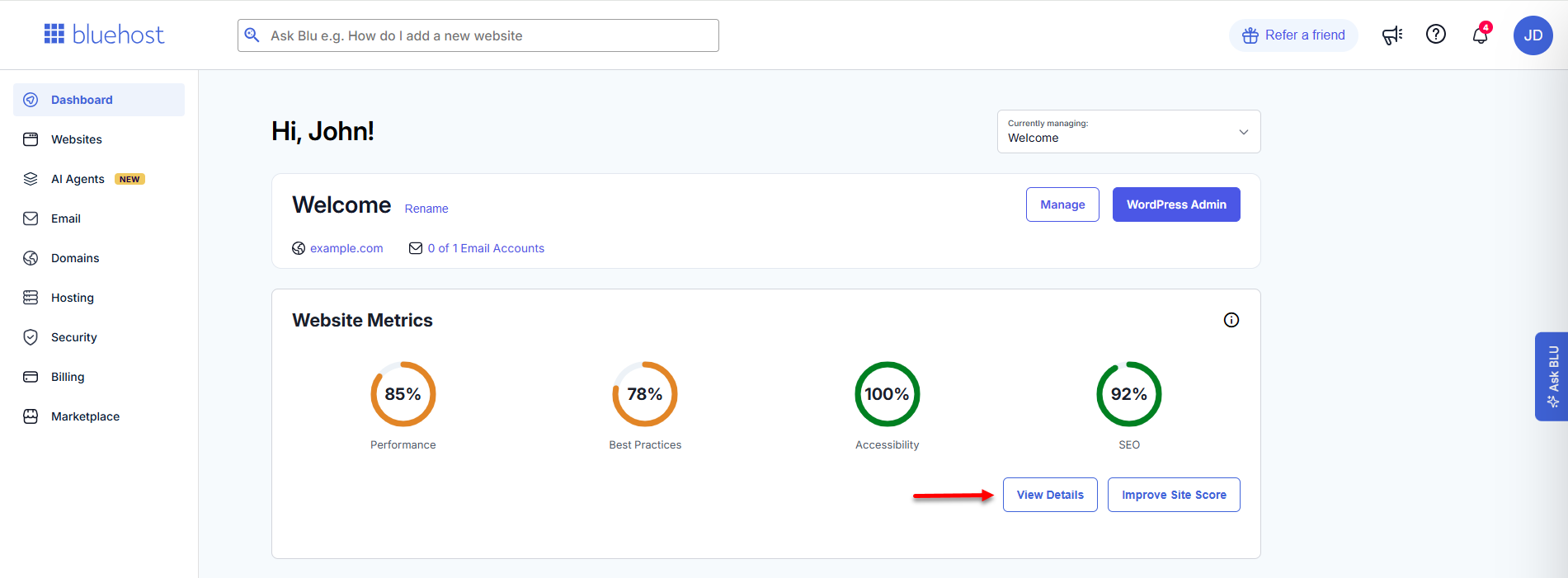
You'll be redirected to the selected website's Insights tab, where detailed breakdowns and deeper analysis of your website's performance are available.
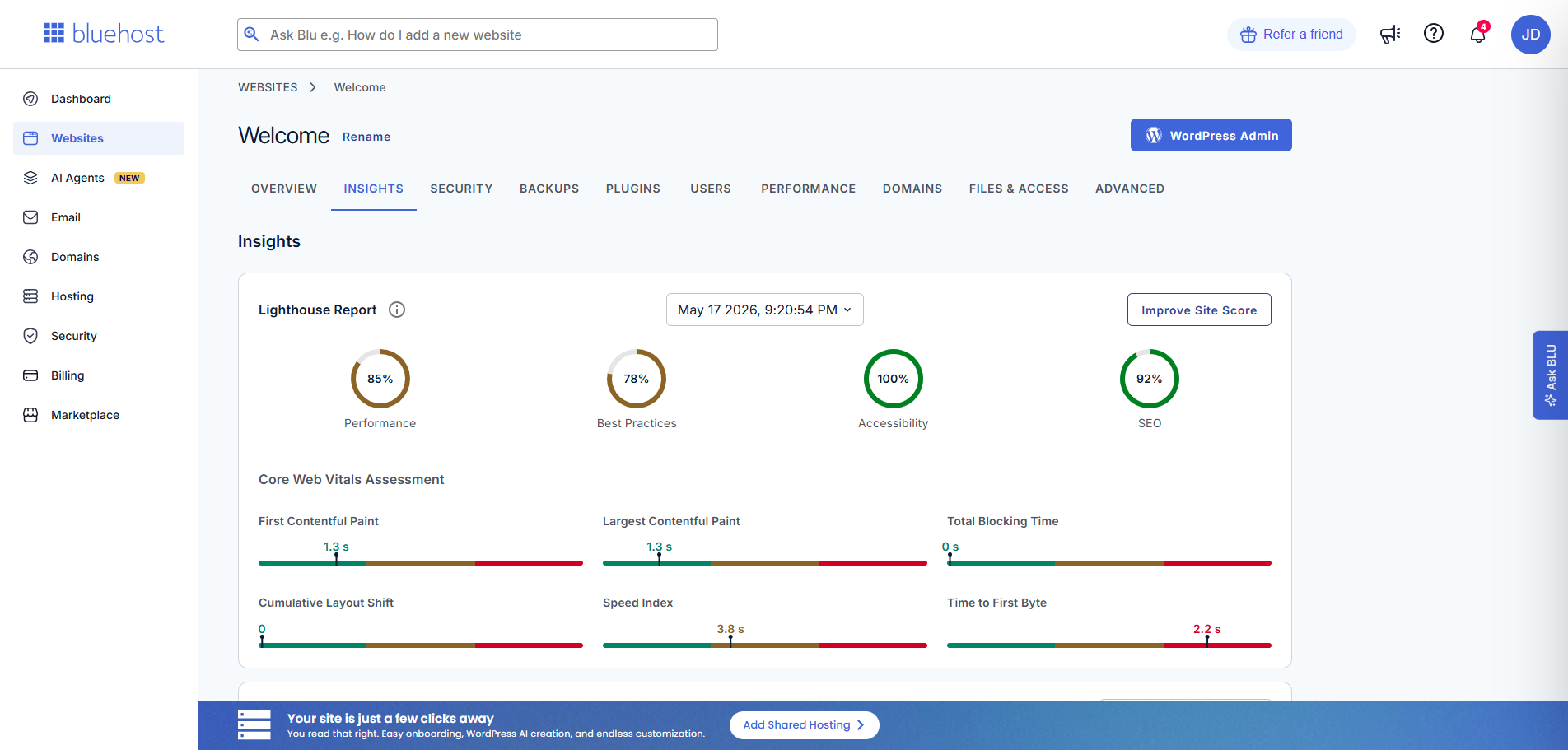
Depending on your website's current metrics, additional action buttons may appear next to the View Details button.
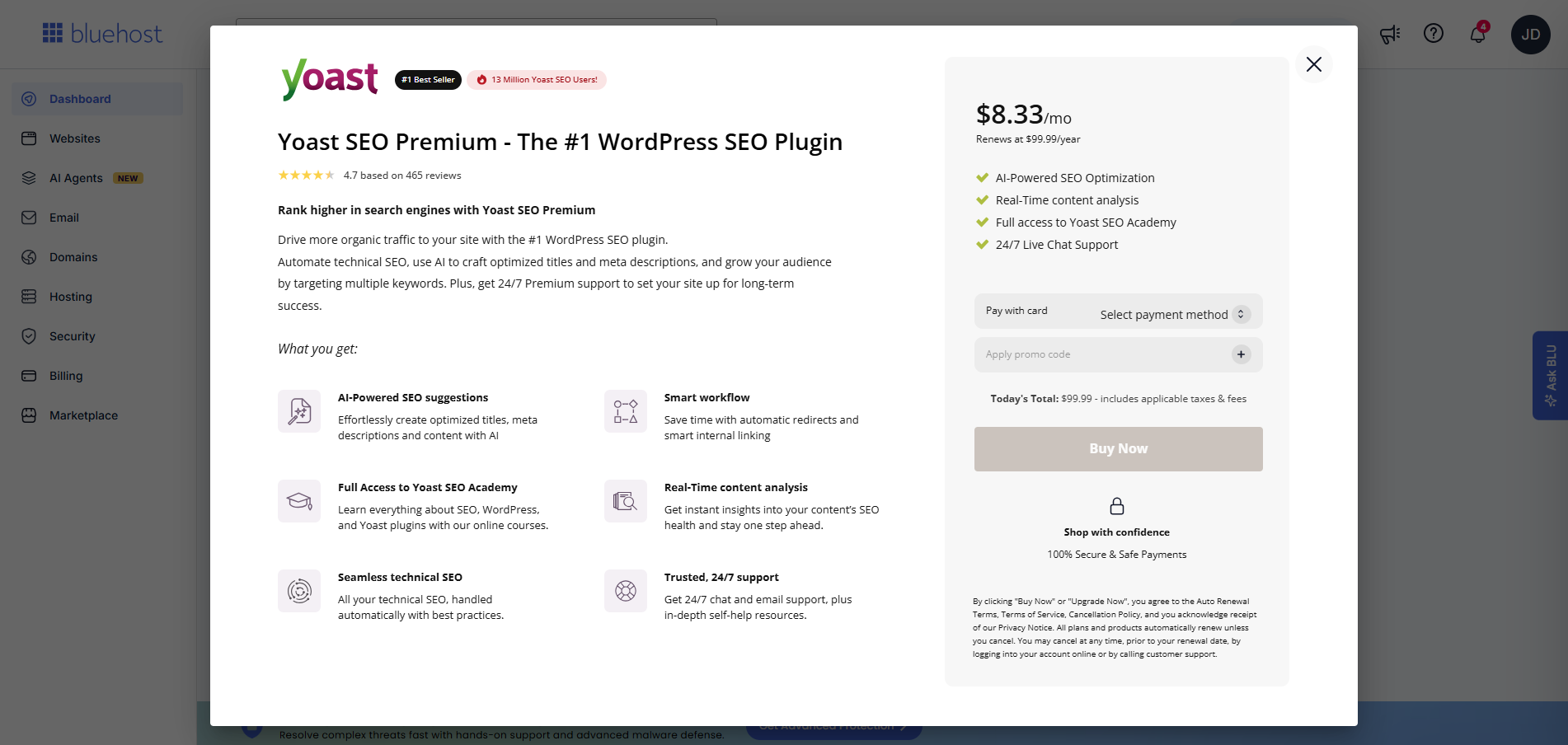
- Improve Site Score - This button appears when any metric score is less than 90%, and the website doesn't have Yoast SEO Premium.
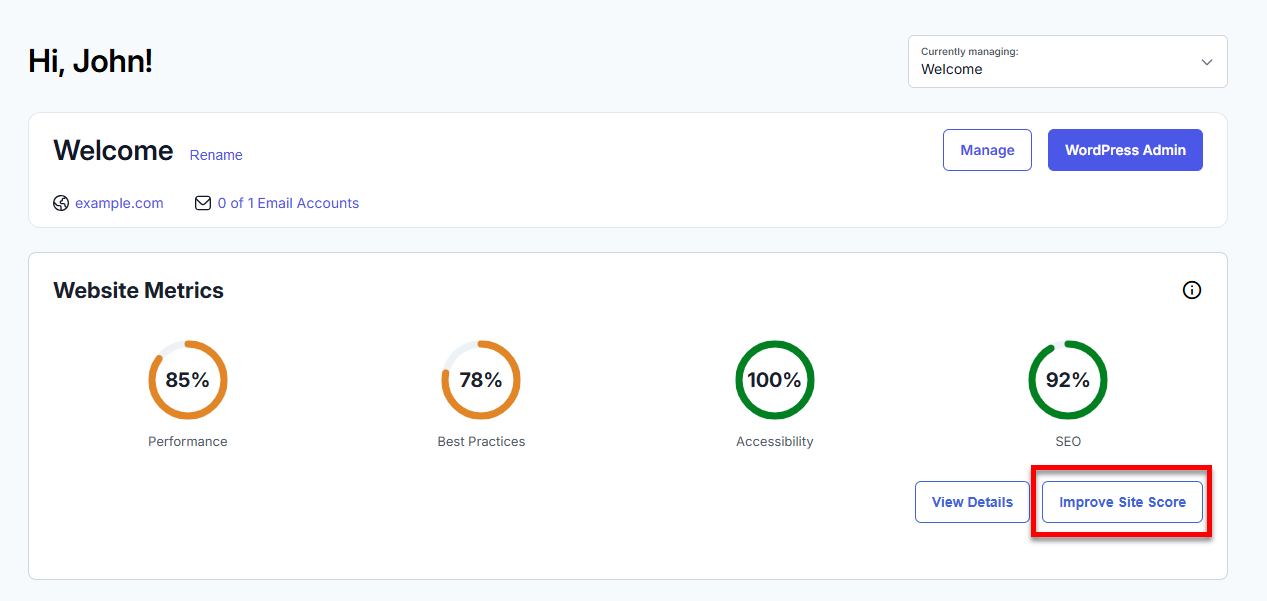
This opens the Yoast SEO Premium pop-up, where you can purchase the service to improve your site's score.
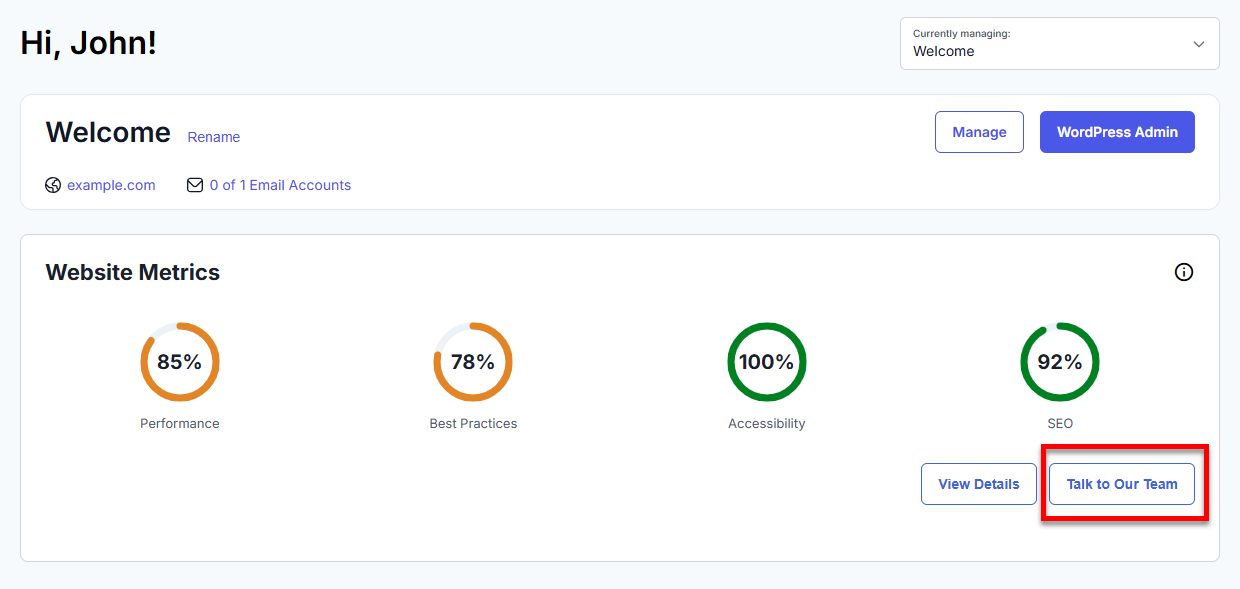
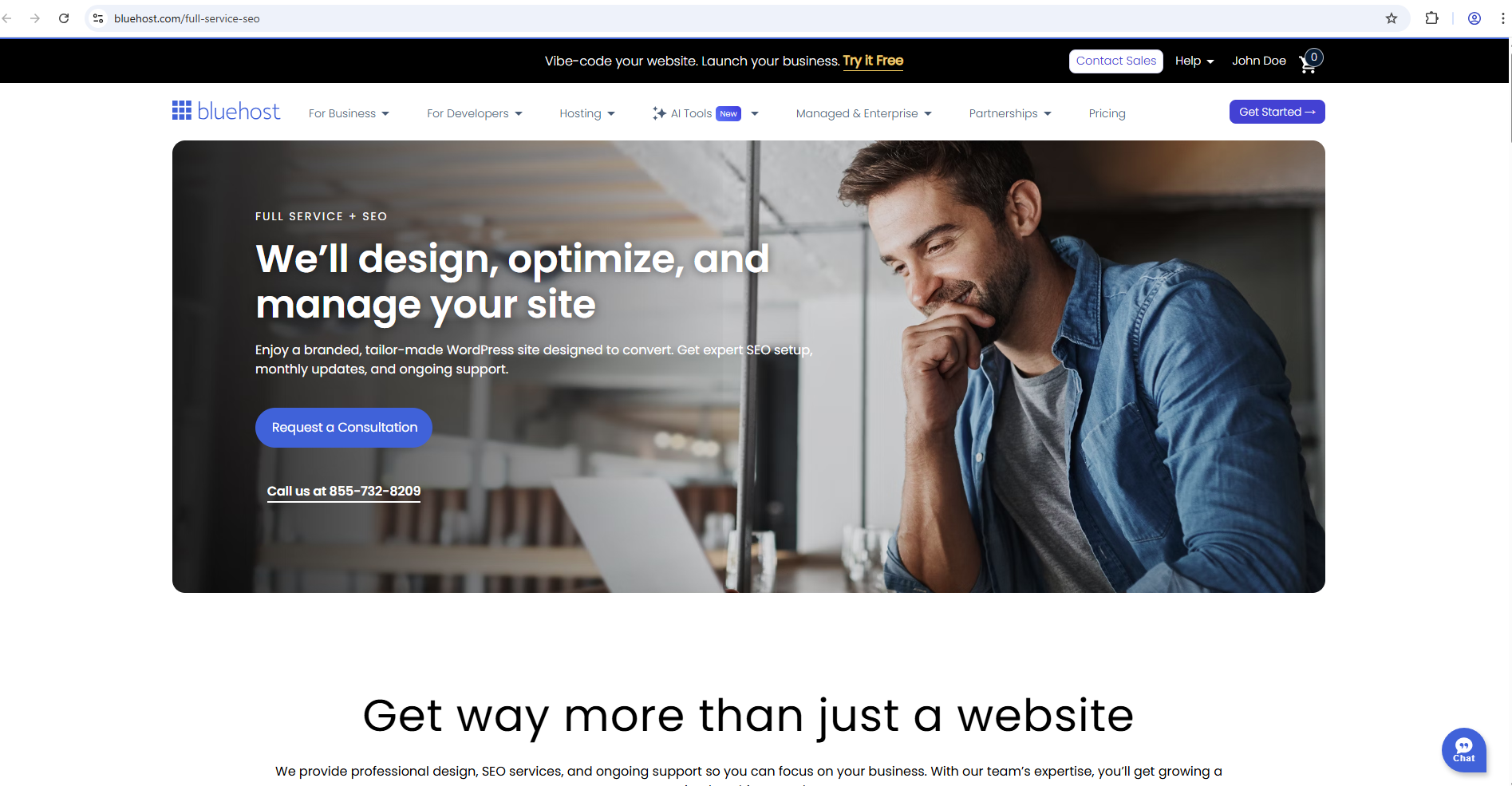
- Talk to Our Team - This button appears when any metric score is less than 90%, and the website already has Yoast SEO Premium.
This opens a new tab where you can learn about and purchase our Full Service + SEO offering for expert assistance in enhancing site performance and optimization.
- Activate Cloudflare - This button appears when Cloudflare is currently inactive for the selected website.
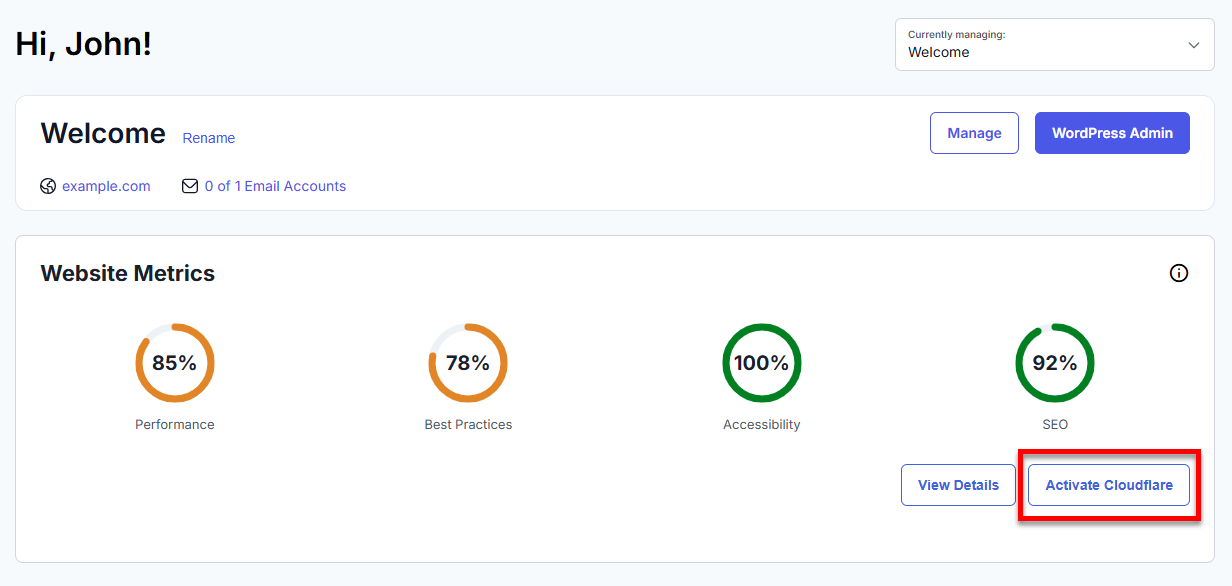
This allows you to activate Cloudflare, which can improve the performance, security, and loading speed of your website.
Domain Search
Find and register a new domain, or transfer an existing one.
The Domain Search widget lets you effortlessly secure your ideal web address, featuring AI-powered suggestions that are ready to click—all without needing to type anything.
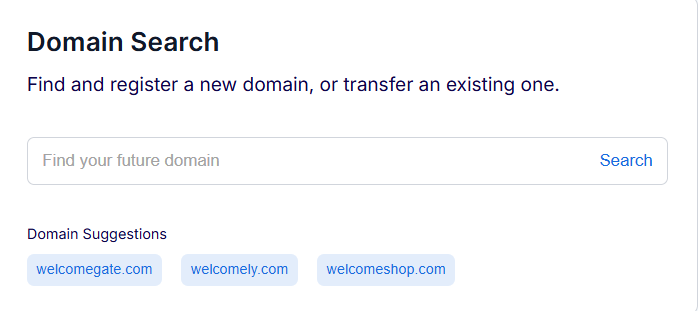
How it works:
- AI-generated domain suggestions are displayed right on the dashboard—no typing needed.
- Click any suggested domain to view its availability and pricing. The Domain Search Results page opens for details and registration.
- If a domain is available, you can secure it instantly for your site.
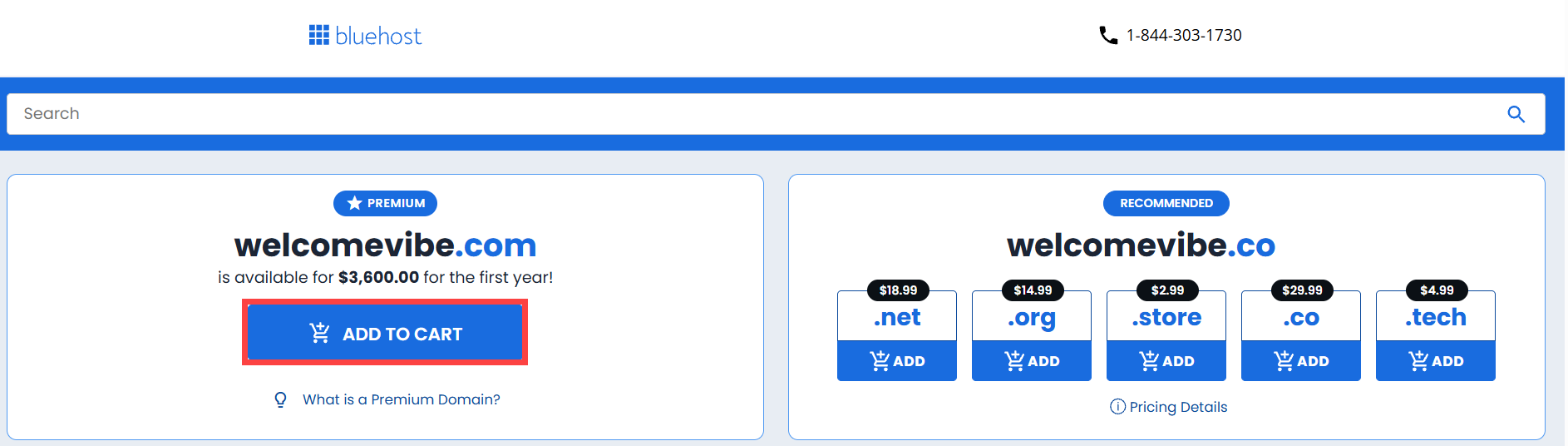
This seamless workflow helps you discover and register the perfect domain for your website, business, or project in seconds.
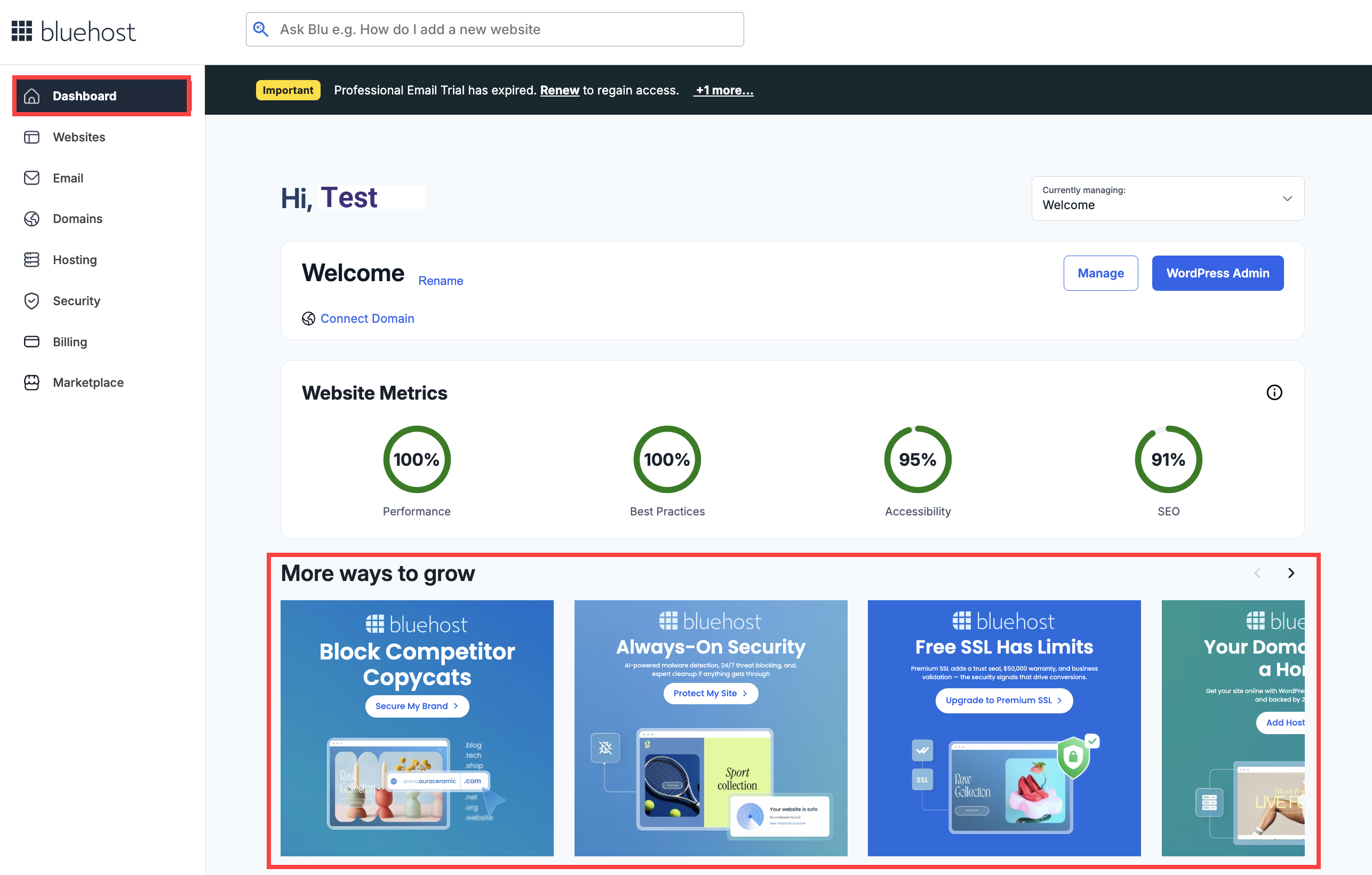
More Ways to Grow
Bluehost offers a variety of tools and services to help you grow your online presence:
Each card includes a clear call to action, making it easy to get started right away.
The "How to" Section
The How to provides a straightforward guide to help you get started, with easy step-by-step resources you can follow anytime. It includes a helpful video and article that guides you on various tasks, such as setup, navigation, and basic management. Everything is organized in a simple, easy-to-understand way—perfect if you’re new or just need a quick refresher. You can go through it at your own pace and find what you need without any hassle.
Summary
The Bluehost Portal dashboard is like your all-in-one personal control center for managing your website. It provides everything you need to keep an eye on how your site is doing, how it’s set up, and where it can grow. It allows you to switch between sites, review key website metrics like performance, accessibility, and SEO, and take action with built-in recommendations.
By regularly checking your site performance and traffic, working on your Lighthouse scores, and wrapping up setup tasks, you can easily oversee and enhance your website—all from a straightforward and intuitive interface in a single location. It makes the whole process of managing your online presence feel a lot simpler and more efficient.
If you need further assistance, Bluehost Chat Support is available 24 hours a day, 7days a week while Bluehost Phone Support is available 7 days a week from 7 am-12 midnight EST.
- Chat Support - While on our website, you should see a CHAT bubble in the bottom right-hand corner of the page. Click anywhere on the bubble to begin a chat session.
- Phone Support -
- US: 888-401-4678
- International: +1 801-765-9400
You may also refer to our Knowledge Base articles to help answer common questions and guide you through various setup, configuration, and troubleshooting steps.