 ChatGPT,
  Claude,
  Gemini,
  Grok — all four for
How to Purchase Bluehost Agency Hosting
Bluehost offers Agency Hosting, which is designed for web agencies managing multiple WordPress client sites, offering scalable resources, bundled premium tools, and expert support.
Please refer to the following article to learn more about the features of Agency Hosting.
A video was also created to walk you through the steps.
Purchasing Agency Hosting
Here are the steps to purchase Agency Hosting at Bluehost.
- In your browser, visit Bluehost.com.
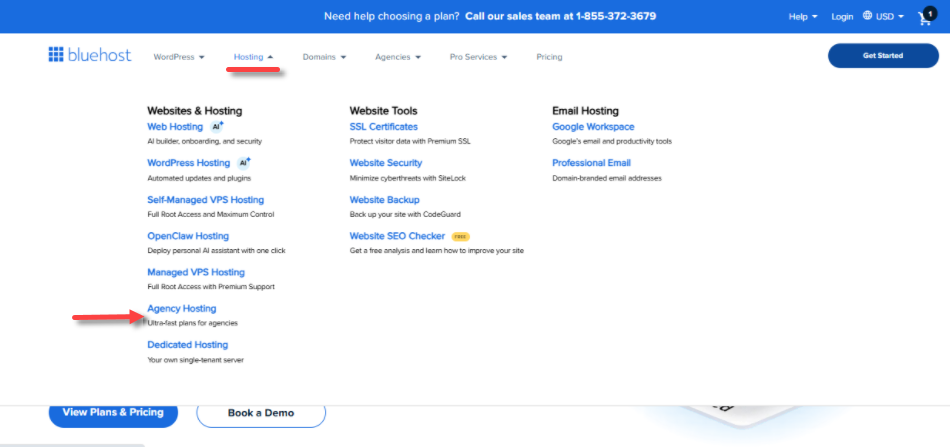
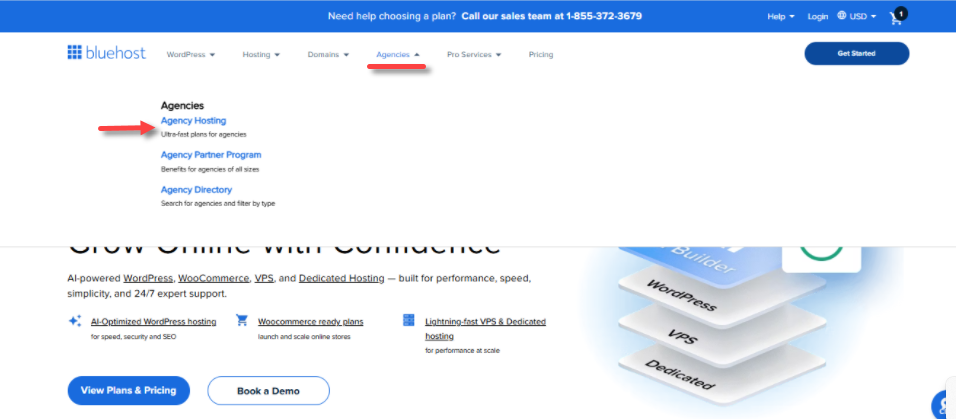
- From the Hosting or Agency dropdown menu, click Agency Hosting.
Hosting menu:
Agency menu:
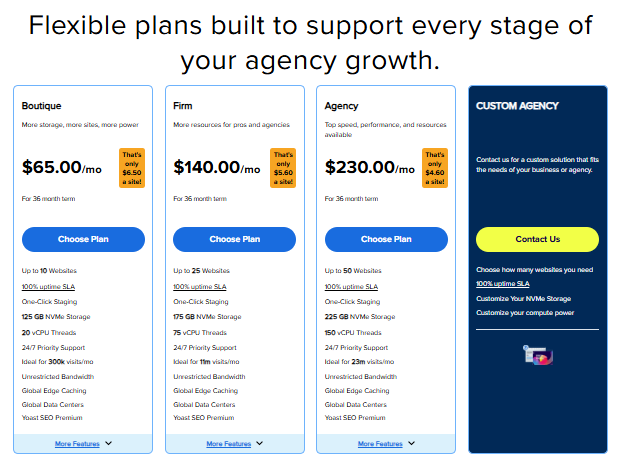
- Scroll down to the hosting plan section. Click the Choose Plan button for your preferred Agency hosting plan.
- Create an account with your email address or link it directly to your Google, Apple, or GitHub account.
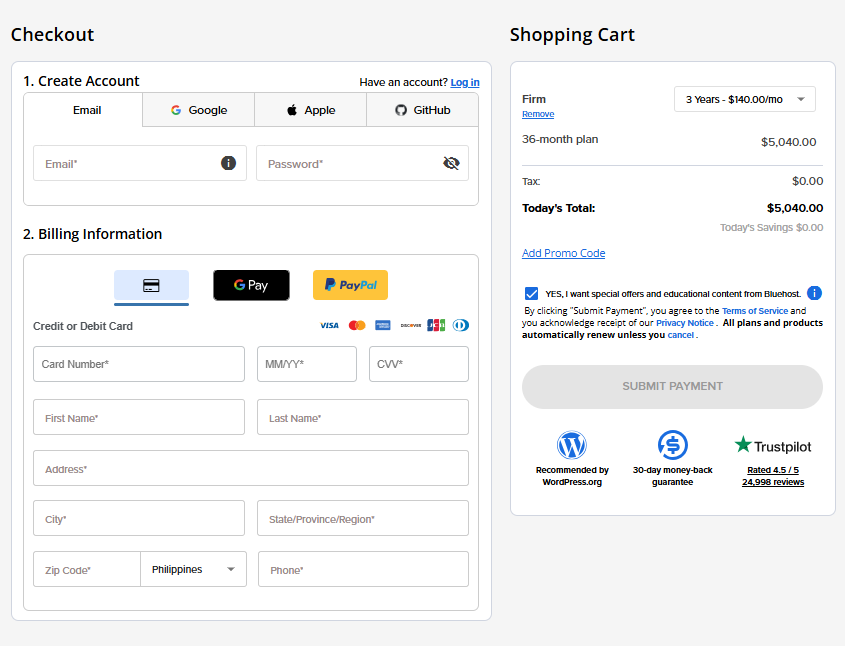
- Enter your billing information and then select your preferred payment method.
- Choose your preferred billing term.
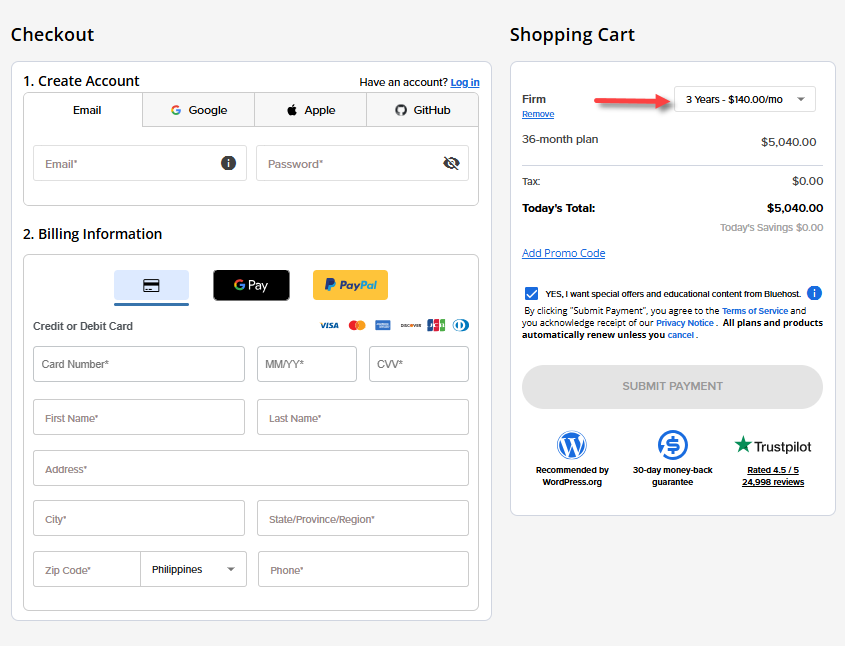
- Click Submit Payment to complete the transaction.
- After the successful purchase, you'll receive an order confirmation email. You can manage your new Agency hosting plan through your Bluehost account.
Summary
Bluehost Agency Hosting is a specialized solution for web agencies managing multiple WordPress client sites. Learn how to purchase Bluehost Agency Hosting in just a few steps. Compare plans, create your account, enter billing details, and start managing multiple WordPress sites with premium tools and expert support.
If you need further assistance, Bluehost Chat Support is available 24 hours a day, 7days a week while Bluehost Phone Support is available 7 days a week from 7 am-12 midnight EST.
- Chat Support - While on our website, you should see a CHAT bubble in the bottom right-hand corner of the page. Click anywhere on the bubble to begin a chat session.
- Phone Support -
- US: 888-401-4678
- International: +1 801-765-9400
You may also refer to our Knowledge Base articles to help answer common questions and guide you through various setup, configuration, and troubleshooting steps.