 ChatGPT,
  Claude,
  Gemini,
  Grok — all four for
Rich Snippets: Overview, Benefits, and Yoast Setup
Rich snippets are enhanced search results in Google (and other search engines) that display additional information beyond the standard blue link, page title, and meta description.
They are designed to give users quick, useful details at a glance, which can improve visibility and often lead to higher click‑through rates (CTR).
We created a video on How to Get Rich Snippets using Yoast SEO Premium.
How Rich Snippets Work
Rich snippets appear when a webpage uses structured data (Schema markup) to help search engines better understand its content.
When search engines successfully interpret and trust this structured data, they may display the information as a rich snippet in search results.
Common Types of Rich Snippets
- Reviews & Ratings: Shows star ratings, number of reviews, and sometimes reviewer names (product reviews, movies, restaurants).
- Recipes: Displays cooking time, calories, rating and recipe image.
- Products: Includes price, availability, and ratings
- FAQ: Shows expandable questions and answers directly in search results.
- Events: Displays event date, time, location, and availability.
- Courses / How‑tos / Articles: Adds information like duration, steps, or publication details.
Why Rich Snippets Matter (SEO Benefits)
- Higher visibility in search results
- Improved click‑through rate (CTR)
- Better user experience
- More qualified and relevant traffic
How to Set Up Rich Snippets Using Yoast SEO
- Log in to your Bluehost Portal.
- In the left-hand menu, click Websites.
- Click the Edit Site button located next to the website you want to manage.
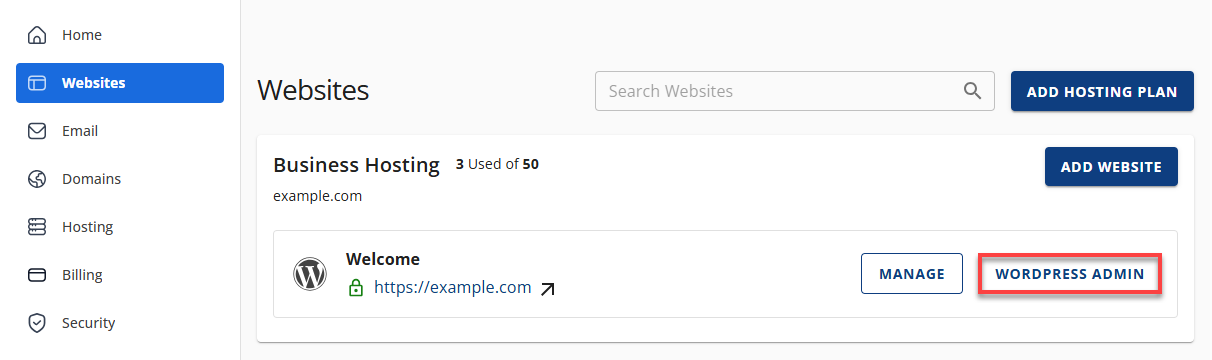
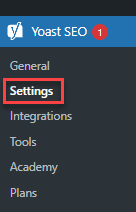
- Navigate to the Yoast SEO tab.
- Click Settings.
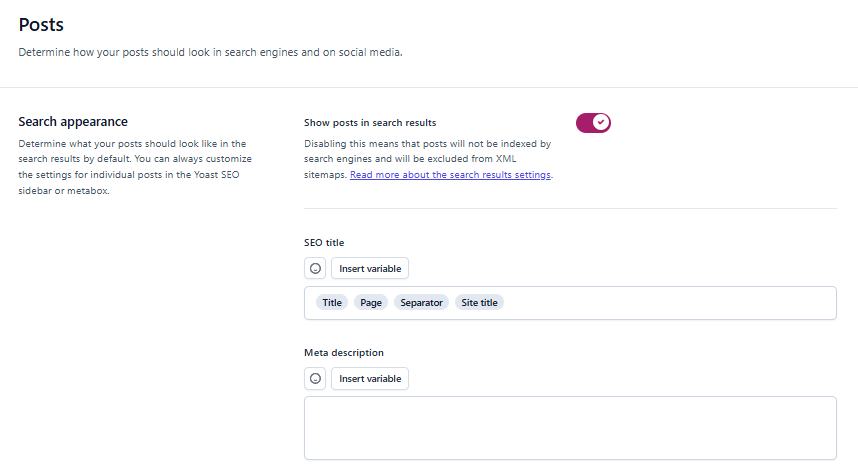
- Navigate to the Content Type and select Posts.
- Locate the Schema section and define how posts should be described by default in your site’s Schema markup.
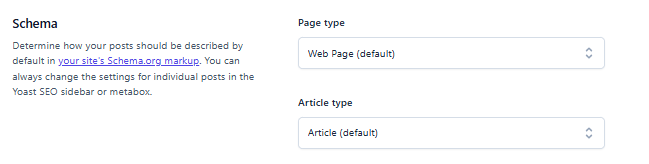
- Select the appropriate Page Type.
- Choose the relevant Article Type.
- Click Save Changes.
Summary
Rich snippets enhance how your content appears in search results, making it more informative and engaging for users. When implemented correctly, they can improve visibility and click‑through rates while supporting a better overall user experience. Regularly reviewing your structured data ensures your content remains search‑friendly and effective.
If you need further assistance, Bluehost Chat Support is available 24 hours a day, 7days a week while Bluehost Phone Support is available 7 days a week from 7 am-12 midnight EST.
- Chat Support - While on our website, you should see a CHAT bubble in the bottom right-hand corner of the page. Click anywhere on the bubble to begin a chat session.
- Phone Support -
- US: 888-401-4678
- International: +1 801-765-9400
You may also refer to our Knowledge Base articles to help answer common questions and guide you through various setup, configuration, and troubleshooting steps.