 ChatGPT,
  Claude,
  Gemini,
  Grok — all four for
 How to Purchase Bluehost AI All-Access
Bluehost has introduced Bluehost AI All-Access, a product that provides access to multiple top-tier Large Language Model (LLM) packages with a single subscription. Users can enjoy access on multiple devices while maintaining data privacy, making it an ideal solution for small businesses, solopreneurs, marketers, agencies, creators, and existing Bluehost customers. This guide will walk you through purchasing Bluehost AI All-Access and highlight its key features and benefits.
Watch this short video for a quick guide on purchasing Bluehost AI All-Access.
Purchasing the Bluehost AI All-Access Pack
There are several ways to purchase the Bluehost AI All-Access Pack — Bluehost.com or Bluehost Portal.
Via Bluehost.com
If you don't have a Bluehost account yet, you can follow these steps to purchase the product.
- In your browser, go to Bluehost.com.
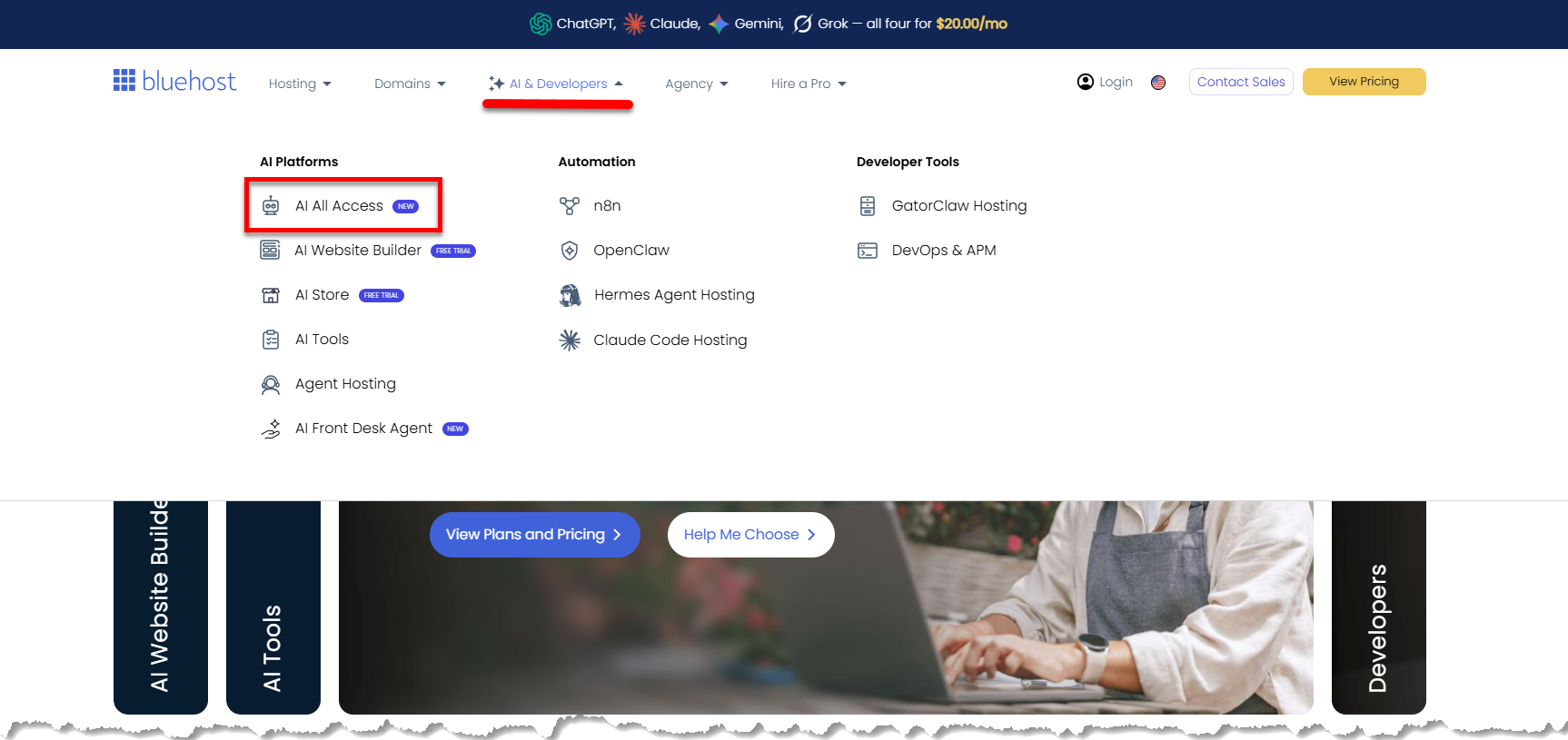
- Click the AI & Developers tab in the top menu, then select AI All Access.
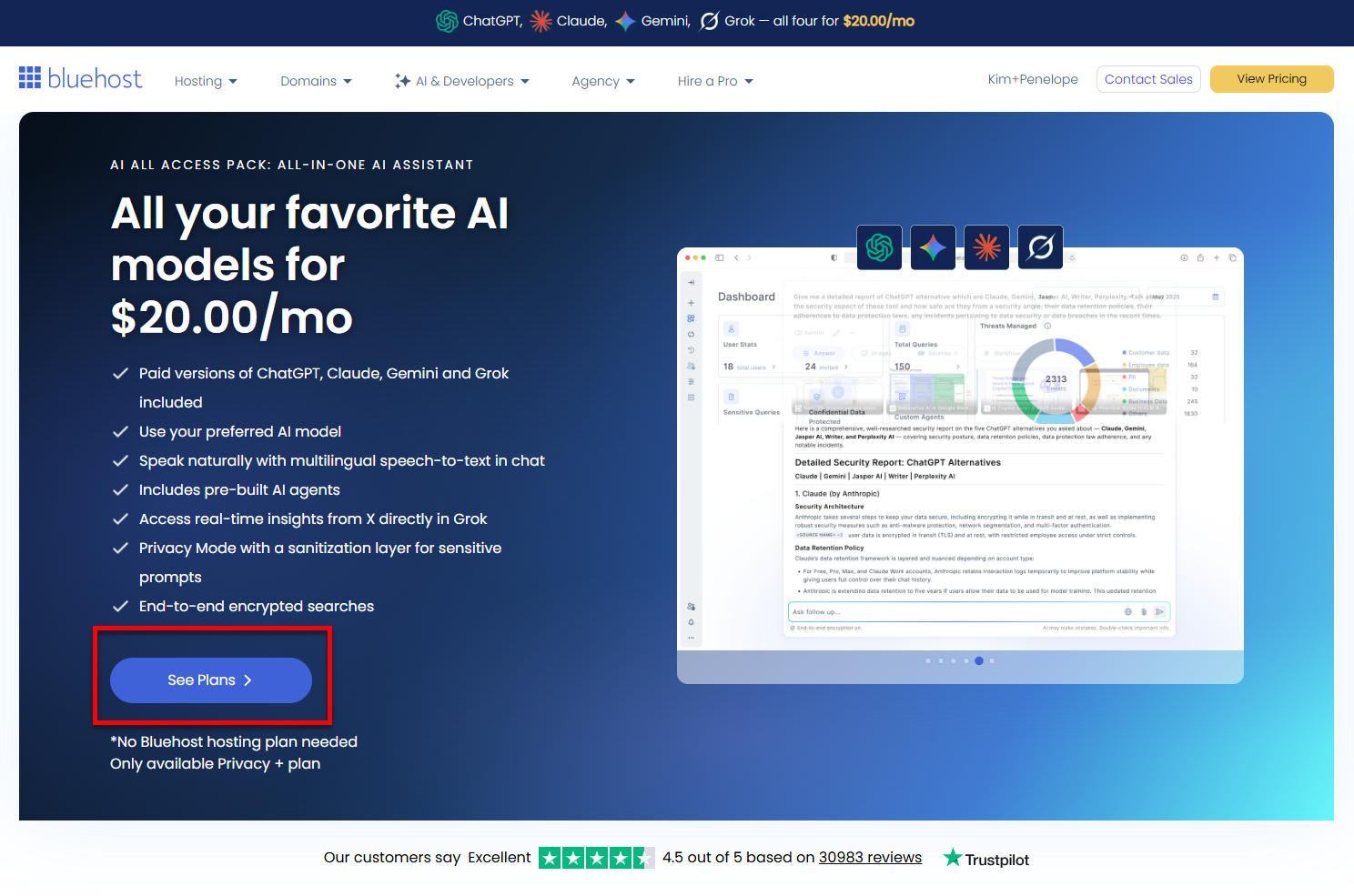
- Click See Plans to view the available plans.
- Click Choose Plan on the AI All-Access plan you want.
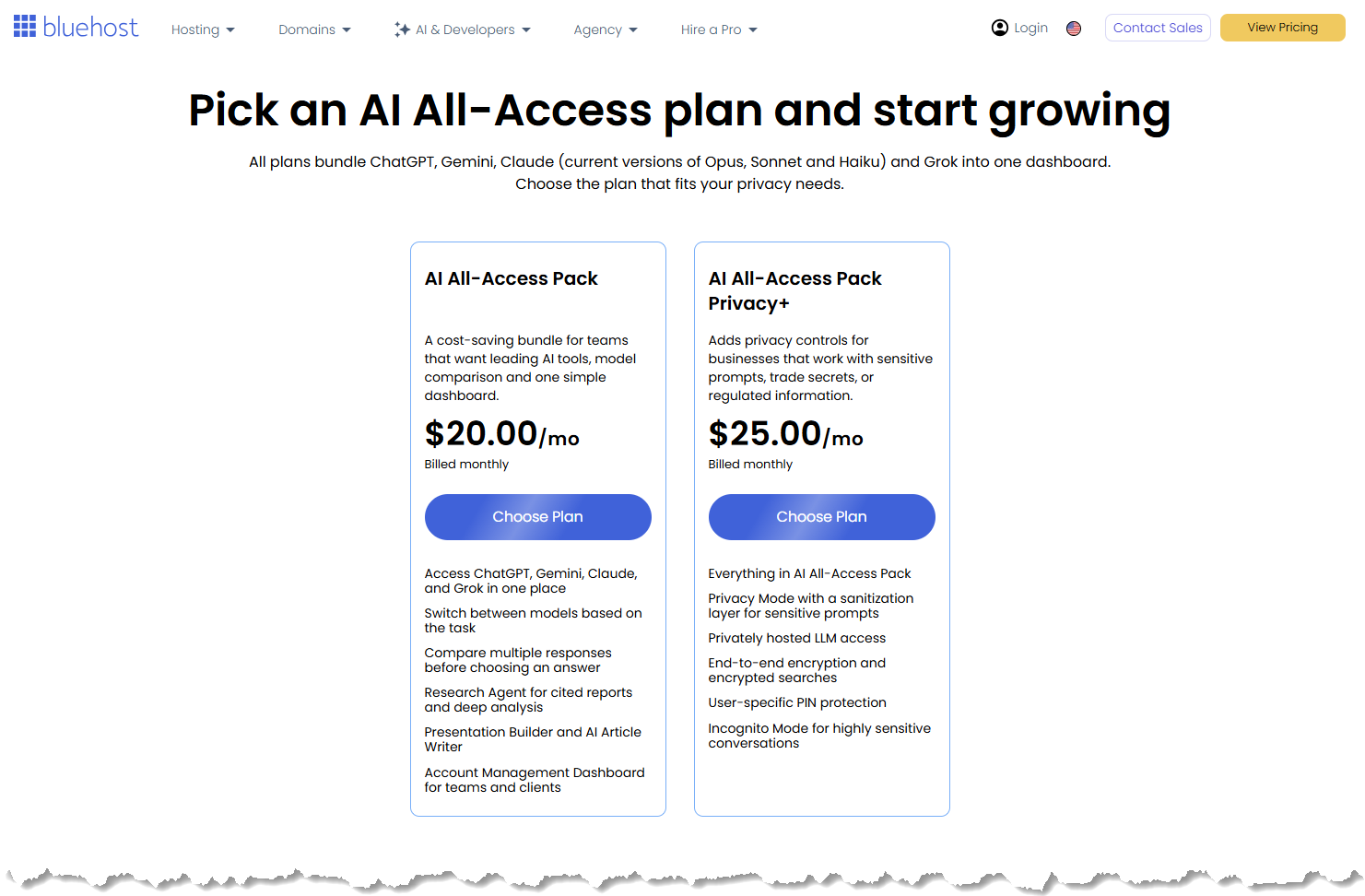 Prices may change at any time. Please check the front-of-site for the most up-to-date pricing.
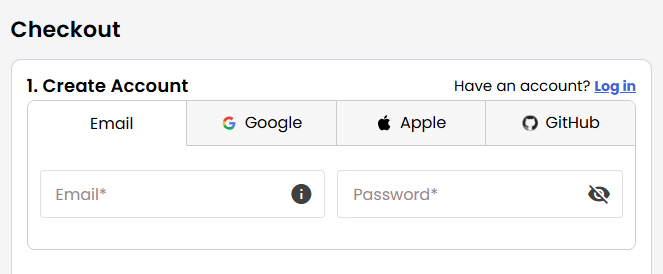
 - Create your Bluehost account by using your email address or by connecting with your Google, Apple, or GitHub account.
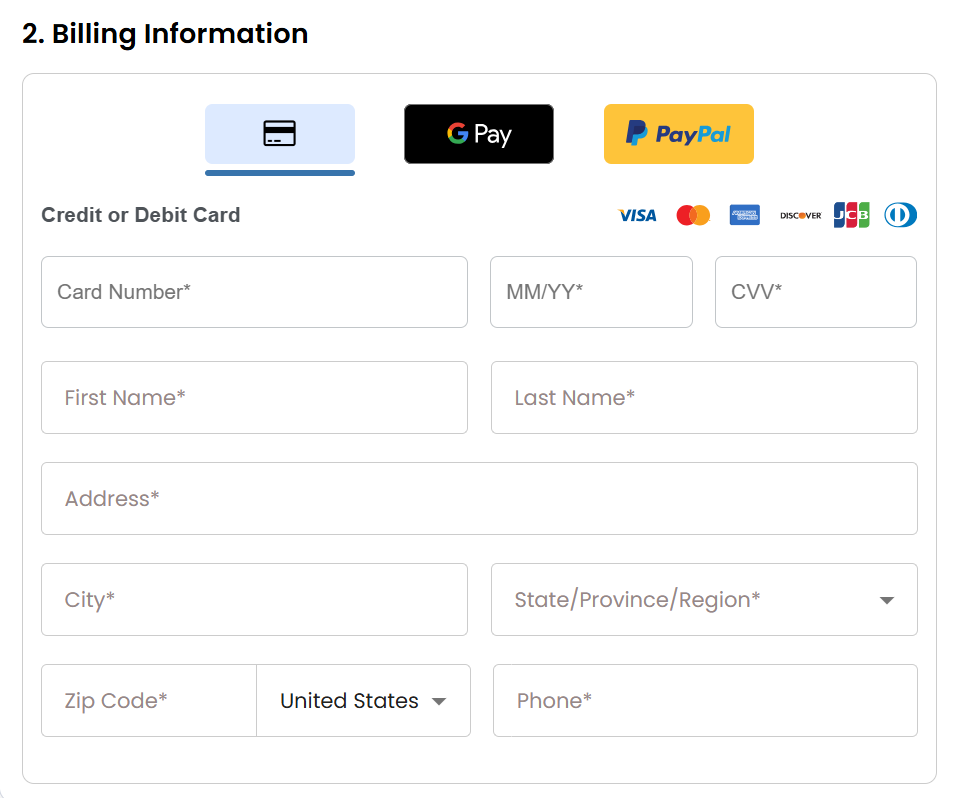
- Select your preferred payment method: credit card, Google Pay, or PayPal. Enter your billing information.
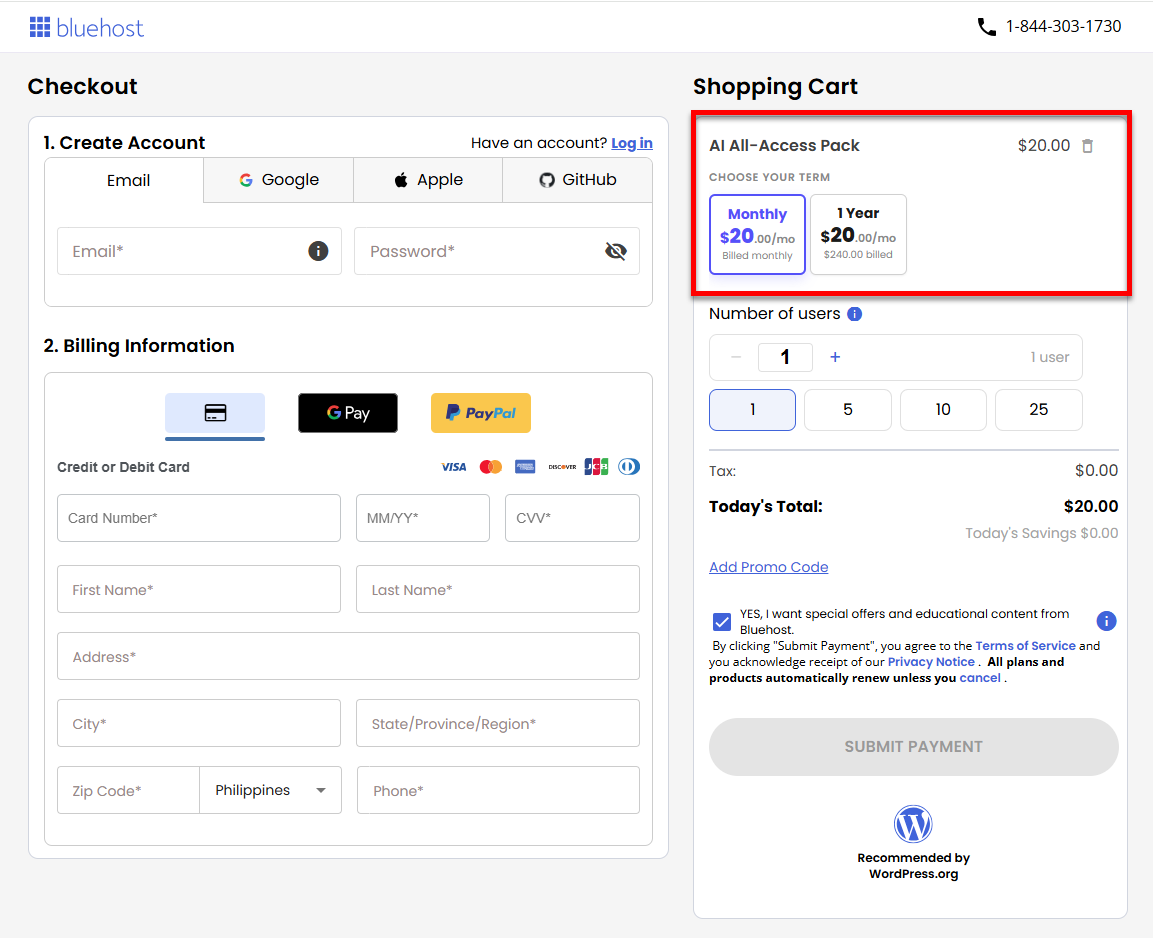
- Choose your billing term.
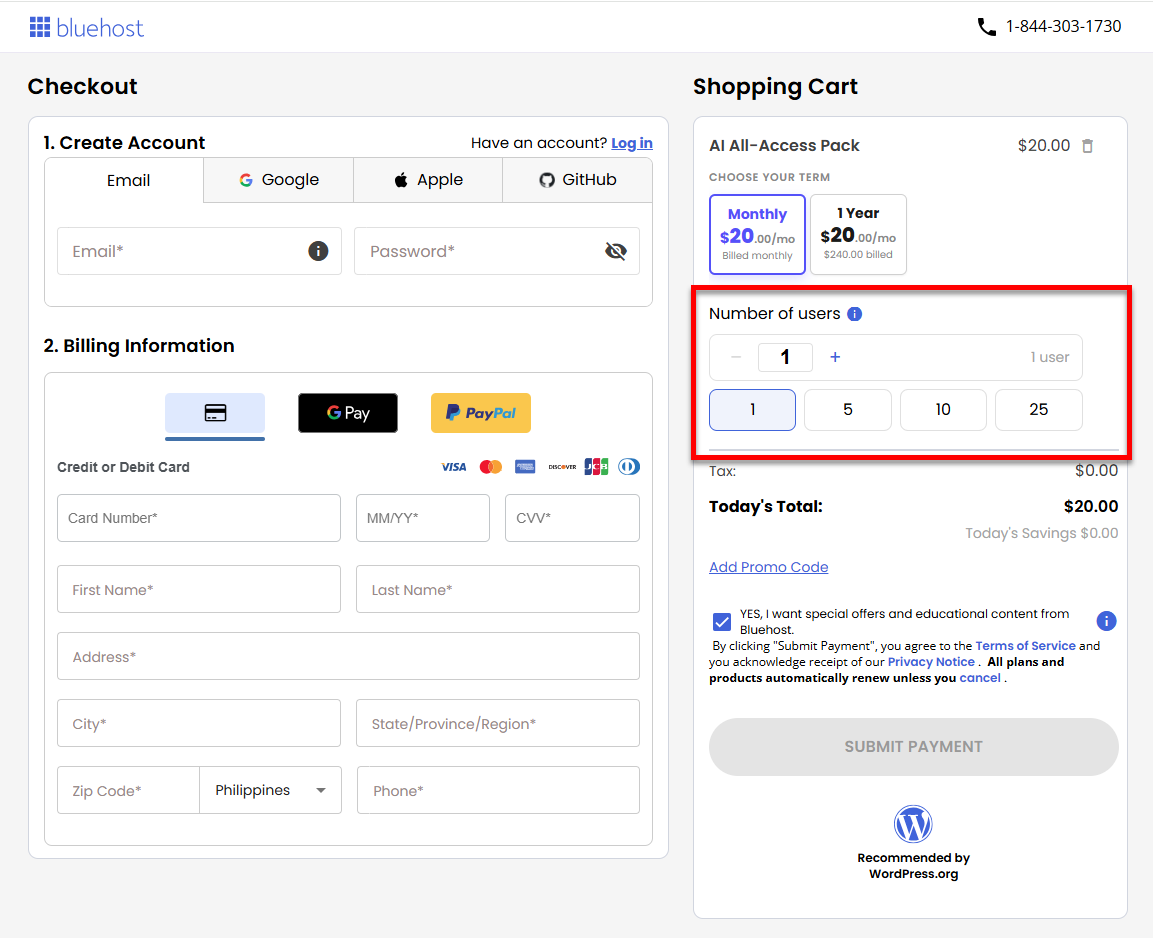
- Select the number of seats you need. bh-ai-all-access-select-number-seats
 Please note:
- Each seat represents one user only.
- Team members can only be added once seats have been purchased.
- There is no free trial, and access begins immediately after purchase.
- You don't need to have a Bluehost Hosting package to purchase the product.
- Add a Promo code if you have one available. Click the Submit Payment to complete your purchase.
- On the Confirmation page, click Go to Account to log in and begin using your product.
Via Bluehost Portal's AI Agents Tab
- In the Bluehost Portal, click on AI All-Access Pack under AI Agents.
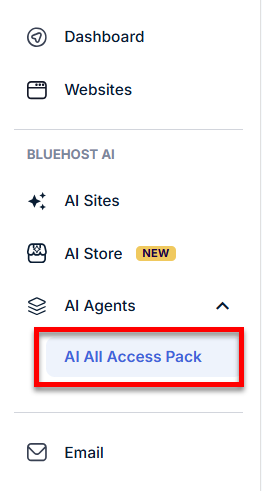
- Click the Buy AI All-Access Pack button.
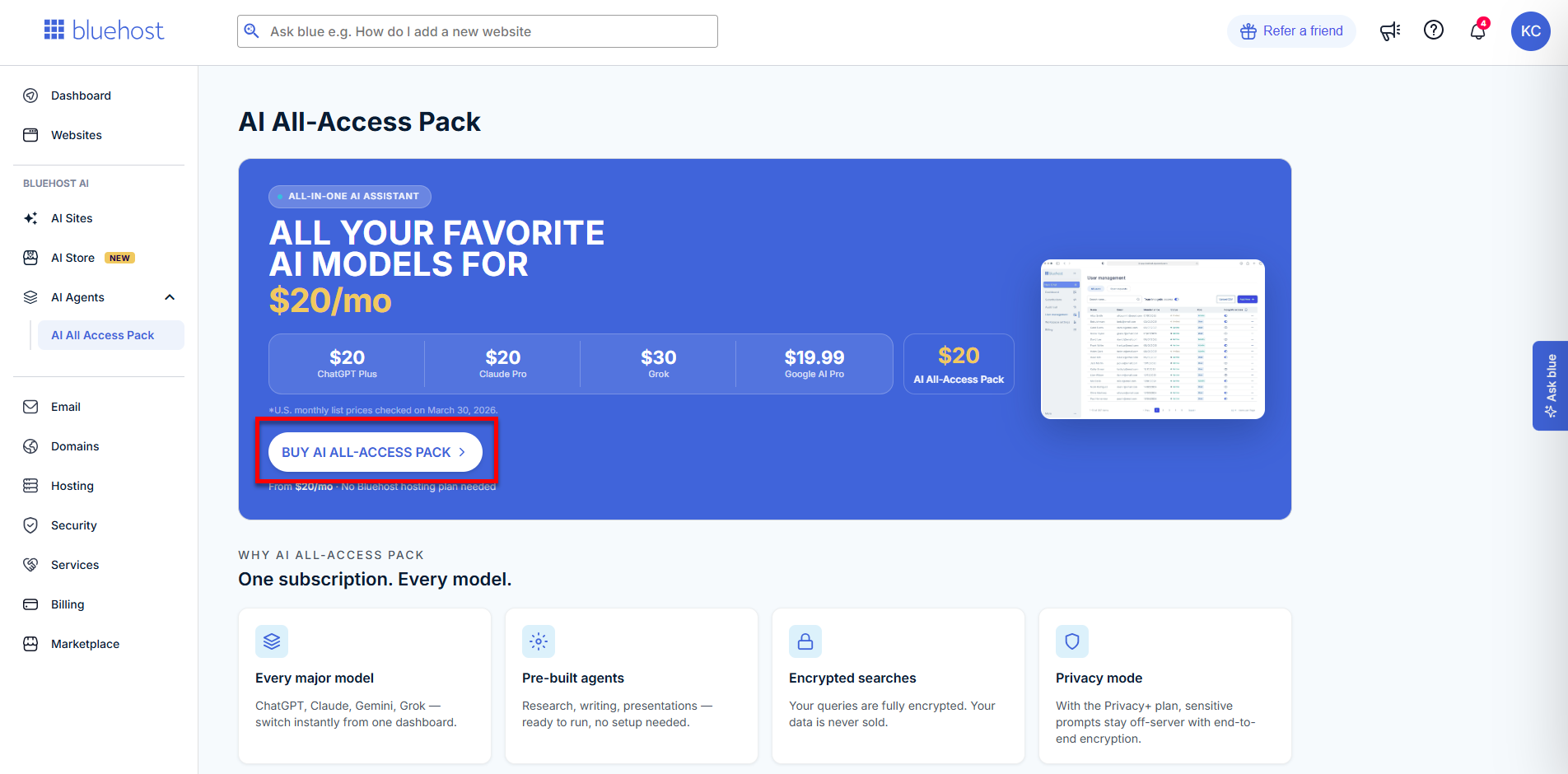
- In the pop-up, select the AI All-Access plan you want.
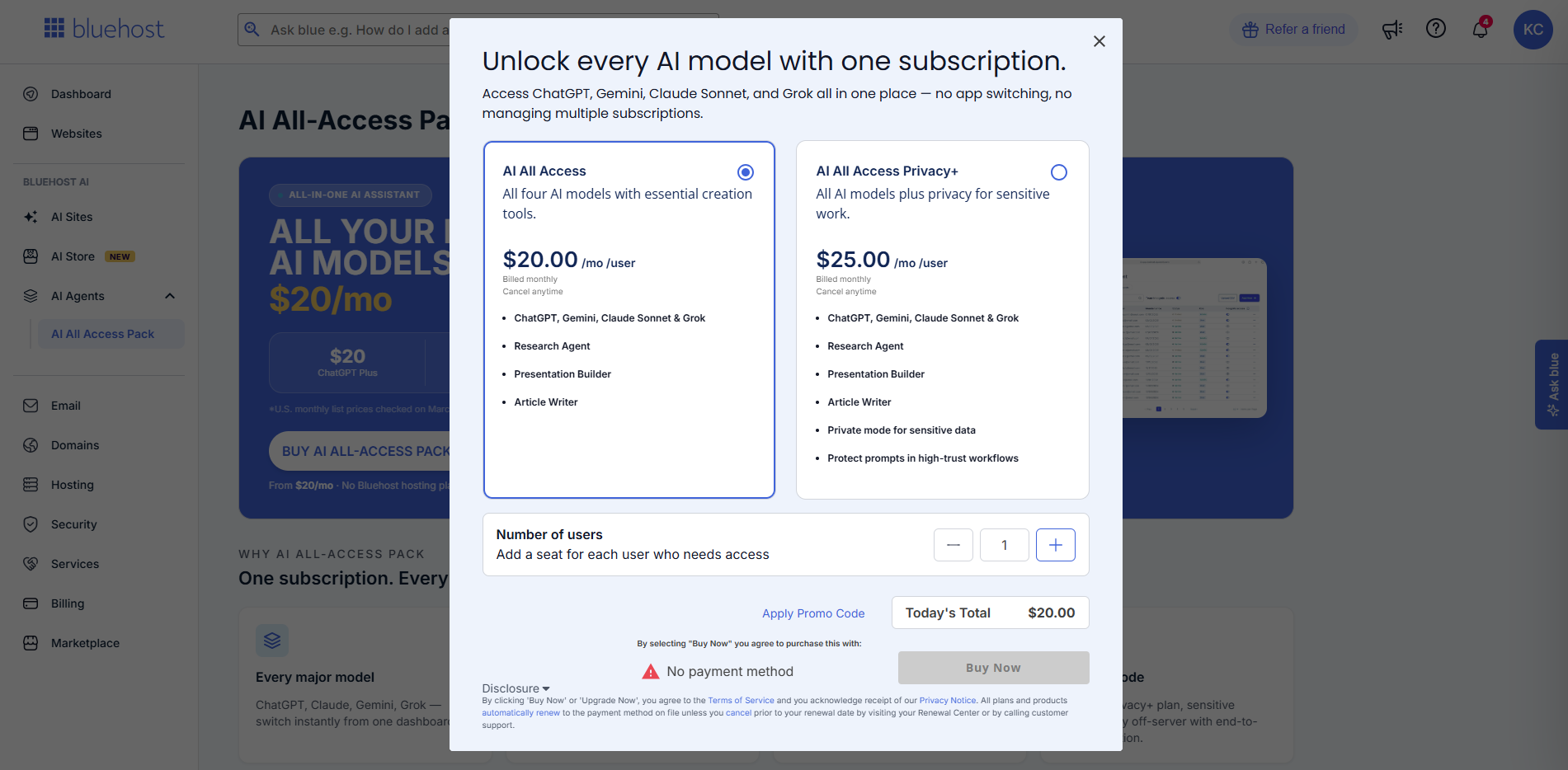 Prices may change at any time. Please check the front-of-site for the most up-to-date pricing.
 - Select the number of seats you need.
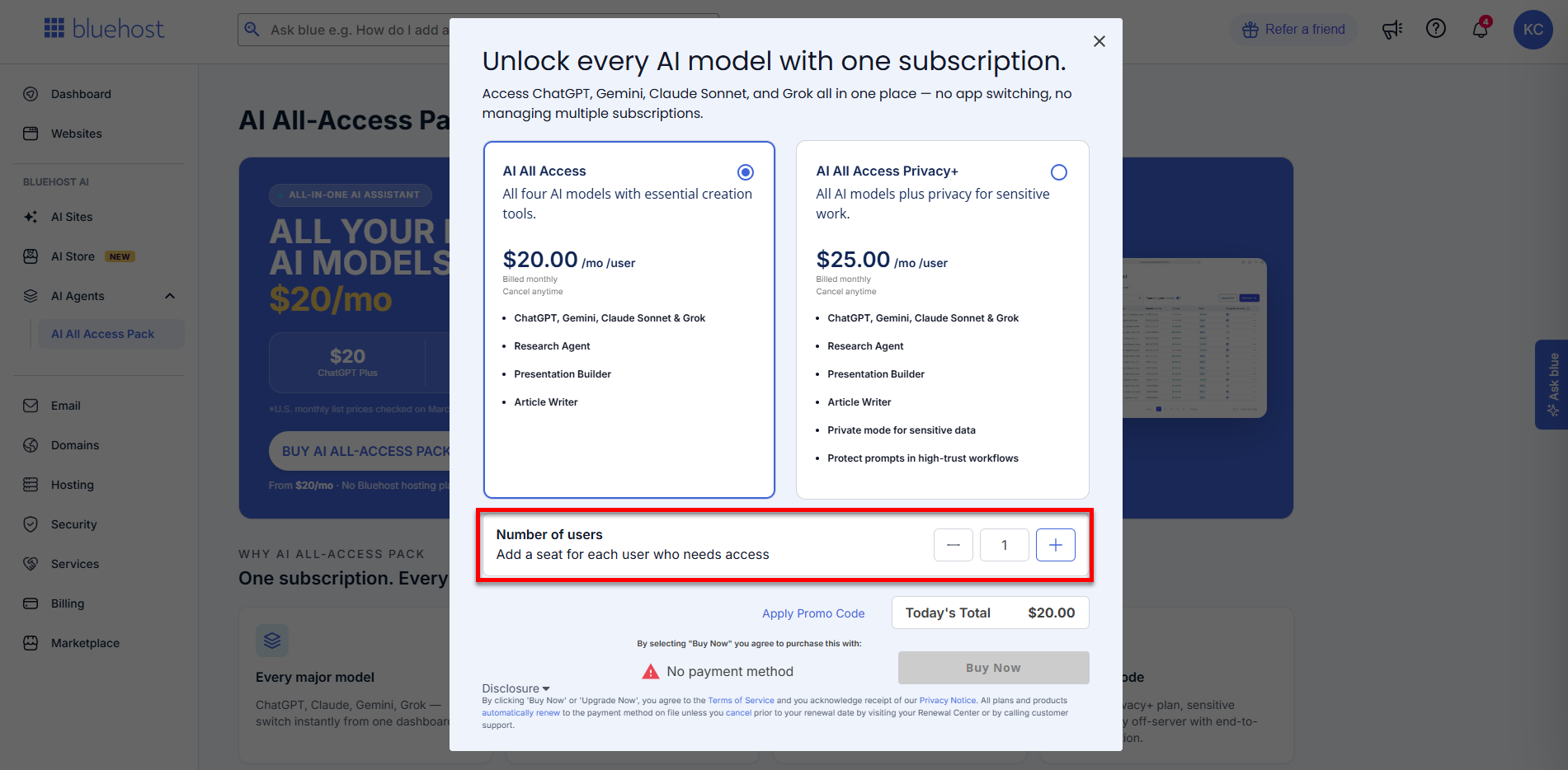 Please note:
- Each seat represents one user only.
- Team members can only be added once seats have been purchased.
- There is no free trial, and access begins immediately after purchase.
- You don't need to have a Bluehost Hosting package to purchase the product.
- Click Buy Now to complete your purchase.
Via Bluehost Portal's Marketplace
If you already have a Bluehost account, follow these steps.
- In the Bluehost Portal, click Marketplace in the left-hand menu.
- In the AI All-Access Pack card, click Buy Now.
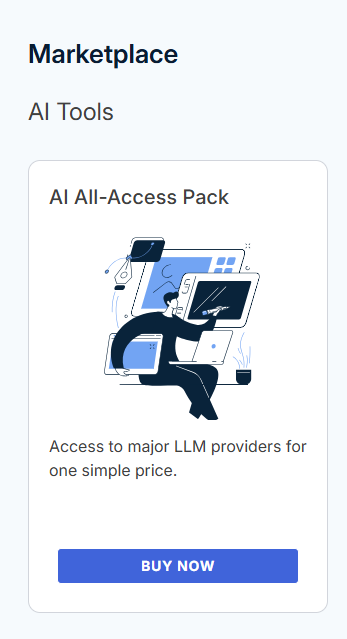
- In the pop-up, select the AI All-Access plan you want.
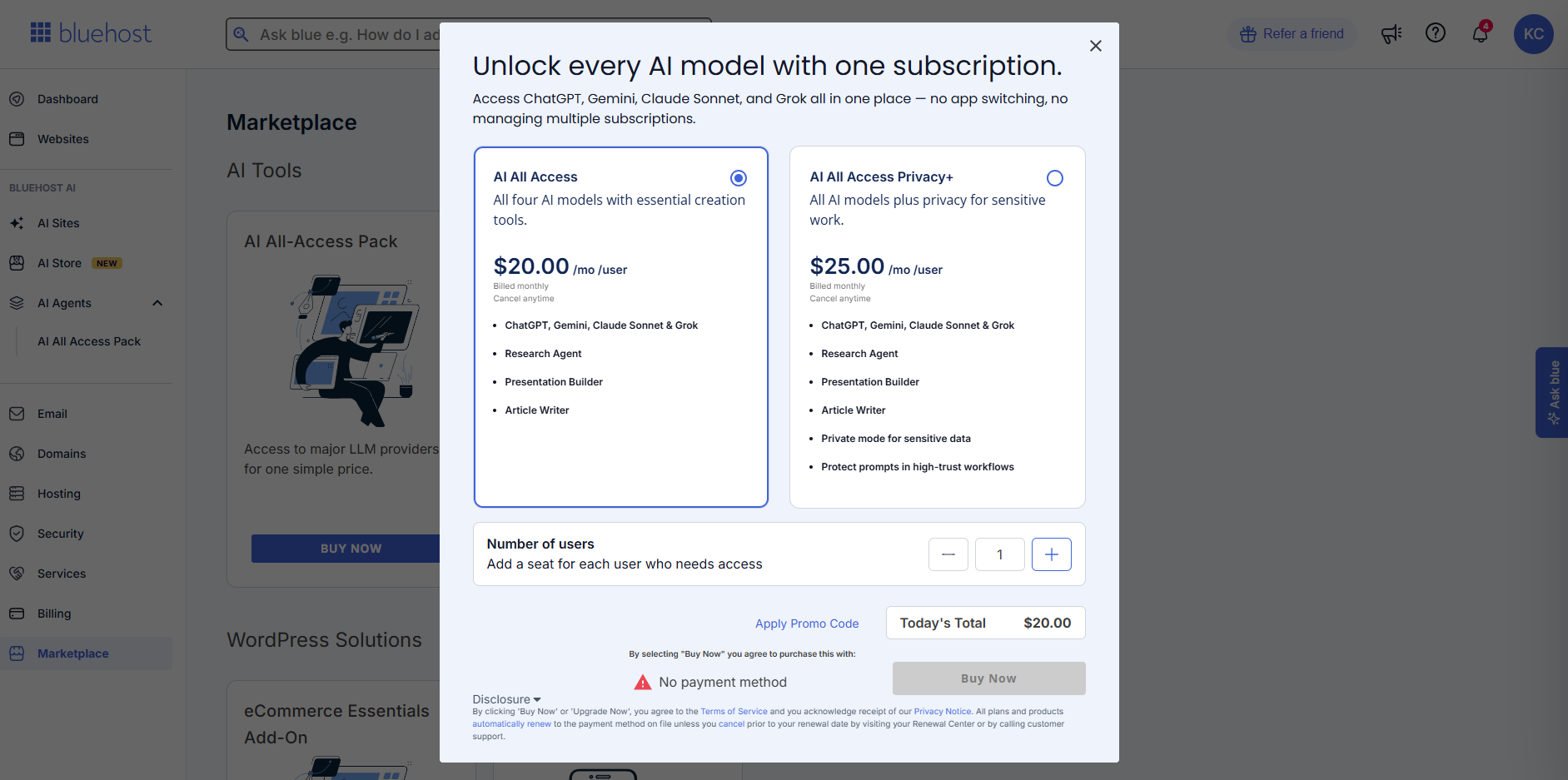 Prices may change at any time. Please check the front-of-site for the most up-to-date pricing.
 - Select the number of seats you need.
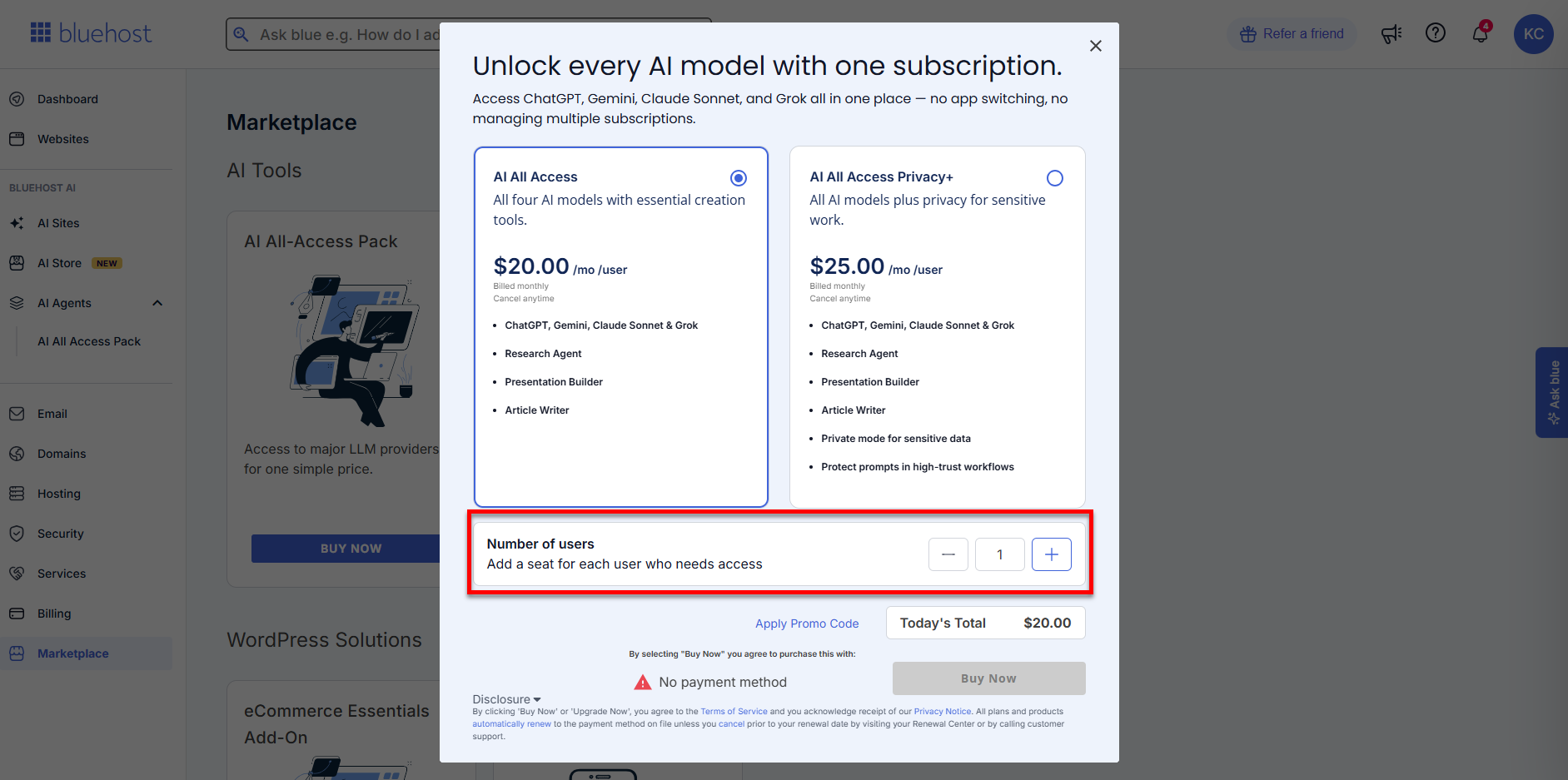 Please note:
- Each seat represents one user only.
- Team members can only be added once seats have been purchased.
- There is no free trial, and access begins immediately after purchase.
- You don't need to have a Bluehost Hosting package to purchase the product.
- Click Buy Now to complete your purchase.
Features and Benefits
Bluehost offers two subscription plans providing centralized access to multiple top-tier AI models—ChatGPT 5, Gemini 3.7, Claude Sonnet 4.5, and Grok 4.6—through a single user-friendly dashboard, ideal for businesses, agencies, and content creators.
AI All‑Access Pack
- Access top AI models in one plan (ChatGPT 5, Gemini 3.7, Claude Sonnet 4.5, Grok 4.6)
- Switch and compare AI models for better results
- Automate research and generate reports quickly
- Create presentations in minutes
- Write SEO-friendly articles to boost visibility
- Manage everything in one easy dashboard
- Save money by replacing multiple AI subscriptions
- Improve productivity and streamline workflows
AI All-Access Pack Privacy+
- Includes all features from the AI All-Access Pack
- Encrypted AI service for secure searches
- Privacy Mode to protect sensitive information
- Privately hosted AI models for better data control
- End-to-end encryption for secure conversations
- User-specific PIN for added account security
- Incognito mode for confidential tasks
- Manage everything in one secure, centralized dashboard
To know more, visit this article: Bluehost AI All‑Access Pack: Plans, Features & Benefits.
Summary
Bluehost AI All-Access simplifies the use of AI by integrating robust language models with useful automation tools. With a single subscription, you can improve your productivity, elevate customer engagement, and advance your business. It's an easy way to leverage the advantages of AI for your daily tasks!
If you need further assistance, Bluehost Chat Support is available 24 hours a day, 7days a week while Bluehost Phone Support is available 7 days a week from 7 am-12 midnight EST.
- Chat Support - While on our website, you should see a CHAT bubble in the bottom right-hand corner of the page. Click anywhere on the bubble to begin a chat session.
- Phone Support -
- US: 888-401-4678
- International: +1 801-765-9400
You may also refer to our Knowledge Base articles to help answer common questions and guide you through various setup, configuration, and troubleshooting steps.