 ChatGPT,
  Claude,
  Gemini,
  Grok — all four for
How to Use Yoast AI Brand Insights in Bluehost
When you purchase Yoast SEO AI+ through Bluehost, you get access to an incredibly powerful tool called Yoast AI Brand Insights. This feature helps you see exactly how your brand shows up when people ask AI Models—like ChatGPT, Claude, Gemini, and Perplexity—for recommendations. You can easily keep track of how visible you are, what the AI says about you, the overall sentiments of the answers, and how you stack up against your top competitors.
The best part? You can jump right into the AI Brand Insights tool straight from your WordPress dashboard using a seamless, secure Single Sign-On (SSO) link. You will be prompted to create and log in to your My Yoast account. Don't worry - it's free!
How to Access Your Dashboard
Ready to see what the AI engines are saying about your business? Follow these steps to log in right from your site's backend:
- Log in to your Bluehost Portal.
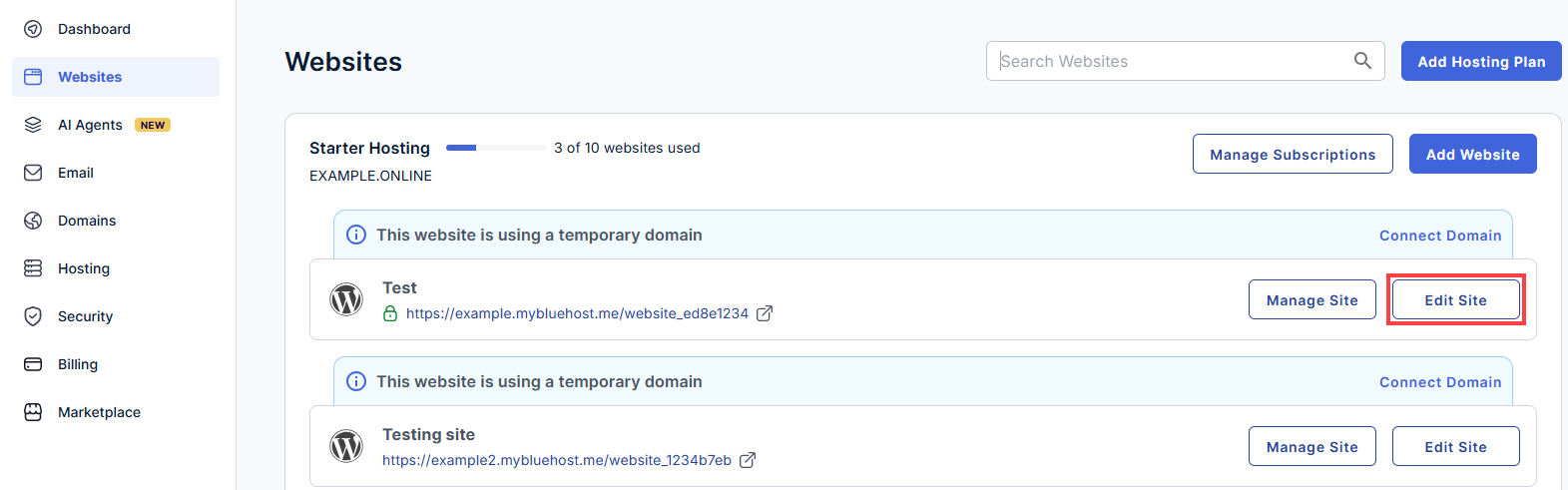
- In the left-hand menu, click Websites.
- Click the Edit Site button located next to the website you want to manage.
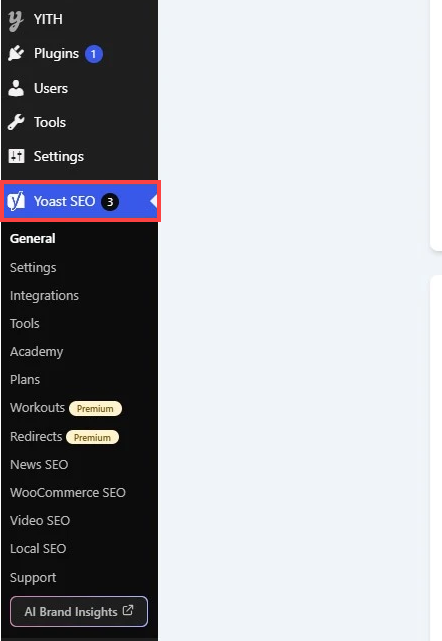
- Once your WordPress dashboard loads, look at the menu on the left side of your screen and click on Yoast SEO.
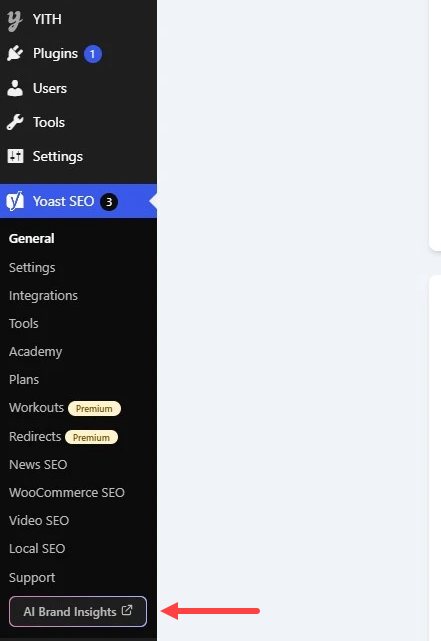
- Look for the AI Brand Insights option within the Yoast menu. Click it, and you'll be instantly logged in and taken to your brand dashboard.
Running Your First Brand Analysis
Now that you're in, let's set up your very first report so you can see your data in action:
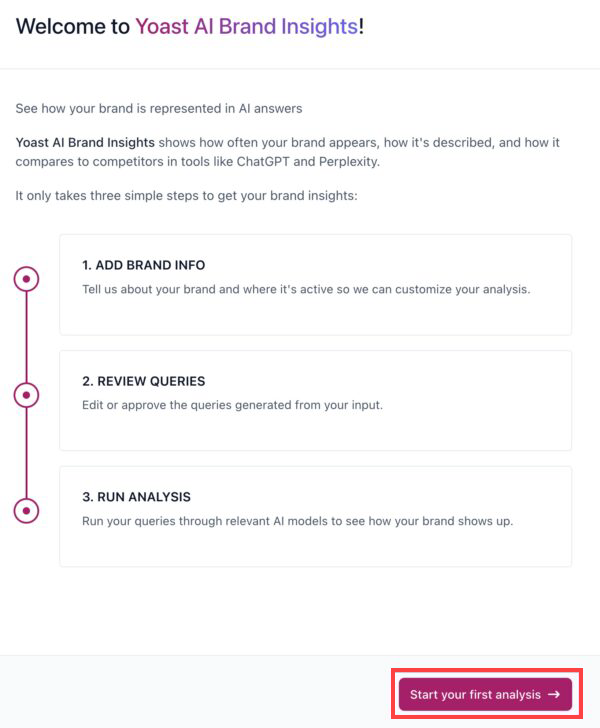
- Click the Start your first analysis button on the screen.
- Fill in your Brand info and Location info so the AI knows exactly who you are and where your customers are located.
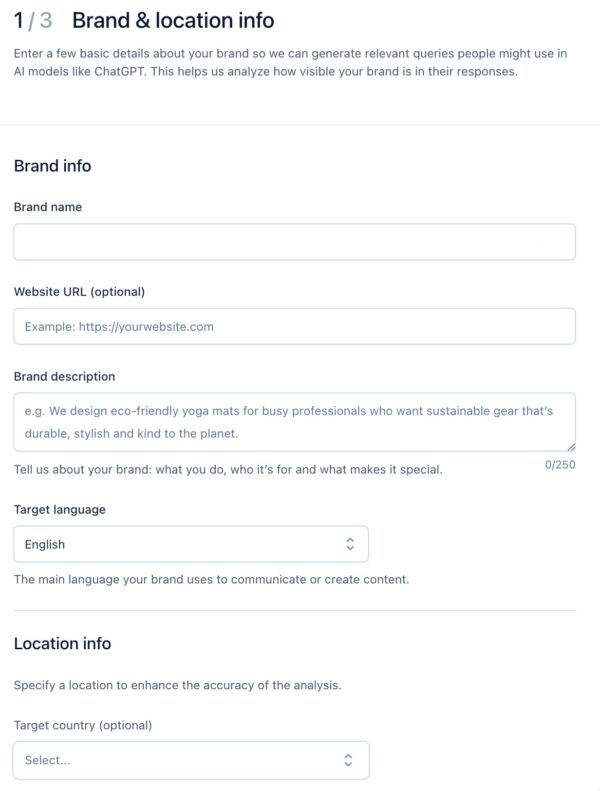
- Click Generate queries. The tool will automatically come up with a list of common questions people might ask AI assistants about your industry.

- Customize your list: Review the generated questions. You can accept, edit, or recreate them so they match the exact topics you care about most.
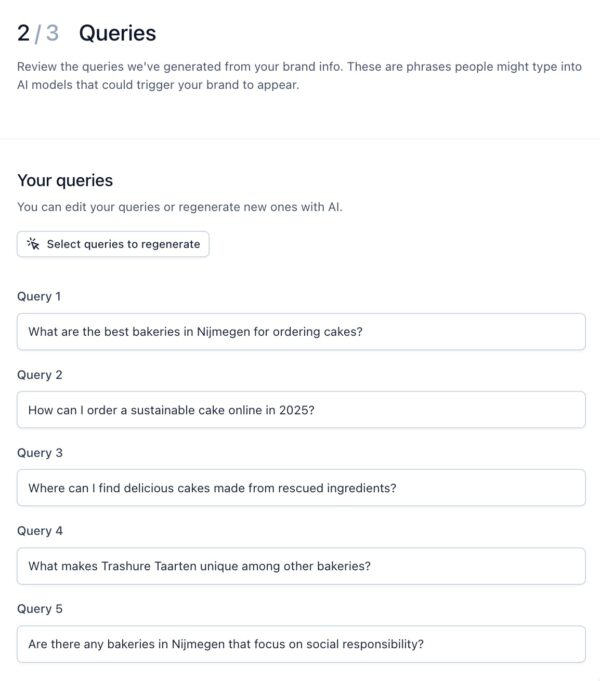
- Click Run analysis.

Quick Tip: Grab a coffee! The tool is doing a lot of heavy lifting across multiple AI platforms, so it will take about 5 minutes to gather your data.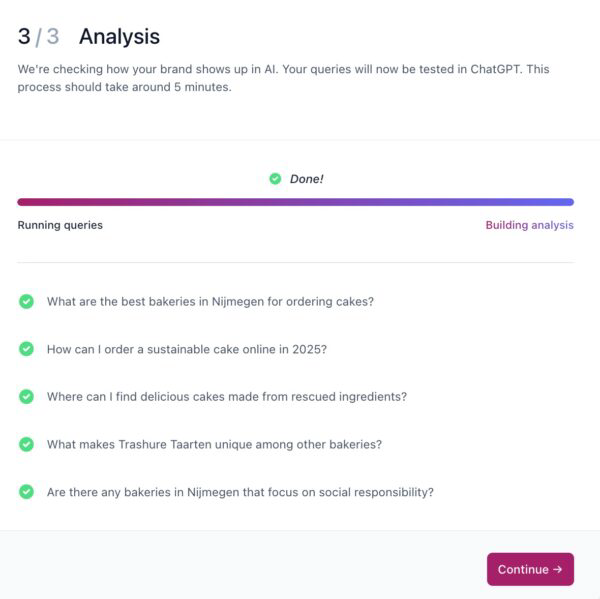
- Choose the specific AI tool you want to look at, such as ChatGPT, Claude, Gemini, or Perplexity.
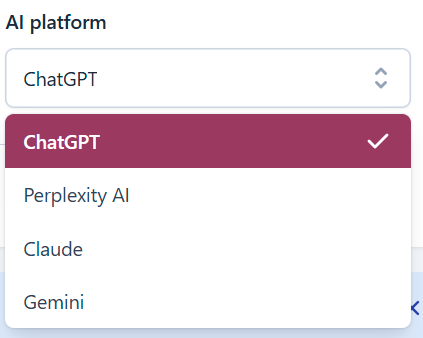
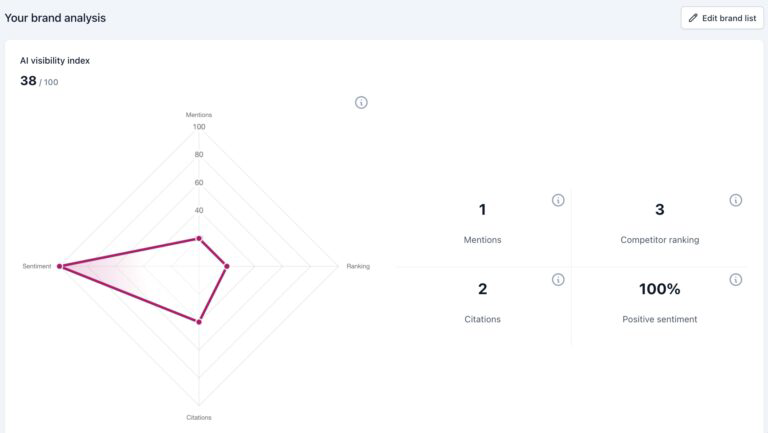
- Dive into the data to see how visible your brand is, check if the mentions are positive or negative, look at your source citations, and find out where your competitors are ranking ahead of you.
Summary
By getting Yoast SEO AI+ through Bluehost, you don't have to worry about managing a separate account on Yoast's main website. Instead, you can jump straight into Yoast AI Brand Insights right from the comfort of your WordPress dashboard.
Setting it up is a breeze: just enter your business info, customize your search questions, and let the tool do its thing. In about 5 minutes, you'll have a clear view of how your business stands in the world of AI search—giving you the exact data you need to outsmart your competition and grow your online presence!
If you need further assistance, Bluehost Chat Support is available 24 hours a day, 7days a week while Bluehost Phone Support is available 7 days a week from 7 am-12 midnight EST.
- Chat Support - While on our website, you should see a CHAT bubble in the bottom right-hand corner of the page. Click anywhere on the bubble to begin a chat session.
- Phone Support -
- US: 888-401-4678
- International: +1 801-765-9400
You may also refer to our Knowledge Base articles to help answer common questions and guide you through various setup, configuration, and troubleshooting steps.