 ChatGPT,
  Claude,
  Gemini,
  Grok — all four for
mod_deflate Guide: Enable Apache Compression in cPanel
In Linux-based hosting environments, mod_deflate Apache compression allows your server to compress HTTP content before delivering it to visitors. This reduces file sizes, improves website speed, and enhances overall SEO performance.
What is mod_deflate in Apache?
The mod_deflate module in Apache (versions 2.0, 2.2, and 2.4) compresses website content before it is transmitted to a browser. This feature is similar to mod_gzip and is essential for optimizing website performance.
Compression is applied based on MIME types, ensuring that only appropriate content (such as HTML, CSS, and JavaScript) is compressed.
Available on:
How to Enable mod_deflate in cPanel
Follow these steps to enable Apache compression using cPanel Optimize Website:
- Log in to your Bluehost Portal.
- In the left-hand menu, click Hosting, then select My Plans.
- On the hosting details page, click the cPanel button.

- Your cPanel will open in a new tab.
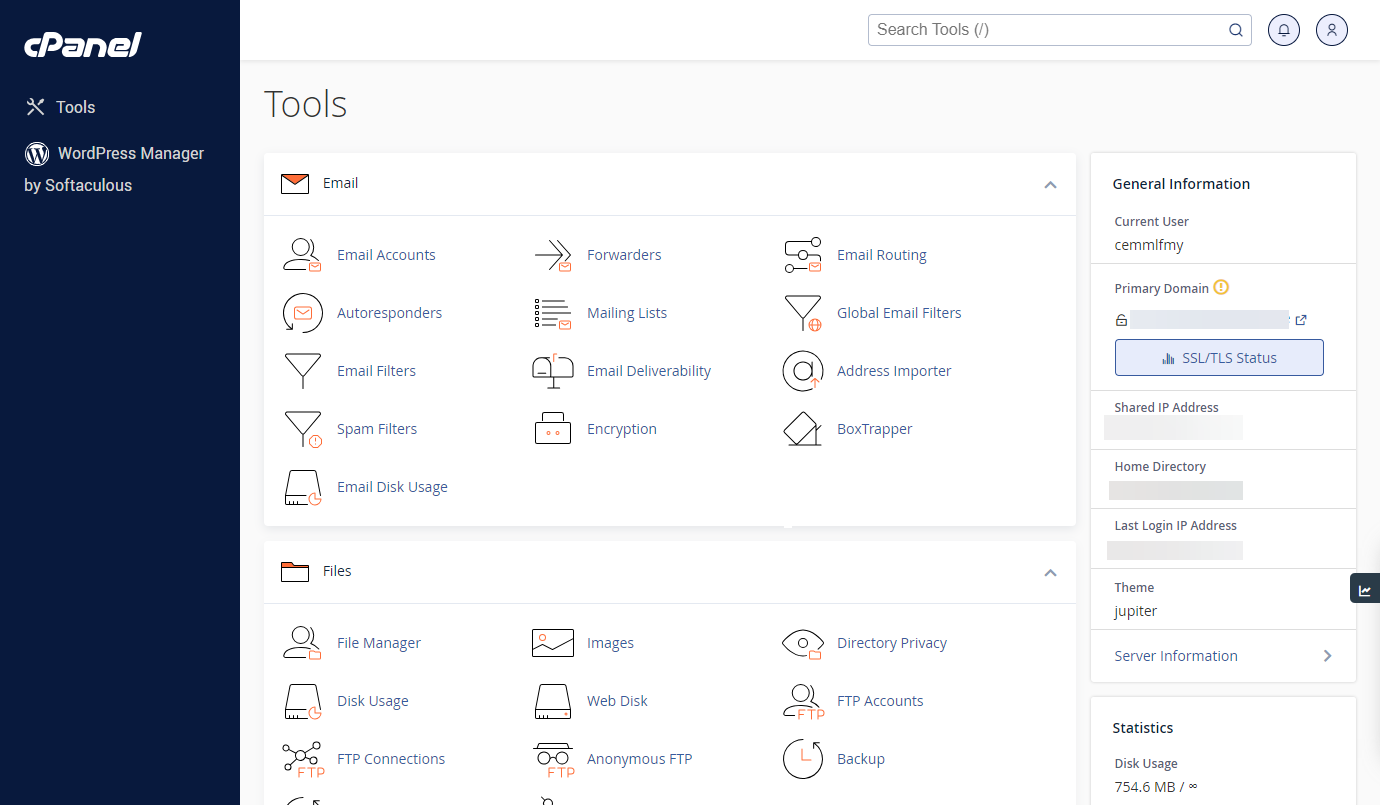
- In cPanel, go to the Software section.
- Click Optimize Website.

- Configure Compression Settings under Compress Content, choose one:

- Option 1: Disable Compression
- Select Disabled (not recommended for SEO)
- Option 2: Compress All Content
- Select Compress All Content
- Best for maximum website speed improvement
- Option 3: Compress Specific MIME Types
- Select Compress the specified MIME types
- Enter types like:
text/html text/plain text/xml text/css application/javascript - Do NOT include image formats (JPG, PNG) — they are already compressed
- Focus on text-based resources for better efficiency
- Option 1: Disable Compression
- Enable PHP Compression (Optional)
- Open MultiPHP INI Editor in cPanel
- Enable:
This enhances dynamic content compression.zlib.output_compression = On
- Click Update Settings to apply changes.
Best Practices for mod_deflate Optimization
- Compress only text-based content
- Avoid compressing already compressed files
- Combine with caching for better performance
- Test results using tools like GTmetrix or PageSpeed Insights
Why Apache Compression Improves SEO
Enabling mod_deflate compression:
- Reduces page load time
- Enhances user experience
- Improves Core Web Vitals
- Boosts search engine rankings
Faster websites are favored by Google, making compression a critical SEO optimization technique.
Additional Resources
Summary
The mod_deflate Apache compression module is a powerful tool for improving website speed and SEO performance. By enabling compression through cPanel and optimizing MIME types, you can significantly reduce load times and enhance user experience. Implementing best practices ensures maximum efficiency and better search engine rankings.
If you need further assistance, Bluehost Chat Support is available 24 hours a day, 7days a week while Bluehost Phone Support is available 7 days a week from 7 am-12 midnight EST.
- Chat Support - While on our website, you should see a CHAT bubble in the bottom right-hand corner of the page. Click anywhere on the bubble to begin a chat session.
- Phone Support -
- US: 888-401-4678
- International: +1 801-765-9400
You may also refer to our Knowledge Base articles to help answer common questions and guide you through various setup, configuration, and troubleshooting steps.