 ChatGPT,
  Claude,
  Gemini,
  Grok — all four for
Resetting your cPanel Password
This article discusses various methods for resetting cPanel passwords. Depending on your hosting type, there are different ways to reset the password of your cPanel.
Method 1: Via cPanel (Password & Security section)
If you're already within cPanel and want to reset your cPanel password, you can do so through cPanel's Password & Security section.
To reset your password within cPanel:
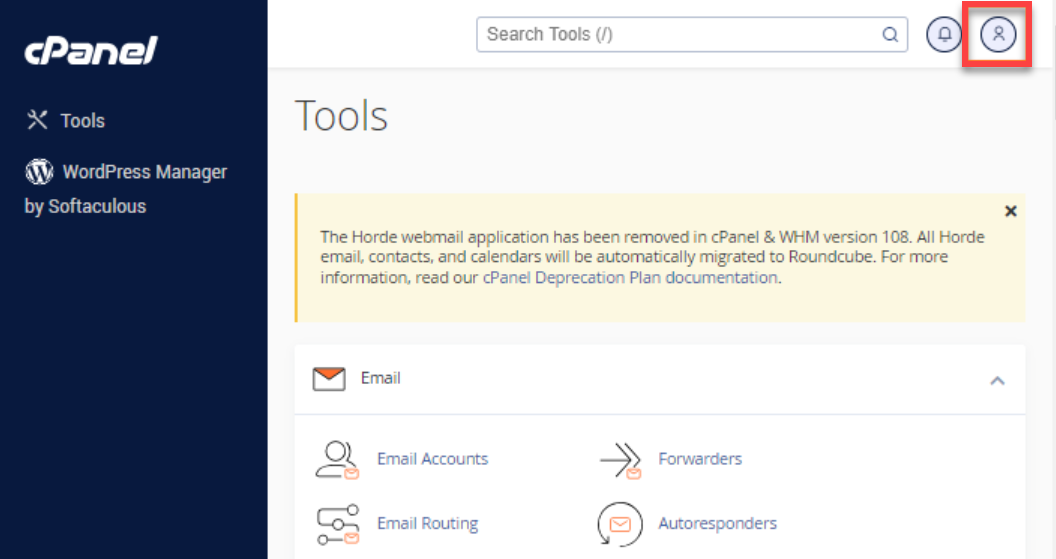
- Click the User Menu icon located in the top-right corner of cPanel.
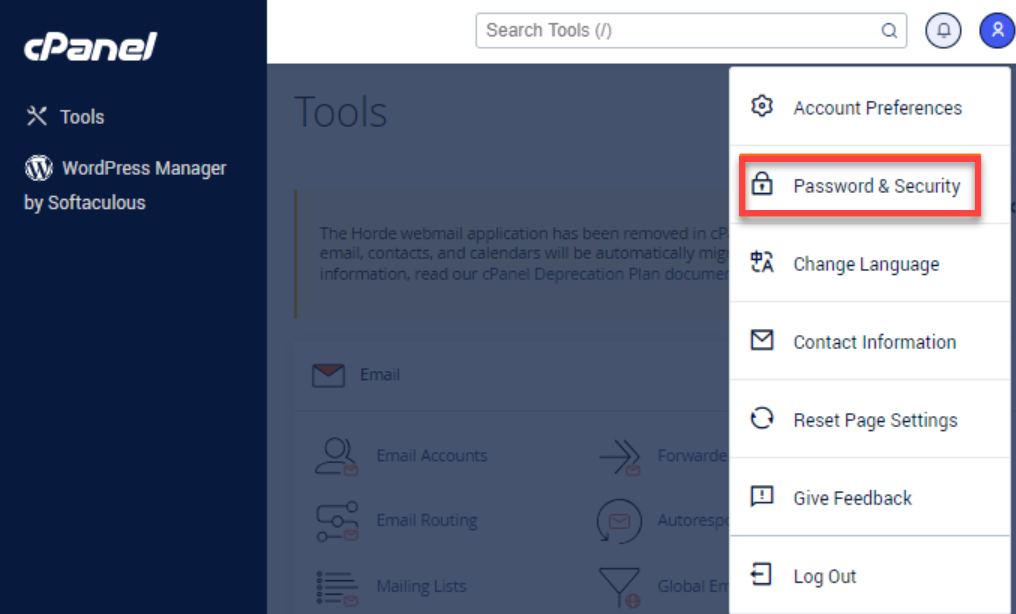
- Select Password & Security from the options.
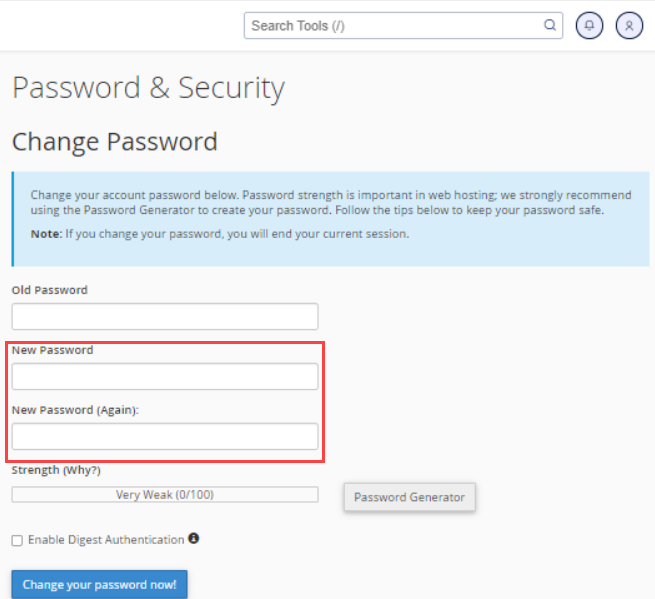
- Enter your old cPanel password.
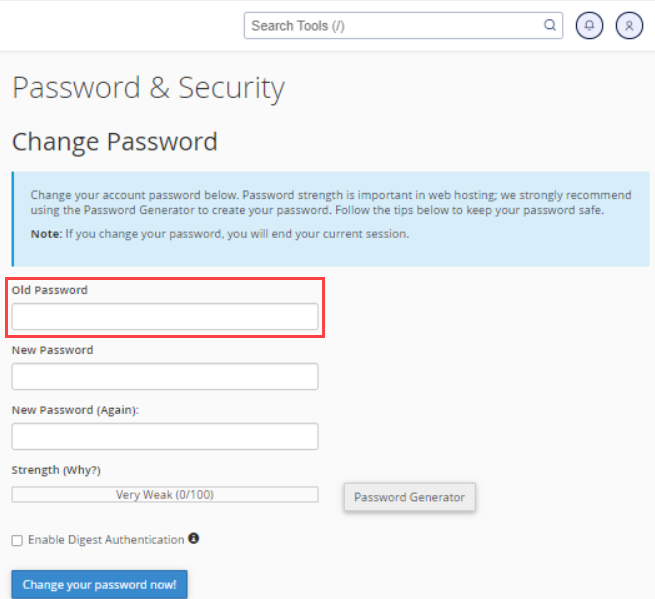
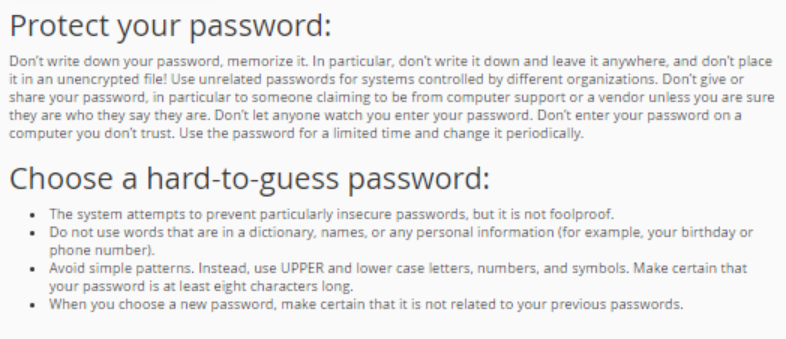
- Enter your new password twice. You may also use the Password Generator feature to create a secure password.
- Once done, click the Change your password now! button.
Method 2: Via WHM
This applies to VPS and Dedicated hosting.
The WHM allows you to change passwords for your individual cPanel accounts. If you are in Reseller hosting or unable to reset the password via the cPanel login page, follow the instructions below.
Want to know how to create a cPanel account in WHM? Please visit the following article for the instructions: How Do I Create a cPanel Account?
- Log in to WHM.
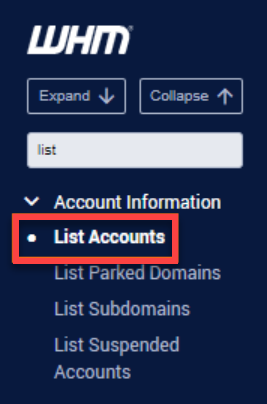
- Using the search bar on the left side, search for List Accounts.
- Select List Accounts.
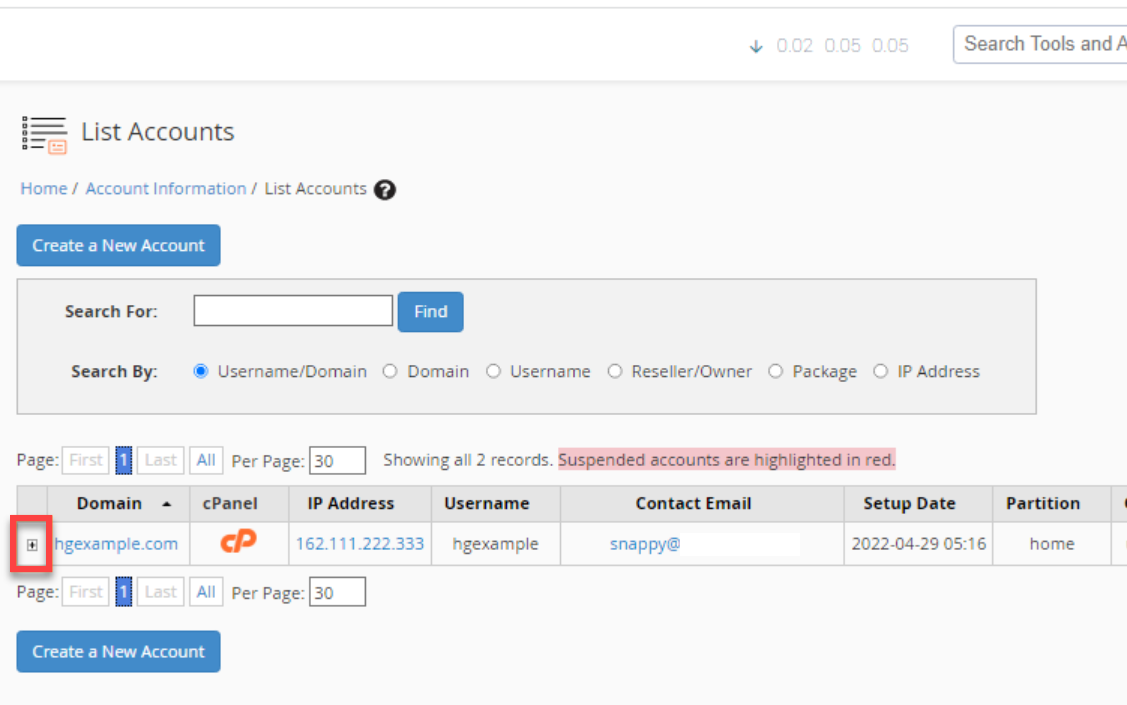
- On the right-hand side, locate the cPanel account you wish to reset the password.
- Click the + icon beside the cPanel's domain.
- In the Change Password field, enter your preferred cPanel password.
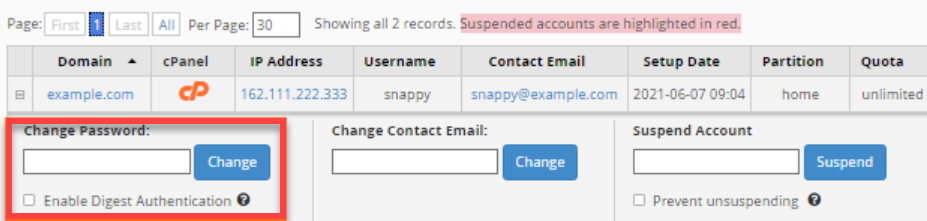
- Click the Change button.
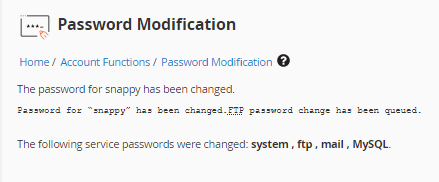
- A confirmation page will appear, notifying you of the password update.
Summary
This article explains the different ways to reset a cPanel password, depending on your hosting setup. You can reset the password directly from the cPanel login page, from within cPanel using the Password & Security section, or through WHM for Reseller, VPS, and Dedicated hosting accounts. Each method includes step‑by‑step instructions for updating credentials securely. If you encounter difficulties resetting your password, Bluehost Support can assist after verifying your identity.
If you need further assistance, Bluehost Chat Support is available 24 hours a day, 7days a week while Bluehost Phone Support is available 7 days a week from 7 am-12 midnight EST.
- Chat Support - While on our website, you should see a CHAT bubble in the bottom right-hand corner of the page. Click anywhere on the bubble to begin a chat session.
- Phone Support -
- US: 888-401-4678
- International: +1 801-765-9400
You may also refer to our Knowledge Base articles to help answer common questions and guide you through various setup, configuration, and troubleshooting steps.