 ChatGPT,
  Claude,
  Gemini,
  Grok — all four for
Purchase a Self-Managed VPS with CloudPanel Installation
CloudPanel is a modern server management platform that makes hosting processes and managing websites, applications, and databases in VPS so much easier. With a clean and intuitive web interface, you can perform various server administration tasks without having to be a technical expert. Whether for launching a personal web, client project, business application, or development environment, CloudPanel simplifies server management while maintaining the full flexibility of Self-Managed VPS.
Why Use CloudPanel?
Managing a VPS can be complex, especially when tasks require command-line knowledge and ongoing server maintenance. CloudPanel helps simplify these processes by providing an easy-to-use dashboard where you can manage websites, databases, domains, SSL certificates, and server resources from a single location. With CloudPanel installed on a Bluehost Self-Managed VPS, you can spend less time on server administration and more time focusing on your projects. It helps streamline website deployment, improve resource management, and makes it easier to oversee multiple websites and applications.
Uses of CloudPanel
CloudPanel supports a variety of hosting and server management needs, including:
- Manage All Your Sites in One Place: Easily host and look after one or multiple websites from a single, clean dashboard.
- Launch Apps in Minutes: Get your web applications up and running fast, without getting tangled up in complex server setups.
- Hassle-Free Databases: Create, update, and manage databases for your websites and apps with just a few clicks.
- Simple Domain Setup: Connect and configure your web domains effortlessly using our user-friendly interface.
- Instant SSL Security: Keep your visitors safe and boost your Google ranking with easy, stress-free SSL setup and automatic renewals.
- Safe Testing Spaces: Build, test, and tweak your projects in isolated development and staging areas before going live.
- Real-Time Server Stats: Keep an eye on your server's health and performance at a glance so you always know things are running smoothly.
- Effortless Multi-Project Control: Stay organized and save time by managing all your different client projects and websites from a single platform.
System Requirements
Before deploying, ensure your server meets the following minimum hardware requirements. For a stable production deployment, we recommend using higher specifications than the minimum requirements.
Important:
Do not purchase a server that only meets the minimum requirements. The minimum specifications represent the software's bare survival threshold and do not account for operating system overhead or production workloads. Running with only 2 vCPUs, 2 GB RAM, and 20 GB disk space can result in severe performance slowdowns, system freezes, or unexpected crashes during traffic spikes.
For a stable deployment, we recommend using at least 4 vCPUs, 8 GB DDR5 RAM, and 200 GB NVMe storage. While lower specs might be sufficient for basic installation, consider allocating additional disk space if you plan to store recordings, logs, or other application data.
| Resource | Minimum | Recommended |
|---|---|---|
| CPU | 2 vCPUs | 4 vCPUs |
| RAM | 2 GB | 8 GB DDR5 |
| Disk | 20 GB | 200 GB NVMe |
How to Purchase a Self-Managed VPS with CloudPanel Installation
To set up and operate CloudPanel effectively, start by getting a Self-Managed VPS Hosting plan from Bluehost, then proceed with the following steps:
 New to VPS or not sure where to start? No worries! At the top of the Self-Managed VPS purchase page, you’ll see the Pre-configured Setup section. This handy feature is perfect if you’re feeling a bit unsure—just pick the type of project you want, like WordPress Site, AI Agent/Claude Code, Dev/Staging, or eCommerce Store. We’ll take care of the rest by automatically filling in the best plan, operating system, and template for you.
- Super simple for beginners or anyone who just wants a quick setup
- Instantly get the recommended settings for your project
- Skip the guesswork and save time
- You can still customize things later if you want
- In your browser, go to https://www.bluehost.com/vps-hosting.
- Click the Choose Plan button under your preferred VPS hosting plan.
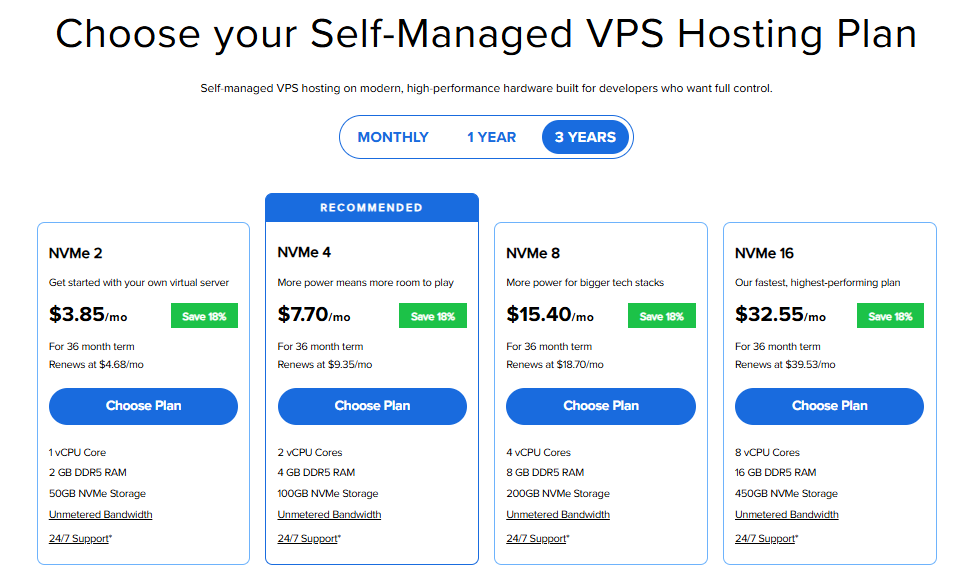
Important: Pricing is subject to change—please visit https://www.bluehost.com/vps-hosting for the current introductory/sign-up offer for Bluehost VPS Hosting. For the most up-to-date renewal pricing, visit your Bluehost Portal Renewal Center.
- Select your preferred Data Center location.

- On the Cart page, you can configure your server to fit your needs in the following section:
- Hardware:
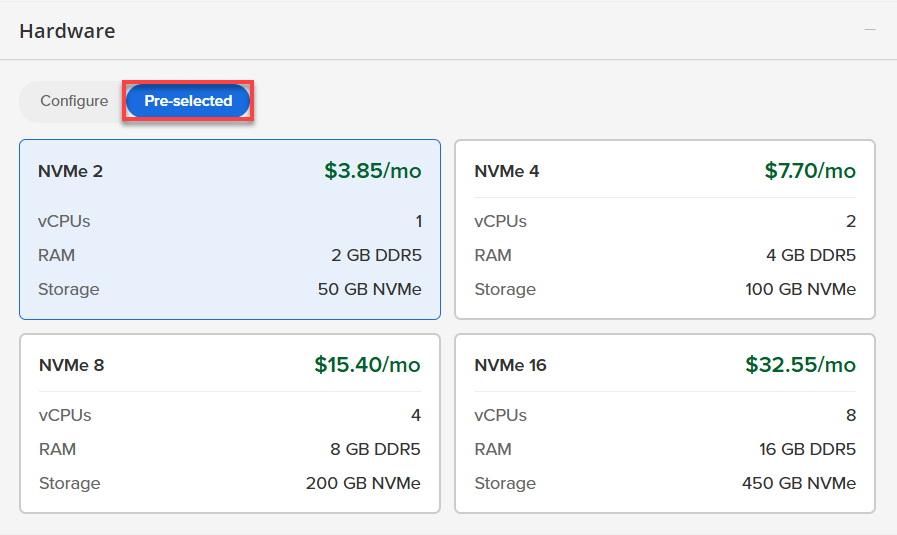
- Pre-selected:
You can select a different Self-Managed VPS plan in this section.
- Configure:
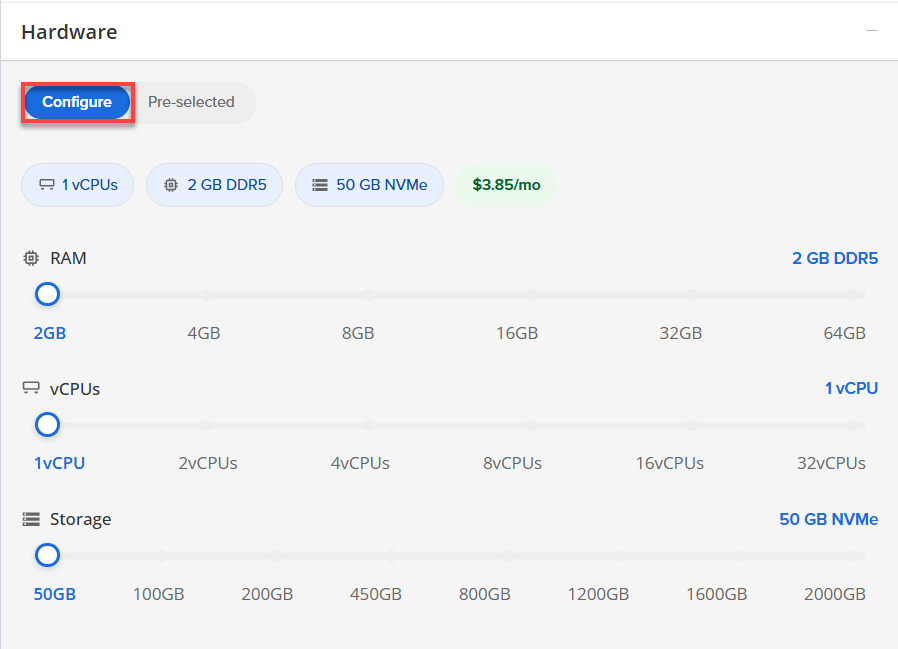
Click Configure to customize your package.
Note that your changes help customize your plan, and the overall cost will adjust accordingly to fit your needs.
- Pre-selected:
- Software:
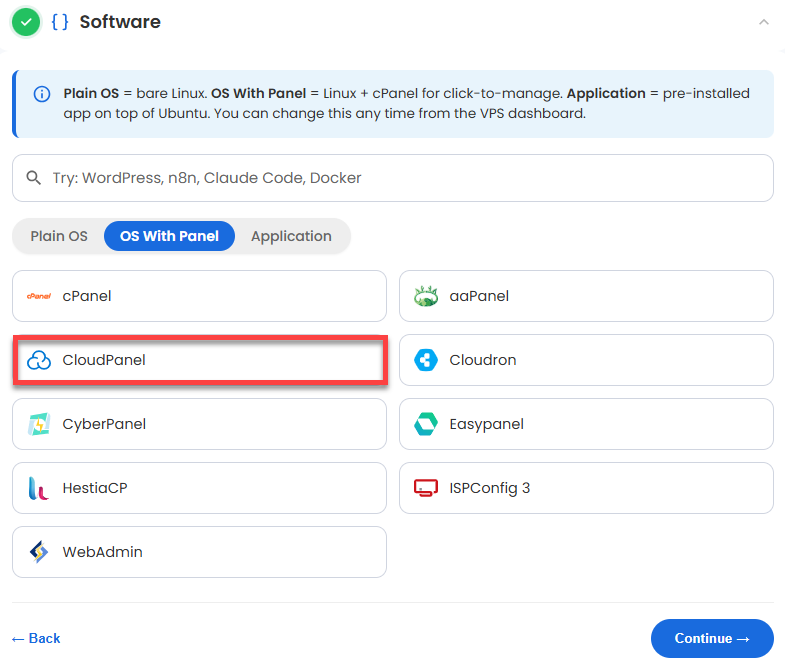
If the selected plan does not meet the app's minimum requirements, the app will be grayed out.
- Click the OS With Panel tab.
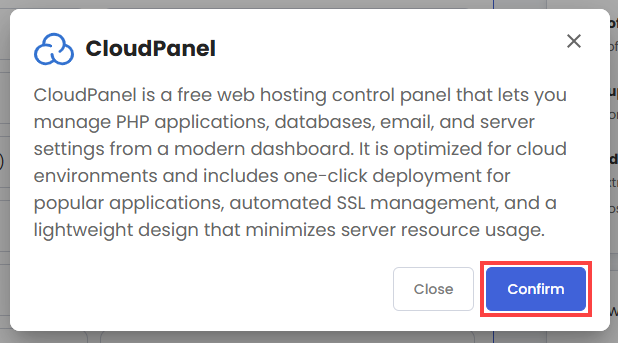
- Select CloudPanel.
- In the pop-up, click Confirm.
- Hardware:
- Add-Ons: You can add Premium Support here, which gives you priority access to expert assistance and faster response times.

- In the Advanced options:
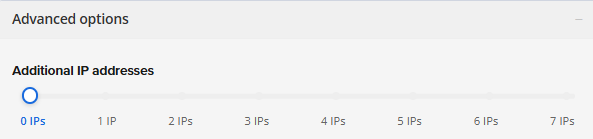
- Extra IP's: You can add extra IP addresses for an additional fee.
Pricing changes based on how many IPs you add. - Hostname: Assign a custom hostname to easily identify your server. This is optional.
- Extra IP's: You can add extra IP addresses for an additional fee.
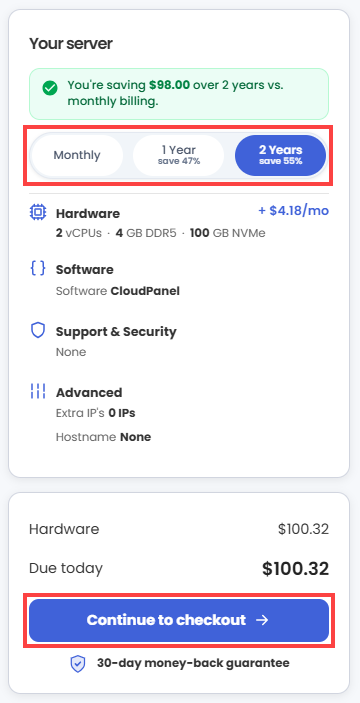
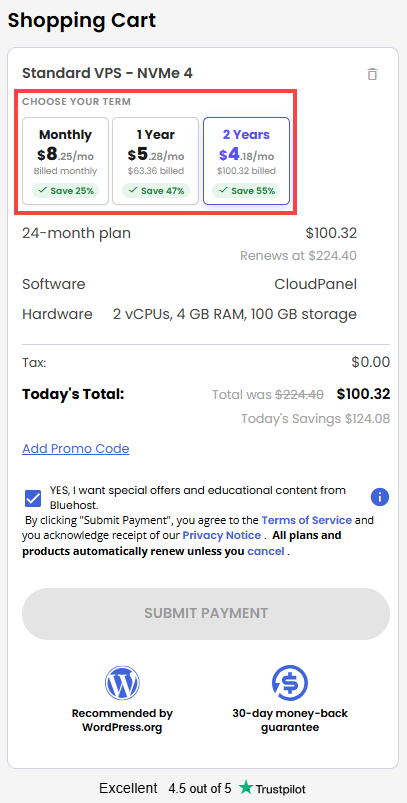
- Next, select your preferred billing term and review your Order Summary, then click Continue to Checkout.
- Do the following on the Checkout page:
If you're new with Bluehost:
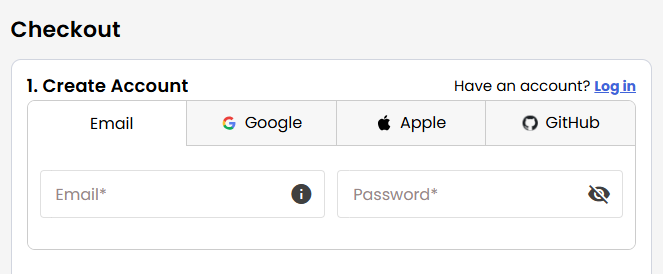
- Create your Bluehost account by using your email address or by connecting with your Google, Apple, or GitHub account — whichever you prefer!
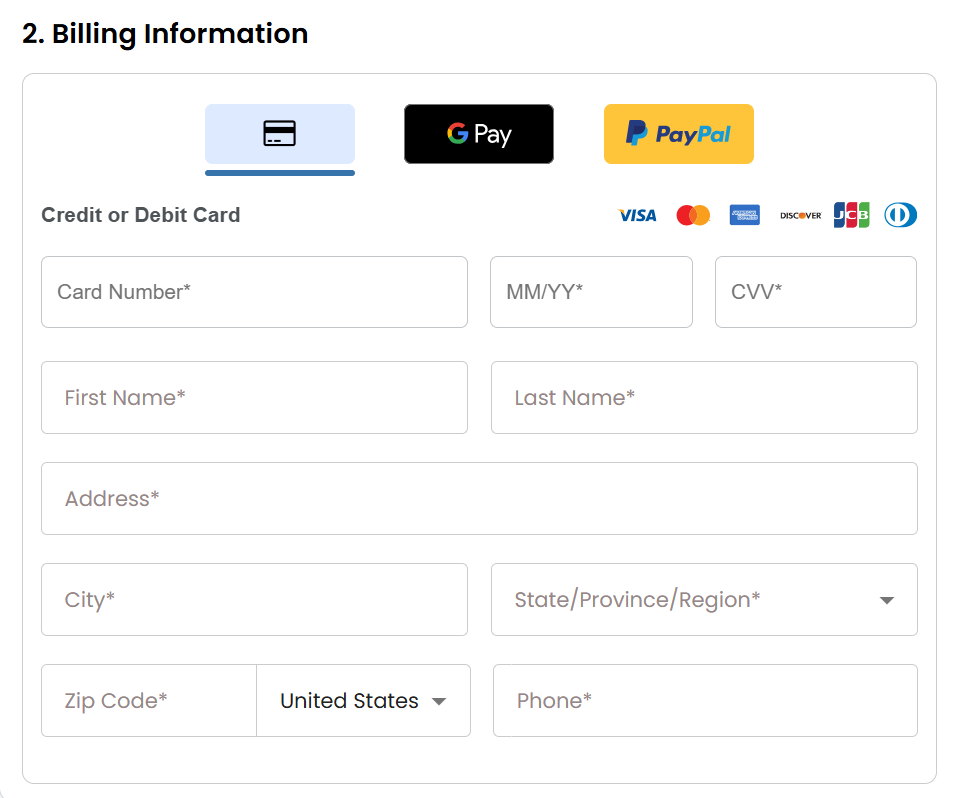
- Select your preferred payment method: credit card, Google Pay, or PayPal. Enter your billing information.
If you have an account with us, you will see your Bluehost login details when you are logged into your Bluehost Portal. If you are not logged in, please click the Log In link.
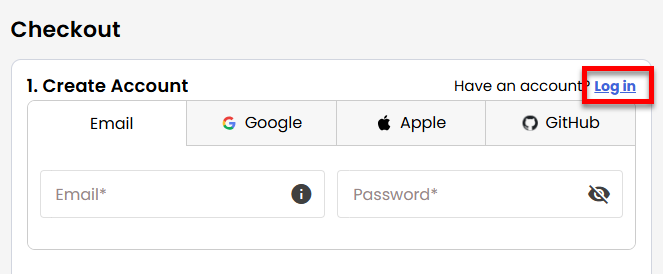
- Create your Bluehost account by using your email address or by connecting with your Google, Apple, or GitHub account — whichever you prefer!
- In the Shopping Cart section, you can still adjust your billing term if needed.
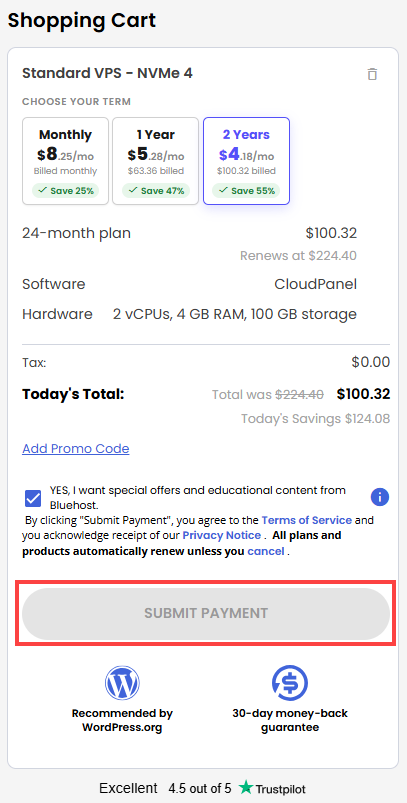
- Review the items in your cart, add a Promo Code if you have one, and then click Submit Payment to complete the purchase.
After completing the purchase, your VPS hosting will begin provisioning. You can access and manage your new VPS hosting in the Hosting tab of your Bluehost Portal.
How to Deploy and Configure your CloudPanel
Here is a step-by-step walkthrough to get your CloudPanel server up, running, and secured.
After installation completes:
- Log in to your Bluehost Portal.
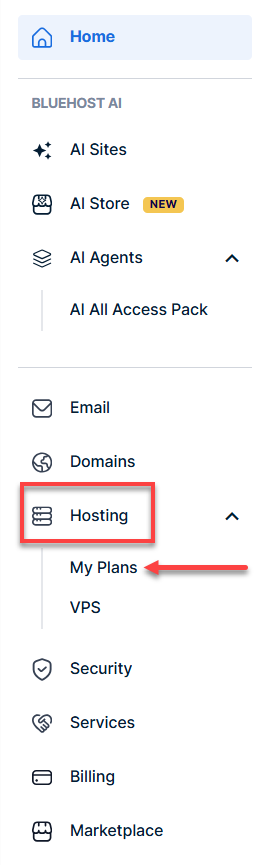
- In the left-hand menu, click the Hosting tab, then click My Plans.
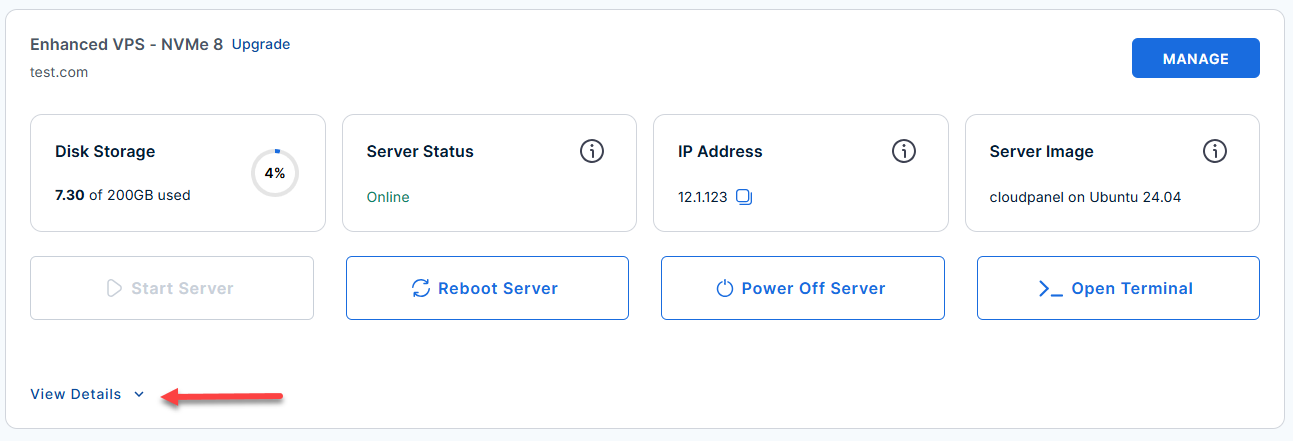
- Locate the server you want to manage, then click View Details in the bottom-left corner to expand the section and access additional server information.
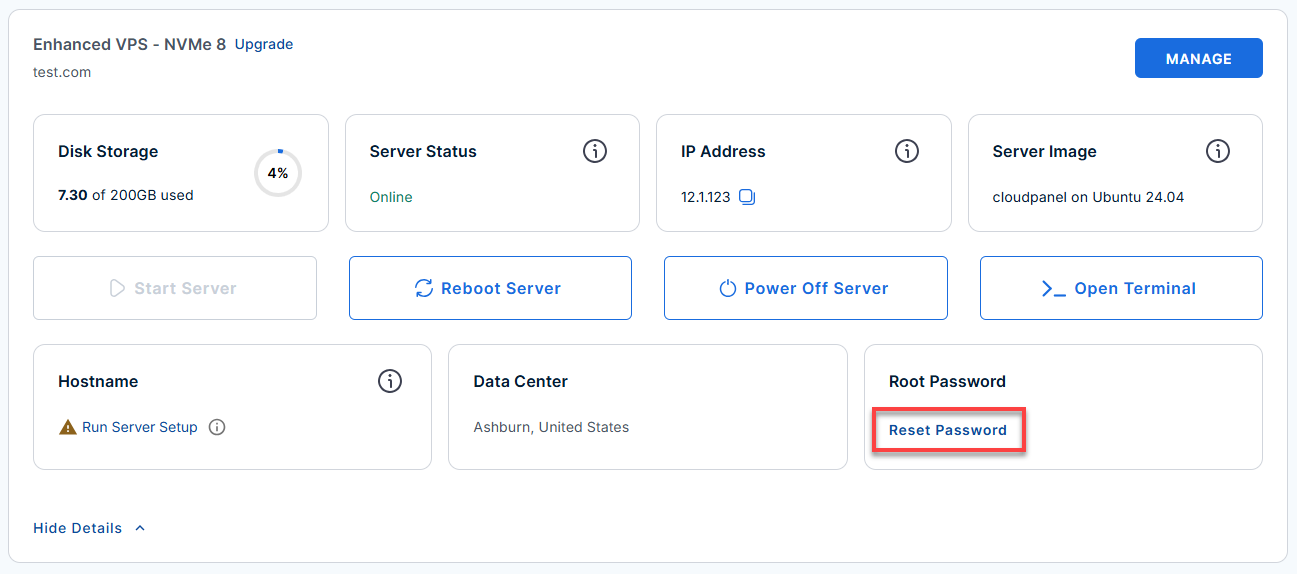
- Click the Reset Password.
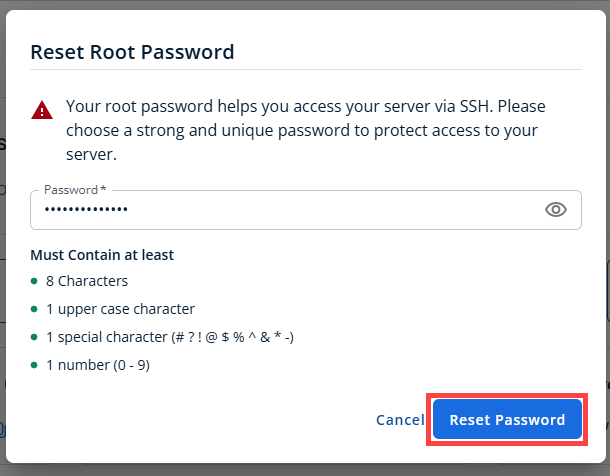
- In the pop-up window, type your new root password, then click Reset Password again to confirm and save the changes.
- Connect to your VPS via SSH.
Use your VPS IP and credentials with an SSH client, follow the prompts, and enter your root password when asked:Replaceyour_server_ipwith your actual server IP address.ssh root@your_server_ipExample Output:
########################################################
###            Welcome to CloudPanel                 ###
########################################################

* Website:         https://www.cloudpanel.io
* Documentation:   https://www.cloudpanel.io/docs/v2/
* Best Practices:  https://www.cloudpanel.io/docs/v2/best-practices/
* CloudPanel:      https://12.1.1.123:8443
* CloudPanel CLI:  clpctl

********************************************************************************

 CloudPanel v2

 Firewall (UFW) is active.
 Open ports: 22 (SSH)  80 (HTTP)  443 (HTTPS)  8443 (CloudPanel UI)

 Access CloudPanel:
   https://12.1.1.123:8443

 Note: Accept the self-signed certificate warning on first access.

 Admin account:
   An admin user has been pre-created. Credentials are in /root/.app_passwords.

 Important locations:
   Credentials  : /root/.app_passwords
   Nginx logs   : /var/log/nginx/
   MySQL logs   : /var/log/mysql/
   README       : /root/README.md

 Useful commands:
   systemctl status clp-nginx          Check CloudPanel Nginx
   systemctl status clp-php-fpm        Check PHP-FPM
   systemctl status mysql              Check MySQL
Step 1: Retrieve Your Admin Password
CloudPanel generates a secure random password upon installation, you need to log into your server via SSH to grab it.
- Run the following command to reveal your login credentials:
cat /root/.app_passwords
Example Output:
Last login: Mon Jun 22 13:40:03 2026 from 180.190.20.45 root@123456:~# cat /root/.app_passwords CLOUDPANEL_ADMIN_PASSWORD=AbC123xyZqWErTyu CLOUDPANEL_ADMIN_USER=admin CLOUDPANEL_URL=https://12.1.1.123:8443 CERT_TYPE=self-signed - Copy the password displayed on the screen.
Take note of the
CERT_TYPElisted there as well (it will tell you if it's using a self-signed cert or Let's Encrypt).CERT_TYPE=self-signed
Step 2: Log In to the CloudPanel Web UI
To ensure a smooth login, please follow the steps below:
- Open your web browser and navigate to:
Replace
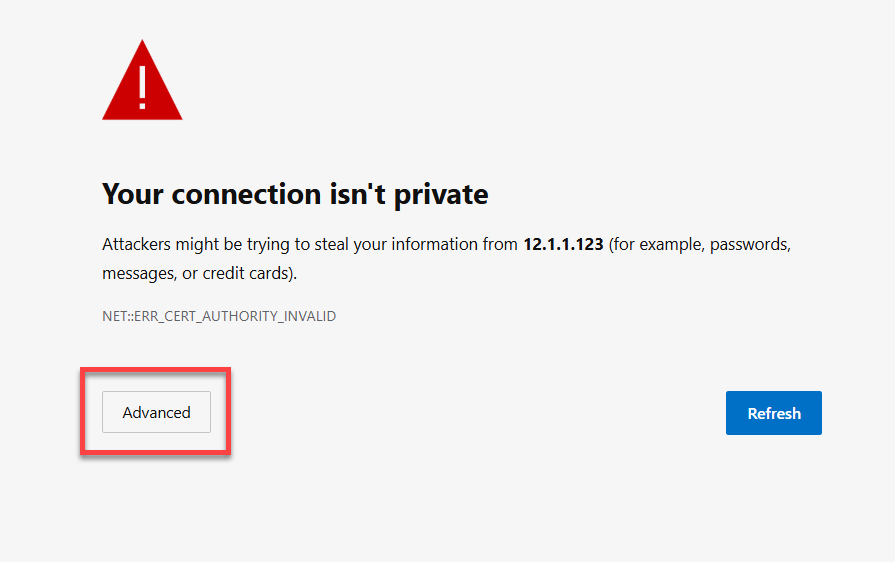
your-server-ipwith your actual server IP address.https://your-server-ip:8443 - Bypass the Browser Security Warning.
Cloudpanel uses a temporary self-signed SSL certificate, your browser will flag it. Click Advanced and then Proceed/Continue to bypass it safely.
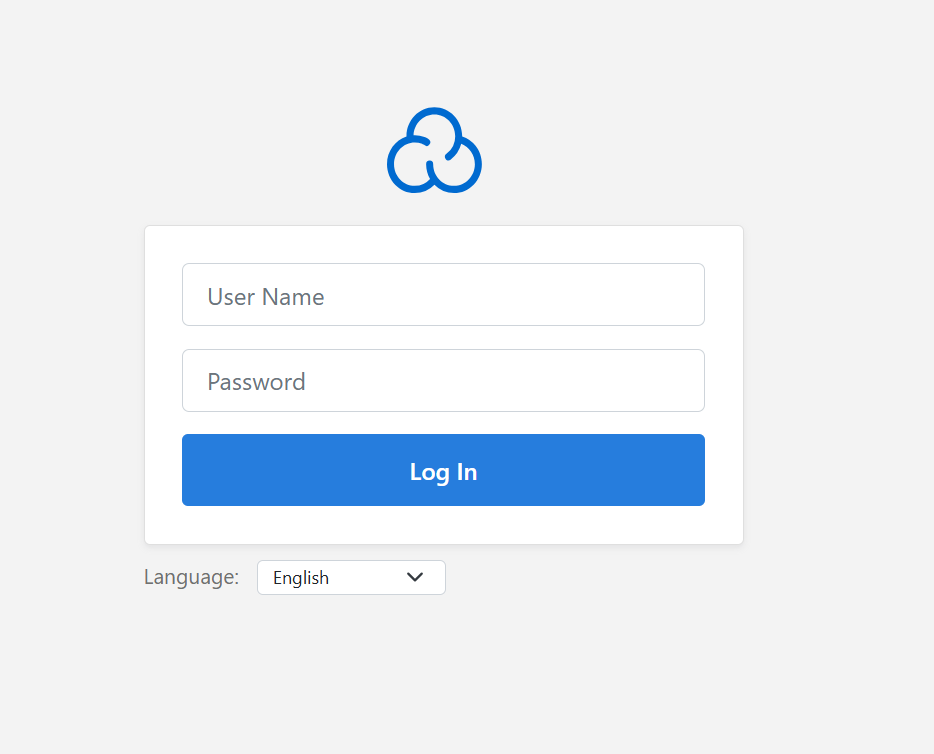
- Log in using the following credentials:
- Username: admin
- Password: (The password you copied in Step 1)
Step 3: Configure a Custom Domain and SSL
Running your control panel over an IP address with a security warning isn't ideal. Let's point a real domain to it.
- Update your DNS: Go to your domain registrar and create a DNS A Record:
- Type: A
- Name/Host: panel (or whatever subdomain you want, like cp)
- Value/Points to:your-server-ip
- Install the Let's Encrypt SSL Certificate. Go back to your SSH terminal and run the following command to give your panel a secure, valid HTTPS certificate.
Replace
yourdomain.comwith your actual domain.Note: Ensure port 80 is open and your DNS has fully propagated, otherwise Let's Encrypt will fail.clpctl lets-encrypt:install --domainName=panel.yourdomain.com --subDomainName=Example Output:
Starting Let's Encrypt SSL certificate installation for domain "panel.yourdomain.com"... [INFO] Validating domain ownership via HTTP-01 challenge... [INFO] Requesting certificate from Let's Encrypt CA... [INFO] Certificate received successfully! [INFO] Saving certificate files to /etc/nginx/ssl/panel.yourdomain.com/ [INFO] Updating Nginx configuration... [INFO] Testing Nginx configuration... [INFO] Reloading Nginx service... Success: The Let's Encrypt SSL certificate has been successfully installed for "panel.yourdomain.com". - Set the Custom Domain in the UI.
Inside the CloudPanel web interface, navigate to Settings and update the CloudPanel URL to your new domain (https://panel.yourdomain.com:8443).
Step 4: Add Your First Website
Now that your panel is secure, you can start hosting applications.
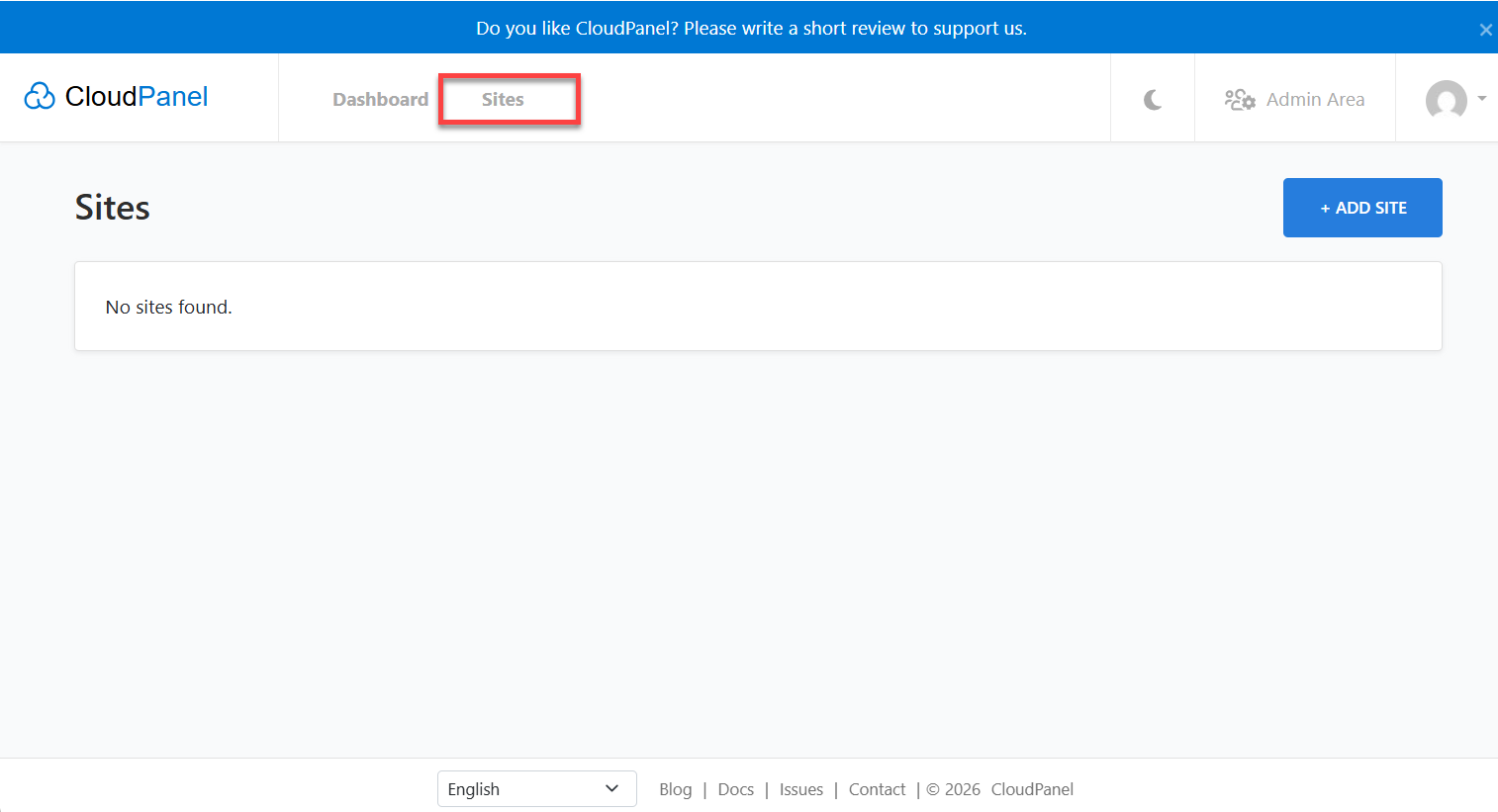
- In the CloudPanel dashboard, click on the Sites menu.
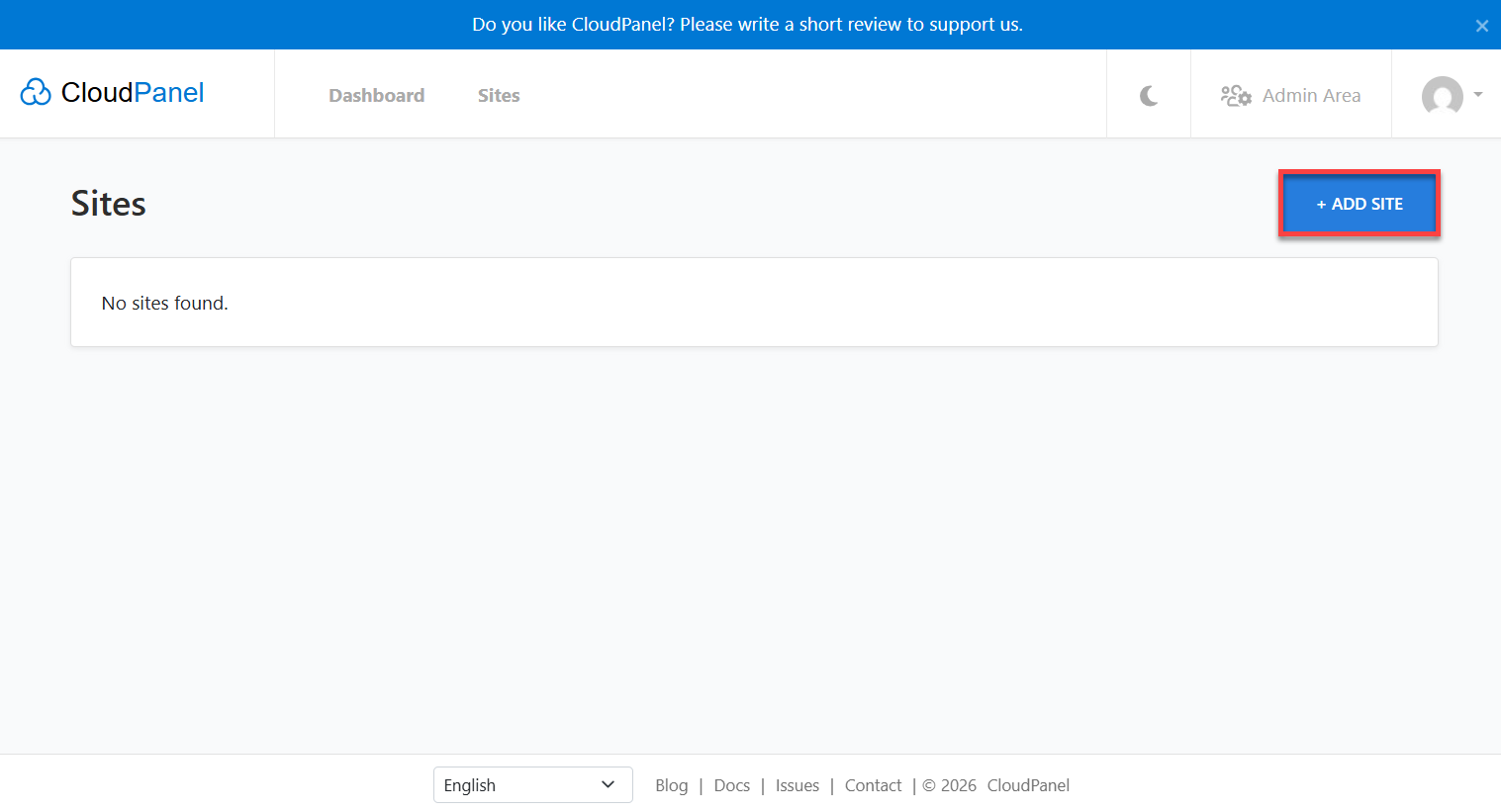
- Click Add Site.
- Choose your website application type.
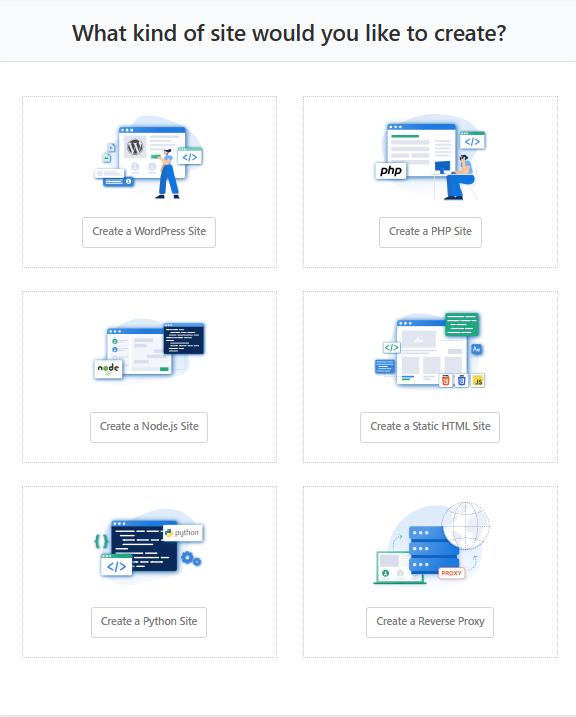
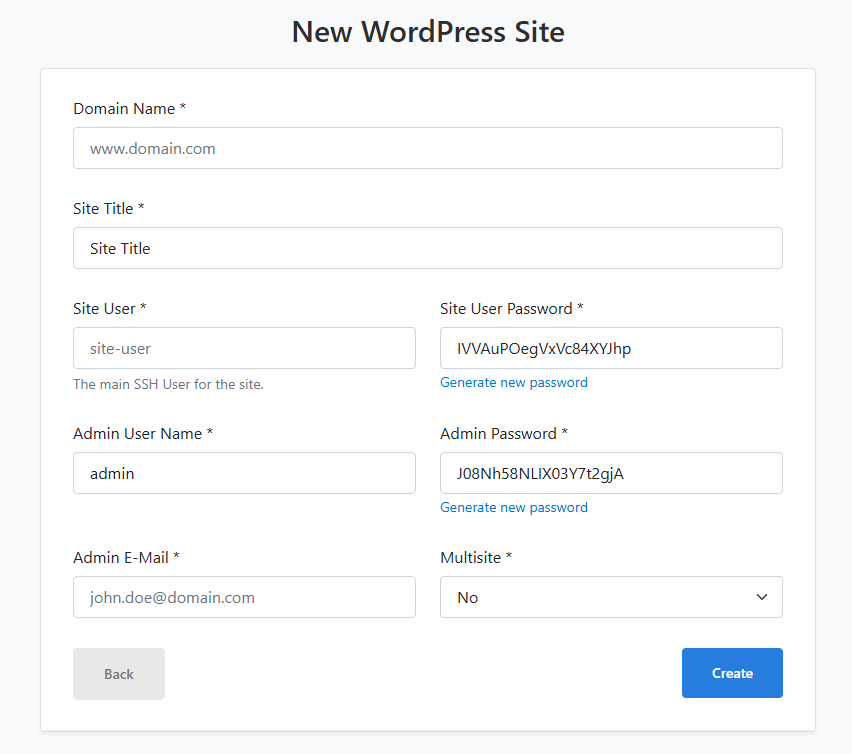
- Enter the following:
- Domain Name
- Site Title
- Site User
- Site User Password
- Admin E-Mail
- Multisite.
Useful Maintenance Cheat Sheet
If you ever need to check if things are running smoothly from the command line, use these commands:
-
Check if CloudPanel's Web Server is running:
systemctl status clp-nginx -
Check if PHP is running:
systemctl status clp-php-fpm -
Check if the Database service is running:
systemctl status mysql -
List all Databases:
clpctl db:list
Additional Information and Example Documentation Output
You can run cat /root/README.md to see more information and useful commands:
Last login: Fri Jun 19 18:25:04 2026 from 162.214.41.61
root@123456:~# cat /root/README.md
# CloudPanel

## Description

CloudPanel is a free web hosting control panel that lets you manage PHP applications, databases, email, and server settings from a modern dashboard. It is optimized for cloud environments and includes one-click deployment for popular applications, automated SSL management, and a lightweight design that minimizes server resource usage.


## Services

| Service      | Port  | Purpose                                        |
|--------------|-------|------------------------------------------------|
| CloudPanel   | 8443  | CloudPanel web UI (HTTPS, self-signed cert)    |
| Nginx        | 80    | HTTP - serves hosted sites                     |
| Nginx        | 443   | HTTPS - serves hosted sites with SSL           |
| MySQL 8.4    | 3306  | Database backend (localhost only)              |
| OpenSSH      | 22    | Remote SSH access                              |

All ports are managed by UFW. MySQL port 3306 is blocked externally.


## How-to-use

After the instance boots, open your browser and navigate to:

```
https://server-ip:8443
```

Accept the self-signed certificate warning and you will be directed to the
CloudPanel admin login page.

1. Log in with username admin and the password found in /root/.app_passwords.
2. Set a custom domain for CloudPanel under Settings if required.
3. Add your first site via the Sites menu.

### Useful commands

```bash
systemctl status clp-nginx            # CloudPanel Nginx status
systemctl status clp-php-fpm          # PHP-FPM status
systemctl status mysql                # MySQL status
clpctl self:version                   # CloudPanel version
clpctl db:list                        # List databases
```

### Retrieve admin credentials

```bash
cat /root/.app_passwords
```

### SSL / HTTPS certificate behaviour

On first boot, the server automatically handles certificate generation:

- **If a valid domain name is set** (e.g. `panel.yourdomain.com`) - Let's Encrypt certificate is requested automatically via `clpctl lets-encrypt:install`
- **If no domain / IP only** - a self-signed certificate valid for 10 years is generated for the server IP
- **Fallback** - self-signed certificate is always generated if Let's Encrypt fails

The certificate type used is recorded in `/root/.app_passwords` as `CERT_TYPE=letsencrypt` or `CERT_TYPE=self-signed`.

To manually request a Let's Encrypt certificate after deployment:

```bash
clpctl lets-encrypt:install --domainName=yourdomain.com --subDomainName=
```

Note: Let's Encrypt requires port 80 to be publicly reachable and a valid DNS A record pointing to the server IP.


## Minimum Resources

| Resource | Minimum |
|----------|---------|
| CPU      | 2 vCPUs |
| RAM      | 2 GB    |
| Disk     | 20 GB   |


## Image contents

This image installs and configures:

- CloudPanel v2 installed via official installer
- MySQL 8.4 as the database engine
- Nginx (system) for reverse proxy and site serving
- PHP-FPM managed by CloudPanel
- UFW firewall with ports 22, 80, 443, and 8443 open initially (can be configured with CloudPanel once it is set up)
- Log rotation at /etc/logrotate.d/cloudpanel
- This README at /root/README.md


## Links

- Manage: [https://{server_ip}:8443](https://{server_ip}:8443)
- CloudPanel documentation: [https://www.cloudpanel.io/docs/v2/](https://www.cloudpanel.io/docs/v2/)
Summary
CloudPanel offers an efficient solution to manage websites, applications, databases, and data servers through an intuitive web-based dashboard. Integration with Bluehost Self-Managed VPS provides ease in managing your hosting environment, without sacrificing the flexibility and full control that make VPS service excellence. Good for hosting needs, application deployment, and development project management, CloudPanel helps streamline server administration to support your growing needs.