 ChatGPT,
  Claude,
  Gemini,
  Grok — all four for
Setting-up Email for Desktop with Microsoft 365
In this article, we will address the following topics about Outlook for Microsoft 365 (formerly known as Office 365):
Access Outlook Email Online
- To set up Outlook on your desktop, you will need to log in to your Microsoft portal.
- Use the username and password you created when the Microsoft 365 account was created.
- Click the Outlook icon in the Microsoft Portal to view your email online.
- Proceed to the steps below for instructions on setting up Outlook on your desktop.
Set up Outlook Email for Desktop
The steps below are applicable if you are subscribed to the Microsoft 365 Business Pro plan.
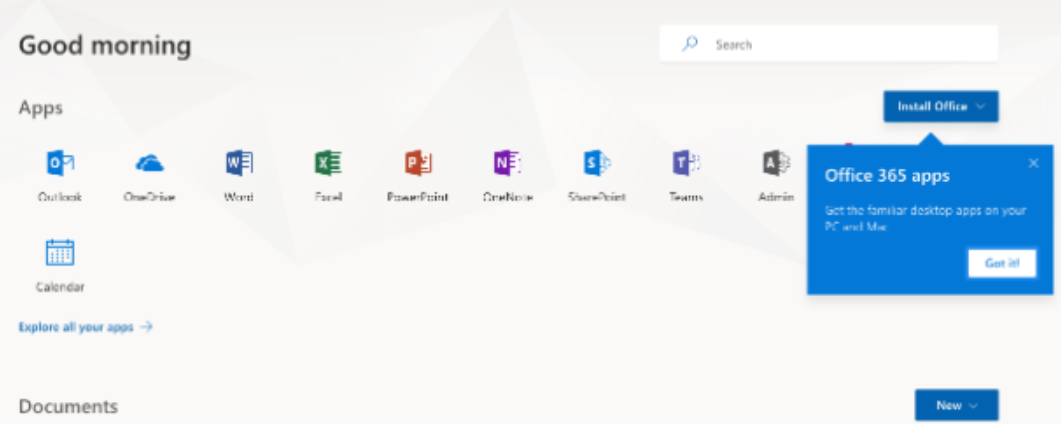
- Sign in to your Microsoft portal.
- In the upper right-hand corner, click the Install Office button.
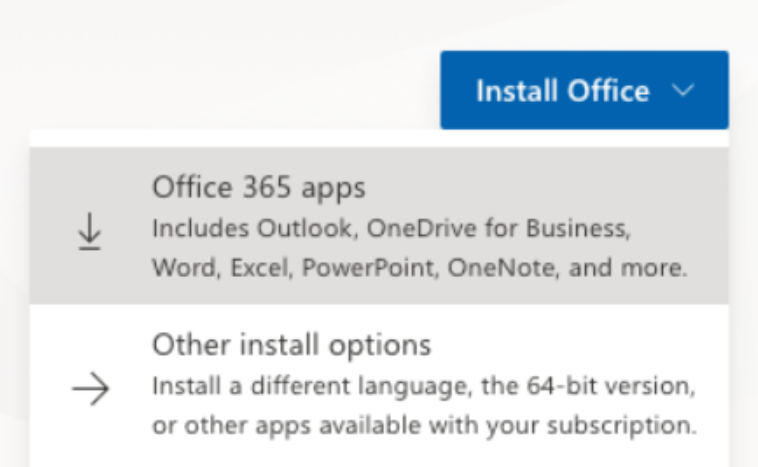
- Pending your browser and device, you may be prompted to allow and save the app file to your computer. Click the Save File.
- Once the file downloads to your computer, open the file and follow the instructions to install the Office app on your computer.
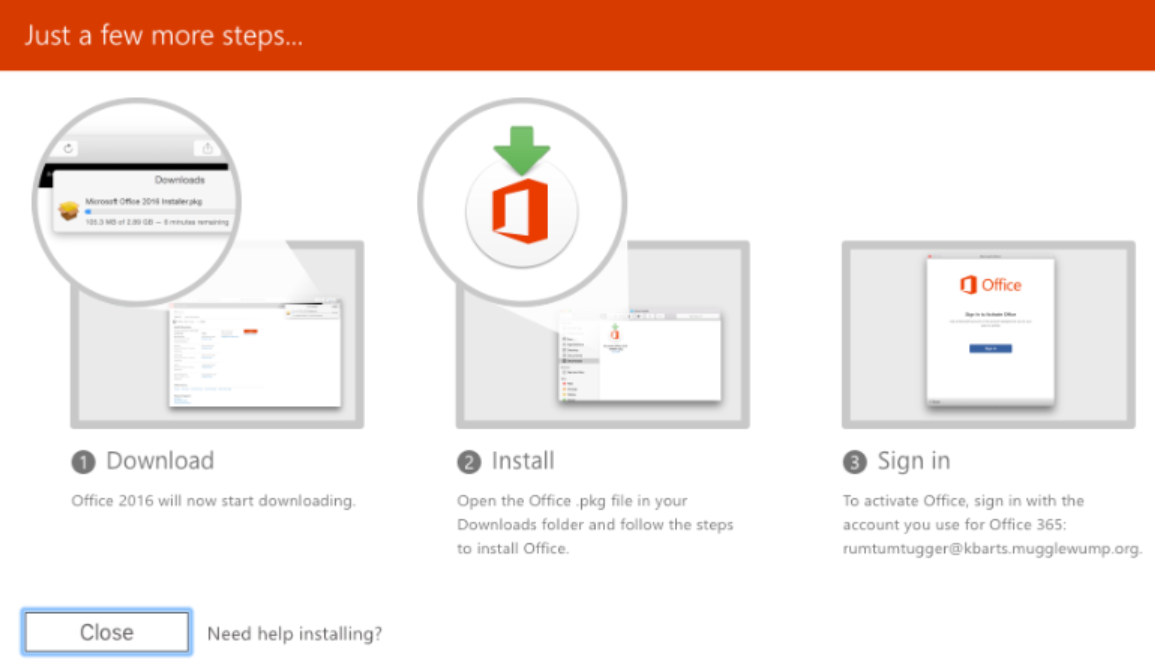
- After installing, open the Office app and log in using your Microsoft 365 email address and password.
For more information on troubleshooting issues with the Office installation, please view the available resources at Microsoft Office Support.
Summary
Outlook for Microsoft 365 (formerly Office 365) offers two convenient ways to access your email: online through the Microsoft portal or via the desktop application. To view email online, simply log in to your Microsoft 365 account and click the Outlook icon. For desktop setup, sign in to your Microsoft portal, click Install Office, and follow the prompts to download and install the Office apps. After installation, open Outlook and log in using your Microsoft 365 credentials. For troubleshooting or advanced installation options, refer to Microsoft Office Support resources.
If you need further assistance, Bluehost Chat Support is available 24 hours a day, 7days a week while Bluehost Phone Support is available 7 days a week from 7 am-12 midnight EST.
- Chat Support - While on our website, you should see a CHAT bubble in the bottom right-hand corner of the page. Click anywhere on the bubble to begin a chat session.
- Phone Support -
- US: 888-401-4678
- International: +1 801-765-9400
You may also refer to our Knowledge Base articles to help answer common questions and guide you through various setup, configuration, and troubleshooting steps.