 ChatGPT,
 Claude,
 Gemini,
 Grok — all four for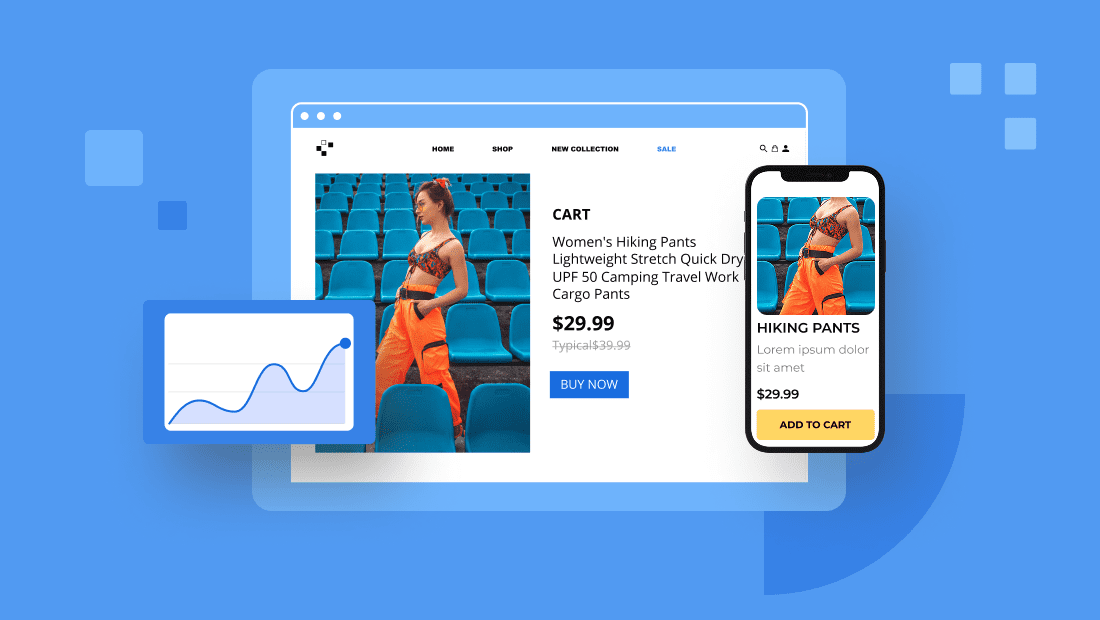
Key highlights
- A single product eCommerce website focuses the entire buyer journey on one offer, which eliminates choice overload and improves conversions.
- WooCommerce powers over 30% of all online stores and gives single-product sellers full control over design, checkout and store features.
- Bluehost WooCommerce Hosting comes with WooCommerce pre-installed, NVMe storage and built-in tools so your store is ready to sell from day one.
- Product add-ons, gift cards and wishlists let single-product stores increase revenue per visitor without expanding the catalog.
- A strong review strategy matters more for single-product stores than for multi-product stores because every visitor evaluates the same product.
You have one great product. You don’t need a catalog of 50 SKUs, a complex inventory system or a six-week build. You need a focused store that puts your product front and center and makes it easy for the right person to buy it. That’s what a single product eCommerce website does. And when it’s built right, it consistently outperforms larger stores by eliminating the noise that kills conversion rates.
This guide walks you through every step to build a high-converting single product store on WordPress and WooCommerce – from picking your product to launching and growing your revenue.
What is a single product website?
A single product eCommerce website focuses on selling just one item. Instead of listing multiple products, you highlight product’s unique features, benefits and value.
This approach makes your online store simple and focused. You can attract customers faster with a clear message and a specific niche.
For example, a one product Shopify store selling a portable blender uses high quality images, a strong brand identity and customer reviews to boost conversions.
There are numerous other one-product store examples that often outperform larger product stores by using impressive social proof and a clean, mobile-friendly design.
Your single product website should include:
- A bold hero image or background video
- A clear call to action
- Product photos from different angles
- A product page with testimonials
Also read: Top eCommerce Growth Strategies for 2025: Boost Sales Fast
What are the 7 steps to build a single product eCommerce website?
Here’s how you can build a high-converting single product eCommerce website using WordPress and WooCommerce.
Step 1: Choose the right product and audience
Pick a product that solves a specific problem. It must offer a clear promise and meet a real need.
Start with product research. Look for items like portable blenders, skincare tools or posture devices. These are visual, practical and easy to market.
Define your audience clearly. A posture corrector, for example, may suit remote workers or students with sedentary routines. A skincare tool may appeal to women in their 30s and 40s looking for non-invasive beauty solutions.
Next, position your product. Highlight what makes it better – durability, portability or proven results. Back this with pricing that reflects value, not just cost.
To validate sales potential:
- Use Google Trends to check long-term interest.
- Browse forums and Reddit to uncover pain points.
- Read Amazon reviews to spot customer frustrations.
- Compare competitor pricing for context.
- Run surveys or test ads for early feedback.
When your product, message and pricing align with audience needs, you have a solid foundation to build on.
Step 2: Get a domain name and hosting
Your domain name is the foundation of your brand. It should reflect your product, be easy to remember and instantly tell users what you sell.
Here are a few tips to help you choose the right domain:
- Keep it short – ideally under 15 characters.
- Avoid hyphens, numbers or difficult spellings.
- Use keywords related to your product or niche.
- Choose a .com extension whenever possible.
- Make sure it’s available across social media platforms.
Once you’ve found the perfect name, you’ll need hosting built to support an eCommerce site.
Also read: What Is WooCommerce Hosting? (And What Are Its Benefits?)
Bluehost makes it easy to get started. With our plan, you get:
- A free domain for the first year, helping you save on startup costs.
- WooCommerce pre-installed, so you’re ready to start selling.
- Free SSL, backups and malware protection for site security.
- AI-powered onboarding and design tools to simplify setup.
This setup gives your single product website the speed, security and scalability it needs from the start. This allows you to focus on building your brand and attracting potential customers.
Step 3: Set up your eCommerce foundation
Before you customize your storefront, you need a solid foundation. This means choosing a platform that supports product management, payments and growth.
WordPress with WooCommerce is a powerful combination, giving you full control over your store’s look, functionality and customer experience. However, setting it up from scratch can be complex for new users.
That’s where Bluehost’s eCommerce hosting helps. It comes with WordPress and WooCommerce pre-installed, along with a user-friendly onboarding experience, free Storefront theme and built-in sales tools.
This means you can skip the technical setup – just log in, follow the guided steps and start building your store with everything you need already in place.
WooCommerce gives you full control over the shopping experience. You can:
- Add product pages with custom descriptions and media.
- Accept secure payments through PayPal, Stripe or UPI options.
- Track orders and manage inventory from a central dashboard.
- Create discount codes or limited-time offers.
- Offer product customization options, bundles or add-ons directly on the product page – Product Add-Ons comes bundled with your Bluehost WooCommerce hosting plan, so buyers can personalize their order without leaving the page.
With everything pre-installed, Bluehost saves setup time and ensures your store runs on fast, secure hosting optimized for WooCommerce.
Also read: Compare WooCommerce Hosting Plans and Cost
Step 4: Pick a clean single product theme
Choose a theme that directs full attention to your product. Start by studying successful single product eCommerce websites to understand how clean layouts and focused designs drive conversions.
Select a layout that eliminates distractions and highlights one clear offer. Keep the design intentional, structured and tailored around a single purpose-getting the visitor to take action.
A strong single product theme should help users stay focused and engaged. When choosing your theme:
- Use a bold hero section to highlight your product visually and immediately.
- Choose a minimalist layout with clean fonts and brand-aligned colors to reduce clutter.
- Add white space around elements to improve readability and guide attention.
- Ensure the theme loads quickly and performs well on all mobile devices.
Top-performing themes for WordPress include:
- Shoptimizer: Optimized for conversion and fast performance
- Astra: Lightweight and highly customizable
- Neve: Mobile-first with excellent page builder support
For better flow, use a one-page layout. Anchor links can guide users from features to reviews to checkout – all within a single scroll.
Also read: One Page WordPress Theme – Modern & SEO-Friendly Templates
Step 5: Set up your homepage, product and support pages
Your site must guide users from interest to action. That starts with a clear page structure built around trust and ease of navigation.
Include these core pages:
- Homepage: Show your product, value proposition and a call to action
- Product page: Highlight features, benefits, images, pricing and reviews
- About page: Share your brand story and product purpose
- FAQs: Cover usage, shipping, refunds and money back guarantee
- Contact page: Offer a form, direct email or links to social support
- Terms and policies: Include return, privacy and T&Cs for credibility
Each page supports a different decision-making stage. Together, they remove uncertainty and increase the likelihood of conversion.
Also read: How to Design a Web Page – Step-by-Step Guide
Step 6: Add product details and streamline checkout
Your product page is your most important asset. This is where you persuade, reassure and drive action.
Start with high-quality product visuals. Show the same product from different angles and in real-world use. Also, support these images with clear, benefit-led descriptions.
Make sure your page includes:
- A strong headline or value proposition
- Concise product benefits and feature breakdown
- Customer photo and video reviews with verified purchase badges – Advanced Reviews, lets buyers submit these directly in WooCommerce, building the social proof that turns browsers into buyers
- Social proof like influencer posts or UGC
- A wishlist button alongside your primary CTA – Wishlists, lets visitors save and share your product, turning a “not yet” into a future sale or a gift purchase from someone new
- A bold CTA that stands out visually
Both Advanced Reviews and Wishlists come bundled with your Bluehost WooCommerce hosting plan – no separate plugins needed.
Next, optimize the checkout process. Remove distractions and reduce steps to avoid drop-offs during the final stage of purchase. A long or confusing checkout experience is one of the biggest reasons for cart abandonment.
WooCommerce One-Click Checkout, included in your Bluehost eCommerce hosting plan, lets customers buy directly from the product page – fewer steps, fewer drop-offs. Pair it with WooCommerce Blocks to build a clean, mobile-friendly checkout layout.
The easier it is to buy, the fewer users will abandon their cart.
Step 7: Optimize for SEO, speed and mobile
Optimization makes your store discoverable, fast and easy to use – especially on mobile devices.
Start with on-page SEO. Use Yoast SEO Premium to optimize your product page title, URL slug and meta description. Add structured data for reviews, pricing and FAQs to appear in Google’s rich results.
Speed up your site with:
- A caching plugin to reduce server load
- Compressed images to improve load times
- Lightweight, responsive themes to improve mobile performance
Then test your store on multiple devices to ensure everything works smoothly. Buttons should be tap-friendly, font sizes readable and checkout forms easy to complete.
Track performance using Google Analytics and Search Console. Monitor what drives traffic and where users drop off.
These steps help your store rank well, load fast and stay optimized for conversions.
Also read: Yoast SEO Plugin | How to use the Yoast WordPress SEO Plugin
Examples of successful single product eCommerce websites
Studying single product eCommerce website examples can help you understand what makes a focused store successful. Brands like Snooz, Truff and BlendJet build their entire experience around one standout item, using bold visuals, strong social proof and streamlined layouts to convert visitors.
Sites such as Palmpress and Kulala rely on niche targeting and minimalist design, while Brew Blue shows how a single product model works for subscriptions. These examples highlight common traits – clear value propositions, responsive design and consistent branding – that you can apply when building your own single product store.
Why single product stores work for small businesses and entrepreneurs?
A single product store is one of the most practical business models for first-time entrepreneurs – lower startup cost, cleaner message and minimal overhead.
You don’t need scale to compete. A single product removes the decisions that stall most new store owners:
- What to stock
- How to organize a catalog
- Which product to promote
You promote the one you have.
Bluehost’s eCommerce hosting plans come with the selling tools a single product store needs to grow:
- Gift cards to drive repeat purchases and gifting revenue
- Product add-ons to increase order value
- Wishlists to recover visitors who aren’t ready to buy yet
- Advanced reviews to build the trust that converts browsers into buyers
All pre-installed. No extra plugins, no extra cost.
The single product model scales on your terms – validate demand, build your review base, grow your email list, then decide whether to expand.
Final thoughts
A well-built single product store creates a focused experience that turns interest into action. When each page aligns with your product’s promise, your store becomes a brand people trust.
Success comes from clarity, not complexity. With Bluehost, you get fast, secure hosting, WooCommerce pre-installed and the tools you need to sell – all from day one.
Ready to launch? Explore Bluehost eCommerce hosting plans today.
FAQs
Yes, WordPress is perfect for single product stores. You can build a streamlined layout that focuses entirely on one product, with custom sections for features, benefits, reviews and FAQs – all without needing to manage a large inventory.
If you plan to sell directly from your website, WooCommerce is highly recommended. It offers flexible checkout, secure payments, product page customization and built-in features that support one-product setups with ease.
Themes like Shoptimizer, Astra and Neve work well. They’re lightweight, mobile responsive and optimized for speed – making them ideal for showcasing one product with clear CTAs, high-quality visuals and a conversion-friendly layout.
Use an SEO plugin like Yoast SEO to optimize your product page titles, meta descriptions and structured data. Focus on image compression, mobile responsiveness and schema for product reviews to boost visibility in search results.
Bluehost’s eCommerce hosting plans, which come with WordPress, WooCommerce and essential plugins pre-installed. You also get AI-powered onboarding, performance tools and secure hosting to launch faster.

Write A Comment