 ChatGPT,
 Claude,
 Gemini,
 Grok — all four for
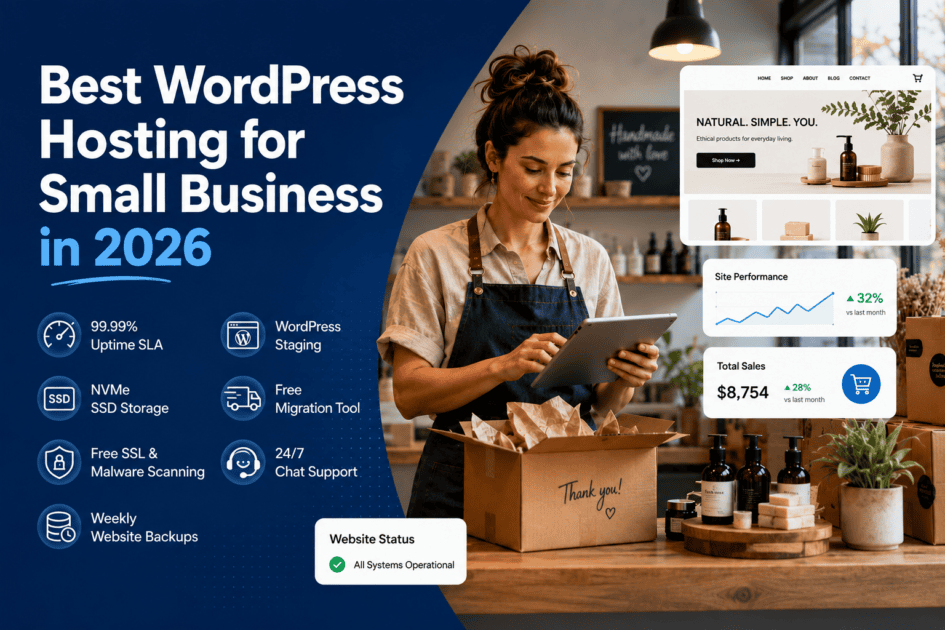
Punti salienti
- La scelta del giusto hosting WordPress è fondamentale per la crescita del business, garantendo che il tuo sito web rimanga online, sicuro e si carichi rapidamente.
- La velocità e il tempo di attività sono fondamentali per il successo, con i migliori provider di hosting che offrono un tempo di attività del 99,9% e prestazioni ottimizzate per una migliore esperienza utente.
- La sicurezza non dovrebbe mai essere compromessa e i migliori provider di hosting includono SSL, protezione da malware e backup giornalieri.
- La facilità d’uso e l’assistenza clienti affidabile sono importanti soprattutto per i proprietari di piccole imprese che necessitano di una configurazione senza problemi e di un’assistenza 24 ore su 24, 7 giorni su 7.
- Bluehost si distingue come la scelta migliore, offrendo una soluzione di hosting conveniente, sicura e adatta ai principianti progettata per le piccole imprese.
Introduzione
Sapevi che un ritardo di un secondo nel tempo di caricamento può ridurre le conversioni del 7%? Ecco perché scegliere il giusto hosting WordPress è fondamentale. Ti aiuta a mantenere la tua attività senza intoppi e ti assicura che i clienti rimangano.
Con così tante opzioni di hosting là fuori, scegliere quella giusta può essere un mal di testa. Vuoi qualcosa che sia veloce, sicuro, conveniente e facile da usare. Ma da dove cominciare? Non preoccuparti, ci pensiamo noi.
In questo blog, esploreremo le migliori opzioni di hosting WordPress per le piccole imprese nel 2025. Discuteremo anche del motivo per cui la scelta del giusto provider di hosting è essenziale per la crescita del business.
Cosa dovrebbero cercare le piccole imprese quando ospitano WordPress?
Non tutti i servizi di hosting WordPress per piccole imprese sono uguali. Ne hai bisogno con un supporto forte, prestazioni affidabili e una gestione senza problemi. Ecco i fattori chiave da considerare nella scelta di un provider di hosting:
Affidabilità e tempi di attività
Il tuo sito web dovrebbe essere disponibile per i clienti 24 ore su 24, 7 giorni su 7. Perché se è inattivo, stai perdendo potenziali vendite. Cerca un provider di hosting che offra almeno una garanzia di uptime del 99,9%, assicurando che il tuo sito rimanga sempre online e accessibile. I tempi di inattività possono portare a opportunità perse, visitatori frustrati e persino un posizionamento più basso nei motori di ricerca. Un hosting affidabile significa tranquillità per la tua attività.
Velocità e prestazioni
La velocità del sito web non è solo una questione di comodità. Un sito a caricamento rapido li mantiene coinvolti e migliora le conversioni. Scegli un provider di hosting con archiviazione SSD, cache integrata e una rete di distribuzione dei contenuti (CDN) per garantire tempi di caricamento rapidissimi.
Sicurezza e backup
Le minacce informatiche sono una preoccupazione crescente per le piccole imprese e non puoi permetterti di compromettere il tuo sito web. Assicurati che il tuo provider di hosting includa funzionalità di sicurezza essenziali come certificati SSL, backup automatici, protezione da malware e firewall.
Facilità d’uso e assistenza clienti
Non tutti i proprietari di piccole imprese sono esperti di tecnologia e va bene così. Un buon provider di hosting offre una dashboard semplice, l’installazione di WordPress con un clic, supporto 24 ore su 24, 7 giorni su 7, chat dal vivo e piani flessibili. Sia che tu stia configurando il tuo sito per la prima volta o risolvendo un problema, avere un’assistenza affidabile può fare la differenza.
Quando ti concentri su questi fattori chiave, trovare il giusto provider di hosting diventa molto più facile. L’hosting giusto non solo mantiene in funzione il tuo sito web, ma aiuta la tua attività a crescere.
I migliori provider di hosting WordPress per le piccole imprese
Ora che sai cosa cercare, tuffiamoci nel miglior hosting WordPress conveniente per le piccole imprese. Abbiamo confrontato le migliori opzioni in base a prestazioni, prezzo e caratteristiche chiave per aiutarti a prendere una decisione informata.
Confronto tra i migliori hosting WordPress per le piccole imprese
La scelta dell’hosting WordPress giusto per la tua piccola impresa è fondamentale per la scalabilità delle aziende. È importante trovare un fornitore che bilanci convenienza, funzionalità e affidabilità.
Di seguito, confrontiamo alcuni dei migliori provider di hosting WordPress per aiutarti a prendere una decisione informata.
| Provider di hosting | Prezzo di partenza | Tratti somatici | Supporto | Prestazioni |
| Bluehost | $ 2.95 / mese | Dominio gratuito, SSL, aggiornamenti automatici di WordPress, archiviazione SSD, CDN | Assistenza di esperti 24 ore su 24, 7 giorni su 7 | Ottimizzato per velocità, tempi di attività elevati |
| SiteGround | $ 2.99 / mese | Server ad alta velocità, backup giornalieri, sicurezza avanzata | Assistenza 24/7 | Prestazioni eccellenti ma prezzo più alto |
| Motore WP | $ 50 / mese | Hosting gestito premium, strumenti per sviluppatori | Supporto premium 24 ore su 24, 7 giorni su 7 | Prestazioni di fascia alta ma costose |
| HostGator | $ 4.50 / mese | Economico, larghezza di banda illimitata, dominio gratuito | Assistenza 24/7 | Prestazioni decenti, non così ottimizzate per la velocità |
| Ospite dei sogni | $ 2.59 / mese | Dominio gratuito, traffico illimitato, pannello di controllo personalizzato | Ore di supporto limitate | Prestazioni medie, manca di alcune funzionalità avanzate |
Ogni provider di hosting offre vantaggi unici in base alle esigenze aziendali e al budget. Tuttavia, Bluehost si distingue per i suoi prezzi convenienti, le funzionalità essenziali e le prestazioni elevate, che lo rendono una scelta solida per le piccole imprese. Considera le esigenze e il potenziale di crescita del tuo sito web quando selezioni il miglior hosting per la tua attività.
Bluehost (Il migliore in assoluto)
Se desideri un provider di hosting che offra prezzi convenienti, prestazioni elevate, sicurezza e un’eccellente assistenza clienti, Bluehost è la strada da percorrere. Bluehost è ufficialmente raccomandato da WordPress.org ed è perfetto per le piccole imprese che cercano una soluzione semplice e affidabile.
- Facilità d’uso – Bluehost offre una dashboard cPanel intuitiva, un programma di installazione WordPress con un clic e un costruttore di siti Web intuitivo, semplificando la configurazione del proprio sito Web per i principianti.
- Creazione di siti AI: Bluehost offre uno strumento di creazione di siti AI per aiutare gli utenti a creare un sito Web professionale in pochi minuti, anche senza alcuna esperienza precedente.
- Sito di staging WordPress – Bluehost offre ambienti di staging WordPress in modo da poter testare le modifiche prima della pubblicazione.
- Prestazioni e affidabilità – Goditi un tempo di attività del 99,9% e siti Web a caricamento rapido per una maggiore velocità e affidabilità.
- Sicurezza e backup – Certificati SSL gratuiti, backup giornalieri, protezione da malware e privacy del dominio aiutano a mantenere il tuo sito sicuro.
- Assistenza clienti – Ottieni supporto esperto 24 ore su 24, 7 giorni su 7 tramite chat dal vivo, telefono ed e-mail, assicurandoti che l’aiuto sia sempre disponibile quando ne hai bisogno.
- Scalabilità – Bluehost offre una gamma di opzioni di hosting, tra cui hosting condiviso, VPS e dedicato, consentendo al tuo sito di crescere senza sforzo.
- Pronto per l’eCommerce – Supporta l’hosting WooCommerce, rendendolo una scelta eccellente per i negozi online che cercano un hosting affidabile.
- Strumenti SEO e di marketing – Include strumenti SEO integrati e l’integrazione Yoast SEO, che aiutano a migliorare le classifiche di ricerca del tuo sito web e la visibilità online.
- Migrazione gratuita del sito e dominio gratuito – Offre la migrazione gratuita del sito Web WordPress. In questo modo è facile passare da un altro host senza tempi di inattività. Inoltre, ottieni un dominio gratuito per il primo anno, che ti aiuta a risparmiare sui costi di configurazione iniziali.
Perché si distingue: Dominio gratuito, SSL, aggiornamenti automatici di WordPress e supporto di esperti 24 ore su 24, 7 giorni su 7.
Prezzo di partenza: $ 2.95 / mese
Nota: Il prezzo indicato è a partire da marzo 2025, per il prezzo e l’offerta più recenti, controlla la pagina dei prezzi.
SiteGround (Buone prestazioni, prezzo più alto)
SiteGround è noto per le sue prestazioni ad alta velocità e la sicurezza di alto livello. Tuttavia, ha un prezzo leggermente più alto.
La sicurezza è una priorità, con backup giornalieri, protezione anti-bot basata sull’intelligenza artificiale, un firewall per applicazioni web (WAF) e certificati SSL gratuiti inclusi in ogni piano. SiteGround offre anche un’assistenza clienti esperta 24 ore su 24, 7 giorni su 7, garantendo che gli utenti ricevano aiuto ogni volta che ne hanno bisogno.
Sebbene abbia un prezzo leggermente più alto rispetto ad alcuni concorrenti, la tecnologia all’avanguardia e i servizi premium ne valgono la pena.
Perché si distingue: Sicurezza avanzata, backup giornalieri e velocità di caricamento rapide.
Prezzo di partenza: $ 2.99 / mese

WP Engine (Migliore per scalabilità, ma costoso)
Per le aziende che intendono scalare, WP Engine offre hosting WordPress gestito premium. È più costoso ma offre sicurezza e funzionalità di livello aziendale.
Sebbene abbia un prezzo più alto, offre funzionalità di livello aziendale che lo rendono ideale per aziende in crescita, siti Web ad alto traffico e sviluppatori che necessitano di strumenti avanzati. WP Engine è basato sull’infrastruttura Google Cloud e AWS, garantendo tempi di caricamento rapidi, integrazione CDN globale e un’elevata affidabilità dei tempi di attività.
Perché si distingue: Server ad alte prestazioni, strumenti di sviluppo avanzati e supporto di prim’ordine.
Prezzo di partenza: $ 50 / mese

Leggi anche: Bluehost vs. WP Engine: quale host web è migliore per te?
HostGator (opzione Budget)
Se hai un budget limitato ma hai comunque bisogno di un hosting WordPress affidabile, HostGator è una scelta solida. Offre funzionalità di base senza spendere una fortuna.
HostGator è perfetto per principianti, piccole imprese e siti web personali. Anche se potrebbe non avere le funzionalità avanzate degli host premium, offre un tempo di attività del 99.9%, certificati SSL gratuiti e assistenza clienti 24 ore su 24, 7 giorni su 7 per mantenere il tuo sito web senza intoppi. Per coloro che necessitano di un hosting economico con prestazioni, sicurezza e supporto decenti, HostGator è un’opzione conveniente che porta a termine il lavoro.
Perché si distingue: Larghezza di banda illimitata, dominio gratuito e un semplice pannello di controllo.
Prezzo di partenza: $ 4.50 / mese

Leggi anche: HostGator vs. Bluehost: un confronto testa a testa
DreamHost (supporto decente, manca di funzionalità avanzate)
DreamHost è un’altra opzione conveniente con un solido supporto. Tuttavia, manca di alcune funzionalità avanzate offerte da altri provider di hosting.
Uno dei maggiori punti di forza di DreamHost è il suo supporto interno 24 ore su 24, 7 giorni su 7 e una garanzia di rimborso di 97 giorni, una delle più lunghe del settore. Tuttavia, manca di alcune funzionalità avanzate presenti nei provider di hosting premium, come ambienti di staging integrati, soluzioni avanzate di memorizzazione nella cache e strumenti di sicurezza premium.
Anche se potrebbe non essere l’ideale per siti Web ad alto traffico o aziendali, rimane un’opzione solida e senza fronzoli per principianti, blogger e piccole imprese alla ricerca di un hosting WordPress conveniente e affidabile.
Perché si distingue: Dominio gratuito, traffico illimitato e un’assistenza clienti solida.
Prezzo di partenza: $ 2.59 / mese

Leggi anche: Bluehost vs. DreamHost: qual è il miglior host web per te?
Ognuno di questi provider di hosting ha i suoi punti di forza. Ma se stai cercando la migliore soluzione a tutto tondo per la tua piccola impresa, Bluehost rimane la scelta migliore.
Bluehost offre anche piani di hosting avanzati su misura per le esigenze specifiche della tua azienda, comprese le opzioni per l’archiviazione illimitata.
Hosting condiviso- Per le startup e le piccole imprese, l’hosting condiviso è una scelta economica e facile da usare. Consente a più siti Web di condividere le risorse del server, garantendo un hosting conveniente con prestazioni affidabili.
Hosting VPS: l’hosting VPS offre un equilibrio tra hosting condiviso e dedicato. Fornisce risorse dedicate, prestazioni migliori e maggiore controllo per le aziende in crescita.
Hosting dedicato – L’hosting dedicato è ideale per le aziende ad alto traffico che necessitano del controllo completo del server. Offre le massime prestazioni, una forte sicurezza e una personalizzazione avanzata.
Perché Bluehost è il miglior hosting WordPress per le piccole imprese
Con così tante opzioni di hosting disponibili, cosa rende Bluehost il miglior hosting WordPress conveniente per le piccole imprese? Ecco perché si distingue:
- Piani convenienti con dominio gratuito $ SSL
- Installazione di WordPress con un clic e aggiornamenti automatici
- Ottimizzato per la velocità con l’archiviazione CDN e SSD
- Funzionalità di sicurezza di alto livello e backup gratuiti
1. Piani convenienti con dominio gratuito e SSL
Il budget è sempre una preoccupazione per le piccole imprese e Bluehost rende facile iniziare senza spendere una fortuna. I nostri piani di hosting includono un dominio gratuito per il primo anno e un certificato SSL gratuito. Ciò garantisce sia l’accessibilità che la sicurezza.
2. Installazione di WordPress con un clic e aggiornamenti automatici
La configurazione del tuo sito web dovrebbe essere rapida e senza problemi. L’installazione di WordPress con un clic di Bluehost ti consente di avviare il tuo sito in pochi minuti. Inoltre, con gli aggiornamenti automatici, il tuo sito rimane sicuro e ottimizzato senza alcun lavoro manuale.
3. Ottimizzato per la velocità con l’archiviazione CDN e SSD
I siti web lenti allontanano i clienti. Bluehost offre archiviazione SSD, memorizzazione nella cache integrata e integrazione con la rete di distribuzione dei contenuti (CDN) di Cloudflare per garantire che il tuo sito Web venga caricato in modo rapido ed efficiente. Un sito a caricamento rapido migliora sia l’esperienza dell’utente che il posizionamento nei motori di ricerca.
4. Funzionalità di sicurezza di alto livello e backup gratuiti
La sicurezza è una delle principali preoccupazioni per le piccole imprese e Bluehost la prende sul serio. Bluehost fornisce backup giornalieri, scansione malware, un certificato SSL gratuito e misure di sicurezza avanzate per proteggere il tuo sito Web da potenziali minacce. Se qualcosa va storto, puoi ripristinare il tuo sito con pochi clic.
Quando scegli l’hosting WordPress Bluehost, non stai solo ottenendo un provider di hosting. Stai ottenendo un partner affidabile che aiuta la tua azienda a crescere con facilità.
Come iniziare con l’hosting WordPress di Bluehost
Avviare il tuo sito web con l’hosting WordPress Bluehost è semplice e richiede solo pochi passaggi. Ecco come iniziare:
Passaggio 1: registrati e scegli un piano
- Vai alla pagina di hosting WordPress di Bluehost.
- Fai clic su “Scegli piano” per scegliere un piano adatto alle tue esigenze aziendali.

Se hai appena iniziato, il piano base è un’ottima opzione. Se prevedi un aumento del traffico o hai bisogno di funzionalità aggiuntive, scegli Choice Plus o Pro. Se hai un negozio online e hai bisogno di strumenti di e-commerce integrati, ti consigliamo di utilizzare il piano del negozio online.
Per le aziende che richiedono scalabilità, tempi di attività migliori e bilanciamento del carico, il Cloud Hosting è un’ottima alternativa, garantendo che il tuo sito funzioni senza intoppi anche durante i picchi di traffico.
Passaggio 2: registra il dominio e configura l’account
- Cerca il tuo dominio o fai clic su “Scegli dominio più tardi” se non sei sicuro. Bluehost fornisce un nome di dominio gratuito per il primo anno quando si ottiene il servizio di hosting.

4. Finalizza il pagamento e completa la registrazione.

Passaggio 3: personalizza il tuo sito web aziendale
Bluehost lo rende incredibilmente facile con WordPress preinstallato, così puoi iniziare subito a costruire il tuo sito senza alcuna configurazione tecnica.
Scegli un tema che rifletta il tuo marchio. Puoi sfogliare i temi gratuiti nella libreria di WordPress o optare per uno premium con opzioni di personalizzazione avanzate.
Per rendere la configurazione ancora più semplice, Bluehost offre un costruttore di siti Web AI gratuito chiamato WonderSuite. Viene fornito con una dashboard intuitiva che ti guida in ogni passaggio. Ottieni anche WonderHelp e Wonder Blocks per una creazione veloce.
Passaggio 4: aggiungi contenuti al tuo sito web
Prima del lancio, ottimizza il tuo sito aggiungendo pagine chiave come Home, Informazioni, Contatti e Blog. Pubblica il tuo primo post sul blog per iniziare a interagire con il tuo pubblico.
Inoltre, puoi migliorare il tuo sito con plugin SEO come Yoast SEO.
Leggi anche: Come utilizzare il plug-in SEO Yoast WordPress
Passaggio 5: avvia il tuo sito web
Prima di pubblicarlo, visualizza l’anteprima del tuo sito per verificare la presenza di errori. Testa la navigazione, la velocità di caricamento della pagina e la reattività mobile.
Una volta che sei soddisfatto della tua configurazione, lancia il tuo sito web e inizia ad attirare clienti.
Se hai intenzione di vendere prodotti online, Bluehost offre l’hosting WooCommerce con funzionalità di eCommerce integrate. Aggiungi facilmente un carrello della spesa, gateway di pagamento sicuri e strumenti di gestione dell’inventario per iniziare subito a vendere.
Riflessioni finali
Scegliere l’hosting WordPress giusto per il tuo sito Web WordPress è una delle decisioni più importanti per la tua piccola impresa online. Un ottimo provider di hosting garantisce che il tuo sito web rimanga online, si carichi rapidamente e rimanga sicuro, rendendolo una buona scelta per le tue esigenze.
Bluehost si distingue come la scelta migliore perché combina convenienza, facilità d’uso, forte sicurezza e supporto eccezionale in un pacchetto progettato pensando ai proprietari di piccole imprese.
Se hai appena iniziato o stai cercando di migliorare la tua attuale esperienza di hosting, Bluehost offre tutto ciò di cui hai bisogno per avere successo online e migliorare la tua presenza online.
Iscriviti subito all’hosting WordPress Bluehost e lancia oggi il tuo sito web aziendale!
Domande frequenti
Sì! L’hosting WordPress è progettato per migliorare la velocità, la sicurezza e l’affidabilità, il che lo rende ideale per le piccole imprese che desiderano crescere online.
I prezzi variano, ma i piani di hosting WordPress convenienti di Bluehost partono da circa $ 2.95 al mese, con piani premium che offrono funzionalità avanzate.
Assolutamente! Bluehost offre strumenti gratuiti per la migrazione del sito e supporto di esperti per aiutarti a trasferire facilmente il tuo sito.
Bluehost detiene il posto come la scelta migliore grazie ai suoi prezzi convenienti, al dominio gratuito e all’SSL, alle prestazioni veloci e al supporto di esperti 24 ore su 24, 7 giorni su 7.
L’hosting WordPress è ottimizzato per la velocità con l’archiviazione SSD, la memorizzazione nella cache e la manutenzione del server tramite una rete di distribuzione dei contenuti (CDN). Ciò garantisce che il tuo sito si carichi più velocemente e si posizioni meglio sui motori di ricerca, rendendolo adatto agli utenti avanzati che richiedono prestazioni migliorate.

Scrivi un commento