 ChatGPT,
 Claude,
 Gemini,
 Grok — all four for
Key highlights
- Know how VPS for game servers provides dedicated resources, root access and lower latency for smooth multiplayer gameplay.
- Learn which popular games like Minecraft, Rust and ARK run best on VPS and what specs each one requires.
- Explore the key features to look for in a game-ready VPS, including high RAM, NVMe SSD storage and global server locations.
- Understand the full setup process for launching your own game server using Linux or Windows, SteamCMD and port configurations.
- Uncover why Bluehost VPS is a trusted choice for gamers, offering performance, scalability, 24/7 support and strong DDoS protection.
Online games should feel smooth, fast and reliable. But if you’ve ever hosted a game server for friends and faced lag, unexpected disconnections or crashes, you’re not alone. It is usually not your game’s fault. It’s your hosting setup.
A VPS for game servers solves this by giving you your own private environment with more resources, power and zero interruptions from other users. Think of it like building your own game server on a dedicated cloud-based computer that works even when your PC is off.
Whether you run Minecraft, Rust or a custom Survival Evolved world, this guide shows how a virtual private server (VPS) can improve your hosting, reduce latency and give you full control.
Let’s start with what a VPS actually is and how it compares to other ways of hosting game servers in 2025.
What is VPS hosting?
VPS hosting (Virtual Private Server hosting) is a hosting setup where one physical server is split into several virtual servers. Each virtual server has its own CPU, RAM and storage, so your website or app runs faster and stays stable. It gives you more control than shared hosting while staying more affordable than a dedicated server.
For gaming, a VPS is often used to host online games because it offers smooth performance, flexible server configuration and strong security. A gaming VPS or VPS server for gaming lets you run game servers, manage game data and enjoy better speed and low lag. It’s a reliable option for hosting online games, especially for users who need more power than shared hosting but don’t want the high cost of a full dedicated machine.
These setups are commonly called gaming VPS hosting, gaming VPS servers or VPS hosting services provided by hosting providers.
Also read: VPS & Dedicated Hosting: Root WHM
Why should gamers choose Bluehost VPS hosting?
At Bluehost, we’ve designed our VPS hosting to meet the unique demands of game server hosting. Whether you’re managing a private Minecraft world or running a full Rust clan server, our platform delivers the performance and control you need for seamless gameplay.
Here’s what makes our VPS hosting gamer-friendly:
- High RAM and CPU power to handle intensive game mechanics, high player counts and real-time world generation without lag.
- NVMe SSD storage for lightning-fast data access, helping reduce in-game loading times and keeping server performance snappy.
- Strong DDoS protection to shield your game environment from malicious traffic and ensure reliable uptime for all players.
- Full root access so you can install custom mods, tweak server configs and run scripts without restrictions.
- Global data centers to deliver low-latency connections, no matter where your players are located.
Ready to level up your game server experience?
Choose our VPS hosting and take full control of your gameplay with power, speed and security built for gamers.
Why should gamers choose VPS over traditional hosting?
If you’ve hosted games before, you already know the pain of lag, restarts or limits on player count or control. Traditional setups like peer-to-peer hosting or shared hosting often crash, freeze or block key features your game server depends on. A VPS for game servers gives you stable power, better performance and total control over how your games are hosted.
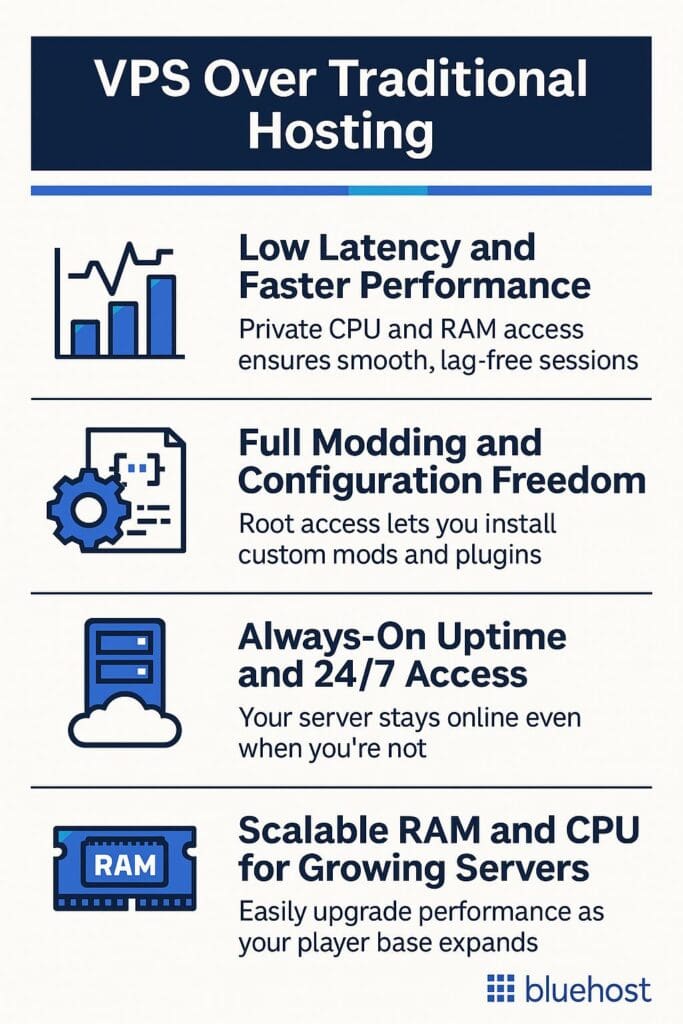
- Low latency and faster performance
- Full modding and configuration freedom
- Always-On Uptime and 24/7 Access
- Scalable RAM and CPU for Growing Servers
Let’s break down the biggest advantages that matter to gamers in 2025.
1. Low latency and faster performance
No one wants to lag during a PvP match or while building Minecraft; lag kills gameplay. A VPS server ensures fast response times by delivering private access to CPU, RAM and global data centers to give low latency gaming. This reduces your ping, lowers interruptions and keeps your game running at optimal performance during high-traffic sessions.
2. Full modding and configuration freedom
A shared host usually limits access to files, ports or scripts. This subsequently restricts what you can do with your server.
With a virtual private server, you can run mods, create backups and install custom plugins without needing permission or facing restrictions.
Bluehost VPS gives you full root access and a clean environment to install or tweak any game server software you want. You can run different games, switch engines or test features across Linux or Windows operating systems with no limits.
3. Always-on uptime and 24/7 access
Want your gaming world to live in even when you’re not online? That’s not possible with a home-hosted or peer system. With a VPS, your own game server stays live around the clock, thanks to reliable infrastructure and DDoS protection.
At Bluehost, our VPS plans provide consistent uptime with fast NVMe SSD storage and monitoring, ensuring your games are always accessible.
4. Scalable RAM and CPU for growing servers
As your community grows, so do your hosting needs. More players mean more memory, processing and storage demand. A VPS server allows for easy upgrades, adding more power, bandwidth or disk space without requiring reinstalling or losing data.
Whether you’re hosting large Minecraft builds or a Survival Evolved world, scalable VPS plans keep your server future-ready.
Which games run smoothly on a VPS?
A powerful VPS for game servers gives you the freedom to host everything from indie sandbox games to complex survival engines. You’re not restricted to a single game setup. A game hosting VPS lets you run multiple titles, apply custom configs and scale as needed.
The table below shows key games that run well on a virtual private server, along with what kind of VPS server tier you’ll need.
| Game | Minimum specs (RAM/CPU) | VPS tier needed |
| Minecraft (Java & Bedrock) | 2–4 GB RAM, 1+ core | 4–8 GB VPS with NVMe SSD |
| Rust | 6+ GB RAM, 2+ cores | 8–12 GB VPS, NVMe SSD, DDoS protection |
| ARK: Survival Evolved | 8+ GB RAM, 3+ cores | High-RAM VPS (16+ GB) |
| Valheim | 2–4 GB RAM, 1–2 cores | 4–8 GB VPS with root access |
| Terraria | 1–2 GB RAM, 1 core | Entry VPS, 2–4 GB RAM |
| Custom Unity/Unreal games | Varies by engine | VPS with custom config & flexibility |
1. Minecraft (Java & bedrock)
One of the most popular use cases for a game VPS. Minecraft servers need stable RAM, good disk space and low latency. You’ll want 4–8 GB of RAM, especially if you’re using mods, plugins or larger multiplayer maps.
For example: A Minecraft server owner switched to VPS from shared hosting and saw 45% fewer crashes and 3x faster mod loading, especially during peak weekend play.
2. Rust
The Rust servers are resource-intensive and often support dozens of players simultaneously. A VPS game server for Rust should have at least 8 GB RAM, solid clock speeds and strong DDoS protection to prevent attacks.
3. ARK: Survival Evolved

The ARK: Survival evolved game demands power. Expect high RAM usage and heavy CPU loads due to graphics and world simulation. Choose a high-RAM VPS (16+ GB) with room to upgrade and enough bandwidth to handle big player spikes.
4. Valheim
Valheim is less intensive but still benefits from reliable performance, especially with friends in different locations. 4–8 GB of RAM, root access and Linux configuration flexibility work well for stable hosting.
5. Terraria
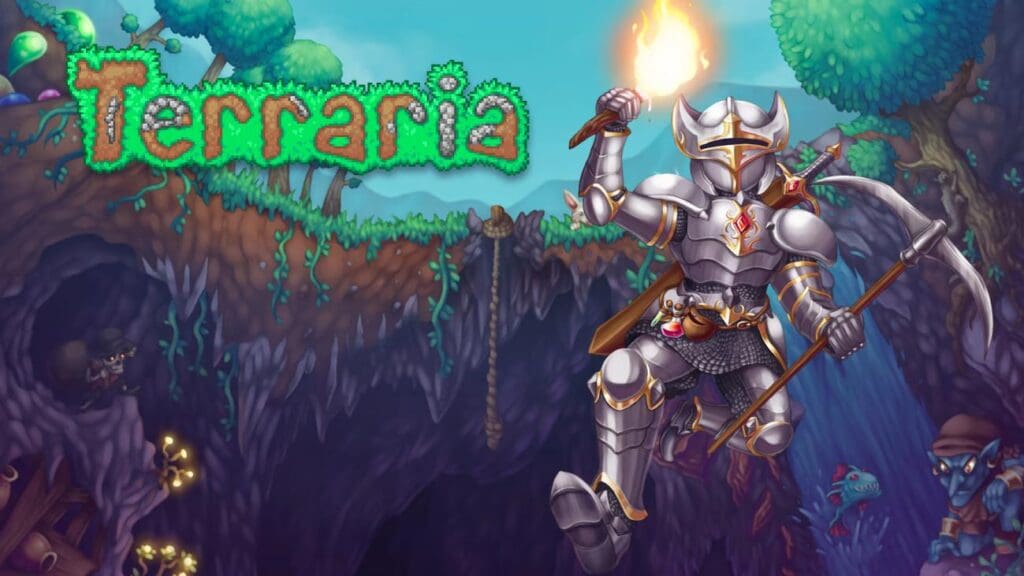
Terraria is a lightweight game. You can host it on a small VPS server with just 2–4 GB of RAM. It’s a great example of how entry-level VPS plans still offer massive gaming experience improvements over peer hosting.
6. Custom Unity or Unreal games
Custom games vary widely for Unreal Engine and Unity players. Some need minimal specs; others demand high RAM and CPU. Select a virtual private server that offers flexibility to configure Linux or Windows, open ports and scale according to test results.
What features should a game-ready VPS include?
Not every VPS is suited for gaming. Hosting a game server requires a virtual environment that delivers speed, stability and customization.
Let’s look at the must-have features your game VPS should include before you commit to any host.
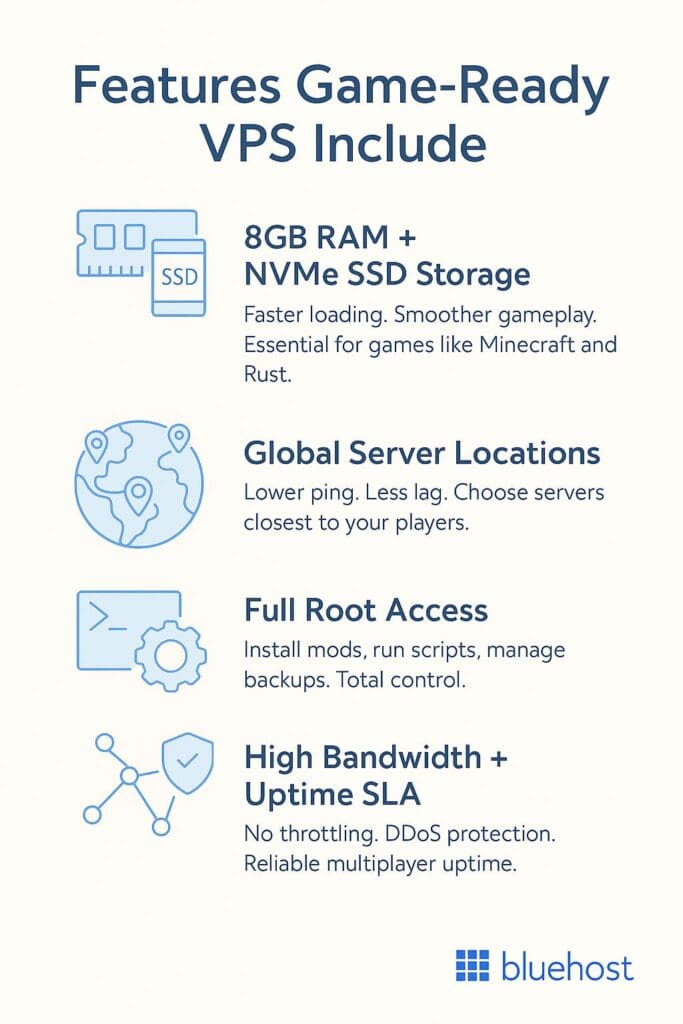
1. Minimum 8GB RAM and NVMe SSD storage
Games like Rust, Minecraft and Survival Evolved consume memory quickly, especially when using plugins or with high player counts. Opt for a VPS with at least 8GB RAM and NVMe SSD storage to ensure smoother world loading.
NVMe SSDs reduce file load times and help games boot faster, improving every player’s gaming experience with better performance.
2. Global server locations for optimized ping
The closer your game server is to your players, the lower the latency and that means less lag. A host with multiple data centers helps you choose the best location for your community or friends worldwide.
At Bluehost, we offer globally distributed VPS infrastructure to keep your ping low and sessions stable.
3. Root access for modding, scripts and backups
Gamers want flexibility. Whether you’re adding mods, running backups or changing ports, you need root access. With full access, you can configure files, install software and create your own game tweaks across Linux or Windows Server.
A VPS server gives you control to install custom launchers or test gameplay changes before pushing them live.
4. High bandwidth and solid uptime SLAs
Multiplayer games send and receive lots of data. You need high bandwidth and no throttling, especially during peak hours. Look for VPS plans with strong DDoS protection, consistent speeds and uptime backed by real service-level agreements (SLAs).
This ensures your own game server stays online, even when traffic spikes or your mods crash the system.
Also read: Secure VPS Hosting with Advanced DDoS Protection
Use-case checklist: Must-haves for game hosting VPS
- Minimum 8GB RAM and NVMe SSD storage
- Global server locations for low latency
- Full root access for modding and scripting
- High bandwidth with no throttling
- Strong DDoS protection for game stability
- SLA-backed uptime for 24/7 hosting
How to set up a game server on your VPS (step-by-step)?
Setting up a game server on a VPS is easier than most people think. A gaming VPS gives you dedicated CPU power, scalable resources and a stable environment for hosting online games. Whether you’re using a Windows VPS, Linux VPS or a VPS server for gaming, the process stays similar.
- Pick your operating system
- Install game server software or SteamCMD
- Configure users, ports, mods and backups
- Share IP, run stress test and go live
Here’s how to get started in four clear steps.
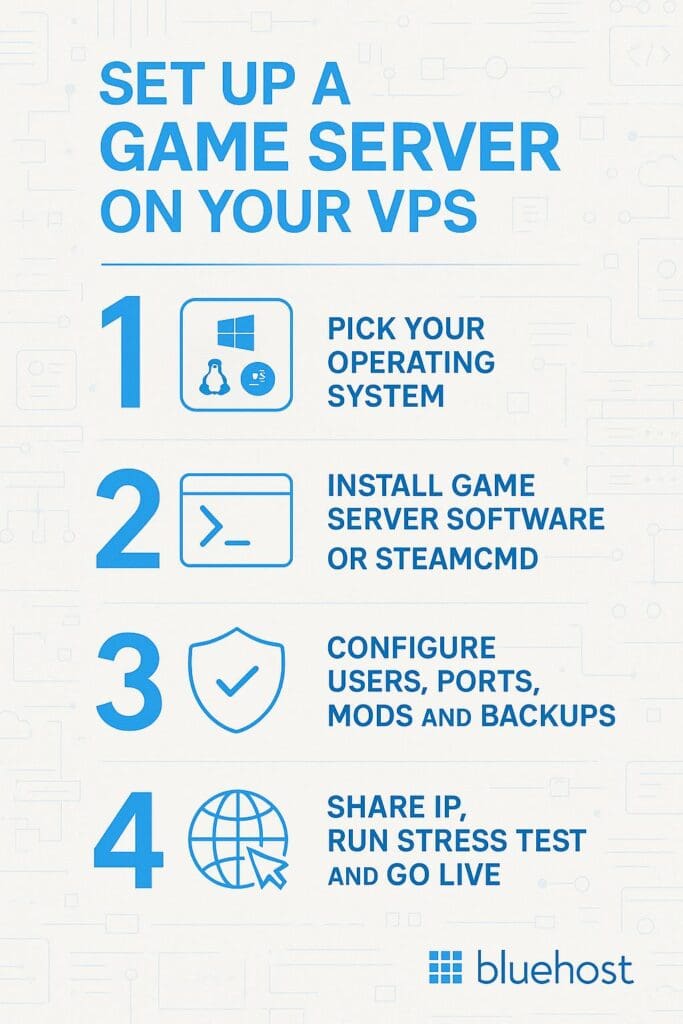
1. Pick your operating system (Linux or Windows)
Choose Linux if you want speed, flexibility and free tools. Most VPS users prefer Ubuntu or CentOS for game hosting. If your game supports only Windows Server, use that instead. It’s ideal for Unreal-based games or Windows-only titles.
At Bluehost, our VPS plans support both Linux VPS and Windows OS, depending on what your game server needs.
2. Install game server software or SteamCMD
Use your terminal (for Linux) or Remote Desktop (for Windows) to install the required game server files. For many online games, you can use SteamCMD, a free command-line tool for setting up servers. Upload the server files manually or run install scripts, depending on your game and operating system.
3. Configure users, ports, mods and backups
Set up admin users, open required ports (usually TCP and UDP) and enable any mods you want to run. Use root access to edit config files, run backups or apply server tweaks that affect gameplay. Make sure your firewall settings and bandwidth limits are properly managed to avoid connectivity issues.
4. Share IP, run stress test and go live
Once installed, share your public IP address with players and test the server under load. Invite friends, run a session and monitor CPU, RAM and disk space usage to check for slowdowns. If everything works smoothly, your multiplayer game server is ready for launch. Congrats, you now host your own dedicated game world on a reliable, scalable VPS.
Why is Bluehost a smart choice for game server hosting?
When it comes to hosting game servers, performance, flexibility and reliability are crucial. At Bluehost, we provide top-notch VPS for game servers that ensure optimal performance, low latency and full control. Our game server hosting solutions are designed to meet the needs of developers and gamers, allowing you to manage multiple game servers or host online games seamlessly.
Here’s what makes our platform a smart pick for hosting game servers in 2025.
1. Dedicated resources for high-performance gaming
At Bluehost, our VPS hosting services come with dedicated resources like vCPU cores, RAM and NVMe SSD storage. This ensures your game server operates with optimal performance, even under heavy traffic from multiplayer games. Unlike shared hosting, our gaming VPS hosting plans provide dedicated disk space and unmetered bandwidth, so you won’t have to worry about additional costs as your game grows.
2. Scalable hosting for traffic spikes
With Bluehost, you can easily scale your VPS game server as your needs evolve. Whether you’re accommodating more players or expanding your game to support multiple games, we make it simple to scale CPU cores, RAM and disk space. Our gaming VPS server solutions ensure that you can handle traffic spikes with ease, making your online gaming experience smooth and uninterrupted.
3. Full control with root access
When hosting game servers with Bluehost, you get full root access to your virtual private server. This means you can install game server software, configure your server settings and manage server performance exactly how you want. Our VPS hosting gives you complete control over your server configuration, allowing you to optimize your game server environment for the best experience.
4. Fast and reliable performance
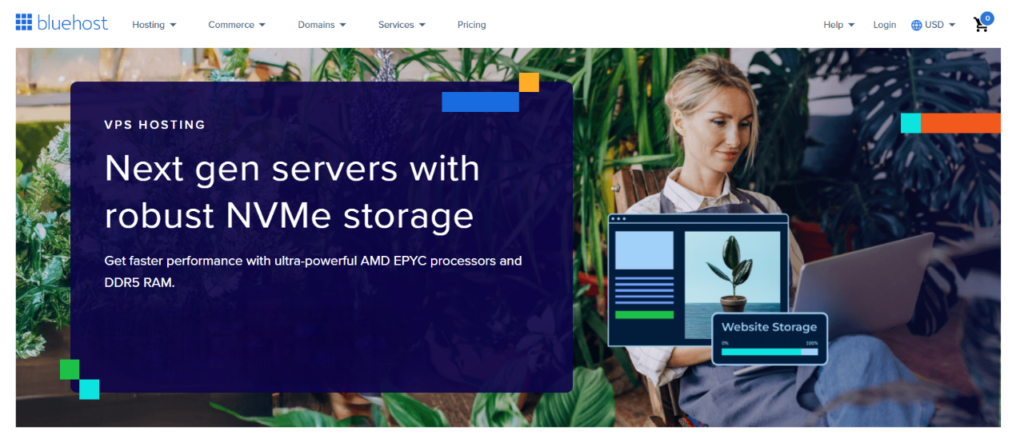
Our gaming VPS solutions use powerful hardware, including AMD EPYC processors and NVMe SSD storage, ensuring fast performance and low latency. Whether you’re hosting popular games like Minecraft, ARK Survival Evolved or Counter-Strike, our VPS server for gaming technology accelerates game data transfers and ensures a seamless gaming experience for all players.
5. Enhanced security features
Security is a top priority for us. All of our VPS hosting services come with DDoS protection and other advanced security features to keep your private server safe. We offer strong DDoS protection and dedicated IP addresses, ensuring your game server remains secure and online gaming is never interrupted. Whether you’re hosting a survival evolved game or managing multiple game servers, we provide a secure environment for your players.
6. Support for custom software
Our gaming VPS hosting plans allow you to install mods, run custom game server software and configure your server management tools. Whether you’re a game developer or simply want to customize your game server, Bluehost’s VPS hosting gives you the flexibility to meet the unique needs of your gaming community.
7. Reliable infrastructure with 99.99% uptime
Bluehost guarantees 99.99% uptime, ensuring that your game server stays online and accessible to players at all times. Our data centers are equipped with cutting-edge technology and redundancy to ensure reliable performance for gaming servers. No matter what game you’re hosting, from Minecraft servers to multiplayer games, our infrastructure keeps your game running without interruptions.

Final thoughts
If you want fast, stable and flexible game server hosting, a shared or home setup just won’t cut it anymore. A VPS for game servers gives you the freedom to configure, scale and optimize your world, without lag or downtime.
With root access, high RAM, global locations and low latency gaming, your multiplayer sessions stay smooth and always online. Bluehost provides reliable, gamer-friendly VPS plans designed to deliver the performance and control real players expect.
Whether you’re hosting Minecraft, Survival Evolved or a custom Unreal Engine title, we’ve got the resources and support to power your setup.
Ready to host smooth multiplayer sessions? Try Bluehost VPS gamer-optimized plans with root access, global data centers and 24/7 support. Get Started with Bluehost
FAQs
Yes. A VPS for game servers is much better than shared hosting because you get dedicated CPU power, more RAM and full root access. A gaming VPS or VPS server for gaming gives lower latency, custom server settings and better server management. Shared hosting cannot handle real-time gameplay, mods or high traffic that gaming VPS servers can support.
A Minecraft VPS works smoothly with 4–8 GB RAM, depending on players and mods. For heavier games like Rust, ARK or Counter-Strike, choose 8–16 GB RAM with more CPU cores or a dedicated CPU. VPS plans powered by AMD EPYC, KVM virtualization or strong virtual machines perform best.
Yes. If your gaming VPS hosting plan has enough CPU, RAM and storage, you can host multiple games on one VPS. You can run Minecraft, Counter-Strike or other servers together, manage them through a control panel and assign each one its own dedicated IP address if needed. Just make sure you monitor performance and use scalable resources.
A Linux VPS is the best choice for most games because it’s fast, stable and lightweight. Many game developers prefer it for Minecraft, Rust and Steam-based titles. Choose a Windows VPS only if your tools, mods or multiple game server software requires Windows. Both options work well for install mods, custom scripts and advanced server configuration.

Write A Comment