 ChatGPT,
 Claude,
 Gemini,
 Grok — all four for
Key highlights
- Most blogs and small business sites work well on shared IP hosting.
- A dedicated IP does not boost SEO but protects IP reputation from bad neighbors.
- High-volume email senders benefit most from dedicated IPs.
- Dedicated IPs are available only on VPS and Dedicated Hosting plans.
- The right IP choice depends on site needs, not personal preference.
Every WordPress website relies on a foundation that quietly supports how it loads, communicates and scales over time. One important part of that foundation is the IP address and the dedicated IP vs shared IP choice often influences more than most site owners initially expect.
Many websites run smoothly for a long time without any IP-related concerns. Questions usually surface later, when email delivery becomes unreliable, traffic patterns change or advanced technical needs arise. At that stage, understanding how IP types affect hosting behavior becomes essential.
This guide explains how shared and dedicated IPs work in real-world hosting environments. It helps you understand where each option fits, why the differences matter and how to choose an IP setup that supports your website today and as it grows.
Before comparing options, let’s understand how shared IP addresses function in real hosting environments.
What is a shared IP address and how does it work?
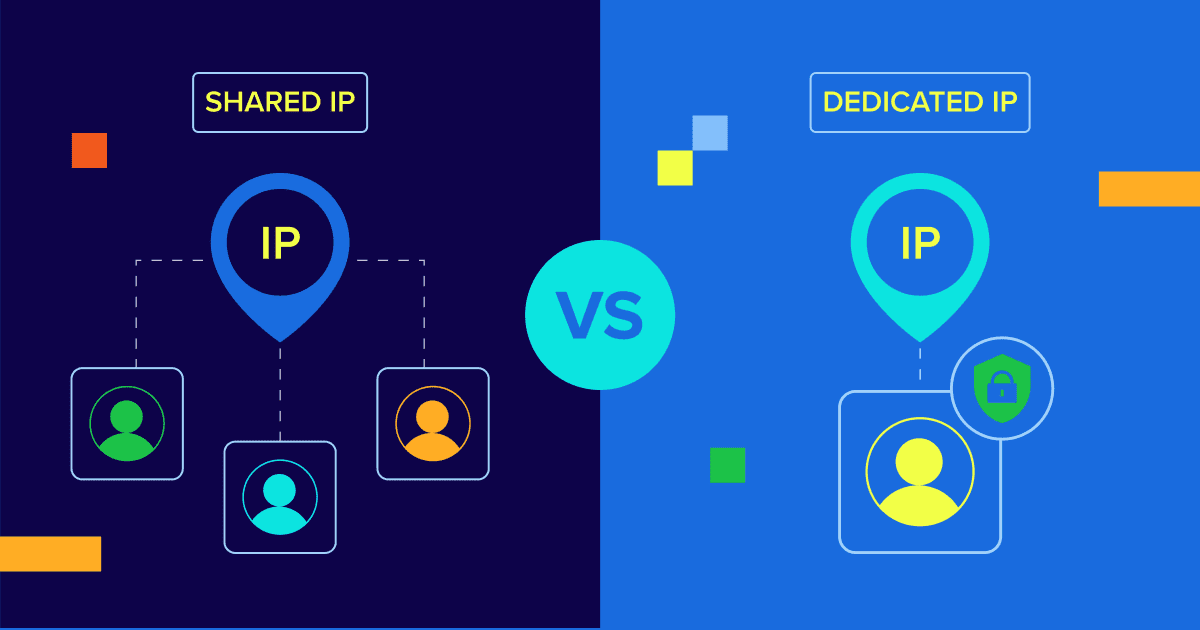
A shared IP address means multiple websites use the same internet protocol address on a single server. This setup is common in shared hosting and plays a key role in the dedicated IP vs shared IP comparison.
Instead of assigning a unique IP to every website, hosting providers allow several sites to operate under one shared hosting IP address. Each website still remains separate and accessible through its own domain name, which keeps things simple for visitors.
You can think of a shared IP like an apartment building:
- The building has one public address.
- Each apartment represents a different website.
- Visitors reach the correct apartment using a unit number, not the building address.
Your domain name works the same way for your website.
How do multiple websites share a single IP?
In a shared hosting environment, a single server hosts many websites at once. All these sites use one shared IP to receive incoming traffic.
When someone visits your website, the process works like this:
- The browser sends a request that includes your domain name.
- The server matches that domain to the correct website directory.
- The server delivers the requested content to the visitor.
This routing happens automatically and almost instantly. From a visitor’s point of view, your site behaves as if it has its own address, which is why shared IP vs real IP differences remain invisible to users.
Why are shared IPs common in hosting?
Shared IPs allow hosting providers to reduce costs by spreading server resources across many users. This approach keeps hosting plans affordable while maintaining reliable performance.
Shared IP hosting works well when you:
- Run a blog, portfolio or small business website
- Use standard SSL certificates
- Do not need IP-level customization or isolation
Modern hosting platforms removed most past limitations of shared IPs. Security, SEO and performance no longer depend on owning a unique IP address.
As your site grows or your technical needs increase, an on demand dedicated IP can offer more control. Until then, shared IP hosting provides a stable and practical starting point for WordPress sites.
Once you understand shared IPs, the next step is to see how dedicated IPs differ and when they become necessary.
What is a dedicated IP address and when is it used?
A dedicated IP address is assigned exclusively to your hosting account and no one else. In the dedicated IP vs shared IP comparison, this option gives your website its own unique network identity.
Using the real-estate analogy, a dedicated IP works like a single-family home. You own one address and only your website responds to it. When someone types your IP directly into a browser, they land on your site alone, not on a shared server directory.
This exclusivity matters when your site requires deeper server-level control or predictable network behavior.
How do dedicated IPs differ at the server level?
At the server level, a dedicated IP gives you greater flexibility over how traffic and services operate. Shared IP environments restrict access to certain network ports to protect all users on the server.
With a dedicated IP, those limitations are reduced. You can request access to higher-numbered ports, usually above 1024, when your applications require them. This flexibility allows advanced configurations that are not possible on a shared hosting IP address.
As a result, a shared IP vs real IP comparison often comes down to control rather than visibility or SEO.
Typical scenarios requiring a dedicated IP
A dedicated IP is not necessary for every website, but it becomes important in specific technical scenarios. You may need one if your site relies on advanced scripts or custom services, such as:
- Long-running processes
Shared hosting often limits scripts that run longer than several minutes. A dedicated IP environment can allow approved maintenance scripts or mailing processes to run without interruption. - Custom applications
Certain applications, including voice servers or non-standard services, require specific ports to remain open. These configurations typically require a dedicated IP. - Anonymous FTP access
If you need to allow file transfers without requiring user credentials, a dedicated IP is usually required for security and routing reasons.
In these cases, an on demand dedicated IP gives you the isolation and control needed to support specialized functionality. For standard websites, shared IP hosting remains sufficient, but dedicated IPs serve a clear purpose when advanced requirements appear.
With both IP types explained, comparing them side by side highlights where the real differences matter.
What are the key differences between shared IP and dedicated IP?
When comparing shared IP vs real IP, the differences go beyond simple technical definitions. The distinction affects cost, risk exposure and how consistently your site performs under load.
1. Cost and resource isolation
Cost is the most noticeable difference between a shared IP and a dedicated IP. A shared IP stays affordable because hosting providers spread server costs across many websites. This shared model works well for most personal and small business sites.
A dedicated IP costs more because the address remains reserved for your account alone. In many cases, it appears as an add-on or comes bundled with premium hosting plans. This exclusivity also improves resource isolation, which becomes important as your site grows.
2. Security and abuse risk
Shared IP hosting introduces what’s often called the “bad neighbor” risk. If another website on the same shared hosting IP address engages in spam or malicious activity, the entire IP can face blacklisting or filtering.
This issue becomes more visible in strict network environments. Some countries and corporate firewalls block IPs aggressively, even if only one site causes the problem. When that happens, every site on the shared IP suffers the consequences.
A dedicated IP largely eliminates the shared-IP neighbor risk. Your site’s reputation depends only on your actions, which gives you full control over trust and deliverability.
3. Performance implications
IP type alone does not determine website speed, but it reflects the hosting environment behind it. Shared IP hosting usually means shared CPU, memory and bandwidth resources.
If another site on the server experiences a traffic surge, your site may slow down temporarily. This situation happens more often on busy shared hosting setups.
Dedicated IP hosting often pairs with VPS or dedicated servers, which provide reserved resources. This setup leads to:
- More consistent performance during traffic spikes
- Better handling of resource-heavy applications
- Improved stability for growing websites
In short, the dedicated IP vs shared IP decision becomes important when traffic, reputation or control start to matter more than cost.
Many hosting decisions are influenced by SEO and security assumptions, so these claims deserve closer examination.
Does a dedicated IP improve website security or SEO?
A dedicated IP often sounds like a guaranteed upgrade for security and rankings. In practice, the impact depends on how your site operates and the risks you want to control.
SEO myths vs reality
A common myth suggests that a dedicated IP directly improves Google rankings. This assumption no longer holds true. Google understands that shared hosting is widespread and does not penalize sites simply for using a shared IP.
That said, a dedicated IP can still protect your SEO reputation indirectly. On a shared IP, your site shares the same address with other websites. If a neighboring site sends spam or engages in harmful activity, the shared IP may get flagged or blacklisted.
With a dedicated IP, that risk disappears. Your site’s IP reputation depends entirely on your own behavior, which adds a layer of protection in the broader dedicated IP vs shared IP comparison.
SSL and HTTPS clarification
In the past, installing an SSL certificate required a dedicated IP address. This limitation caused many site owners to associate HTTPS with dedicated IP hosting.
That requirement no longer exists. Modern servers use Server Name Indication (SNI), which allows multiple SSL certificates to operate on a single shared hosting IP address. Because of this advancement:
- You can enable HTTPS on shared hosting plans.
- SSL security no longer depends on owning a unique IP.
- A dedicated IP is not required for basic site encryption.
Today, SSL works reliably on shared IP setups. A dedicated IP improves isolation and control, but it does not provide automatic SEO gains or stronger encryption on its own.
Beyond website performance, IP type also plays a role in how reliably your emails reach inboxes.
How does IP type affect email deliverability and reputation?
Email deliverability depends heavily on IP reputation. The choice between shared IP vs real IP can influence whether your messages reach inboxes or get filtered as spam.
Shared IP email risks
When you send email from a shared IP, your sender reputation is not fully under your control. Multiple users send mail from the same shared hosting IP address, which means email providers evaluate everyone together.
If another user sends spam or triggers abuse complaints, email services like Gmail or Outlook may downgrade or block the entire IP. When that happens, your legitimate emails can suffer even if your practices are clean.
Common risks with shared IP email include:
- Higher chances of emails landing in spam folders
- Temporary or permanent IP blacklisting
- Reduced trust from major email providers
These issues make shared IP email less predictable for business-critical communication.
When do dedicated IPs help outbound emails?
A dedicated IP gives you full ownership of your email sending reputation. Only your emails affect how inbox providers evaluate that IP, which improves consistency over time.
Dedicated IPs are most helpful when you:
- Send high volumes of transactional emails, such as receipts or account alerts
- Manage large mailing lists or frequent campaigns
- Rely on email as a core business channel
It’s important to set expectations correctly. A dedicated IP does not override spam filters or poor sending practices. If your content looks spammy or your list quality is weak, filters will still block your messages.
The key advantage is isolation. With a dedicated IP, you avoid penalties caused by other users, which makes it a strong choice when email reliability matters.
Understanding the technical differences is useful, but choosing the right IP ultimately depends on how your site operates.
Who should choose a shared IP vs a dedicated IP?
1. Blogs and small websites
If you run a personal blog, a portfolio or a small business informational site, a shared IP is the best choice. It is cost-effective, easy to manage and provides all the functionality you need without unnecessary technical complexity.
2. Online stores and membership sites
E-commerce sites often benefit from upgrading to a dedicated IP. While not strictly required for SSL anymore, it provides an extra layer of stability and reputation protection which is vital when handling customer data and transactions.
3. Businesses sending transactional emails
If your business relies heavily on email marketing or automated transactional emails, a dedicated IP is recommended to ensure high deliverability rates and to protect your brand identity.
If your site fits these use cases, shared hosting provides a simple and cost-effective starting point.
After reviewing use cases, it’s important to understand how Bluehost supports both shared and dedicated IP setups.
How does Bluehost support shared and dedicated IP hosting?
Bluehost supports shared and dedicated IP hosting through different hosting tiers. The type of IP you get depends on the plan you choose, not on optional add-ons within shared hosting.
Shared IP hosting on Bluehost plans
Bluehost shared hosting plans use shared IP addresses by default. This setup works well for blogs, portfolios and small business websites that need reliability without advanced server control.
Shared IP hosting on Bluehost is effective because:
- Server configuration and security are fully managed
- WordPress runs on optimized hosting environments
- SSL certificates work correctly on shared IPs using modern standards
Your website remains accessible through its domain name rather than the IP address. For most users comparing dedicated IP vs shared IP, this setup delivers stable performance without IP-level complexity.
Adding a dedicated IP when needed
Bluehost does not support adding a dedicated IP to shared hosting plans. Dedicated IPs are available only on VPS and Dedicated Hosting plans.
Dedicated IP availability works as follows:
- VPS Hosting includes one dedicated IP by default, with support for up to two
- Dedicated Hosting starts with one dedicated IP and supports up to three
Assigning a dedicated IP requires assistance from Bluehost support and DNS propagation. This process usually takes a few hours and may cause brief downtime during the switch.
A dedicated IP becomes relevant when you need:
- Isolation from shared IP reputation risks
- Access to non-standard ports above 1024
- Greater control over server behavior and networking
This structure ensures you stay on shared IP hosting for basic needs and move to VPS or Dedicated Hosting only when a dedicated IP becomes necessary.
When your site requires full isolation and server-level control, dedicated hosting becomes the right next step.
Final thoughts
Take action by choosing an IP setup that supports what your site needs right now, not what you think you might need later. Use a shared IP to launch quickly, keep costs low and focus on publishing or selling. Upgrade to a dedicated IP only when email reliability, traffic stability or server-level control directly affect your business.
The smartest move is to start simple, monitor performance signals and scale intentionally. That approach protects both your budget and your site’s reputation as it grows.
Ready to move forward? Start with Bluehost shared hosting for a fast, secure WordPress setup and upgrade to VPS or Dedicated Hosting when your site demands more control. Explore Bluehost hosting plans today and choose the option that fits your next growth step.
FAQs
Generally, no. Search engines are designed to handle shared hosting environments. As long as your neighbors aren’t engaging in malicious behavior that gets the IP completely blacklisted, your ranking depends on your content and site speed, not your IP type.
Yes, on a shared IP, if a neighboring site sends spam or hosts malware, the IP address can be blacklisted by spam filters or firewalls, potentially affecting access to your site or your email deliverability.
No. Thanks to SNI technology, you can install and use SSL certificates on shared IP addresses without any issues.
No, WordPress works perfectly fine on a shared IP address. A dedicated IP is only necessary if you have specific server-side requirements or high-volume email needs.
Yes, most hosting providers allow you to purchase a dedicated IP as an add-on service or upgrade your hosting plan at any time as your website grows.

Write A Comment