 ChatGPT,
 Claude,
 Gemini,
 Grok — all four for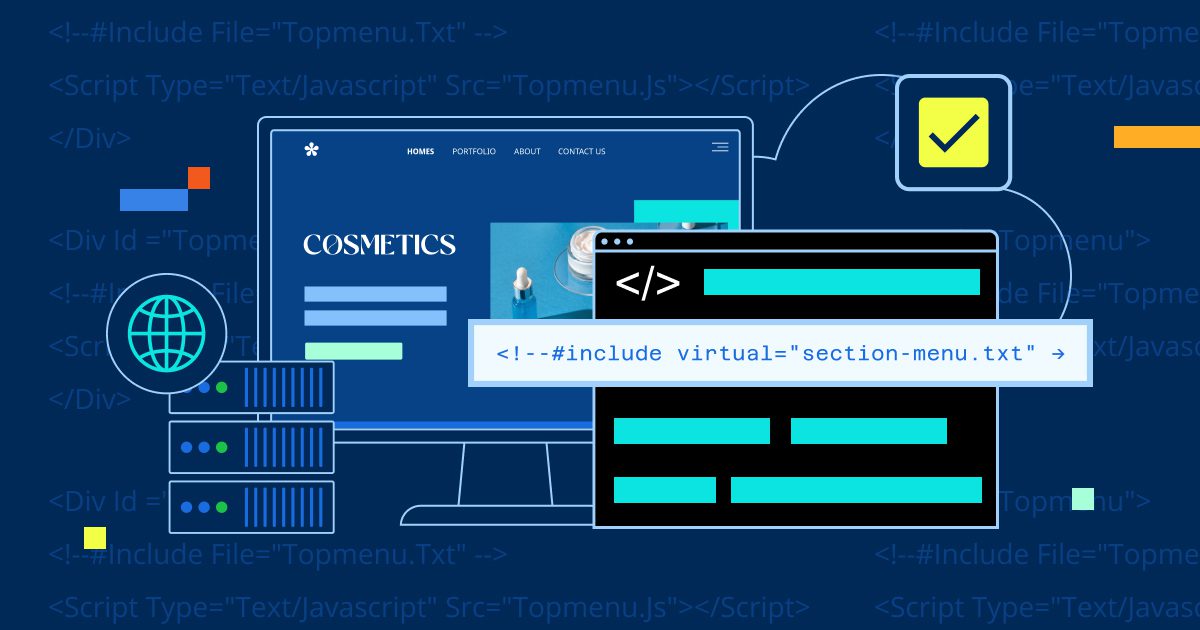
Key highlights
- Server Side Includes (SSI) allow you to reuse shared elements like headers, footers and navigation across multiple HTML pages from a single file.
- By enabling SSI in .html files, you can keep standard file extensions while still using server-side content inclusion.
- SSI works best for static or semi-static websites that need consistency without the overhead of a full CMS.
- Apache servers support SSI natively and it can be enabled easily using a simple .htaccess configuration.
Ever get tired of updating the same content on multiple web pages? Maybe your footer, navigation menu or contact information appears everywhere and changing it means editing dozens of files. Server Side Includes (SSI) are designed to solve exactly that problem.
SSI allows your web server to automatically insert one file into another before the page is shown to visitors. This makes them a practical option for server-side hosting, since the processing happens on the server and your visitors simply see the finished page. It also means you can store shared content in one place and reuse it across your site, even if your pages are simple HTML.
Best of all, you don’t need advanced programming skills or a complex system like WordPress to use it. By default, SSI only works in files with a .shtml extension, not standard .html files. But if you want to keep using .html while still taking advantage of SSI, there’s an easy server setting that makes it possible.
In this guide, we’ll explain what Server Side Includes are, why they’re useful and how to enable SSI in regular HTML files step by step.
How server side hosting processes dynamic content delivery to your website visitors?
Server Side Includes (SSI) are a simple but powerful way to insert content from one file into another before your web server delivers the page to visitors. Think of SSI as a copy-and-paste feature that happens automatically on your server. When you have the same content, like a navigation menu, footer or legal notice, appearing across multiple HTML pages, you can store that content in a separate file and use SSI directives to “include” it wherever needed.
This approach solves a common web development headache: updating the same piece of code across dozens or hundreds of HTML files. Without SSI, if you need to change your contact information in the footer, you’d have to manually edit every single page.
With SSI, you update just one include file and the change appears everywhere automatically. Common use cases include shared headers and footers, consistent navigation menus and copyright notices and contact information that appear on a site-wide basis.
SSI works best for static HTML sites with moderate complexity where you need some dynamic behavior without the overhead of a full content management system (CMS). If you’re managing a simple business site or blog with repeating elements, SSI offers faster updates and guaranteed consistency.
However, for complex sites with user accounts, databases or frequent content changes, a CMS like WordPress provides more robust features and easier content management.
Configuring server side hosting with Apache handler for SSI in HTML
To allow SSI in .html files, you need two things in your Apache configuration or
.htaccess file:

Options +Includes
AddHandler server-parsed .html
The AddHandler directive tells Apache to parse .html files for SSI, while Options +Includes enables SSI processing in that directory.
This tells the server to read the .html files so you can use these directives in them.
Note: Follow these rules:
- Commands and arguments are in lowercase letters.
- The double quotes around the value are required.
- There is no space until after the command.
- That hash mark (#) is required.
- There is a space after the second double quote, before the second double hyphen (at the end).
Here’s the format of the SSI:
<!--#include file="included.html" --> The above format will create an SSI that includes the text from the file “included.html.”
Managing server side hosting file operations with key SSI directives
Now that you’ve enabled SSI in your HTML files, here are the most common directives you’ll use daily. The include directive handles most scenarios: use file=”filename.html” to include files from the same directory or subdirectories and virtual=”/path/filename.html” to include files anywhere on your server, starting from the domain root.
For organized sites, create an includes folder to store reusable components. For an organized structure, you can place your reusable parts in an includes folder. Your header include might look like:
<!--#include virtual="/includes/header.html" --> while your footer uses:
<!--#include virtual="/includes/footer.html" --> Remember the formatting essentials:
- Lowercase commands
- Required quotes around values
- Proper spacing
- Crucial hash symbol
This approach lets you update your navigation or contact information once in the includes folder and it automatically appears across every page that references it.
Using Server Side Includes on Bluehost hosting
Bluehost web hosting environments run on Apache servers, which include built-in handlers for Server Side Includes (SSI) and allow you to configure .html files via .htaccess. When you enable the AddHandler server parsed .html directive in your Bluehost .htaccess, Apache will parse and include your SSI files just as it does for .shtml extensions.
This makes us a practical choice for static or semi-static sites that benefit from reusable content like headers, footers or menus, without the complexity of a CMS. You get cPanel access for easy .htaccess edits and consistent site updates across shared HTML pages.
Performance impact of server side hosting with SSI implementation
When Apache server-side processing .html files with SSI enabled, it parses each page before delivery. This adds minimal overhead for simple includes. Performance may slow when pages contain many includes or deeply nested structures.
For most small business sites with basic headers, footers and navigation includes, the impact is negligible and often faster than JavaScript alternatives. However, performance can suffer when pages contain numerous SSI directives or when include files themselves contain additional includes.
Keep your SSI implementation efficient by maintaining small include files, limiting nesting to one or two levels maximum and reusing the same includes across pages for consistency.
Test your page load times before and after enabling SSI parsing on .html files to measure real impact. Remember that SSI works best with proper caching strategies. Overusing SSI for complex logic reduces efficiency and can break caching. For sites with frequent dynamic updates, a CMS like WordPress is often a better choice.
Understanding SSI file path arguments for server side hosting
You use “file=” when the file to be included is in the same directory as the file that calls for it. You can also use the file argument when the file is within a subdirectory of the directory that is calling it.
You use the virtual argument when the file you want to include is not in the same directory as the page that calls it and you want to reference it using a URL-style path from your site’s root. Often, an includes directory is created to store all your shared include files; in that case, virtual lets you point to them consistently from anywhere on the site.
For example, if your site uses an /includes folder that contains includedfile.html, you can write:
<!--#include virtual="/includes/includedfile.html" --> In this directive, the leading slash tells the server to start at the web document root for that site, just like a root-relative URL in the browser (for example, https://[addondomain].com/includes/includedfile.html).
It does not represent the literal domain name string or the physical filesystem path such as /home/username/public_html/includes/includedfile.html; those filesystem paths are only for understanding where your files live on the server, not for use inside virtual=.
On a typical Bluehost account, the document root for the main site is something like /home#/username/public_html/ and for an addon domain it is /home#/username/public_html/addondomain/, where username is your cPanel username and addondomain is the addon’s directory name.
If you have a file at /home#/username/public_html/addondomain/includes/includedfile.html and you want to include it in http://www.[addondomain].com/index.html, your SSI directive inside index.html would be:
<!--#include virtual="/includes/includedfile.html" --> Because of the leading slash, the server resolves this as /includes/includedfile.html under the addon domain’s document root and effectively serves http://www.[addondomain].com/includes/includedfile.html.
Rule of thumb: use file=”…” when the included file is in the same directory (or a subdirectory) as the current page, for example:
<!--#include file="includes/footer.html" --> Use virtual=”…” when it is not and you want to reference it with a path from the site’s document root, for example:
<!--#include virtual="/includes/footer.html" --> Note: On Bluehost, `/home#/` is a placeholder that may be `/home/`, `/home1/`, `/home2/`, etc.; you can see your exact home directory in the stats column on your main cPanel page.
Additional notes:
By default, there is an Apache Handler on the server to parse .shtml files which already have server side includes (SSI) inside of them.
Add this line of code to the .htaccess file to run .shtml includes in a regular HTML file:
- AddHandler server-parsed .html
Note: SSIs will NOT work until the DNS has propagated to the Bluehost name servers. You will not be able to test them in advance by using something in the format of http://204.130.255.7/~username/test.shtml.
Server side hosting security risks and SSI vulnerability protection strategies
While SSI offers powerful functionality for dynamic content inclusion, it can introduce security vulnerabilities if not implemented carefully. The main risk appears when user input controls which files are included or executed, allowing attackers to load unwanted content or run malicious code.
To protect your site, follow these essential security guardrails:
- Only include content from trusted files you control directly
- Never base includes URL parameters or user input
- Ensure include directories are not writable by public uploads or external sources
Additionally, review file permissions regularly to confirm only authorized users can modify included files and consider placing include files outside your web root when possible.
Safe by default checklist:
- Use absolute paths for includes rather than relative ones
- Validate and sanitize any dynamic paths before processing
- Set restrictive file permissions (644 for files, 755 for directories)
- Regularly audit your include files and their locations
- Keep Apache and your server components updated with security patches
Remember that SSI security is largely about controlling what gets included and ensuring only trusted content can be processed. With proper precautions, you can safely leverage SSI’s benefits while maintaining your site’s security posture.
Final thoughts
Server Side Includes (SSI) provides a lightweight way to add dynamic, reusable elements to static HTML pages without the overhead of a full CMS. By enabling SSI for .html files, you can centralize shared components like headers, footers and navigation, making site-wide updates faster and more consistent.
To use SSI successfully, your hosting environment must support Apache configuration and allow you to modify .htaccess files. Bluehost Shared hosting uses an Apache-based platform with cPanel access. SSI is supported and in many cases it can be enabled for .html files by manually assigning the server-parsed handler via cPanel or .htaccess, subject to shared-hosting configuration limits.
FAQs
Yes, as long as your host uses Apache and allows .htaccess overrides. Some managed or container-based hosting environments may restrict SSI usage, so it’s best to confirm server support before using SSI.
SSI has minimal performance impact when used correctly. Because includes are processed server-side before delivery, they are generally faster than client-side alternatives for shared static content.
No. SSI is best for static or semi-static websites that need reusable components. For databases, user accounts or frequent content updates, a CMS is still the better option.
Yes, when implemented properly. Security risks arise only if user input controls what gets included, which should always be avoided.
SSI loads content before the page reaches the browser, improving consistency and SEO. JavaScript includes relying on client-side execution and may not render correctly for all crawlers.

Write A Comment