 ChatGPT,
 Claude,
 Gemini,
 Grok — all four for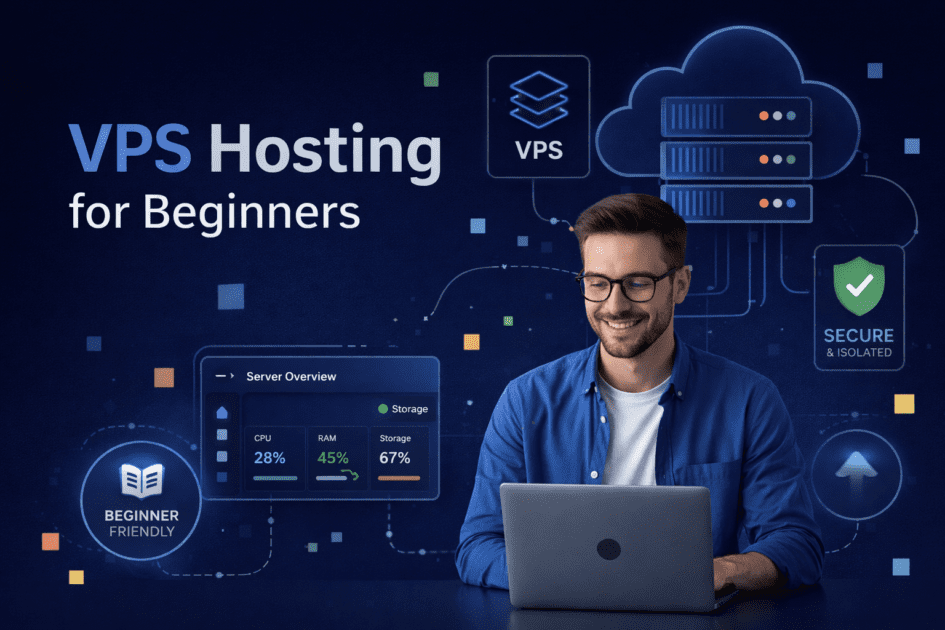
Key highlights
- Discover what a Virtual Private Server (VPS) is without the confusing technical jargon.
- Learn exactly how VPS hosting works and why it provides more stability for growing websites.
- Compare VPS and shared hosting to understand which platform best fits your current business stage.
- Explore real-world scenarios to help you map your specific website workload to the right hosting plan.
- Understand the critical differences between managed and self-managed VPS setups before you buy.
Starting an online business is an exciting journey, but finding the right hosting can feel overwhelming. If your website is growing quickly, you have likely encountered the term VPS. Understanding virtual private servers does not have to be complicated. This guide explains what VPS hosting is and how it provides reliable performance for your solo business needs.
What exactly is VPS hosting?
A Virtual Private Server (VPS) is a secure, isolated space on a powerful web server. Think of standard shared hosting like living with roommates in a shared apartment. You all share the same resources and if one roommate throws a party, it affects everyone.
A VPS is more like renting a private condo. The building is still shared but your unit is entirely your own. You have a guaranteed amount of space, memory and processing power. This means you get the dedicated performance of a full physical server at a fraction of the cost.
For solo business owners, this isolated environment brings peace of mind. Your website stays fast and reliable even if another site on the server gets a traffic surge.
Let’s look closer at the technology that makes this separation possible.
How does VPS hosting work behind the scenes?
The magic behind a VPS is a piece of software called a hypervisor. This technology acts like a digital traffic cop. It takes one large physical server and divides it into multiple isolated virtual compartments.
Each of these virtual compartments acts exactly like a standalone server. The hypervisor strictly allocates specific resources to your compartment. This means your assigned memory and processing power are locked in just for you. No other user can tap into your resources no matter how busy their website gets.
This strict separation is what keeps your online business stable. If a neighboring website experiences a massive traffic spike, your website performance will not drop. Your digital condo walls are solid. With this dedicated power in place, it helps to understand exactly how this setup differs from the hosting you might already have.
Also read: Step-by-Step Guide to Dedicated Server Setup for Beginners
VPS Hosting vs Shared Hosting: Which option suits a growing solo business
When starting a new online project, cost-effective shared hosting plans are a fantastic way to validate your idea. However, as your solo business grows, you might notice your site slowing down. This is where upgrading to a virtual private server becomes a smart business move.
Here is a quick breakdown of how they compare:
- Performance: Shared hosting splits resources among many users. A VPS gives you dedicated power for consistent speed.
- Security: Shared environments carry a slight risk if a neighbor is compromised. A VPS offers an isolated, secure environment.
- Control: Shared hosting limits your settings. A VPS lets you install custom software and configure the server to your exact needs.
Shared hosting gets your business off the ground while a VPS provides the solid foundation needed to scale. Knowing these differences can help you spot the exact moment your business is ready for that foundation.
Also read: VPS vs Shared Hosting Compared
When to move from shared hosting to VPS hosting as a beginner
Many solo business owners struggle to understand when they need to move from shared to VPS hosting. If your website feels sluggish during busy periods, it might be time for an upgrade. A VPS is essential when your daily operations demand consistent performance and reliability.
1. Is your growing online store ready for high-performance VPS Hosting
eCommerce sites like WooCommerce require extra processing power to run smoothly. Shoppers expect secure, lightning-fast checkouts. If your store lags, customers will abandon their carts. A high-performance WordPress server setup provides the dedicated resources needed to manage inventory systems and process payments without delays.
Also read: VPS Hosting eCommerce: Boost Speed, Stability and Handle High Traffic
2. Do you experience seasonal traffic spikes?
Marketing campaigns and holiday sales can bring sudden waves of visitors. Shared hosting environments may experience slower performance or resource limitations during high traffic periods. A VPS prevents this by ensuring your site has the dedicated memory to handle sudden traffic influxes. Once you decide to upgrade, you will need to choose the management style that fits your skills.
Other reasons to move from shared hosting to VPS hosting
You may consider upgrading to VPS hosting if:
- Your website slows down during traffic spikes
- You need more control over server settings
- You run resource-heavy applications or plugins
- You want more consistent performance
Also read: when to upgrade to VPS hosting
Managed vs self-managed VPS hosting: which option suits beginners best
Choosing the right type of VPS depends entirely on your technical comfort level. A self-managed VPS gives you total control over the server environment. However, there is a catch. Self-managed plans do not include 24/7 expert human support. You are fully responsible for server maintenance, security updates and troubleshooting.
For most solo business owners, a fully managed hosting plan is the smarter choice. Managed plans come with 24/7 expert human support. The hosting provider handles the technical server maintenance for you. This allows you to focus all your energy on growing your business instead of acting as a system administrator. With the right management style in mind, let’s explore the specific options available to support your growing site.
Also read: Managed vs Self-Managed VPS for Beginners
Why choose Bluehost for your VPS hosting?
Bluehost offers next-gen virtual servers built with NVMe storage. This modern storage technology can improve performance depending on your workload, ensuring to reduce latency compared to shared hosting.
We offer several tiers to match your specific business workload. Beginners can start with the Standard managed VPS hosting plan. For sites demanding more power, the Enhanced and Ultimate VPS plans provide massive resource upgrades.
Some VPS plans include security features such as DDoS protection. The availability and scope of these features may vary by plan, so it is important to review the current plan details. If you choose a managed tier, you also gain access to our 24/7 expert human support team.
A Bluehost VPS offers tremendous power, but it requires a slightly higher monthly investment than basic shared plans. Now it is time to decide if this investment aligns with your current business goals.
Note: Pricing and features are subject to change. Always refer to the official Bluehost VPS plans page for the most up-to-date information.
Also read: What is NVMe VPS Hosting
Final thoughts: Is a VPS right for your solo business?
VPS hosting provides dedicated resources within a shared infrastructure, which can offer more consistent performance compared to shared hosting. However, it differs from fully dedicated servers. It gives your growing business the reliable performance it needs without the massive cost of a physical server.
If your website traffic is still low and predictable, sticking with shared hosting makes financial sense. However, when website speed and reliability directly impact your revenue, upgrading your hosting plan is a crucial step. Do not let a slow website hold your business back. Upgrade to Bluehost VPS hosting and experience more consistent performance as your business scales.
How this guide was created
This guide is designed to help beginners understand VPS hosting using simplified explanations and commonly accepted hosting concepts. Product details, features and pricing references should always be verified on official Bluehost pages, as they may change over time.
Sources and references
- Bluehost VPS hosting plans and pricing page
- Bluehost support and feature documentation
- Virtualization and hypervisor documentation (KVM, VMware, Hyper-V)
- General web hosting and infrastructure resources
Frequently asked questions: What else do beginners ask about VPS?
A virtual private server is an isolated segment of a larger physical server. It provides dedicated memory and processing power for your website.
It depends on the plan. A self-managed VPS requires strong technical skills for server setup. A managed VPS handles the technical side for you.
Yes, for growing websites. A VPS offers superior speed, reliability and security because you do not share your resources with other users.
Absolutely. Most providers make the transition simple. If you are upgrading within the same host, their support team can often migrate your files automatically.
You should upgrade when your website traffic grows, pages load slowly or you need to run complex software that shared hosting cannot support. This simple step ensures your solo business stays online and ready to grow.

Write A Comment