 ChatGPT,
 Claude,
 Gemini,
 Grok — all four for
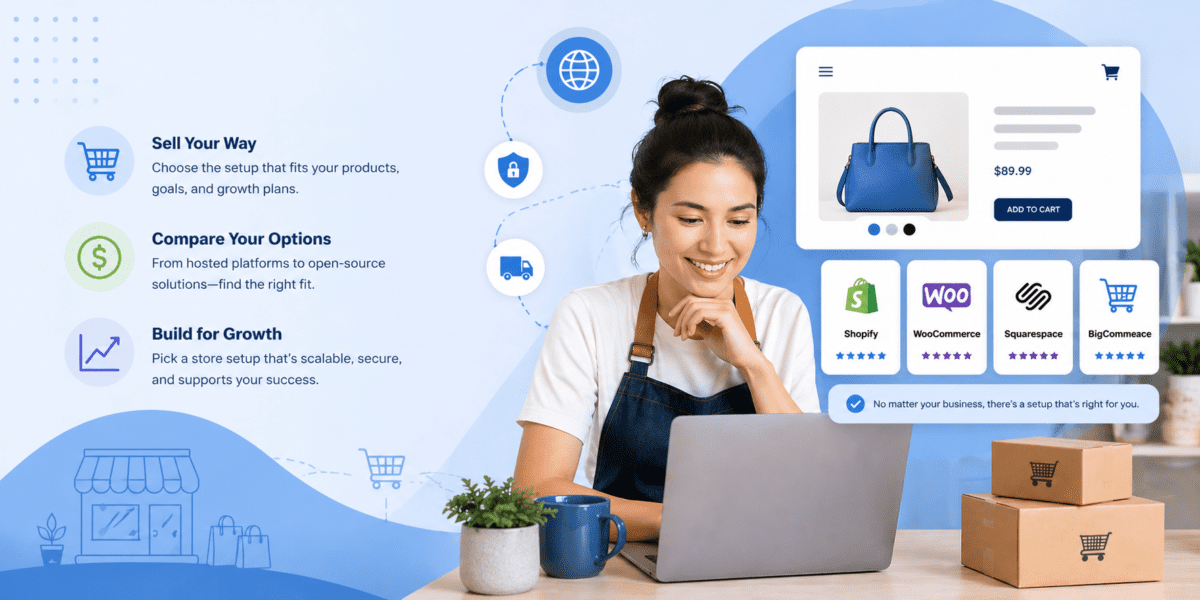
Key highlights
- The right online store setup depends on your product volume, budget, technical comfort and growth plans. Not on which platform has the best ads.
- Website builders work best for beginners and service businesses adding simple product sales.
- Dedicated eCommerce platforms are built for product-focused businesses that need inventory and checkout tools from day one.
- WordPress + WooCommerce gives you the most control and flexibility of any self-hosted setup.
- Marketplaces help you test demand fast, but come with tradeoffs on branding and platform dependency.
- Custom builds suit complex operations with larger budgets and developer support.
You’re ready to sell online. But now you’re staring at a dozen different options: website builders, eCommerce platforms, marketplaces, WooCommerce, custom builds. Every one of them claims to be the best. The real question isn’t which platform is the most popular. It’s which online store setup fits your business, your budget and where you are right now.
This guide breaks down the five main setup types, what each one is best for and how to choose without wasting time or money on the wrong one.
Which online store setup should you choose?
Not sure where to start? Match your situation to the right setup before reading further.
| Your business needs | Best online store setup |
|---|---|
| Fastest way to launch | Website builder with eCommerce |
| Built-in selling tools | eCommerce platform |
| More control and flexibility | WordPress + WooCommerce |
| Access to existing shoppers | Marketplace storefront |
| Custom checkout or workflows | Custom eCommerce website |
Each setup is covered in detail below, including what it costs, who it works for and where it falls short.
Option 1: Website builder with eCommerce
If you need to launch quickly and do not want to manage hosting, plugins or a backend dashboard, a website builder is the most direct path to selling online.
Website builders are all-in-one tools. You pick a template, add your products, connect a payment method and you’re live. Most handle hosting, security and updates automatically so you are not managing any of it.
Best for:
- Beginners with little to no technical experience
- Small product catalogs (under 25 to 50 items)
- Service businesses adding simple product sales on the side
- Anyone who needs an online store setup in days, not weeks
Where it falls short: Website builders trade flexibility for ease. You work within a closed system, which means limited customization, platform-specific SEO constraints and fewer integrations as your store grows. If you plan to scale to hundreds of products or need advanced inventory management, you will likely outgrow a basic builder faster than you expect.
Typical cost: $25 to $70/month depending on plan tier and transaction fees.
Pro tip: If you are a service business adding one-off product sales, a website builder is a smart starting point. You can always migrate to a more powerful setup once product revenue justifies it.
Option 2: eCommerce platform for small business
An eCommerce platform is built from the ground up for selling. Unlike a website builder that adds eCommerce as a feature, these platforms treat your store as the core product. Inventory tracking, shipping rate calculators, abandoned cart recovery, tax automation: these are included by default, not bolted on.
Platforms like Shopify and BigCommerce are the most recognized names in this space. They handle hosting, security and payment processing and they connect to hundreds of third-party tools via app marketplaces.
Best for:
- Businesses where online sales are the primary revenue channel
- Stores with growing or complex product catalogs
- Sellers who need inventory, shipping, checkout and payment tools working together out of the box
- Founders who want a managed eCommerce environment without building anything from scratch
Where it falls short: You pay a premium for the convenience. Monthly fees add up and many platforms charge transaction fees on top of payment processing if you do not use their native gateway. Content flexibility is also limited. If blogging or SEO-driven content is part of your growth strategy, dedicated eCommerce platforms are not as strong as WordPress-based setups.
Typical cost: $39 to $105+/month for mid-tier plans, plus payment processing fees. See our guide to finding the right payment gateway for what to factor into your total cost.
Option 3: WordPress + WooCommerce
WordPress powers over 40% of all websites on the internet. Add WooCommerce, and you get a full eCommerce engine built on top of the most flexible content management system available. This combination is the right online store setup for businesses that want to own their platform, control their content and scale without hitting a ceiling.
WooCommerce itself is a free plugin. Your costs are hosting, domain and any premium plugins or themes you add. That means your setup cost scales with your actual needs rather than a platform’s pricing tier.
Best for:
- Businesses that want full ownership of their store data and design
- Content-heavy brands where blogging, SEO and product pages work together
- Existing WordPress users who want to add eCommerce without switching platforms
- Teams comfortable managing plugins and running updates
The Bluehost advantage: Setting up WooCommerce on your own involves a lot of moving parts. Bluehost WooCommerce Hosting removes that friction. Our hosting comes with WooCommerce pre-configured, 16 premium plugins already installed that walks you through setting up your first products, payment gateway and shipping rules in a single session. No manual setup. No separate plugin licenses. No hidden setup fees.
Where it falls short: You are responsible for your own maintenance. Plugin updates, security patches and performance optimization are in your hands unless you are on a managed hosting plan. For non-technical users, this is worth factoring into the decision.
Typical cost: Bluehost WooCommerce Hosting plans start at $14.99/month, including hosting, a free domain for the first year and SSL. Pick eCommerce Essentials for subscriptions, memberships, email marketing and SEO tools out of the box. Step up to eCommerce Premium when you want gift cards, bookings, points and rewards, wishlists and advanced reviews added on top. Bluehost charges zero transaction fees on either plan.
Pro tip: If you want WooCommerce’s flexibility without the technical setup burden, choose a host that pre-installs it. The difference between a blank WordPress install and a WooCommerce-ready environment saves several hours of work upfront.
To see whether WooCommerce is the right fit for your existing site, read should I add WooCommerce to my WordPress website?
Option 4: Marketplace storefront
Amazon, Etsy and eBay give you something no website builder or eCommerce platform can match: immediate access to millions of active shoppers. You do not need to drive traffic. The customers are already there.
For small businesses testing a new product line, validating demand or selling handmade and niche goods, a marketplace can generate sales faster than building your own branded store from scratch.
Best for:
- New sellers testing product demand before investing in a full storefront
- Sellers of handmade, vintage or niche goods where marketplace audiences already exist
- Businesses that do not yet need a branded web presence
- Anyone who wants to generate early revenue with minimal upfront investment
The tradeoff you need to understand: Marketplace selling comes with real constraints. You do not own your customer relationships. You cannot collect email addresses, run your own promotions or differentiate your brand the way a standalone store allows. Platform fees cut into margins. If a marketplace changes its algorithm or policies, your visibility changes overnight.
Most small businesses that start on a marketplace eventually build their own store to reduce dependency. Think of a marketplace as a starting point, not a destination.
Option 5: Custom eCommerce website
A custom-built store is built from scratch to your exact specifications. Every element of the checkout flow, the product experience, the integrations: designed and coded for your use case.
This is not the right online store setup for most small businesses starting out. The cost and timeline are significant. But for operations with complex requirements that no off-the-shelf platform handles well, custom development is the right investment.
Best for:
- Businesses with custom checkout workflows, unique product configurators or non-standard fulfillment logic
- Larger budgets ($10,000+ for initial build, plus ongoing developer costs)
- Organizations with an in-house development team or a trusted agency relationship
- Businesses that have already outgrown every platform option
Where it falls short: Custom builds require ongoing developer involvement for updates, security patches and feature additions. Without dedicated technical support, they become expensive to maintain. For most small businesses, the flexibility does not justify the cost at the early stages.
Who is this guide for?
Small business owners are not a monolith. A solo maker selling handmade goods has different needs than a local retailer adding an online channel or a first-time entrepreneur launching a product from scratch. The right online store setup looks different for each of them.
Here is how this guide applies across common small business situations:
Local and brick-and-mortar businesses moving online: The priority here is getting live without a full technical overhaul. A website builder or WooCommerce store lets you accept payments and manage orders without disrupting how the business already runs.
Solo entrepreneurs and creators launching a first product: Speed and low upfront cost matter most at this stage. A marketplace or website builder reaches the first sale without a large investment. Once demand is proven, a branded storefront is the logical next step.
Growing small businesses with an existing customer base: A basic store is not enough here. Inventory management, email capture, customer accounts and SEO-driven content all belong in the setup from the start. WooCommerce or a dedicated eCommerce platform gives the tools to scale without a painful migration later.
Service businesses adding products or digital goods: A full eCommerce operation is not necessary. A website builder with basic store functionality handles one-off product sales without overcomplicating an existing site.
Multichannel sellers already active on Instagram, Etsy or in person: A centralized store with multichannel integration keeps inventory and orders manageable as sales volume grows. WooCommerce with the right plugins handles this well.
Whatever your situation, the goal of this guide is the same: match your setup to your actual business, not to what a platform’s marketing says you should want.
How to choose the right online store setup?
Choosing an eCommerce platform or setup type comes down to five practical questions. Answer these honestly and the right option becomes clear.
1. How many products do you sell?
Under 25 items, a website builder works. Under 500 items with variants and inventory tracking, WooCommerce or a dedicated eCommerce platform is the stronger fit. Thousands of SKUs with complex logic require custom or enterprise eCommerce.
2. How quickly do you need to launch?
If you need to be live this week, a website builder or marketplace is the fastest path. WooCommerce takes a few days to configure properly. Custom builds take weeks or months.
3. What is your budget?
Website builders and marketplaces have low upfront costs but ongoing fees. WooCommerce has low monthly costs but requires hosting. Custom builds require the largest upfront investment. See the 6-step financial planning process for eCommerce owners for help modeling your actual costs.
4. How comfortable are you with technology?
Website builders and eCommerce platforms are designed for non-technical users. WooCommerce has a learning curve but is manageable for most business owners with solid hosting support behind it. Custom builds require a developer.
5. How much do brand control and long-term growth matter?
If you plan to build a branded customer experience, grow an email list and own your store long-term, avoid marketplaces and closed-platform builders. WooCommerce and self-hosted setups give you the most control as you scale.
When it comes to how to choose the right eCommerce platform, the decision is not about which option is objectively best. It is about which one matches your current stage and your next 12 months of growth.
Tips to optimize your online store after launch
Launching your store is the starting line, not the finish. The businesses that grow consistently are the ones that treat optimization as an ongoing practice rather than a one-time task.
Site speed is where most post-launch gains hide. When a page takes more than a couple of seconds to load, shoppers leave before they ever see your products. NVMe storage and a global CDN with 200+ edge servers reduce that latency by serving content from locations physically closer to each visitor, which directly cuts bounce rates. On WooCommerce and other self-hosted setups, you can layer on custom caching, object caching and plugin-level performance tuning to push speeds further. Closed-platform builders give you far less control here because you are working within their infrastructure, not your own.
Product pages deserve regular attention based on what real customers actually do. Heat mapping tools like Hotjar show you where visitors scroll, click and stop. If shoppers consistently exit before reaching the add-to-cart button, the issue might be image quality, a weak product description or a price that is not clearly justified. Refining pages using behavioral data is more effective than redesigning based on instinct.
Cart abandonment is one of the most measurable problems in eCommerce. Shoppers abandon carts for specific, identifiable reasons: unexpected shipping costs, a forced account creation step or a checkout process that takes too many clicks. Addressing those friction points directly produces lasting conversion improvement, far more than a generic recovery email alone.
Mobile experience is where many small stores quietly lose revenue. Most shoppers browse on phones, so if buttons are small, images load slowly or the checkout form is hard to complete on a touchscreen, purchases fail without any visible signal. Testing on actual devices, not just a browser simulator, reveals friction that aggregate data alone will not surface.
Analytics close the loop on all of it. Google Analytics 4 lets you trace exactly where shoppers exit your purchase funnel. If 60% of visitors drop off at the shipping step, that is a specific, fixable problem. WooCommerce integrates fully with analytics tools, giving you granular funnel data that closed eCommerce platforms often restrict to higher-tier plans.
Final recommendation: match your setup to your business stage
Here is a direct summary based on where you are right now.
Just starting out: A website builder or marketplace gets you selling with minimal friction. Both are low-risk ways to validate your products and your market before committing to a more permanent setup.
Ready to grow online sales: An eCommerce platform gives you the selling tools you need without building from scratch. It works well when online revenue is your core business and you want everything managed for you.
Want content and eCommerce working together:WordPress + WooCommerce is the setup with the most room to grow. You own your data, your design and your customer relationships. Bluehost WooCommerce Hosting is the easiest way in – everything is pre-configured so you can focus on building your store, not setting it up.
Need advanced customization: If you have complex requirements that no existing platform solves, a custom build is worth the investment. Start this conversation with a developer who specializes in eCommerce architecture.
Whatever your stage, the right setup is the one you can actually launch, manage and grow from. Start there.
FAQs
Website builders offer the lowest barrier to entry. They handle hosting, security and updates automatically so you can focus on your products. For small catalogs and service businesses adding simple product sales, a website builder is the fastest way to get live. If you want more flexibility without a complex setup, Bluehost WooCommerce Hosting is worth considering – your store arrives pre-configured with no technical groundwork required before you can start selling.
It depends on what you need. Shopify is the most popular managed option for product-focused stores. WooCommerce is the most flexible self-hosted option, with no platform lock-in and no per-transaction fees. For small businesses that want flexibility, full ownership and content-driven growth, WooCommerce on a reliable hosting plan is consistently the strongest long-term choice. Over 5 million businesses trust Bluehost to power their WooCommerce store.
Both have a place in a small business strategy. Marketplaces give you access to existing shoppers with no marketing spend required. Your own website gives you full control over your brand, your customer data and your margins. The most common path is to start on a marketplace to validate demand, then build your own storefront as sales grow. Relying on a marketplace long-term creates platform dependency. If their algorithm changes, your revenue changes with it.
Yes. Website builders and managed ecommerce platforms require no coding knowledge. WooCommerce on Bluehost is the same – no development experience needed. Your store arrives pre-configured and ready to customize from day one. If you hit a snag, Bluehost’s 24/7 support team is trained specifically on WooCommerce and available via chat and phone.
Costs vary significantly by setup type. Website builders typically run $25 to $70/month. Dedicated ecommerce platforms like Shopify run $39 to $105+/month before transaction fees. Bluehost WooCommerce Hosting starts at $14.99/month with a free domain, SSL and no transaction fees. Marketplace selling has no monthly fee but takes a cut per sale: Amazon charges 8 to 15% depending on category, Etsy charges 6.5% per transaction. Custom builds start at $10,000+ for the initial build.

Write A Comment