 ChatGPT,
 Claude,
 Gemini,
 Grok — all four for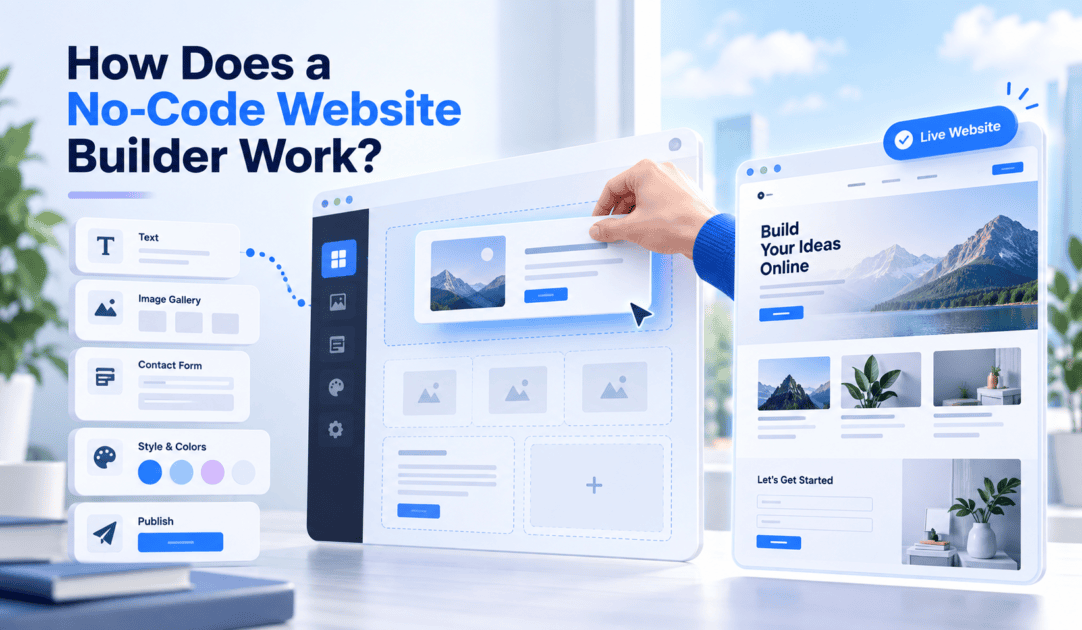
Key highlights
- Understand visual editor mechanics to publish custom web pages without writing code.
- Master visual layout tools to arrange text, media and design elements across all screen sizes.
- Discover how underlying platform scripts generate structured HTML and CSS automatically.
- Learn how you use a no code website builder to organize content and launch a site quickly.
- Identify integrated features for search engine optimization, website security and online store management.
Type a description of your business, and a working website can appear in front of you within minutes, with no code editor in sight. That is the appeal of a no-code website builder, but the process running underneath the screen is more layered than it looks.
A no-code website builder works by turning your visual choices or written instructions into structured website content, then assembling that content into design components, converting the result into pages a browser can display and publishing the outcome through hosting and a connected domain.
You manage the outcome through a visual editor or a plain-language prompt, while the platform manages the code, the layout logic and the server work behind it.
The sections below walk through each stage of that process, from your first description to the moment the site goes live, including what happens when you edit, preview and publish.
Quick answer: How does a no-code website builder work?
A no-code website builder works by converting your input, whether that is a selected template or a typed description, into structured content and design settings. It then assembles prebuilt components into pages, applies responsive layout rules and publishes the finished site through hosting and a connected domain, so you never touch the underlying code directly.
The full process happens in six stages, moving from your first input to a site your visitors can open in any browser.
| Stage | What happens |
| 1. Describe or select | You type a description of your business or pick a starting template. |
| 2. Convert to instructions | The builder turns your input into structured content and style settings. |
| 3. Assemble components | Prebuilt sections such as headers, galleries and forms fill in the page. |
| 4. Edit visually | You adjust text, images and layout using drag-and-drop tools or plain-language prompts. |
| 5. Render responsively | The system generates browser-ready pages that adjust to any screen size. |
| 6. Publish and host | Hosting infrastructure connects your domain and SSL certificate so the page loads for visitors. |
Each stage relies on a different piece of technology working behind the interface, which is worth understanding if you want to know what the builder is actually doing every time you click a button. If you would rather watch this happen than read about it, Bluehost AI Website Builder walks through these same six stages starting with a short description of your business.
What happens behind the scenes in a no-code website builder?
Behind every visual edit, the builder is quietly translating your choices into code, storing them as reusable pieces of content and design, and preparing them for display in a browser.
1. Your input becomes structured website instructions
When you use a no-code website builder, the actions you take are converted into structured data that the platform can understand and use to build your site.
- Your input becomes structured data: Prompts, template selections and visual adjustments are saved as structured information rather than freeform text.
- Content is separated from styling: The platform distinguishes content such as headings and body copy from style settings such as fonts and colors.
- Layout settings define placement: These settings determine where each element appears on the page.
- Changes can be applied consistently: Because these elements are separated, you can change a font across your entire site without rewriting any content.
This structure gives the builder a clear set of instructions to follow as it creates and updates your website.
2. Prebuilt components build each page
Instead of building each page from raw code, the builder pulls from a library of reusable website components that already know how to display correctly.
- Header and navigation blocks that link to your other pages.
- Text and image sections for your main content.
- Galleries for showcasing products or work.
- Forms for contact requests, bookings or signups.
- Buttons that connect to actions like checkout or scheduling.
In a no-code website builder, your page is a set of components arranged in a particular order, with your content dropped into each one.
3. The rendering system creates browser-ready pages
Once your content, styles and layout are structured, the rendering system turns those instructions into pages that a browser can display.
- The rendering engine processes your settings: It takes the structured content, style and layout information you’ve created.
- It creates browser-ready output: These instructions are converted into HTML, CSS and JavaScript that a browser can read.
- Platforms may handle rendering differently: Some generate the output once and store it as static files, while others build the page each time a visitor requests it.
- The result remains the same for visitors: The page appears on screen regardless of which rendering method the platform uses.
This rendering process is what turns the website instructions you’ve created into an actual page that visitors can view.
4. Responsive rules adapt the layout across devices
With the page rendered, the next step is making sure it works properly across different screen sizes and devices.
- The layout responds to the screen: A responsive layout rearranges the same page based on the device being used.
- Breakpoints guide these changes: The system applies preset screen widths to determine how the layout should adjust.
- Elements are reorganized automatically: Columns can change, images can resize and sections can stack differently for desktop, tablet and mobile visitors.
- You usually don’t need to set these rules: They are built into the components you place on the page.
Together, these responsive rules help ensure the same website remains usable and readable across different devices.
5. Hosting and domains make the website accessible
None of the previous steps matter to a visitor until the site is actually reachable online. Once the website is built and optimized for different devices, it still needs to be available online for visitors to access it.
- Web hosting stores your website: Your site’s files are stored on a server that stays connected to the internet.
- Your domain points visitors to that server: When someone enters your domain name in a browser, the request is directed to your hosting server.
- SSL protects the connection: A Secure Sockets Layer (SSL) certificate encrypts the connection between your website and the person viewing it.
- The server delivers the rendered page: The browser sends a request to your hosting server, which sends the rendered pages back within a fraction of a second.
With the technical pieces covered, the next question is simpler: what do you actually click through, in order, to get from a blank screen to a published site?
How do you use a no-code website builder step by step?
Using a no-code website builder involves seven consistent stages, whether you follow a tutorial closely or work through it on your own.
- Describe your website or choose a starting design. Type a short brief about your business or pick a template close to what you want.
- Review the initial website structure. The builder generates a first version with pages, sections and placeholder content already in place.
- Customize the content and design. Swap text, images, colors and fonts using the visual editor or follow-up prompts.
- Add the required website functionality. Insert contact forms, booking tools, payment options or other integrations your site needs.
- Preview and test the website. Check how the pages look and behave, then adjust anything that feels off.
- Connect a domain and publish. Point an existing domain at the site, or use one included with your hosting plan, and publish it live.
- Edit and update the website after launch. Return to the editor whenever you want to change content, add pages or adjust the design.
None of these steps require you to open a code editor, but each one still produces real code in the background, which is the part most quick tutorials skip over.
Does a no-code website builder still use code?
No. A no-code website builder still relies on HTML, CSS and JavaScript to display your site in a browser, exactly like a hand-coded site does. The platform generates and manages that code for you, so you never have to write or edit it directly.
What varies by platform is how much of that underlying code you can see or take with you. Some builders let you view or export source files if you decide to move your site elsewhere, while others keep the code fully managed and inaccessible. If long-term portability matters to you, it is worth checking a platform’s export options before you build, rather than after.
How AI changes the no-code website-building process
Artificial Intelligence (AI) adds an extra translation step at the very start of the process, turning a written description into a first draft of your website before you ever open the visual editor. AI-assisted website generation typically follows four steps once you provide that description.
- Interpreting the brief: the AI in a no-code website builder reads your description and identifies the type of business, likely pages and a probable design style.
- Asking clarifying questions: many no-code website builders ask a small number of follow-up questions about industry, goals or preferred style to narrow the result.
- Generating a first version: the system produces a working draft with pages, layout and starter content already filled in.
- Refining your no-code website through instructions: instead of dragging elements around, you can type a request such as “make the header darker” and the AI applies the change.
The visual editor at the heart of a no-code website builder still sits underneath all of this, so anything AI generates can be adjusted by hand afterward. AI shortens the distance between an idea and a first draft, but it does not remove the review and editing stages a person still needs to complete.
Which features matter most in a no-code website builder?
Before choosing a builder, check what happens after the first draft. A useful platform gives you control over design, publishing and future changes without hiding key limits.
| Feature | Why it matters | What to verify |
|---|---|---|
| Visual and AI editing | Lets you revise pages without code. | Look for real-time previews, editable designs, clarifying questions and a stated monthly AI edit allowance. |
| Responsive components | Reusable sections keep pages consistent on phones and desktops. | Preview mobile layouts and confirm you can reuse headers, forms and calls to action. |
| SEO controls | Search Engine Optimization helps pages appear in search results. | Check title, description, image-alt-text and URL controls. Yoast Premium is one example of added guidance. |
| Store tools | Products, payments and inventory need more than a basic page. | Confirm eCommerce features, such as WooCommerce plugins, fit your selling needs. |
| Publishing and protection | Domains, hosting, SSL, backups and security keep a site available and protected. | Ask what is included. Free Let’s Encrypt SSL and Monarx P2 security are examples of plan features to check. |
| Support, cost and portability | Limits and lock-in affect long-term ownership. | Review support hours, renewal pricing, visitor or storage caps and whether you can export content or source files. |
How Bluehost AI Website Builder takes an idea live
Modern platforms remove the technical friction of web design by turning straightforward ideas into functional digital storefronts and portfolios. If you want to understand how you use a no-code website builder to launch a project, the process relies on guided prompts, visual adjustments and automated setup.
Step 1: Define your project
Start by describing what you want to build and answering a few setup questions. For example, imagine creating a website for a small pottery studio in Denver that offers beginner classes and sells handmade mugs.
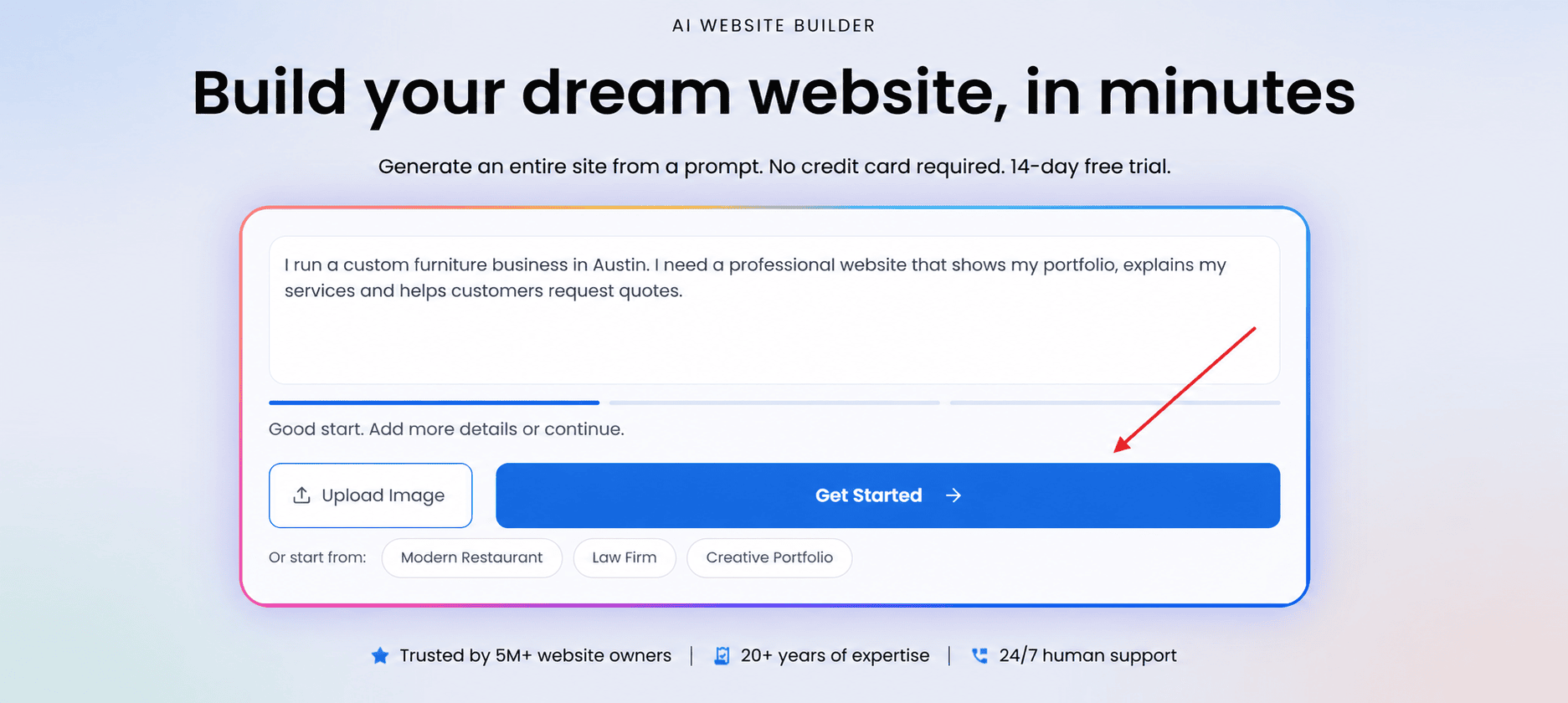
You enter this description as your initial prompt. Bluehost AI Website Builder then asks up to five follow-up questions about your preferred tone, business goals and eCommerce needs. Your answers help shape the project before the site is generated.
Step 2: Review and customize your site
The builder creates a draft with key pages and relevant content, such as a homepage, class schedule and product catalog.
You can then request changes through conversational prompts instead of manually rearranging page elements. Ask the builder to adjust colors, add a testimonial section or make other design changes, and it updates the layout for you.
Step 3: Test and prepare to publish
Preview your site from a visitor’s perspective and click through each page to check the navigation, copy and visuals.
Once you’re happy with the structure, the publishing process connects your custom domain, provisions an SSL certificate and activates hosting, security monitoring and automated backups. Bluehost also offers a 14-day free trial with no credit card required to start.
Step 4: Add your personal touch
AI can create a working website quickly, but your input helps make the content feel authentic. Refine headlines, workshop descriptions and other copy to reflect your brand and connect with your audience.
For the Denver pottery studio, that could mean rewriting class descriptions to speak directly to local students and adding details that make the business unique.
Taking a site live doesn’t require specialized technical expertise. With conversational setup, visual customization and automated configuration, Bluehost AI Website Builder helps you turn an idea into a complete web presence.
Is a no-code website builder right for you?
Yes, a no-code website builder is a strong fit when you need a professional site quickly and prefer managing content over managing technology. It suits small businesses, bloggers, creators and straightforward eCommerce shops, especially when speed, predictable costs, visual control and simple updates matter most.
A conversational AI builder, a template-based builder or a WordPress-based visual builder each offers a different balance of guidance and flexibility. Bluehost AI Website Builder suits time-strapped beginners who want to watch edits happen in real time, work without seeing a content management system and access 24/7 human support.
Choose a no-code approach if you:
- Need to launch a brochure site, portfolio, blog or basic store without hiring a developer.
- Want to update pages, images and promotions yourself with visual controls.
- Prefer a no-code website builder to handle hosting, maintenance and routine technical work.
Consider a more code-enabled option if you:
- Require direct source-code access, full export options or control over your hosting infrastructure.
- Plan highly custom workflows, unusual integrations or functionality beyond available components.
- Need a site architecture that developers can extend without platform limits.
Final thoughts
Once you see how a no-code website builder works underneath the interface, the technology stops feeling like magic and starts feeling like a system you can predict. Every drag, prompt and click you make is being converted into real code, assembled into components and delivered through hosting infrastructure that most people never have to think about. The more builders lean on AI to handle that translation, the faster the gap closes between describing a website and publishing one.
If you have an idea for a website, the fastest way to understand the process is to run it through one. Get started with Bluehost AI Website Builder and turn your first description into a live draft in minutes.
FAQs
Yes. No-code website builders let you build a complete site through a visual editor or written prompts, while the platform generates the HTML, CSS and JavaScript in the background. You control layout, content and design without opening a code editor at any point.
Dragging an element onto the page tells the builder where to place a prebuilt component, such as a text block or image, within the page’s layout grid. The system saves that placement as part of the page’s structured data, which the rendering engine uses to display the element correctly across screen sizes.
Most builders generate actual HTML and CSS output, though the process differs by platform. Some produce static files you could technically download, while others build the page dynamically each time a visitor loads it, using stored settings rather than fixed files.
Yes. Publishing does not lock the site. You can return to the visual editor at any time to update text, swap images, add pages or adjust the design, and most changes go live again as soon as you republish.
In a no-code website builder, clicking publish sends your finished pages to a hosting server, connects your domain and applies an SSL certificate so the site loads securely. From that point, anyone who enters your domain in a browser is served the live version of your pages.

Write A Comment