 ChatGPT,
 Claude,
 Gemini,
 Grok — all four for
Key highlights
- Learn what the Grok AI memory feature remembers about you and how it shapes later answers.
- Discover where Grok keeps its data controls so you can review, delete or pause what it keeps.
- Know what happens to your conversations after you delete them and how long removal can take.
- Understand how the training opt-out works and why it sits apart from your memory settings.
- Compare Grok memory controls with ChatGPT and Gemini so you can manage context in each tool.
The Grok AI memory feature lets Grok, the assistant from SpaceXAI (formerly xAI), remember your preferences and past conversations so later answers feel more personal. Grok’s official feature list calls it “Memory across chats,” and you can manage your related data settings in Grok’s Data Controls.
That answer still leaves practical questions. What does Grok keep, what does deleting a chat do and is your data used for training? The company joined SpaceX in February 2026, so you’ll now see the SpaceXAI name on official policy pages.
This guide explains how Grok memory works and where its controls live. You’ll also see what deletion and training mean for your data and how Grok compares with ChatGPT and Gemini.
What is the Grok AI memory feature?
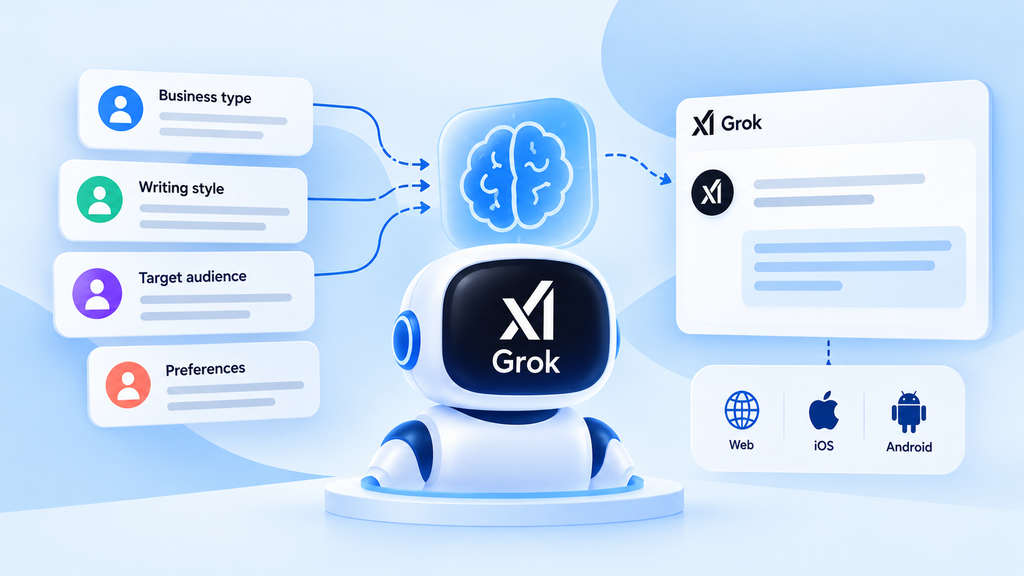
The Grok AI memory feature is Grok’s ability to carry your preferences and details from earlier conversations into new ones. So yes, Grok does have memory, and it can recall what you’ve shared before when it’s relevant.
Memory first launched in beta in April 2025 on grok.com and the Grok iOS and Android apps, according to launch-time reporting. The current feature page lists memory alongside Grok’s other features and says Grok is free to try on the web and in the apps.
For a busy owner or marketer, memory means you repeat less context. If Grok knows your business type, writing style or usual audience, its drafts and recommendations can start closer to what you need. SpaceXAI doesn’t publish a plan-by-plan breakdown for memory, so check your own account to see what applies to you.
How Grok memory works across your chats
Grok memory works by carrying selected details from past chats into new ones, alongside what you type in the current chat. Knowing which part does what helps you predict when Grok will recall something.
1. Memory vs the context window
The context window is everything Grok can see inside your current chat, such as your messages and its replies. Memory works across chats and carries selected preferences and details from earlier conversations into new ones.
Think of the context window as a whiteboard you wipe after each meeting and memory as the notes you keep. SpaceXAI doesn’t publish how Grok picks what to recall. Expect it to draw on what seems relevant to your current question.
2. Why Grok memory can feel inconsistent
Grok memory can seem to stop working for reasons tied to your chat history, account or settings. These situations are worth checking first. Each one points to a setting or habit you control.
- Private Chat: Conversations started with the ghost icon aren’t saved to your chat history, so you can’t return to them later.
- Deleted conversations: Chats you delete disappear from your history, so you can’t reopen them for context.
- Grok on X: Grok inside X runs under X’s Grok settings and privacy policy, which differ from grok.com.
- Different accounts: Signing in with another login can leave Grok without the context from your usual account.
- Settings turned off: If a memory or personalization option in your settings is off, Grok may answer without past context.
The quickest fix is to restate key context at the start of an important chat. A two-line summary of your business, audience and goal gives Grok what it needs, whatever memory recalls.
3. Grok Build and Grok Bot keep separate memories
Grok’s help FAQ says Grok Bot isn’t the same as Grok on grok.com or the Grok mobile apps. Grok Build is SpaceXAI’s coding agent, a different product from the Grok chat app. If you’ve seen memory commands or file browsers mentioned online, they likely refer to one of these products.
Grok Build memory, announced September 16, 2026, gives the coding agent its own memory files and commands. Its /memory command opens a read-only browser of memory files, and /dream consolidates notes. Each project has a workspace scope, and a global scope holds preferences that apply everywhere.
Grok Bot memory works per Bot, so each Bot keeps its own preferences, facts and summaries from its work. Manage each product’s memory where you use it.
Where you can use Grok memory

Grok memory is part of Grok on the web at grok.com and in the Grok iOS and Android apps. Where you use Grok also decides which privacy rules and settings apply.
That matters if you use Grok in more than one place or for work. Each option below has its own rules.
- Web and apps: The Grok overview says Grok is free to start and paid SuperGrok plans raise limits. SpaceXAI doesn’t list memory limits by plan.
- Grok on X: Grok inside the X app follows X’s privacy policy and settings, so its controls differ from grok.com.
- Business and Enterprise: Business and enterprise accounts are covered by separate SpaceXAI terms for data use.
Regional availability can differ too, which the FAQs below cover.
How to check, delete and turn off Grok memories
You can check, delete and limit what Grok keeps from one place: Data Controls in Grok’s settings. Labels can vary by app version, so look for the closest match if a name below differs slightly in your app.
1. Open Data Controls in Grok settings
On grok.com or in the Grok app, open your profile, then go to Settings and select Data Controls. That path matches the help documentation for Grok’s data controls, and it’s your starting point for the steps below.
SpaceXAI’s consumer FAQ notes that on the web, some options appear under Settings > Data instead. Labels can vary by app version, so your app may group the options a little differently.
2. Review what Grok uses from past chats
Ask Grok directly what it remembers about you, then read its answer for anything outdated or too personal. Next, check the memory and personalization options in Data Controls to see what’s switched on.
An option to personalize Grok using X relates to your X data, so treat it as a separate setting. If you spot details you’d rather Grok didn’t use, the next two steps show how to remove chats and change settings.
3. Delete conversations you don’t want remembered
Delete individual chats from your chat history to remove them one at a time. To clear everything at once, SpaceXAI’s consumer FAQ points to Delete All Conversations in Data Controls. Download a copy first if you want a record (see step 6).
The SpaceXAI privacy policy says deleted conversation data is removed within 30 days. SpaceXAI can keep data longer when it’s needed for legal, compliance or safety purposes.
4. Turn off memory and training options
Memory and training are separate settings, so decide on each one. To stop Grok drawing on past chats, look for a memory or personalization option in Data Controls. At launch, TechCrunch reported that memory could be switched off from this page.
To keep new conversations out of model training, turn off Improve the model. SpaceXAI’s consumer FAQ places it under Settings > Data Controls on mobile and Settings > Data on the web. The opt-out applies to new conversations, and thumbs-up or thumbs-down feedback may still be used.
5. Use Private Chat for one-off questions
Private Chat suits sensitive one-off questions. Where it’s available, start one by tapping the ghost icon at the top right of a new chat.
SpaceXAI’s consumer FAQ says Private Chat conversations aren’t shown in your history and are deleted from SpaceXAI systems within 30 days. It also says they aren’t used for model training.
6. Download your Grok data
SpaceXAI’s consumer FAQ says you can download your data from Settings or Data Controls on grok.com or in the Grok app. Download a copy before you delete chats so you keep a record of useful prompts and answers.
What happens to Grok memories when you delete chats?
When you delete conversations or your account, SpaceXAI says it deletes the data within 30 days. The exception is data it must keep for legal, compliance or safety purposes.
Grok’s help FAQ says a deleted account can be restored within 30 days by logging in again and confirming. So if you’re asking whether Grok remembers deleted conversations, start a new chat after a cleanup and ask what it still knows about you.
Other tools handle this differently. OpenAI’s memory help article says deleting a chat doesn’t automatically delete a separate saved memory in ChatGPT.
Pro tip: If you’ve used Grok and ChatGPT for the same project, clean up memory in each tool. A deletion in one app leaves the other app’s memory as it was.
Is your Grok memory used to train AI models?
Is your Grok memory used to train AI models?
Short answer: It depends on your account type. For consumer accounts, yes, by default, but you can opt out.
| Account type | Used for training? | What to know |
|---|---|---|
| Consumer Grok | May be | Turn off Improve the model to opt out. It only covers new conversations, so set it before sharing anything sensitive. |
| Business, enterprise and API | No | SpaceXAI’s enterprise FAQ says it doesn’t use this data to train its models. |
| Grok on X | Follows X’s rules | Covered by X’s privacy policy instead. |
Why these settings matter
- People are uneasy. A Pew Research Center survey of 5,119 US adults (February 2026) found 71% predict AI will make their personal information less secure.
- Training on chats is common. A Stanford HAI review (October 2025) found all six companies studied (Amazon, Anthropic, Google, Meta, Microsoft and OpenAI) use chat data for training by default. xAI wasn’t included.
- Regulators are watching. In September 2025, the FTC opened an inquiry into AI chatbots and asked seven companies, including X.AI Corp, how they use personal information from conversations. It’s a study, with no finding of wrongdoing.
Next step for your business: Check your Data Controls before you share client names, pricing plans or customer details with Grok.
Grok vs ChatGPT vs Gemini memory compared
Yes, Grok has memory like ChatGPT and Gemini, though each tool sets its own rules for managing and removing it. Pew’s 2026 survey found 44% of US adults use ChatGPT, 24% use Gemini and 8% use Grok. You may be managing memory in more than one of them.
For a wider feature view, see Gemini and ChatGPT compared. The table uses four criteria that shape your daily control: where settings live, how removal works, private chat options and training control. Grok entries follow SpaceXAI’s privacy policy and consumer FAQ, and ChatGPT entries follow OpenAI’s memory help article.
| Tool | Where to manage memory | How to remove remembered info | Private or temporary chat | Training control |
|---|---|---|---|---|
| Grok | Profile > Settings > Data Controls (labels can vary by app version) | Delete chats or use Delete All Conversations; per-memory steps not documented by SpaceXAI (launch reporting described deleting individual memories) | Private Chat: not shown in history, deleted within 30 days, not used for training | Improve the model setting, which covers new conversations |
| ChatGPT | Settings > Personalization > Memory | Manage saved memories in Memory settings; deleting a chat doesn’t automatically delete a saved memory | Temporary chats don’t create or update memories | Improve the model for everyone setting |
| Gemini | Personal Intelligence > Memory, per Google’s Gemini memory help page; needs age 18+, a personal Google Account and Keep Activity on | Delete the chats that contain the information | Temporary chats are kept 72 hours, per the Gemini Apps Privacy Hub | Temporary chats aren’t used to train Google’s models |
The controls look similar, but deletion rules differ, so learn each tool’s rules before you rely on a cleanup. To go deeper on OpenAI’s side, read how ChatGPT handles your chats.
Tips for using Grok memory without oversharing

A practical approach is to treat Grok memory as a helpful notebook you still control. A few habits keep useful context in and sensitive details out. They also help when you switch between AI tools.
- Keep secrets out: Leave passwords, client records and payment data out of AI chats. Bluehost’s guide lists more sensitive data to keep out of AI chats.
- Review settings after updates: App labels and options can change, so recheck Data Controls after major Grok updates.
- Use Private Chat for sensitive one-offs: Ask quick questions about contracts or personal topics in Private Chat to keep them out of your history.
- Restate key context in important chats: Open with a short summary of your business and goal so answers stay on track.
- Clean up memory in every tool you use: SpaceXAI doesn’t document an import tool for ChatGPT or Claude memory, so manage each tool separately.
Memory and continuity are worth weighing when you choose AI tools, as our roundup of ChatGPT alternatives worth comparing explains.
Also read: Get the details in our Chat Memory and Import Memory update.
Final thoughts
The Grok AI memory feature is most useful when you decide what it keeps. Open Data Controls today and set memory, training and deletion the way you want before your next important chat.
If you use Grok alongside ChatGPT, Gemini and Claude, AI All-Access Pack gives you access to all four in one Bluehost dashboard. Its Chat Memory keeps useful context across conversations, so you repeat less as you move between tasks. Explore AI All-Access Pack to compare models from one place.
FAQs
Grok memory wasn’t available in the European Union (EU) or United Kingdom (UK) when it launched in April 2025, according to launch-time reporting. SpaceXAI hasn’t published current regional availability for memory. If you’re based in either region, open Data Controls in your own account to see which memory and personalization options appear for you.
SpaceXAI doesn’t document an import tool for bringing ChatGPT or Claude memory into Grok. As a workaround, ask your other assistant to summarize your preferences and recurring tasks. Remove anything sensitive, then paste that short summary at the start of a new Grok chat.
Grok on X follows X’s own privacy policy and settings, separate from grok.com and the Grok apps. X’s Help Center says to delete Grok conversation history at Settings > Privacy and safety > Data sharing and personalization > Grok > Delete Conversation History. SpaceXAI doesn’t publish separate memory details for Grok on X, so review both sets of settings if you use both.
No, SpaceXAI’s enterprise FAQ says data from business and enterprise customers, including prompts and outputs, isn’t used to train its models. Those inputs and outputs are deleted within 30 days unless otherwise agreed or legally required. SpaceXAI says it may sometimes offer free credits in exchange for permission to train, so read any offer terms closely.

Write A Comment