 ChatGPT,
 Claude,
 Gemini,
 Grok — all four for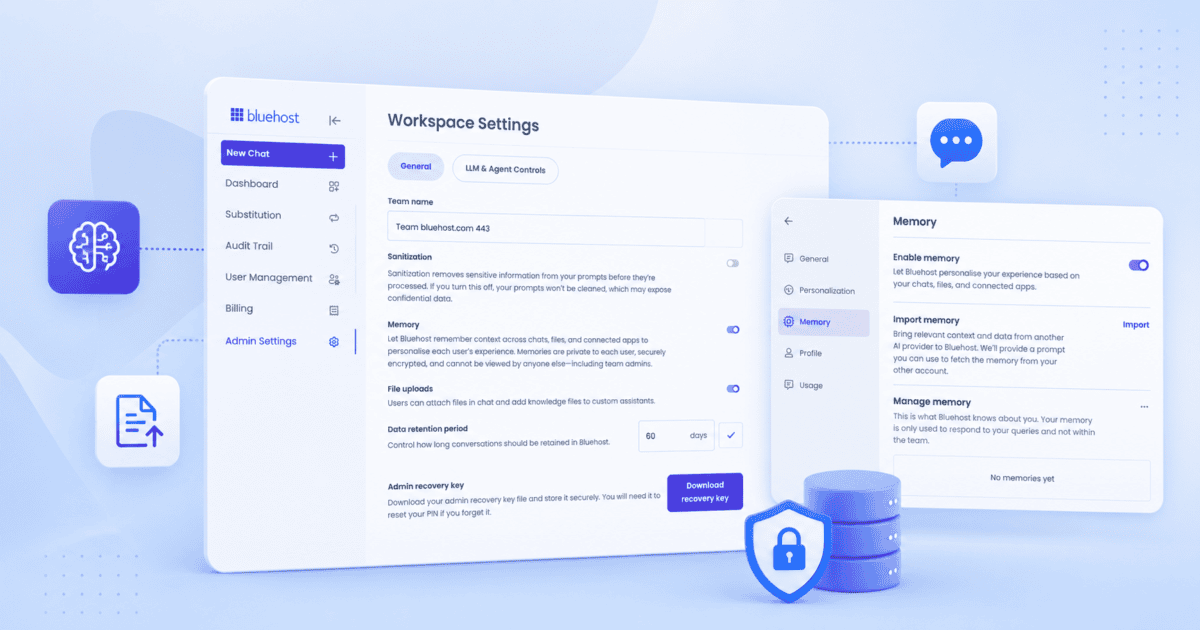
Key highlights
- Learn how Chat Memory retains context across conversations, so you stop repeating yourself constantly.
- Understand the tradeoff between Chat Memory and Chat Sanitization on Secure plans and the security guarantees.
- Explore how Import Memory carries your existing context from external AI tools such as ChatGPT, Gemini or Claude instantly.
- Uncover which upgraded model, Gemini or Grok, fits your specific task best going forward.
- Know how the recovery key banner helps admins avoid getting locked out of accounts.
Bluehost AI All-Access Pack just got four updates that make it more personal, more capable and more secure. Your AI assistant can now remember context across chats, you can bring memory over from other external AI tool, two of the bundled models just got smarter and admins have a simpler way to protect their accounts.
None of these changes require a new subscription or a new plan. They’re live right now for existing AI All-Access Pack users, and most of them work automatically in the background. Here’s what changed, why it matters and what you need to do to start using each one.
Chat memory: Your AI remembers you across conversations
If you’ve ever had to re-explain your business, your preferences or a recurring task in a new chat, Chat Memory can reduce that friction. It retains relevant details across conversations and use that context the next time you start a chat.
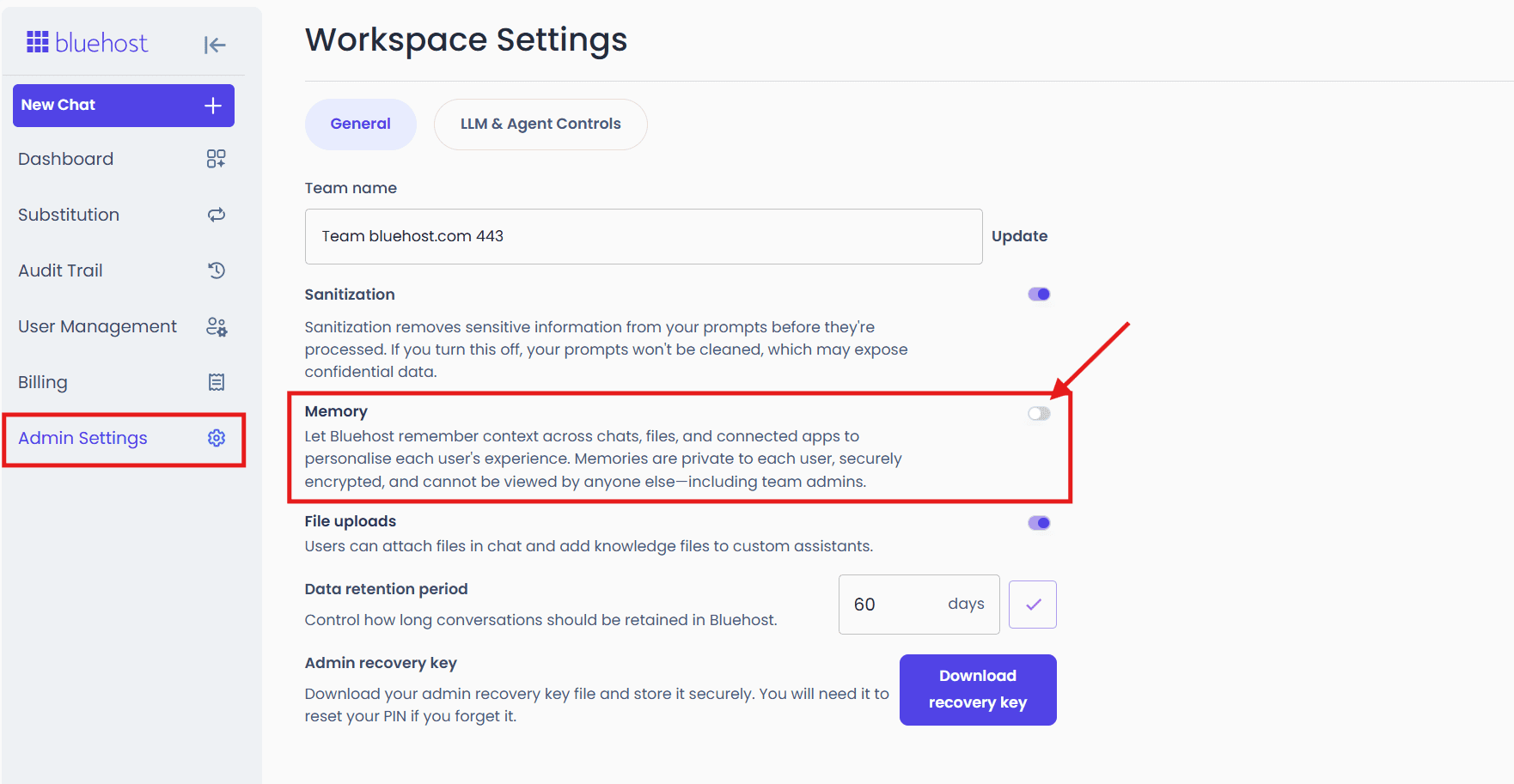
Availability depends on your plan:
- Standard plan: Chat Memory is on by default. Nothing to set up.
- Privacy+ plan: Admins choose between Chat Memory and Chat Sanitization, since the two can’t run at the same time.
On Secure plans, if an administrator enables Memory, Chat Sanitization must be turned off for conversations that use Memory. That doesn’t mean your data is less protected. Chats remain protected with end-to-end encryption for storage, while Zero Data Retention agreements with LLM providers ensure nothing is stored outside the tool.
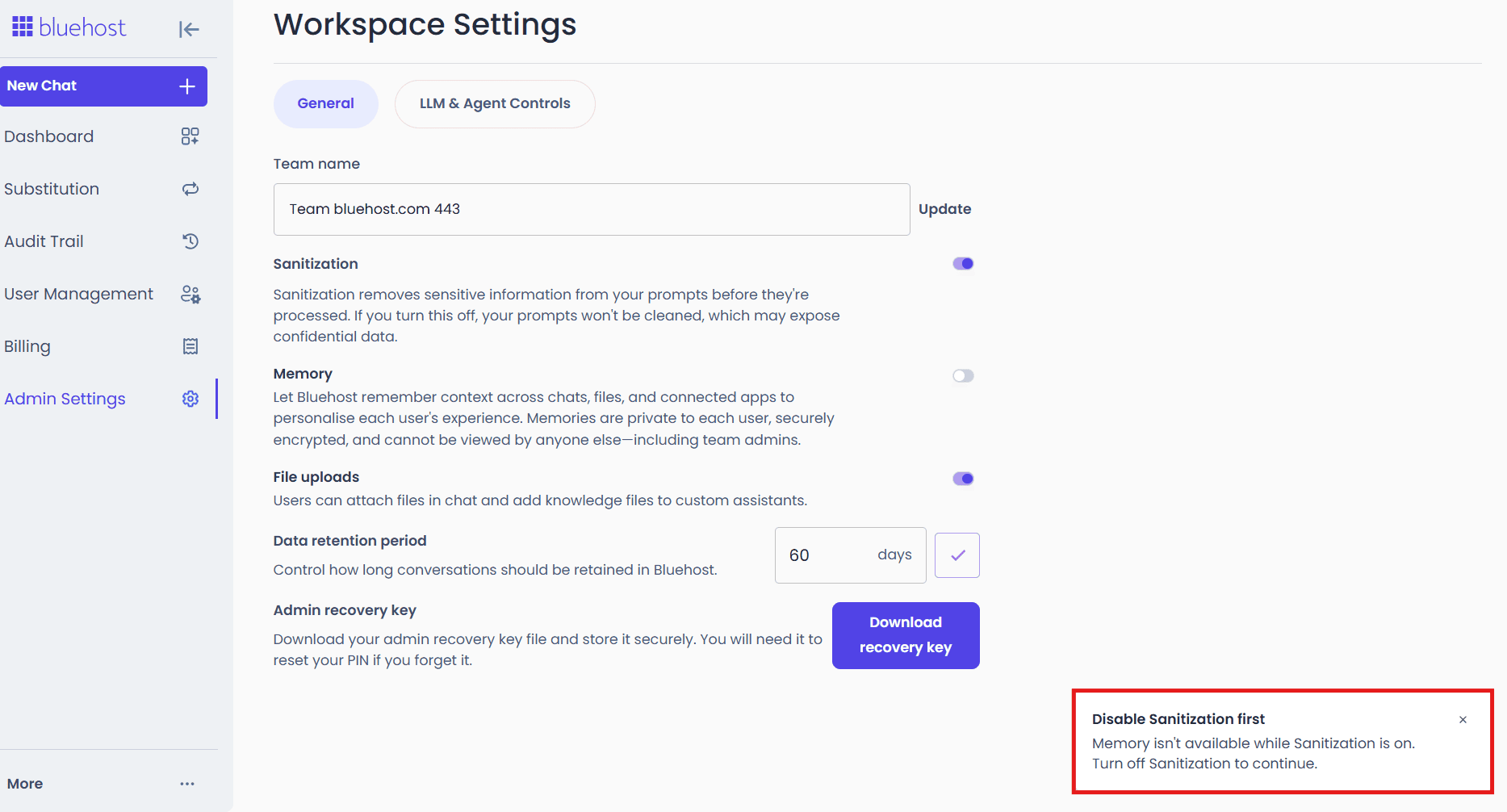
Once an admin turns Memory on, it’s enabled for the whole organization by default. Individual users can still turn it off for themselves in their personal settings if they’d rather not use it.
Chat Memory rolled out on 21, August 2026, and is available to all users.
Import memory: Bring your AI context with you
A lot of people already have months of context built up in ChatGPT, Gemini or Claude. Import Memory means you don’t have to rebuild all of that from scratch. Simply import them from your external AI tools and AI All Access will remember it for you.
Here’s how it works:
- Go to Settings in left menu.
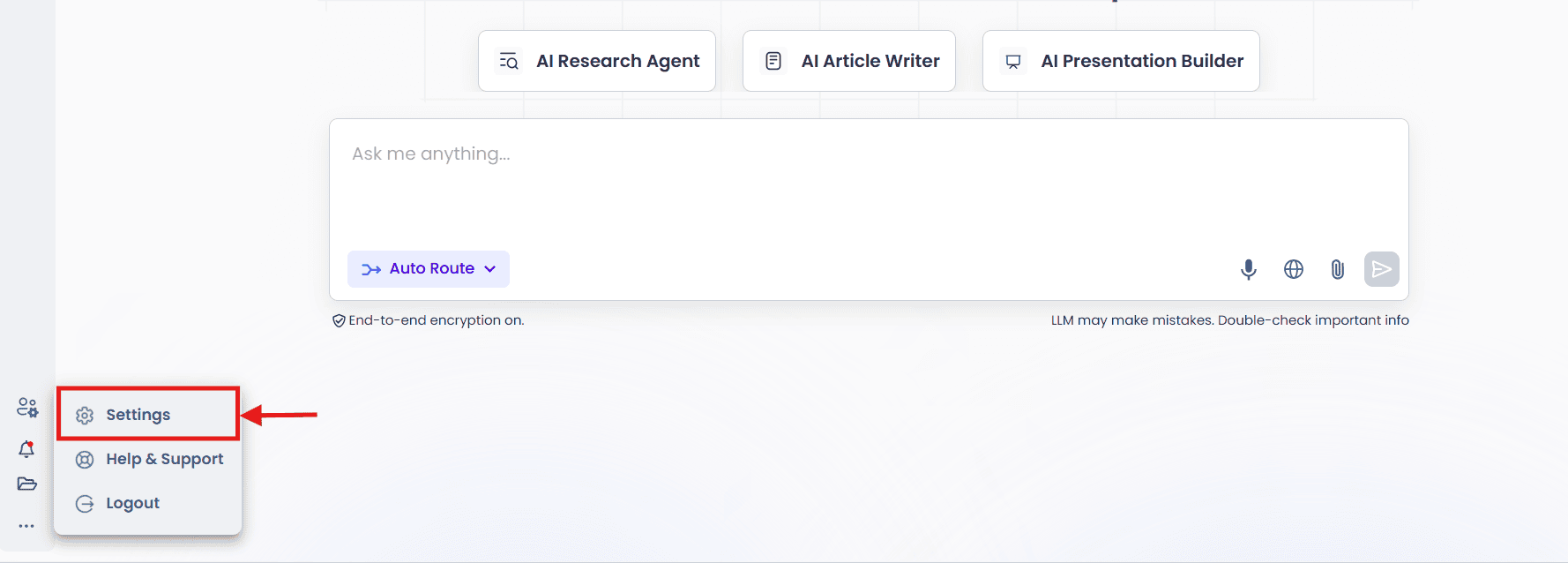
2. Then click on Memory.
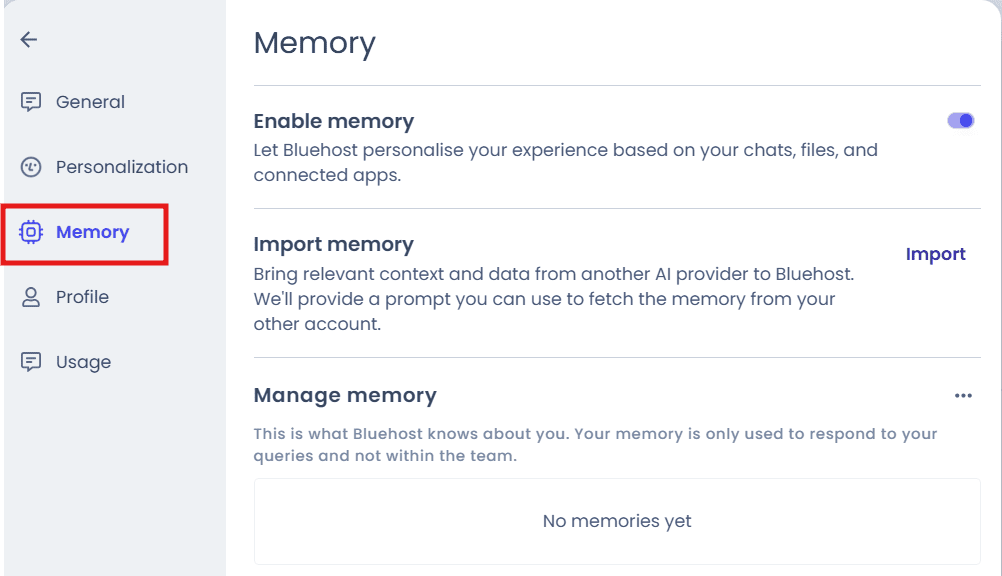
3. Now, click on Import Memory.
4. Copy the prompt shown in the popup and send it to your other AI assistant
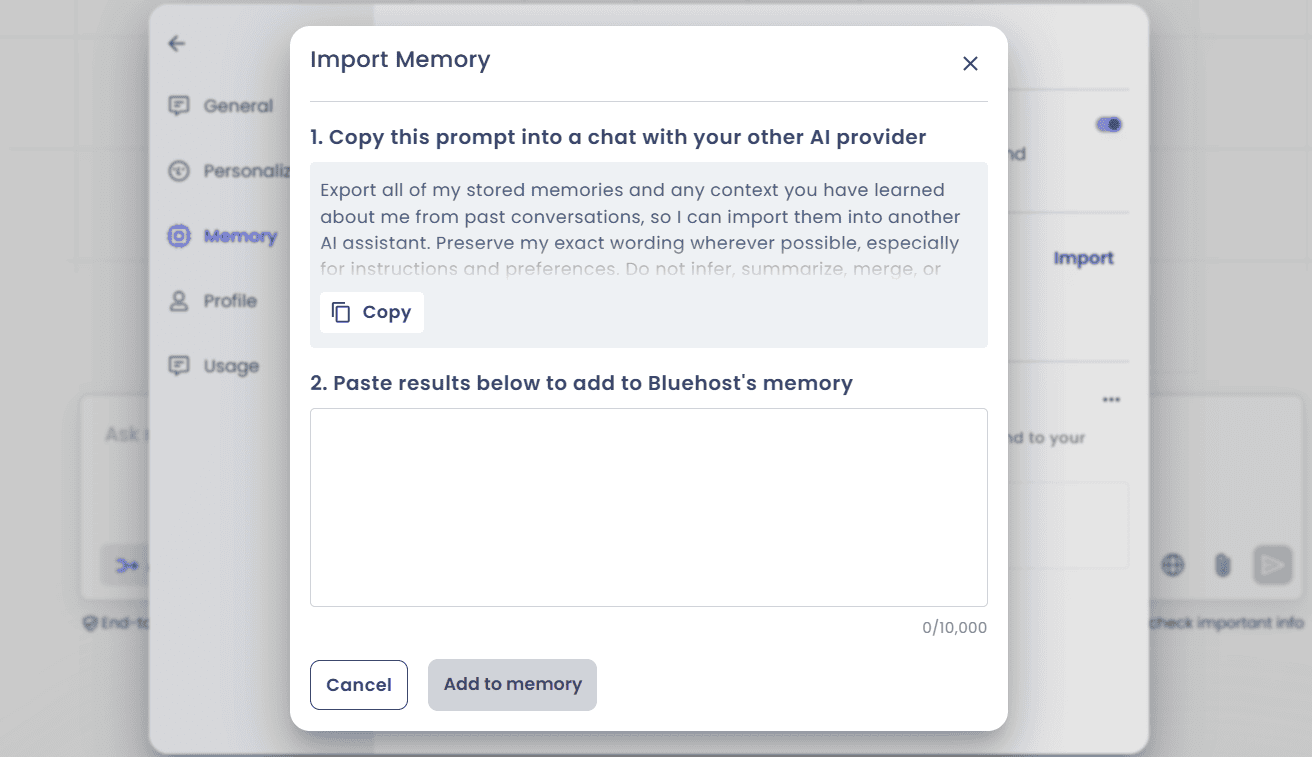
5. Paste that assistant’s response into the text box and click Add to Memory.
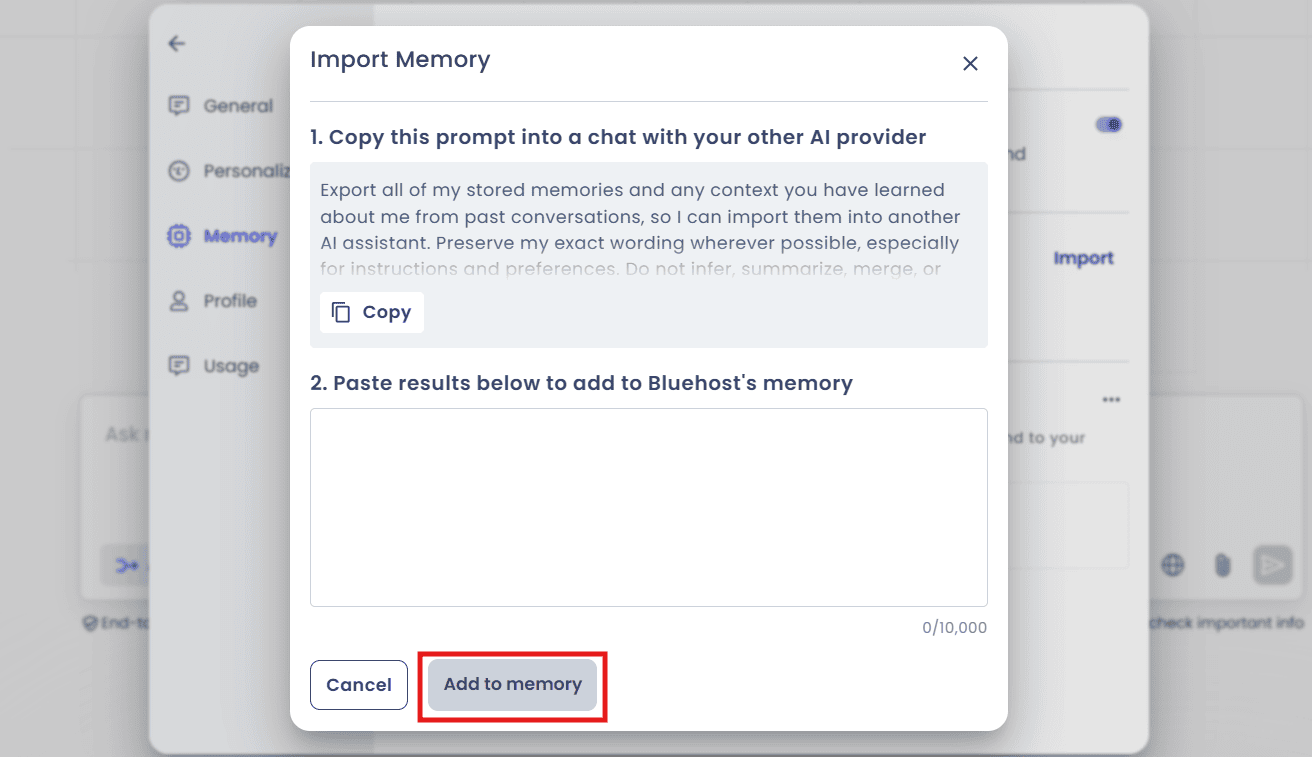
Once that’s done, your new assistant already knows your preferences, your background and the instructions you’d normally spend the first few sessions teaching it.
Import Memory rolled out on August 24, 2026, and is available to everyone on both the Standard and Secure plans.
Gemini 3.7 and Grok 4.6: Smarter models under the hood
Two of the four flagship models in your plan just got upgraded:
- Gemini 3.1 Pro, Gemini 3.7 Flash and Gemini 3.5 Flash-Lite
- Grok 4.5 is now Grok 4.6
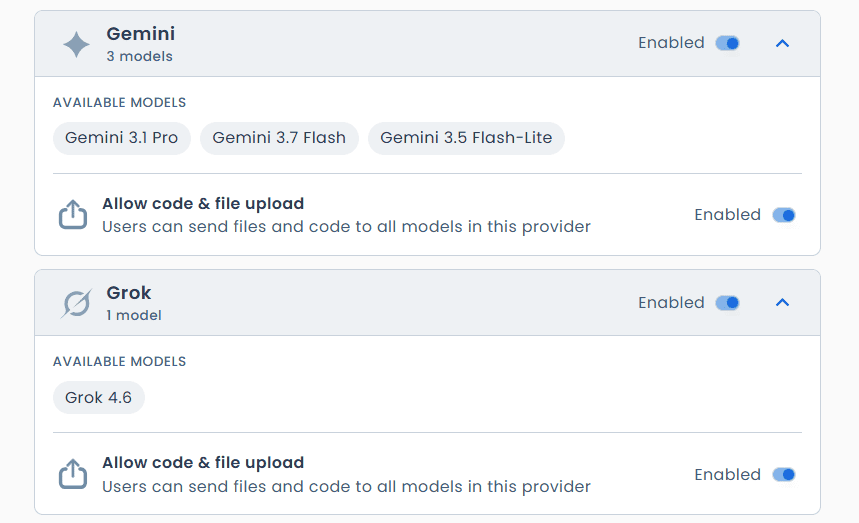
Both changes bring better performance and expanded capability. You don’t need to do anything. The next time you pick either model, you’re automatically on the newer version.
This sits alongside ChatGPT and Claude as part of the same AI All-Access Pack subscription, so you still get all four leading models in one place at one price. Each one tends to be strongest at something different:
- Gemini is good for research heavy questions that benefit from a wide range of source material.
- Grok tends to feel more natural for creative writing and brainstorming.
- Claude is a solid choice for coding and tasks that need precision.
- ChatGPT works well for everyday questions and getting organized.
Having all four in one dashboard means you can switch depending on the task instead of settling for whichever one you happen to have a subscription to.
Recovery key updates: One less way to get locked out
Recovery keys are easy to lose. They get buried in an inbox, forgotten about or accidentally deleted, and then an admin gets locked out of their own account at the worst possible time.
To cut down on that risk, admins now see a banner on the chat screen prompting them to download their recovery key directly, instead of relying on it sitting safely in an email somewhere. It’s a small change, but it closes one of the more common ways admins end up locked out.
Final thoughts
None of these updates are flashy on their own, but together they move Bluehost AI All-Access Pack closer to what it’s supposed to be. One dashboard, four leading models, an assistant that can retain relevant context across chats and account protections that stay out of your way until you need them.
If you haven’t logged in recently, this is a good time. Turn on Chat Memory, import your context from another assistant or just try a prompt on the newly upgraded Gemini or Grok. Everything covered here is live right now.
Questions about any of these features? Reach out to support and we’ll walk you through it.
FAQs
Yes. Import Memory lets you bring over context from another AI assistant, like ChatGPT, Gemini or Claude, so you don’t have to rebuild it from scratch inside AI All-Access Pack.
Yes. It’s available on AI All Access privacy+ plans. On Standard, it’s on by default. On Secure, an admin has to choose between Chat Memory and Chat Sanitization, since both can’t be active at once.
No. Conversations remain protected by end-to-end encryption, and every LLM provider we work with has a zero data retention agreement in place, so your data isn’t stored outside the platform regardless of whether Memory or Sanitization is turned on.
Import Memory lets you bring context you’ve already built up in another AI assistant, like ChatGPT, Gemini or Claude, into AI All-Access Pack. It’s available to all users on both Standard and Secure plans.
Go to Settings, then Memory, then Import Memory. Copy the prompt shown, send it to your other AI assistant, then paste its response back into the text box and click Add to Memory.
Gemini 3.6 was replaced with Gemini 3.7 and Grok 4.5 was replaced with Grok 4.6. Both updates bring improved performance, and there’s nothing you need to do to start using them.
No. All four updates are already live. Chat Memory and Import Memory may need to be turned on by an admin depending on your plan, but the model upgrades and the recovery key banner require no setup at all.

Write A Comment