 ChatGPT,
 Claude,
 Gemini,
 Grok — all four for
Key takeaways
- Self-hosted Odoo on a VPS gives you full control, better scalability and lower long-term costs than Odoo Online or Odoo.sh.
- Odoo needs more server resources than a typical business application. For stable production performance, most deployments should start with at least 2 vCPU and 4GB RAM.
- NVMe SSD storage is important for Odoo because PostgreSQL databases rely heavily on fast read and write speeds for reporting, inventory and accounting operations.
- The best Odoo hosting providers offer dedicated VPS resources, root access, vertical scaling and reliable infrastructure support instead of low-cost shared hosting.
- Choosing a scalable VPS early helps avoid migration issues, performance bottlenecks and downtime as your Odoo deployment grows.
Odoo is one of the most powerful ERP platforms for managing operations, inventory, accounting, CRM and sales in one place. But unlike a typical business website, Odoo places heavy demands on your server infrastructure. Poor hosting can lead to slow dashboards, delayed reports, database lag and downtime that directly impacts daily operations.
That is why choosing the best Odoo hosting matters from the start.
Many growing businesses and technical teams now prefer self-hosted Odoo on a VPS because it offers more control, better scalability and lower long-term costs than SaaS-based hosting options. With full root access, dedicated resources and the freedom to install custom modules, a VPS gives you the flexibility to run Odoo your way.
In this guide, we compare the best Odoo hosting providers and explain the server specs Odoo actually needs. We also help you choose the right VPS setup based on your workload and future growth plans.
Odoo hosting options explained
Before choosing an Odoo hosting provider, it is important to understand the different ways you can deploy Odoo. Your hosting setup affects everything from customization and performance to long-term costs and scalability.
For most businesses, the decision comes down to three options: Odoo Online, Odoo.sh and self-hosted VPS hosting.
Does Odoo offer hosting?
Yes. Odoo offers its own hosting platforms through Odoo Online and Odoo.sh.
- Odoo online is a fully managed SaaS version of Odoo designed for simple deployments with minimal setup.
- Odoo.sh is Odoo’s developer-focused cloud platform that supports custom modules and staging environments.
- Self-hosted VPS hosting gives you full control over the server, database and Odoo environment using your own infrastructure provider.
Each option serves a different type of user depending on technical experience, customization needs and growth plans.
Odoo online vs Odoo.sh vs Self-hosted VPS
| Feature | Odoo online | Odoo.sh | Self-hosted VPS |
| Root access | No | Limited | Yes |
| Custom modules | Limited | Yes | Yes |
| Pricing model | Per-user | Platform pricing | Flat VPS pricing |
| Data ownership | Limited | Partial | Full |
| Infrastructure control | No | Partial | Full |
| Best for | Small teams | Developers | Growing businesses |
Why Self-hosted VPS is the preferred choice for growing Odoo deployments
For small businesses with simple workflows, Odoo Online can work as a quick starting point. But as teams grow, many businesses run into limitations around customization, pricing and infrastructure control.
That is why self-hosted Odoo on a VPS has become the preferred option for developers, SaaS founders and growing companies.
A VPS gives you full root access to install custom modules, optimize PostgreSQL performance and configure the server around your workload. You also avoid the long-term cost challenges of per-user SaaS pricing since you pay for infrastructure resources instead of user seats.
Self-hosting also gives you direct ownership of your PostgreSQL database, backups and business data. That flexibility becomes increasingly important as your Odoo deployment grows and requires more performance tuning, integrations and scaling control.
What server specs does Odoo actually need?
One of the biggest mistakes businesses make with Odoo is treating it like a lightweight web application. In reality, Odoo is a resource-intensive ERP platform that depends heavily on CPU performance, RAM and database speed.
Your server requirements will vary based on the number of users, active modules and database size. A small CRM deployment needs far fewer resources than a full ERP setup running accounting, inventory, manufacturing and reporting workloads.
Why Odoo needs more resources than typical business apps
Odoo runs on a Python-based architecture with PostgreSQL handling all database operations. Every transaction, report, inventory update and workflow automation generates database activity.
As more modules and users are added, resource usage increases quickly. CPU and RAM often become bottlenecks first, especially when businesses run inventory management, accounting or multi-company environments.
This is why low-resource shared hosting plans usually struggle with Odoo performance in production environments.
Recommended Odoo VPS specs by business size
The right VPS configuration depends on your workload and expected growth. Starting with enough headroom helps avoid slowdowns and costly migrations later.
| Deployment size | Users | Recommended specs | Ideal workloads |
| Starter | 1–10 users | 2 vCPU, 4GB RAM, 50GB NVMe SSD | CRM, Sales, basic operations |
| Growth | 10–50 users | 4 vCPU, 8GB RAM, 200GB NVMe SSD | Accounting, Inventory, HR |
| Production | 50+ users | 8 vCPU, 16GB RAM, 450GB NVMe SSD | Manufacturing, multi-company ERP |
For most starter deployments, Bluehost VPS NVMe 4 plans provide enough resources to run Odoo smoothly. Growing ERP workloads typically benefit from NVMe 8 or higher plans with additional RAM and storage capacity.
Minimum vs recommended Odoo server requirements
Technically, Odoo can run on a server with 1 vCPU and 2GB RAM. But those minimum requirements are only suitable for testing or very small single-user environments.
For stable production use, most businesses should start with at least:
- 2 vCPU
- 4GB RAM
- NVMe SSD storage
- Dedicated VPS resources
Under-provisioned servers often lead to:
- Slow dashboard loading
- Delayed reports
- Failed cron jobs
- Database lag during peak usage
- Poor inventory and accounting performance
Choosing a scalable VPS early helps prevent these issues as your workload grows.
Why NVMe SSD storage matters for Odoo
Storage speed plays a major role in Odoo performance because PostgreSQL constantly reads and writes data in the background.
NVMe SSD storage delivers significantly faster read and write speeds than traditional SATA SSDs. That speed improvement helps:
- Load dashboards faster
- Improve reporting performance
- Reduce database query delays
- Handle large inventory and accounting operations more efficiently
For production Odoo environments, NVMe storage is no longer optional. It is one of the most important factors in maintaining consistent ERP performance at scale.
What to look for in an Odoo hosting provider
Not all VPS hosting providers are built for ERP workloads like Odoo. A low-cost server may work for small websites, but Odoo needs stable resources, fast storage and scaling flexibility to perform reliably in production.
Before choosing a provider, focus on the infrastructure features that directly impact performance, uptime and long-term scalability.
1. Infrastructure performance
Odoo relies heavily on PostgreSQL database operations, so server performance matters more than flashy hosting features.
Look for providers that offer:
- NVMe SSD storage for faster database reads and writes
- Modern CPUs that can handle multi-process workloads efficiently
- DDR5 RAM for better memory performance
- Reliable network uptime for uninterrupted business operations
Older SATA SSDs or oversold shared environments can quickly become bottlenecks as your database grows.
2. Root access and customization
One of the biggest advantages of self-hosted Odoo is complete infrastructure control.
Full root access allows you to:
- Install custom Odoo modules
- Configure PostgreSQL and Nginx
- Deploy Docker containers
- Set firewall and security rules
- Optimize the server for your workload
Without root access, customization and performance tuning become much more limited.
3. Vertical scaling without rebuilding
Odoo deployments rarely stay the same size for long. As users, modules and database activity increase, your server needs to scale with them.
A good Odoo hosting provider should let you:
- Upgrade CPU and RAM easily
- Increase storage without migrations
- Scale vertically without rebuilding the server
This flexibility helps avoid downtime and reduces operational complexity as your ERP workload grows.
4. Pricing transparency and long-term cost
Many businesses move away from SaaS hosting because per-user pricing becomes expensive over time.
With VPS hosting, you typically pay for infrastructure resources instead of user seats. That makes long-term costs more predictable, especially for growing teams.
When comparing providers, also look at:
- Backup costs
- Bandwidth limitations
- SSL pricing
- Migration fees
- Support charges
The lowest advertised price is not always the lowest total cost.
5. Support and reliability
Odoo often runs business-critical operations like accounting, inventory and order management. Even short periods of downtime can affect daily workflows.
Choose a provider with:
- Reliable uptime infrastructure
- DDoS protection
- 24/7 support availability
- Fast hardware and network response times
For self-hosted Odoo, infrastructure support is especially important because the hosting provider manages the server environment while you manage the Odoo application itself.
Best Odoo hosting providers for self-hosted deployments
Choosing the right Odoo hosting provider is not just about pricing. Odoo workloads rely heavily on CPU performance, RAM and database speed. Because of this, your hosting environment directly affects reporting speed, inventory updates, accounting workflows and overall system performance.
| Provider | Best for | Key strengths | Main limitations | Ideal Odoo workloads |
| Bluehost VPS | Growing businesses and production Odoo deployments | AMD EPYC CPUs, NVMe SSD storage, DDR5 RAM, full root access, one-click Odoo install, vertical scaling, automated backups, DDoS protection | Requires self-management of the Odoo application layer | Accounting, inventory, multi-company ERP, high-growth deployments |
| Hostinger VPS | Budget-conscious users and smaller deployments | Affordable pricing, NVMe SSD storage, full root access, flexible Linux environments | Limited advanced infrastructure support for larger ERP workloads | Odoo Community Edition, CRM, sales and lightweight workloads |
| DigitalOcean | Advanced DevOps and developer teams | API-driven infrastructure, Docker and Kubernetes support, cloud-native flexibility | Higher operational complexity and more manual management | Containerized Odoo deployments and developer-managed environments |
| Odoo.sh | Businesses already invested in the Odoo ecosystem | Native Odoo integration, Git-based workflows, staging environments | Limited infrastructure control and higher lock-in risk | Odoo-native development and managed deployment workflows |
The providers below are among the best options for self-hosted Odoo deployments based on infrastructure quality, scalability, customization flexibility and long-term value.
1. Bluehost
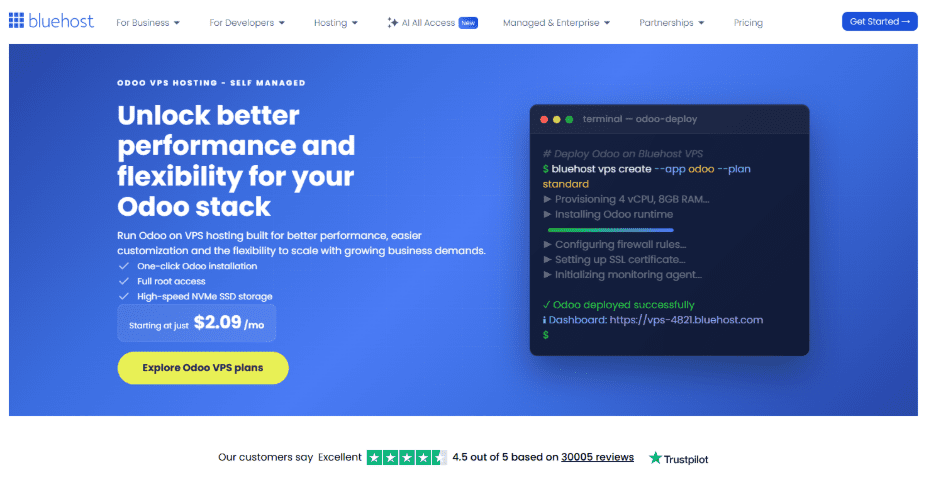
Bluehost VPS is designed for businesses that want the flexibility of self-hosted Odoo without dealing with the limitations of SaaS infrastructure. Our VPS platform is optimized for database-heavy applications and gives teams full control over their Odoo environment.
Key features include:
- AMD EPYC processors for strong multi-process performance
- NVMe SSD storage optimized for PostgreSQL workloads
- DDR5 RAM for faster memory handling
- Full root access for custom modules and server configuration
- One-click Odoo deployment templates
- Automated weekly backups and manual snapshots
- Vertical scaling without rebuilding the server
- DDoS protection and infrastructure-level support
| Bluehost VPS plan | Recommended Odoo use case |
| NVMe 4 | Small CRM and sales deployments |
| NVMe 8 | Accounting, inventory and growing ERP workloads |
| NVMe 16 | Production ERP and multi-company environments |
Bluehost VPS is best for growing businesses, SaaS founders and technical teams that need scalable infrastructure with predictable long-term costs instead of per-user SaaS pricing. Our platform also gives businesses full ownership of their PostgreSQL database, server stack and Odoo environment.
2. Hostinger
Hostinger VPS is a popular choice for smaller Odoo deployments because it offers affordable entry-level VPS plans with decent performance for lightweight workloads.
Key advantages include:
- NVMe SSD storage on most VPS plans
- Full root access
- Competitive pricing for smaller environments
- Flexible Linux server configurations
Hostinger works best for:
- Small businesses testing Odoo
- Developers running Odoo community edition
- Low-user deployments with lighter workloads
However, larger Odoo environments may eventually require stronger infrastructure and more advanced support. Businesses running inventory management, accounting or higher concurrent user loads may outgrow entry-level VPS plans quickly.
Hostinger is cost-effective for smaller Odoo deployments and entry-level workloads. However, production-scale ERP environments usually need stronger scaling flexibility and more reliable infrastructure support over the long term.
3. DigitalOcean
DigitalOcean is widely used by developers and DevOps teams that want cloud-native infrastructure and flexible deployment workflows for self-hosted applications.
Key strengths include:
- API-driven infrastructure management
- Flexible cloud VPS environments
- Strong Docker and Kubernetes ecosystem
- Developer-focused tooling and automation
DigitalOcean is a strong fit for:
- Experienced Linux administrators
- Containerized Odoo deployments
- Teams managing infrastructure through automation
The platform gives developers significant flexibility, but it also requires more hands-on infrastructure management compared to traditional hosting providers. Tasks like server optimization, backups, monitoring and security configuration are largely self-managed.
For businesses without dedicated DevOps resources, DigitalOcean may introduce additional operational complexity, especially as Odoo workloads grow.
4. Odoo.sh
Odoo.sh is Odoo’s official hosting platform built specifically for deploying and managing Odoo applications. It is designed primarily for developers and businesses already invested in the Odoo ecosystem.
Key capabilities include:
- Git-based deployment workflows
- Support for custom modules
- Staging and testing environments
- Integrated Odoo-focused management tools
Odoo.sh works best for:
- Existing Odoo users
- Development teams using Odoo workflows
- Businesses prioritizing simplified deployment
Unlike a VPS, Odoo.sh does not provide full infrastructure control or unrestricted root access. Businesses remain tied to Odoo’s hosting ecosystem and pricing structure, which may become more expensive as deployments scale.
Teams that want complete ownership of their infrastructure and PostgreSQL databases often prefer self-hosted VPS environments. A self-hosted VPS also provides greater server-level customization, flexibility and long-term cost efficiency.
Odoo community vs enterprise on a VPS
One of the biggest advantages of self-hosted Odoo is flexibility. Both Odoo Community and Odoo Enterprise can run on a VPS, but the cost, features and infrastructure requirements are different.
Choosing the right edition depends on your business needs, technical requirements and long-term growth plans.
Odoo community edition
Odoo Community is the free, open-source version of Odoo. It is a popular option for businesses that want full control over their ERP environment without paying recurring software licensing fees.
Key benefits include:
- No licensing costs
- Full self-hosting flexibility
- Access to community modules and customizations
- Lower long-term total cost of ownership
Community Edition works well for:
- Small-to-medium businesses
- Developers and agencies
- Cost-conscious self-hosted deployments
- Businesses with internal technical resources
Since you only pay for VPS infrastructure, Community Edition is often the most affordable production setup for growing businesses.
Odoo enterprise edition
Odoo Enterprise includes advanced business features, additional modules and official Odoo support. Unlike Odoo Online or Odoo.sh, Enterprise can still run on your own VPS infrastructure.
Enterprise features typically include:
- Advanced accounting tools
- Spreadsheet and reporting features
- eSign and automation tools
- Additional enterprise-grade modules
Enterprise is best suited for:
- Larger organizations
- Businesses with complex workflows
- Teams needing advanced reporting and automation
- Companies requiring official Odoo support
Because Enterprise deployments usually run more modules and larger databases, they often require stronger VPS resources, especially additional RAM and faster storage.
Which version makes more sense for self-hosting?
For many businesses, Odoo Community is the best starting point because it keeps costs lower while still offering full infrastructure control.
Enterprise becomes more valuable when businesses need:
- Advanced operational features
- More automation
- Official vendor support
- Enterprise-focused integrations
The good news is that both versions can scale on the same VPS infrastructure. Businesses can start with Community Edition and later upgrade to Enterprise without changing hosting environments.
Run Odoo on infrastructure built for production workloads
Choosing the right Odoo hosting setup can directly affect your application speed, database performance and long-term scalability. As your business grows, resource-heavy workloads like accounting, inventory and reporting need infrastructure that can scale without slowing down operations.
At Bluehost, we built our VPS platform for growing self-hosted applications like Odoo. With NVMe SSD storage, AMD EPYC processors and DDR5 RAM, you get the performance needed for demanding Odoo workloads. Full root access and vertical scaling also give you the flexibility to customize and grow your Odoo environment without SaaS limitations.
If you are planning to run Odoo in production, explore Bluehost Odoo VPS Hosting and choose a VPS plan that fits your current workload and future growth.
Frequently asked questions
Yes. Odoo Community Edition is open-source and free to run on self-hosted Odoo hosting environments. You only pay for VPS infrastructure, backups and maintenance. This makes Odoo VPS hosting a cost-effective alternative to managed Odoo hosting and per-user SaaS pricing models.
Odoo can technically run on 1 vCPU and 2GB RAM, but production deployments should start with at least 2 vCPU, 4GB RAM and NVMe SSD storage. Most Odoo hosting providers recommend scalable Odoo VPS environments for accounting, inventory and larger ERP workloads.
Yes. Odoo relies heavily on PostgreSQL database activity, making storage speed critical for performance. NVMe SSD storage improves reporting, dashboard loading and database responsiveness compared to SATA SSD storage, especially for self-hosted Odoo hosting and production-scale ERP deployments.
Most Odoo cloud hosting deployments use PostgreSQL backup tools like pg_dump alongside automated scheduled backups. Storing backups outside the VPS improves disaster recovery. Snapshot backups also help restore self-hosted Odoo hosting environments quickly after failures or configuration issues.
Yes. Bluehost VPS supports Docker deployments with full root access and flexible Linux environments. Developers can run containerized Odoo applications, separate database services and manage staging environments efficiently while maintaining complete control over their Odoo VPS infrastructure and hosting setup.
Yes. Odoo migrations usually involve transferring PostgreSQL databases, custom modules and filestore data. Self-hosted Odoo hosting makes migrations easier because businesses maintain full ownership of their infrastructure, application files and databases without relying on restrictive managed Odoo hosting platforms.

Write A Comment