 ChatGPT,
 Claude,
 Gemini,
 Grok — all four for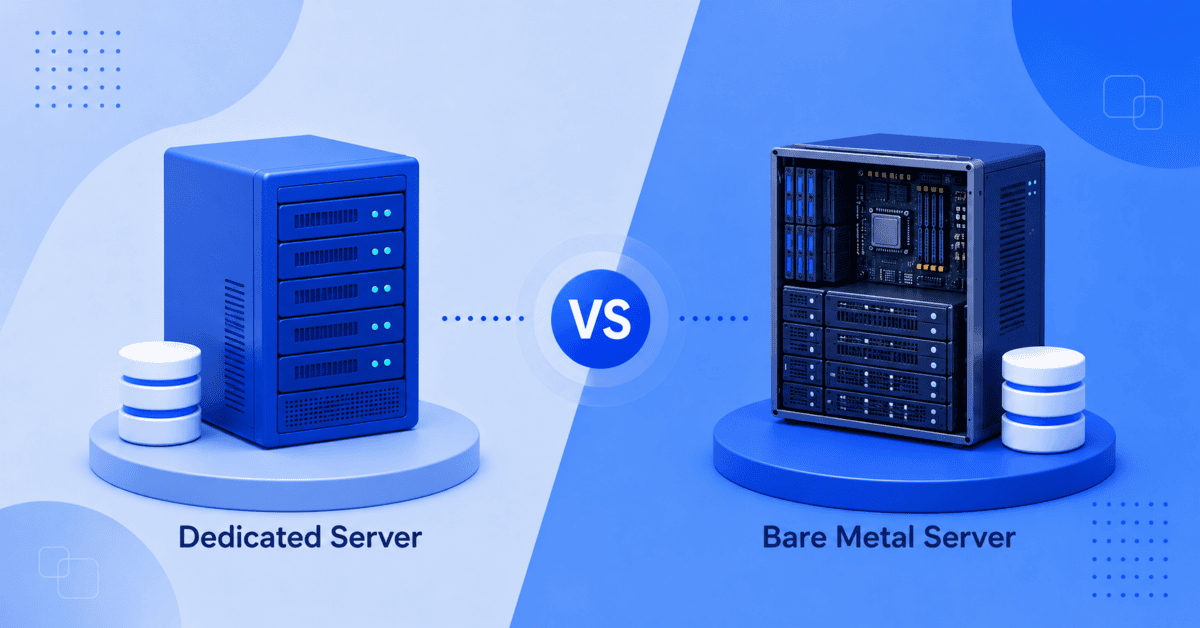
Choosing the right physical server infrastructure can be difficult when hosting providers use terms such as dedicated server, bare metal server and bare metal cloud interchangeably. At first glance, dedicated and bare metal servers may seem like two completely different hosting options. In practice, the distinction is often less about the physical hardware and more about how the server is provisioned, managed and delivered.
This guide explains the differences between a dedicated server vs bare metal server, including performance, control, management, scalability, security, pricing and use cases, so you can choose the infrastructure that best fits your workload.
Quick answer: Dedicated server vs bare metal server
A bare metal server is generally a type of dedicated physical server. Both provide exclusive access to the underlying hardware, so you don’t share CPU, RAM, storage or other physical resources with other customers.
The difference usually comes down to how providers use the terms:
- Dedicated server: A physical server assigned exclusively to one customer. It may be managed or unmanaged and can include tools such as cPanel, WHM, monitoring, backups and technical support.
- Bare metal server: A physical server designed to give you direct control over the hardware and software environment, typically with minimal virtualization and fewer preconfigured management layers.
- Bare metal cloud: Bare metal hardware delivered with cloud-style provisioning, automation, APIs, flexible scaling or usage-based billing.
So, when comparing a dedicated server vs bare metal server, don’t assume that bare metal automatically means newer hardware, better performance or hourly billing. Those are provider-specific characteristics, not universal definitions. Recent industry comparisons also point out that the terminology varies between providers.
If you want maximum control and are comfortable managing the server yourself, bare metal may be the better fit. If you want dedicated hardware with additional management and support, a dedicated server can be the more practical choice.
With that distinction in mind, let’s look at what each option actually means.
What is a dedicated server?
A dedicated server is a server reserved entirely for a single customer, business or application. Unlike shared hosting or VPS hosting, your workloads don’t compete with other customers for CPU, RAM, storage or network resources; everything the server offers belongs to you alone.
This single-tenant setup provides predictable performance and greater control over the hosting environment. How providers deliver it varies: some hand over the physical machine itself, while others provision a fully reserved single-tenant environment on enterprise hardware. What defines a dedicated server isn’t the delivery model; it’s exclusivity.
Depending on the provider, dedicated hosting may be managed or unmanaged. A managed dedicated server can include operating system updates, monitoring, security assistance, control panels, backups and technical support. An unmanaged server generally puts more responsibility on your technical team.
Dedicated servers are commonly used for:
- High-traffic websites
- eCommerce platforms
- Large databases
- SaaS applications
- Business applications
- Hosting multiple websites
- Resource-intensive workloads
- Environments requiring dedicated infrastructure
For businesses, the biggest advantage isn’t raw power alone. It’s having every resource reserved exclusively for you, with the hosting provider running the infrastructure layer underneath, so consistency doesn’t depend on who else is on the platform, because no one else is.
High Performance Without the Heavy Lifting
Power high-traffic websites with dedicated resources while our experts help manage your hosting environment.
Start TodayBefore comparing it directly with bare metal, it’s important to understand what the “bare metal” label actually means.
What is a bare metal server?
A bare metal server is a physical server where workloads run directly on the machine rather than inside a virtual machine managed by a hypervisor.
In a virtualized environment, a hypervisor sits between the physical hardware and virtual machines. With bare metal, that virtualization layer isn’t required for the primary workload. This can provide direct access to the server’s CPU, memory, storage and other hardware resources.
Bare metal servers are typically associated with:
- Direct hardware access
- Single-tenant infrastructure
- High and consistent performance
- Greater OS and software flexibility
- Custom server configurations
- Resource-intensive workloads
However, bare metal does not automatically mean unmanaged. Providers use the term differently. Some use it to describe non-virtualized physical infrastructure, while others position bare metal as an unmanaged alternative to managed dedicated hosting.
That distinction is important because it means the label alone doesn’t tell you everything about a server.
So, how do the two compare when you look beyond the terminology?
Dedicated server vs bare metal server: Key differences
The easiest way to compare a dedicated server vs bare metal server is to look at the characteristics that actually affect your workload.
| Feature | Dedicated server | Bare metal server |
| Physical hardware | Dedicated to one customer | Dedicated to one customer |
| Resource sharing | No | No |
| Virtualization | May or may not be used, depending on provider | Typically no virtualization layer for the workload |
| Management | Managed or unmanaged | Often unmanaged, depending on provider |
| OS control | Usually high | Typically very high |
| Hardware control | Depends on provider | Typically high |
| Performance | Consistent and predictable | Consistent and predictable |
| Support | May include managed support | Often requires more self-management |
| Provisioning | Traditional or automated | Often designed for fast/custom provisioning |
| Billing | Usually monthly or term-based | May be monthly, hourly or usage-based |
| Best for | Businesses wanting dedicated resources and support | Technical teams requiring maximum infrastructure control |
The important takeaway is that these categories can overlap. A dedicated server can also be bare metal. The exact difference depends on the provider’s definition and service model.
Now let’s break down the factors that matter most when choosing between them.
1. Performance: Is bare metal faster than a dedicated server?
If both options use the same physical hardware and neither relies on virtualization for the workload, there may be little to no meaningful performance difference simply because one is called “bare metal.”
Bare metal’s performance advantage becomes more relevant when you’re comparing direct physical execution with virtualized environments. Eliminating a hypervisor can reduce virtualization overhead, although the real-world impact depends heavily on the workload, hardware, software stack and configuration.
For example, workloads that continuously consume substantial CPU, memory, storage I/O or network capacity can benefit from predictable access to physical resources.
These include:
- AI and machine learning workloads
- High-performance computing
- Large databases
- Video rendering
- Gaming infrastructure
- Big data processing
- High-volume analytics
But don’t choose a server based on the “bare metal” label alone. CPU generation, core count, RAM, storage type, network capacity and workload optimization often have a much greater impact on actual performance.
Performance is only one part of the decision. The next question is how much control you need.
2. Control and customization: Which gives you more freedom?
Both dedicated and bare metal servers can offer substantial control. The difference is usually in the level of abstraction and management provided by the host.
A bare metal environment is often attractive to developers, DevOps teams and infrastructure engineers who want to control the entire software stack. You may be able to choose the operating system, configure the kernel, install custom software, tune the system and build the environment from the ground up.
A managed dedicated server can still provide root-level access and extensive customization, but the provider may handle more of the underlying infrastructure.
Think of it this way:
Bare metal: You get the machine itself and build everything, from firmware and OS choice upward, around your workload.
Dedicated: You get a fully reserved environment with root access and the provider runs the physical layer underneath it.
If most application, though, everything that needs customizing lives above the operating system. That is exactly the territory dedicated servers hand you. More depth of control also means more responsibility: every layer you own is a layer you maintain.
For teams without dedicated infrastructure expertise, however, more control can also mean more responsibility.
3. Management and technical expertise: Who maintains the server?
This is often the most important practical difference between the two options. However, management is a separate decision from the server type: both dedicated and bare metal plans range from fully hands-off to heavily supported.
With a managed dedicated server, the hosting provider may assist with server setup, monitoring, security updates, troubleshooting, backups and other infrastructure tasks. This allows your team to focus more of its time on applications and business operations.
With an unmanaged bare metal server, your team typically takes responsibility for tasks such as:
- OS updates
- Security patching
- Firewall configuration
- Software installation
- Monitoring
- Performance tuning
- User and permission management
- Troubleshooting
- Backup verification
In practice, many dedicated plans remove several of these tasks out of the box, with a pre-installed operating system, a pre-configured firewall, always-on monitoring and automated backups included, while leaving software-level control fully in your hands.
That doesn’t make bare metal “better” or dedicated hosting “easier” by definition. It simply changes where the operational responsibility sits.
If you have experienced system administrators or DevOps engineers, this additional control may be valuable. If you want your developers focused on your product rather than server maintenance, managed dedicated hosting may provide a better balance.
That difference also affects the total cost of ownership.
4. Pricing: Is bare metal more expensive than dedicated hosting?
There is no universal rule that bare metal servers cost more or less than dedicated servers.
Pricing depends on factors such as:
- CPU and core count
- RAM capacity
- Storage type and capacity
- Network connectivity
- Data transfer
- Management services
- Support level
- Backup and security services
- Provisioning model
- Contract length
Hourly or pay-as-you-go pricing is often associated with bare metal cloud services, but billing flexibility is not what technically defines bare metal. Providers can offer bare metal with monthly or longer-term contracts as well.
Instead of comparing the advertised monthly price alone, consider the total cost of running the environment.
For an unmanaged server, that includes the engineering time required to maintain it. For managed dedicated hosting, you may pay more for the infrastructure service but save internal resources on routine administration.
In other words, the cheapest server isn’t necessarily the lowest-cost option.
5. Scalability and provisioning: Which is easier to scale?
Traditional dedicated servers are excellent for stable workloads, but physical infrastructure doesn’t scale as quickly as virtual machines. Adding capacity may require upgrading the existing server or provisioning another physical machine.
Bare metal cloud changes this model by combining dedicated physical hardware with cloud-style provisioning. Depending on the provider, you may be able to provision servers through automation, APIs or self-service interfaces and integrate physical infrastructure into broader cloud workflows.
This makes bare metal cloud particularly useful for organizations running dynamic workloads or hybrid infrastructure.
However, if your workload is relatively predictable: a large website, database, eCommerce platform or business application- you may not need cloud-style scaling. A well-configured dedicated server can provide plenty of capacity with predictable costs.
The right choice depends on whether you need elasticity or consistency.
6. Security and isolation: Which is more secure?
Both dedicated and bare metal servers provide strong physical isolation because the hardware isn’t shared with other customers.
This can reduce concerns associated with multi-tenant environments and gives organizations more control over their security configuration.
However, dedicated hardware doesn’t automatically make an application secure.
Your security still depends on factors such as:
- Operating system patching
- Firewall configuration
- Access controls
- Authentication
- Encryption
- Malware protection
- Network security
- Backups
- Monitoring
- Application security
Bare metal can give security-conscious teams more control over the environment, while managed dedicated hosting can provide additional operational support for maintaining that environment.
For compliance-sensitive workloads, evaluate the provider’s infrastructure, data center controls, security features, backup strategy and compliance capabilities rather than relying solely on the server type.
With the technical differences covered, let’s look at which workloads suit each option.
Dedicated server vs bare metal server: Which should you choose?
The right choice depends less on the name of the server and more on your workload and your team’s ability to manage infrastructure.
Choose a dedicated server if:
- You need exclusive resources.
- You want predictable performance.
- You run a high-traffic website or eCommerce store.
- You need substantial CPU, RAM or storage capacity.
- You want 24/7 infrastructure support
- You prefer essentials like staging, automated backups and migration.
- Your workload is stable and predictable.
Choose bare metal if:
- You need direct access to physical hardware.
- You have an experienced infrastructure or DevOps team.
- You need a highly customized OS or software stack.
- Your workloads are extremely CPU-, memory- or I/O-intensive.
- You need to minimize virtualization overhead.
- You require specific hardware configurations.
- You want greater control over the server environment.
Choose bare metal cloud if:
- You need dedicated hardware with cloud-style provisioning.
- You want automation or API-driven infrastructure.
- Your workloads change frequently.
- You operate hybrid or multi-cloud environments.
- You need to provision physical servers quickly.
Ultimately, the choice isn’t simply dedicated server vs bare metal server. It’s about finding the right combination of hardware, control, management, scalability and support for your application.
For many businesses, a managed dedicated server offers the best balance between dedicated performance and operational simplicity. For technical teams with highly specialized workloads, bare metal can provide the additional control they need.
If you’re evaluating dedicated infrastructure for your next workload, here’s how Bluehost fits into the picture.
Bluehost dedicated servers: Dedicated performance without the infrastructure guesswork
If the choice comes down to one question, it’s this: how much of the infrastructure do you want to manage yourself?
Bare metal is built for teams that want direct hardware access, a fully custom stack and complete responsibility for provisioning, patching and maintenance. If you have the engineering resources to manage it, bare metal can be a strong choice.
Bluehost Dedicated Hosting takes a simpler approach to the same core benefit: dedicated performance. Every plan is a single-tenant environment, with 100% of your CPU, RAM, storage and bandwidth reserved for your workloads. With AMD EPYC processors, DDR5 RAM, NVMe storage and a Tier 3 data center, you get dedicated infrastructure without having to manage the physical hardware.
You still have full root access and control over your server configuration. The difference is the operational support around it:
- Fully reserved resources: No resource contention from other customers.
- Three configuration tiers: Up to 128 GB RAM and 3000 GB NVMe storage.
- Unmetered bandwidth: No per-GB metering or overage charges, subject to fair-use terms.
- 3 dedicated IPs: For SSL, email and application separation.
- Staging environment: Test changes before pushing them to production.
- Automated backups: Included rather than something your team has to build and manage.
- Free migration: Assistance and tools to move existing workloads.
- 24/7 infrastructure support: Get help from hosting specialists when you need it.
That’s the practical difference. With unmanaged bare metal, your team is responsible for building and maintaining the operational layer around the server. With Bluehost, that support is already in place while root access and control over your stack remain yours.
Choose bare metal if you need direct hardware access, a custom kernel or highly specialized infrastructure. Choose Bluehost Dedicated Hosting if you want fully isolated, dedicated performance with the operational essentials already handled.
Explore Bluehost Dedicated Server Hosting
Final verdict: Dedicated server vs bare metal server
The biggest misconception about dedicated server vs bare metal server is that they are always two completely separate types of infrastructure.
In reality, they often describe different aspects of the same physical server. Dedicated tells you that the server’s resources are reserved for you. Bare metal generally emphasizes that your workload runs directly on physical hardware without a virtualization layer.
The more important questions are:
- How much performance does your workload require?
- Do you need direct hardware and OS control?
- Who will manage the server?
- How quickly do you need to scale?
- What security and compliance requirements do you have?
- Which hardware specifications actually matter for your workload?
If you need dedicated physical resources with support and a more managed experience, dedicated hosting can be the practical choice. If you have the technical expertise and need maximum control over the physical environment, bare metal may be a better fit.
Rather than choosing based on the label alone, compare the specifications, management model, support, provisioning, scalability and total cost of ownership. That’s what ultimately determines whether a server is right for your application.
Frequently asked questions
Yes. You can install a hypervisor such as VMware ESXi, Microsoft Hyper-V or Proxmox VE and create multiple virtual machines. Your organization controls resource allocation and isolation, but it also takes responsibility for maintaining the virtualization layer unless the provider offers management.
Physical isolation removes risks associated with sharing a host, but it does not protect vulnerable software, weak passwords or exposed services. You still need timely patches, limited administrative access, firewall rules, malware monitoring, encrypted connections and tested backups.
You can reduce downtime by copying data in advance, synchronizing recent changes and lowering Domain Name System (DNS) cache times before the final switch. Applications with active databases may require replication or a brief maintenance window to prevent missing transactions.
Not necessarily. If both are using the same physical hardware and neither uses virtualization for the workload, there may be little performance difference. Hardware specifications, software configuration, workload characteristics and management practices have a greater effect on real-world performance.
It depends on the provider and configuration. Bare metal cloud may use flexible pricing models, while traditional dedicated servers are often sold on monthly terms. Hardware specifications and management services can have a larger impact on cost than the “bare metal” or “dedicated” label.
Not always, but the terms overlap significantly. Both generally refer to physical servers dedicated to a single customer. “Bare metal” usually emphasizes direct access to physical hardware without a virtualization layer, while “dedicated server” emphasizes exclusive use of the physical machine. Providers may define and package the two differently.

Write A Comment