 ChatGPT,
 Claude,
 Gemini,
 Grok — all four for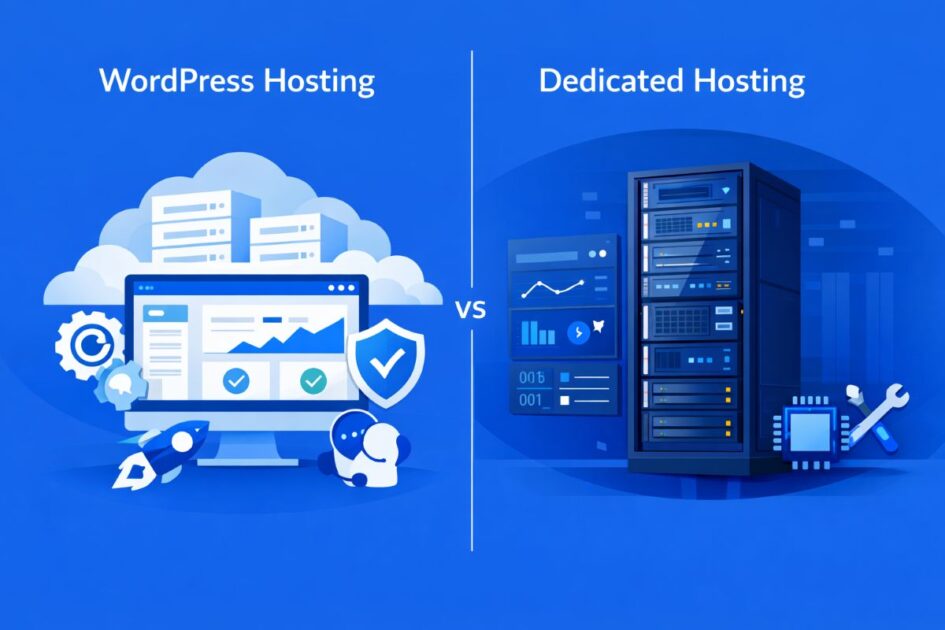
Key highlights
- Know the core differences between WordPress hosting vs dedicated hosting so you can choose the right option for your website in 2026.
- Learn how WordPress hosting simplifies site management with automated updates, optimized performance and expert WordPress support.
- Explore the power of dedicated hosting, where an entire server and root-level control meet 24/7 expert support that steps in whenever you ask.
- Understand the cost, scalability and division of management responsibilities for each hosting type, so you can match it to your team and your website’s growth.
- Uncover which hosting is best for you. Bluehost WordPress hosting suits small to medium sites that want the environment handled for them. Bluehost dedicated hosting suits businesses that want to run the server their own way, with expert help on call.
WordPress hosting and dedicated hosting solve different problems. WordPress hosting is built for users who want a simpler, WordPress-optimized environment with easier setup, automatic updates and specialized support. Dedicated hosting is built for websites that need an entire server, stronger resource isolation and root-level control over how that server is configured.
For most blogs, small business websites and standard WordPress sites, WordPress hosting is the better starting point. For high-traffic WooCommerce stores, large business websites, custom applications and resource-heavy workloads, dedicated hosting is usually the stronger fit.
This guide compares WordPress hosting vs dedicated hosting by performance, security, cost, control, scalability and use case so you can choose the right option for your next stage of growth.
TL;DR: WordPress hosting vs dedicated hosting
Choose WordPress hosting if:
You want a hosting environment built specifically for WordPress, with easier setup, managed updates, performance tools and WordPress-focused support. It can support blogs, professional business websites, content platforms and WooCommerce stores, depending on the plan and workload.
Choose dedicated hosting if:
Your site gets heavy traffic, runs complex workloads, needs software you install yourself or requires stronger resource isolation. You get an entire dedicated server environment with all resources reserved exclusively for you, root access, and 24/7 expert support that will handle server tasks when you ask.
Simple verdict:
Choose WordPress hosting when you want the environment managed for you. Choose dedicated hosting when you want to decide how the server runs, with a team available for the parts you would rather hand over.
WordPress hosting vs Dedicated hosting: Quick recommendation
In short, WordPress hosting is the practical choice for most WordPress users. Dedicated hosting becomes the better choice when your website has outgrown standard hosting and needs dedicated resources, stronger isolation and server-level control you direct yourself.
| Choose WordPress hosting if… | Choose Dedicated hosting if… |
|---|---|
| You want an easier way to launch and manage a WordPress site | You need an entire physical server for your website or application |
| You run a blog, small business site or standard WordPress website | You run a high-traffic, revenue-critical or resource-heavy website |
| You want WordPress updates, security tools and support handled for you | You need root-level control, custom software or advanced server settings |
| You have limited technical experience | You want to run the server yourself, with expert help available when you need it |
| You want a lower starting cost | You are ready to invest in stronger isolation, control and performance |
| Your traffic is moderate or growing steadily | Your traffic spikes frequently or directly affects revenue |
What is WordPress hosting and how does it work?
WordPress hosting is a hosting environment built specifically for websites created with WordPress. The server setup, performance tools, security features and management experience are designed around how WordPress websites operate.
Unlike general-purpose hosting, WordPress hosting reduces the technical work required to launch and maintain a WordPress website. Depending on the plan and workload, it can support blogs, professional business websites, content platforms and WooCommerce stores.
With Bluehost WordPress Hosting, we manage the underlying hosting environment while giving you the tools to create, publish and grow your website. WordPress is automatically installed, so you can start building without setting up the content management system manually.
Here is how WordPress hosting works:
- WordPress-optimized environment
The hosting environment is configured to support WordPress websites, plugins, themes and databases efficiently.
- Simplified setup
WordPress is installed automatically, removing several technical steps from the website creation process.
- Managed WordPress updates
Managed updates help keep WordPress current while reducing routine maintenance for website owners.
- Built-in performance tools
Caching, NVMe storage and content delivery features help improve website speed and deliver content more efficiently.
- Website security features
Free SSL and plan-specific tools such as malware scanning, backups and web application protection help reduce common website risks.
- WordPress-focused support
Support is available when you need help with your WordPress website or hosting experience.
WordPress hosting is not limited to new or small websites. The right plan can support professional websites, growing content libraries and online stores. Its main advantage is that it combines WordPress-focused performance and management tools without requiring you to configure and maintain an entire server.
Ready to build or grow your WordPress website with less technical work? Explore Bluehost WordPress Hosting plans and choose a solution that fits your website’s needs.
WordPress hosting benefits for growing websites
WordPress hosting gives growing websites a practical way to improve performance, manage changes and expand functionality without taking on full server administration.
1. More consistent WordPress performance
Because the environment is designed around WordPress, it can handle common processes such as database requests, media delivery and plugin activity more efficiently. This helps maintain a smoother experience as content, traffic and functionality increase.
2. Less technical maintenance
Website owners can spend more time on content, customers and business priorities instead of routine hosting tasks. This is especially useful for teams that do not have dedicated server administrators.
3. Safer website development and testing
Tools such as staging, SSH and WP-CLI can help developers and website teams test updates, troubleshoot issues and manage changes before publishing them to the live site.
4. Flexibility to add new functionality
WordPress supports a broad ecosystem of themes, plugins and integrations. Businesses can add features such as online payments, memberships, bookings, forms and marketing tools as their needs evolve.
5. Support for content and commerce growth
The right WordPress hosting plan can support expanding content libraries, additional products, more website functionality and increased visitor activity. Growth alone does not automatically require moving to a dedicated server.
6. A balance between control and convenience
With WordPress hosting, you control your site and tools while Bluehost manages the environment underneath. Dedicated hosting shifts that line. You take the server as well, and our team stays available for the parts you want help with.
With Bluehost WordPress Hosting, we combine a managed WordPress environment with performance, security and development tools designed for WordPress websites. Depending on the plan, this can include NVMe storage, caching, managed WordPress updates, free SSL, backups, malware protection, staging, SSH and WP-CLI.
This gives businesses, publishers and WooCommerce store owners room to build and grow without taking on the responsibility of managing an entire server.
These benefits make WordPress hosting a strong choice for websites that need room to grow while keeping technical management simpler. The right plan depends on the website’s traffic, storage, plugin activity, database usage and eCommerce requirements.
Dedicated hosting becomes more relevant when the workload requires exclusive server resources, root access, custom server configurations or deeper control over the hosting environment.
What is dedicated hosting and how does it work?
Dedicated hosting is a type of web hosting where an entire physical server is reserved for one customer with dedicated CPU cores (8, 16, or 32 cores depending on plan) and NVMe SSD storage (1,000–3,000 GB). This setup gives high-traffic websites, custom applications, agency projects and business-critical workloads the performance, consistency and headroom they need.
Bluehost dedicated hosting gives you complete governance over your server environment. You get 64-bit root access to AlmaLinux 9 through SSH, so you can configure the environment, change server settings and install what your application needs, including PHP, Perl, Python and Ruby on Rails. Nothing is locked down and nothing needs approval. Bluehost does not run automatic updates or maintenance, which is what keeps that control genuinely yours, and our team is available 24/7 to take on server tasks whenever you would rather hand them over.
Who manages what on a Bluehost dedicated server
| Task | Handled by default | Available on request |
|---|---|---|
| Hardware, network, power and data center | Bluehost | n/a |
| Server provisioning and setup | Bluehost, typically within 24 to 48 hours | n/a |
| Site migration onto the server | Bluehost, free | n/a |
| Root access and server configuration | You | Our team can configure alongside you |
| Software installation and upgrades | You, with no restrictions | Our team can perform upgrades |
| Operating system updates and maintenance | You. We do not run these automatically | Our team can handle them when you ask |
| Firewall and security configuration | You | Our team assists |
| Backups | You configure them | Our team assists with setup and restores |
| Email setup and routing | You, through cPanel and WHM | Our team assists |
| Network and connectivity troubleshooting | Our team, 24/7 | n/a |
| cPanel and WHM account management | You | Our team assists |
The short version: you decide what happens on the server, and we do the work with you whenever you would rather not do it alone.
Dedicated hosting works by giving one user access to the full server environment. Instead of competing with other websites for resources, your site is completely isolated from other users and uses the full capacity of the server. This helps reduce performance issues caused by neighboring websites and gives you more control over speed, security, and configuration.
Bluehost’s dedicated hosting plans come in three powerful configurations:
- 32 NVMe: 8 CPU cores, 32GB DDR5 RAM, 1TB NVMe storage and unmetered bandwidth. This plan is built for growing businesses that need more power than shared or VPS hosting can provide.
- NVMe 64: 16 CPU cores, 64GB DDR5 RAM, 2TB NVMe storage and unmetered bandwidth. This plan is ideal for high-traffic websites, agencies and resource-heavy applications.
- NVMe 128: 32 CPU cores, 128GB DDR5 RAM, 3TB NVMe storage and unmetered bandwidth. This plan is designed for enterprise-level workloads, complex applications and performance-intensive websites.
Here’s how dedicated hosting works:
- Whole server allocation: You get a complete server environment reserved exclusively for your account, with no resources shared with other customers..
- Dedicated resources: Your website gets access to the full CPU, RAM, storage and bandwidth available on that server.
- Full root access: Manage your AlmaLinux 9 server through SSH and configure it around your workload, with no restrictions on what you install.
- Custom setup: Install the software, server packages and programming modules your application needs, without waiting on approval.
- Management tools: Bluehost includes cPanel and WHM, so you can manage files, website statistics, accounts and server-level tasks more efficiently.
- Stronger isolation: Your server environment is separate from other customers, which improves control and reduces cross-account performance risks.
- Scalable path: If your workload grows beyond one server, Bluehost can help you explore a customized dedicated server setup with additional resources.
- Support on your terms: 24/7 expert support covers network troubleshooting, email setup, backups, software upgrades and firewall configuration whenever you ask for it.
Bluehost dedicated servers are typically provisioned within 24 to 48 hours. They also include three dedicated IP addresses, 24/7 expert support, free migration services and a 30-day money-back guarantee. Eligible plans may also include a free domain for the first year.
Dedicated hosting benefits for high-performance websites
Many businesses and developers choose dedicated hosting because it offers performance, isolation and configuration freedom that shared hosting cannot provide. It is especially useful for websites that have outgrown shared environments and need dedicated server resources.
Dedicated hosting sits at the opposite end of the spectrum from shared hosting. Shared hosting puts many websites on one server and keeps configuration in the provider’s hands.Dedicated hosting reserves the whole server environment for you and puts configuration in your hands, with our team available for the work you would rather delegate.
1. Maximum performance
Dedicated hosting gives your website access to the full server environment. You do not have to share CPU, RAM or storage with other websites.
This makes dedicated hosting useful for high-traffic websites, large databases, media-heavy pages, custom applications and eCommerce stores that need consistent performance.
Key performance benefits include:
All server resources: Your site gets access to dedicated CPU, RAM, NVMe storage and bandwidth.
No resource sharing: Other websites cannot use your server resources or slow down your performance.
High-traffic support: Dedicated resources help your site handle traffic spikes more reliably.
Custom optimization: You can configure your server environment around your application, CMS or business needs.
Fast storage: Bluehost dedicated hosting uses NVMe storage, which supports faster data transfer than traditional storage drives.
2. Stronger server isolation and security control
Dedicated hosting gives you a separate server environment. Your files, databases and applications are not stored alongside other customers’ websites on the same server.
Key security benefits include:
Server isolation: Your website and data stay separate from other hosting accounts.
Custom security setup: You can install supported security tools and configure server-level protections.
Access control: You can manage who has server access and how that access is granted.
Dedicated IP addresses: Bluehost includes three dedicated IP addresses with every dedicated hosting plan.
Infrastructure reliability: Bluehost dedicated servers are supported by redundant network architecture, multiple bandwidth providers, backup power generators and precision HVAC systems.
Important note: Bluehost dedicated servers do not currently meet ISO or SOC2 standards. This means they may not be suitable for specialized medical, financial or legal websites that require those specific compliance protocols.
Server-level security is yours to configure, which is what makes it flexible. Firewall configuration is also one of the tasks our team handles on request, so you can set the policy and let us implement it.
3. Complete control and flexibility
Dedicated hosting is built for users who want more control than shared or managed environments usually allow.
With Bluehost dedicated hosting, you get root access to a Linux server running AlmaLinux 9. This gives developers, agencies and advanced users the flexibility to configure the server around their technical requirements.
Key control benefits include:
- Root access: Manage your server through SSH with full administrative control.
- Operating system control: Work within an AlmaLinux 9 server environment.
- Custom software setup: Install supported tools, packages and programming modules such as PHP, Perl, Python and Ruby on Rails.
- cPanel access: Manage files, website statistics, one-click installs and common hosting tasks.
- WHM access: Manage multiple accounts from one interface, which is useful for agencies, resellers and professionals managing client websites.
- Branding flexibility: Agencies can use WHM to manage accounts more efficiently and support a more professional client experience.
- Help on request: Our team can take on software upgrades, firewall changes, backups, email setup and network troubleshooting whenever you want them handled for you.
4. Better fit for advanced websites and agencies
Dedicated hosting is often the next step for websites that have outgrown shared hosting. It is also useful for agencies, developers and businesses that need a server environment they can configure directly.
For growing businesses, dedicated hosting provides more room for traffic, content and custom functionality. For agencies and technical teams, it provides the control needed to manage client sites, custom applications and resource-heavy projects from a dedicated environment.
Dedicated hosting is a strong fit for:
- High-traffic business websites
- eCommerce stores with resource-heavy workloads
- Agencies managing multiple client websites
- Developers building custom applications
- Websites with large databases or media files
- Businesses that need stronger server isolation
- Advanced users who want root access and configuration control
Dedicated hosting hands you the full server environment and the decisions that come with it. If you want maximum performance, stronger isolation and a stack you control end to end, Bluehost dedicated hosting gives you the server, and a team that will step in on the parts you ask us to handle.
When should you move from WordPress hosting to dedicated hosting?
You should consider dedicated hosting when your website has moved from a standard online presence to a business-critical platform. At that point, performance, uptime, security and server control have a direct impact on revenue or operations.
Common signs you may need dedicated hosting include:
- Your site slows down during traffic spikes, campaigns or product launches.
- Your WooCommerce store has heavy checkout activity or a large product catalog.
- Your WordPress site uses resource-heavy plugins, custom scripts or complex database queries.
- Your business needs stronger server isolation and direct control over security configuration.
- Your team needs root access, custom software or advanced firewall configurations.
- Your current hosting plan regularly reaches CPU, RAM or storage limits.
- Downtime or slow performance directly affects sales, leads or customer trust.
You may not need dedicated hosting yet if your site has moderate traffic, standard WordPress functionality and no custom server requirements. In that case, managed WordPress hosting, cloud hosting or VPS hosting may be a better fit.
Also read: Dedicated Servers with Unmetered Bandwidth (2025 Comparison Guide)
WordPress hosting vs dedicated hosting: What’s the key difference?
The key difference between WordPress hosting and dedicated hosting is who configures the environment. WordPress hosting optimizes everything for WordPress and handles the setup for you. Dedicated hosting gives you the entire server and root access, so those decisions are yours, with our team available for the ones you would rather not make alone.
WordPress hosting focuses on making WordPress websites run faster and more securely through specialized configurations. Dedicated hosting provides an entire server environment exclusively for your use, regardless of what type of website or application you’re running.
Here is a side-by-side comparison of WordPress hosting and dedicated hosting to help you see the key differences quickly:
| Factor | WordPress hosting | Dedicated hosting | Verdict |
| Performance | Optimized for WordPress with built-in caching and performance tools to support growing websites based on the plan and workload. | Full server resources dedicated to one customer, with 8 to 32 vCPUs, 32GB to 128GB RAM and 1,000GB to 3,000GB NVMe storage. | Dedicated hosting wins for maximum server resources. WordPress hosting is better for WordPress-specific optimization and simpler management. |
| Security | Includes managed WordPress updates and plan-specific protections such as SSL, backups, malware scanning and web application security | Isolated server environment with root-level control over access rules, firewalls, security tools and configurations. | Dedicated hosting wins for security you configure yourself, with firewall support available on request. It may not fit sites that require ISO or SOC2 compliance. |
| Cost | Generally more cost-effective because server management and WordPress-specific tools are included without the cost of an entire physical server | Higher monthly cost because one customer gets exclusive access to the server’s CPU, RAM, storage and bandwidth. | WordPress hosting wins for lower entry cost. Dedicated hosting is for users who need exclusive server resources. |
| Ease of management | Simplifies WordPress setup and maintenance with managed updates, built-in tools and WordPress-focused support | Root access and full control. You direct software, updates and configuration, with cPanel and WHM for routine tasks and our team available to take on server work when you ask. | WordPress hosting wins for the simplest experience. Dedicated hosting fits teams that want to direct the server, and it does not leave them to do all of it alone. |
| Scalability | Can support growing traffic, content, functionality and eCommerce requirements depending on the selected plan and website workload | Scale by moving to higher dedicated tiers or exploring a custom dedicated server setup as workloads grow. | WordPress hosting is simpler to scale. Dedicated hosting offers more power for large, resource-heavy workloads. |
| Support | WordPress-focused support for website setup, performance, plugins, themes and hosting-related questions | 24/7 expert support covering network troubleshooting, email setup, backups, software upgrades and firewall configuration on request. Routine maintenance runs when you ask for it, not automatically. | Tie, for different reasons. WordPress hosting is better for WordPress-specific help. Dedicated hosting gives you server-level assistance on request while leaving you in charge. |
| Best for | Professional WordPress websites, content platforms, business sites and WooCommerce stores that need managed performance and easier administration | High-traffic websites, agencies, developers, eCommerce sites and businesses that need dedicated resources and root access. | Depends on use case: WordPress hosting fits simpler WordPress sites, while dedicated hosting fits advanced, high-traffic or custom workloads. |
This quick table highlights the key differences between dedicated hosting vs WordPress hosting, from performance to pricing. The simplest difference is this: WordPress hosting is easier to manage, while dedicated hosting gives you more control and stronger resource isolation.
Now, let’s dive deeper into how each hosting type performs and what sets them apart.
1. Performance and speed comparison: WordPress hosting vs dedicated hosting
Both WordPress hosting vs dedicated hosting can deliver fast loading times, but they achieve speed through different approaches. Your choice depends on your specific performance needs and website requirements.
WordPress Hosting
WordPress hosting is optimized specifically for WordPress websites. Built-in caching, fast storage and content delivery tools help improve loading times without requiring extensive server-level configuration.
Depending on the plan and workload, it can support professional business websites, content platforms and WooCommerce stores as traffic and functionality grow.
- WordPress-specific performance tools reduce the need for manual optimization
- Managed infrastructure simplifies performance and routine maintenance
- The right plan can support growing traffic, content and eCommerce activity
- Resource-heavy or highly customized workloads may require a different hosting environment
Dedicated hosting
Dedicated hosting provides the server’s full resource allocation exclusively to your website. This means your site operates without sharing CPU, memory, storage or bandwidth with other sites.
Because the server is reserved for one customer, dedicated hosting delivers consistent performance during heavy traffic or sudden surges. It is a strong fit for high-traffic websites, agencies, eCommerce stores and resource-intensive projects that need more power than shared environments can provide.
Bluehost dedicated servers include NVMe storage, up to 32 CPU cores, up to 128GB RAM and unmetered bandwidth, giving demanding workloads the raw resources they need.
Bluehost dedicated hosting is built for teams that want full control over the server environment. You can configure settings, manage software and customize your stack through root access, while we provide 24/7 expert support for technical hosting issues.
Also read: How Much RAM Do You Need for a Dedicated Server
2. Security features: Dedicated hosting vs WordPress hosting protection
Security is a top priority when choosing between WordPress hosting vs dedicated hosting, especially if your site handles sensitive data or online transactions.
WordPress hosting
WordPress hosting includes security features designed around common WordPress risks. Managed updates help keep the WordPress installation current, while built-in protections reduce the amount of security configuration website owners need to handle themselves.
Depending on the plan, Bluehost WordPress Hosting may include free SSL, malware scanning, backups, a web application firewall and DDoS protection.
- Managed WordPress updates help reduce vulnerabilities
- Free SSL helps protect data transferred between the website and visitors
- Plan-specific malware scanning and backups add another layer of protection
- Web application and DDoS protection help reduce common website threats
WordPress hosting is a strong fit for users who want managed security without configuring the full server environment. Dedicated hosting puts security configuration in your hands instead, with server-level support available when you want it.
Dedicated hosting
Dedicated hosting gives you stronger security control because your server environment is completely isolated from other users. You do not share CPU, memory, storage or bandwidth with other websites, which reduces cross-account exposure and performance risks from neighboring sites.
With dedicated hosting, you also get more control over server-level security. Bluehost dedicated hosting gives experienced users full root access, so they can configure access rules, use their own SSL certificates, customize firewalls and manage security settings based on their workload.
Security configuration, updates and backups are yours to define, which is what makes them flexible. Firewall configuration, backup setup and software upgrades are also on the list of tasks our team will handle for you on request.
3. Cost breakdown: WordPress hosting vs dedicated hosting pricing
When choosing a hosting plan, cost is one of the most important factors. Both WordPress hosting vs dedicated hosting have different pricing structures and additional costs to consider.
WordPress hosting offers
WordPress hosting provides a more cost-effective way to run a WordPress website without paying for an entire physical server. Plans can support professional business websites, content platforms and WooCommerce stores, depending on the features, resources and workload required.
The cost often includes WordPress-specific performance, security and management tools, which can reduce the need for separate services or server administration.
Bluehost WordPress Hosting plans are available at different price points, allowing website owners to choose a plan based on site count, storage, traffic and eCommerce needs.
| Plan type | Starting price | Renewal price | Cost overview |
| Basic | $3.99/month* | Renews at $9.99/month | Best for one WordPress site. Includes free domain, SSL, 10 GB NVMe storage and expert WordPress support. |
| Business | $6.99/month* | Renews at $13.99/month | Suitable for growing websites. Unlimited sites, 40 GB storage, weekly backups, malware scanning and added features for extra security. |
| eCommerce Essentials | $14.99/month* | Renews at $21.99/month | Ideal for WooCommerce users. Includes eCommerce tools like product subscriptions, payment processing and advanced selling features. |
*Note: Prices are subject to change. Please check Bluehost pricing page before buying.
Dedicated hosting offers
Dedicated hosting carries a higher price point because one customer gets exclusive access to every resource on the machine, plus root access to configure it. It suits high-traffic sites and businesses that want that level of control, with expert support included for the server tasks they would rather delegate.
These plans also feature high-performance hardware and enhanced security for businesses that need maximum reliability.
| Plan type | Starting price | Renewal price | Cost overview |
| Standard NVMe 32 | $144.19/month* | $191.79/month | Entry-level dedicated hosting. 8 cores, 32 GB DDR5 RAM, 1000 GB NVMe storage, unmetered bandwidth. |
| Enhanced NVMe 64 | $220.19/month* | $274.19/month | Balanced option. 16 cores, 64 GB DDR5 RAM, 2000 GB NVMe storage. Perfect for scaling websites or high traffic applications. |
| Premium NVMe 128 | $315.19/month* | $394.19/month | Enterprise-level hosting. 32 cores, 128 GB RAM, 3000 GB NVMe storage. Maximum power and control for mission-critical projects. |
*Note: Prices are as of July 2026. For the latest pricing and offerings please check Bluehost pricing page.
4. Ease of management: Which requires less technical expertise?
Choosing the right hosting often comes down to how much control you want versus how much technical expertise you have. Managing your website’s hosting environment can be simple or complex depending on the hosting type you select.
WordPress hosting
WordPress hosting is designed to make managing your website as easy as possible – even if you’re not tech-savvy. With managed WordPress hosting, server maintenance, security patches and WordPress core and plugin updates are handled automatically. This frees you from worrying about technical details while ensuring your site runs securely and smoothly.
Dedicated hosting
Dedicated hosting delivers full control over your entire server, and that control comes with real decisions. Server settings, software installations and security configuration are yours to direct, and Bluehost does not run updates or maintenance automatically. What you can do is hand any of it over. Our team assists with software upgrades, firewall configuration, backups, email setup and network troubleshooting whenever you ask. cPanel and WHM keep routine management familiar in the meantime.
5. Scalability options: How does each handle high traffic growth?
Scalability determines how well your hosting can adapt when traffic spikes or your business grows. Both dedicated hosting vs WordPress hosting approach scalability differently.
WordPress hosting
WordPress hosting can scale through higher plan limits, additional storage and stronger performance features.
This allows websites to handle more content, functionality and visitor activity without requiring full server management.
A different hosting solution becomes relevant when the website needs exclusive resources, root access or server configurations you direct yourself.
Dedicated hosting
Dedicated hosting is built for high-traffic sites and resource-heavy businesses. Since the entire server’s resources are yours, scaling is handled by moving to a higher tier or a customized configuration.
- This hosting type gives you full control and flexibility to support large traffic spikes.
- Shared hosting divides one server’s resources among many sites. A dedicated server does not, so storage, RAM and CPU scale with your growth rather than against your neighbors.
- Dedicated hosting is best when you need long-term stability and cannot afford performance dips.
.Our team handles the infrastructure side of an upgrade and can move you to a larger configuration when the current one runs out of room..
6. Customer support: Which hosting offers better expert support?
Support can be the deciding factor when choosing between managed WordPress hosting vs dedicated hosting. The type of help you receive depends on the hosting environment and your technical needs.
WordPress hosting
WordPress hosting typically includes support tailored to WordPress websites. Support teams can help with setup, performance tools and common WordPress-related issues, reducing the need for advanced technical knowledge.
Managed WordPress hosting also simplifies ongoing maintenance through features such as managed updates and built-in performance tools.
Many plans include staging environments, allowing website owners to test updates and changes before publishing them to the live site.
Bluehost WordPress Hosting provides 24/7 access to human experts, along with tools such as staging and free site migration, to help customers manage and grow their websites with greater confidence.
Dedicated hosting
Dedicated hosting includes a different kind of support. Root access gives you the tools to configure the server environment, manage firewalls, schedule cron jobs, install software and tune performance however you see fit. Bluehost does not run updates or maintenance on your behalf automatically, so nothing changes on the server unless you decide it should.
When you want the work done for you, ask. Our team handles network troubleshooting, email setup, backups, software upgrades and firewall configuration on request. Free migration is included when you move in, and support is available 24 hours a day. You stay in charge of the server, and you are never the only person who can work on it.
That combination suits developers, agencies and businesses that want to make their own infrastructure decisions without staffing a full server operations team.
Also read: How to Choose Scalable WordPress Hosting for High-Traffic Sites
Final thoughts
So, what’s it going to be? The ready-to-move-in setup of WordPress hosting, or a dedicated server you configure your way with a team on standby? Both have their perks, and the right choice depends on how much space, speed and control your website really needs.
What matters most is matching your hosting to your goals. The right choice will keep your site fast, secure and ready for whatever growth comes next.
Choose wisely and let your website run at the speed of your dreams. Check Bluehost WordPress hosting for WordPress-specific features, or Dedicated hosting for exclusive resources, root access and expert support whenever you ask for it.
FAQs
WordPress hosting provides a managed environment optimized specifically for WordPress websites, with built-in performance, security and management tools. Dedicated hosting gives one customer an entire server environment with exclusive resources and root access, so you configure the environment yourself, with expert support available on request.
The right choice depends on whether you need WordPress-focused management or deeper infrastructure control.
Dedicated hosting costs more than shared or WordPress hosting, because you are paying for an entire server’s worth of exclusive resources. Updates and maintenance also do not happen automatically, so someone needs to decide when they happen. Bluehost’s team will carry out software upgrades, firewall changes and backups when you ask, but the calls are yours to make. For sites that do not need a full server, or that want maintenance handled without asking, WordPress hosting or Managed VPS is usually the better fit.
WordPress hosting is specifically optimized for WordPress websites with built-in updates, security and expert support. Normal hosting works for any type of site but lacks WordPress-specific features.
Yes. Most managed WordPress hosting plans include automatic updates for the WordPress core, themes and plugins, keeping your site secure and up to date. With Bluehost, we handle these updates for you so you can focus on growing your site.
A good hosting provider offers strong performance, security features and expert support. It should also provide scalability options, automatic backups, updates and plans tailored for your website type, such as WordPress-optimized hosting or dedicated servers. At Bluehost, we offer all these features and more to ensure your site runs smoothly.
Neither option is universally better. WordPress hosting is easier to manage with automatic updates and WordPress-specific features, while VPS hosting offers more flexibility and control for those with the technical expertise to manage it. The right choice depends on your workload and technical needs.
Hosting impacts site speed and uptime, both key SEO factors. Dedicated hosting offers faster loading and better reliability, which can enhance SEO, while optimized WordPress hosting is sufficient for most small to medium sites.
Yes. Managed WordPress hosting is generally easier to manage because the environment is built around WordPress and requires less server administration. Dedicated hosting suits teams that want to direct the server themselves. Our support team can take on specific server tasks on request, but the decisions and the timing stay with you, which is more than most beginners want.
WordPress hosting is usually more affordable, starting under $10/month, while dedicated hosting costs over $100/month. The difference in dedicated hosting vs WordPress hosting pricing comes from the resources. If you’re starting out, we recommend checking Bluehost WordPress hosting – it’s cost-effective and easy to scale when your site grows.
Bluehost dedicated hosting starts at $144.19/month for the 32 NVMe plan. Plans include NVMe SSD storage, unmetered bandwidth, 3 dedicated IPs, free SSL, a free domain for the first year and 24/7 support. Pricing may change, so check the Bluehost pricing page for current offers.
For most WordPress websites, WordPress hosting is better for SEO as it is optimized for performance, security and reliability. Bluehost also offers Yoast SEO to help optimize your site for search engines. Dedicated hosting is more suitable for high-traffic websites that need greater server resources and control.
Yes. You can host a WordPress website on a dedicated server. This gives your WordPress site exclusive server resources, root-level control and stronger isolation. It is best for high-traffic, custom or business-critical WordPress sites.
Dedicated hosting can deliver more consistent performance for heavy workloads because the server resources are not shared with other customers. WordPress hosting can still be fast for most small and medium WordPress sites because it is optimized for WordPress.
Neither label fits it cleanly. You get root access and complete control of your dedicated server, and Bluehost does not perform automatic updates or maintenance, so server management stays in your hands. At the same time, our support team will handle specific server tasks whenever you ask, including network troubleshooting, email setup, backups, software upgrades and firewall configuration. If you want maintenance handled without asking each time, Bluehost Managed VPS Hosting is the closer fit.

Write A Comment