


Key highlights
- Learn how to add a shopping cart to your website using Bluehost tools with minimal setup from your hosting account.
- Add a shopping cart to your website effortlessly to manage products, payments and orders from a single dashboard.
- Upgrade an existing store by adding shopping cart to website pages to support smoother checkout, transparent shipping costs and a better buying experience.
- Boost sales with optimized checkout flows to your website, reducing friction and making it easier for customers to complete purchases.
- Scale confidently as your business grows by learning how to add shopping cart to existing website setups with secure, flexible tools designed for long-term eCommerce success.
Ever wondered why visitors browse your products but leave without buying?
The missing piece is often a shopping cart. Knowing how to add a shopping cart to a website can instantly turn a static site into a revenue-generating online store. A shopping cart lets customers select products, review their choices and check out securely without friction.
Whether you’re launching a new store or want to add a shopping cart to an existing website, today’s tools make the process simple and beginner-friendly.
Learning how to add a shopping cart to a website also improves customer experience, builds trust and boosts conversions. From small businesses to growing brands, choosing to add shopping cart to website functionality helps you sell smarter, scale faster and compete confidently in the online marketplace.
Let’s dive deeper.
What is a shopping cart?
A shopping cart is a core component of any eCommerce site that lets customers select products and move smoothly toward checkout.
Think of it as the digital version of a cart in a physical store. It holds items until the customer is ready to purchase. Most online shopping carts include essential features like:
- Product selection and quantity updates
- Secure checkout and payment processing
- Payment options such as credit cards and PayPal
- Automatic calculation of shipping options and costs
Modern shopping cart software also helps businesses manage orders and reduce cart abandonment by enabling faster, more streamlined checkout experiences.
Ready to start selling online?
Bluehost’s eCommerce hosting plans include everything you need to launch your store with confidence. You get a free SSL certificate, WooCommerce pre-installed, one-click WordPress installations and 24/7 expert support to help you get started quickly.
Also read: Optimize Your eCommerce Checkout Flow: Reduce Abandonment & Boost Sales
Why you need online shopping carts on your website?
A shopping cart is essential for any eCommerce site that wants to generate consistent online sales.
When you add a shopping cart to your website, you create a smooth buying process that allows customers to select products, proceed and complete payment.
This not only improves customer experience but also helps your business grow and scale.
1. Expands your customer base and boost sales
Adding a shopping cart makes your online store accessible 24/7. Customers from different locations can browse your product catalog, choose items and complete a purchase using flexible payment options and shipping methods, helping you reach a wider audience and increase sales.
2. Automates inventory management
Modern shopping cart software automatically updates stock levels, tracks physical products and digital products and supports efficient order management, reducing manual effort and errors.
3. Provides valuable customer data
Shopping carts collect insights on customer behavior, cart abandonment and preferences, helping you optimize your checkout system and marketing strategy.
4. Allows you to compete with larger businesses
With the right eCommerce solution, even small businesses can offer professional features, reduce friction and deliver a seamless shopping experience comparable to larger brands.
How to add shopping cart to website?
Adding a shopping cart doesn’t have to be complicated especially if you’re using Bluehost. Whether you’re building a new online store or upgrading an existing website, Bluehost offers multiple beginner-friendly and scalable solutions to help you start selling quickly.
Method 1: Install cart software via Softaculous apps installer
Bluehost users can install popular shopping cart software like PrestaShop, OpenCart and Magento in just a few clicks using the Softaculous Apps Installer available in the Bluehost cPanel.
These tools are powerful eCommerce shopping cart software options designed to help you sell both physical products and digital products.
Step 1: Log in to your Bluehost account.
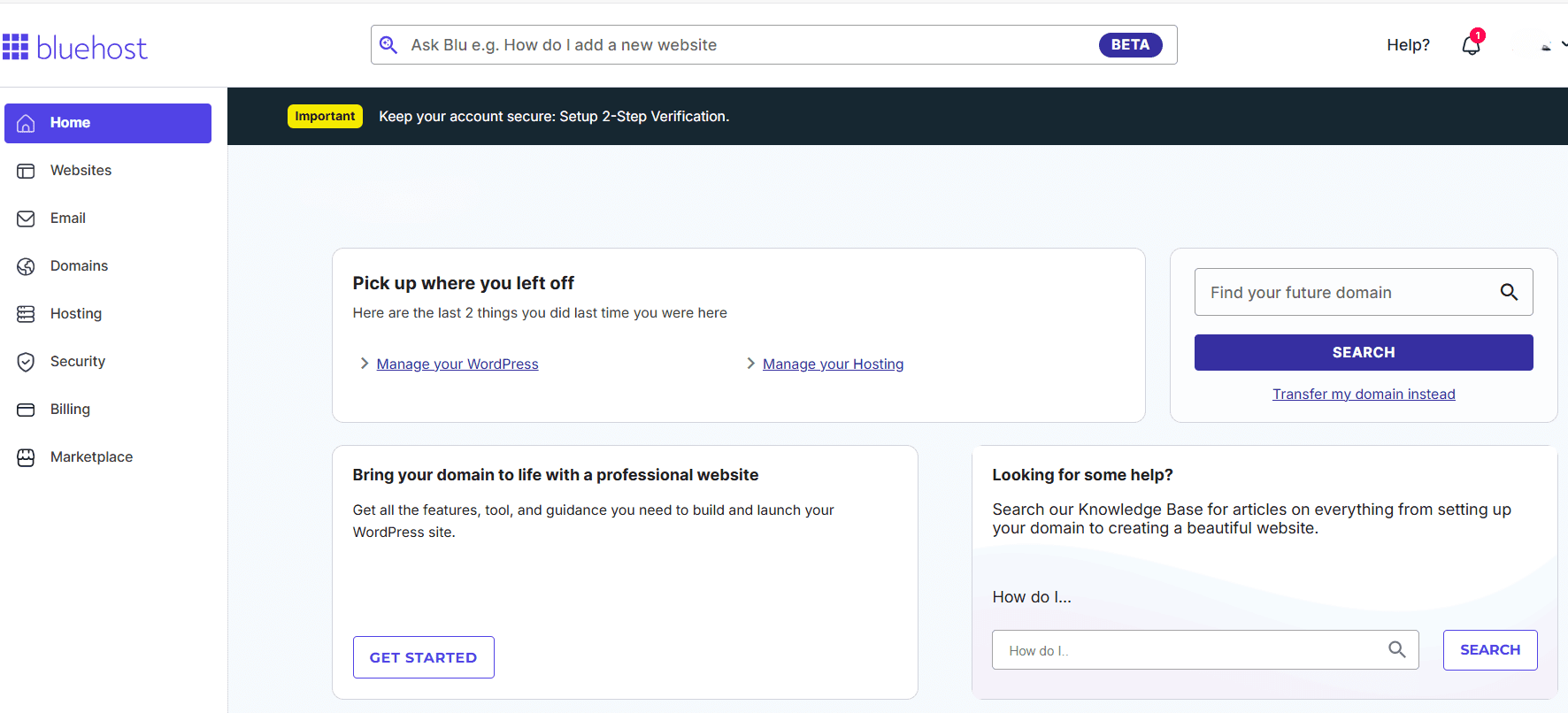
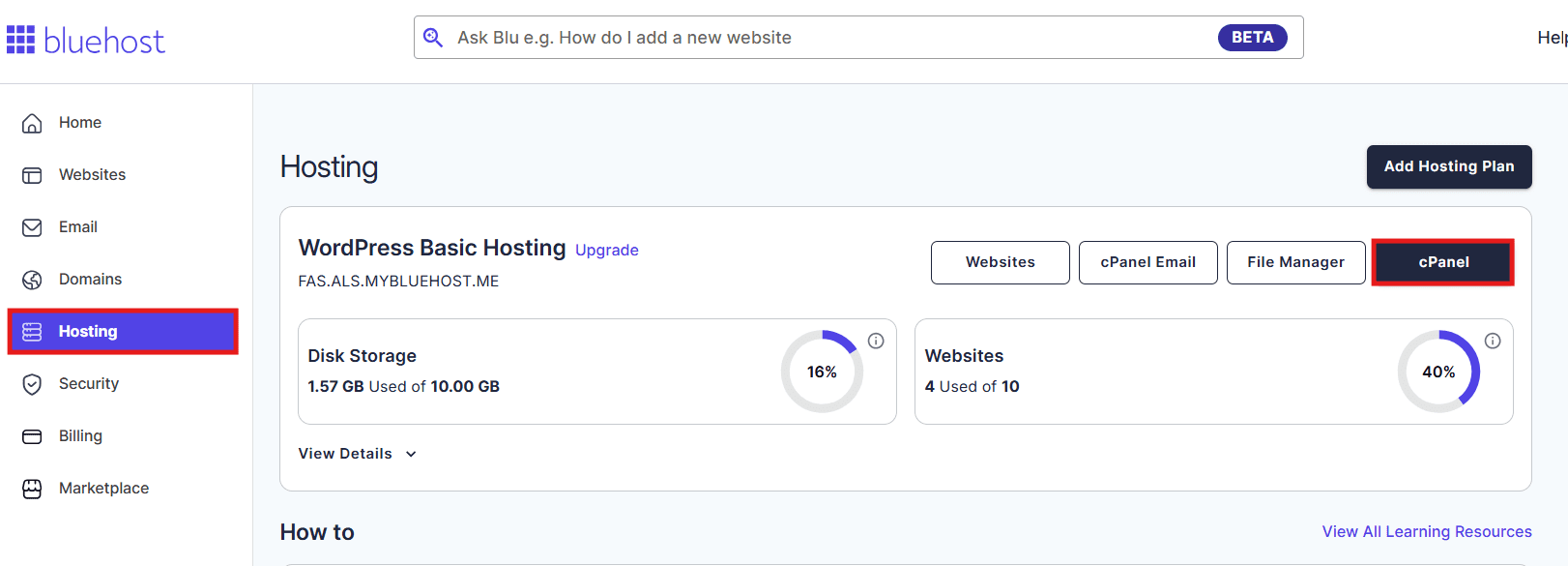
Step 2: Click on ‘Hosting’ and then click on “cPanel’.
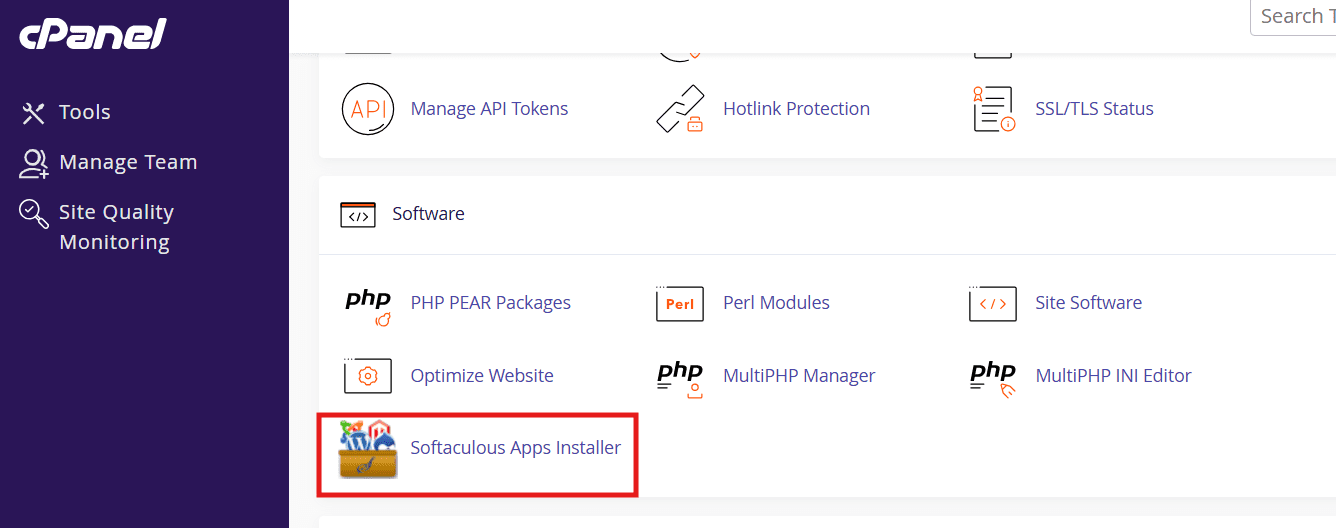
Step 3: In cPanel, click on Softaculous Apps Installer.
Step 4: Click on ‘E-Commerce’ and select a shopping cart.
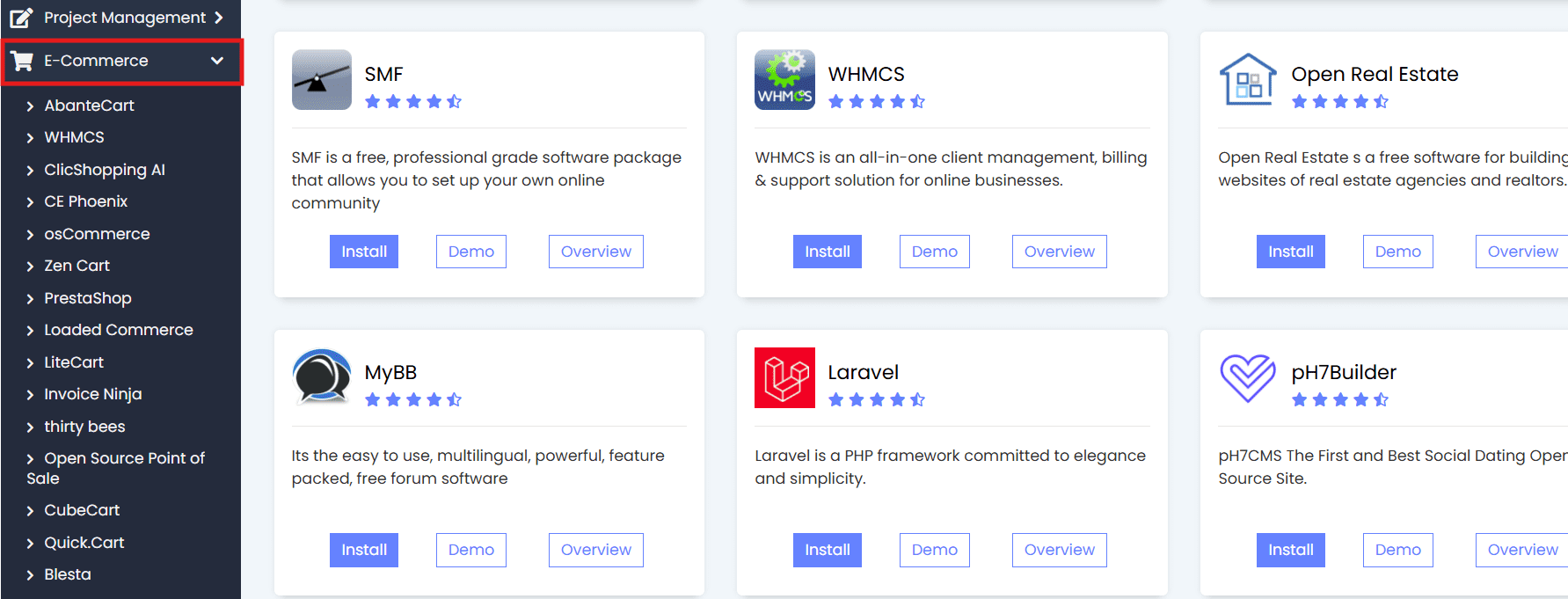
Step 5: Click ‘Install Now’ and follow the prompts.
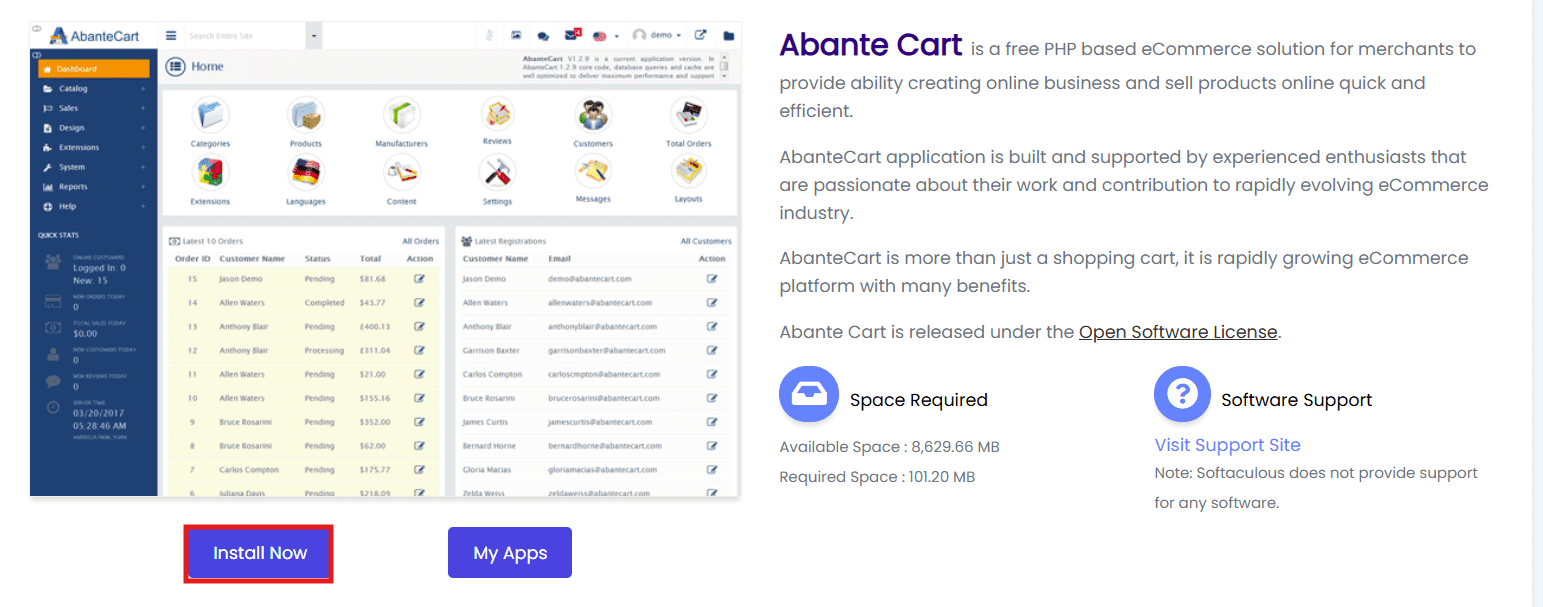
This method is ideal if you want full control over features, shipping, payment gateways and store customization.
Method 2: Add using eCommerce/Cart plugins for eCommerce platforms
Using eCommerce plugins is one of the simplest ways to add a shopping cart, especially if your website is built on a popular content management system. These plugins allow you to create an online store, manage products, accept payments and customize the checkout process.
Steps to add a shopping cart using eCommerce plugins
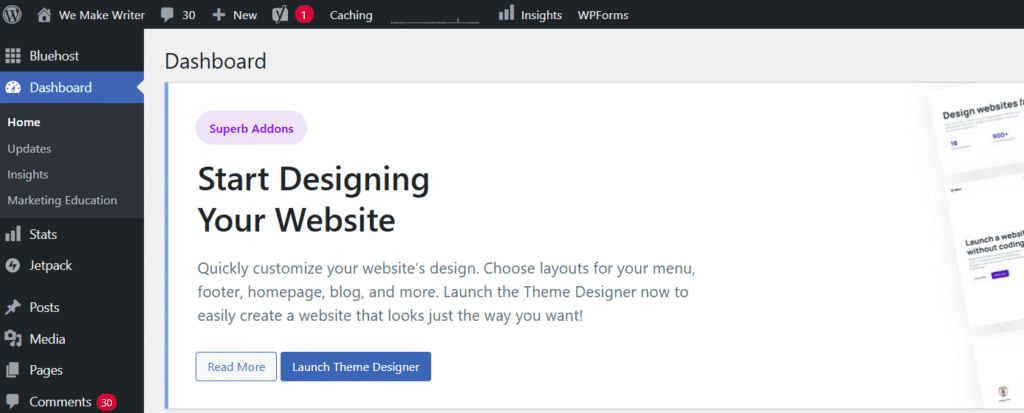
Step 1: Log in to your WordPress dashboard.
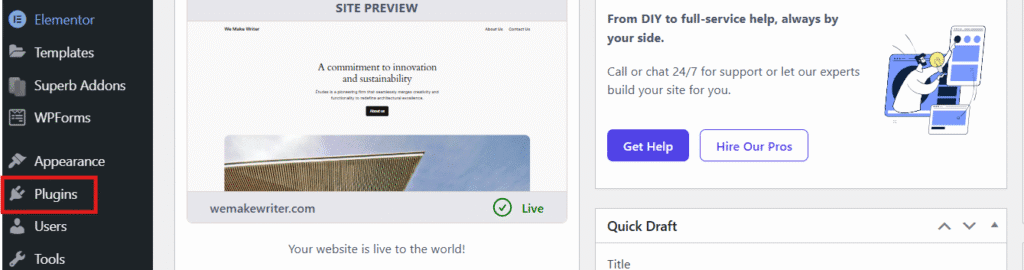
Step 2: Go to the Plugins section.
Step 3: Search for an eCommerce/cart plugin.
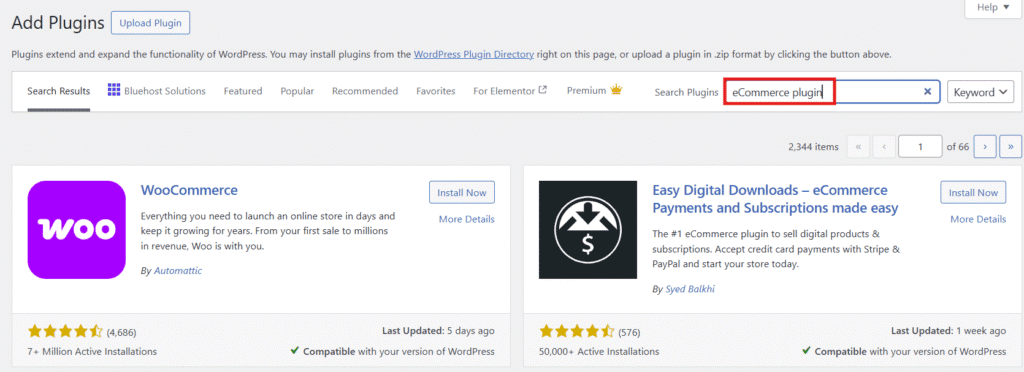
Step 4: Install and activate your desired the plugin.
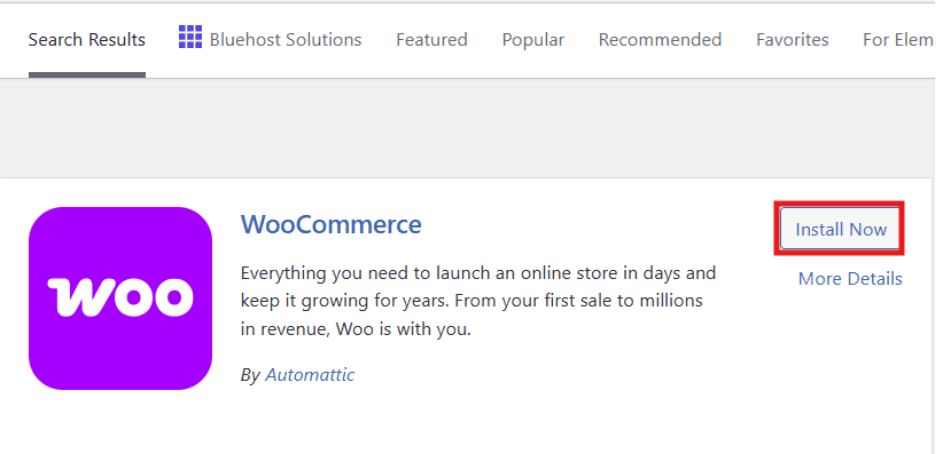
For Bluehost users, this process is even easier. With Bluehost WooCommerce hosting, WooCommerce comes pre-installed, allowing you to create a fully functional eCommerce store in minutes. There is no manual setup required.
Bluehost’s WooCommerce hosting is designed to support growth and performance, offering secure payment processing, 1-click checkouts and optimized infrastructure for faster page loads.
You also get access to advanced selling tools such as product subscriptions, visitor memberships and customizable email templates to improve customer engagement.
Store owners can create custom customer account pages, add product add-ons directly in the cart and manage complex stock levels with marketplace inventory management tools.
Combined with WooCommerce auto-install and seamless integrations, Bluehost provides everything you need to manage products. You can easily accept payments and scale your online store with confidence and much more as your business grows.
Method 3: Integrate with third-party platforms for great features
Bluehost also supports third-party online shopping carts that can be embedded into your website. These solutions are great if you want a hosted setup with built-in support, secure checkout and minimal configuration. This is perfect for businesses that want to launch fast and focus on customers.
What are the different types of shopping carts?
Choosing the right shopping cart is an important step when learning how to add shopping cart to website functionality. Different types of shopping cart software are designed to suit different business needs, technical skills and budgets. Below are the most common options you’ll come across when setting up an eCommerce site.
1. Hosted shopping carts
Hosted shopping carts run on the provider’s web server, so you don’t need to worry about setup, security or maintenance. These solutions are ideal for beginners with limited technical knowledge and offer built-in payment processing, checkout systems and support teams to help your store function properly.
Examples:
- Shopify: A popular hosted platform for fast store setup
- BigCommerce: Known for scalability and built-in eCommerce tools
- Squarespace Commerce: Ideal for design-focused online stores
2. Self-hosted / licensed shopping carts
Self-hosted carts are installed on your own site and give you full control over design, features and data. While they often require more technical skills, they offer advanced customization, better control over shipping options and flexible payment gateways for growing businesses.
Examples:
- WooCommerce (WordPress-based): Highly flexible and widely used
- Magento (Adobe Commerce): Best for large, complex stores
- OpenCart: Lightweight and customizable for growing businesses
3. SaaS shopping cart solutions
SaaS-based eCommerce platforms provide an all-in-one e commerce solution with monthly plans or a small fee. These tools are user friendly, include great features and make it easy to manage products orders and online sales from one dashboard.
Examples:
- Wix eCommerce: Beginner-friendly with built-in hosting
- Shift4Shop: Includes advanced eCommerce features
- Ecwid: Works across multiple websites and platforms
4. Payment plugins and apps
For platforms like a WordPress website, payment plugins and apps let you add a shopping cart to an existing website quickly. They often simply embed cart functionality, support card payments and PayPal and integrate seamlessly with other plugins.
Examples:
- WooCommerce Payments: Native payment solution for WooCommerce
- PayPal Checkout: Easy PayPal integration
- Stripe Payment Plugin: Supports card payments with simple setup
Also read: 10 Essential E-Commerce Tools Your Online Store Needs
How to choose the right shopping cart for your website?
Choosing the right shopping cart software is a critical step in building a successful online store. The ideal solution should match your knowledge level, business goals and long-term eCommerce plans. Whether you’re launching a new store or upgrading an existing website, the right choice helps you manage sales, support customers and grow confidently.
1. Hosted vs. Self-hosted solutions
Hosted shopping carts are managed by a provider and require minimal setup. They’re perfect for beginners who want built-in support, automatic updates and faster setup.
Self-hosted solutions give you full control over your website, allowing deeper customization, but they require more technical knowledge to manage hosting, security and updates.
2. Essential features to look for
When evaluating cart software, look for features that help you sell efficiently:
- Easy product management for physical products and digital products
- A smooth checkout experience
- Order and sales tracking
- Built-in shipping and tax settings
3. Payment gateway integration
Your shopping cart should support trusted payment gateways like PayPal and card payments. Flexible payment options build trust and help customers complete their purchase without friction.
4. Customization and Scalability Options
As your business grows, your platform should scale with you. Choose solutions that allow design customization, feature expansion and the ability to manage increasing traffic and orders without slowing down checkout.
How to optimize your shopping cart design?
A well-designed shopping cart plays a major role in converting visitors into paying customers. Even the best shopping cart software won’t perform well if the design creates friction.
Optimizing your cart layout helps customers move smoothly from product selection to checkout faster, improving overall sales and customer satisfaction.
1. Shopping cart button position on the website
The shopping cart button should be easy to find on every page of your website. Most successful online stores place it in the top-right corner, where users naturally expect it. Keeping the cart visible ensures customers can quickly review items and proceed to checkout without confusion.
2. Shopping cart button text, shape and color
Clear text like “Add to Cart” or “Buy Now” encourages action. Use a contrasting color that matches your brand but still stands out on your platform. A well-sized, clickable button improves usability and helps customers feel confident about starting their purchase.
3. Designing an effective checkout page
A clean, distraction-free checkout page is essential for eCommerce success. Minimize form fields, show accepted payment options such as PayPal and clearly display shipping details. This streamlined approach reduces drop-offs and helps customers complete their orders smoothly.
How to use your eCommerce shopping cart software?
Once you understand how to add shopping cart to website functionality, the next step is using it effectively to drive conversions. Whether you add a shopping cart to your website for the first time or are adding shopping cart to website pages on an existing site, following best practices helps reduce friction and increase completed purchases.
1. Shopping cart best practices
Following best practices ensures your shopping cart works smoothly and delivers a seamless user experience. After you add shopping cart to website functionality, focus on simplicity, speed and clarity. The right shopping cart software helps reduce cart abandonment, improve usability and increase sales across your site
2. Simplify the checkout process
A complicated checkout is one of the main reasons for cart abandonment. When you add shopping cart to existing website pages, keep the checkout short, clear and distraction-free. A simple flow helps customers complete their purchase faster and improves overall sales.
3. Offer multiple payment options
When you add a shopping cart to your website, offering multiple payment methods gives customers flexibility. Supporting popular options builds trust and reduces hesitation during checkout. This is essential for improving conversions and encouraging repeat purchases.
4. Optimize for mobile
Many customers shop on mobile devices, so optimization is critical. While adding shopping cart to website design, ensure buttons, forms and checkout pages are responsive. A mobile-friendly cart improves usability and helps reduce cart abandonment.
5. Provide clear and detailed product information
Clear descriptions, pricing and shipping details help customers make confident decisions. When you add a shopping cart to your website, detailed product information minimizes confusion and keeps users moving smoothly toward checkout.
6. Implement strong security measures
Security plays a major role in online trust. As you learn how to add shopping cart to website functionality, ensure SSL, secure payment processing and regular updates are in place to protect customer data.
7. Enable guest checkout
Forcing account creation often causes drop-offs. When you add shopping cart to existing website flows, enable guest checkout so customers can complete purchases quickly without friction.
8. Display trust signals
Trust badges, reviews and clear policies to reassure customers during checkout. Adding these elements when you add a shopping cart to your website helps increase confidence and conversion rates.
9. Implement abandoned cart recovery
Cart abandonment is common, but it’s also recoverable. When adding shopping cart to website functionality, use reminders or emails to bring customers back and recover lost sales.
10. Implement upsells and cross-sells
Upsells and cross-sells increase order value without disrupting the checkout flow. After you add a shopping cart to your website, suggest relevant products to enhance the shopping experience.
11. Monitor and analyze cart performance
Tracking behavior helps identify where customers drop off. Once you add a shopping cart to your website, analyze data regularly to improve performance and sales outcomes.
12. Continuously test and optimize
Testing is key to long-term success. After you add a shopping cart to existing website pages, continue optimizing layout, messaging and checkout steps to boost conversions over time.
What are advanced shopping cart features?
Advanced features help your shopping cart do more than just process orders—they enable smarter decisions, better engagement and long-term growth. Once you add a shopping cart to your website, these capabilities help increase sales, improve performance and support a scalable e commerce solution.
1. Leveraging analytics and reporting
Analytics tools built into shopping cart software help you track sales, customer behavior and checkout performance. These insights allow you to identify bottlenecks, understand purchase patterns and reduce cart abandonment by optimizing problem areas.
2. Integrating marketing tools and social media
Modern carts integrate easily with email marketing and social platforms. After you add shopping cart to website, these integrations help you promote products, retarget visitors and drive more qualified traffic back to your site.
3. Maintaining security and software updates
Regular updates keep your software secure and running smoothly. Maintaining security features protects customer data, ensures safe purchases and builds trust—essential for sustaining long-term growth and customer confidence.
Final thoughts
Adding a shopping cart is a crucial step in building a successful online presence. Once you understand how to add shopping cart to website functionality, the focus shifts to using the right shopping cart software to deliver a smooth, secure and reliable buying experience.
From choosing the right features to reducing friction at checkout, every improvement contributes to better performance. With the right setup, you can reduce cart abandonment, increase sales and create an eCommerce solution.
Bluehost WooCommerce hosting provides you with advanced tools that helps from building to scaling your business.
FAQs
You can add a shopping cart by using shopping cart software, hosted solutions or plugins for your website. Many tools are user friendly and don’t require a software developer, making the process less of a daunting task. Most platforms let you create a cart, configure products, set a shipping method and click save to go live.
A shopping cart helps you sell products online, manage orders and streamline checkout. It also improves web design flow and helps boost sales by making it easier for customers to complete purchases securely.
On a WordPress website, you can install a plugin like WooCommerce. These tools are often free, easy to set up and allow you to manage products, payments and shipping from your WordPress account without technical expertise.
Hosted shopping carts are managed by a provider and include hosting, updates and a support team. Self-hosted carts give you more control but may require setup, maintenance and sometimes a one time fee for the software.
You can add a cart using HTML code or a simple code snippet provided by a cart provider. This method is best for basic setups and usually works by embedding the cart into your existing pages.
To add a shop, choose a shopping cart or eCommerce software, create your product listings, configure payments and shipping and publish your store. Most modern tools are user friendly and designed to help you start selling quickly without advanced technical skills.
Bluehost recommends WooCommerce for WordPress users, included free with all WordPress hosting plans. For advanced needs, PrestaShop and OpenCart are available via one-click Softaculous installation.



Write A Comment