 ChatGPT,
 Claude,
 Gemini,
 Grok — all four for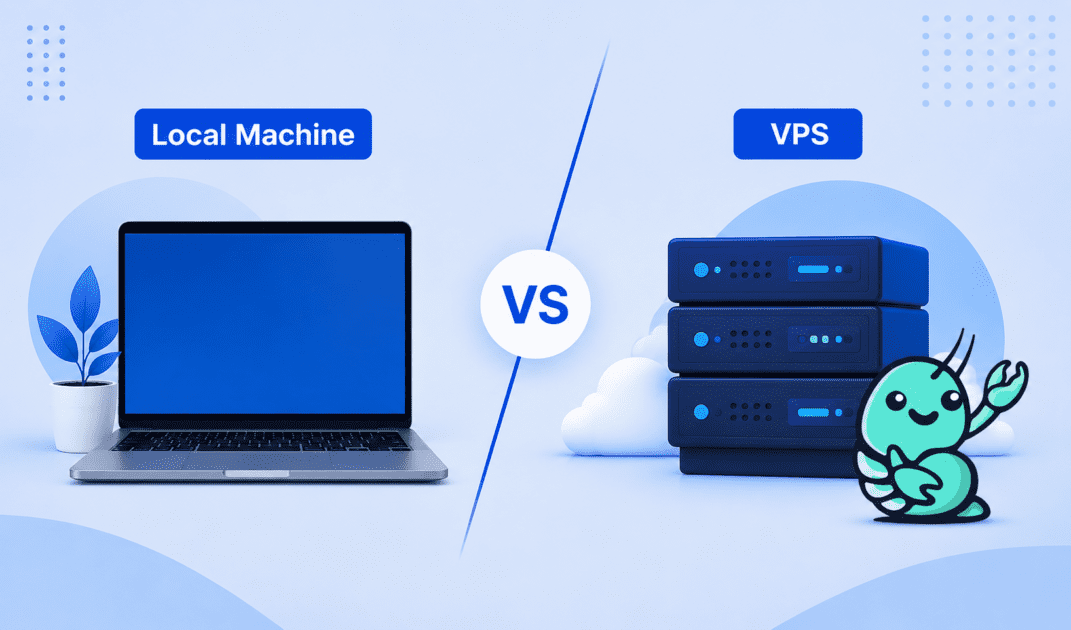
Key highlights
- Compare the main differences between a local machine and VPS for NanoClaw.
- Learn when a local setup makes sense for testing, learning and early development.
- Understand when your NanoClaw project should move to a VPS.
- Choose the right hosting environment based on uptime, scalability, collaboration and risk.
For NanoClaw projects, choosing between a local machine and a VPS is a critical decision that impacts your workflow, scalability, and budget. A local machine offers full control and no initial costs, making it ideal for early development. In contrast, a VPS provides a powerful, scalable, and accessible environment built for growth.
This guide compares both options to help you decide which is the right fit for your project.
What are the core differences between a local machine and a VPS for NanoClaw?
When comparing a local machine vs VPS for NanoClaw, the right choice depends on your project stage. A local machine gives you direct control and no recurring hosting cost. A VPS gives you remote access, dedicated resources and better scalability.
| Feature | Local machine | VPS |
| Performance and resources | Limited by your device hardware | Scalable resources based on your hosting plan |
| Scalability | Harder to scale without hardware upgrades | Easier to upgrade CPU, RAM and storage |
| Cost model | No hosting fee if you use existing hardware | Monthly or yearly hosting cost |
| Security | You manage all security settings | Hosting environment supports stronger server controls |
| Access and collaboration | Usually restricted to your device | Accessible from anywhere with proper permissions |
| Setup and maintenance | You handle setup and updates | Server setup depends on the hosting plan |
| Best use case | Testing, learning and prototyping | Public projects, teams and always-on workloads |
Choosing between a local machine and a VPS boils down to your priorities. A local machine is best when you want to experiment quickly. On the other hand, a VPS is better when your NanoClaw project needs to stay online, serve users or support a team. Each has trade-offs, so weigh your needs carefully.
Next, let’s explore when a local setup makes more sense for NanoClaw.
When does a local setup make more sense for NanoClaw?
A local setup makes sense when your NanoClaw project is still private, experimental or in early development. It keeps everything located on your own machine, which makes testing simple and low risk.
1. For initial development and rapid prototyping
A local machine works well when you are still editing code, testing workflows and building examples.
- No hosting cost: You can use your existing computer.
- Fast access to files: Your code, logs and configurations are nearby.
- Full control: You can change tools, branches and settings freely.
This setup is useful when you are still defining how your NanoClaw project should work.
2. For offline projects and learning
A local environment is also useful for learning NanoClaw without exposing anything to the web. You can test commands, inspect logs and make mistakes safely.
This is helpful when you want a restricted, private place to experiment before moving your project to a live server.
When is it time to move your NanoClaw project to a VPS?
As your NanoClaw project evolves, a local setup may no longer meet your needs. A VPS offers the scalability, reliability, and accessibility required for growing projects. Here are three key scenarios where moving to a VPS makes sense.
1. For public-facing applications requiring 24/7 uptime
Local machines aren’t built for continuous operation. A VPS ensures your NanoClaw application stays online, even during power outages or hardware failures. This reliability is critical for public-facing projects where downtime can lead to lost users or revenue.
2. For collaborative team projects
When working with a team, a VPS becomes a centralized hub. It eliminates the “works on my machine” problem by providing a consistent environment for everyone. Team members can access the same codebase and configurations, streamlining collaboration.
3. For resource-intensive workloads that exceed your local hardware
As your NanoClaw project grows, it may demand more CPU, RAM, or storage than your local machine can handle. VPS plans offer scalable resources, allowing you to upgrade as needed. With options like NVMe storage and high-performance CPUs, a VPS can handle complex computations effortlessly.
Ready to take your project to the next level? Let’s explore why choosing Bluehost is the right fit.
Why choose Bluehost NanoClaw VPS Hosting?
Bluehost NanoClaw VPS Hosting is built for projects that need more than a local machine can provide. It gives NanoClaw a persistent, root-accessible server environment designed for always-on agents, messaging workflows and scheduled automation.
- Persistent runtime: Keep NanoClaw running 24/7 instead of depending on a laptop that can sleep, shut down or disconnect.
- Full root access: Configure NanoClaw’s runtime, dependencies, containers, providers, channels and agent behavior without platform restrictions.
- Dedicated VPS resources: Give NanoClaw isolated CPU, RAM and storage for more consistent performance as workflows grow.
- Fast NVMe storage: Support logs, memory, configuration files and read/write-heavy agent activity with responsive storage.
- One-click NanoClaw install: Deploy NanoClaw through a pre-configured setup path that reduces manual server configuration.
- Container-friendly architecture: Run NanoClaw in isolated containers so agent operations stay easier to manage, audit and secure.
Together, these features make Bluehost NanoClaw VPS Hosting a practical next step when NanoClaw outgrows local development. You get the control of a self-managed VPS, the convenience of a NanoClaw-ready deployment path and the infrastructure needed to keep agents running reliably.
Ready to move beyond local development?
Choosing between a local machine and VPS for NanoClaw depends on your project’s stage. A local setup works well for learning, testing and building examples. A VPS becomes the better choice when your project needs uptime, remote access, scalability or team collaboration.
For projects ready to move beyond a laptop-based setup, Bluehost NanoClaw VPS Hosting provides a persistent, root-accessible runtime with dedicated resources, NVMe storage and a one-click NanoClaw install path.
Ready to take NanoClaw live? Explore Bluehost NanoClaw VPS Hosting and choose a server setup that keeps your agent running reliably, with room to scale as your workflows grow.
FAQs
Absolutely. Starting locally is a great way to test your project. Once you’re ready for public access or need more resources, migrating to a VPS is straightforward.
VPS costs vary based on resources like RAM, CPU, and storage. While pricing can change, you can expect a monthly fee that aligns with the resources you need. It is best to check the provider’s official page for current pricing. At Bluehost, our self-managed VPS plans start at $2.09/mo.
Not necessarily. For self-managed VPS plans, basic Linux and server management knowledge is helpful. However, Bluehost makes setup easier with a NanoClaw installation template, so you can follow the step-by-step NanoClaw installation guide instead of configuring everything manually.
Shared hosting can work for small-scale projects. However, it lacks the performance and control needed for resource-intensive or public-facing NanoClaw applications. A VPS is a better long-term solution for serious projects.
For most NanoClaw projects, starting with 2 GB of RAM and 2 CPU cores is a good baseline. As your project grows, you may need more resources. It is wise to monitor your usage and upgrade your plan as needed.
You should implement firewalls, use SSL certificates, and perform regular software updates. Managed VPS plans often include built-in security features, but on a self-managed server, you are responsible for securing your application.

Write A Comment