
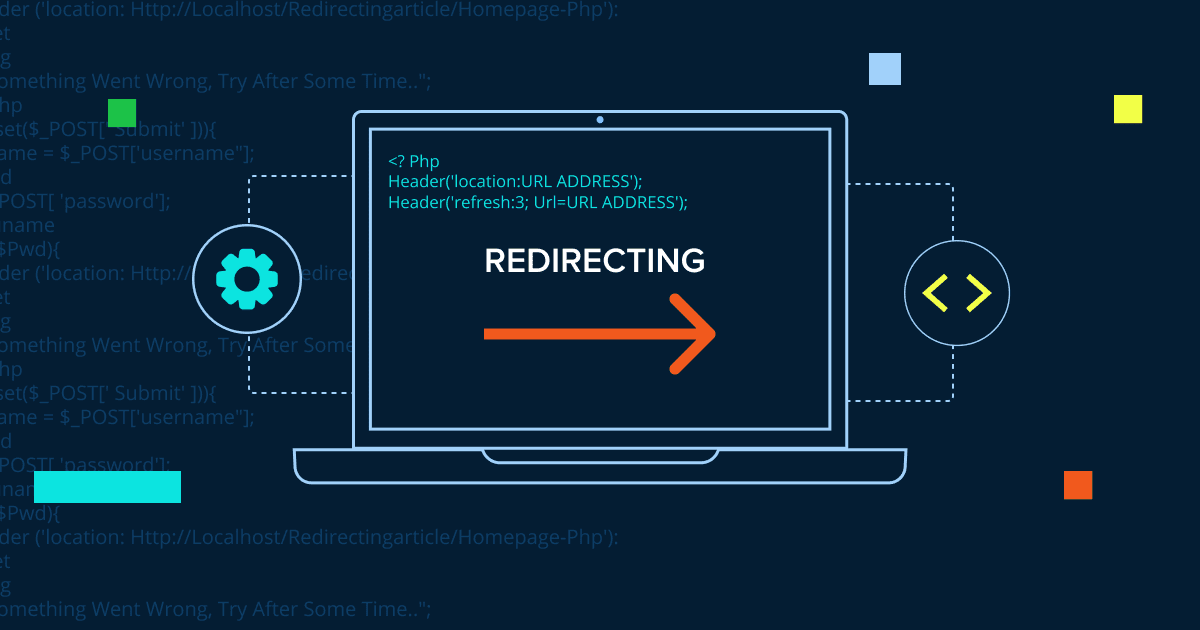


Key highlights
- Understand how server-side redirects guide visitors efficiently before pages load.
- Learn to distinguish between 301 and 302 status codes to preserve SEO rankings.
- Explore the correct syntax to prevent common “headers already sent” errors.
- Uncover why PHP redirects outperform JavaScript for search engine optimization.
Mastering PHP header redirects is essential for any web developer working with dynamic websites. These powerful server-side functions allow you to control user navigation, maintain SEO rankings and create seamless user experiences. Whether you are building a new site or managing URL changes, understanding how to properly implement a PHP header redirect will help you avoid common pitfalls while ensuring optimal performance and search engine visibility.
To get started, let’s first look at the scripting language that makes these server-side redirections possible.
What is PHP?
PHP, or Hypertext Preprocessor, is a programming language built for creating websites. It runs on the web server (not in your browser), which means it can handle tasks before any content appears on your screen. This allows PHP to work with databases, manage user sessions and redirect pages.
PHP works on all major operating systems and connects easily with databases. When combined with HTML, CSS and JavaScript, it helps you build powerful websites. It also has a large community offering helpful tools and resources. Now let’s explore how PHP header redirects work.
Also read: What is PHP Web Hosting and Which Hosting Provider Should I Use?
What is a PHP header redirect?
A PHP header redirect is a server-side method that instructs the web server to send users to a different URL automatically. Since PHP executes on the server before any content reaches the browser, it processes this redirection command at the earliest possible stage. The redirect header functions as a navigation instruction that triggers the automatic URL change seamlessly.
When you implement a PHP redirect, the server transmits a raw HTTP header containing a Location field. This field indicates the destination URL where you want to redirect visitors. The browser interprets this header and instantly navigates to the specified page without requiring any user interaction.
The basic syntax for a PHP header redirect looks like this:
<?php
header("Location: https://www.example.com/new-page.php");
exit;
?>
This server-side approach offers distinct advantages over JavaScript redirects or HTML meta refresh tags, which only execute after a page has already loaded in the browser. PHP redirects happen before any HTML content is sent to visitors, making them both faster and more dependable. This server-level execution ensures a smoother user experience and better compatibility across different browsers and devices.
Why should you use a PHP header redirect?
Redirects are vital for guiding visitors when pages move or content changes. When you redesign your website or modify your URL structure, you need a way to send users to the correct location. A PHP header redirect handles this on the server side, ensuring a smooth transition before the browser even attempts to render the page.
Website owners use PHP redirects for several key reasons:
- Maintaining SEO value when URLs change by preserving link equity and search rankings
- Preventing broken links and 404 errors that frustrate visitors and harm your site’s credibility
- Guiding users seamlessly to updated content without manual intervention
- Managing temporary site maintenance or A/B testing scenarios
- Consolidating duplicate content to improve search engine indexing
This method offers more control than client-side redirects and works reliably across all browsers and devices. Additionally, search engines can read and follow PHP redirects properly, which protects your SEO efforts. To understand why it represents the most effective solution, we need to look at how it functions on a technical level.
How does a redirect header work in PHP?
The redirect header is a fundamental part of the HTTP protocol. HTTP headers contain metadata about the request and response exchanged between browsers and servers. The Location header specifically instructs the browser to navigate to a new destination.
When a browser receives a redirect header, it stops loading the current page immediately. It then initiates a new request to the URL specified in the Location header. This process happens automatically, often so quickly that the visitor does not realize a redirect has occurred.
It is crucial to remember that headers must be sent before any content output. This means your PHP redirect code must run before any HTML, whitespace or echo statements are generated. If you send output first, PHP cannot send the necessary headers afterward, resulting in a “headers already sent” error. Since there are multiple ways to redirect users, let’s see when the PHP header method is the right choice compared to alternatives.
What are the alternatives to PHP header redirects?
Several alternatives exist when PHP is not available or appropriate. Server-level redirects using .htaccess work remarkably well for Apache servers. These run before PHP processes, making them slightly faster.
JavaScript redirects are useful when you cannot control server-side code. You can use window.location for JavaScript redirects, but they only work after the page loads, which creates a delay.
HTML meta refresh tags redirect after a specified delay. These often look unprofessional and can hurt SEO, so avoid meta refresh redirects unless you have no other option. Generally, server-side redirects always work better than client-side methods.
Now that you understand the available redirect methods, you’re probably wondering which one suits your specific situation best. Each method serves different purposes and choosing the right approach depends on your technical requirements, performance goals and available resources.
When should you use a PHP header redirect instead of other methods?
Choosing the correct redirect method impacts your website’s performance, search engine rankings and user satisfaction. PHP header redirects stand out as the most efficient server-side solution for dynamic sites. The table below compares the four main redirect methods to help you determine when a PHP header redirect is your best option.
| Redirect type | Processing speed | SEO impact | User experience | Best use ases |
|---|---|---|---|---|
| PHP Header Redirect | Processes before page loads – fastest option | Search engines can follow easily, protects SEO rankings | No visible delay for users | Moving pages permanently or temporarily, access control based on user status, switching between mobile and desktop versions |
| JavaScript Redirect | Loads page first, then redirects – creates noticeable delay | Harder for search engines to understand | Users notice delay, less professional appearance | Limited use on static sites without server-side code control |
| HTML Meta Refresh | Loads page first, then redirects – creates noticeable delay | Harder for search engines to understand | Users notice delay, less professional appearance | Not recommended when better alternatives exist |
| .htaccess Redirect | Server-level processing – very fast | Excellent for SEO | Seamless user experience | Simple redirects on static sites without PHP |
As shown in the comparison, PHP header redirects provide the optimal balance of speed, SEO-friendliness and user experience for dynamic websites. While .htaccess redirects match PHP’s performance for static scenarios, PHP header redirects offer greater flexibility when you need conditional logic or user-specific routing. The server-side processing ensures visitors never see the original page before redirection, maintaining a professional appearance. With the theory out of the way, let’s write some actual code.
How do you create a basic PHP redirect?
Creating a basic PHP redirect is straightforward and requires only two lines of code. First, you use the header() function to send visitors to a new page. Then, you add exit; to ensure no further code executes.
The header() function provides the destination instructions to the browser. You simply swap the URL in the example with your own destination. The exit; line is critical because it stops the script immediately after the redirect is initiated.
You must place this code at the very beginning of your PHP file. Nothing can come before it—no text, no spaces and not even a blank line. If anything appears before the opening PHP tag, you will encounter an error.
While your redirect code handles the destination, status codes tell search engines the reason behind the move. So, lets understand them in detail.
What are HTTP redirect status codes in PHP?
HTTP redirect status codes inform browsers and search engines about the nature of the redirect. These three-digit numbers appear in the HTTP response header. The most common redirect codes you will encounter are 301, 302, 303 and 307.
Status codes matter significantly for SEO and caching. Search engines treat different codes in unique ways. A 301 code tells them the move is permanent, prompting them to transfer ranking power to the new URL. Conversely, a 302 code indicates the move is temporary, so they continue checking the old URL.
By default, PHP sends a 302 status code if you do not specify one. However, for most site changes, you should specify the correct code explicitly. This prevents confusion for search engines and ensures proper caching behavior. The most important code for SEO is the 301, so let’s examine that first.
What is a PHP 301 redirect and when should you use it?
A PHP 301 redirect indicates a permanent move. The 301 status code informs search engines that the old URL has been retired forever. As a result, search engines transfer the ranking power and backlinks from the old URL to the new one.
You should use 301 redirects when you permanently move content to a new URL. This applies to scenarios like redirecting your domain, restructuring your site or combining duplicate pages. By doing so, the SEO value of the old page transfers seamlessly to the new location.
Here is how to create a PHP 301 redirect:
<?php
// Basic PHP 301 redirect
header("HTTP/1.1 301 Moved Permanently");
header("Location: https://www.bluehost.com/new-page");
exit();
?>
The third parameter (301) explicitly specifies the status code. This signals to search engines that the move is permanent, causing them to stop crawling the old URL and index the new one instead. While 301s handle permanent moves, you must distinguish them from 302s to avoid confusing search engines.
Also read: How to Redirect a URL (301, 302 & More) – Beginner’s Guide
How is a PHP 301 redirect different from a 302 redirect?
The main difference between these redirects is permanence. A 301 redirect signifies that the page has moved forever, while a 302 redirect indicates a temporary move. Search engines handle these distinctions differently for SEO purposes.
To help you understand the key differences, here is a detailed comparison of how 301 and 302 status codes work in PHP and their impact on your website.
| Feature | 301 redirect (permanent) | 302 redirect (temporary) |
|---|---|---|
| Permanence | Indicates a permanent move | Indicates a temporary move |
| SEO impact | Transfers full ranking power to new URL | Keeps ranking power on original URL |
| Link equity | Passes link equity to new location | Does not transfer link equity |
| Search engine indexing | Search engines index the new URL | Search engines keep the original URL indexed |
| Browser caching | Browsers cache the redirect | Browsers do not cache the redirect |
| Best used for | Domain changes, permanent URL restructuring, merging duplicate content | A/B testing, maintenance pages, seasonal content, temporary changes |
| PHP implementation | header("Location: URL", true, 301); | header("Location: URL", true, 302); |
Understanding these differences helps you choose the right redirect type for your specific situation. Using the wrong redirect code can negatively impact your SEO efforts and confuse both search engines and users regarding the status of your content.
Use 301 redirects for permanent changes and 302 redirects for temporary situations like A/B testing, maintenance pages or seasonal content. A common mistake is using 302 when you mean 301, which can hurt your SEO.
With a 301, search engines transfer link equity to the new URL. With a 302, they keep the original URL in their index and do not transfer ranking power. Choosing the correct code is half the battle; the other half is implementing the syntax correctly to prevent errors.
How do you use a PHP header location redirect correctly?
Implementing a PHP header location redirect manually requires attention to detail. You must place your redirect code at the very beginning of your PHP file and check for any whitespace or byte order marks before the opening PHP tag.
Common errors occur when output happens before the header call. This includes HTML tags, echo statements, print functions or even simple blank lines. PHP is unable to send headers after it has already sent any output to the browser.
To avoid the dreaded “headers already sent” error, start your file with the PHP opening tag and place your header() function immediately after it. Always include exit; to stop script execution. If you absolutely need to output content first, use output buffering with ob_start(). Let’s look at a concrete example of code that follows these rules.
Example of a correct PHP header redirect
Here is a properly formatted PHP header location redirect that follows best practices:
<?php
header("Location: https://www.example.com/new-page.php");
exit();
?>
For redirects within your own site, you can also use a relative path:
<?php
header("Location: /new-page.php");
exit();
?>
Use the complete URL in your Location header, including the protocol. For external sites, always use https://. For pages on your own site, you can use relative paths or absolute URLs. Beyond simple page moves, you can also use these headers to send users to completely different websites.
How can you redirect users to another page or website using PHP?
You can redirect website visitors to internal pages or external sites easily using PHP. For internal redirects within your site, you may use relative paths or full URLs. However, for external redirects, you must always include the complete URL with the protocol.
Internal redirect example:
<?php
header("Location: /about-us");
exit;
?>
External redirect example:
<?php
header("Location: https://www.[example].com");
exit;
?>
Common use cases include redirecting after form submission, sending users to login pages or redirecting an old domain to new ones. Always specify the correct status code for your situation. However, sometimes you only want to redirect specific users, which requires conditional logic.
How do conditional PHP redirects work?
Conditional redirects use PHP logic to send different users to different pages. You can check variables, user login status, form data or other conditions before triggering a redirect.
A common example checks if a user is logged in:
<?php
session_start();

if (!isset($_SESSION['user_logged_in']) || $_SESSION['user_logged_in'] !== true) {
    header("Location: login.php");
    exit();
}
?>
This code checks for a session variable. If the user is not logged in, it automatically redirects them to the login page, protecting restricted pages from unauthorized access.
You can also redirect based on form input, time of day, user roles or any other condition you can test in PHP. Keep your logic simple and always include exit; after the redirect. Even with valid logic, things can go wrong, so knowing how to test and troubleshoot your redirects is essential.
How do you test and troubleshoot a PHP header redirect?
Testing redirects requires checking the status code and destination URL. You should use browser developer tools to view network requests and verify the response headers.
Online tools like Redirect Checker can test your redirects and display the status code, redirect chain and final destination. This helps verify that your 301 redirects show as 301, not 302. If you do encounter issues, here are the most common problems and how to solve them.
Troubleshooting and fixing common redirect errors
Common issues include incorrect status codes, redirect loops and “headers already sent” errors. Here is how to identify and fix each problem:
- Headers already sent error: This occurs if any HTML or whitespace is output before your PHP header function. Ensure the tag is the very first thing in your file and remove any closing ?> tags if they are followed by whitespace.
Infinite redirect loops: This happens when Page A redirects to Page B and Page B redirects back to Page A. Check your redirect logic to ensure the destination page does not contain code that redirects back to the source. - Incorrect status codes: If your 301 redirect is showing as a 302, make sure you have explicitly added the
301parameter in yourheader()function call.
If you find that PHP redirects aren’t suitable for your specific environment, there are other methods available.
What are the best practices for using PHP header redirects?
Proper implementation of PHP header redirects is essential for preserving SEO rankings and delivering optimal user experience. These best practices help prevent “headers already sent” errors, ensure search engines interpret redirects correctly and maintain site reliability.
- Position redirect code first: Place your header() function at the very top of your PHP file, before any HTML, whitespace, or echo statements to prevent output errors.
- Use appropriate status codes: Apply 301 for permanent redirects (passes SEO value) or 302 for temporary redirects. Example:
header("Location: /new-page", true, 301); - Always call exit(): Add
exit();ordie();immediately after header() to stop script execution and prevent code below from running. - Use absolute URLs: Specify complete URLs including protocol and domain (https://[yourdomain].com/page) rather than relative paths for better compatibility.
- Validate before redirecting: Check conditions and sanitize user input before redirecting to prevent security vulnerabilities and open redirect attacks.
Implementing these PHP redirect best practices ensures your website maintains strong SEO performance, prevents technical errors and provides secure navigation for users and search engines.
Final thoughts
Mastering PHP header redirects is essential for effective website management. Whether you’re implementing 301 redirects for permanent moves or 302 for temporary changes, remember to place your redirect code before any output and always include the exit; statement. These fundamentals ensure your php header redirects function properly every time.
Understanding status codes makes a significant difference for SEO. A properly implemented redirect preserves your search rankings while improving user experience. Test your redirects regularly to catch any errors early and maintain optimal performance.
Start with simple redirects and add complexity only when needed. Follow best practices to avoid common mistakes and your visitors and search engines will appreciate the smooth navigation. Ready to implement these techniques? Get started with Bluehost hosting today and enjoy reliable performance, expert support and all the tools you need to manage your redirects effectively.
FAQs
A PHP header redirect sends visitors from one URL to another using server-side code. It uses the <code>header()</code> function with a Location parameter to tell the browser where to go.
The correct syntax is <code>header(“Location: URL”, true, STATUS_CODE);</code> followed by <code>exit;</code>. Replace URL with your destination and STATUS_CODE with 301 or 302.
A PHP 301 redirect indicates a permanent move to a new URL. It tells search engines to transfer SEO value from the old URL to the new one.
Common causes include output before the <code>header()</code> function, missing <code>exit;</code> statement or incorrect file placement. Check for whitespace, HTML or echo statements before your redirect code.
Yes, PHP redirects are good for SEO when implemented correctly. Use 301 redirects for permanent moves to transfer ranking power to the new URL.
No, PHP redirects require the <code>header()</code> function to send HTTP headers. Alternatives include JavaScript redirects or HTML meta refresh tags, but these work less reliably.
Without <code>exit;</code>, PHP continues executing code after the redirect. This can cause unexpected behavior, security issues or performance problems even though the redirect works.
Use the complete URL with protocol in your <code>header()</code> function. For example: <code>header(“Location: https://[example].com/”, true, 302);</code> followed by <code>exit;</code>.



Write A Comment