



Key highlights
- Enable flexible order fulfillment with a WooCommerce pickup and delivery plugin allowing customers to choose between delivery and local pickup.
- Offer clear pickup points with a local pickup WooCommerce plugin complete with business hours and instructions.
- Schedule date and time slots at checkout using a pickup and delivery WordPress plugin for smooth operations.
- Streamline shipping rules by integrating your WordPress delivery plugin with zones, methods and fees.
- Grow conversions with a lightweight WooCommerce pickup plugin that supports HPOS and modern checkout blocks.
Customers don’t just buy: they choose how they receive. Today it’s doorstep delivery, tomorrow curbside in 15 minutes.
A WooCommerce pickup and delivery plugin turns that choice into a frictionless checkout not an operational headache.
With a local pickup WooCommerce plugin shoppers see nearby pickup points, hours and time slots that match your prep window.
Add a pickup and delivery WordPress plugin to set blackout dates, fees and same-day rules.
Keep pages fast with a lightweight WooCommerce pickup plugin paired with a dependable WordPress delivery plugin.
In this guide, you’ll learn what to look for, which tools win in 2026 and how to set them up right – so fulfillment becomes your edge.
What is a WooCommerce pickup and delivery plugin?
A WooCommerce pickup and delivery plugin is a powerful extension that enhances your WooCommerce store by adding flexible local pickup and delivery options.
It allows customers to:
- Choose between shipping to their designated shipping address or self-pickup from select pickup locations, including existing physical stores.
- Define multiple pickup locations with detailed pickup instructions and business hours.
- Set and select the delivery date and pickup date using an intuitive date selection calendar.
- Manage and apply shipping zone-wise rules for better regional control.
- Customize shipping methods, including enabling a free shipping method or other shipping methods tailored to your business needs.
This WooCommerce local pickup functionality streamlines order fulfillment, enhances customer convenience and optimizes logistics for online stores with multiple locations or pickup points.
What is local pickup?
Local pickup in WooCommerce lets customers select an option at checkout to collect their orders in person instead of waiting for delivery. When a shopper chooses this method, they see available pickup locations, choose a convenient date and time, then visit your store or designated spot to grab their order. For you, it means preparing the order, notifying the customer when it’s ready and having it packaged for quick handoff—no carrier labels, no porch theft worries.
Unlike standard shipping (which sends items to a customer’s address via postal service or courier) or local delivery (where you or a driver bring orders to nearby addresses), local pickup shifts responsibility to the customer. This distinction matters: WooCommerce local delivery requires route planning and delivery windows, while WooCommerce local pickup only demands a clear pickup schedule and location. Both eliminate long-distance shipping fees, but pickup removes delivery logistics entirely.
Local pickup works best for single-location stores with steady foot traffic or multi-location retailers who want to offer shoppers the nearest pickup point. It cuts shipping costs, prevents failed deliveries and speeds up fulfillment—customers often prefer same-day or next-day pickup over waiting for carriers. A WooCommerce pickup plugin adds scheduling, location management and automated notifications, making the entire workflow smooth for stores ready to offer local pickup & delivery for WooCommerce without operational chaos.
Benefits of WooCommerce local pickup feature
Enabling local pickup transforms your WooCommerce store into a flexible fulfillment option that benefits both you and your shoppers. When you add a WooCommerce pickup plugin for local pickup & delivery for WooCommerce, you gain a competitive edge that drives conversions and cuts costs.
Here’s what you unlock:
- Faster fulfillment: Customers get their orders same-day or within hours—no waiting for carriers or paying shipping fees.
- Lower costs: You eliminate shipping expenses and reduce cart abandonment when local buyers see a free pickup option.
- Fewer delivery headaches: No more failed deliveries, porch theft claims or re-shipping fees.
- Better inventory control: You know exactly what to prepare and when, making staffing and stock management simpler.
- Higher local conversions: Shoppers choose you over big-box stores when they can grab orders on their schedule.
For small business owners and creators, WooCommerce local delivery paired with pickup keeps operations lean, reliable and scalable—no complicated setup required.
How to set up local pickup in WooCommerce
Setting up local pickup in WooCommerce gives your customers flexibility while reducing your shipping costs. Here’s how to configure it for your store without needing technical expertise.
Start by navigating to WooCommerce > Settings > Shipping in your WordPress dashboard. Under the shipping zone that covers your pickup area, click “Add shipping method” and select “Local pickup.” This creates the foundation for your WooCommerce local pickup only option. Next, configure your pickup location details—add your store address, business hours and specific instructions (like “Enter through the side door”). Clear pickup instructions reduce customer confusion and missed connections.
To control which products offer pickup, go to individual product pages or category settings and enable or restrict the local pickup & delivery for WooCommerce option. This matters when certain items require special handling or can’t be stored on-site. Add lead times by setting “Days before pickup” to give yourself preparation time—typically 1-3 days works for most stores. Configure blackout dates for holidays or staff vacations under your shipping settings to prevent orders during closures.
Finally, test the full checkout experience. Add items to cart, proceed to checkout and verify that the pickup option appears clearly alongside WooCommerce local delivery choices in the shipping methods section. Ensure customers can select their preferred date and see all instructions before completing their order.
Enable local pickup in WooCommerce
Many store owners want to offer pickup but don’t realize WooCommerce has this built-in—no woocommerce pickup plugin needed to start. Navigate to WooCommerce > Settings > Shipping and select the shipping zone covering your store location. A shipping zone defines the geographic area where certain delivery methods apply. Click “Add shipping method” and choose “Local Pickup.” This zone setup is essential; without it, the pickup option won’t appear at checkout. To confirm it works, run a test order: add a product to your cart and proceed through checkout. Local pickup should display next to other WooCommerce local delivery choices, giving you a working foundation before exploring plugins for scheduling or advanced pickup configurations.
Quick setup checklist:
- Navigate to WooCommerce > Settings > Shipping
- Select your store’s shipping zone
- Add “Local Pickup” as a method
- Save settings
- Complete a test checkout
Order delivery settings to control lead times, cutoffs and blackout dates
After enabling local pickup in your WooCommerce local delivery setup, configure scheduling controls to prevent operational chaos. Set a preparation lead time (how many hours or days you need) so customers can’t request immediate pickup when you require 24 hours. Add a daily cutoff time—orders placed after 2 PM might shift to the next available day, reducing missed pickups. Choose available weekdays and set capacity limits per slot if your woocommerce pickup plugin supports it; this prevents overbooking. Block holidays and blackout dates so customers never book when you’re closed.
| Store Type | Lead Time | Cutoff | Capacity/Slot |
|---|---|---|---|
| Bakery | 24 hours | 10 AM | 5–10 orders |
| Retail | Same-day OK | 4 PM | 15 orders |
| Services | 48 hours | Noon | 3–5 bookings |
Adding local pickup to multiple shipping zones (including “Rest of the world”)
When your WooCommerce store ships beyond your local area but you still want to offer pickup for nearby customers, multiple shipping zones become critical. A typical setup includes a local zone (for pickup-eligible addresses), a regional or national zone (shipping only) and a “Rest of the world” catch-all zone. Without careful configuration, customers outside your pickup radius may see pickup as an option—creating confusion and fulfillment failures.
To add local pickup across zones safely, follow these steps: Navigate to WooCommerce > Settings > Shipping and create or edit your local zone, defining it by postcode, city or state. Add “Local Pickup” as a shipping method here only. Next, configure your broader zones (regional, national) with standard shipping methods—exclude pickup entirely. Finally, review your “Rest of the world” zone and confirm local pickup is not listed. WooCommerce displays methods based on the customer’s shipping address, so zone boundaries control which options appear at checkout for both WooCommerce local delivery and pickup.
Common pitfalls include zone overlap (where a customer qualifies for multiple zones, showing pickup when it shouldn’t) and forgetting to remove pickup from catch-all zones. Quick validation checklist: test a local address to confirm pickup appears, test a distant address to verify pickup is hidden, review zone priority for conflicts and ensure methods display correctly by location. This simple post-setup check prevents customer confusion and operational errors.
How to set up shipping in WooCommerce
Proper shipping configuration is essential before customers can choose between delivery, local pickup or scheduled collection. WooCommerce shipping zones control which fulfillment methods appear based on customer location, so setting them up correctly prevents checkout confusion and ensures your WooCommerce local delivery and pickup options display only where you can fulfill them.
- Go to WooCommerce > Settings > Shipping and create shipping zones for your service areas—one for local customers (pickup and local delivery WooCommerce eligible) and another for regions requiring standard shipping.
- Within each zone, click Add shipping method and select options: enable Local Pickup for nearby customers, add Flat Rate or Free Shipping for standard delivery, and install a WooCommerce pickup plugin if you need time slots or multiple pickup locations.
- For advanced local pickup & delivery for WooCommerce features like scheduling, fees or capacity limits, install a dedicated plugin and configure it under the same shipping zone.
- Save settings and test checkout with addresses from different zones to confirm WooCommerce local pickup only appears for eligible areas while shipping methods display elsewhere.
Verification checklist:
- Local address shows pickup or local delivery options
- Distant address displays shipping methods without pickup
- All methods show fees and lead times clearly
- Checkout completes without errors
What to look for in a delivery and pickup plugin?
When selecting a local pickup WooCommerce plugin, consider the following key features:
- Multiple pickup locations: Ability to add multiple pickup points so customers can choose the most convenient location.
- Pickup location management: Easy tools to define, edit and import pickup locations including address, pickup instructions and business hours.
- Pickup appointments: Options for customers to select specific pickup dates and time slots, improving scheduling efficiency and allowing selecting delivery date for deliveries.
- Shipping method integration: Seamless compatibility with WooCommerce shipping methods to enable or disable pickup and delivery options based on cart contents, shipping zones or specific shipping methods.
- Pickup location tax: Ability to apply tax based on the selected pickup location.
- Delivery calendar and reports: Advanced delivery reports tab and delivery calendar to manage orders and monitor delivery or pickup status efficiently, tracking delivery details and sorting orders in ascending order automatically based on delivery date and time.
- Order status management: Features like marking orders as “Ready for Pickup” or “Picked Up” to keep both store owners and customers informed.
- Customizable fees: Options to set specific delivery fees, time slot fees or pickup fees, including express delivery charges and delivery tips for delivery boys.
- Category pickup availability: Ability to restrict pickup availability based on product categories.
- Processing time & days management: Tools to manage processing times and days for products, ensuring accurate scheduling and inventory control.
- Compatibility: Support for WooCommerce High Performance Order Storage (HPOS), postal service considerations and popular themes and plugins.
Why should you invest in delivery and pickup systems?
Investing in a WooCommerce pickup and delivery plugin offers numerous benefits:
- Enhanced customer convenience: Customers appreciate the flexibility to choose between delivery and self-pickup, leading to higher satisfaction and repeat business.
- Reduced shipping costs: Local pickup reduces shipping expenses and logistical complexities, especially when avoiding postal service delays.
- Improved order management: With features like pickup appointments and delivery calendars, store owners can manage orders more efficiently and see how much product quantity to prepare for each day.
- Better inventory control: Managing multiple stores or warehouses becomes easier with location-based stock and shipping management.
- Increased sales opportunities: Offering local pickup and delivery options can attract local customers who prefer faster or contactless order fulfillment.
WooCommerce local delivery guide with an all-in-one shipping plugin
While local pickup handles collection points and schedules, an all-in-one shipping plugin transforms how you manage WooCommerce local delivery across your service area. These comprehensive tools typically cover delivery zones (by postal code, city or radius), time-slot windows for same-day or scheduled drops, tiered fees for standard versus express service and minimum order thresholds that trigger free delivery.
On the operations side, the best plugins streamline driver or staff workflows with route planning, order batching and real-time status updates. They send automated notifications to customers at key stages—order confirmed, out for delivery, delivered—and offer a centralized calendar or dashboard so your team sees every upcoming delivery at a glance. Cutoff times ensure you don’t accept orders you can’t fulfill, and delivery tip options let customers reward your crew.
Before choosing an all-in-one approach, ask yourself: Do I need complex zone pricing or multiple delivery windows? Will I manage drivers in-house? Do I want one dashboard for pickup and delivery? If yes, a unified plugin saves time and reduces plugin conflicts. If your delivery needs are simple—flat-rate, single zone, no driver tracking—a lightweight standalone tool may suffice. As you review the plugins below, look for zone flexibility, calendar visibility, fee customization and notification controls that match your delivery model.
The best 6 WooCommerce pickup and delivery plugins in 2026
Choosing the right plugin can significantly enhance your store’s order fulfillment process.
| Plugin | What it does | Highlights | Best for |
|---|---|---|---|
| Local Pickup Plus | Advanced local pickup management across many locations | Multiple pickup points, restrict by product/category, business hours & holidays, pickup-location tax, staff email alerts | Multi-location stores needing granular pickup rules |
| Order Delivery Date for WooCommerce | Lets customers choose delivery or pickup date and time at checkout | Delivery zones, cutoff times, blackout dates, earliest delivery option, delivery fee controls, works with shipping methods | Stores prioritizing flexible scheduling at checkout |
| Delivery & Pickup Date Time for WooCommerce | Detailed date and time slot scheduling for pickup and delivery | Multiple pickup locations, custom time slots with fees, pickup deadlines, delivery calendar, advanced delivery reports | Teams that need tight slot control and reporting |
| Local Delivery Drivers for WooCommerce | Manages last-mile delivery operations | Assign drivers, track delivery status, route optimization, delivery notifications | Stores adding efficient local delivery alongside pickup |
| Conditional Payments for WooCommerce | Shows payment methods based on delivery or pickup choices | Gateways by shipping method, pickup location or date; hide irrelevant options; supports complex multi-location setups | Stores customizing payments to reduce checkout friction |
| WooCommerce Delivery Area Pro | Restricts delivery based on customer location | Zip/postcode validation, distance-based delivery, Google Maps integration, delivery fees by area, block unsupported locations at checkout | Stores that deliver only to specific local areas |
Now, let’s explore each of the five WooCommerce pickup and delivery plugins in detail.
1. Local Pickup Plus
Local Pickup Plus is a robust local pickup WooCommerce plugin ideal for stores with multiple physical locations.
It allows you to add multiple pickup locations, restrict pickup availability by product or category and enable scheduled pickups with business hours and holidays.
It also supports pickup location tax and email notifications for warehouse staff.
Key features:
- You can add multiple pickup locations.
- You can restrict pickup availability by product or category.
- You can enable scheduled pickups with business hours and holidays.
- The plugin supports pickup location tax.
- Email notifications can be sent to warehouse staff.
Best for: Stores with multiple locations that need advanced pickup management and scheduling.
2. Order Delivery Date for WooCommerce

This WooCommerce pickup plugin enables customers to select their preferred delivery or pickup date and time during checkout.
It supports defining delivery zones, cutoff times and blackout dates, ensuring smooth order scheduling with an earliest delivery date option.
The plugin also offers delivery fee management and integrates well with WooCommerce shipping methods.
Key features:
- Customers can select delivery and pickup dates.
- You can manage delivery zones.
- Cutoff times and blackout dates can be set.
- Delivery fee management is available.
- The plugin integrates with WooCommerce shipping methods.
Best for: Stores that prioritize flexible delivery and pickup date scheduling.
3. Delivery & Pickup Date Time for WooCommerce
A versatile WordPress delivery plugin that lets customers choose delivery or pickup dates and time slots on the order checkout page.
It supports creating multiple pickup locations, managing pickup deadlines and setting custom time slots with fees.
The Advanced Delivery Reports tab and Delivery Calendar help store owners track and manage orders effectively.
Key features:
- You can create multiple pickup locations.
- Custom time slots with fees can be set.
- Pickup deadlines can be managed.
- A delivery calendar view is available.
- An advanced delivery reports tab helps track orders.
Best for: Stores needing detailed time slot management and comprehensive delivery reporting.
4. Local Delivery Drivers for WooCommerce
This plugin adds local delivery capabilities by assigning delivery drivers and tracking delivery statuses.
It complements pickup plugins by providing a complete local delivery solution, including route optimization and delivery notifications.
Key features:
- Delivery drivers can be assigned.
- Delivery statuses can be tracked.
- Route optimization is included.
- Delivery notifications are provided.
Best for: Stores that require efficient local delivery management alongside pickup options.
5. Conditional Payments for WooCommerce
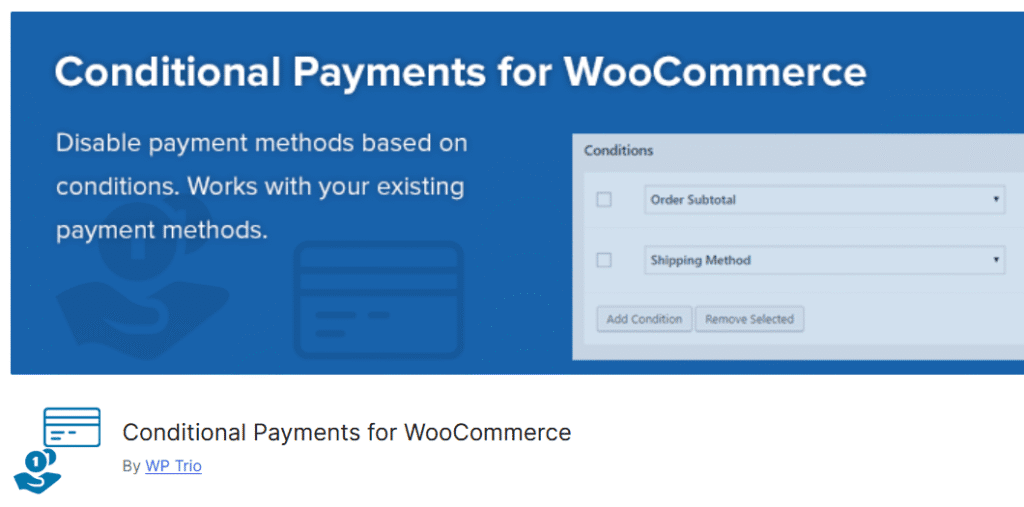
Conditional Payments for WooCommerce is a powerful plugin that allows store owners to set flexible payment rules based on various conditions, enhancing the checkout experience for customers opting for delivery or local pickup.
This plugin integrates seamlessly with WooCommerce pickup and delivery plugins, enabling or restricting payment gateways based on the selected shipping method, pickup location or delivery date.
Key features:
- Set payment options conditionally based on the chosen delivery or pickup method.
- Restrict payment gateways for specific pickup locations or shipping zones.
- Enable or disable payment methods according to the selected delivery date or pickup date.
- Improve checkout flow by ensuring customers see only relevant payment options.
- Compatible with multiple shipping methods and supports complex store setups with multiple locations.
Best for: Stores seeking to dynamically customize payment options based on delivery and pickup choices, thereby enhancing flexibility and minimizing payment errors.
6. WooCommerce Delivery Area Pro

WooCommerce Delivery Area Pro solves the problem of accepting orders outside your service zone by restricting delivery eligibility based on customer location. Shoppers enter their postcode or address at checkout to verify coverage, while you define delivery zones using postcode lists, radius boundaries or custom geographic areas.
This workflow prevents fulfillment errors, reduces cart abandonment from unclear service limits and ensures you only accept orders within your operational capacity.
Key features:
- Postcode and ZIP code validation at checkout.
- Radius-based delivery zone restrictions.
- Custom geographic boundary mapping.
- Clear delivery availability messaging for customers.
- Conditional shipping method display based on location.
- Integration with WooCommerce shipping zones.
Best for: Stores with geographic service boundaries that need to communicate delivery eligibility clearly and prevent orders outside their coverage zone.
Final thoughts
Choosing the right WooCommerce pickup and delivery plugin can transform your online store’s logistics and customer experience.
Whether you need to manage multiple pickup points, schedule deliveries or offer flexible shipping methods, there is a plugin tailored to your needs.
Investing in a reliable plugin not only enhances convenience for local customers but also optimizes your store’s operational efficiency by leveraging features like the advanced delivery reports tab, pickup location settings and plugin settings page customization.
Ready to take your WooCommerce store to the next level?
Explore Bluehost WooCommerce hosting today for fast, secure and optimized performance tailored specifically for your online business.
FAQs
Install a WooCommerce pickup and delivery plugin and enable Local Pickup in Shipping. Define pickup locations, set rules and create shipping zones. This works with your billing address data.
Pick a local pickup WooCommerce plugin that supports HPOS and Blocks. A reliable WooCommerce pickup plugin, combined with a WordPress delivery plugin, keeps the checkout fast and flexible.
Core shipping is free. You’ll add a Pickup and delivery WordPress plugin or WooCommerce pickup plugin for scheduling and locations and a WordPress delivery plugin for fees.
Use a local pickup & delivery setup for WooCommerce. Limit methods by zone and cart rules in your WooCommerce pickup and delivery plugin to avoid conflicts.
Place the delivery or pickup option in the Shipping Methods area. Keep it obvious with labels like ‘local pickup’ for a convenient pickup option.
Use a Pickup and delivery WordPress plugin to set lead times and cutoffs. The minimum date should be the current date or later, and then allow a specific date selection.
Yes—manage pickup locations in your local pickup WooCommerce plugin. Add a new pickup location, show hours and scale to many pickup locations as you grow.
Your WooCommerce pickup and delivery plugin should conditionally display the local pickup option for tagged items or categories, while shipping options appear for everything else.
A local pickup & delivery for WooCommerce tool lets customers choose date and time. Pair it with a delivery calendar so staff can view all bookings.
Select a local pickup plugin that supports HPOS and Blocks. Many WooCommerce pickup plugin suites also bundle a compatible WordPress delivery plugin.
Set tiered pricing in a Pickup and delivery WordPress plugin. Add a surcharge for same day delivery and keep a base delivery fee for standard service.
Yes—use a local pickup & delivery for WooCommerce extension with a dashboard delivery calendar. Staff can filter by status, route or location.
Map physical store locations inside your WooCommerce pickup and delivery plugin. Assign each product to the right site, then enable local pickup at those spots.
Yes—set a custom time slot matrix in your Pickup and delivery WordPress plugin. Apply different intervals by location or day for tight operations.
Utilize your local pickup & delivery settings for WooCommerce to manage holiday blocks, processing time and processing days accurately.
Add custom statuses in your local pickup WooCommerce plugin or order manager. A clear flow helps staff and customers track progress from start to finish.


Write A Comment