 ChatGPT,
 Claude,
 Gemini,
 Grok — all four for
A client’s site goes down on Monday morning. Their checkout page won’t load. You’re the last to know, because a resource limit was hit silently overnight and no alert was configured.
This is the most preventable failure in agency hosting. And it happens more often than it should be.
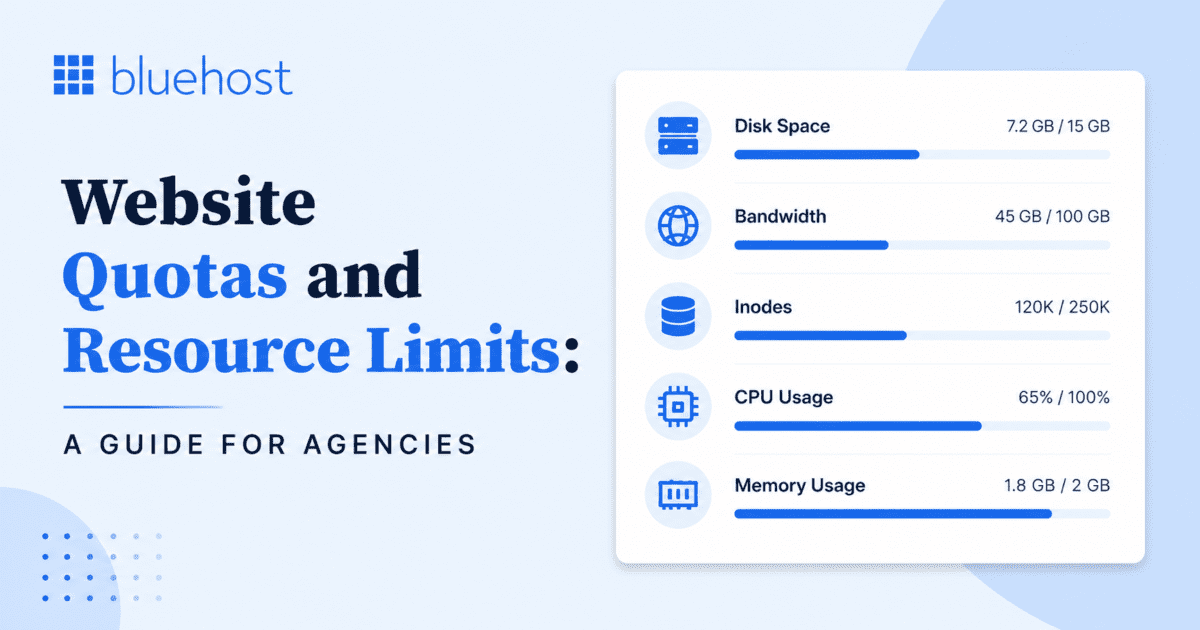
When you manage hosting for multiple clients, website quotas and resource limits client accounts aren’t just a technical detail. They affect your agency’s reliability, your client relationships and your ability to scale without firefighting. Understanding how resource utilization works and how to stay ahead of it, separates a well-run agency from a reactive one.
This guide explains key resource limits, what happens when they’re exceeded and how agencies can manage capacity proactively.
TL;DR
- Website quotas and resource limits define the maximum storage, CPU, memory and processes available to client accounts.
- Monitoring resource utilization, storage quotas and soft limits helps agencies prevent slowdowns, HTTP status code errors and outages.
- Hard limits can block write requests, while soft limits reduce performance and provide time for remediation.
- Agencies should review resource usage regularly, maintain headroom and plan limit increases before demand exceeds capacity.
- Choosing a scalable hosting platform with monitoring, backups and security tools simplifies managing growing client websites.
Why resource limits and quotas exist
Every hosting account has a defined maximum for disk storage, bandwidth, CPU, PHP workers, inodes and database size. These are called resource limits or quotas. They exist to ensure fair share access to shared infrastructure, so one client’s resource utilization doesn’t degrade other accounts on the same node.
When an account hits its storage quota, maximum nodes or process limit, things break, uploads fail, pages return HTTP 500 status codes or the site slows to a crawl. Knowing which limit type is a soft limit vs a hard limit tells you what breaks and how fast.
Limits aren’t the problem. Ignoring them is. Understanding your default limit per resource type and monitoring utilization against it, is what keeps you in control.
To manage client websites effectively, agencies need to understand which resources have the biggest impact on site performance and availability
The 6 resource limits every agency needs to track
Each resource type fails differently. The following table is your quick reference.
| Resource type | Limit type | What breaks when you hit it |
| Disk storage | Hard | Write requests fail; uploads, updates, email break |
| Bandwidth | Soft → Hard | Slow loads; CDN reduces consumption significantly |
| CPU / Compute | Soft | Site slows down, stays online; recovers when load drops |
| PHP workers | Soft | Subsequent requests queue or fail at peak concurrent load |
| Inode count | Hard | No new files; backups, email and updates stop working |
| Database size | Soft → Hard | Query timeouts, 500 HTTP status codes, write failures |
1. Disk storage and storage quotas
Storage quota = the maximum amount of data an account can hold. Files, media, themes, plugins, email, logs and backups all count toward this combined total. When the quota is reached, write requests fail entirely, this is a hard limit.
On Bluehost Agency Hosting plans, storage ranges from 10 GB (Studio) to 3 TB (Agency Enterprise), all on NVMe SSD. Keep storage usage below 80% to allow room for logs, cache files and traffic fluctuations.
2. Bandwidth
Bandwidth is cumulative, page loads, image requests, file downloads and API calls all count. The built-in global CDN on all Agency Hosting plans serves static assets from edge nodes, meaningfully reducing origin read requests. For seasonal campaigns, plan bandwidth headroom before the event, demand can spike faster than storage.
3. CPU and compute capacity
CPU measures concurrent resource utilization, it’s what’s being used right now, not accumulated. On Agency Hosting, each account gets dedicated vCPU (5 on Studio → 1,800 on Agency Enterprise) isolated at the container level. One client’s traffic event doesn’t consume CPU allocated to another client’s account. See performance and reliability for agency hosting for how this behaves under load.
When CPU usage approaches its limit, our platform applies a soft limit to help keep sites online. During these periods, visitors may experience slower page load times, but the site remains accessible.
4. PHP workers and concurrent processes
PHP workers determine how many simultaneous requests a site can process. Each dynamic page request, cart, checkout, login, holds one worker until it completes. On standard shared/reseller accounts, the default limit is 25 concurrent processes per cPanel account.
On Agency Hosting, PHP worker counts scale with demand at the infrastructure level, no configuration file changes required. Common causes of process limits include email clients polling too frequently and plugins making multiple database queries per page. External API calls can also hold PHP workers open while waiting for responses.
5. Inode count
This is the limit most agencies miss until it causes visible failures.
An inode tracks every file and folder, its location, permissions and metadata. Every file uses exactly one inode, regardless of size. A 1 KB text file and a 1 GB video each consume one inode count. The standard Bluehost account allows a maximum of 200,000 inodes.
WordPress is high-risk: caching plugins generate thousands of temp files during normal operation. A WordPress deployment can hit its inode ceiling before it approaches its storage quota.
Inode exhaustion is the most common hidden cause of backup failures and email delivery errors on WordPress sites. Add inode count to every monthly resource utilization audit.
6. Database size and table limits
Database growth can affect site performance over time, particularly for content-heavy WordPress sites. As databases expand, queries may take longer to execute, potentially impacting both the admin dashboard and front-end performance. As usage approaches the maximum, query performance degrades progressively. Front-end pages executing complex read requests return HTTP 500 status codes. At the hard limit, write requests fail entirely.
Mature WordPress sites accumulate database bloat over time: post revisions, expired transients orphaned tables from uninstalled plugins and queued comment spam. A database audit is often the fastest performance improvement for an inherited client site.
Before managing these limits effectively, it’s important to understand how different types of resource limits are enforced and what happens as they are approached.
How resource limits are defined and enforced
Understanding how different limit types work helps you anticipate their impact as they approach capacity. It also makes it easier to communicate potential issues and next steps to clients when problems arise.
Soft limit: triggers a warning or performance reduction but keeps the account running in a degraded state. CPU exhaustion applies a soft limit, the site slows down, it doesn’t go down. Gives you a window to respond.
Hard limit: stops the operation entirely. Storage exhaustion is a hard limit, all write requests fail immediately. No new files can be created until storage is freed or the quota is increased.
Soft limits are only useful if monitoring is in place to surface them. Without alerts, they stay invisible until a client notices degradation.
Knowing how limits work is important, but choosing a platform designed to support growing client websites can make managing them much easier.
How our infrastructure handles resource limits
Our Agency Hosting platform is built for agencies that need reliable performance as their client portfolios grow. Isolated site environments, scalable resources and proactive monitoring help agencies accommodate changing demands while maintaining a consistent experience across client websites.
Our WordPress Agency Hosting platform is built on WPCloud infrastructure. Each site runs in its own isolated container, with CPU, memory and storage allocated at the namespace level per deployment. This means resource utilization on one client’s account does not draw from another client’s allocation, even when both are managed under the same agency plan.
A few infrastructure decisions that affect how resource limits behave in practice:
- Container isolation: Resource groups are defined per site. A traffic spike or resource event in one container stays within that container’s defined maximum, rather than propagating to adjacent accounts on the same node.
- Vertical scaling: CPU and PHP workers scale upward in real time to handle demand. The infrastructure responds to load at the container level before it hits the hard limit, reducing how often limits are actually reached during traffic spikes.
- Datacenter redundancy: Site data is replicated across multiple regions. If a node or datacenter experiences issues, the account fails over automatically rather than going offline. This applies at the infrastructure level, not the account level.
- No overage charges for traffic spikes: High-traffic events, seasonal campaigns, product launches, donation drives, are handled as normal operating conditions within the allocated compute capacity. There are no per-request overage fees on top of plan pricing.
For a closer look at our uptime commitments, SLA coverage and available remedies, see our guide to hosting SLAs for agencies.
Choosing the right resource allocation helps agencies balance performance, scalability and cost as they expand their hosting business.
Resource allocations across our agency hosting plans
The following table summarises the core resource allocations by plan. Use this as a reference when sizing client onboarding, evaluating whether a current plan has sufficient capacity or planning for account growth. All plans include the same feature set, the differences are in compute power, storage and the number of sites supported.
Bluehost agency hosting plans and resource allocations
| Plan | Sites | NVMe storage | Compute power | Price/Month (36-month term) | Best for |
| Boutique | Up to 10 | 125 GB | 20 vCPU Threads | $65/mo ($6.50/site) | Small agencies managing up to 10 websites |
| Firm | Up to 25 | 175 GB | 75 vCPU Threads | $140/mo ($5.60/site) | Growing agencies with higher traffic client sites |
| Agency | Up to 50 | 225 GB | 150 vCPU Threads | $230/mo ($4.60/site) | Agencies managing larger portfolios and high-traffic sites |
| Custom Agency | Custom | Custom NVMe Storage | Custom Compute Power | Contact Sales | Agencies with unique performance or scaling requirements |
Note: All plans include the same core features, including a 100% uptime SLA, one-click staging, 24/7 priority support, unrestricted bandwidth, global edge caching, global data centers and Yoast SEO Premium. The primary differences are the number of supported sites, storage capacity and available compute power.
Pricing note: Pricing shown reflects 36-month promotional rates and is subject to change. Refer to the Bluehost Agency Hosting page for the latest pricing and plan details.
Proactive resource utilization monitoring for agencies
Reactive agencies find out about resource limits when clients report problems. Proactive agencies have already seen the trend and acted.
1. Configure alerts at account setup
Most platforms send alerts at 50%, 80% and 100% of each resource threshold. Configure these for every client account at onboarding. Use an external email address for critical alerts, if the account’s mail services are affected by the resource event, you still need to receive the notification.
2. Monthly utilization audit
Run a monthly audit of disk storage, database size, inode count and bandwidth across all client accounts. Flag any account consistently above 80% of its defined maximum. Accounts with the fastest growth trajectory need upgrade conversations, have them before a site goes down, not after.
3. Pre-event capacity planning
Before any product launch, seasonal campaign or donation drive, review resource headroom in advance. Review what the hosting SLA covers so you can set accurate client expectations before demand spikes.
Even with proactive planning and monitoring in place, understanding the impact of reaching a resource limit can help agencies respond more quickly when issues arise.
What actually breaks when each limit is reached
Each resource limit affects websites differently. The following examples highlight some of the most common issues agencies may encounter when a limit is reached.
1. Storage quota reached
All write requests fail. Media uploads return errors. Plugin and theme updates cannot complete. If email hosting shares the account, incoming messages bounce. WordPress scheduled jobs fail silently because they cannot write output. Hard limit nothing writes until storage is freed or quota is increased.
2. Inode ceiling reached
No new file objects can be created regardless of remaining disk space. WordPress throws errors on updates. Backup processes fail. Email delivery stops. The site may briefly serve cached content, but errors become visible to visitors quickly as PHP processes and jobs fail.
3. CPU exhaustion
Soft limit applied: processing speed temporarily reduced, site stays accessible. Resolves when traffic drops or plan is upgraded. Appears to clients as slow page loads, not error pages.
4. Database limits approached
Read requests to the database take progressively longer. Admin dashboard times out. Front-end pages returning HTTP status codes in the 500 range to visitors. At the hard limit, write requests fail entirely, any function that creates or updates a record breaks.
5. Process limit reached
Subsequent requests queue or fail depending on server configuration. Manifests as intermittent errors during traffic peaks not a consistent outage, which makes it harder to diagnose without monitoring data.
While understanding these symptoms is important, preventing resource limits from being reached in the first place is the best way to maintain a reliable experience for clients.
Practical steps to keep client accounts within their limits
Most resource limit breaches are preventable with standard maintenance disciplines applied consistently across managed accounts.
- Clear plugin caches on a scheduled basis. Caching plugins generate large numbers of temporary files as part of normal operation. Without scheduled cleanup, these accumulate toward the inode ceiling over weeks. Set automated cache purges in line with the site’s update frequency.
- Limit post revisions using define(‘WP_POST_REVISIONS’, 5) in wp-config.php. WordPress stores unlimited revisions by default. On high-edit sites or sites with large editorial teams, uncapped revisions inflate database size rapidly.
- Delete inactive themes and plugins completely, not just deactivate them. Deactivated items still occupy disk space and inode count. A site with ten inactive themes installed is carrying unnecessary resource overhead.
- Use object caching (Redis or Memcached) instead of file-based caching where available. Object caching stores frequently-accessed data in memory rather than writing cache files to disk, which reduces inode consumption while maintaining the performance benefit.
- Audit the media library regularly for duplicates and oversized originals. WordPress creates multiple image size variants for every upload. Applying compression at the upload stage reduces the storage and inode impact of each new media file added.
- Schedule automated database cleanups to remove expired transients orphaned plugin tables, queued spam and draft revisions. Running this monthly on active sites prevents gradual quota creep.
- Use the CDN included in your plan to serve static assets from edge nodes rather than the origin server. This reduces both bandwidth consumption and the CPU load generated by serving static files through PHP.
For a complete workflow on managing client sites at scale, including tooling, access controls and bulk operations, see our guide on how to manage client websites with agency hosting.
Even with proactive maintenance in place, growing websites eventually require additional resources. Recognizing these signals early helps agencies plan upgrades before performance issues affect clients.
When to scale: recognising the signals for a limit increase
The right plan is the one that gives each client’s deployment enough resources to operate with headroom, not just enough to function today. Scaling decisions should be made ahead of constraints, not in response to them.
The following are clear signals that a client account needs a limit increase or a plan upgrade:
- Disk usage consistently above 80% of the allocated storage quota
- CPU alerts triggering before the end of each billing period
- Inode count above 150,000 on a 200,000-limit account, despite regular maintenance
- Database size approaching 8–9 GB on a 10 GB defined maximum
- Client traffic growing month-over-month with no plateau in sight
- New service lines, product catalog expansions or high-traffic events planned
Our WordPress Agency Hosting tier structure scales incrementally from a single-site Studio plan up to Agency Enterprise at 600 sites. The cost per site decreases as the tier increases $17.99 per site on Studio down to $3.41 per site on Agency Enterprise, which means consolidating clients under a higher-tier plan is often more economical than maintaining separate accounts. Our guide on how to price website hosting for clients covers how to build a pricing model around these tiers in a way that reflects both the resource value and your agency margins.
Agencies that establish regular audits, clear upgrade thresholds and proactive communication around resource management are better equipped to scale their hosting business. While hosting environments such as shared hosting, VPS and dedicated servers offer varying levels of control and resources, the right platform can further simplify capacity planning by providing built-in tools for monitoring, security and performance optimization.
What’s included in our plans beyond the resource limits
Resource limits define the ceiling. What’s included in each plan determines how efficiently you operate within that ceiling and how much you’d otherwise be spending on separate tools and services.
Every Agency Hosting plan includes the following at no additional cost:
- Global CDN with dynamic image optimization and edge caching: Helps reduce bandwidth usage and improve page load times without requiring manual configuration.
- Automated daily backups via Jetpack: Includes 10 GB of backup storage and one-click point-in-time restores, eliminating the need for a separate backup solution.
- Built-in WAF and DDoS protection: Security measures are managed at the infrastructure level to help safeguard websites against common threats.
- Automated WordPress updates: WordPress core, plugins and themes are updated automatically, reducing routine maintenance for agencies managing multiple client sites.
- One-click staging and cloning: Test changes in an isolated environment and deploy updates confidently without impacting the live website.
- Yoast SEO Premium included: Each site comes with Yoast Premium, helping agencies streamline SEO efforts and deliver additional value to clients.
- 24/7 priority support from WordPress experts: Support requests are routed directly to Level 3 WordPress-trained specialists for faster issue resolution.
- Centralized performance monitoring: View resource utilization, site health metrics and performance insights for all managed client websites from a single dashboard.
The combined standalone value of Jetpack backups and Yoast Premium is $27.90 per month per site. At the Boutique plan covering 10 client accounts, that represents $279 per month in tools that don’t appear as separate line items. See how agencies make money with hosting for how to factor bundled value into client pricing and margin conversations.
The bottom line
Resource limits and storage quotas exist in every hosting environment. The question is whether you’re managing them intentionally with monitoring, defined thresholds and a clear process for limit increases or reacting to them after they’ve already affected a client.
The six resource types that matter most disk storage, bandwidth, CPU, concurrent processes, inodes and database size each reach their defined maximum differently. An agency that monitors resource utilization across all six, configures alerts at setup and maintains headroom on every account operates at a fundamentally more reliable standard.
Bluehost Agency Hosting isolated containers, real-time vertical scaling, redundant infrastructure and a centralized management dashboard is built to support proactive resource management across a growing client base. See Agency Hosting plans to find the tier that matches your current client load and where you’re headed.
Frequently asked questions
Storage quotas range from 10 GB NVMe SSD (Studio) to 3 TB (Agency Enterprise). All storage uses NVMe SSD for faster read/write performance. See the plan table above for full allocations.
Standard Bluehost accounts allow a maximum of 200,000 inodes per account. Approaching this limit causes backup failures, email delivery errors and WordPress update issues, all require creating new file objects.
A soft limit triggers a performance reduction or warning but allows the account to continue operating. A hard limit stops the operation entirely. CPU exhaustion = soft limit (site slows, stays online). Storage exhaustion = hard limit (all write requests fail immediately).
If a client site reaches its allocated CPU capacity, visitors may experience slower page load times or temporary performance degradation during periods of high demand. In most cases, the site remains accessible, and performance typically improves as traffic levels normalize or additional resources are made available.
5,000 tables or 10 GB total database usage per account, whichever is reached first. As usage approaches this maximum, read requests degrade and write requests begin failing.
Standard shared/reseller hosting: 25 concurrent processes per cPanel account as the default limit. On Agency Hosting, PHP worker counts scale with demand at the infrastructure level, no configuration file adjustments required. Subsequent requests during traffic spikes are handled by the vertical scaling layer.
On shared hosting, quotas are enforced at the node level across a shared resource pool. On Bluehost Agency Hosting, each site runs in an isolated container with resources defined at the namespace level per deployment. One client’s resource event cannot affect other clients you manage.
No. Traffic spikes seasonal campaigns, flash sales, high-volume events are handled as normal operating conditions within allocated compute capacity. No per-request overage fees on top of plan pricing.
Consistent CPU alerts before month-end, storage above 80% of quota, inode counts above 150,000, database sizes above 8 GB or sustained traffic growth all indicate an account needs more capacity.

Write A Comment