 ChatGPT,
 Claude,
 Gemini,
 Grok — all four for

Key highlights
- Know what a virtual receptionist is and how it fits into your daily operations.
- Learn how a live virtual receptionist service differs from standard voicemail or auto-attendants.
- Understand how virtual receptionist appointment scheduling reduces missed bookings and wasted time.
- Explore what separates the best virtual receptionist for small business needs from a basic answering service.
- Uncover the real cost difference between a virtual receptionist and a full-time in-house hire.
Every unanswered ring is a customer deciding whether to wait or dial your competitor. For a small team trying to serve clients, finish jobs and run the books all at once, the phone often loses. Yet a missed call is rarely just a missed call. It is frequently a missed booking, a lost quote or a first impression that never recovers. A virtual receptionist for small business owners closes that gap by answering, scheduling and routing calls without the cost of a full-time hire at the front desk.
Research has found that a 85% of the callers do not leave a voicemail and will simply move on if no one picks up. That single behavior quietly drains revenue from busy operators who never see the leads they lost.
Below you will learn what this service actually is, how a call moves from ring to resolution, what it costs compared with hiring staff and a clear framework for choosing the right provider. By the end you should be able to shortlist the best virtual receptionist and set it up with confidence.
What is a virtual receptionist?
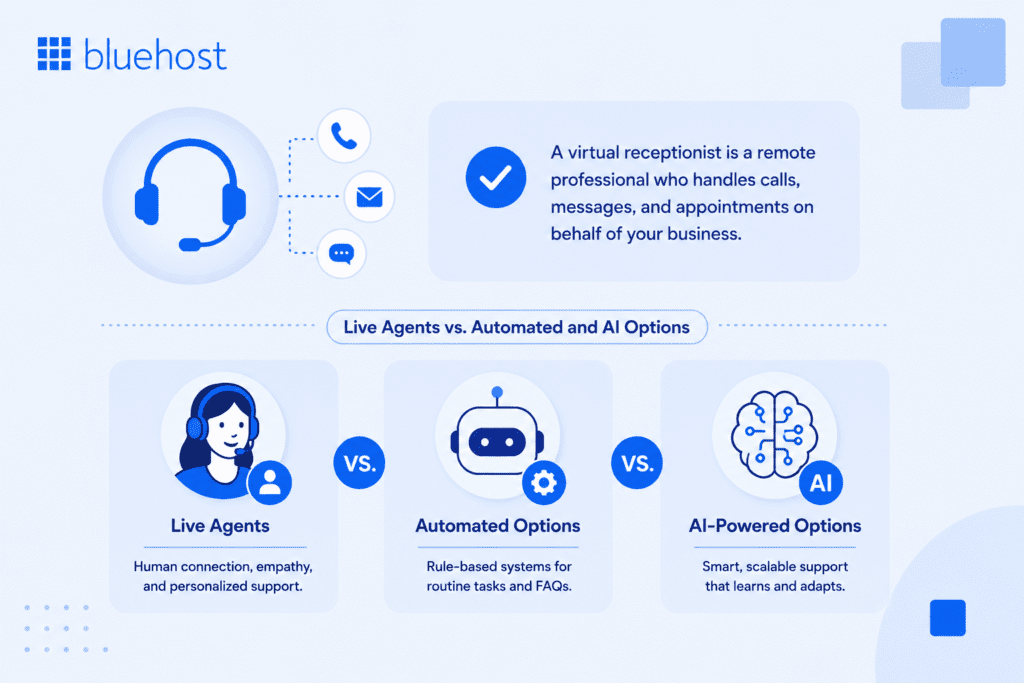
A virtual receptionist is a remote service, staffed by trained agents or powered by software, that answers your business calls, takes messages, books appointments and routes callers using a script you approve. It works like a front desk that lives off-site and operates on your hours or around the clock.
Unlike a basic answering machine that only records a message after the beep, a virtual receptionist interacts with the caller in real time. It greets people with your business name, answers common questions, captures contact details and decides where the call should go. The caller gets a response, not a recording, which keeps your brand sounding active and attentive.
Live agents versus automated and AI options
These services sit on a spectrum. On one end is a live virtual receptionist service, where real people answer using your instructions and handle nuance, tone and tricky questions. On the other end is an AI receptionist that captures leads, answers routine queries and schedules calls 24/7 without a person on the line. Many businesses blend the two, letting automation cover after-hours and overflow while humans handle complex calls during the day.
Common tasks they handle
Coverage varies by provider, but most handle a consistent core set of duties that map directly to front-desk work.
- Answering inbound calls with your custom greeting
- Taking and forwarding messages to the right person
- Booking, rescheduling and confirming appointments
- Routing or transferring calls based on your rules
- Capturing lead details for follow-up
- Answering frequently asked questions about hours, location and pricing
Knowing which of these you need most will shape the kind of provider that fits, which is exactly what the next section unpacks.
What is an AI receptionist?
An AI receptionist is software that answers your business calls in real time, captures caller details and books appointments using a script you approve. No person is on the line, but the caller gets an immediate, interactive response rather than a recording.
Where a live virtual receptionist service relies on trained people who can read tone and handle unexpected questions, an AI receptionist focuses on predictable, high-frequency tasks: greeting callers, answering routine questions, confirming availability and logging details for follow-up. Voicemail records a message and stops there. An AI system acts on the call in the moment, so callers reach a resolution rather than a callback request that may never come.
Think of it as a smart partner that works alongside your team rather than standing in for it. When your staff are busy with clients or the workday has ended, the AI keeps your front desk active and collects the details you need. The Bluehost AI Receptionist, for example, connects directly to Google Calendar so every booking lands on your schedule automatically, without anyone typing it in by hand.
Virtual receptionist vs. answering service
No, an answering service and a virtual receptionist are not the same thing. An answering service handles basic message-taking and call forwarding, while a virtual receptionist acts as an extension of your business by handling appointment scheduling, lead intake, active call routing and more.
| Capability | Answering service | Virtual receptionist |
|---|---|---|
| Custom greeting | Uses standardized scripts with limited customization; agents typically announce themselves as “an answering service for your company” rather than speaking as your brand directly. | Delivers interactions aligned with your company culture and communication style, representing your brand voice on every call. |
| Appointment scheduling | Basic message delivery by email or text; may offer simple calendar access for verification but rarely books appointments directly. | Books, reschedules and confirms appointments in real time by accessing your live calendar. |
| Call routing | Forwards to a single number or records a message for later follow-up. | Routes calls in real time to the appropriate person or department based on your defined rules. |
| Customer Relationship Management (CRM) and calendar integration | Generally limited to basic message delivery; rarely supports deep integration with business platforms. | Integrates with CRM systems and scheduling software, updating records and adding notes to customer files so agents can serve callers with current information. |
| After-hours coverage | Primarily focused on answering and routing calls; handles high volumes with fast, consistent responses, often 24/7. | Full call handling including booking and routing; coverage hours vary by provider and plan tier. |
| Typical use case | Best suited for businesses needing cost-effective, round-the-clock coverage with straightforward call handling. | Fits businesses prioritizing personalized client interaction, system integration and branding consistency, such as professional offices, legal practices and small service businesses. |
The practical decision comes down to what happens after a caller says hello. If capturing a name and number is enough, an answering service covers that job at a lower cost. If your callers expect to leave the call with a confirmed appointment, a routed transfer or a logged inquiry, a full virtual receptionist delivers the outcome without requiring manual follow-up on your end.
Virtual receptionist vs. call center
So which one actually makes sense for a small business? Honestly, for most owner-operated setups, a virtual receptionist wins. Call centers are built to handle enormous volumes across dozens of client accounts and that scale comes at a cost: personalization goes out the window. If your callers expect someone who knows your business, a script written for the masses is going to feel like exactly that.
Think of a live receptionist service as your off-site front desk, not a random stranger reading from a shared screen. Agents learn your greeting, your services and the specific way you want calls handled. When someone asks about your pricing or whether you’re taking new clients, the answer sounds like it came from your own team. That consistency matters. It keeps your brand voice intact and gives callers a reason to stay on the line.
Call centers are a different beast entirely. They’re engineered for scale: high volumes, fixed scripts and very little room for a real conversation. That model works well when you’re fielding hundreds of identical requests every day, like a tech support queue or an order-status line, where speed across volume matters far more than a personal touch.
| Feature | Virtual receptionist | Call center |
|---|---|---|
| Best suited for | Small and owner-operated businesses | High-volume, enterprise or multi-client operations |
| Call handling style | Personalized, follows your specific instructions | Standardized scripts across all clients |
| Brand voice consistency | High, agents learn your greeting and services | Low, tone is generalized, not business-specific |
| Flexibility | Adapts to your process and caller questions | Limited, rigid script structure |
| Call volume capacity | Moderate, ideal for steady inbound flow | Very high, built for thousands of contacts daily |
| Cost model | Per-minute or per-call plans; lower overhead | Higher setup and operational costs |
| Caller experience | Feels like talking to your own team | Feels like a generic contact center |
| Ideal call types | Appointment booking, intake, lead qualification | Order status, tech support, billing inquiries |
The real dividing line comes down to two things: call volume and call type. Once your inbound calls get frequent enough and repetitive enough that personalizing each one stops adding real value, a call center’s infrastructure starts to make sense. But for most small businesses that haven’t crossed that line yet, a live receptionist service gives you far more control over the caller experience without the cost or complexity of building that capacity in-house.
How a virtual receptionist service works?
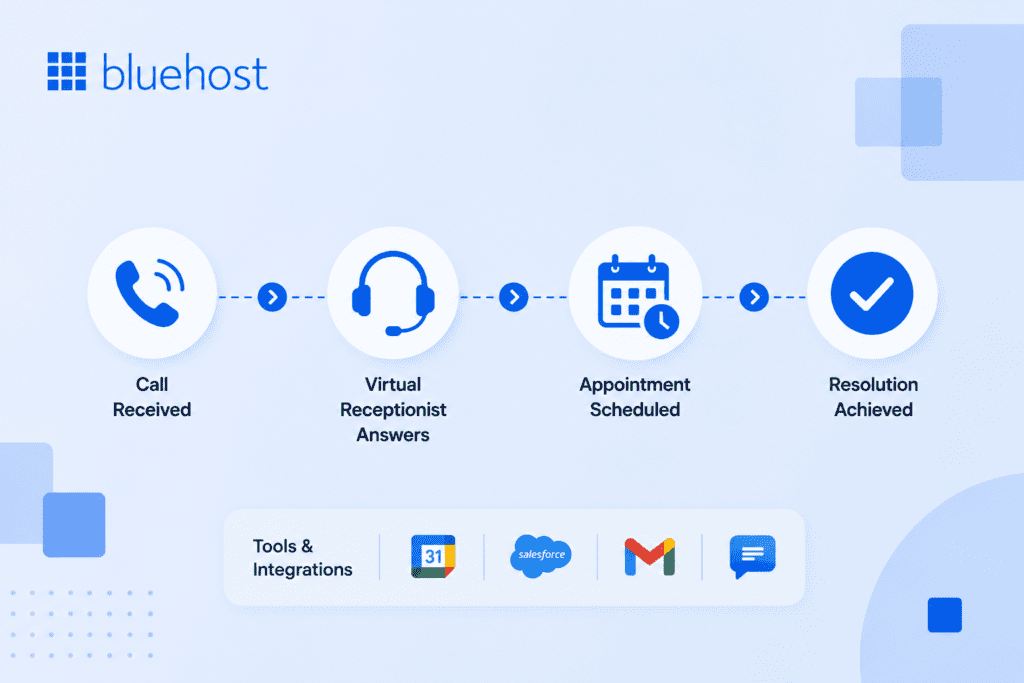
The setup is simpler than most owners expect. You forward your business line to the service, supply a script and a few rules, then calls start getting answered under your name. Here is how each piece fits together.
Call flow from ring to resolution
When a customer dials your number, the call is forwarded to the receptionist service instead of ringing an empty desk. The agent or AI greets the caller with your approved script, identifies why they are calling and then acts on it. That action might be transferring the call to your mobile, booking a slot on your calendar or logging a detailed message. Either way the caller leaves the interaction feeling helped and you receive a clean record of what happened.
Virtual receptionist appointment scheduling
Scheduling is where many small businesses see the fastest return. With virtual receptionist appointment scheduling, the service connects to your calendar, sees real-time availability and books the caller into an open slot on the spot. Automated reminders then go out before the appointment. The payoff is concrete: fewer no-shows, less phone tag and no double bookings. A plumber on a job site or a solo attorney in a meeting no longer has to choose between serving the client in front of them and capturing the next one.
Tools and integrations to expect
A good service does not work in isolation. It plugs into the systems you already use so information lands where it belongs. Expect links to your Customer Relationship Management (CRM) software, shared calendars like Google Calendar and a professional email account so messages reach the correct inbox quickly. When these connections are solid, a captured lead becomes a follow-up task automatically instead of a sticky note that gets lost.
Reliable scheduling, email and calendar tools are the quiet backbone here, so it pays to build your front desk on infrastructure you can trust. Power your front desk with reliable WordPress hosting, professional email and scheduling tools that keep every lead connected.
How to set up a virtual receptionist in five steps?
Most owners are live within one to two business days. The configuration itself rarely takes more than a few hours once you have your scripts and calendar access ready. Here are the five steps to follow.
- Forward your business line to the service. Log into your phone carrier or VoIP provider and redirect incoming calls to the number your receptionist service assigns you. You can choose to forward all calls, only overflow calls when you are busy or calls outside business hours. Getting the forwarding rule right at the start prevents any gap where calls ring through to an unanswered desk.
- Write and approve your greeting and call scripts. Draft a welcome message using your business name and cover the questions callers ask most. A clear, approved script keeps every interaction on-brand and gives agents or an AI Receptionist a defined path to follow, so callers never hear an uncertain pause or an off-brand response.
- Connect your calendar and CRM. Link the service to your scheduling tool so it can check real-time availability and drop bookings directly into open slots. The Bluehost AI Receptionist, for example, connects to Google Calendar via OAuth so confirmed appointments appear instantly without any manual entry on your end.
- Set routing and escalation rules. Decide which call types transfer straight to your mobile, which get a message taken and which need urgent escalation to a specific team member. Defined rules prevent a high-priority inquiry from sitting quietly in a message queue alongside routine questions.
- Run test calls before you go live. Dial your own forwarded number and work through several scenarios, including a booking request, a pricing question and a call that should escalate. Catching a misconfigured rule or a confusing script line during testing protects your first real customer from a poor experience you cannot take back.
Benefits and real costs for small businesses
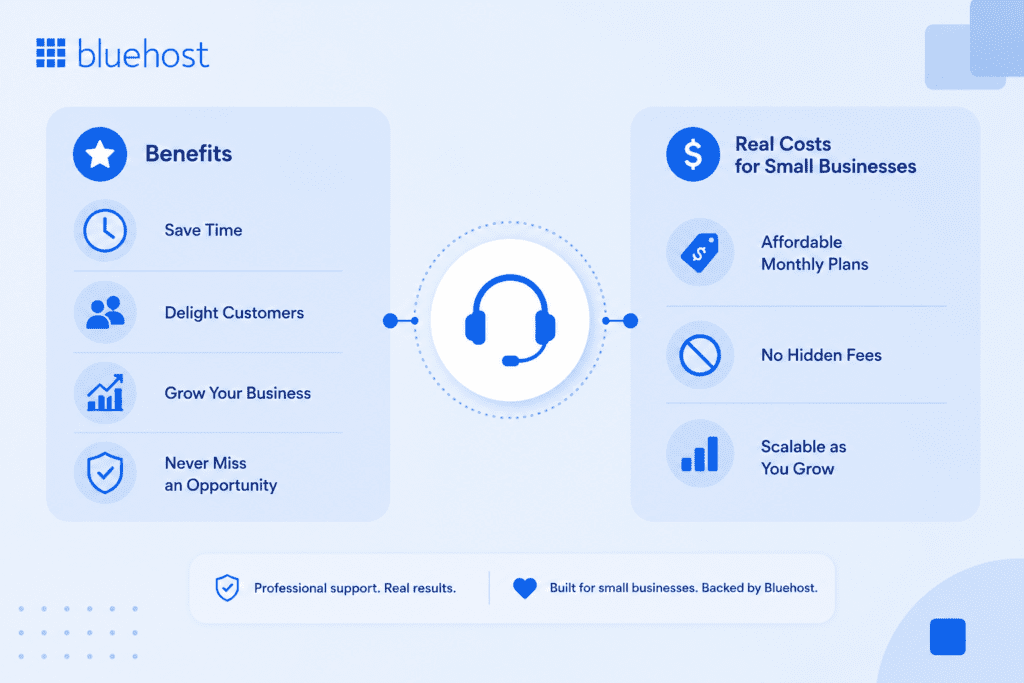
The case for this model rests on two things: what it gives you back and what it costs against the alternative. Both deserve an honest look.
Key benefits of having a virtual receptionist
The advantages go well beyond simply having someone pick up the phone. For small businesses especially, the right virtual receptionist service can quietly reshape how your entire operation runs day to day.
- You stop losing leads every time you can’t answer. Every missed call is a potential customer who may not call back. Studies consistently show that the majority of callers won’t leave a voicemail and they’ll simply move on to a competitor who picks up. A virtual receptionist answers in your name, captures the lead’s details and makes sure the conversation actually happens, even when you’re heads-down on a project or out on a job site.
- Your business sounds more established from the very first hello. Perception matters. When a caller hears a professional, friendly voice greet them by your business name rather than your personal cell, it signals credibility. It tells them you’re a real operation, not a solo freelancer juggling everything at once. For newer businesses especially, that first impression can be the difference between earning the client’s trust or losing them before the conversation begins.
- You cut the real cost of a front-desk employee. A full-time receptionist typically runs $35,000 to $45,000 per year in salary alone and that’s before you factor in payroll taxes, health benefits, paid time off and the overhead of a physical workspace. A virtual receptionist service charges for the coverage you actually use, which makes it far easier to manage costs when your call volume fluctuates month to month.
- You can offer real support outside of standard business hours. Most small businesses go dark after 5pm. Your competitors probably do too. Extending your answering coverage into evenings and weekends puts you ahead of that default and it matters more than people realize. Plenty of consumers do their research, make calls and compare options during lunch breaks or after the kids are in bed. Being reachable then is a genuine competitive advantage.
- You reclaim hours you’d otherwise spend managing calls yourself. Answering phones, taking messages, routing inquiries and following up on basic questions adds up. For a solo operator or a small team, that time comes directly out of the hours you could spend on actual revenue-generating work. Handing call handling off to a virtual receptionist service gives you back focused, uninterrupted time without dropping the ball on customer communication.
These benefits hit hardest when your call volume is unpredictable, which is honestly true for most small businesses. A virtual receptionist for small business owners makes the most financial sense precisely because you’re not locked into a fixed salary during slow months, but you’re still fully covered when things get busy.
Cost comparison versus hiring
The clearest way to weigh the decision is to set the two options side by side across the things that actually hit your budget.
| Factor | Virtual receptionist service | Part-time front-desk hire |
|---|---|---|
| Typical monthly cost | Roughly $100 to $400 depending on call volume | $1,400 to $2,000 plus payroll taxes |
| Coverage hours | Business hours, after-hours or 24/7 | Limited to scheduled shifts |
| Sick days and turnover | Covered by the provider | Your responsibility to manage |
| Setup time | Days | Weeks to recruit and train |
| Scales with demand | Yes, adjust plans as needed | No, fixed hours regardless of volume |
For most small operations the math favors the service until call volume is high enough to keep a dedicated person genuinely busy all day.
When it makes sense and when it does not
A receptionist service is a strong fit for appointment-driven businesses such as clinics, law firms, salons and home-service trades where a missed call equals lost revenue. It also suits solo founders who cannot answer reliably during the day. It makes less sense if your customers rarely call, if your sales happen entirely online or if you already employ front-desk staff with spare capacity. Match the tool to your real call patterns, not to a feature list.
What your business loses without a virtual receptionist?
The cost of missing calls is not abstract. Every time your phone rings without an answer, you are losing a booked appointment, a quote request or a first impression that never gets to form. Callers who reach voicemail are unlikely to wait. As mentioned earlier, 85% of them will simply move on and the business that picks up next wins the job.
The damage compounds quietly. A plumber missing calls on a busy job site, a solo attorney in a deposition or a salon owner with both hands occupied does not notice the revenue drain in real time. Each unanswered ring represents a lead who is already scrolling to the next result on Google, dialing the second name on the list and describing their problem to someone else. That competitor did not spend more on advertising or offer a better service. They simply answered.
Beyond lost revenue, the first-impression cost matters too. Callers form opinions fast. A voicemail box signals to a new prospect that your business may be too stretched to respond and that perception is hard to undo even if you call back within the hour. A live answering service or an AI-powered front desk agent breaks this cycle by making sure every call is handled, every lead is captured and every new prospect has a reason to stay rather than scroll on.
How much does a virtual receptionist cost?
Most small businesses pay between $100 and $400 per month for a virtual receptionist service, but the actual number on your invoice depends heavily on which billing structure you choose. Pick the wrong model for your call patterns and you can pay far more than expected once overage fees kick in.
| Pricing model | How billing works | Best fit for |
|---|---|---|
| Per-minute | You are charged for the actual time a receptionist spends on your calls, typically between $0.25 and $2.25 per minute. A single 20-minute call can consume half your monthly allowance and overage rates can run $1.50 to $3 per minute on top of that. | Businesses with short, high-frequency calls such as quick appointment confirmations or message-taking. |
| Per-call | A flat rate applies to each call regardless of duration, typically ranging from $2 to $11 per call, meaning a 30-second message and a 10-minute consultation cost the same. | Legal, consulting or medical practices where calls run long and predictable per-call pricing protects the budget. |
| Flat monthly plan | A fixed fee covers a set number of calls or minutes per month, with plans typically including 50 to 500 units and additional usage billed at overage rates ranging from $0.45 to $2.25 per unit. | Businesses with steady, predictable call volume that want consistent monthly costs. |
| Tiered subscription | You select a tier based on estimated volume or feature requirements, with higher tiers unlocking lower per-call rates and additional tools. Plans typically range from $100 to $800 per month. | Growing businesses that expect call volume to increase and want room to scale without switching providers. |
Hidden fees and overage charges frequently add 30 to 50 percent to advertised base rates, turning what looks like a $260 monthly plan into $400 or more in actual billing. Before signing, ask exactly what happens when you exceed your included minutes or calls. Setup fees alone can range from $0 to $150 or more and some providers will waive them with a longer contract commitment. The safest approach is to choose a provider whose plan structure does not apply steep penalty rates once you go over your allowance, so a busy month never produces a surprise invoice.
Pros and cons of a virtual receptionist
Before committing, a balanced look at what the service delivers and where it falls short helps you avoid surprises after you’ve signed.
| Pros | Cons |
|---|---|
| After-hours and weekend coverage means callers get a real response even when your team is off the clock. | You have less direct oversight than you would with someone physically at your front desk, responding to real-time cues. |
| Monthly costs are significantly lower than a part-time hire once payroll taxes and benefits enter the equation. | Per-minute billing plans can become expensive fast if your calls tend to run long or if volume spikes beyond your plan’s included minutes. |
| Every caller hears a consistent, professional greeting that makes your operation sound established regardless of how small your team is. | There is a short setup phase where you write, test and approve call scripts before the service handles real customers. |
| Coverage scales up or down with your call volume without hiring, training or managing additional people. | The model is a poor fit when monthly call volume is very low, since plan minimums may cost more than the calls actually justify. |
| Every inbound inquiry is answered and caller details are captured, so far fewer leads fall through the cracks between calls. | Call quality depends heavily on the brief you supply; an incomplete or vague script produces inconsistent caller experiences. |
How to choose the best virtual receptionist for small business needs
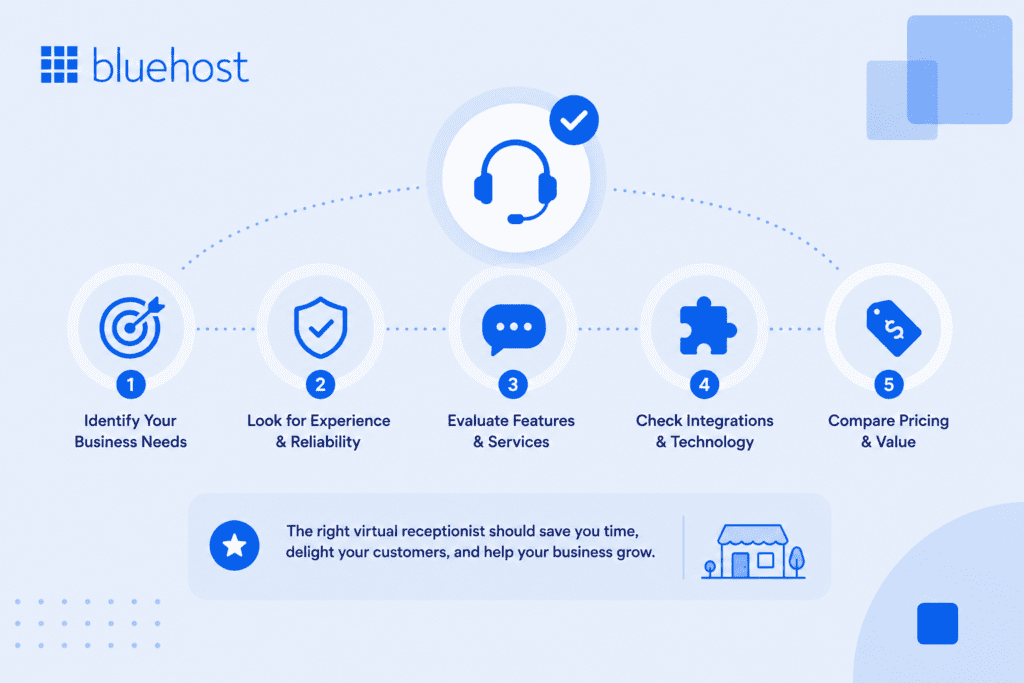
Once you know you need help with calls, the question becomes which provider earns your trust. A short, structured evaluation keeps you from overpaying or signing up for the wrong fit.
Decision checklist
Run every candidate through the same criteria so your comparison stays fair.
- Pricing model and whether it matches your call volume
- Hours of coverage, including after-hours and weekends
- Appointment scheduling and calendar integration
- Experience in your industry or with similar clients
- Control over your greeting and call scripts
- Integrations with your CRM, calendar and email
If a provider scores well on coverage and scheduling but cannot connect to your existing tools, the time you save on calls may be lost re-entering data by hand.
Questions to ask a provider
Before you commit, get clarity on the details that quietly affect your bill and your customer experience. Ask whether billing is per minute or per call, since the better choice depends on whether your calls run long or short. Ask how overage fees work when you exceed your plan. Ask where the agents are based and how they are trained, because call quality and accent familiarity shape how callers perceive your business.
Red flags to avoid
A few warning signs tend to predict frustration later. Watch for hidden charges that do not appear until your second invoice, rigid scripts that leave agents unable to handle anything off-book and weak reporting that hides what happened on your calls. A provider that cannot show you call logs, recordings or summaries is asking you to operate blind.
Pro tip: Test the service yourself by calling your own forwarded number a few times before you go live. How they treat you as a caller is how they will treat your customers.
Why an AI receptionist matters for small businesses?
The gap between what callers expect and what a small team can realistically deliver has never been wider. People want an answer on the first ring, at any hour and they won’t wait. According to Gartner, 85% of customer service leaders planned to pilot conversational AI by 2025 and it’s not hard to see why. A solo operator or a team of three simply can’t staff a phone around the clock without burning out or blowing the budget.
1. Virtual receptionists for law firms
Attorneys can’t afford to miss a new-client call. Someone phoning a law firm is usually stressed, dealing with a criminal charge, a divorce or a contract dispute. A virtual receptionist answers around the clock, gathers case details, runs a conflict check and books consultations into your calendar, so potential retainers don’t walk to the next firm that picks up.
2. Virtual receptionists for medical and dental practices
Front-desk staff at medical and dental offices spend a lot of their day with patients in the room. That means calls get missed. A virtual receptionist handles appointment booking, patient intake and after-hours inquiries while maintaining HIPAA-compliant protocols. The result: fewer scheduling gaps, fewer no-shows with automated reminders and a front desk that stays covered during procedures and busy periods.
3. Virtual receptionists for financial advisors and accounting firms
Financial professionals bill for their time. Every call spent answering routine questions is a call that isn’t generating revenue. A virtual receptionist screens inquiries, qualifies prospects before they reach your desk and books consultations. During tax season especially, consistent phone coverage keeps new leads from slipping through while your team stays focused on client work.
4. Virtual receptionists for marketing and creative agencies
Agency teams move fast and rarely have someone free to handle inbound calls. A virtual receptionist picks up new business inquiries, routes existing client calls to the right account manager and takes detailed messages when the team is deep in a project. After-hours coverage means prospective clients get a response even when everyone’s offline, keeping your pipeline moving.
Where an AI receptionist adds the most value?
An AI receptionist’s value is sharpest where small-team resources run thin: after business hours, during busy stretches when staff cannot pick up and in every interaction that calls for a consistent, on-brand first response. The specific gains below answer the question of what you actually get by adding one.
- After-hours callers get an immediate, helpful response instead of voicemail, which means a lead who calls at 9 p.m. comparing contractors has the same chance of booking as one who calls mid-afternoon.
- Appointments confirm on the spot, with live calendar availability checked and a slot locked in during the same call, removing the back-and-forth that causes prospects to move on.
- Every call opens with the same brand-matched greeting, so your business sounds equally professional on a quiet Saturday as it does at peak hours on a Monday.
- Callers never wait on hold, which cuts hang-ups and reduces the risk of a potential customer dialing a competitor while waiting for someone to pick up.
- The cost per handled interaction is a fraction of what a salaried front-desk employee adds to your payroll, because the AI supports your existing team rather than replacing anyone.
- Caller details, including name, contact number and reason for the inquiry, flow directly into your Customer Relationship Management (CRM) system, turning each answered call into an actionable follow-up rather than a note that gets lost between jobs.
How an AI receptionist’s voice shapes the caller experience?
Yes, a modern AI receptionist can sound professional enough to represent your business to most callers. The voice someone hears in the first few seconds determines whether they stay engaged or hang up. A flat, robotic tone signals an inattentive business. A clear, conversational response tells the caller they reached somewhere that takes them seriously. Four qualities define a voice worth putting your business name behind.
- Natural, conversational tone: The voice should sound like someone who genuinely wants to help, not a script being read at a steady pace. Callers rarely describe voice problems as technical issues. They say the agent “felt off,” “kept pausing,” or “didn’t seem to understand.” A natural tone prevents those reactions before they form.
- Fast response time: Response speed matters more than most owners expect. Pauses beyond 500 milliseconds feel unnatural and past one second callers start repeating themselves or assuming the system is broken. Beyond two seconds, the interaction stops feeling like a conversation entirely. Quick replies keep the exchange fluid.
- Accurate intent recognition: The AI needs to correctly interpret what a caller actually wants, whether that is scheduling an appointment, getting your business hours or reaching a specific person. Misreading the request wastes the caller’s time and signals the system is not paying attention.
- Brand-matched greeting and script: Opening with your exact business name and a tone consistent with your brand confirms to the caller they reached the right place. A generic opener creates distance. Your name in the first line builds immediate recognition and sets the right expectation for the rest of the call.
How the Bluehost AI Receptionist fits in?
For owners who want automation without juggling extra software, the Bluehost AI Receptionist answers calls and captures leads 24/7 so no inquiry slips through after hours. It is built for small teams that need a dependable digital front desk rather than a full call center.
The agent handles routine questions, collects caller details and books appointments directly through Google Calendar scheduling, which keeps your day organized without manual entry. Because it runs around the clock, evening and weekend callers get a real response instead of voicemail and you wake up to qualified leads rather than missed-call notifications.
It also sits alongside the tools that keep a small business running, including domain-matched professional email and reliable hosting, so your lead capture, calendar and inbox work as one connected system. That makes it a practical choice for a service business that wants the benefits of an always-on front desk without hiring or training staff.
Final thoughts
Answering the phone reliably is not a small detail. It is often the difference between a booked job and a lost one. One best virtual receptionist for small business owners protects their revenue by making sure every caller is greeted, helped and scheduled, whether a person or an AI agent is on the line. Match the model to your call patterns, weigh the real cost against a hire and choose a provider that integrates with the tools you already rely on.
Ready to stop missing calls, leads and appointments?
Bluehost AI Receptionist helps your business answer inquiries 24/7, book appointments automatically and engage customers across multiple channels without adding headcount. Whether you’re a home service provider, healthcare practice or local business, it gives you a reliable front desk that works around the clock.
Get started with Bluehost AI Receptionist today and turn more conversations into booked appointments.
FAQs
A virtual receptionist is a remote service, staffed by agents or AI, that answers your business calls in real time. You forward your line, provide a script and the service greets callers, answers questions, books appointments and routes or logs each call under your business name.
Most small businesses pay roughly $100 to $400 per month depending on call volume and features. Pricing is usually based on per-minute or per-call billing. That compares with $1,400 or more monthly for a part-time front-desk employee before payroll taxes.
Yes. Most services connect to your calendar, view real-time availability and book callers into open slots during the call. Many also send automated reminders, which cuts down no-shows and removes the back-and-forth of scheduling by phone or email.
A live service uses trained people who handle nuance, tone and complex requests. An AI receptionist uses software to answer routine calls, capture leads and book appointments 24/7 at lower cost. Many businesses combine both, using AI for after-hours and overflow.
For appointment-driven and call-heavy businesses, usually yes. If unanswered calls cost you bookings or quotes, the service often pays for itself by recovering leads. It makes less sense when customers rarely call or your sales happen entirely online.

Write A Comment