


Key highlights
- Understand how Google Business Profile helps your business appear in local search results and Google Maps for free.
- Discover the tools that let you interact directly with customers through reviews, messages and posts.
- Learn step-by-step methods to set up and optimize your profile for maximum visibility.
- Explore analytics features that reveal how customers find and engage with your business online.
- Uncover common mistakes that prevent businesses from ranking well in local searches.
Your customers are on Google searching for your businesses right now. But will they find you?
If you don’t have a Google Business Profile, you’re invisible to these searchers. Your competitors are showing up with photos, reviews and directions, meanwhile what if your business doesn’t appear on the map?
That’s a huge issue since you might be losing out on potential business. Here’s the good news: fixing it is easy and completely free.
Google Business Profile gives you a powerful way to control how your business appears online. You can add photos, respond to reviews and share updates. You can see exactly how customers find you and what they do next.
This guide tells you everything you need to open business on Google. You’ll learn what Google Business Profile is, why it matters and discover how to set it up correctly. No technical skills required.
So let’s dive in to make your business visible to everyone.
What is Google Business Profile?
Google Business Profile is a free tool that manages how your business appears on Google Search and Maps. It displays your business information when people search for your services or location.
Think of it as your business card on Google.
When someone searches for “coffee shop near me” or “plumber in Denver,” Google shows local businesses. Your Google Business Profile is what appears in those results.
Your profile includes:
- Business name and address
- Phone number and website
- Business hours
- Photos of your location and products
- Customer reviews and ratings
- Posts and updates
- Services or products you offer
Previously called Google My Business, the platform rebranded to Google Business Profile in 2021. The core features remained the same but the interface became simpler.
The profile appears in two main places.
First, it shows up in Google Maps when people search for businesses. Second, it appears in the “Local Pack” on Google Search. That’s the map section with three business listings at the top of search results.
Your profile gives customers everything they need to choose your business. They can read reviews from other customers. They can see photos of your products or storefront. They can call you or get directions with one tap.
Best of all, it’s completely free.
You don’t need a website to create a profile. You don’t need technical skills. Google makes it simple for any business owner to get started.
Now that you know what it is, let’s look at how it actually works.
Where does your Google Business Profile appear online?
Your Google Business Profile appears across multiple Google properties, putting your business in front of customers at crucial decision-making moments. When someone searches for your business name directly, your profile displays prominently in a Knowledge Panel. This branded visibility shows your hours, photos, reviews, website link and direct contact options all in one place.
For generic searches like “coffee shop near me” or “plumber in Denver,” your profile appears in the Local Pack. This is the map section showing three businesses at the top of search results. The placement helps users in the consideration phase understand where your business will be visible as they compare options. Your listing includes your rating, hours, distance from the searcher and a quick link to your full profile.
Google Maps provides another powerful visibility channel for your Google Business Profile. Your business appears as a pin on the map when users search within the Maps app or website. Clicking your pin reveals your profile with photos, reviews, directions and a call button. The list view shows your business alongside competitors, making your star rating and review count critical differentiators. Mobile displays prioritize quick actions – users can tap to call, get directions or visit your website instantly.
This multi-platform presence across Google Search and Maps drives customer discovery exactly when people need your services, turning searches into visits and calls.
How Google Business Profile works?
Google Business Profile connects your business information with people searching nearby. If you open business on Google, it’ll use your location, category and keywords to show your business to relevant searchers.
The system works through three main components.
Your business information
You enter details about your business into the profile dashboard. This includes your address, phone number, hours and services. Google stores this information in its database.
When you update your hours, the change appears immediately. When you add photos, customers see them right away.
Google’s algorithm
Google decides which businesses to show based on three factors. Relevance means how well your business matches the search. Distance measures how close you are to the searcher. Prominence looks at how well-known your business is online.
Reviews, photos and complete information improve your prominence. More updates and customer engagement boost your relevance.
Customer interactions
When someone finds your profile, they can take action. They might call your business, visit your website or get directions. They can also leave reviews or ask questions.
You receive notifications about these interactions. You can respond to reviews directly from the dashboard. You can answer questions customers post publicly.
The profile also generates insights. You see how many people viewed your profile each week. You learn which searches led people to you. You discover whether they called, visited your website or requested directions.
Google uses artificial intelligence to help too. It can automatically create posts from your website. It suggests business categories based on your description. It even helps improve your photos.
The entire system works on mobile and desktop. Customers mostly see your profile on phones while searching on the go. You can manage everything from your phone through Google Maps.
Understanding these mechanics helps you optimize better. Next, let’s explore the specific benefits this brings to your business.
Essential features of Google Business Profile
Google Business Profile provides essential tools that help you connect with customers and grow your business. Each feature emphasizes simplicity and practical value, making professional online management accessible without technical expertise.
- Posts: Keep customers informed through What’s New updates, special offers, events and product showcases that appear directly in search results
- Q&A section: Address questions publicly
- Messaging: Enable instant conversations that capture leads before they visit competitors
- Service menus and product catalogs: Display your offerings with clear pricing
- Booking buttons: Let customers schedule appointments without leaving your profile
- Attributes and categories: Ensure you appear in relevant searches based on specific needs like outdoor seating or wheelchair accessibility
Google Reviews build trust through customer testimonials, while photos and videos showcase your business visually. The Insights dashboard reveals exactly how customers find you, which actions they take and what drives engagement – giving you reliable data to guide your growth strategy and improve visibility.
Also read: Alternatives to a Google Business Profile Website (*.business.site)
Benefits of using Google Business Profile for your business
Google Business Profile puts your business in front of customers actively searching for your services. It displays your business prominently in local search results and Google Maps.
Local searches drive serious buyer intent. When someone searches “restaurants open now,” they’re ready to spend money. Your profile appears exactly when potential customers need you most.
Your profile appears in multiple Google properties. It shows up in regular search results. It appears in Google Maps. It displays in the Local Pack above organic results.
This visibility costs nothing and it extends beyond search too. Your profile appears when people search for your business name directly. It shows your current hours, preventing frustrated customers from arriving when you’re closed.
Let’s look at how this visibility translates into customer engagement.
Direct customer engagement and interaction
Your Google Business Profile creates a two-way communication channel with customers. You can interact with them through reviews, questions and messaging features.
Customer reviews build trust immediately.
New customers read reviews before choosing a business. Your responses to those reviews show you care about customer satisfaction.
The messaging feature lets customers reach you instantly. They can ask about your services, check availability or request quotes. You respond directly from your phone.
Benefits of direct engagement include:
- Answer questions before customers visit competitors
- Resolve issues publicly, showing your customer service
- Build relationships that encourage repeat business
- Gather feedback to improve your offerings
Questions and answers appear publicly on your profile. When you answer one person’s question, you help everyone who has the same concern.
You can also post updates directly to your profile. Announce special offers, new products or upcoming events. These posts appear in search results and Google Maps.
The engagement features keep customers informed. You can share photos of new menu items. You can announce holiday hours. You can showcase completed projects.
Every interaction strengthens your relationship with customers. This engagement doesn’t require expensive marketing tools. Everything happens within your free Google Business Profile.
Now let’s explore the marketing opportunities this platform provides.
Free marketing and promotional opportunities
Google Business Profile gives you powerful marketing tools without spending a dollar. You can promote your business, share offers and attract new customers completely free.
The posts feature works like social media.
You can create posts announcing sales, events or new products. These appear directly in search results. Customers see them before visiting your website.
Post types include:
- What’s New: Share general updates and announcements
- Events: Promote upcoming happenings with dates and times
- Offers: Advertise special deals with clear terms
- Products: Showcase specific items with prices and descriptions
Photos provide free visual marketing. Upload images of your products, services or location. High-quality photos make your business more appealing than competitors.
Businesses with photos receive 42% more requests for directions. They get 35% more clicks to their websites.
You can highlight specific services or products. Add a menu for restaurants. Showcase your service list for contractors. Display your product catalog for retailers.
The attributes feature lets you stand out. Mark your business as women-owned, Black-owned or veteran-led. Show that you offer free Wi-Fi or outdoor seating. Indicate if you’re wheelchair accessible.
These details help customers choose you over competitors.
Your profile also supports special features by category. Restaurants can add menus. Hotels can show amenities. Service providers can list their specialties.
All this marketing power comes at zero cost. You’re using Google’s platform to reach customers who are already searching.
The next benefit shows you exactly how well your marketing works.
Valuable insights and analytics
Google Business Profile provides detailed analytics about how customers find and interact with your business. These insights help you make smarter marketing decisions based on real data.
The insights dashboard shows several key metrics.
Discovery data: Thisreveals how customers found your profile. You see whether they searched for your business name directly. You learn which keywords led them to you. You discover if they found you on Maps or Search.
This information guides your marketing strategy. If most customers search for “emergency plumber,” you know to emphasize 24/7 availability.
Customer actions This shows what people do after finding you:
- Website visits
- Phone calls
- Direction requests
- Photo views
If many people request directions but few visit, you might have a problem. Maybe your hours are unclear. Maybe your location is confusing.
Photo insights: This feature compares your images to competitors. You see how many views your photos get. You learn if customers engage more with product photos or location photos.
Search queries: This lists the exact terms people used to find you. These are goldmine keywords for your website and marketing materials.
The data updates regularly. You can see trends over time. Notice if certain promotions drive more calls. Track whether new photos increase website clicks.
You can compare your performance to competitors in your area. Google shows you how your views and actions stack up.
This information normally requires expensive analytics tools. Google provides it free as part of your business profile.
Understanding these benefits shows why every business needs an active profile. But having a strong online presence requires more than just Google. You also need a reliable website to convert those visitors into customers.
Also read: 10 Google Business Profile Benefits and How To Earn Them
Build your business website with Bluehost
Your Google Business Profile drives customers to your website. But what if your website is slow, outdated or doesn’t exist?
You lose those customers.
Bluehost makes it easy to create a professional website that works perfectly with your Google Business Profile. You don’t need technical skills or a big budget.
Here’s what makes Bluehost ideal for business owners:
- Simple setup
Get your website live in minutes, not days. The platform includes easy-to-use AI website builder that builds the website on your behalf. No coding required.
- WordPress integration
Bluehost is officially recommended by WordPress. You can build any type of business website using the world’s most popular platform. Add eCommerce features when you’re ready to sell online.
- Reliable performance
Your site loads fast and stays online. Slow websites drive customers away. Bluehost’s infrastructure keeps your site running smoothly.
- Professional email
Get business email addresses that match your domain. Using [email protected] looks more professional than a free email address.
- Security features
Free SSL certificates keep customer data safe. Automatic backups protect your content. Security monitoring guards against threats.
- 24/7 support
Expert help is available whenever you need it. Whether you have a quick question or a technical issue, expert human support is just a call away.
Bluehost gives you complete control. Start with basic pages and add features as you grow. You can also expand to eCommerce Premium when you’re ready. Scale your site as your business expands.
Now let’s get practical and walk through setting up your Google Business Profile correctly.
How to set up and manage your Google Business Profile?
Setting up your profile correctly from the start saves time and frustration later. Follow these steps to create a profile that attracts customers and ranks well.
Step-by-step profile creation
Creating a Google biz profile takes about 15 minutes. You need a Google account and basic information about your business.
Step 1: Start the setup
Go to google.com/business and click “Manage now.” Sign in with your Google account. If you don’t have one, create a free account first.
Step 2: Enter your business name
Type your business name exactly as it appears everywhere else. Don’t add keywords or extra information. Google may reject profiles with keyword-stuffed names.
Step 3: Choose your category
Select the category that best describes your business. This is crucial for appearing in relevant searches. You can add more categories later.
Step 4: Add your location
If you have a physical location customers visit, enter your address. If you serve customers at their location, choose the service area option instead.
Step 5: Enter contact information
Add your phone number and website URL. Use a local phone number if possible. Make sure these match what’s on your website.
Step 6: Verify your business
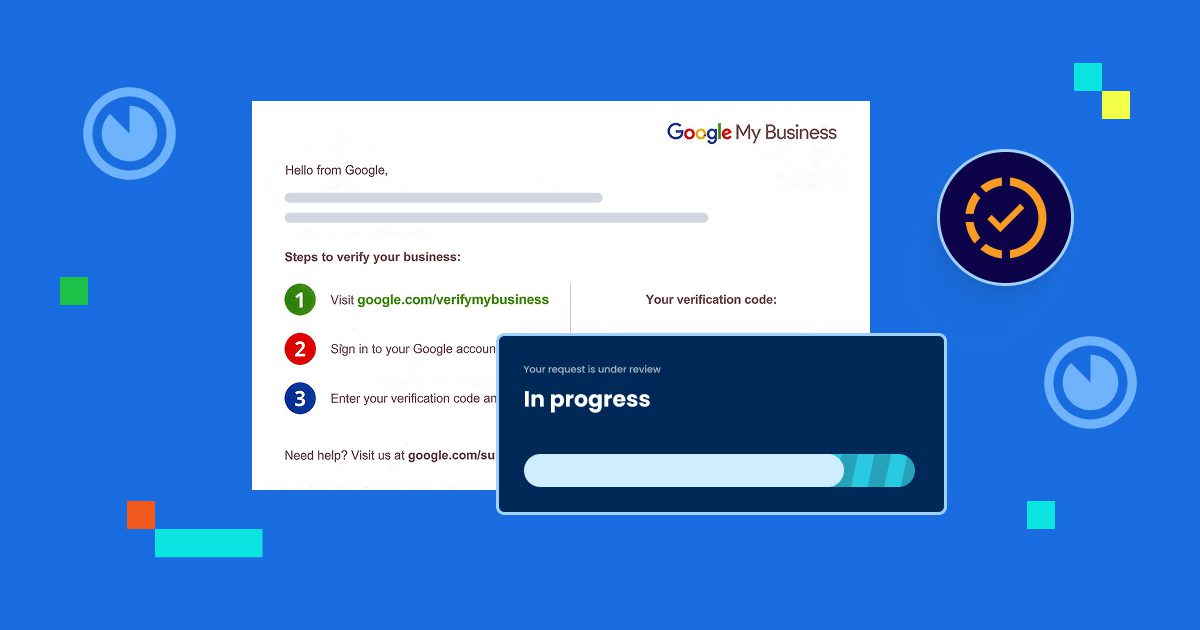
Google needs to confirm you own or manage this business. Most businesses receive a postcard with a verification code. This takes 5-7 days.
Some businesses can verify by phone, email or video. Google determines which options you qualify for.
Enter the verification code when it arrives. Your profile goes live immediately after verification.
Step 7: Complete your profile
Add business hours, photos and a description. The more complete your profile, the better it performs.
Don’t skip verification. Unverified profiles can’t appear in Maps or local search results. They’re essentially invisible.
Once verification is complete, you can start optimizing your profile for better results.
Optimizing your business profile
A complete, optimized profile gets more visibility and attracts more customers. These optimization steps make your business stand out.
Add high-quality photos
Upload at least 10 photos showing different aspects of your business. Include your storefront, interior, products, services and team members.
Photo requirements:
- Format: JPG or PNG
- Size: Between 10 KB and 5 MB
- Resolution: 720 x 720 pixels minimum
- Quality: Well-lit and in focus
Update photos regularly. Fresh images signal that your business is active.
Write a compelling description
Your description has a 750-character limit. Use it to explain what makes your business special. Focus on benefits, not just features.
Include relevant keywords naturally. If you’re a “family-owned Italian restaurant in downtown Seattle,” say that. But write for humans, not search engines.
Set accurate hours
Keep your hours current and detailed. Add special hours for holidays. Mark yourself as temporarily closed if needed.
Wrong hours frustrate customers. They drive to your location and find it closed. Then they leave bad reviews.
Choose relevant attributes
Select all attributes that apply to your business. These help customers filter results. For example, restaurants can mark outdoor seating or delivery options.
Add products and services
List what you offer with descriptions and prices when possible. This helps customers understand your offerings before visiting.
Enable messaging
Turn on the messaging feature so customers can reach you directly. Respond quickly to maintain a good reputation.
Create your first post
Share something valuable or interesting. This shows your profile is active. Update posts weekly if possible.
Optimization isn’t a one-time task. Successful profiles get updated regularly with new photos, posts and information.
Managing customer feedback is equally important for maintaining a strong profile.
Managing reviews and customer interactions
Reviews significantly impact your reputation and ranking in local search results. Managing them properly builds trust and attracts more customers.
Encourage reviews
Don’t wait for reviews to appear magically. Ask satisfied customers to share their experience. Make it easy by providing a direct link.
Create a short URL to your review page. Share it via email, text or receipts. Train staff to request reviews from happy customers.
Respond to all reviews
Reply to both positive and negative reviews. This shows you value customer feedback.
For positive reviews:
- Thank the customer by name
- Mention specific details they shared
- Invite them back
For negative reviews:
- Acknowledge the issue
- Apologize sincerely
- Offer to make it right
- Take the conversation offline
Never argue or get defensive. Other potential customers read these exchanges. Your response matters more than the complaint.
Handle fake or inappropriate reviews
Report reviews that violate Google’s policies. You can flag reviews that contain spam, fake content or conflicts of interest.
Google doesn’t remove negative reviews just because you disagree. They must violate specific policies. Document any fraudulent reviews with evidence.
Answer questions promptly
Customers can post questions on your profile. Enable notifications so you see them immediately. Quick answers prevent customers from going elsewhere.
You can also add frequently asked questions yourself. This proactively addresses common concerns.
Monitor your reputation
Check your profile several times per week. Look for new reviews, questions and photos that customers uploaded.
Set up Google alerts for your business name. This notifies you when someone mentions you online.
Your rating affects how Google ranks your profile. Businesses with higher ratings and more reviews appear more prominently. Active engagement with customers improves both.
Consistency in managing your profile is crucial for long-term success.
Keeping your profile updated
An outdated profile damages your credibility and costs you customers. Regular updates keep your information accurate and your ranking strong.
Update hours immediately
Change your hours the moment they shift. Add special hours for holidays weeks in advance. Mark temporary closures right away.
Customers trust your Google listing. If it says you’re open but you’re closed, they get frustrated.
Refresh photos monthly
Add new photos regularly. Show seasonal products, remodeled spaces or new team members. Fresh content signals an active business.
Remove outdated photos that no longer represent your business accurately.
Post weekly updates
Create posts announcing news, offers or events. These appear in search results and keep your profile active.
Posts expire after seven days for events or offers. What’s New posts stay visible for six months. Keep creating new content.
Verify your information quarterly
Check that all details remain accurate:
- Phone number connects properly
- Website URL works correctly
- Address is accurate
- Services list is current
Anyone can suggest edits to your listing. Google sometimes accepts these changes automatically. Regular verification ensures nothing incorrect appears.
Also read: Verify Your Google Business Profile in 2026 – Step-by-Step Video & Code Guide
Review insights weekly
Check your performance data. Look for trends or changes. If traffic drops suddenly, investigate why.
Use insights to guide improvements. If customers rarely click your website link, maybe your photos aren’t compelling enough.
Stay informed about features
Google regularly adds new features to business profiles. Stay current with these additions. Early adopters often gain advantages.
For example, Google biz news from October 26, 2025 might announce features your competitors haven’t adopted yet.
Set a recurring calendar reminder to update your profile. Treat it like any other important business task. Consistency separates successful profiles from abandoned ones.
Understanding what works and what doesn’t helps you avoid common pitfalls.
Using the Google Business Profile management dashboard
Managing your Google Business Profile effectively requires understanding the dashboard and its comprehensive features. Whether you’re accessing it through desktop or mobile, the platform offers a centralized hub to control every aspect of your online presence and engage with customers.
Here’s how you can use it:
- Access your complete dashboard at business.google.com for centralized management of your online presence
- Navigate the left sidebar organized into seven core management sections:
- Perform specific actions by clicking each section, including responding to reviews, publishing posts or updating business hours
- Utilize the mobile app for full functionality with push notifications for real-time customer interactions
- Leverage desktop features for enhanced analytics capabilities and batch editing options
- Manage multi-location businesses by switching between properties or applying bulk updates across all locations simultaneously
- Add team members with customized permission levels to distribute management responsibilities
The Google Business Profile dashboard serves as your command center for maintaining a strong local presence. By mastering both mobile and desktop features, you can efficiently manage customer interactions cross multiple locations or client accounts.
Best practices and common mistakes to avoid
These tactics consistently improve visibility and engagement for businesses using Google Business Profile.
| Optimization strategy | What to do |
| Choose the most specific category | Select the most precise primary category (e.g., “Italian Restaurant” instead of “Restaurant”). Add relevant secondary categories for broader reach. |
| Complete every section | Fill in every applicable field to reach 100% profile completion. Add maximum photos and list all services. |
| Use consistent NAP information | Keep Name, Address and Phone number identical across your website, social media and all directories. |
| Get reviews from real customers | Focus on quantity and quality. Encourage genuine reviews but never buy fake ones or incentivize positive reviews. |
| Add products with prices | Display prices or price ranges to build trust and attract serious buyers who understand your value. |
| Respond within 24 hours | Reply quickly to all messages, reviews and questions to demonstrate excellent customer service. |
| Use keywords naturally | Include relevant terms in your description and posts without keyword stuffing or appearing spammy. |
| Post regularly | Create at least one post per week with valuable content, not just sales pitches. |
| Monitor and improve photos | Track photo views and create more content in successful styles. Remove photos that don’t represent your business well. |
| Leverage Q&A strategically | Seed your Q&A section with common questions and provide thorough answers before customers ask. |
These strategies compound over time. Small consistent improvements lead to significant results. Avoiding mistakes is equally important for success.
Common mistakes business owners make
These errors prevent profiles from performing well. Fixing them often creates immediate improvements.
| Common mistake | How to Fix It |
| Ignoring the profile after setup | Abandoned profiles get outranked by active competitors. Treat your profile as an ongoing marketing channel, not a one-time task. |
| Adding keywords to business name | Google penalizes keyword stuffing in business names. Use your real business name only. |
| Using a PO Box or virtual office | Google wants physical locations where customers can visit. Service-area businesses should hide addresses and show service areas instead. |
| Ignoring negative reviews | Bad reviews stay visible unless they violate policies. Respond professionally to show you care about making things right. |
| Using low-quality photos | Blurry or unprofessional photos hurt your credibility. Invest in decent photography—even clear smartphone photos work if well-lit. |
| Listing incorrect hours | Customers get frustrated finding you closed when Google says you’re open. Update hours immediately when they change, even temporarily. |
| Creating duplicate profiles | Multiple profiles split your reviews and confuse customers. Claim and merge duplicates to keep only one accurate profile. |
| Neglecting mobile optimization | Most customers find you on mobile devices. Make your phone number clickable and ensure your website loads fast on phones. Test regularly on smartphones. |
| Forgetting to verify | Unverified profiles don’t appear in search results or Maps. Complete verification as soon as possible. |
| Violating Google’s guidelines | Breaking rules can result in suspension. Read Google’s guidelines thoroughly before setting up your profile. |
| Overlooking insights | Analytics show what’s working and what isn’t. Check insights weekly and adjust your strategy based on data. |
| Not claiming your profile | Someone else might have created a profile for your business. Search for it first, then claim and verify it to gain control. |
Avoiding these mistakes gives you an immediate advantage over less attentive competitors. Combined with best practices, your profile becomes a powerful customer acquisition tool.
How to drive local business growth with your profile
Your Google Business Profile isn’t just a listing-it’s a growth engine. Many small businesses struggle to convert profile views into actual customers. The difference lies in strategic optimization that drives measurable results.
- Use Google Posts to promote time-sensitive offers that create urgency (e.g., a restaurant posting “Happy Hour 4-6 PM Today” captures customers actively searching nearby)
- Optimize for “near me” searches by completing every section: business category, services and attributes
- Customer photos and reviews provide powerful social proof-respond to every review and encourage satisfied customers to share their experiences
- Enable messaging to capture leads instantly; quick responses often determine whether customers choose you or competitors
- Your Google Business insights dashboard reveals exactly how customers find you
- Track which search terms drive calls, direction requests and website visits
- Coordinate your profile updates with marketing campaigns-a bookstore running a weekend sale should update hours, create posts and add photos of featured titles
- This integrated approach ensures consistent messaging across all touchpoints
- Measure ROI by tracking performance metrics that correlate with revenue: call volume, direction requests and website clicks
Regular monitoring and adjustment based on these insights transform your Google Business Profile from a static listing into a dynamic tool supporting both immediate customer needs and long-term business growth
Now let’s wrap up everything we’ve learned.
Final thoughts
Your Google Business Profile is one of the most valuable free tools available.
It puts your business in front of customers exactly when they’re searching. It builds trust through reviews and photos. It provides insights that guide smarter decisions. But only if you use it correctly.
Your Google Business Profile works hand-in-hand with your website. The profile attracts customers and your website converts them. Don’t let visitors bounce because your site is slow or unprofessional.
Get reliable WooCommerce Hosting from Bluehost and give those customers a website worth visiting. With powerful performance, 24/7 support and seamless WordPress integration, you’ll convert more of the traffic your profile generates.
FAQs
Yes, Google Business Profile is completely free to create and maintain. You don’t pay for the profile, verification or any of the features. There are no hidden fees or premium tiers. All businesses get access to the same tools regardless of size or budget.
Creating the basic profile takes about 15 minutes. However, verification typically requires 5-7 business days when done by postcard. Some businesses qualify for instant verification by phone, email or video. After verification, you can complete optimization which takes another 30-60 minutes for best results.
Yes, service-area businesses can create profiles without displaying a physical address. Examples include plumbers, cleaners and contractors who serve customers at their locations. You simply select the service-area option during setup and specify which areas you serve. Your business appears in search results for those areas.
Google My Business was the original name of the platform. In 2021, Google rebranded it as Google Business Profile. The core functionality remained the same, but the interface became simpler. The terms are often used interchangeably, though Google Business Profile is the official current name.
Most businesses verify by postcard. Google mails a card with a verification code to your business address. You enter this code in your dashboard. Some businesses qualify for phone, email or instant video verification. Google determines your eligibility based on your business type and information. Verification typically takes 5-7 days.
Yes, businesses with multiple locations can manage them all from one account. Each location needs its own verified profile. You can bulk upload locations if you have 10 or more. The dashboard lets you switch between locations and manage them individually or make bulk updates across all locations.
Update your profile whenever business information changes. This includes hours, services, contact details or location. Post new content at least weekly to keep your profile active. Add fresh photos monthly. Check for reviews and messages several times per week. Regular activity improves your ranking and keeps customers informed.


Write A Comment