 ChatGPT,
 Claude,
 Gemini,
 Grok — all four for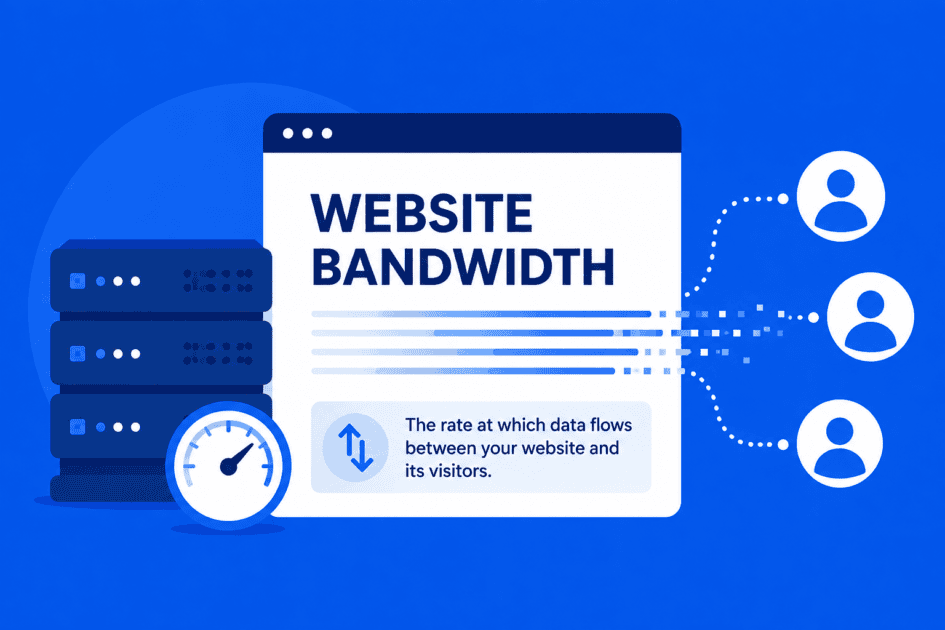
Key highlights
- Understand how bandwidth in web hosting impacts your website’s speed, performance and user experience.
- Learn how to estimate the right amount of website bandwidth based on traffic, page size and visitor behavior.
- Explore different bandwidth options such as metered, unmetered and unlimited plans to match your site’s needs.
- Know strategies to optimize bandwidth usage, including using CDNs, compressing images and monitoring traffic patterns.
- Uncover how scalable hosting solutions ensure your website handles growth, traffic spikes and media-rich content efficiently.
When exploring web hosting options, one key factor to understand is bandwidth in web hosting. Bandwidth determines the rate at which data can move between your website and its visitors, which can affect how well your site handles simultaneous traffic and data-heavy content.
Many hosting providers offer unmetered bandwidth hosting depending on your site’s needs. These plans influence how your website delivers static and downloadable content and manages server load during peak periods.
Understanding bandwidth helps you choose the right plan, balance performance, storage and cost effectively. In this guide, we’ll break down what bandwidth is, why it matters and how to choose the right plan for your website.
What is website bandwidth?
Website bandwidth refers to the rate at which data flows between your website and its visitors. It determines how quickly your site can deliver static content, downloadable files and dynamic pages.
A helpful way to visualize bandwidth is to think of it as a highway. Your website data is the traffic and your visitors are the cars traveling to their destination. The more lanes the highway has, the more cars can move at the same time without causing congestion.
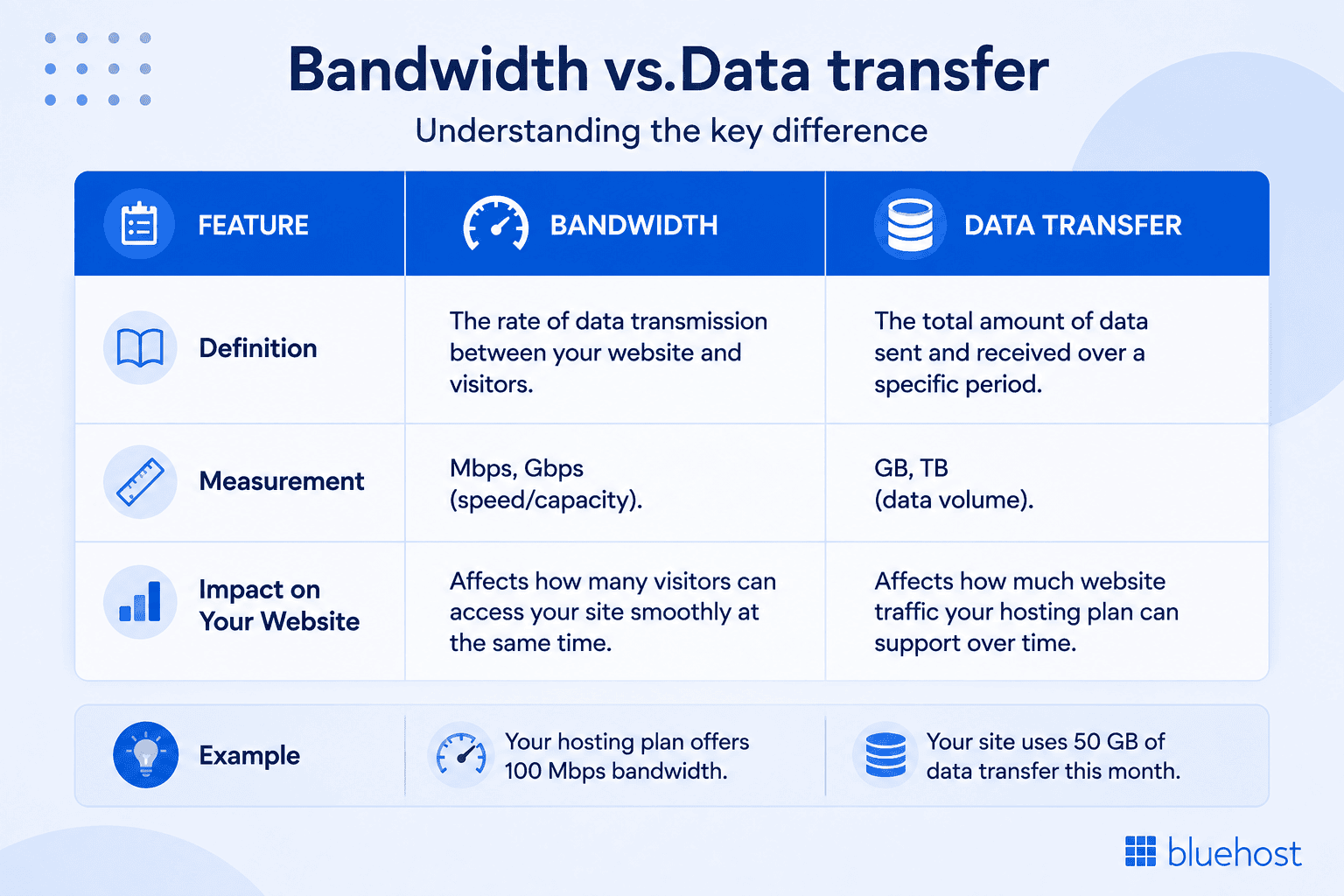
In practical terms, higher bandwidth allows more data to be delivered simultaneously, resulting in faster load times and a smoother user experience, especially during traffic spikes. It’s important to distinguish bandwidth from data transfer.
Data transfer measures the total amount of data sent over time, while bandwidth measures the maximum rate at which data can move at any given moment. Understanding this distinction helps manage server load and plan for website growth.
Why web hosting bandwidth is important?
Proper web hosting bandwidth is crucial for website performance. High bandwidth allows your website to handle more visitors simultaneously, deliver rich media content and maintain fast load speeds.
Choosing the right bandwidth plan ensures your website runs reliably, supports growing traffic and delivers smooth performance at all times. During peak traffic periods, higher bandwidth keeps your site responsive, preventing slowdowns or crashes and improving the user experience and SEO aspects.
What factors affect your web hosting bandwidth usage?
Many significant elements can impact a website’s bandwidth usage. By being aware of these, you can select the best web hosting plan for your requirements and efficiently manage your website bandwidth.
- Site traffic: The number of visitors and page views directly affects the bandwidth used on your website. Higher bandwidth utilization results from transferring more data, driven by increased traffic.
- Page size: The size of your web pages, particularly those containing static or downloadable content such as images and videos, greatly influences the bandwidth required. Larger files use more bandwidth because they require more data to be transferred.
- Website design and layout: The intricacy of your website’s design, including the use of plugins and dynamic content, can affect bandwidth requirements. Generally, websites with complex designs and extensive features require more website bandwidth.
- CMS and server-side technologies: Your usage of server-side technologies and content management systems (CMS) will also affect bandwidth usage. Higher resource requirements for some platforms and technologies can result in increased server load and bandwidth consumption.
- Content Delivery Networks (CDNs) and caching: By storing and delivering content closer to your users, a CDN or caching techniques can minimize the amount of data transported from your server, reducing overall bandwidth usage and helping you avoid overage fees.
All these elements work together to affect your total bandwidth utilization. You can improve performance, efficiently manage website bandwidth and make more informed decisions about your hosting requirements by optimizing these components.
How much bandwidth does your website need?
The bandwidth a website needs varies based on page size, content and the number of visitors accessing the site at the same time.
For the most accurate estimate, consider your average page size, expected concurrent visitors and how quickly content needs to be delivered. Here is how you can calculate it.
To estimate bandwidth capacity:
Average Page Size (MB) × 8 (to convert bytes to bits) × Concurrent Visitors ÷ Target Delivery Time (seconds) = Estimated Bandwidth (Mbps)
Example:
2 MB × 8 × 10 concurrent visitors ÷ 2 seconds = 80 Mbps
To estimate monthly data transfer:
Average Daily Visitors × Average Page Views per Visitor × Average Page Size (MB) × 30 Days × Safety Buffer = Estimated Monthly Data Transfer
Example:
100 visitors × 3 page views × 3 MB × 30 × 1.5 = 40,500 MB or 40.5 GB/month
If you are still confused, try using a website bandwidth calculator. Once you have a rough estimate of your bandwidth and data transfer needs, the next step is understanding how hosting providers define and package these limits.
Understanding bandwidth plan options in web hosting
Hosting providers often describe bandwidth and data transfer limits in different ways. The most common bandwidth options are metered, unmetered and unlimited plans. Here is comparison to understand more clearly:
| Plan type | What it means | Best for | Key benefit | Limitation |
| Metered | Includes a fixed monthly data transfer allowance, usually measured in GB or TB | Small sites with predictable traffic | Clear, easy-to-track usage limits | Exceeding the allowance may lead to extra charges or an upgrade |
| Unmetered | No fixed monthly data transfer cap, but connection speed and server resources are limited | eCommerce and sites with fluctuating traffic | Handles changing traffic without a monthly data cap | Speed and hosting resources still have limits |
| Unlimited | No stated monthly data transfer limit for normal website use | High-traffic and content-heavy websites | More flexibility as traffic increases | Usually subject to fair-use and resource policies |
Choosing the right bandwidth plan depends on your website’s traffic patterns, growth expectations and content complexity.
These terms can be especially confusing in shared hosting, where bandwidth policies are separate from the server resources shared across multiple websites.
Shared hosting bandwidth limits explained for your website
Shared hosting allows multiple websites to use the same server and share resources such as CPU, memory and network capacity. Because of this, bandwidth limits and data transfer policies vary by hosting provider and plan.
Some shared hosting plans include a fixed data transfer allowance, while others offer unmetered bandwidth. Unmetered bandwidth means there is no fixed monthly data transfer cap, but your website is still limited by factors such as connection speed, available server resources and the provider’s usage policies.
Shared hosting is typically suitable for blogs, small business websites and sites with moderate traffic. If your website receives consistently high traffic, handles large files or requires more dedicated resources, you may need to upgrade to VPS, cloud or dedicated hosting.
How Bluehost handles bandwidth across hosting plans
Bluehost offers different hosting solutions for websites with varying traffic and resource needs. While bandwidth is important, website performance also depends on resources such as CPU, memory, storage and how those resources are allocated.
1. Shared hosting
Bluehost Shared hosting includes unmetered bandwidth, meaning there is no fixed monthly data transfer allowance for normal website use. However, websites share server resources, so CPU, memory and other resource limits still apply.
Best for: Blogs, portfolios and small business websites with low to moderate traffic.
2. WordPress hosting
Bluehost WordPress hosting includes unmetered bandwidth for your website. The real advantage comes from WordPress-specific enhancements, better resource tuning and improved caching. This results in more efficient content delivery and smoother performance as traffic increases.
Best for: Blogs, business websites, WooCommerce stores and other WordPress websites that want an optimized hosting environment.
3. VPS hosting
VPS (Virtual Private Server) hosting provides dedicated portions of CPU, RAM and storage, even though the physical server is still shared. This separation significantly improves performance consistency. Bandwidth remains unmetered, but now your site has the processing power to support larger data demands.
Best for: Growing websites, eCommerce stores and applications that need more dedicated resources.
4. Dedicated hosting
Dedicated hosting also includes unmetered bandwidth, while the server’s CPU, RAM and storage are reserved for your workloads. This provides greater resource isolation and capacity for sustained high traffic or demanding applications.
Best for: High-traffic websites and resource-intensive applications.
The key is to understand that moving to a more advanced hosting plan isn’t simply about getting more bandwidth. CPU, memory, resource allocation and infrastructure also determine how effectively your website can handle increasing traffic and workloads.
How to choose a hosting plan for your bandwidth needs
Choosing the right hosting plan means balancing your website’s bandwidth requirements with factors such as traffic, content type, performance needs and future growth. Use the following steps to identify a plan that can support your website reliably without paying for more resources than you need.
1. Assess your bandwidth needs
To determine how much bandwidth your website requires, analyze factors such as visitor volume, content type and interactive features. If your site hosts media-rich elements like videos or high-resolution images, you’ll need unlimited bandwidth hosting or unmetered bandwidth to handle larger data transfers.
Review your analytics and estimate how many visitors your website receives monthly to select a plan that supports growth without slowing down performance.
2. Consider scalability and flexibility
As your site expands, your bandwidth requirements may increase. Choose a hosting provider that offers scalable plans so you can easily upgrade as your traffic grows. At Bluehost, we provide flexible options that allow you to adjust your website bandwidth or switch to web hosting unlimited bandwidth without service interruptions.
3. Evaluate reliability and performance
High uptime and consistent speed are key to maintaining user satisfaction and search engine rankings. When you choose Bluehost, you benefit from our high-performance servers and optimized infrastructure designed to deliver reliable website speed even during peak traffic hours.
4. Prioritize security and compliance
Bandwidth alone isn’t enough, safeguarding your website and user data is equally important. Bluehost hosting plans include built-in SSL certificates, firewalls and malware protection to keep your site secure while maintaining smooth bandwidth flow. This ensures your site remains protected while efficiently using the bandwidth.
5. Ensure adequate customer support
Having access to responsive, round-the-clock support is essential for resolving any technical issues related to bandwidth in web hosting. At Bluehost, we pride ourselves on 24/7 customer assistance through chat, ensuring that your site always performs optimally.
By following these steps, you can make an informed decision and select a plan that delivers reliability, speed and scalability for your website’s long-term success.
How to check web hosting bandwidth usage?
If you’re wondering whether your current plan offers enough web hosting bandwidth, it’s easy to check your bandwidth usage and ensure your site continues to perform efficiently.
If you’re a Bluehost customer, simply log in to your Bluehost cPanel, head to the Metrics page and click Bandwidth to view your current bandwidth in web hosting data. This helps you monitor how much of your allocated website bandwidth you’re using and decide if an upgrade is necessary.
How to optimize your bandwidth usage?
Overusing bandwidth is one of the most common website issues, especially for growing sites. If you think your website is consuming more bandwidth in web hosting than necessary, try these optimization steps to keep things running smoothly:
- Use an external host for images and graphics: Hosting images or videos externally helps reduce average page size and conserves your website bandwidth.
- Compress your images: Smaller file sizes lower your bandwidth consumption while maintaining fast load speeds.
- Use a CDN: A CDN distributes your content across global servers, minimizing the bandwidth load on your main hosting account.
- Monitor your bandwidth usage: As your website grows, regularly track your web hosting bandwidth to ensure new additions don’t excessively consume your resources.
Optimizing your website bandwidth helps you maintain fast performance, reduce hosting costs and deliver a smoother experience for your visitors.
At Bluehost, we make it simple to manage, upgrade and optimize your website to perform efficiently no matter how much your traffic grows.
Final thoughts
Reliable bandwidth in web hosting plays an important role in your website’s performance, user experience and ability to handle traffic growth. The right bandwidth setup helps your site stay responsive during traffic spikes while supporting smooth content delivery as your audience grows.
Bluehost offers hosting plans with unmetered bandwidth and scalable resources to support websites at every stage of growth. Explore Bluehost hosting plans and choose the right solution to keep your website fast, reliable and ready to grow.
FAQs
Bandwidth is not a direct Google ranking factor. However, insufficient bandwidth during periods of high demand can contribute to slower responses or availability problems, which can affect user experience. This can increase bounce rates, reduce crawl efficiency and negatively affect Core Web Vitals, all of which indirectly influence rankings.
Shared hosting bandwidth limits depend on the provider. Some plans have fixed data transfer allowances, while others offer unmetered bandwidth. Unmetered bandwidth means there is no fixed monthly data-transfer cap, but server resources such as CPU, memory and network capacity still have practical limits. Bluehost shared hosting includes unmetered bandwidth, while other server resource limits still apply.
If you exceed your bandwidth allocation, your hosting provider may reduce your site speed, temporarily suspend service, charge overage fees or recommend upgrading your plan. To prevent disruptions: 1. Optimize large images and media files. 2. Enable caching to reduce server load. 3. Use a CDN for faster global delivery. 4. Upgrade your plan if traffic growth is consistent.
Higher bandwidth allows your website to handle more simultaneous visitors without performance issues. It supports faster page loading, smoother content delivery and greater reliability during traffic surges – especially for media-rich or high-traffic websites.
Bandwidth measures how quickly data can move between your server and visitors at any given moment. Data transfer measures the total amount of data sent over a specific period (such as monthly usage). Bandwidth affects speed and responsiveness, while data transfer affects overall usage limits.
You can upgrade bandwidth by switching to a higher hosting tier, moving from shared hosting to VPS or dedicated hosting or choosing cloud hosting for scalable resources. Before upgrading, review your current usage and traffic trends to select a plan that supports long-term growth.


Write A Comment