 ChatGPT,
  Claude,
  Gemini,
  Grok — all four for
Bluehost AI Store: Discounts Tab
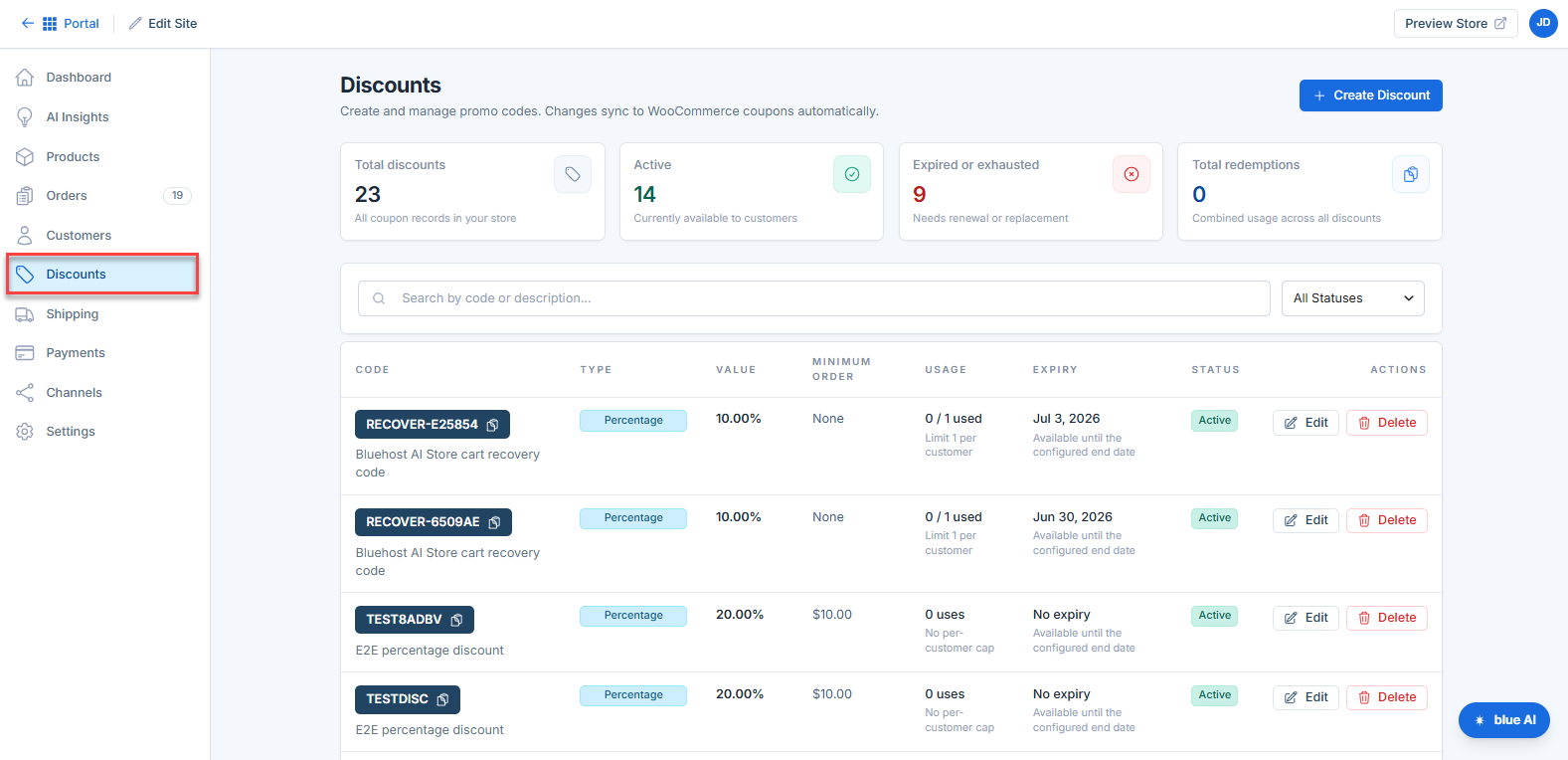
The Discounts tab in your Bluehost AI Store lets you create and manage promo codes to attract customers, boost conversions, and run marketing campaigns. All discount codes created in the AI Store automatically sync with WooCommerce coupons, ensuring consistent discount management across your online store.
Discounts Overview
At the top of the Discounts page, you’ll see four summary tiles:
- Total Discounts — Total number of discount codes created
- Active — Discounts currently available to customers
- Expired or Exhausted — Discounts that need renewal or have reached their limits
- Total Redemptions — Total number of times discounts have been used
Key Features of the Discounts Tab
- Seamless WooCommerce Sync — Automatically syncs discounts with WooCommerce coupons
- Flexible Discount Types — Create percentage, fixed amount, or free shipping offers
- Advanced Rule Settings — Set usage limits, minimum spend, and expiration dates
- Real-Time Performance Tracking — Monitor usage and redemption at a glance
- Search and Filter Tools — Quickly locate and manage discounts
- Campaign Management — Add descriptions to track promotions internally
- Easy Sharing — Copy discount codes instantly for marketing campaigns
- Status Monitoring — Identify active, expired, or exhausted discounts easily
For detailed instructions on creating, editing, and deleting discount codes, refer to the Bluehost AI Store: How to Create, Edit and Delete a Discount Code article.
How to Access the Discounts Tab
Follow these steps to open your AI Store dashboard directly from your Bluehost account:
- Log in to your Bluehost Portal.
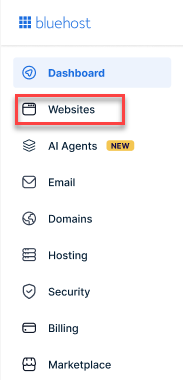
- From the left-hand menu, click the Websites tab.
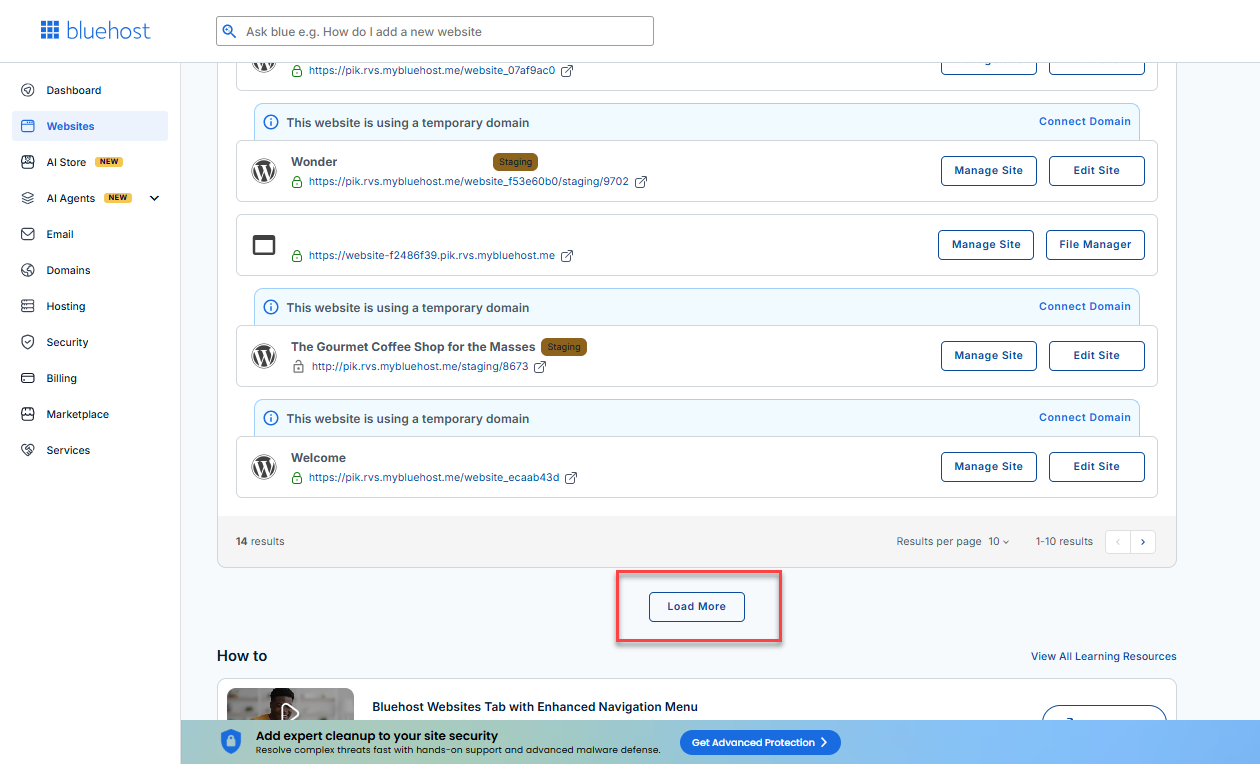
- Locate your Sell Online plan. If you have multiple websites, you need to scroll down and click the Load More link.
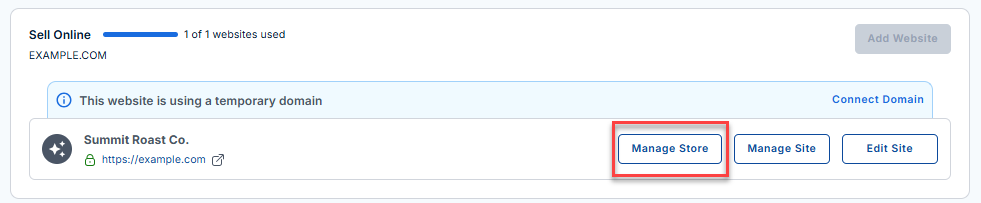
- Click the Manage Store button next to your site.
- You will be redirected to your Bluehost AI Store Dashboard.
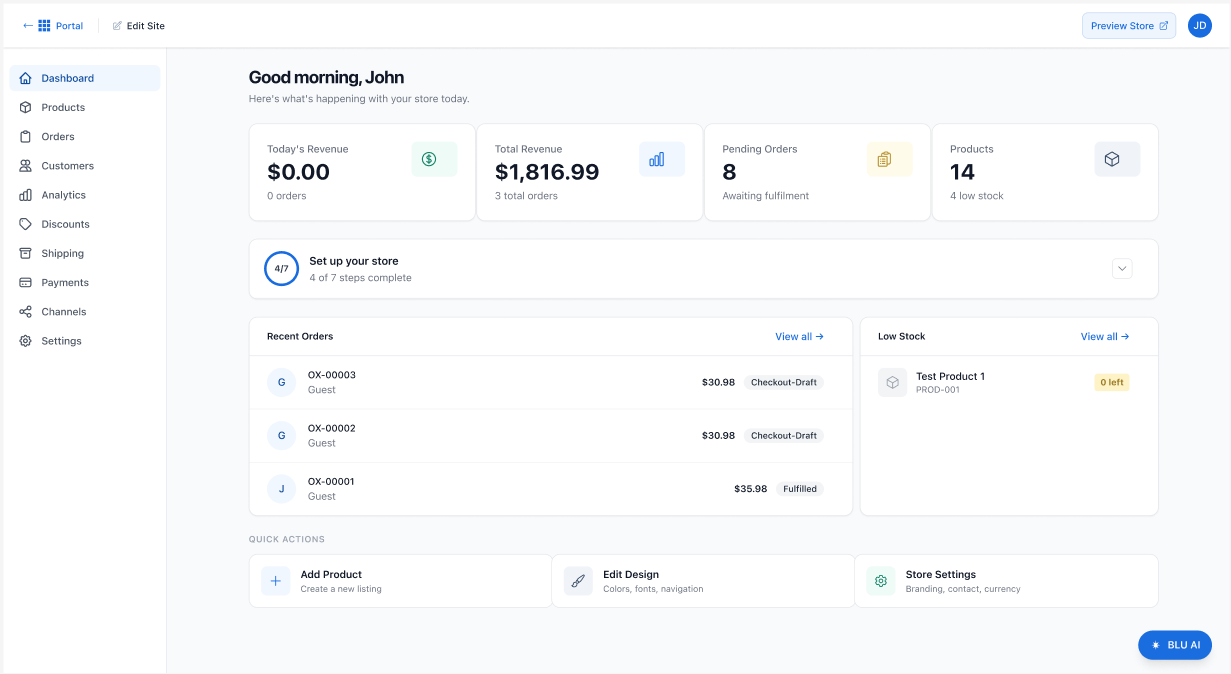
- Click the Discounts tab in the left-hand menu to open the Discounts page.
To learn more about setting up the AI Store dashboard, visit the Bluehost AI Store: Setting Up the AI Store Dashboard article.
Summary
The Discounts tab in your Bluehost AI Store provides a powerful and flexible way to create promotional campaigns. With customizable rules, multiple discount types, and built-in tracking, you can drive sales, reward customers, and optimize your store’s performance.
If you need further assistance, Bluehost Chat Support is available 24 hours a day, 7days a week while Bluehost Phone Support is available 7 days a week from 7 am-12 midnight EST.
- Chat Support - While on our website, you should see a CHAT bubble in the bottom right-hand corner of the page. Click anywhere on the bubble to begin a chat session.
- Phone Support -
- US: 888-401-4678
- International: +1 801-765-9400
You may also refer to our Knowledge Base articles to help answer common questions and guide you through various setup, configuration, and troubleshooting steps.