 ChatGPT,
  Claude,
  Gemini,
  Grok — all four for
 Bluehost AI Store: How to Create, Edit and Delete a Discount Code
The Discounts Tab in your Bluehost AI Store lets you create and manage promo codes to attract customers, increase conversions, and support marketing campaigns. Any discount codes you create, edit, or delete in the AI Store automatically sync with your WooCommerce coupons. This article will show you how to create, edit, and delete discount codes in your Bluehost AI Store.
We've created a short video on how to manage discount codes in your AI Store:
Accessing the Discounts Tab
- Log in to your Bluehost Portal.
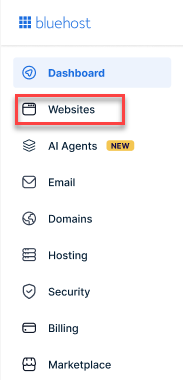
- From the left-hand menu, click the Websites tab.
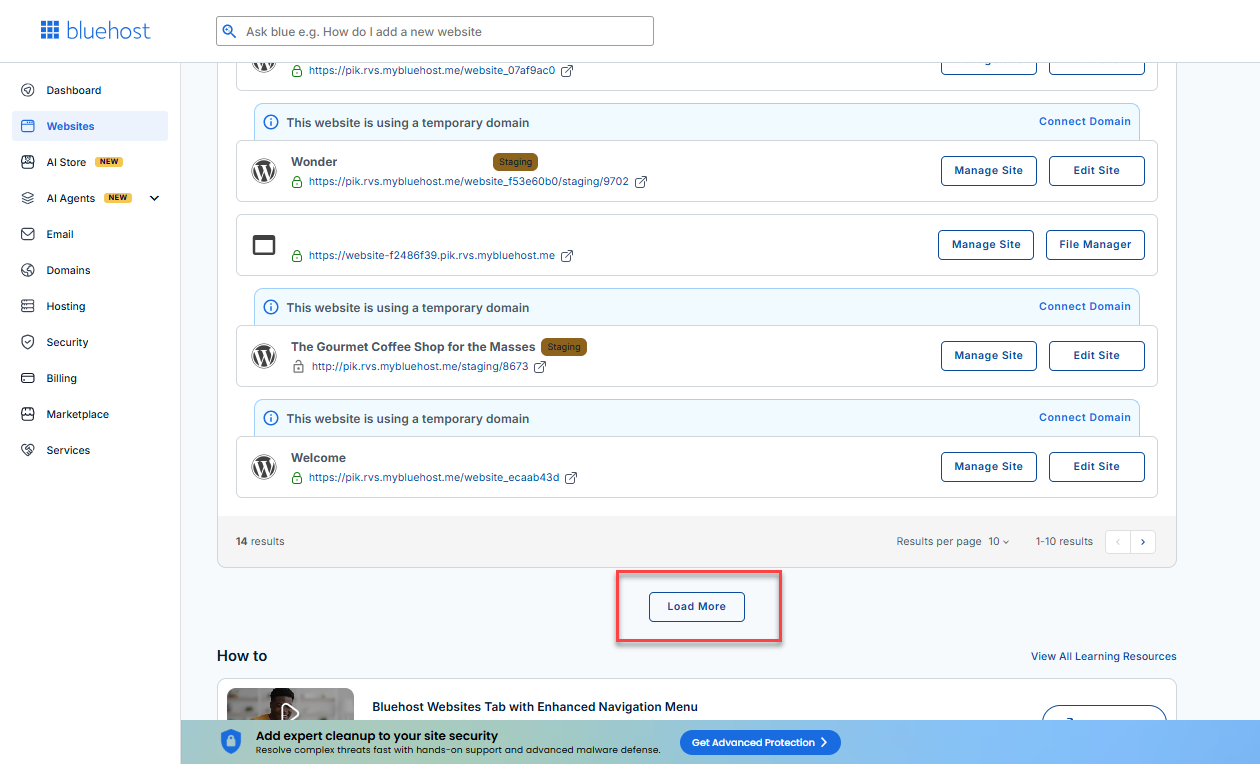
- Locate your Sell Online plan. If you have multiple websites, you need to scroll down and click the Load More link.
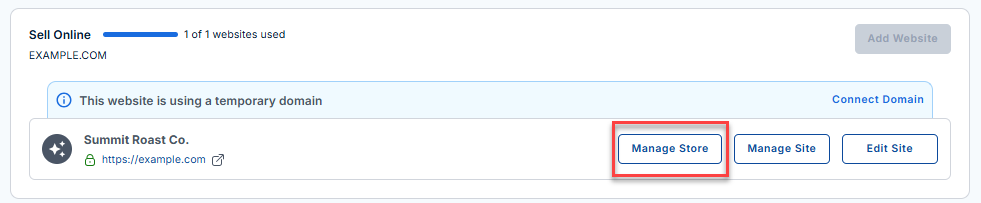
- Click the Manage Store button next to your site.
- You will be redirected to your Bluehost AI Store Dashboard.
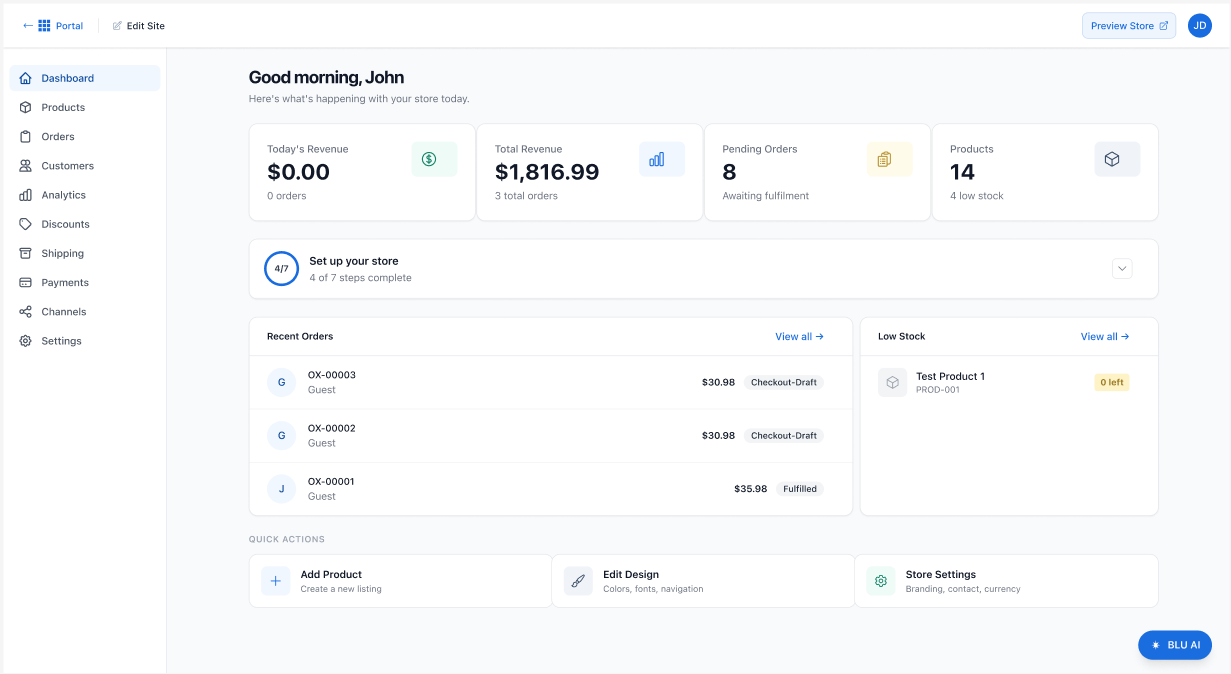
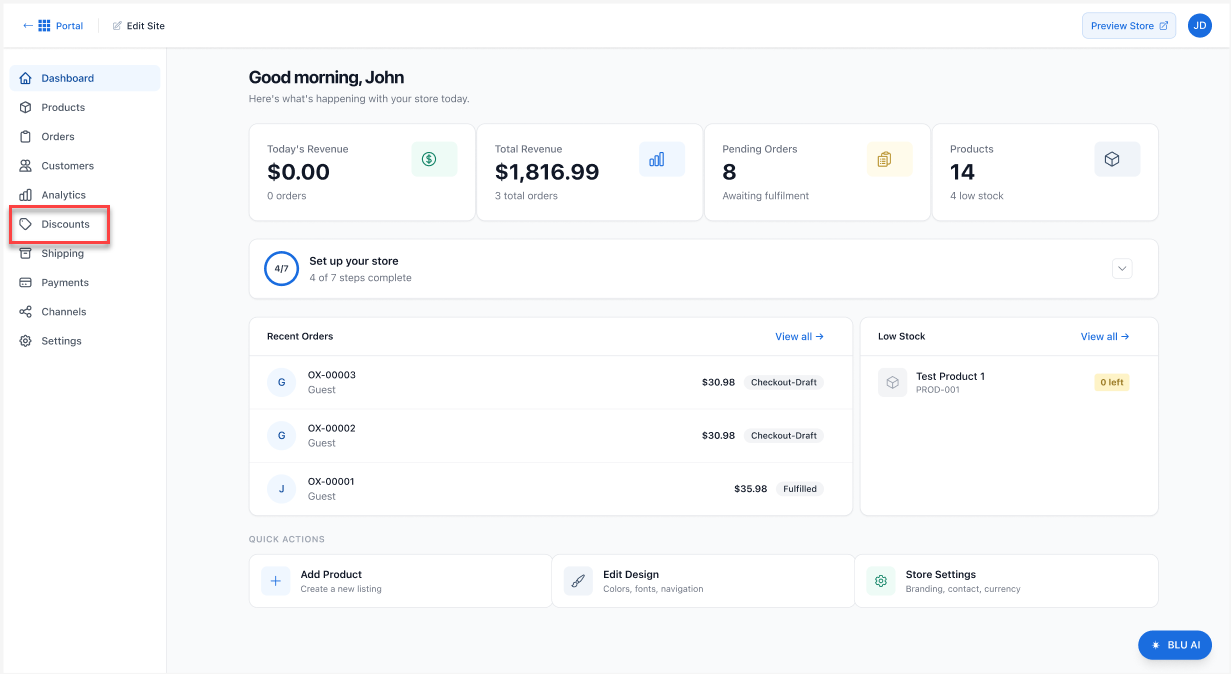
- In the left-hand menu, select Discounts.
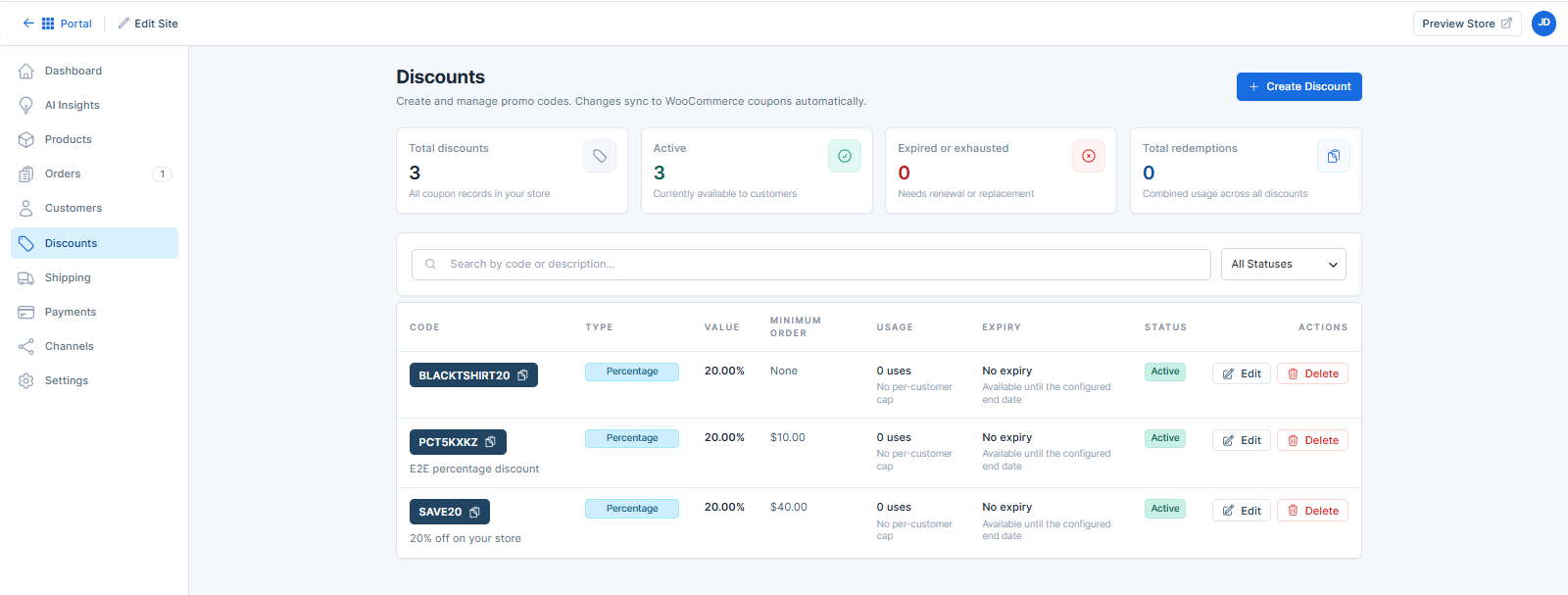
- The Discounts page displays all existing discount codes and their details, including the discount type, discount amount, usage limits, and expiration dates.
How to Create a Discount Code
- In the AI Store dashboard, click the Discounts tab in the left-hand menu.
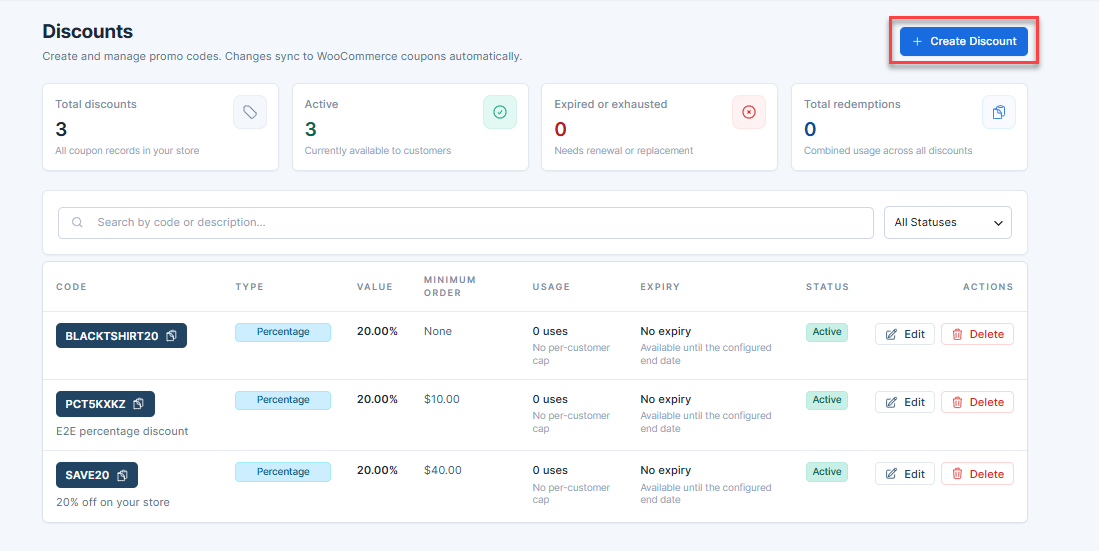
- Click + Create Discount.
- Enter the following information:
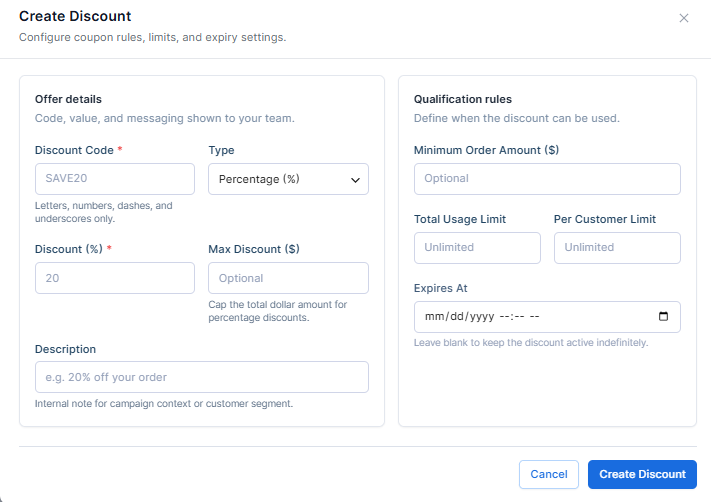
- Coupon Code – The code that customers enter at checkout.
- Description – An internal note to help identify the promotion.
- Discount Type – Select the type of discount:
- Percentage Discount
- Fixed Cart Discount
- Fixed Product Discount
- Discount Amount – Enter the value of the discount.
- Expiration Date (optional) – Set when the coupon will expire.
- Usage Restrictions (optional) – Configure minimum spend, maximum spend, applicable products, categories, or customer eligibility.
- Usage Limits (optional) – Specify the number of times the coupon can be used.
- Review the discount settings.
- Once done, click the Create Discount button.
Your discount code is now active and automatically synchronized with WooCommerce.
How to Edit a Discount Code
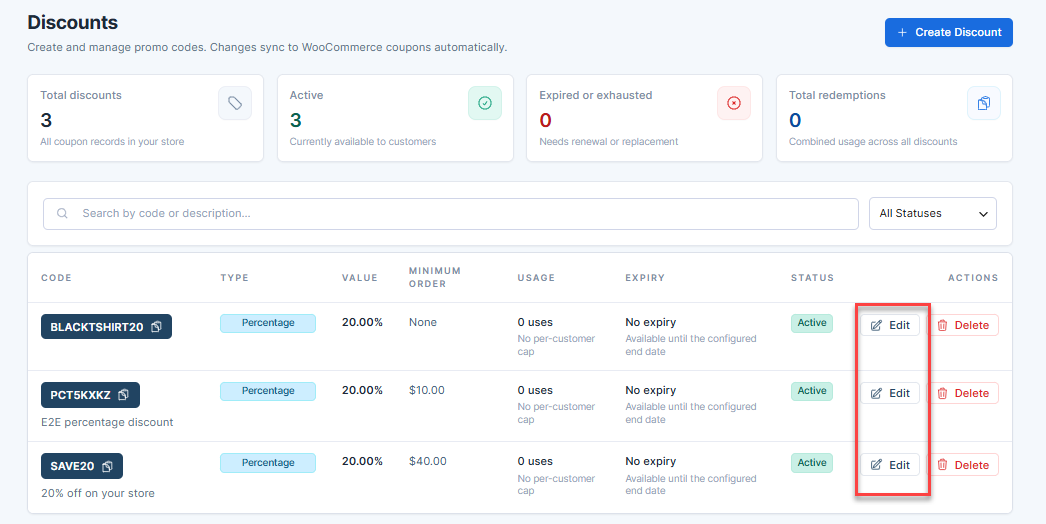
- In the AI Store dashboard, navigate to the Discounts tab.
- Locate the discount code you want to update.
- Click the Edit icon next to the coupon.
- Modify the desired coupon settings.
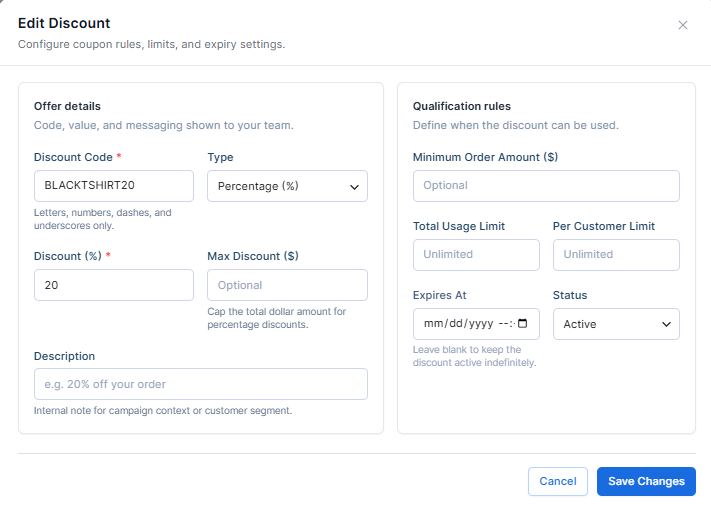
For example:
- Coupon code
- Discount amount
- Expiration date
- Usage restrictions
- Usage limits
- Click Save Changes.
The updated coupon settings will automatically sync with WooCommerce.
How to Delete a Discount Code
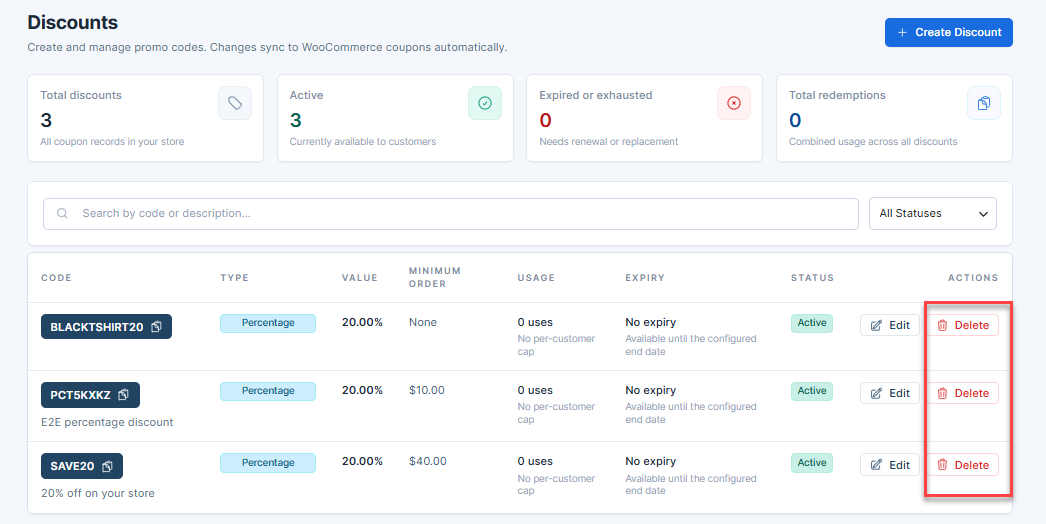
- In the AI Store dashboard, navigate to the Discounts tab.
- Locate the discount code you want to remove.
- Click the Delete icon next to it.
- In the pop-up, confirm the deletion when prompted.
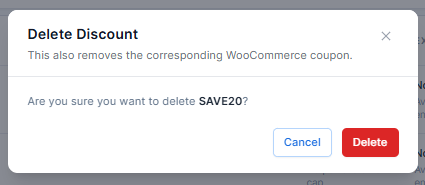
The coupon will be permanently removed from both the Bluehost AI Store and WooCommerce.
To learn more about configuring your online store, see the Bluehost AI Store: Setting Up the AI Store Dashboard article.
Summary
The Discounts tab in the Bluehost AI Store provides a simple way to create, manage, and remove promotional discount codes for your online store. Whether you're running seasonal sales, offering customer incentives, or launching marketing campaigns, discount codes can help drive sales while remaining fully synchronized with WooCommerce.
If you need further assistance, Bluehost Chat Support is available 24 hours a day, 7days a week while Bluehost Phone Support is available 7 days a week from 7 am-12 midnight EST.
- Chat Support - While on our website, you should see a CHAT bubble in the bottom right-hand corner of the page. Click anywhere on the bubble to begin a chat session.
- Phone Support -
- US: 888-401-4678
- International: +1 801-765-9400
You may also refer to our Knowledge Base articles to help answer common questions and guide you through various setup, configuration, and troubleshooting steps.