 ChatGPT,
  Claude,
  Gemini,
  Grok — all four for
 Bluehost AI Store: Using Bluehost AI Chat
Bluehost AI Chat is an AI-powered store management assistant built directly into your Bluehost AI Store dashboard. It helps users analyze store performance, create products, identify potential risks, and manage their stores through natural-language conversations.
With Bluehost AI Chat, you can ask questions about your store and receive actionable recommendations in seconds, eliminating the need to manually navigate through orders, reports, inventory, or settings.
To learn more about the AI Store platform and its core features, visit the following support articles:
What Can Bluehost AI Chat Help With?
Here are some of the tasks that Bluehost AI Chat can assist you with:
- Monitoring store performance
- Analyzing sales and revenue trends
- Identifying operational issues
- Tracking inventory levels
- Creating and managing products
- Recommending business improvements
- Generating action plans
- Providing store health summaries
Benefits of Using Bluehost AI Chat with AI Store
Bluehost AI Chat simplifies store management by transforming business data into easy-to-understand insights and actionable recommendations.
The benefits include:
- Reduce manual analysis
- Gain instant business insights
- Identify risks before they affect revenue
- Speed up store management tasks
- Improve decision-making with data-driven recommendations
- Manage your store using natural-language prompts
How to Use the Bluehost AI Chat
- Log in to your Bluehost Portal.
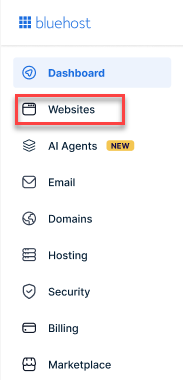
- From the left-hand menu, click the Websites tab.
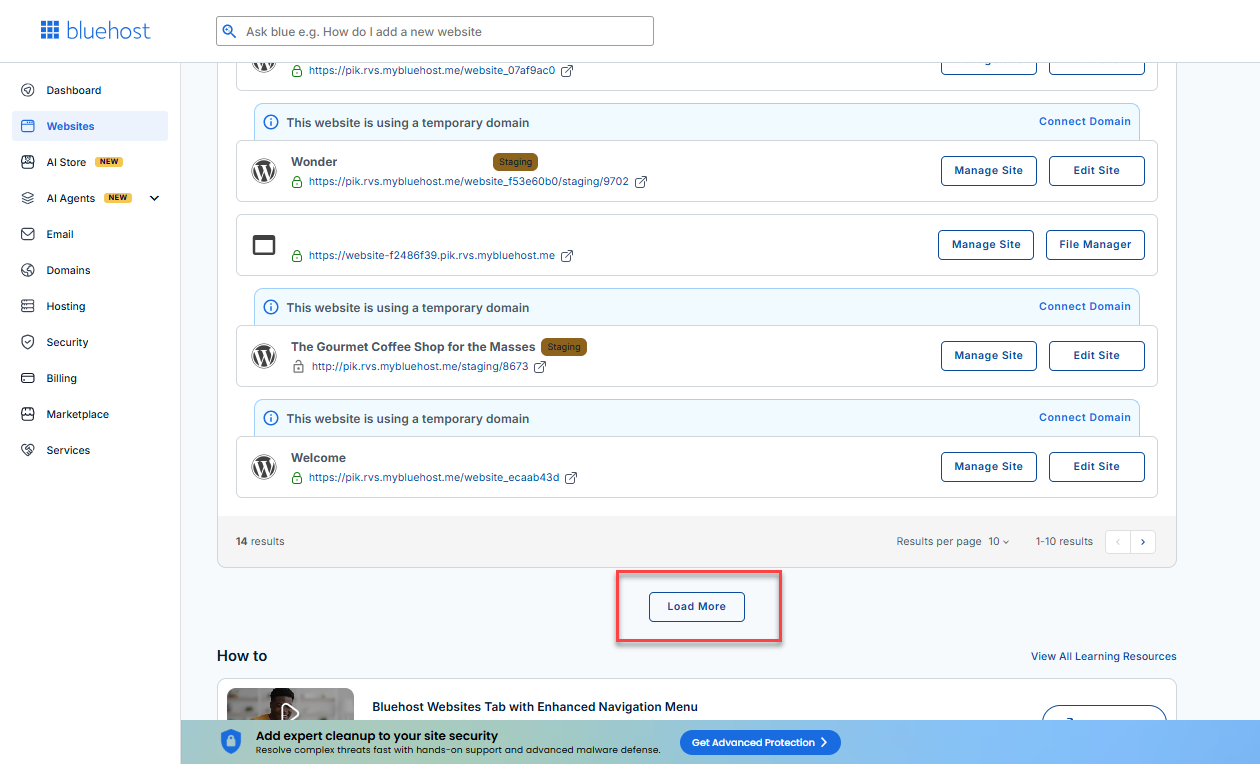
- Locate your Sell Online plan. If you have multiple websites, you need to scroll down and click the Load More link.
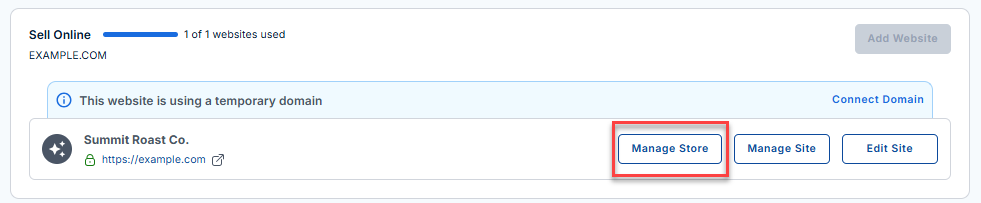
- Click the Manage Store button next to your site.
- You will be redirected to your Bluehost AI Store Dashboard.
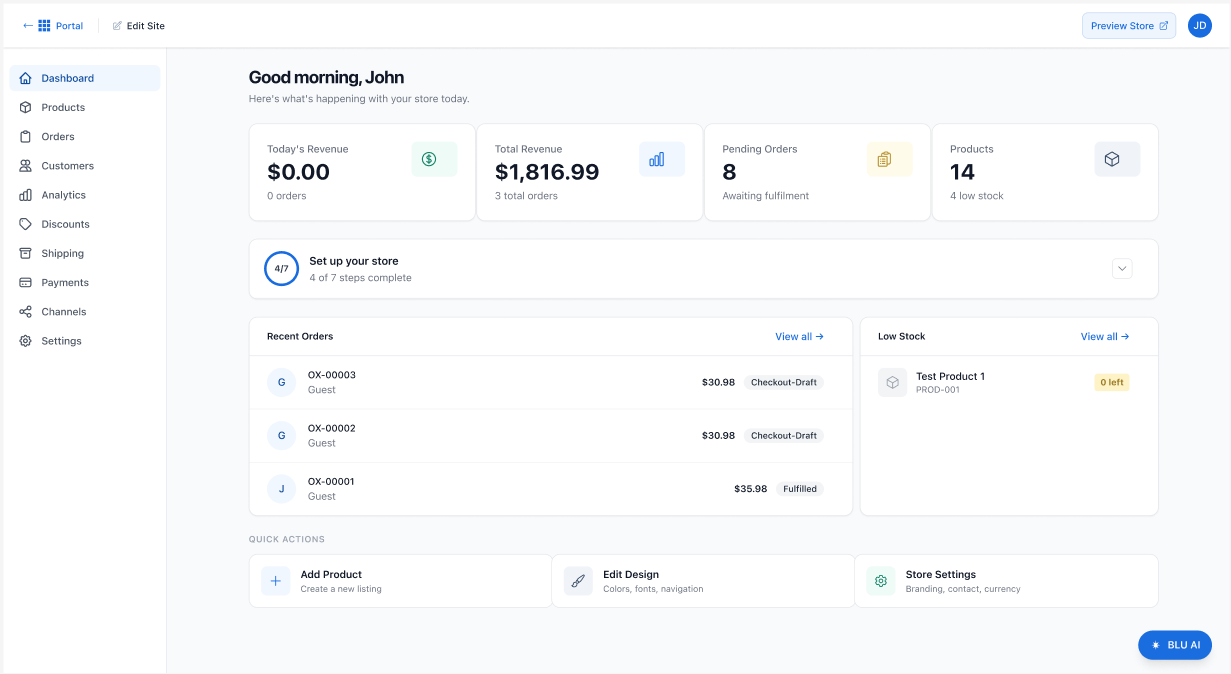
- In the AI Store dashboard, click the Bluehost AI Chat button on the right. This button is available from any tab.
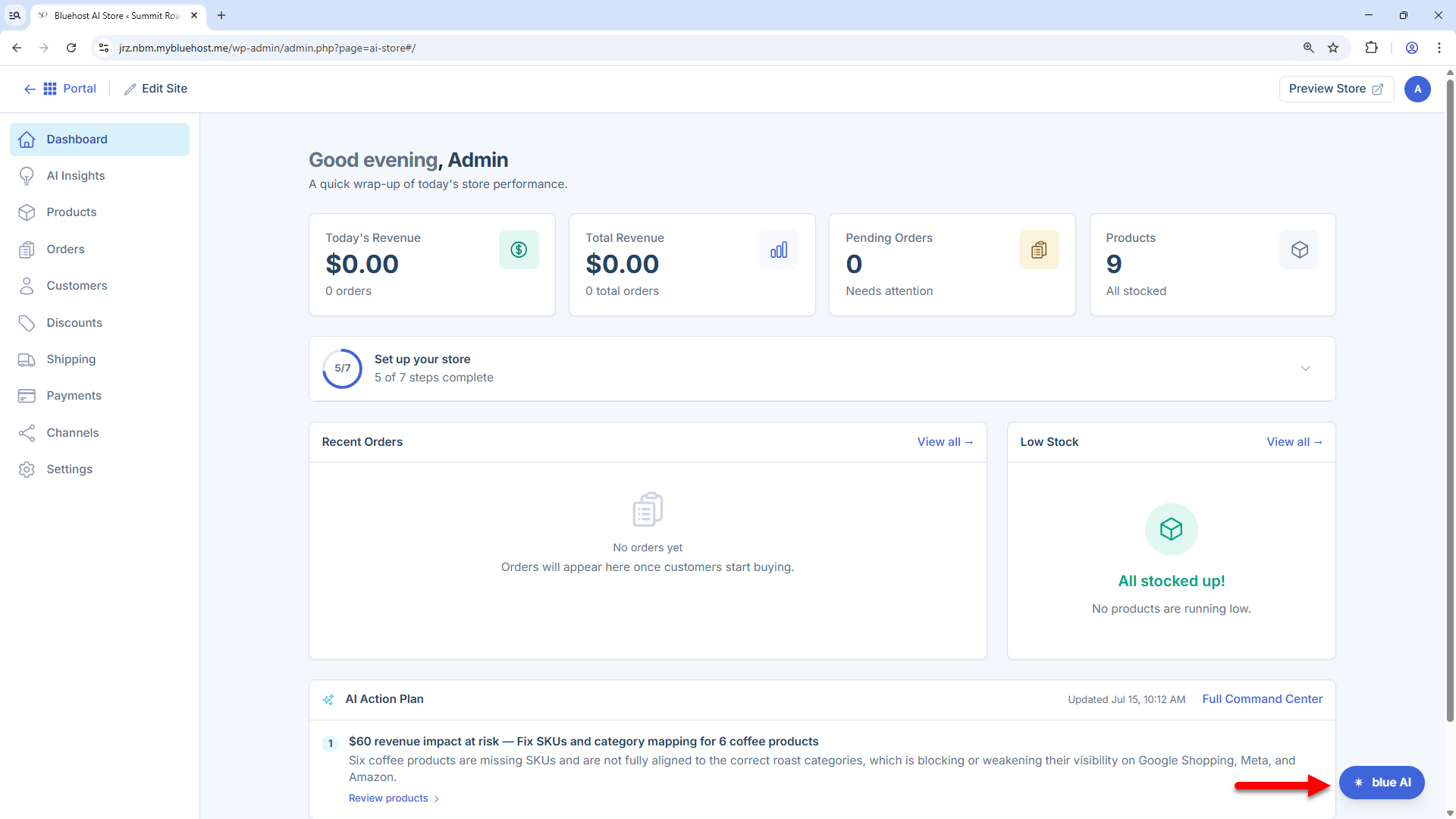
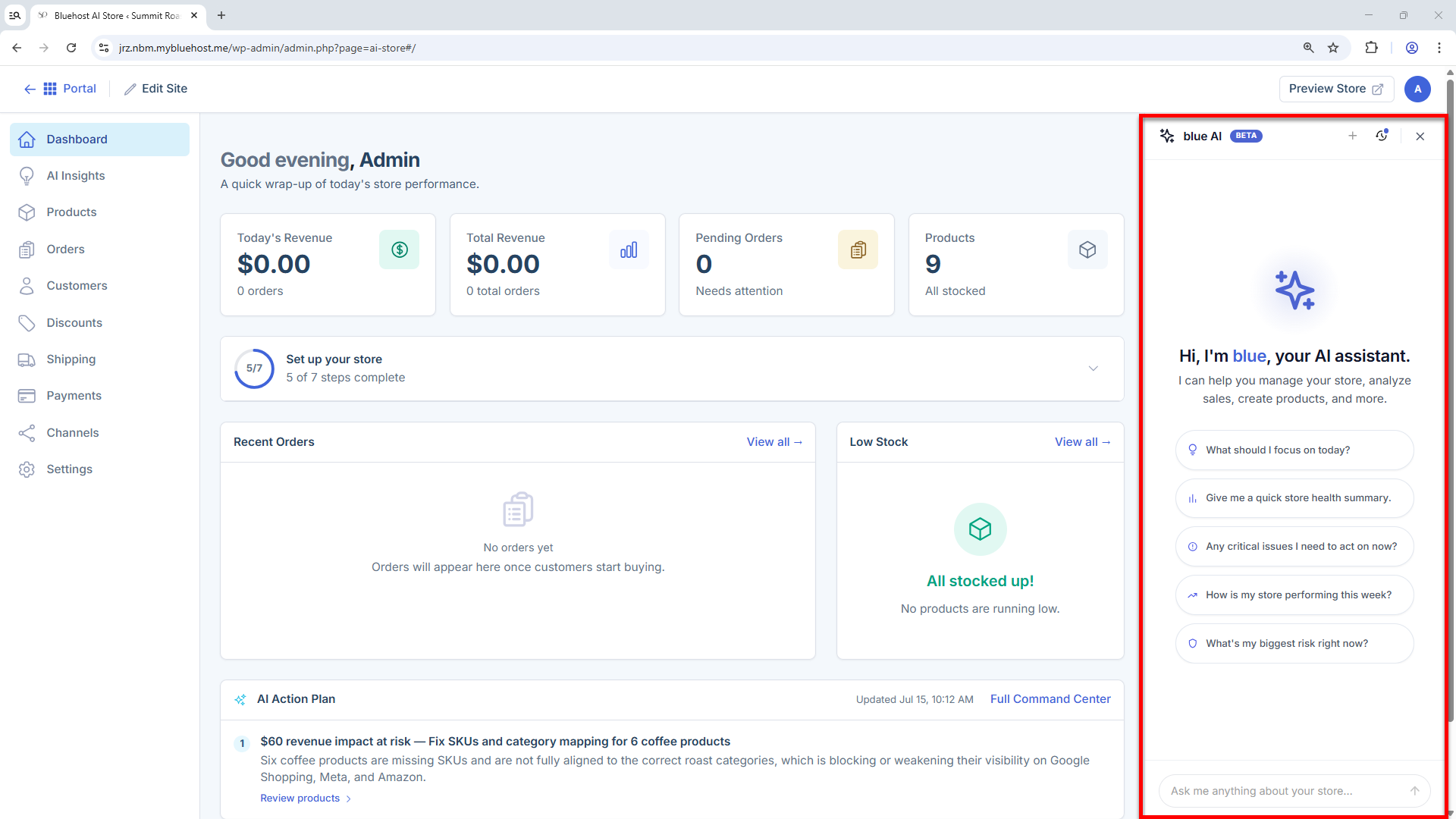
- A chat panel will appear on the right side of the AI Store dashboard.
- You can type your question or request in the chat box or click one of the suggested prompts to get started.
- Review the AI-generated recommendations or insights.
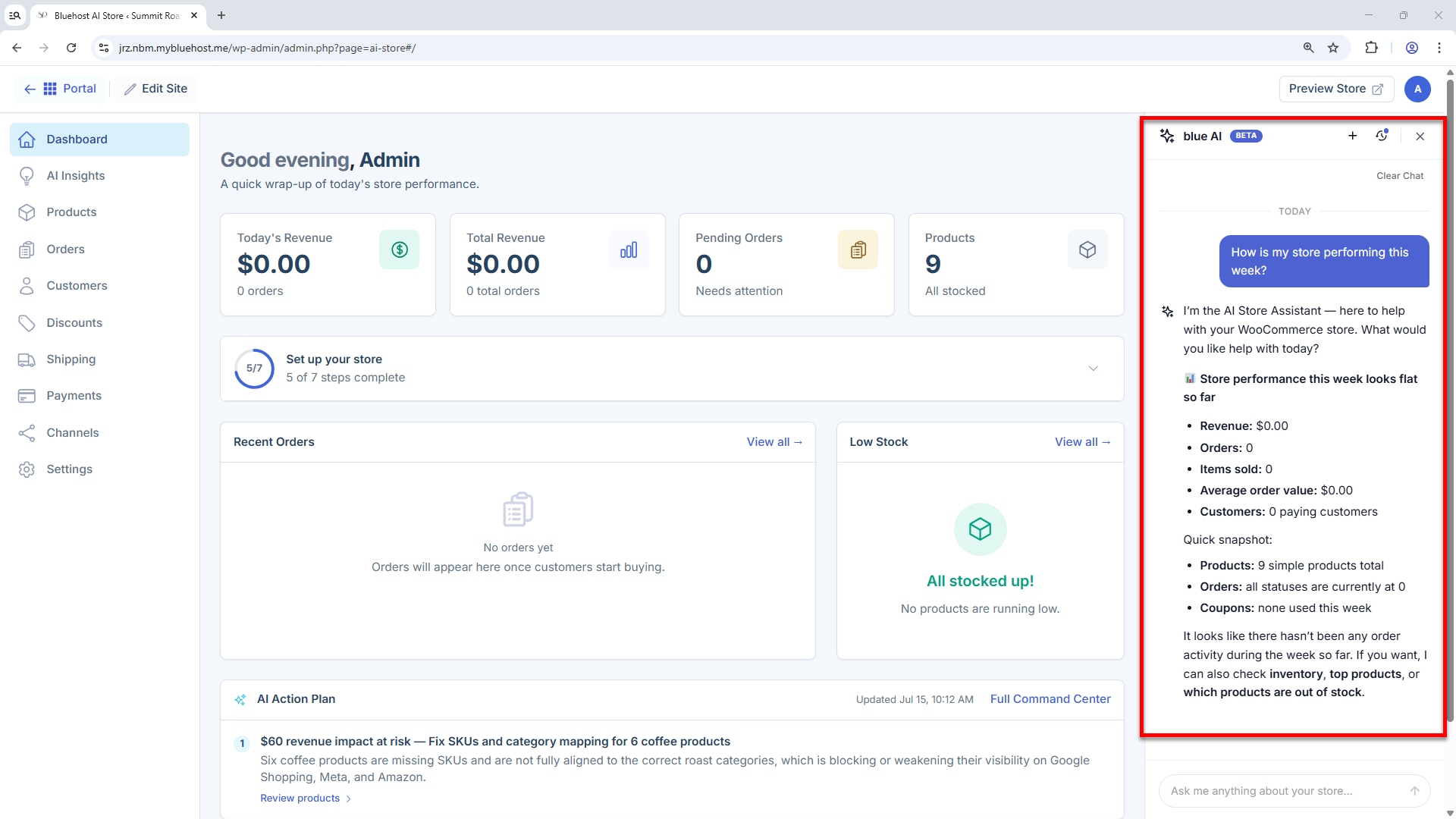
The results shown above are for illustrative purposes only.
Best Practices for Writing Effective Prompts
To get the best results from Bluehost AI Chat, follow these best practices:
- Be specific - Instead of "How am I doing?", try "How has my store performed over the last 7 days?"
- Include a timeframe when requesting reports - Instead of "Show sales trends", try "Show sales trends for the last 30 days"
- Ask action-oriented questions - Instead of "Tell me about my inventory", try "Which inventory issues should I take action first?"
- Ask for recommendations, not just data - Instead of "How many orders do I have?", try "What steps can I take to increase orders this week?"
- Use complete, natural-language questions - Instead of "Inventory status", try "Which products are running low on stock and need restocking soon?"
- Use follow-up questions to explore insights in more detail - Instead of stopping after "What are my top-selling products?", try "Why are these products performing well, and how can I increase sales for similar products?"
- Review AI-generated action plans regularly - Instead of "Create an action plan" and moving on, try "Provide an updated action plan based on my current store performance and highest-priority issues."
Summary
Bluehost AI Chat is an AI-powered assistant built into the Bluehost AI Store dashboard designed to help users monitor their store's performance, manage products and inventory, identify issues, and get actionable recommendations through simple, natural-language conversations. It streamlines store management by providing instant insights and data-driven guidance.
If you need further assistance, Bluehost Chat Support is available 24 hours a day, 7days a week while Bluehost Phone Support is available 7 days a week from 7 am-12 midnight EST.
- Chat Support - While on our website, you should see a CHAT bubble in the bottom right-hand corner of the page. Click anywhere on the bubble to begin a chat session.
- Phone Support -
- US: 888-401-4678
- International: +1 801-765-9400
You may also refer to our Knowledge Base articles to help answer common questions and guide you through various setup, configuration, and troubleshooting steps.