 ChatGPT,
  Claude,
  Gemini,
  Grok — all four for
 This guide assumes you've installed the n8n app on your Self-Managed VPS or VDS as described in How to Install n8n, and have purchased AI Credits through your Bluehost Portal (see AI Models and Credit Pricing). It also assumes you've logged in to n8n for the first time on your server.
Tip: Already have a Claude subscription through Anthropic directly? You don't need to update the gateway — this guide is only for routing n8n's model usage through your AI Credits balance.
Adding AI Credits to n8n
Using AI Credits requires pointing n8n at the Bluehost AI Gateway instead of a provider's default endpoint. This example sets up Anthropic's Claude as a chat provider connected to your AI Credits balance — the same steps apply to any other provider listed under Chat.
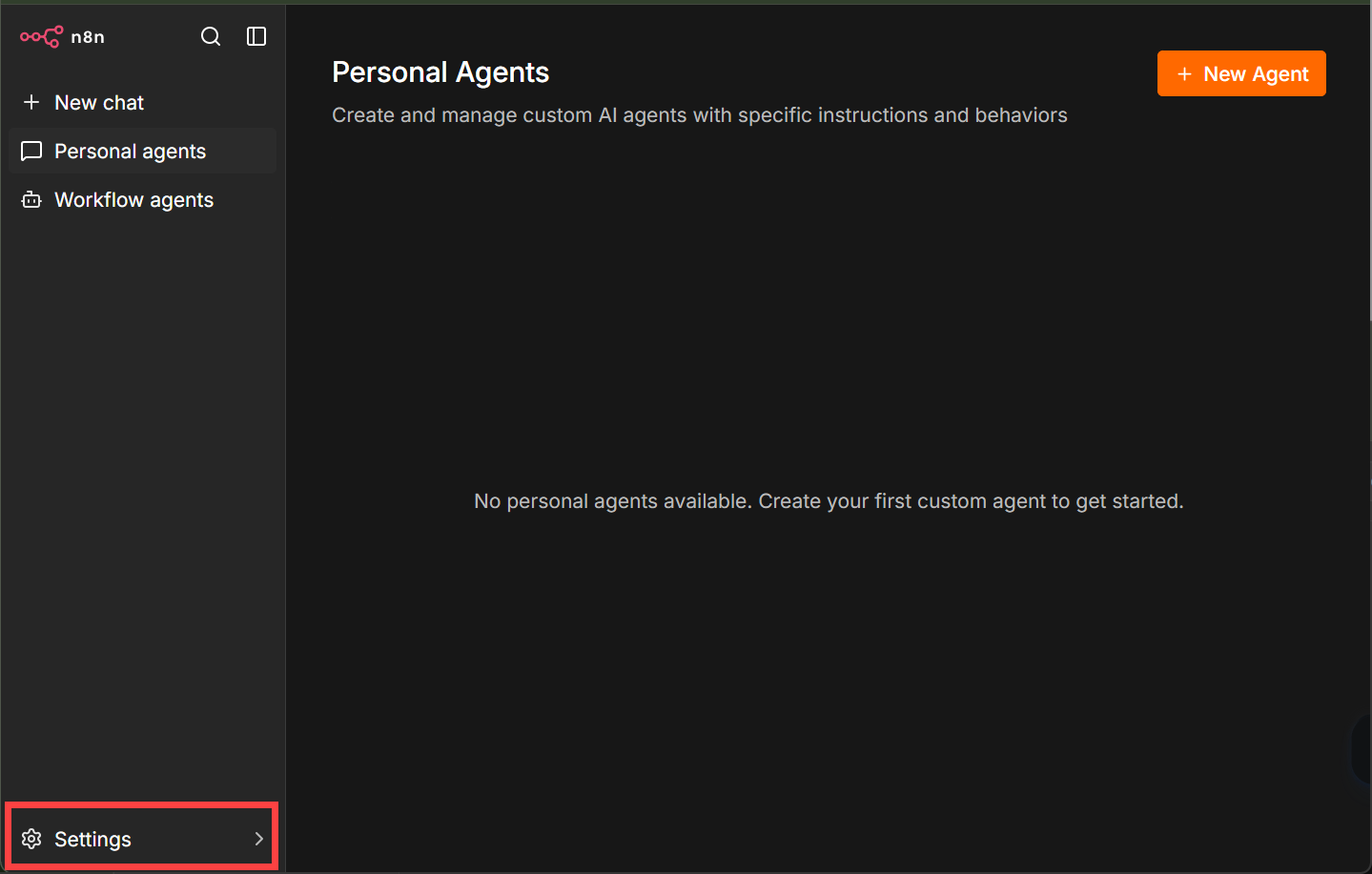
- Log in to n8n and go to Settings > Chat.
- Under Providers, find the provider you want to connect — this example uses Anthropic.
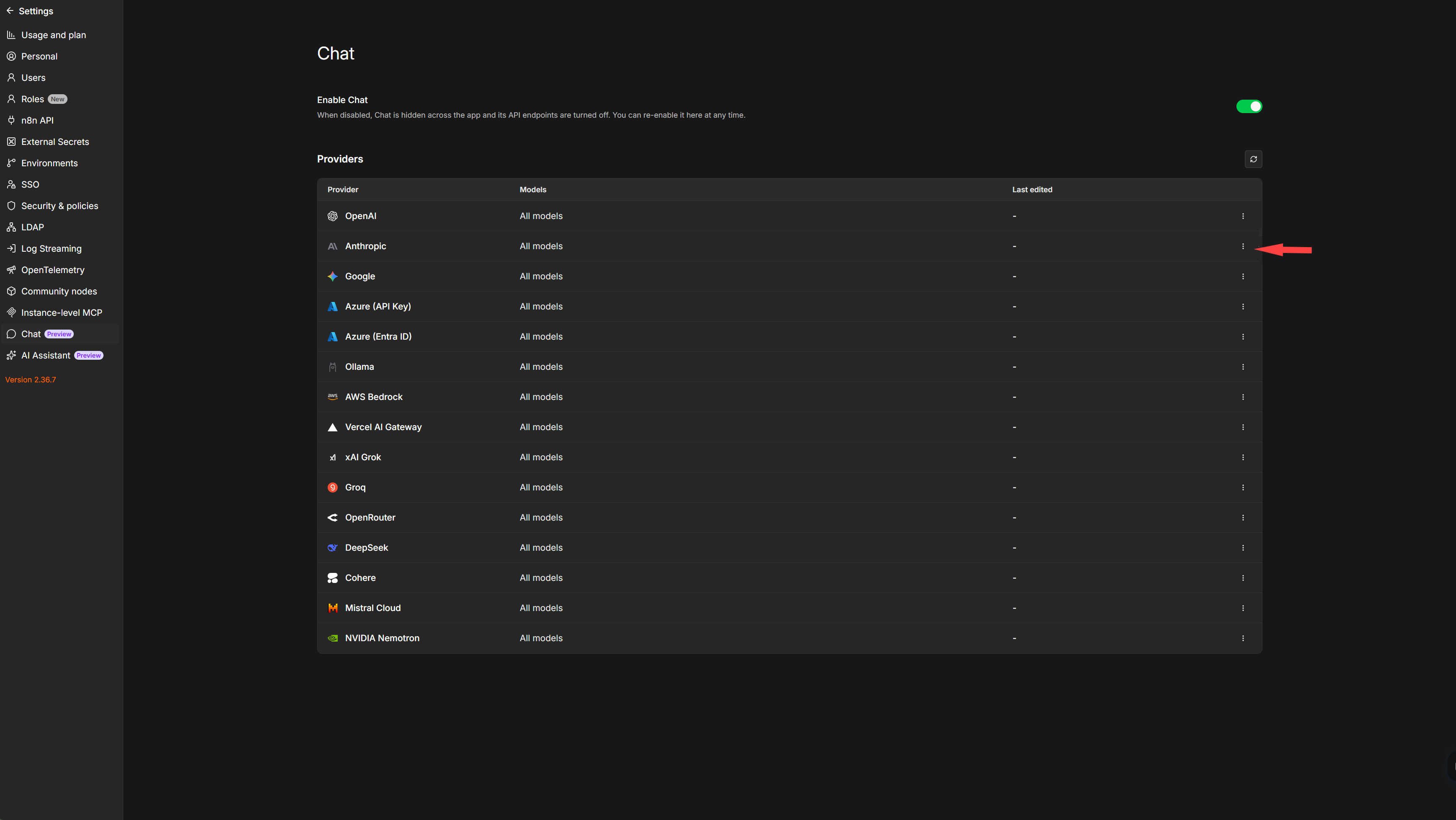
- Click the three-dot menu next to Anthropic and select Edit provider. This opens the Configure Anthropic panel.
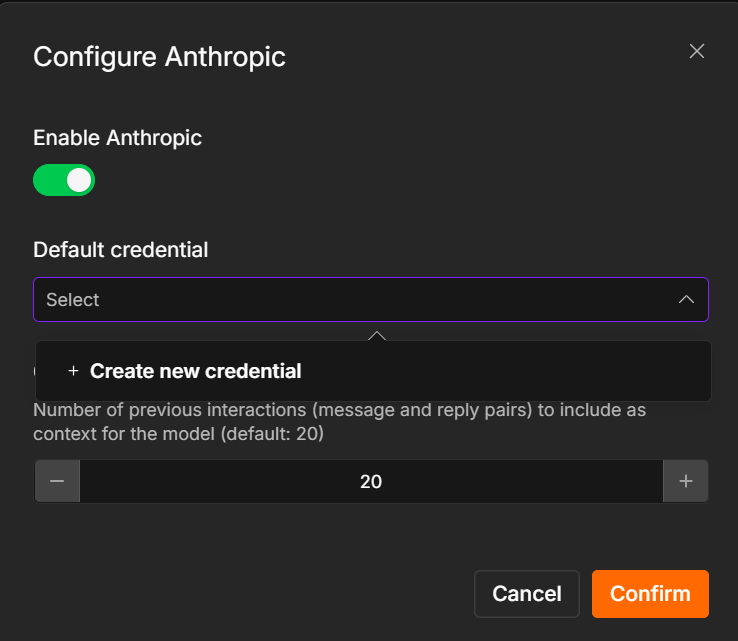
- Click the Default credential dropdown, then + Create new credential.
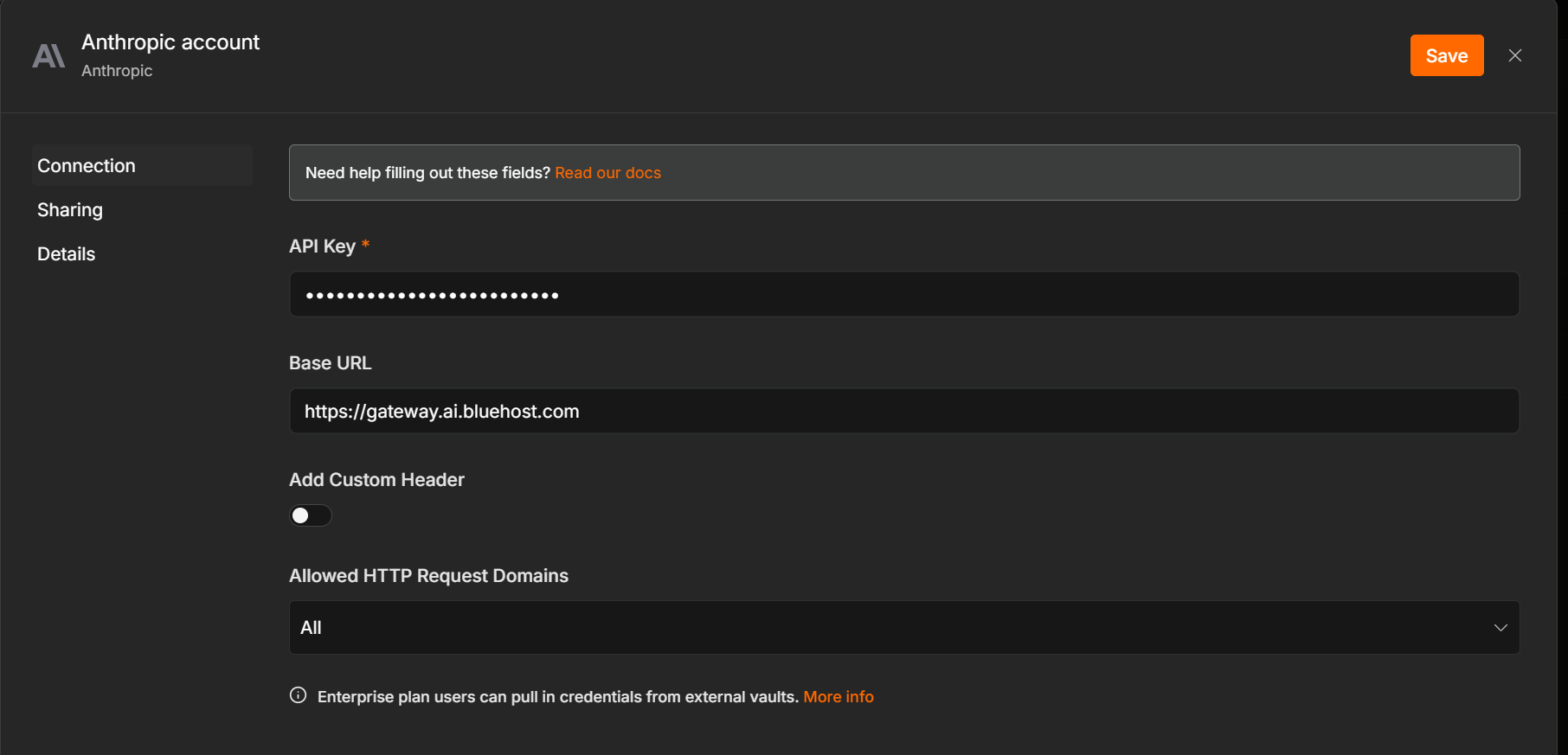
- On the Anthropic account credential screen, fill in:
- API Key — your AI Credits API key. Anthropic API keys always start with
sk-. - Base URL — your AI Credits gateway endpoint:
https://gateway.ai.bluehost.com
- API Key — your AI Credits API key. Anthropic API keys always start with
- Click Save, then confirm to return to the Configure Anthropic panel.
- Click Confirm to finish.
From here, Anthropic's models are available in any chat or workflow you build in n8n, running on your AI Credits balance instead of a separate Anthropic account.
Error: Authentication or connection errors — double-check the Base URL has no typos and no trailing slash, and that the API Key entered is your AI Credits key (not a key from Anthropic directly).
Important: Per-provider setup — this configuration applies to the individual provider you set it on. If you want other providers (OpenAI, Google, and so on) to also run on AI Credits — where supported — repeat these steps for each one.
Summary
n8n doesn't route through AI Credits by default — connecting it means editing the individual provider's settings under Settings > Chat. Open the provider (Anthropic in this example), create a new credential, and set the Base URL to https://gateway.ai.bluehost.com along with your AI Credits API key. Save and confirm, and that provider's models become available across n8n's chats and workflows, billed against your AI Credits balance. Repeat for any other provider you want to connect the same way.