 ChatGPT,
  Claude,
  Gemini,
  Grok — all four for
Google Search Console
Launching a website is only half the job — if search engines don't know it exists, the people searching for it never will. Submitting your site to Google helps your pages get discovered, crawled, and indexed faster, so your content starts showing up in search results sooner.
The good news: this process is free, doesn't require any coding, and only takes a few minutes once you know where to look.
Why You Should Submit Your Website to Search Engines
Search engines like Google do crawl the web automatically, but manual submission still matters, especially for new sites or sites with few backlinks. Submitting your website directly helps ensure it's recognized quickly and accurately.
Here's what you gain by submitting your site:
- Faster indexing — your pages can appear in search results sooner instead of waiting for a crawler to find them on its own.
- Full page coverage — new and updated content gets recognized, not just your homepage.
- Better site understanding — sitemaps and metadata give search engines structured information about how your site is organized.
- Wider visibility — submitting to Google helps your content reach more of your audience.
Submitting Your Website to Google
Google Search Console (GSC) is a free tool that lets you track indexing, monitor search performance, and fix technical issues. It's the most important step for getting your site into Google's search results.
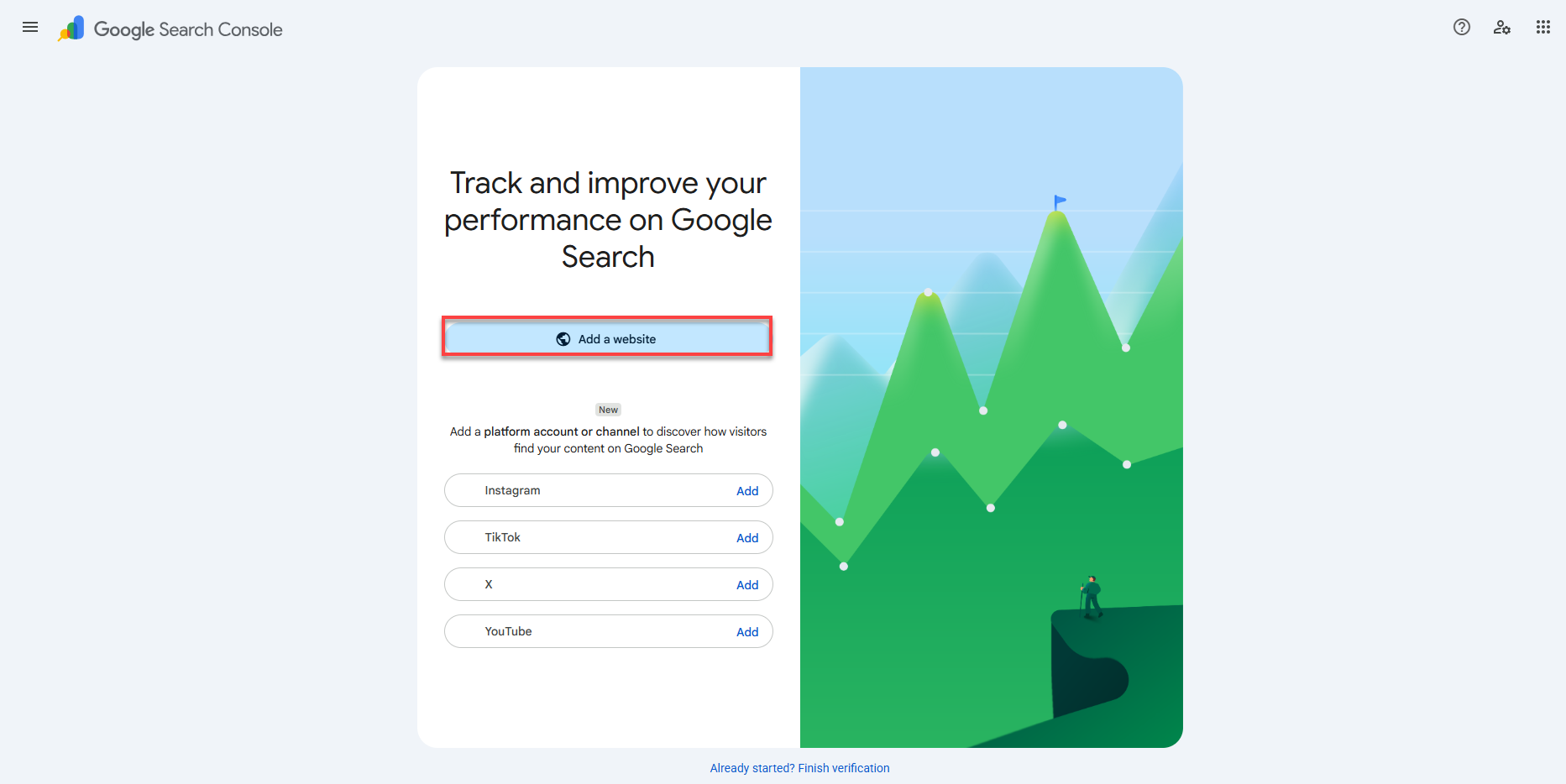
- Go to Google Search Console and select Add a website.
- Choose a property type:
- Domain — covers all URLs on your domain and requires DNS verification.
- URL prefix — covers a single page and offers several verification methods.
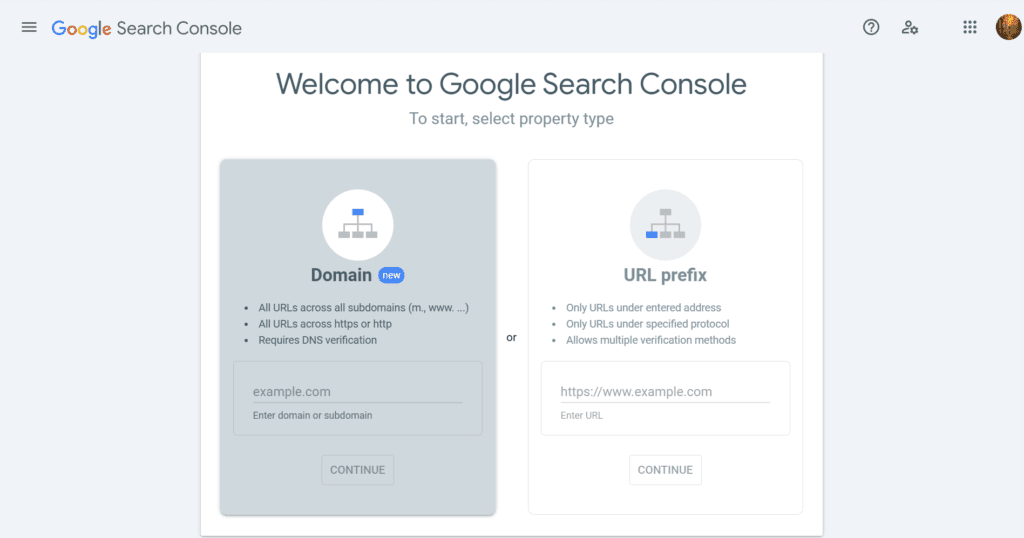
- Enter your domain or URL, then select Continue.
- Google will provide a TXT record. Copy it.
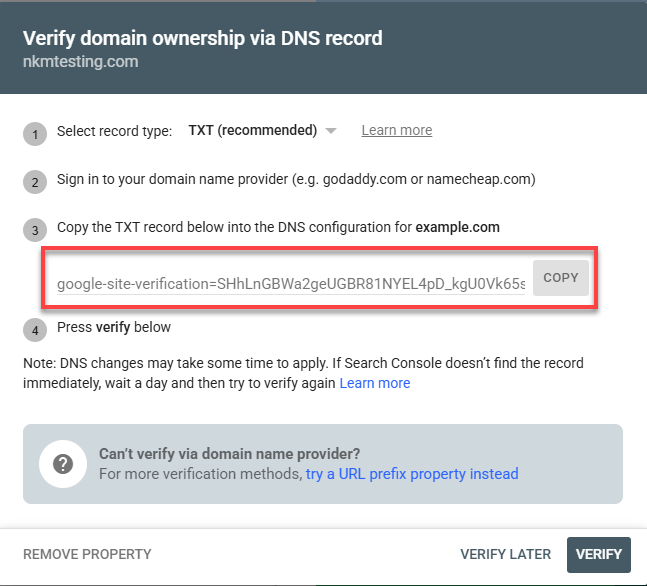
- Log in to Bluehost Account Manager and add the TXT record to your DNS settings. You can refer to Guide to the DNS Tab in the Bluehost Portal to add the TXT record.
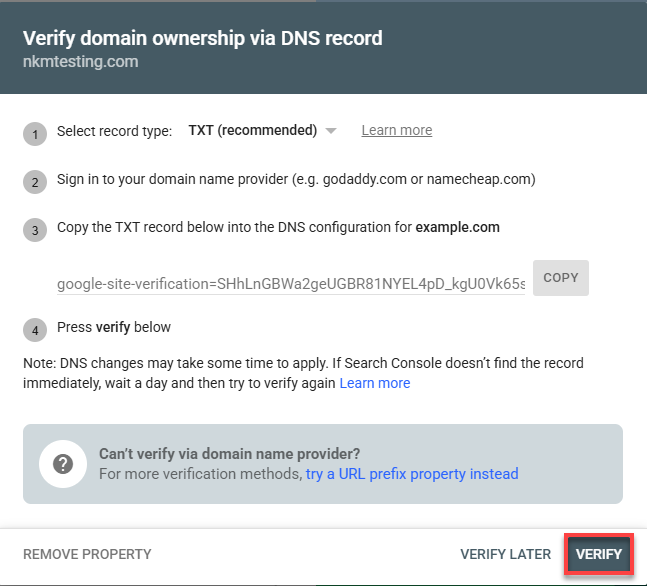
- Return to Search Console and select Verify.
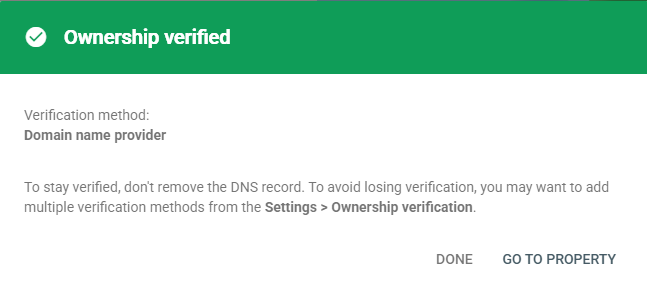
A Faster Option: Verifying With an SEO Plugin
If your site runs on WordPress, an SEO plugin such as Yoast SEO can simplify verification considerably. Instead of editing DNS records, you paste a short verification code directly into the plugin's settings:
- In Search Console, choose URL prefix option and enter your site's URL.
- Look for the HTML tag under the Other verification methods section. Copy the meta tag verification code provided.
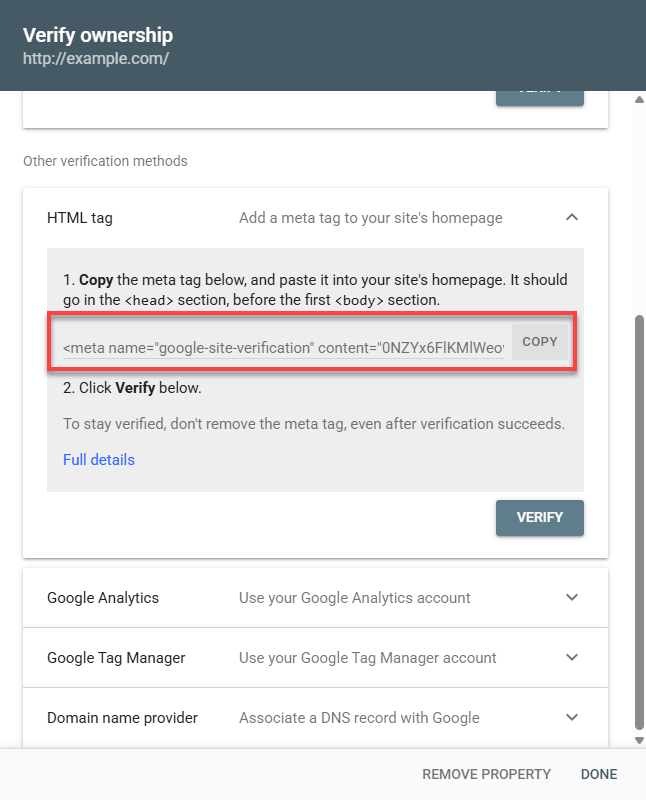
- Log in to your WordPress dashboard.
- Go to your Yoast SEO settings and find the Site Connections section.
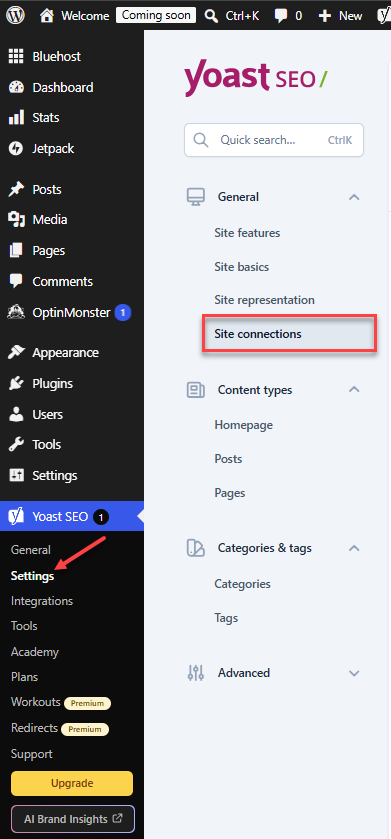
- Paste the verification code into the Google field and save your changes.
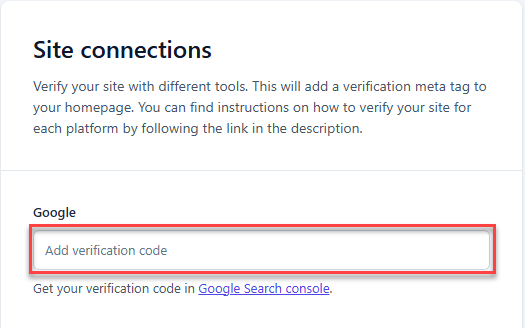
- Return to Search Console and select Verify.
Once verification is complete, you can double-check it anytime by going to Settings > Ownership Verification > HTML tag inside Search Console.
Submitting Your Sitemap in Google Search Console
A sitemap is an XML file that lists every page on your site, giving search engines a roadmap for efficient crawling. Submitting one ensures Google is aware of all your pages — especially new or recently updated ones.
- Create a sitemap. If you use WordPress, an SEO plugin like Yoast SEO can generate one automatically. It's usually located at a URL such as
yourdomain.com/sitemap_index.xml. Check XML Sitemaps with Bluehost for more informaiton. - In Google Search Console, select Sitemaps from the left-hand menu.
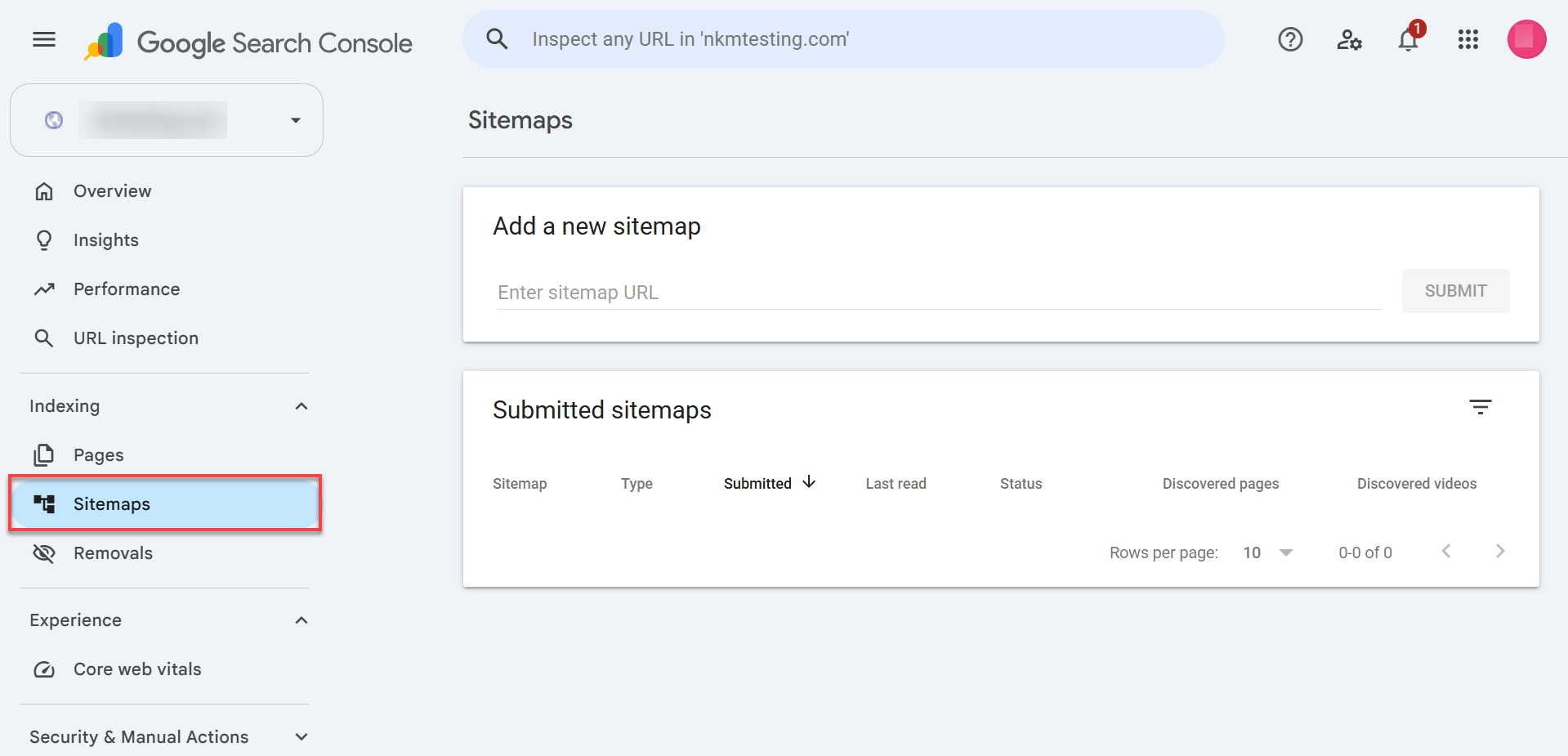
- Enter your sitemap URL (for example,
sitemap_index.xml). - Select Submit.
Google will confirm once the sitemap has been received and processed.
Checking if Your Website Is Indexed
After submitting your site, confirm that search engines have actually picked it up.
It takes anywhere from several hours to 4 weeks for Google to index a new website or page, though brand-new domains typically require 1 to 4 weeks.
Using the URL Inspection tool in Google Search Console:
- Log in to Google Search Console.
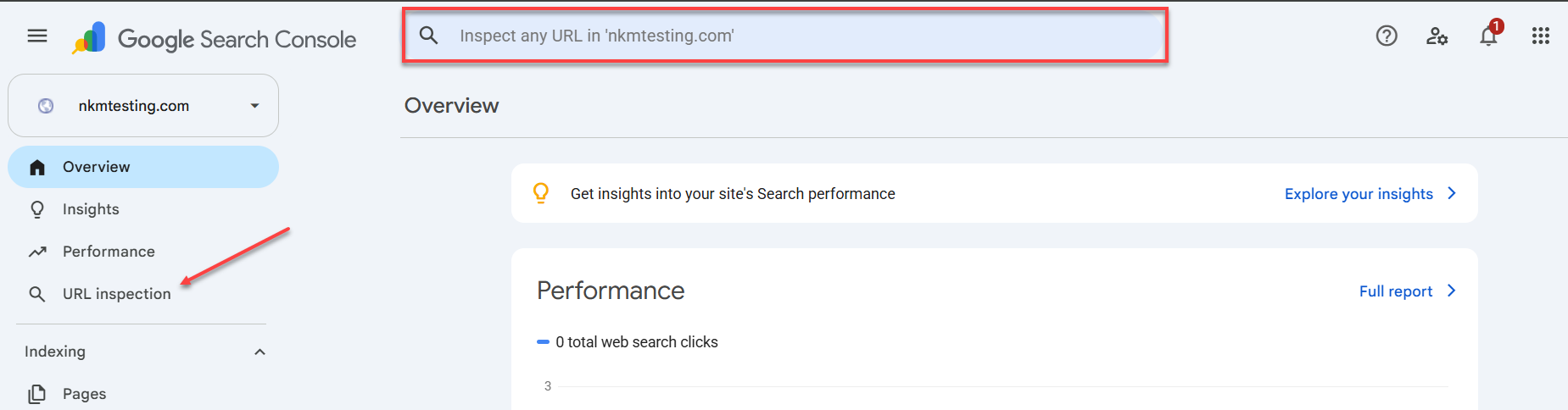
- Enter the specific page URL into the Inspect any URL field.
- Review the results — Search Console will show whether the page is indexed and flag any issues preventing it from being indexed.
Using a search operator:
- In Google, search
site:yourdomain.com.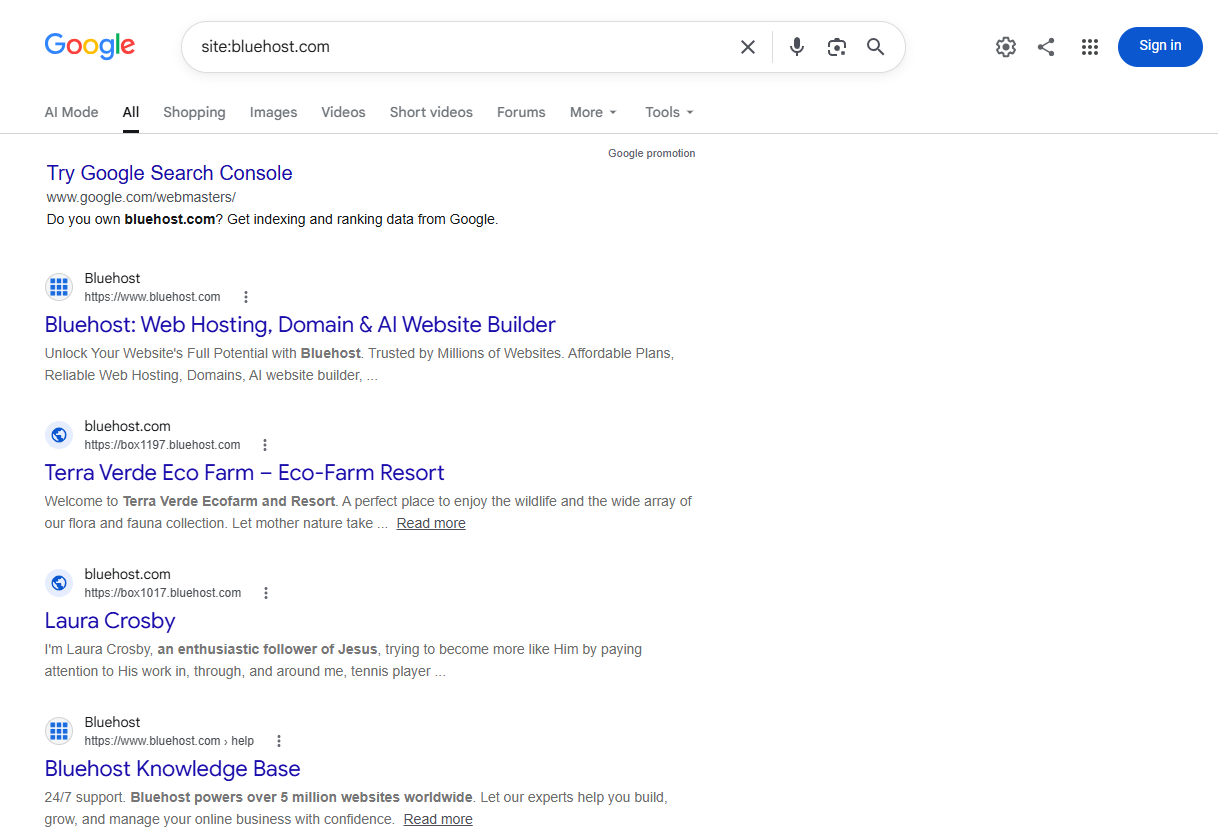
- If your site is indexed, its pages will appear in the results.
- To check a specific page, search
site:yourdomain.com/page-url. If it appears, that page is indexed.
Are Submission Services Worth It?
Generally, no. Paid "submission services" that promise to submit your site to hundreds of search engines usually aren't necessary, and some can even hurt your SEO.
- Search engines find content on their own. Modern crawlers regularly scan the web, so a site with quality content and backlinks tends to get discovered naturally.
- Manual submission is already free. There's no cost to submitting your sitemap through Google Search Console — a paid service doesn't speed this up.
- Some services use low-quality tactics. Submitting your site to spammy or outdated directories can damage your site's reputation and hurt your rankings instead of helping them.
Best Practices for Ongoing Indexing
Submitting your site once isn't a "set it and forget it" task. These habits help keep your pages indexed and visible over time:
- Keep your sitemap updated. As you add or remove pages, your sitemap should reflect those changes. Many SEO plugins, such as Yoast SEO plugin, update your sitemap automatically whenever you publish new content.
- Use internal linking. Linking between relevant pages on your site helps search engines crawl and discover new content more efficiently.
- Monitor performance regularly. Tools that check your site's SEO health can flag indexing issues, keyword opportunities, and technical problems before they affect your traffic.
- Share content and build backlinks. Promoting new pages on social media and earning links from other reputable sites both signal relevance to search engines.
- Check your robots.txt file. This file tells search engines which pages they can and can't crawl. If pages aren't getting indexed, confirm you haven't accidentally blocked them. Google Search Console's robots.txt Tester can help you verify this.
- Organize large sites with multiple sitemaps. If your site has a lot of content, splitting your sitemap by content type (blog posts, products, categories) makes it easier for search engines to understand your site's structure.
Summary
Submitting your website to Google helps your pages get discovered and indexed faster than waiting on automatic crawling alone. The process starts with verifying ownership — either through a DNS record or a plugin-based verification code — and continues with submitting a sitemap so search engines have a complete map of your content. From there, checking your indexing status, avoiding paid submission services, and following a few ongoing best practices (updated sitemaps, internal linking, and clean robots.txt files) keep your site visible as it grows. None of these steps require coding experience, just a few minutes in your search console dashboard.
If you need further assistance, Bluehost Chat Support is available 24 hours a day, 7days a week while Bluehost Phone Support is available 7 days a week from 7 am-12 midnight EST.
- Chat Support - While on our website, you should see a CHAT bubble in the bottom right-hand corner of the page. Click anywhere on the bubble to begin a chat session.
- Phone Support -
- US: 888-401-4678
- International: +1 801-765-9400
You may also refer to our Knowledge Base articles to help answer common questions and guide you through various setup, configuration, and troubleshooting steps.