 ChatGPT,
  Claude,
  Gemini,
  Grok — all four for
 Bluehost Professional Email: How to Upgrade Your Email Plan
Upgrading your Professional Email plan provides access to additional features designed to enhance communication, collaboration, and productivity. Depending on the selected plan, you can benefit from increased mailbox storage, advanced email tools, enhanced collaboration capabilities, and other premium features. For a detailed comparison of the features available with each plan, see Bluehost Professional Email Plans Comparison.
Upgrade Professional Email Plan
- Log in to your Bluehost Portal.
- From the left-hand navigation menu, click on the Email tab.
- Optional: In Professional Email, if multiple plans are listed, click Manage for the plan you want to use.
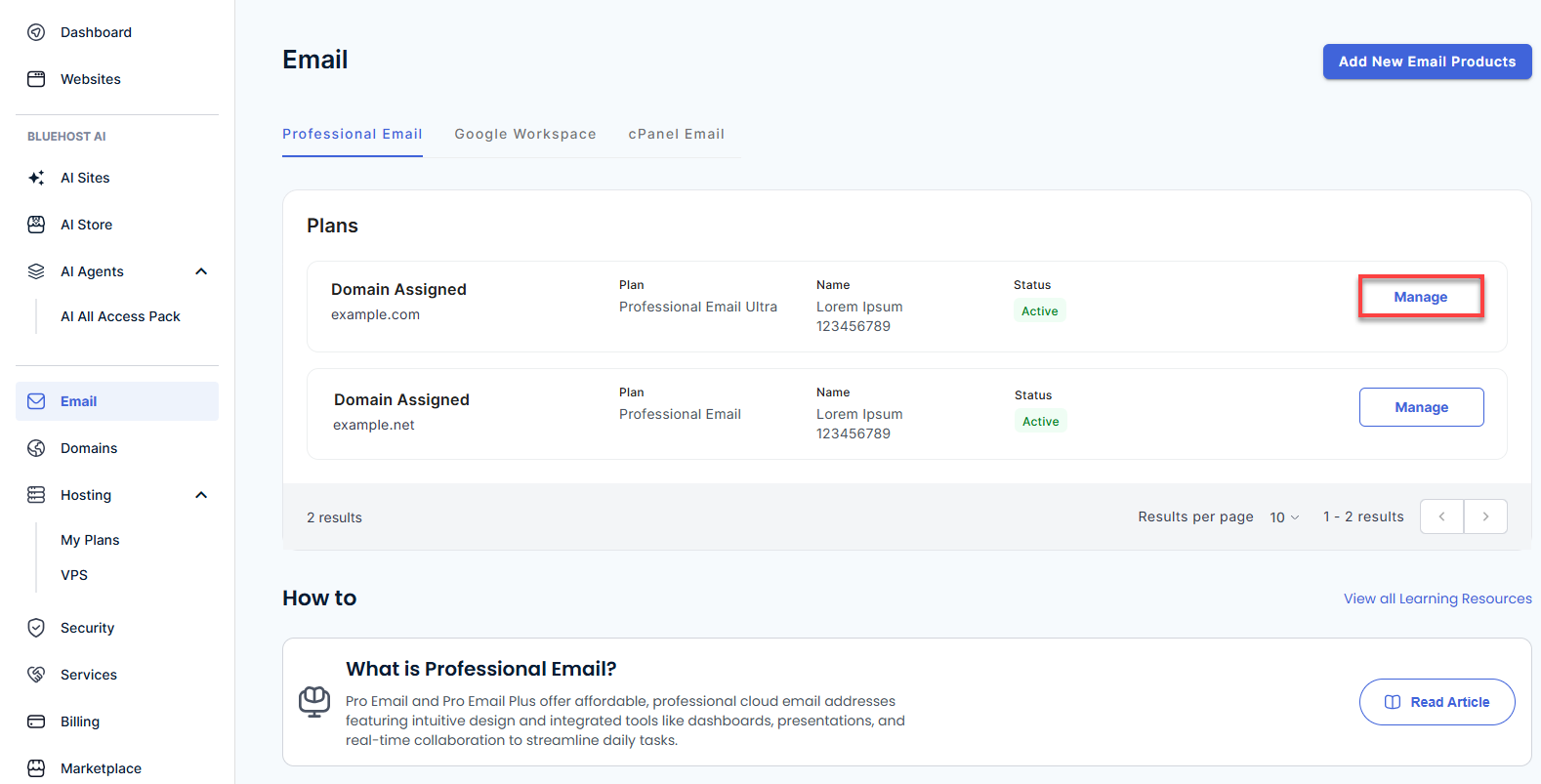
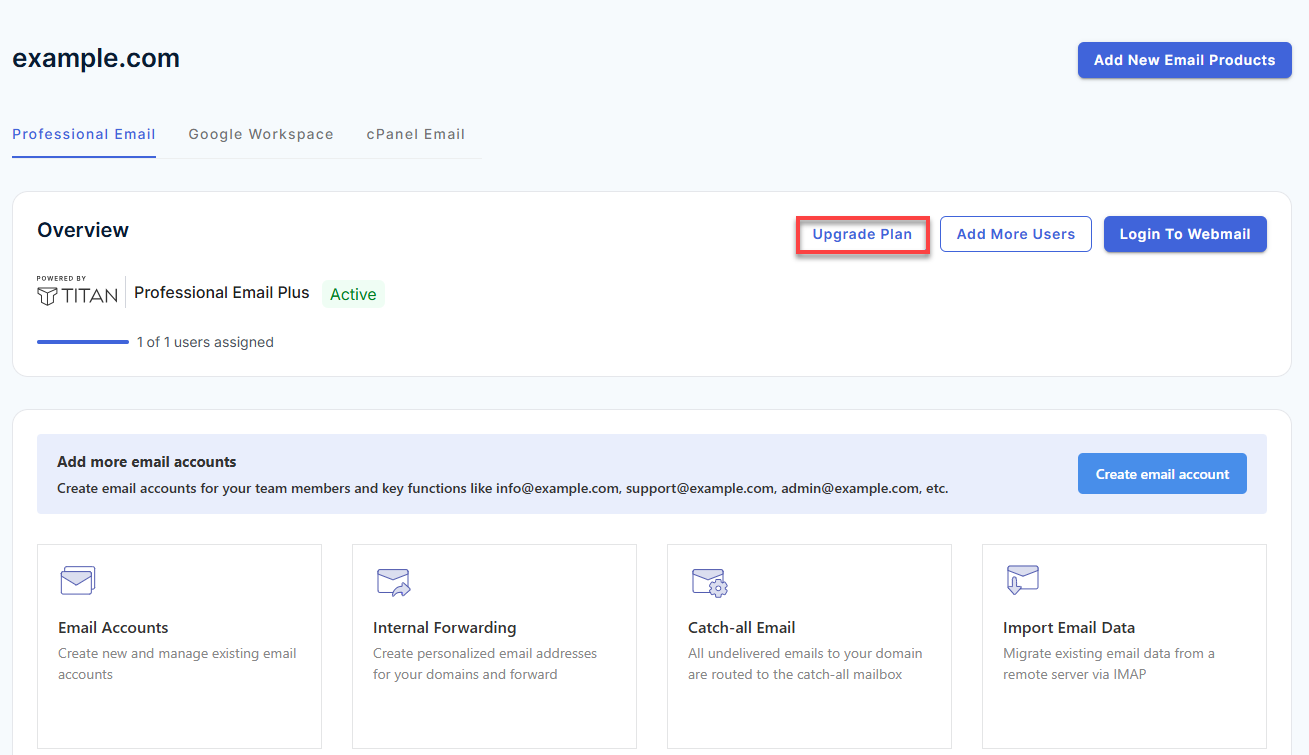
- You’ll be automatically redirected to the Email Management page, where you can manage your email settings and subscriptions.
- In the Overview section, click Upgrade Plan.
- Review the available Professional Email plans.
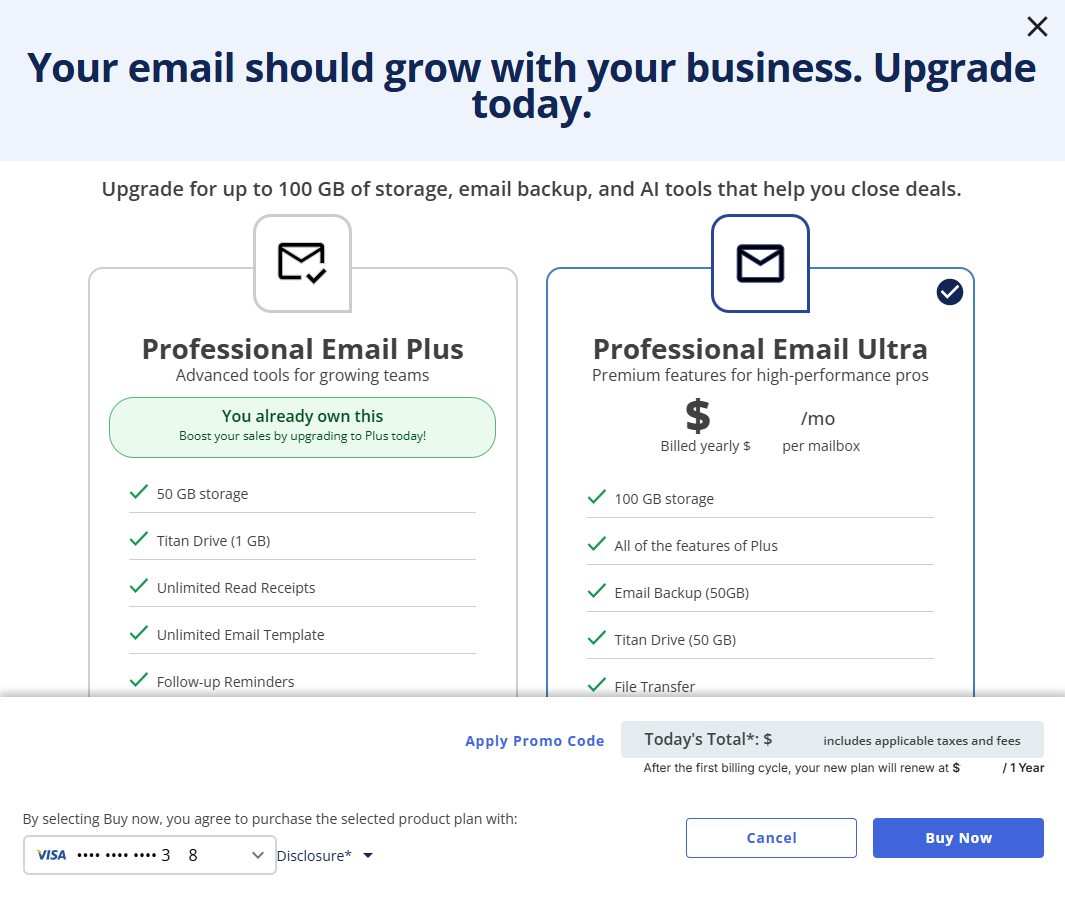
Pricing Information: Professional Email plan pricing, promotional offers, signup fees, and renewal rates may vary and are subject to change. Review the pricing and renewal information displayed during purchase for the most current charges applicable to your subscription. For the latest Professional Email plan pricing, visit the Bluehost website or review the available plans in the Bluehost Customer Portal.
- Select the plan that best fits your needs.
- Review the selected plan, applicable pricing details, renewal information, and payment method.
- Click Buy Now to complete your purchase and activate the upgraded plan.
Alternative Method: You can also initiate an upgrade from within your Professional Email webmail account. Upgrade options may appear in areas where a feature is unavailable or not included in your current plan. Select the available Upgrade option to view eligible plans and continue with the upgrade process.
Note: The Upgrade option redirects you to the Bluehost Customer Portal. If you are not currently logged in to your Bluehost account, you will be prompted to sign in before proceeding.
Summary
Depending on the plan you choose, upgrading your Professional Email subscription can provide access to additional storage, advanced email tools, enhanced collaboration capabilities, and other premium features. Review the available plans and select the option that best meets your needs.
If you need further assistance, Bluehost Chat Support is available 24 hours a day, 7days a week while Bluehost Phone Support is available 7 days a week from 7 am-12 midnight EST.
- Chat Support - While on our website, you should see a CHAT bubble in the bottom right-hand corner of the page. Click anywhere on the bubble to begin a chat session.
- Phone Support -
- US: 888-401-4678
- International: +1 801-765-9400
You may also refer to our Knowledge Base articles to help answer common questions and guide you through various setup, configuration, and troubleshooting steps.