 ChatGPT,
  Claude,
  Gemini,
  Grok — all four for
Purchase a Virtual Dedicated Server with WordPress Installation
WordPress is a popular open-source content management system (CMS) that allows users to create, customize, and manage websites without extensive technical knowledge. With a user-friendly dashboard, customizable themes, and a vast collection of plugins, WordPress makes it easy to extend website functionality and design. It is used to build a variety of websites, including blogs, business sites, portfolios, and online stores.
This article explains how to purchase a Bluehost Virtual Dedicated Server (VDS) hosting plan and set up and manage it with WordPress.
Why Choose WordPress?
In today's digital world, having a strong online presence is essential. WordPress is a powerful and flexible content management system (CMS) that makes it easy to create, manage, and grow a website without requiring advanced technical skills. Its scalability, extensive customization options, and user-friendly interface make it suitable for everything from personal blogs to large business websites and online stores.
Uses of WordPress
WordPress is a versatile content management system (CMS) that can be used to build a wide variety of websites, including:
- Blogs and Personal Websites: Publish and manage content with ease using customizable themes and content management tools.
- Business Websites: Create professional websites to showcase products, services, portfolios, and company information.
- Online Stores: Build and manage eCommerce websites with plugins like WooCommerce, enabling product sales, payment processing, and inventory management.
- Community and Membership Sites: Create forums, membership portals, and online communities with user registration and engagement features.
Educational Platforms: Develop online courses, training portals, and learning management systems (LMS) using dedicated educational plugins. - News and Media Websites: Manage large volumes of content with tools designed for publishing, editorial workflows, and audience engagement.
With its flexibility, scalability, and extensive plugin ecosystem, WordPress can support nearly any type of website, from simple personal blogs to complex, enterprise-level web applications.
How to Purchase a Virtual Dedicated Server with WordPress Installation
WordPress can be installed on a Bluehost Virtual Dedicated Server (VDS). You can choose to have WordPress installed during the initial VDS purchase or install it manually at a later time.
- In your browser, go to https://www.bluehost.com.
- Click Hosting in the top menu, then select Virtual Dedicated Server.
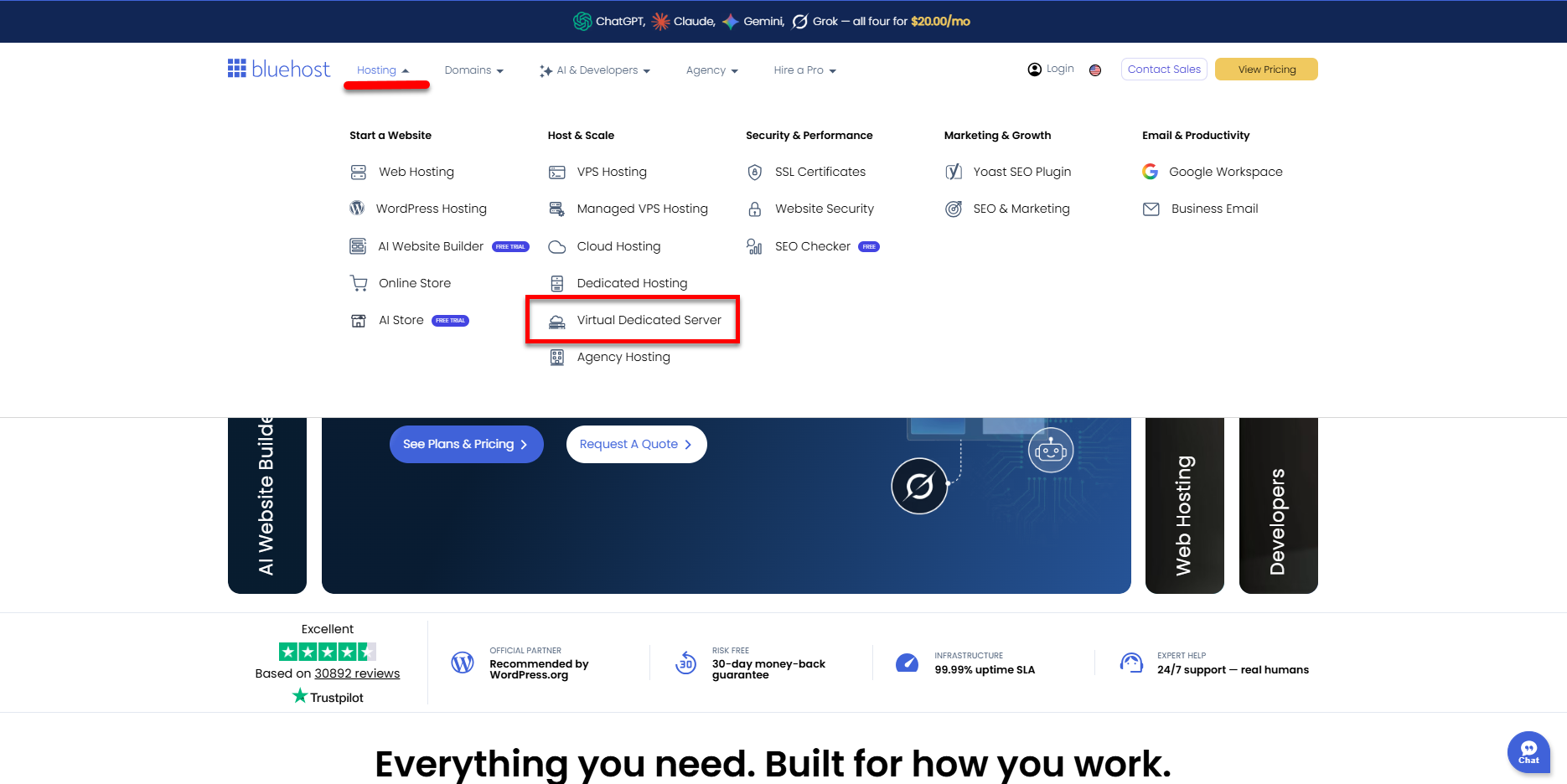
You can also go to this link directly: https://www.bluehost.com/vds-hosting.
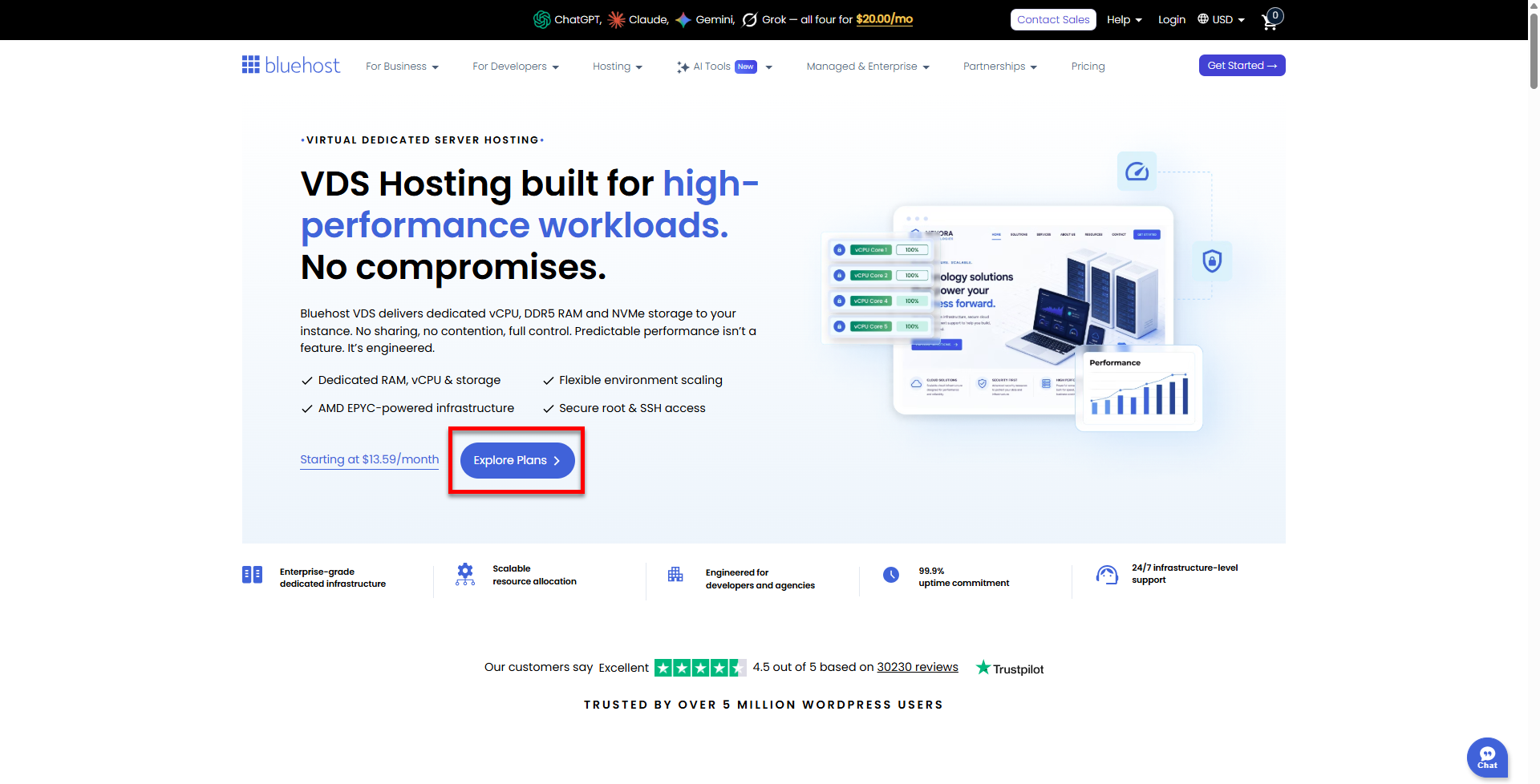
- On the Virtual Dedicated Server Hosting page, click Explore Plans. You can also scroll down to the hosting plans section.
- Choose a plan from either tab — Standard or High Performance — by clicking Choose Plan.
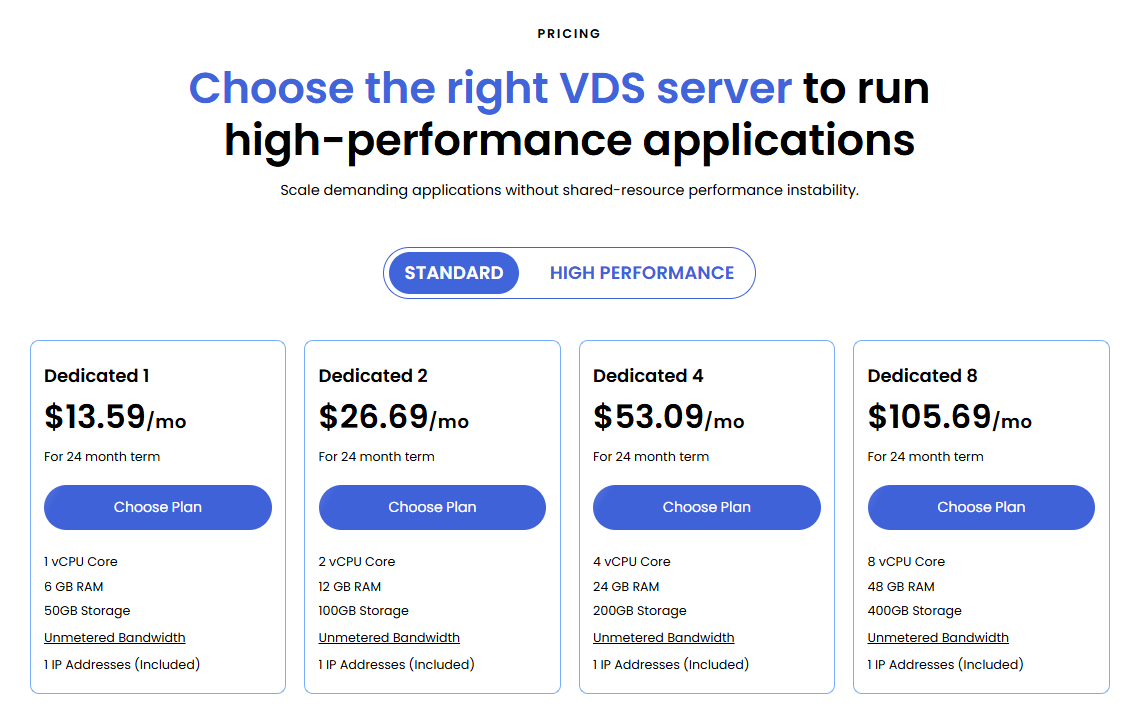
Pricing is subject to change. Please visit https://www.bluehost.com/vds-hosting for the current introductory/sign-up offer for the Bluehost Virtual Dedicated Server hosting. For the most up-to-date renewal pricing, visit your Bluehost Portal's Renewal Center. - On the next page, configure your VDS hosting to meet your requirements. The configuration options are divided into the following sections:
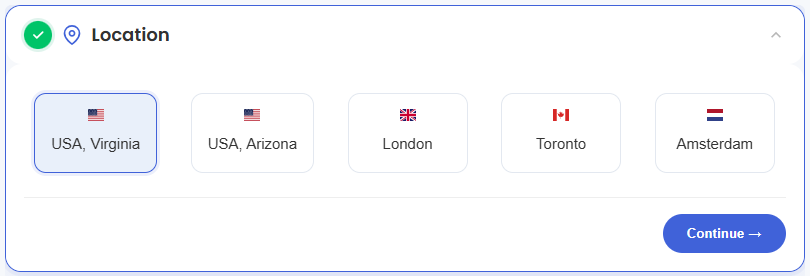
- Location: Select your data center in this section.
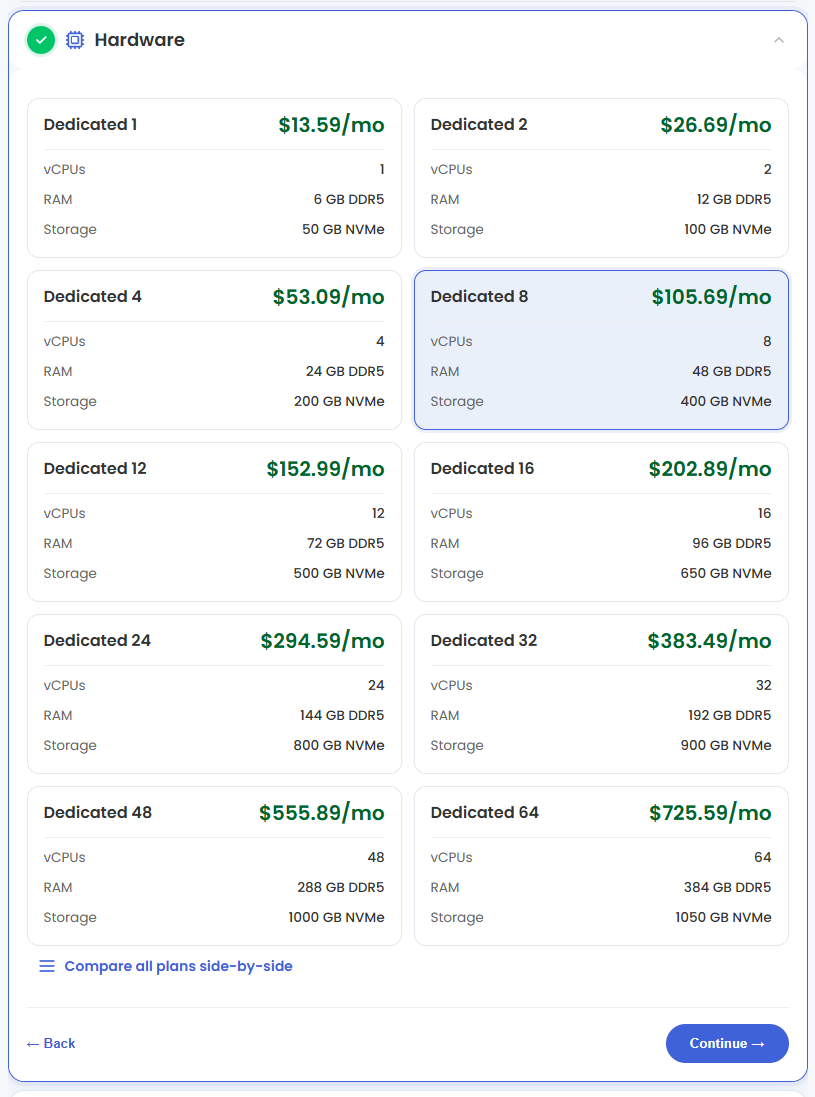
- Hardware: This section shows your pre-selected plan. You can also switch to another Virtual Dedicated Server plan in this section
- Software:
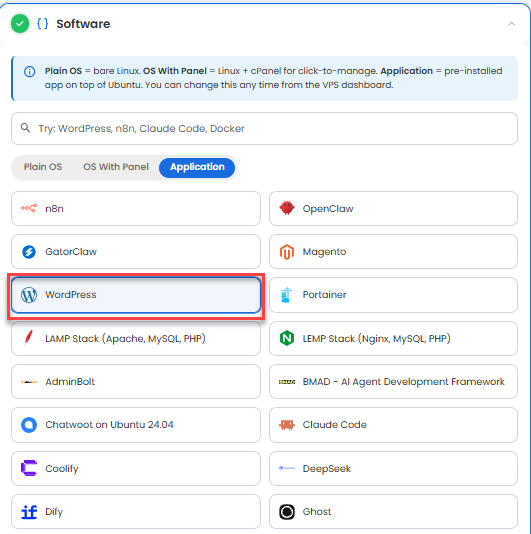
You can install only one application per purchase; the system will automatically select the best operating system for it.
- Under the Application tab, click on WordPress.
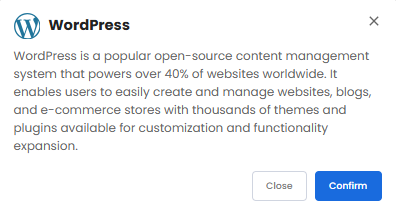
- In the pop-up, click Confirm.
- Under the Application tab, click on WordPress.
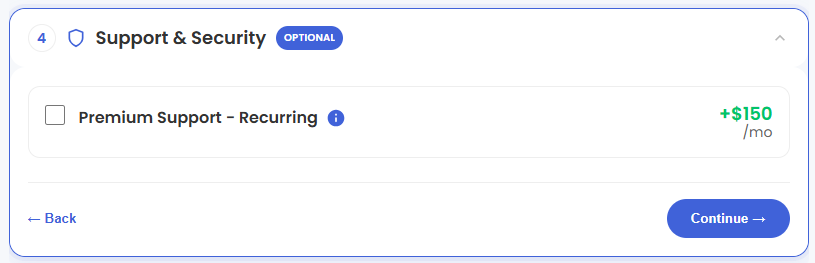
- Support & Security: You can add Premium Support - Recurring, which provides priority access to expert assistance and faster response times.
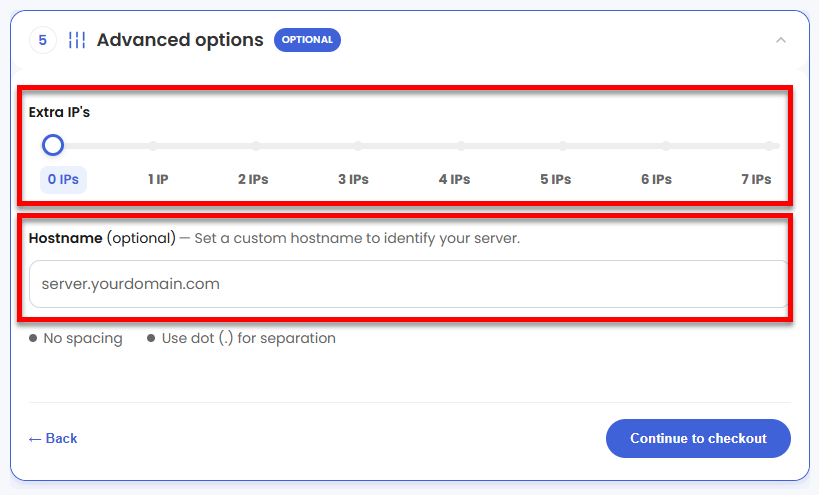
- Advanced Options:
- Extra IP's: You can add IP addresses for an additional fee. Pricing changes based on how many IPs you add.
- Hostname: Assign a custom hostname to identify your server. This is optional.
- Location: Select your data center in this section.
- Select your billing term and review your selected items on the right pane, along with the summarized total cost.
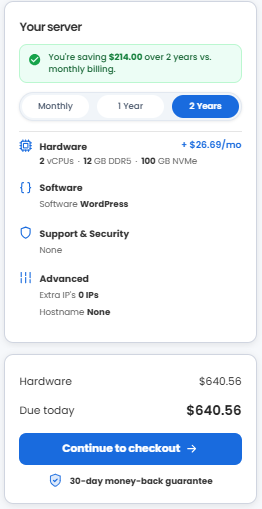
- Click Continue to checkout.
- Do the following on the Checkout page:
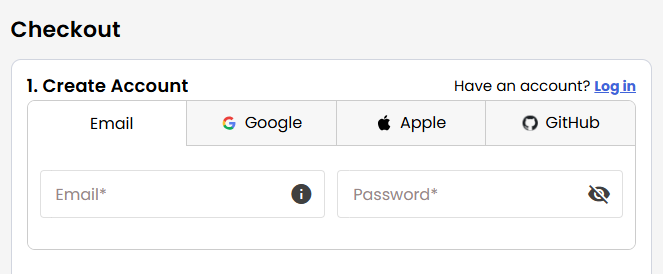
If you're new to Bluehost:- Create your Bluehost account by using your email address or by connecting with your Google, Apple, or GitHub account — whichever you prefer!
- Select your preferred payment method: credit card, Google Pay, or PayPal. Enter your billing information.
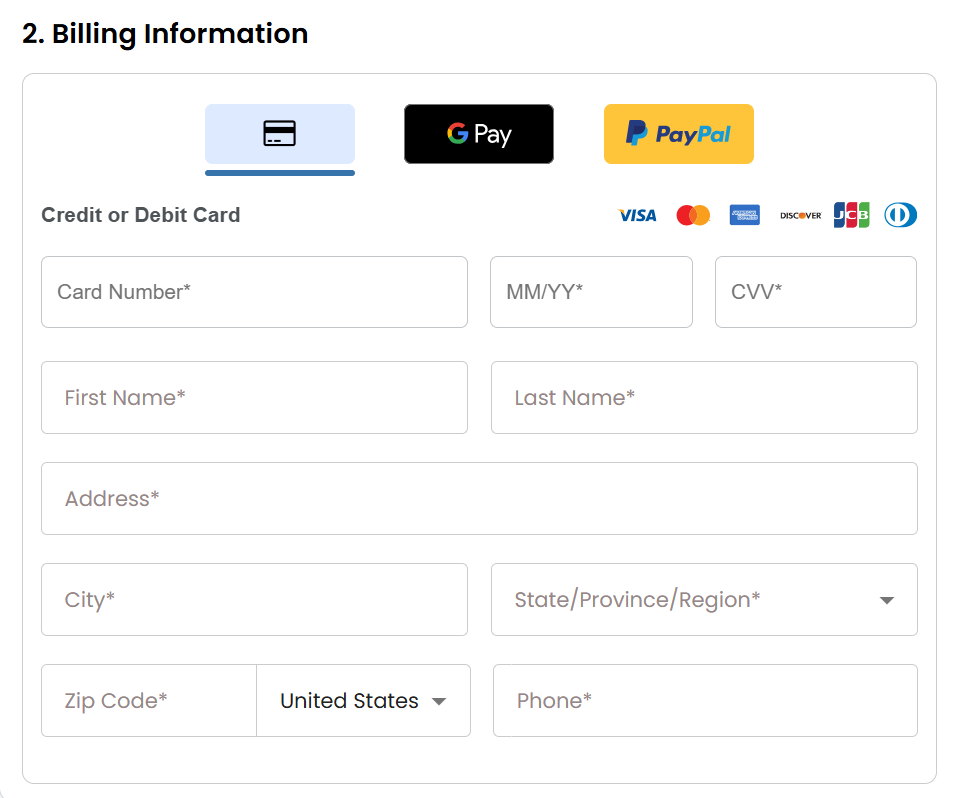
If you have an account with us, you will see your Bluehost login details when you are logged into your Bluehost Portal. If you are not logged in, please click the Log In link.
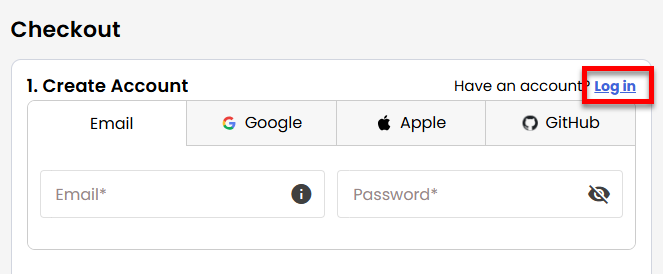
- Create your Bluehost account by using your email address or by connecting with your Google, Apple, or GitHub account — whichever you prefer!
- In the Shopping Cart, choose your billing term if you did not choose one on the previous page.
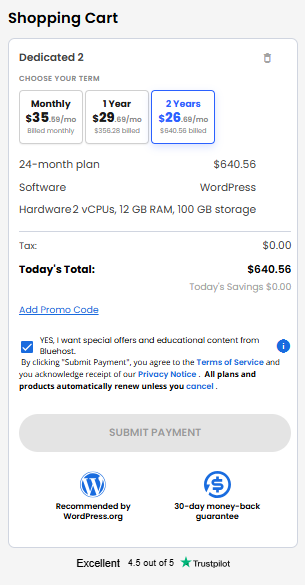
- Add a Promo code if you have one, and then click Submit Payment to complete your purchase.
After completing the purchase, your VDS hosting will begin provisioning. You can access and manage your new VDS hosting in the Hosting tab of your Bluehost Portal.
Summary
WordPress is a powerful and widely used content management system (CMS) that makes it easy to create and manage websites, including blogs, business websites, online stores, and more. Its flexibility, extensive customization options, and large plugin ecosystem allow websites to grow and adapt to changing needs. Pairing WordPress with a Virtual Dedicated Server (VDS) provides enhanced performance, security, and control, making it an ideal solution for websites that require reliable hosting and room to scale.