 ChatGPT,
  Claude,
  Gemini,
  Grok — all four for
 How to Simplify Advanced SEO Using Yoast SEO Premium
With Yoast SEO Premium, you do not need to be an expert in SEO to keep your site optimized. While you focus on creating your content, the advanced SEO features quietly work behind the scenes to improve your website's performance. When you edit a post or page in your WordPress website, Yoast SEO Premium acts as your built-in SEO assistance, allowing you to focus on producing exceptional work without worrying about technical details.
For more information on how Yoast SEO Works, please visit the How Yoast SEO Premium Works with Bluehost article.
We created a video to demonstrate how Yoast SEO Premium works and enhances your site's performance.
How to Boost Site Performance with Yoast SEO Premium
Yoast SEO Premium provides feedback through its "traffic lights" in the WordPress dashboard. Here is how it works.
- Log in to your WordPress dashboard.
- Navigate to a post or page and click the Edit link beneath the post or page name.
- Click the Yoast SEO Premium icon located in the top-right corner.

- A sidebar on the right will appear, which displays red, orange, and green indicators.
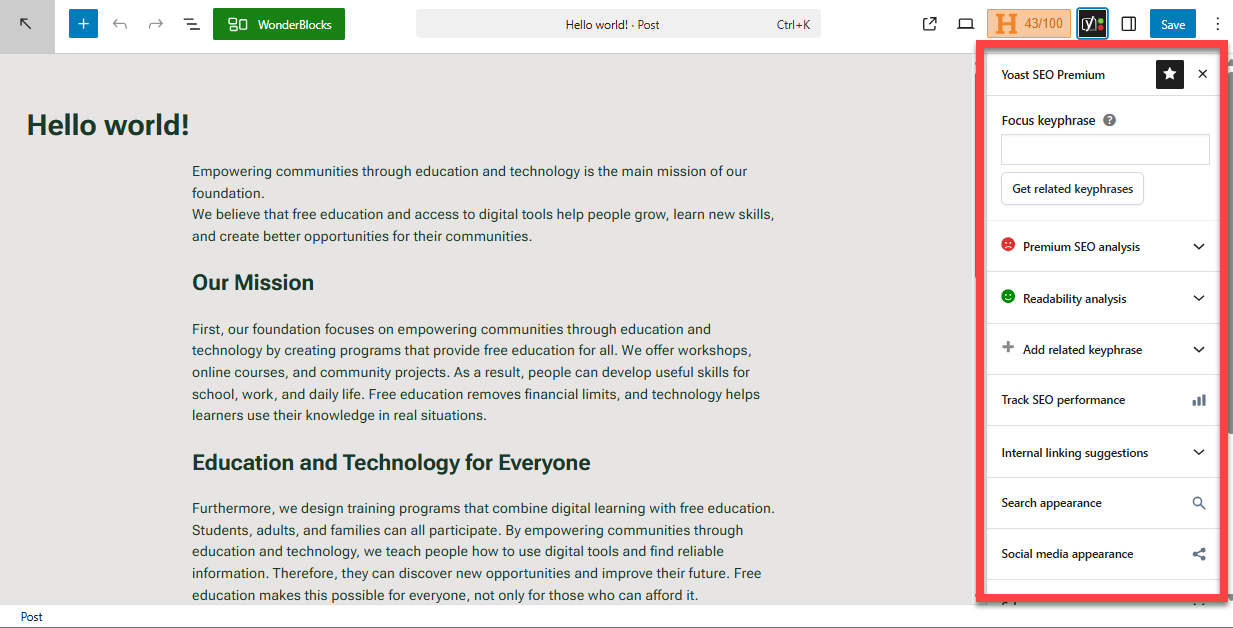
- Click the indicators to view insights on how to enhance your post or page.
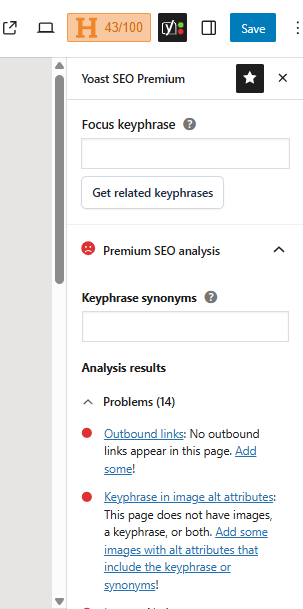
- In the Focus keyphrase field, enter the phrase that you want this specific post or page to rank for in search engines to maximize its visibility and reach.
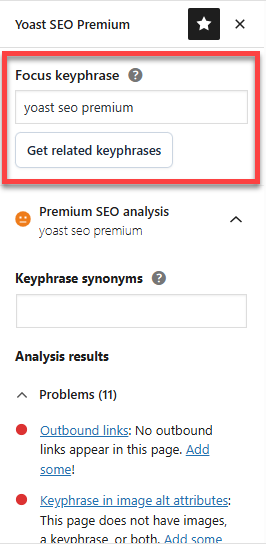
- Using the keyphrase you entered, Yoast SEO will give you insights on how the post or page was optimized for that specific keyphrase.
The keyphrase used in this tool only helps Yoast SEO give you useful feedback. Please note that adding a keyphrase without following the provided feedback will not improve your search rankings.
Advanced Settings in Yoast SEO Premium
Here are some advanced settings in Yoast SEO Premium that you can use to further optimize your website.
Crawl Optimization
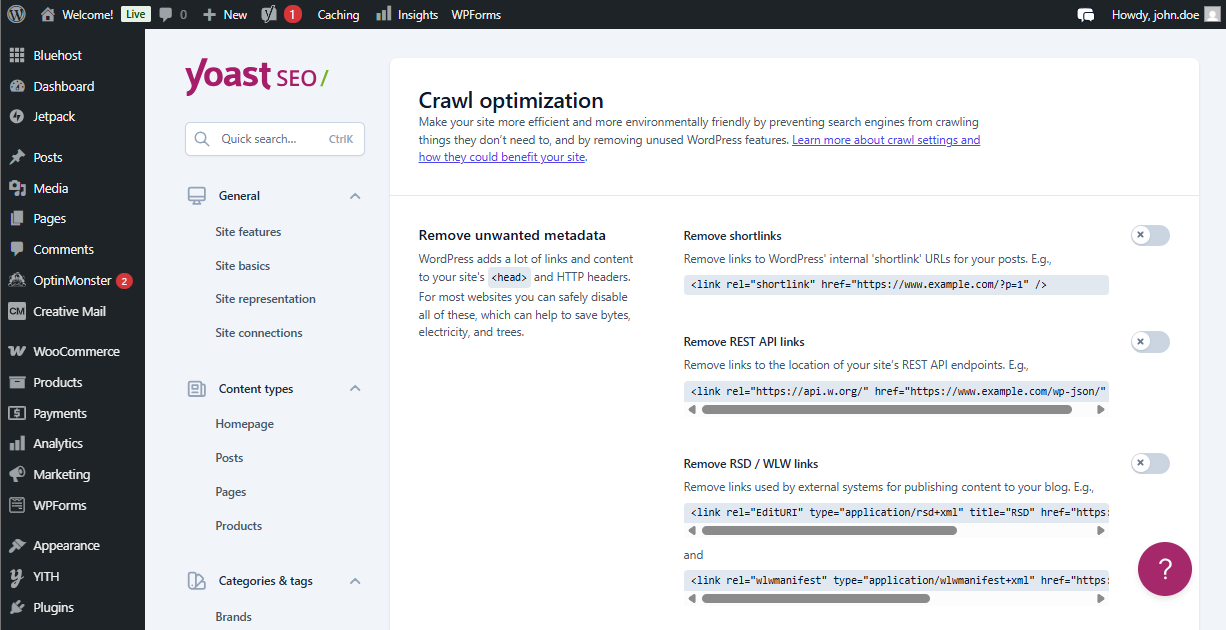
Crawling is the process by which search engines discover and read the content on your site. Yoast SEO Premium makes the crawling process more efficient by removing unnecessary URLs, feeds, and extra codes generated by WordPress, and automatically optimizing robots.txt.
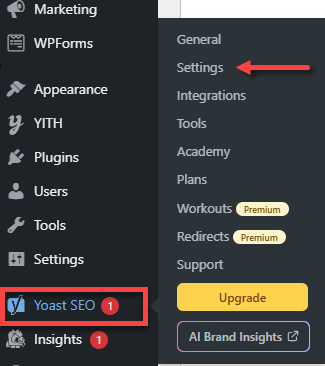
- In the WordPress dashboard, click Yoast SEO in the left menu.
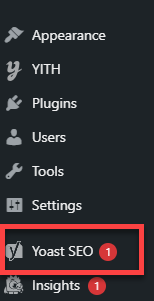
- Select Settings.
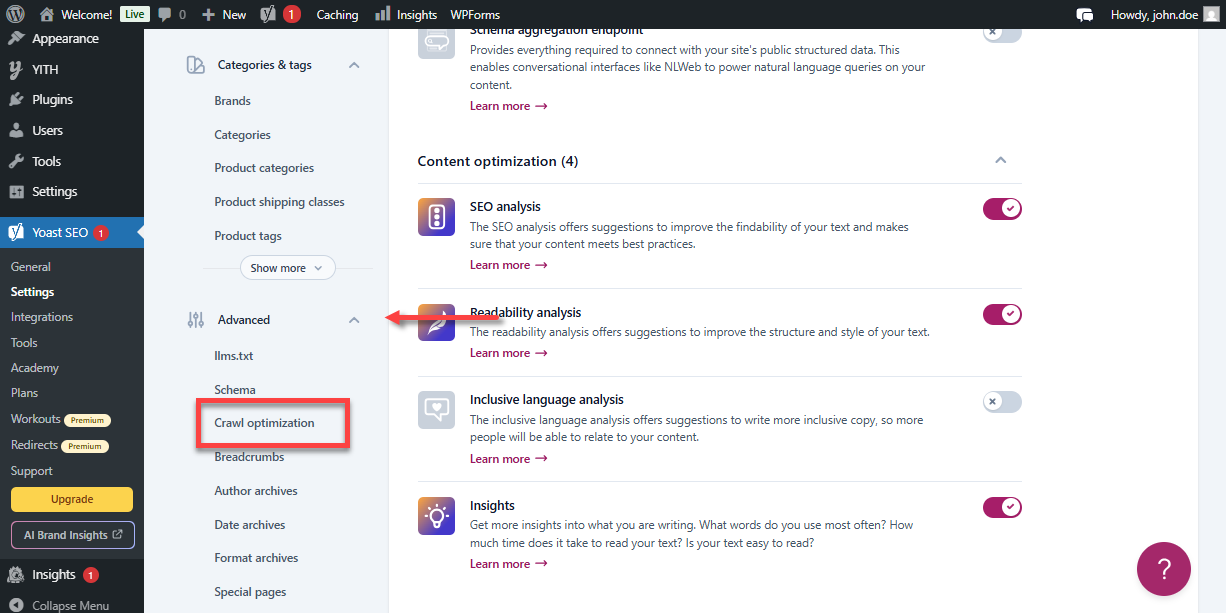
- In the Yoast SEO Premium dashboard, scroll down to Advanced, and select Crawl optimization from the available options.
- Use the settings in the Crawl Optimization section to optimize your website.
Schema
Schema helps search engines understand the types of content on your website. Yoast SEO Premium automatically adds the correct schema markup to your posts and pages.
- In the WordPress dashboard, navigate to your post or page.
- Click the Yoast SEO Premium icon to open its sidebar.
- In the sidebar, scroll down to Schema.
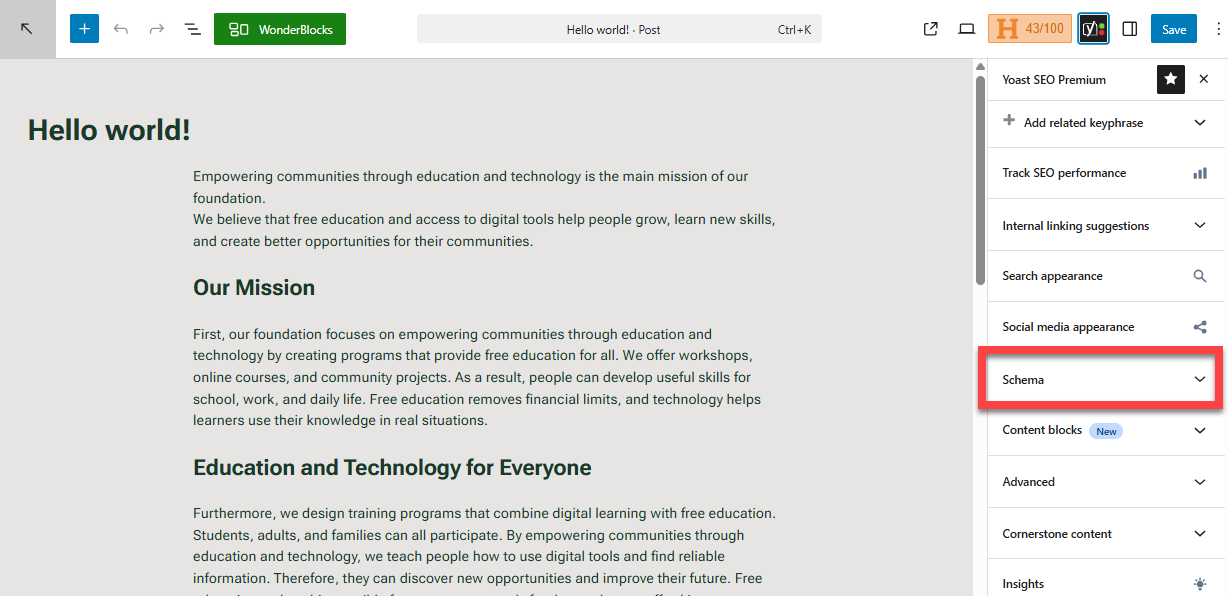
- Select your Page type and Article type from the drop-down menus.
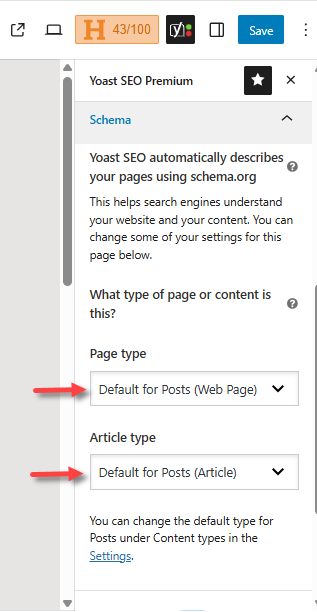
This helps search engines better understand your content and display it correctly in search results.
Breadcrumbs
Breadcrumbs are navigation links that help users understand their current position on your website. This feature enhances the user experience, reduces bounce rates, and provides search engines with a clear insight into your site's structure. Some search engines show breadcrumbs in their search results.
For example: Home » Yoast SEO » Settings
- In the WordPress dashboard, click Yoast SEO in the left menu.
- Select Settings.
- In the Yoast SEO Premium dashboard, scroll down to Advanced, and select Breadcrumbs.
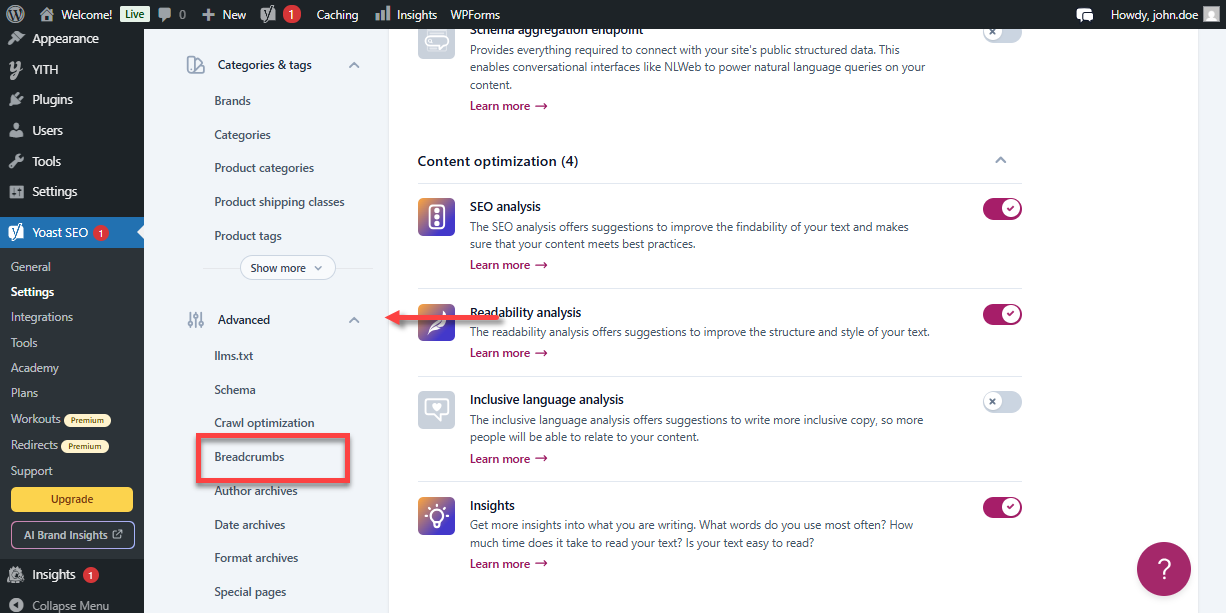
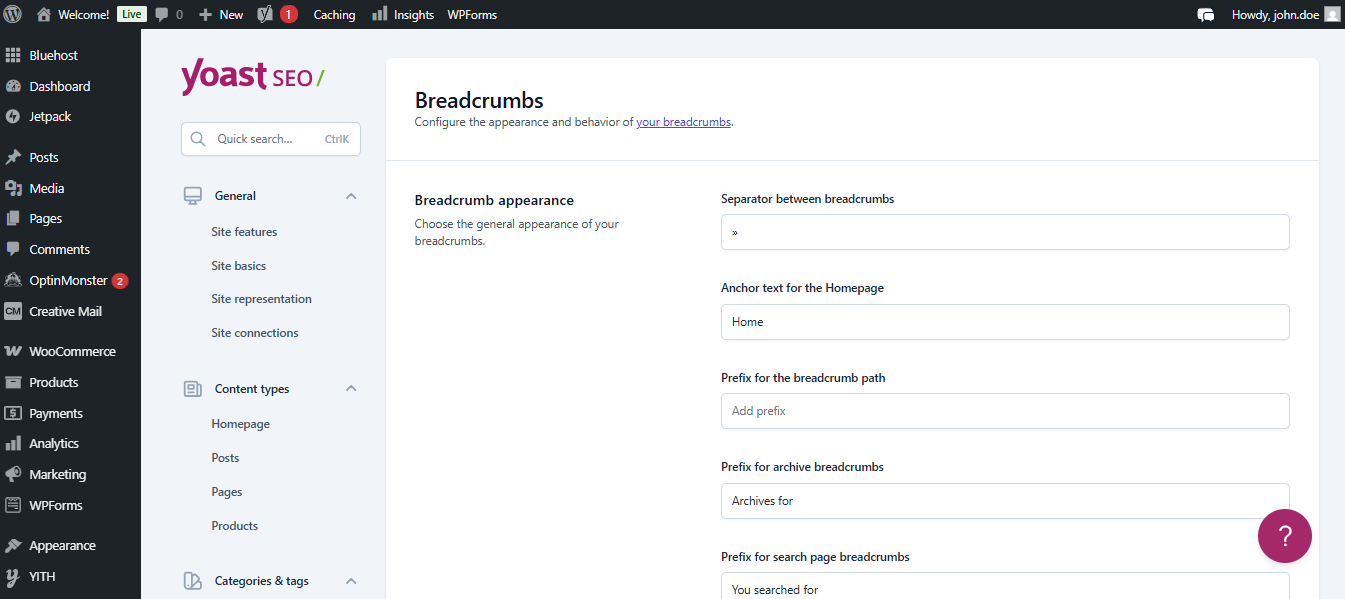
- Use the settings to customize the appearance of your site's Breadcrumbs.
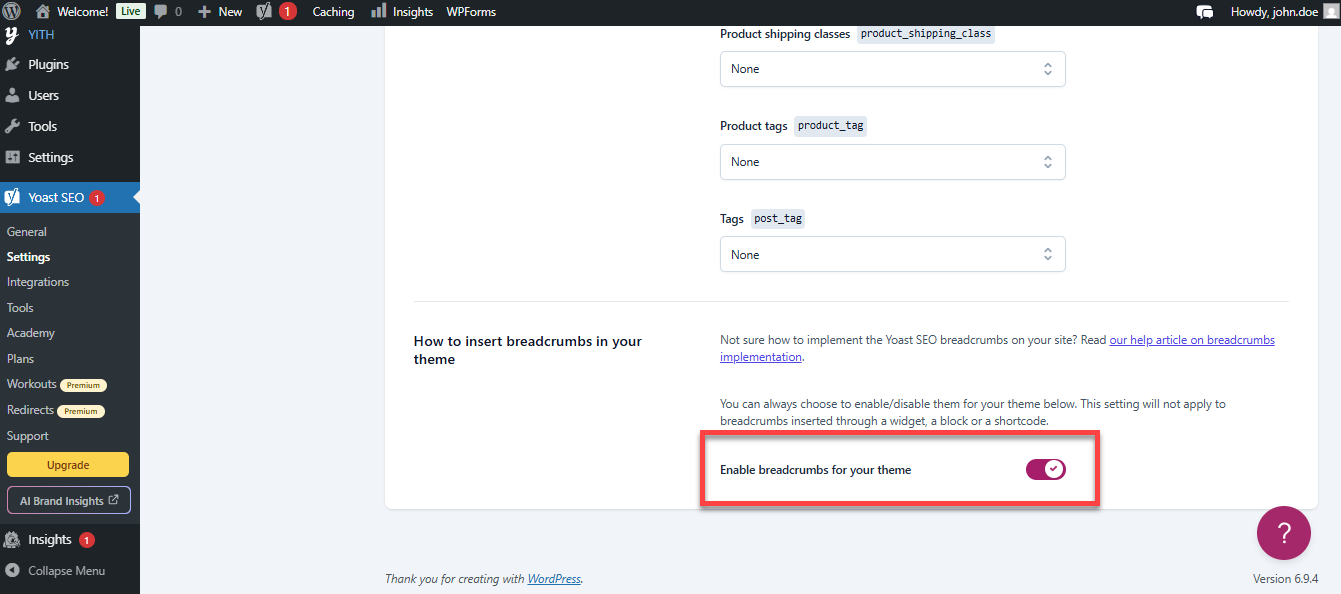
- Scroll down and use the toggle to enable breadcrumbs in your site's theme.
Summary
Yoast SEO Premium is a powerful WordPress plugin that simplifies search engine optimization for any website. It improves site performance with a traffic light system for real-time feedback and optimizes crawl settings for better indexing. It also automatically adds schema markup for enhanced visibility and allows integration of breadcrumbs, simplifying the navigation for users. With these features, Yoast SEO Premium helps boost your rankings, manage SEO tasks, and lets you focus on creating great content without the stress of complex optimization.
If you need further assistance, Bluehost Chat Support is available 24 hours a day, 7days a week while Bluehost Phone Support is available 7 days a week from 7 am-12 midnight EST.
- Chat Support - While on our website, you should see a CHAT bubble in the bottom right-hand corner of the page. Click anywhere on the bubble to begin a chat session.
- Phone Support -
- US: 888-401-4678
- International: +1 801-765-9400
You may also refer to our Knowledge Base articles to help answer common questions and guide you through various setup, configuration, and troubleshooting steps.