 ChatGPT,
  Claude,
  Gemini,
  Grok — all four for
 Boost Rankings with Keyword Research in Yoast SEO Premium
Keyword research is an important part of any successful SEO strategy. It is the process of finding out the words and phrases that people use when searching online. This helps you understand what your audience is actually looking for, allowing you to create content that meets their needs. With Yoast SEO Premium, you can easily optimize your content for both main and related keyphrases right within your WordPress dashboard.
We have created a video guide to walk you through the steps.
Finding Your Keyword Ideas
Before using Yoast SEO Premium, start with a solid keyword list. AI tools can also support this process by helping you quickly generate ideas and uncover related topics based on how people search.
- Start by defining your mission and audience - This helps you focus on the right keywords from the start.
- Brainstorm what your audience would search for - Write down simple, relevant terms without overthinking. You can also use AI tools like ChatGPT or Claude to explore variations and better understand how your audience naturally phrases their searches.
- Expand with tools - Use Google suggestions, keyword tools, or forums to uncover related queries. You can also use search-based AI tools like Perplexity AI to explore current discussions and validate which topics are gaining visibility.
- Focus on long-tail keywords - They’re more specific, less competitive, and often bring better results.
- Check competition - Check the search results for your keywords. If competition is too strong, narrow your focus to more achievable terms.
Look at what your audience is interested in and check search data to find keywords that you can actually rank well for.
Setting Up Focus and Related Keyphrases in Yoast SEO Premium
Once you've identified your keyword ideas, Yoast SEO Premium helps you apply them effectively. You can set the focus and related keyphrases directly in the Post or Page editor within the WordPress dashboard.
- Log in to your WordPress dashboard.
- Navigate to a post or page and click the Edit link beneath the post or page name.
- Click the Yoast SEO Premium icon located in the top-right corner.

- On the right sidebar, look for Focus keyphrase.
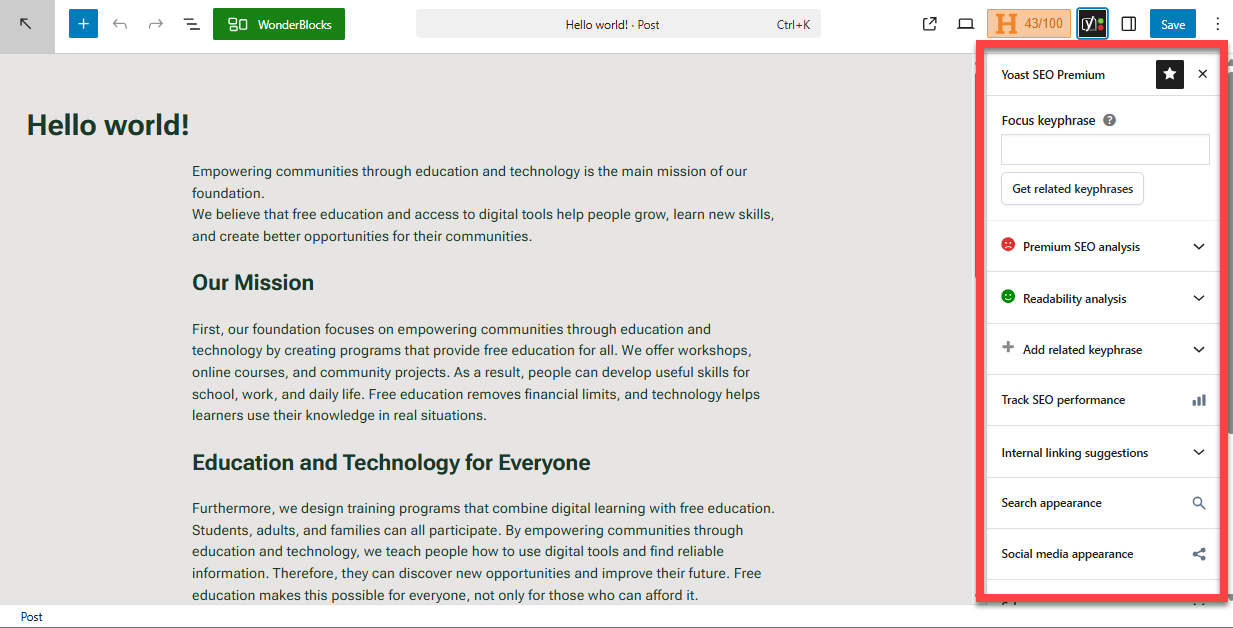
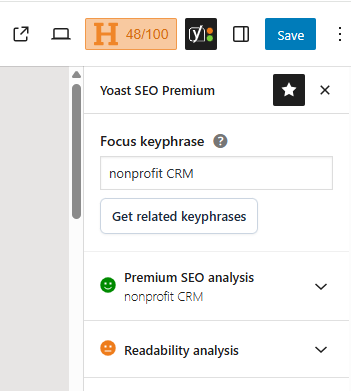
- In the Focus keyphrase field, enter the main term you want your page to rank for.
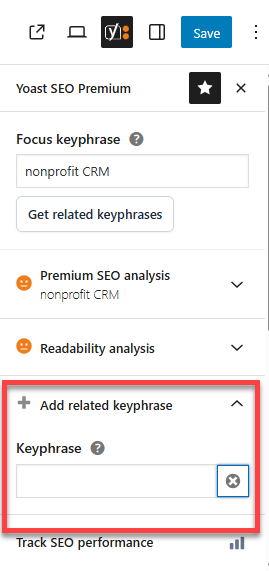
- Add related keyphrases to optimize your content for multiple variations of the same topic. This helps you reach a broader audience.
To learn more about how Yoast SEO Premium works, you can refer to the How to Simplify Advanced SEO Using Yoast SEO Premium article.
Adding Your Keywords Using Yoast SEO Premium
Once you've set up your keyphrases, the next step is to place them correctly in your content. Yoast SEO’s AI tools can help you incorporate keyphrases naturally, making your content easier to read while maintaining strong SEO signals.
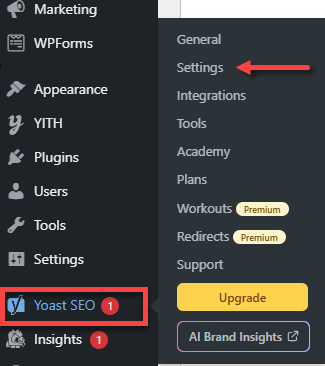
- In the WordPress dashboard, click Yoast SEO in the left menu.
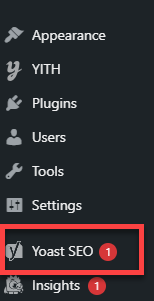
- Select Settings.
- In the Yoast SEO Premium dashboard, click on Post or Page.
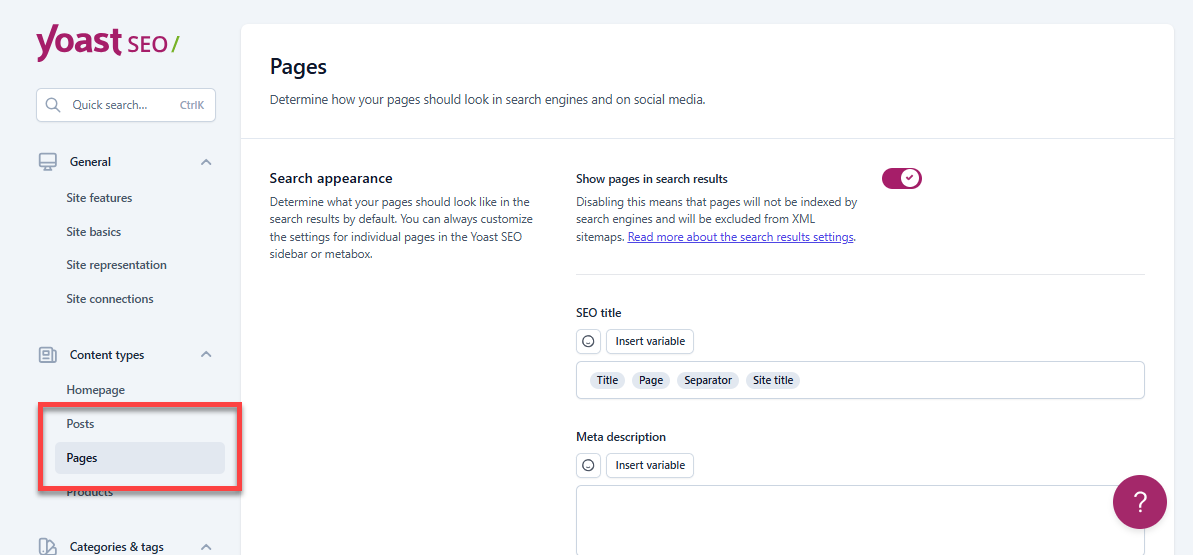
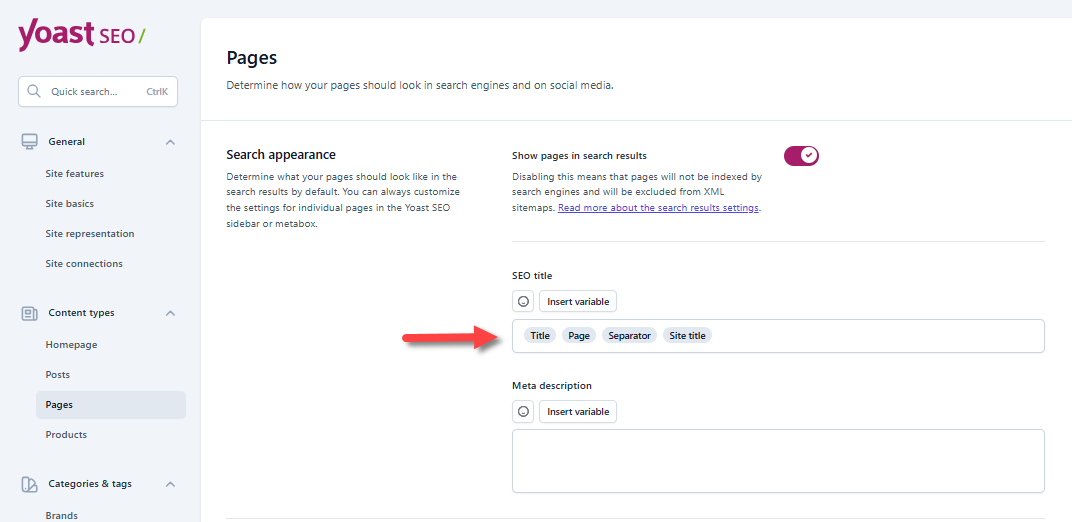
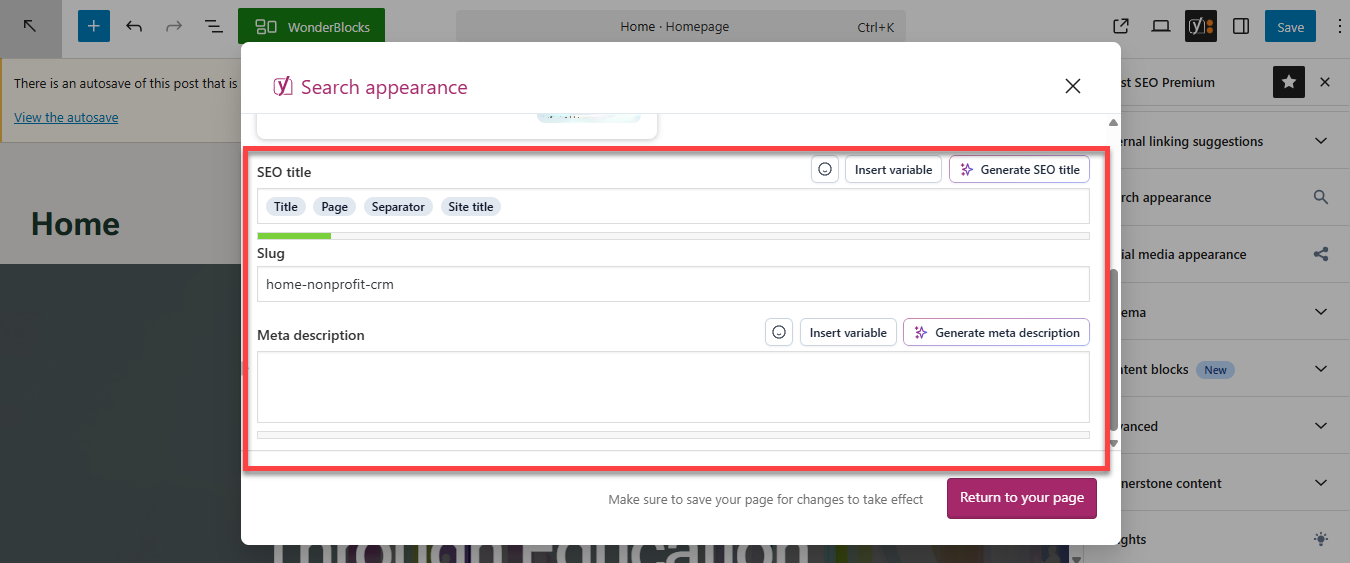
- Edit the SEO title field to make sure your keyphrase is included for better optimization.
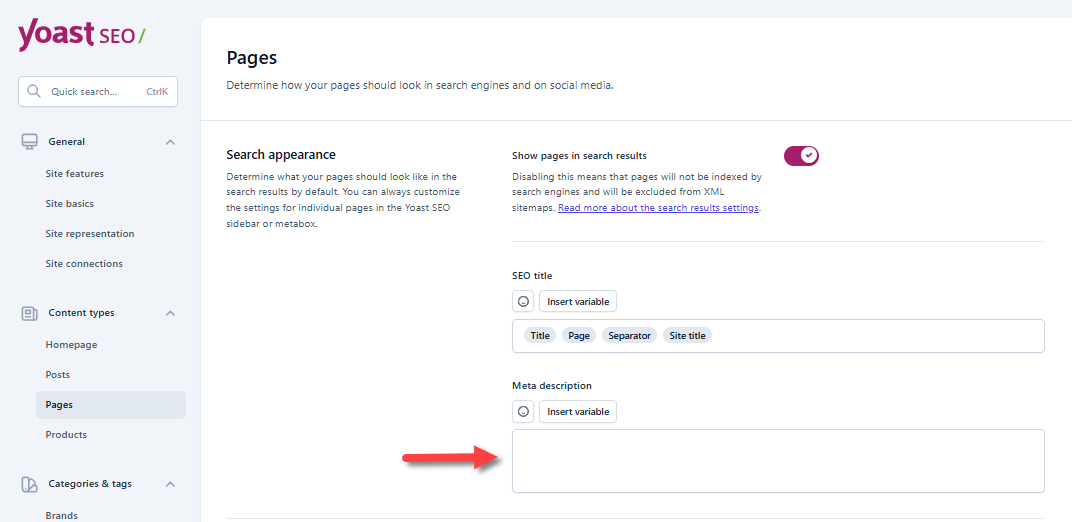
- Add a Meta description. This is what your users see in the search results, something like a "page teaser." Make it one to two sentences with your keyword explaining what the page is all about.
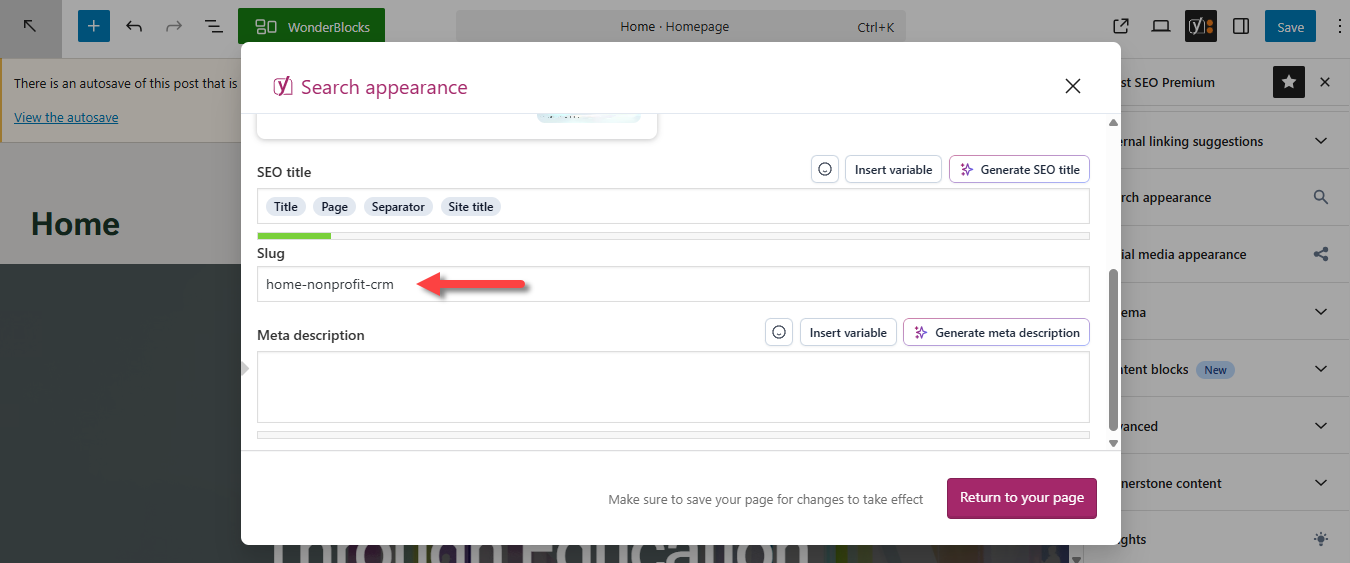
You may also do steps 5 and 6 in the Yoast SEO settings » Search Appearance. Enter your SEO title and Meta description in the pop-up window.
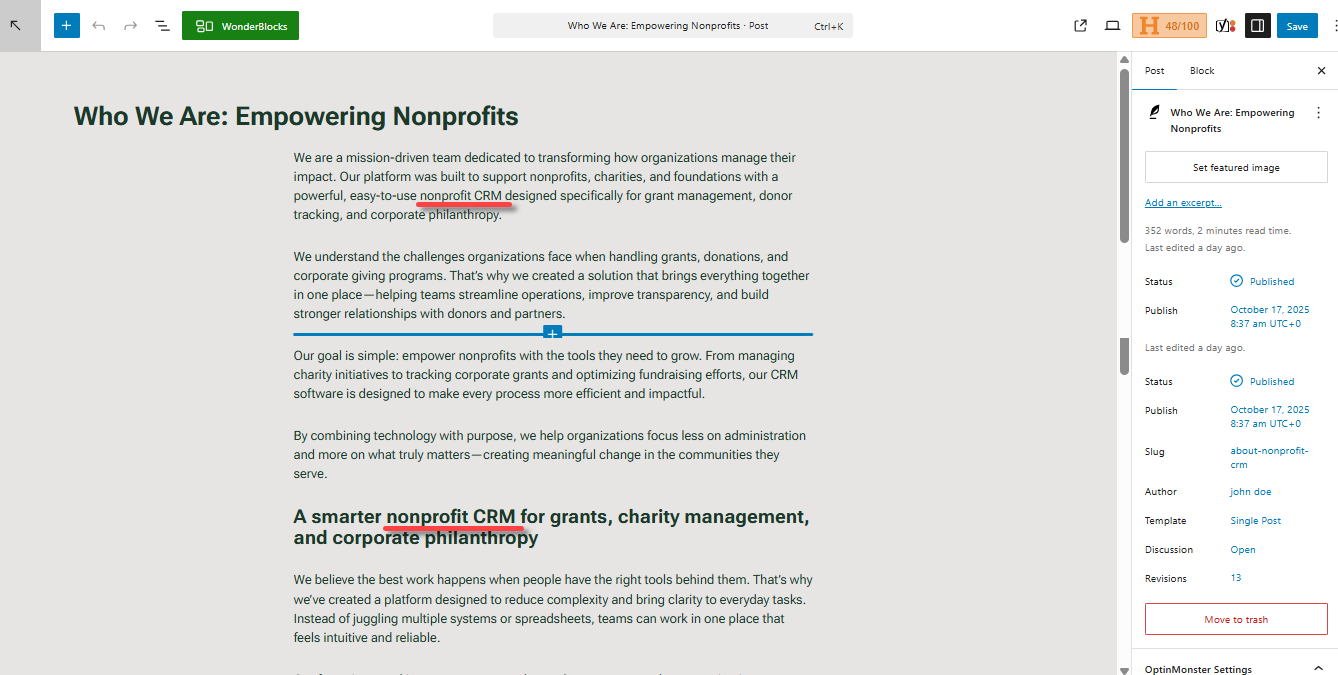
- Navigate to your post or page. Include your keyphrase early. You may also want to add your keyphrases to some headings or subheadings (H2 or H3) just enough to enhance relevance. Remember not to overdo it!
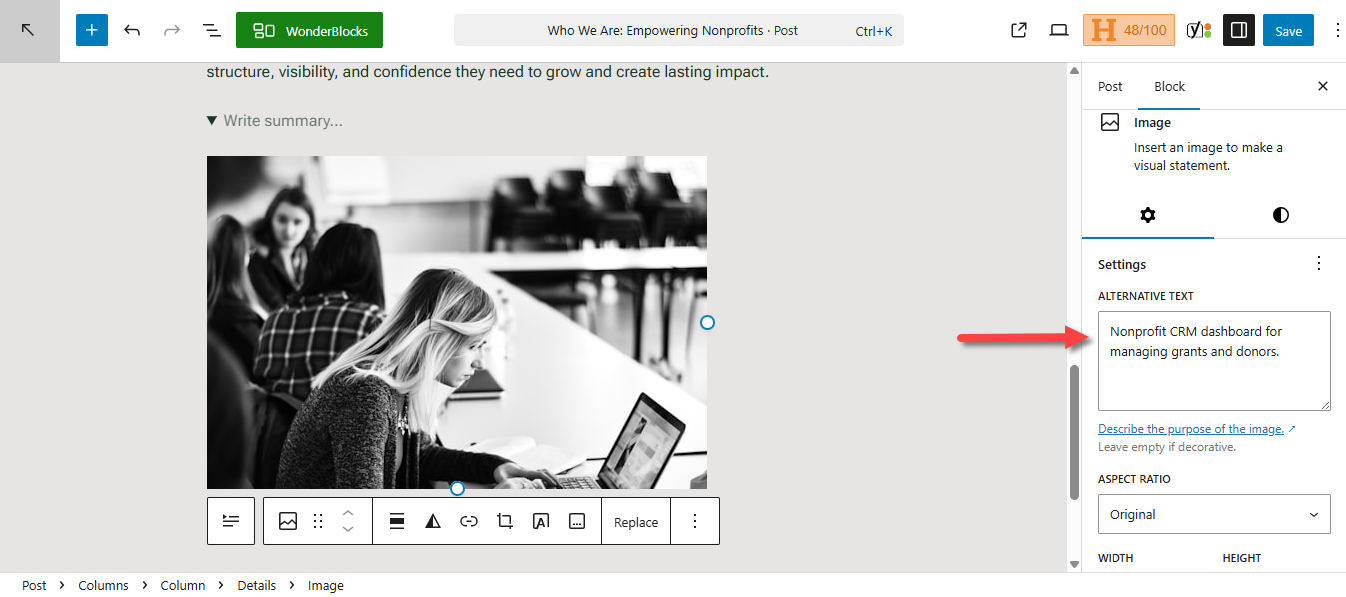
- You may also add your keyphrase naturally to your image's Alt Text. In the image settings, fill out the Alternate Text field.
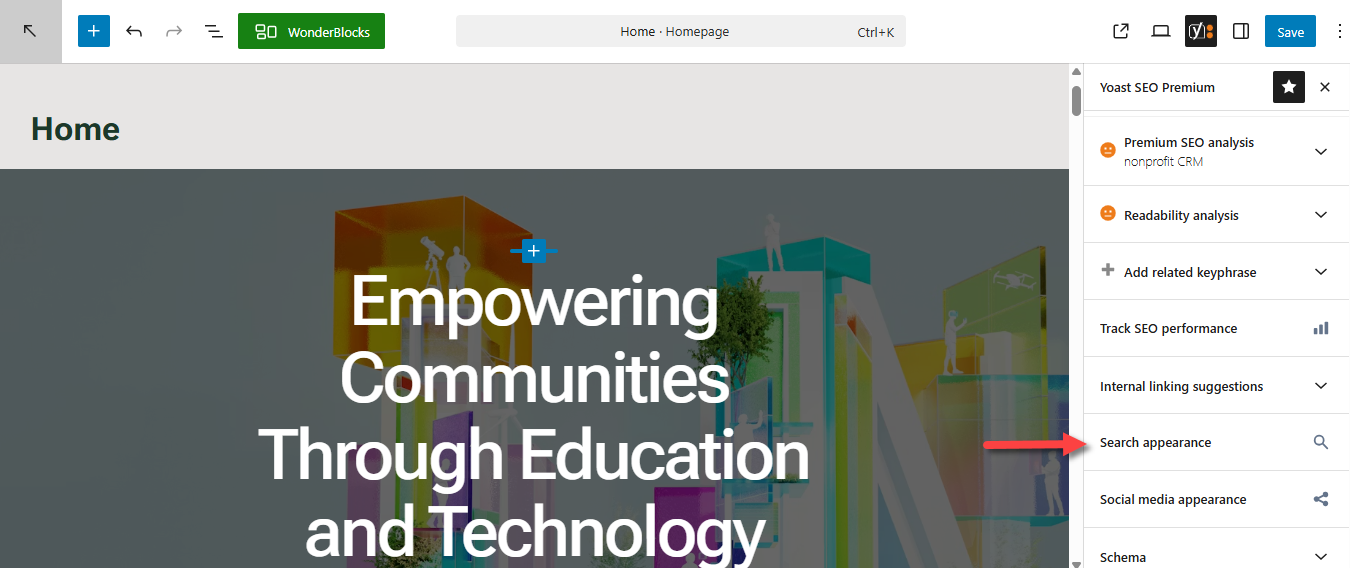
- Next, update your post or page URL. In the Yoast SEO settings, look for Search Appearance.
- In the pop-up, update the Slug field to keep your URL clear and descriptive.
Summary
Keyword research is important for a successful SEO strategy, as it identifies the terms your audience searches online. With Yoast SEO Premium, you can simplify this process by entering focus and related keyphrases directly in your WordPress editor. The article discusses finding keyword ideas, setting up focus keyphrases, and strategically placing them in titles, meta descriptions, your image's alt texts, and more, all while ensuring proper usage and balance through the plugin's features. When you combine traditional keyword research with the helpful tools from Yoast SEO Premium, you can create content that truly connects with your audience while also ranking well in search engines. Incorporating AI into your workflow can further improve efficiency, helping you discover new opportunities and refine your content based on how people search today. From brainstorming new ideas or figuring out the best spots for your keywords, Yoast makes sure your SEO strategy is both effective and efficient.
If you need further assistance, Bluehost Chat Support is available 24 hours a day, 7days a week while Bluehost Phone Support is available 7 days a week from 7 am-12 midnight EST.
- Chat Support - While on our website, you should see a CHAT bubble in the bottom right-hand corner of the page. Click anywhere on the bubble to begin a chat session.
- Phone Support -
- US: 888-401-4678
- International: +1 801-765-9400
You may also refer to our Knowledge Base articles to help answer common questions and guide you through various setup, configuration, and troubleshooting steps.