 ChatGPT,
  Claude,
  Gemini,
  Grok — all four for
 cPanel Tiered License for Self Managed VPS - Bluehost
Bluehost is excited to announce the launch of tiered cPanel licenses for Self-Managed VPS customers. With this update, you can now choose from multiple cPanel License Tiers based on your specific needs and usage requirements. This new model provides greater flexibility and transparency, allowing you to select the right license for your hosting environment and easily upgrade as your business grows.
- What are cPanel License Tiers?
- Requirements & Eligibility
- How to Purchase a cPanel License Tier
- Frequently Asked Questions
- Summary
What are cPanel License Tiers?
Bluehost is transitioning from a single flat-rate cPanel offering to a tiered licensing model. Customers can now select a cPanel license based on their specific usage requirements during the purchase flow. The available cPanel License Tiers are:
cPanel License Tiers |
||
|---|---|---|
| Tier | Number of Accounts | Price (per month) |
| cPanel Admin | 5 | $14.99 |
| cPanel Pro | 30 | $38.99 |
| cPanel Plus | 50 | $48.99 |
| cPanel Premier | 100 | $58.99 |
Requirements & Eligibility
- Purchase or manage a Self-Managed VPS plan (NVMe-2, NVMe-4, NVMe-8, NVMe-16) to access cPanel License add-ons.
You may configure your plan by clicking on the Configure tab under Hardware.
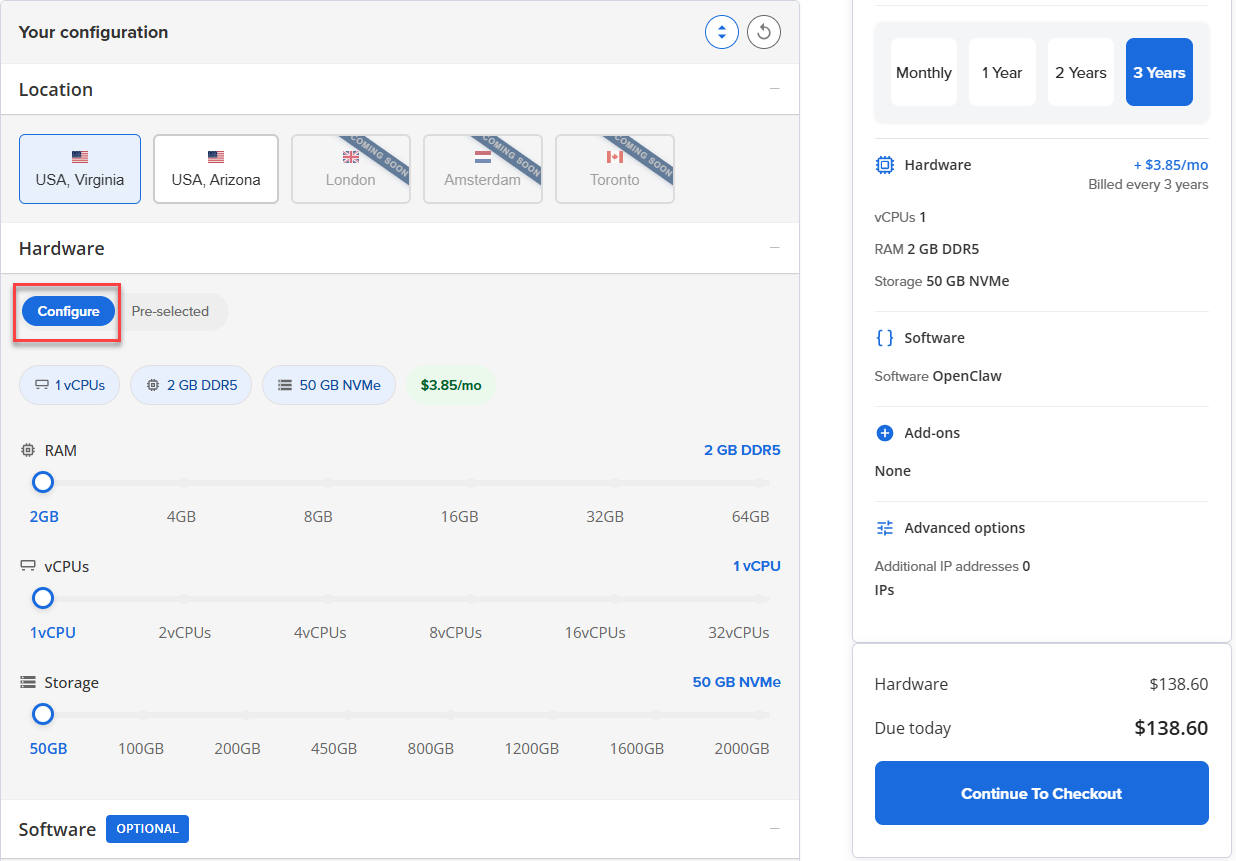
- cPanel License add-ons are available only for these VPS plans.
- Select the cPanel add-on during your purchase if you want to include it; it is not added by default.
- Your cPanel License term will automatically match your VPS term (monthly, yearly, or multi-year).
- Add, edit, or remove the cPanel License add-on directly from your cart page.
- Renew your cPanel add-on with your VPS, or deselect cPanel during renewal if you prefer to renew only your VPS.
- You cannot renew the cPanel License independently unless you are also renewing your VPS.
- Enjoy consistent pricing for cPanel License Tiers across all eligible VPS plans and terms.
- Upgrade your VPS plan without impacting your cPanel License; your license remains fully applicable.
How to Purchase a cPanel License Tier
When purchasing a Self-Managed VPS, you will have the option to add a cPanel License as an add-on.
When you select cPanel for your VPS, dedicated cPanel support is automatically included. This support is separate from our Premium Support and focuses solely on cPanel services.
- Choosing cPanel switches your support option to lower-cost cPanel support.
- This cPanel support is included by default to assist customers with setting up and managing cPanel on their VPS.
This ensures you get the right help for your cPanel without paying for full Premium Support.
- Locate the option to add a cPanel License add-on. By default, the cPanel add-on is not selected.
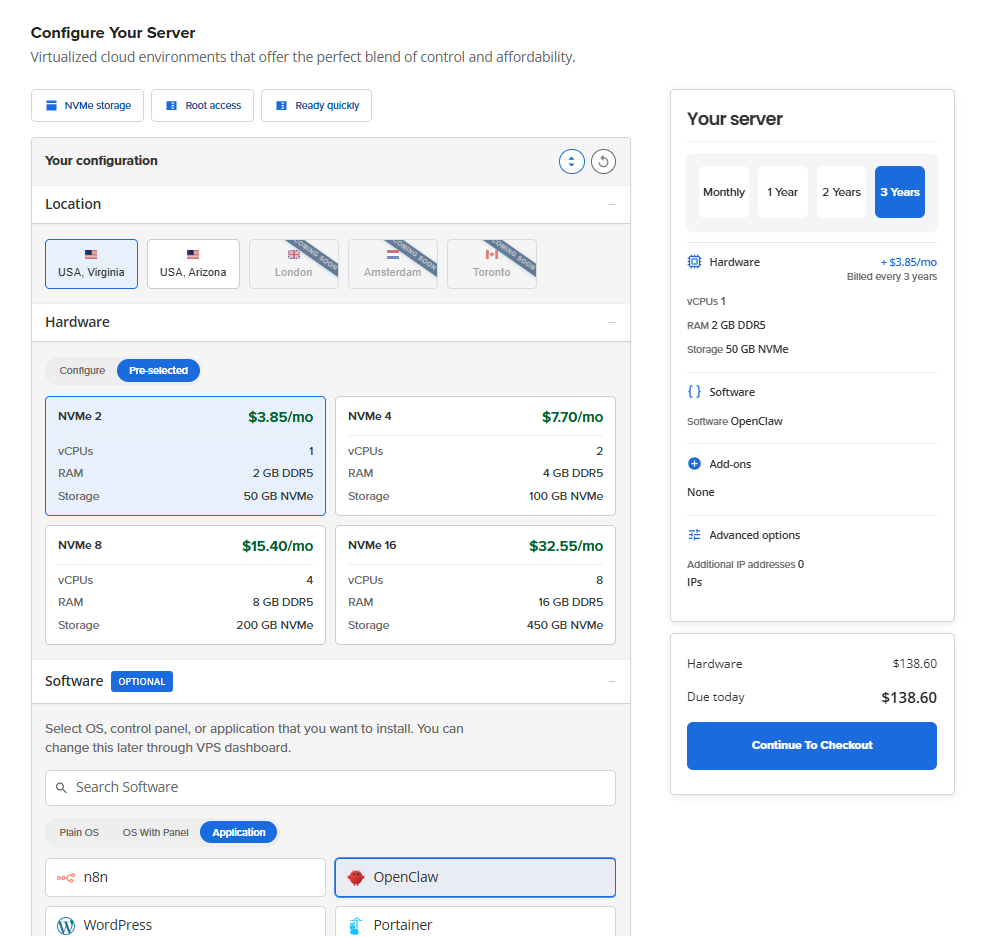
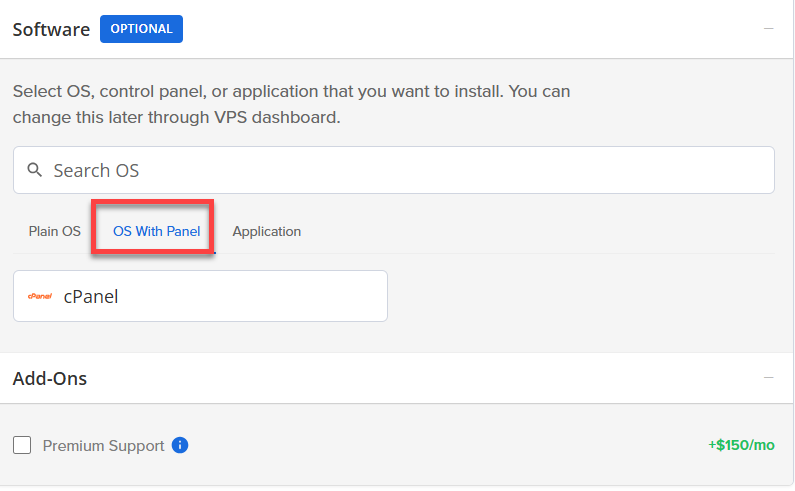
- To add cPanel,scroll down to Software.
- Click on OS with Panel.
- A dropdown box will appear, showing all available cPanel License Tiers.
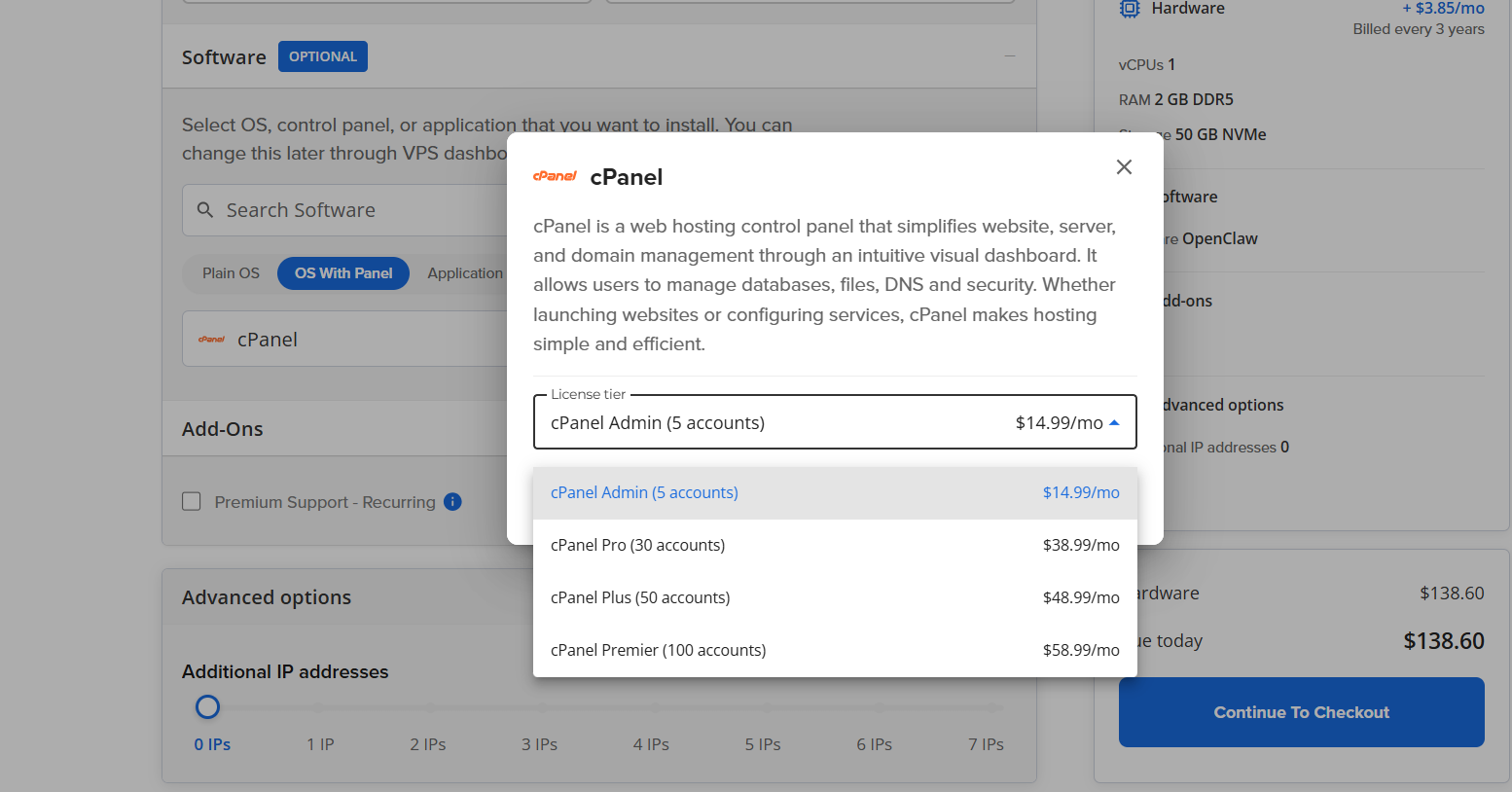
- Select your preferred cPanel License Tier from the dropdown.
- If needed, you can edit your selection from the dropdown before completing your purchase.
- Click on Confirm.
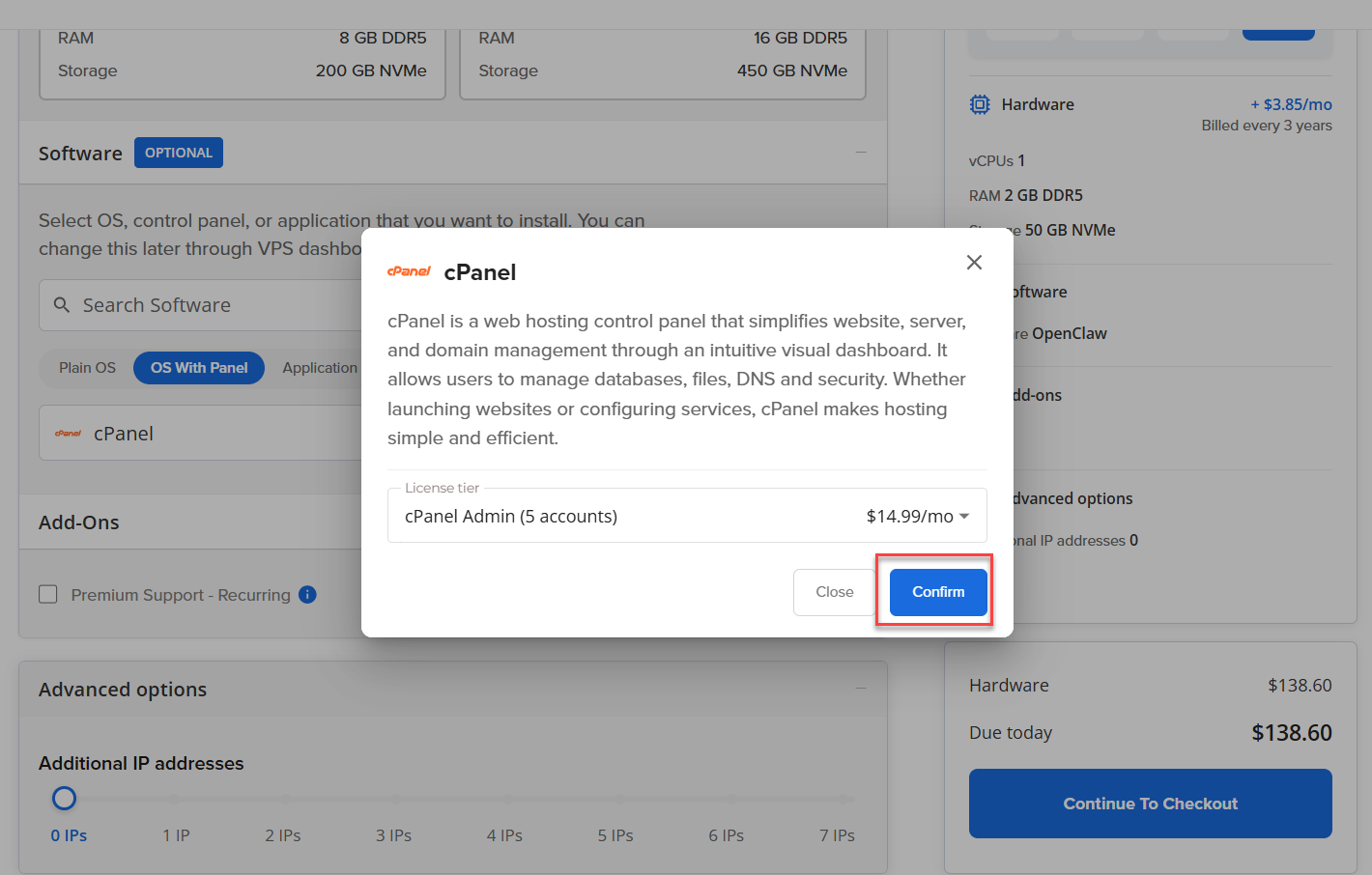
- Proceed to check out to complete your payment.
Frequently Asked Questions
A: No, downgrading is not supported.
A: Yes, during VPS renewal, you can choose to renew cPanel and VPS independently. However, cPanel cannot be renewed if VPS renewal is not selected.
A:
Case 1: If you have purchased cPanel with Bluehost from the purchase flow, like when you were purchasing a VPS, you have purchased cPanel, then the license will be automatically activated. You can check the local command, and it will refresh the status if you see some issues.
Case 2: If you haven't purchased a cPanel license with Bluehost, and you install the cPanel from the account manager, then it will just install cPanel. There won't be any license on that cPanel, so we'll have to purchase that license separately from the official cPanel website.
Summary
Bluehost’s tiered cPanel licensing for Self-Managed VPS provides customers with flexible options tailored to their needs. You can select, purchase, and upgrade your cPanel License Tier easily, with transparent pricing and clear scope. Downgrades are not supported. For more information, refer to the requirements document or contact support.
If you need further assistance, Bluehost Chat Support is available 24 hours a day, 7days a week while Bluehost Phone Support is available 7 days a week from 7 am-12 midnight EST.
- Chat Support - While on our website, you should see a CHAT bubble in the bottom right-hand corner of the page. Click anywhere on the bubble to begin a chat session.
- Phone Support -
- US: 888-401-4678
- International: +1 801-765-9400
You may also refer to our Knowledge Base articles to help answer common questions and guide you through various setup, configuration, and troubleshooting steps.