 ChatGPT,
  Claude,
  Gemini,
  Grok — all four for
 Fix WordPress Unexpected HTTP API Request Error
When viewing plugins or themes in WordPress, you may encounter the following message:
This WordPress API request error commonly happens due to a timeout issue, server configuration limits, or connectivity problems between WordPress and external API services.
Fix WordPress HTTP API Error
One commonly recommended fix is editing the http.php file located in the wp-includes directory of your WordPress installation. While this solution does not resolve every case, it can successfully fix many WordPress unexpected HTTP errors caused by short request timeouts.
How to Edit the http.php File in WordPress
Follow the steps below to increase the HTTP timeout value and resolve the WordPress plugin API error.
- Log in to your Bluehost Portal.
- In the left-hand menu, click Websites.
- Click the Manage Site button located next to the website you want to manage.

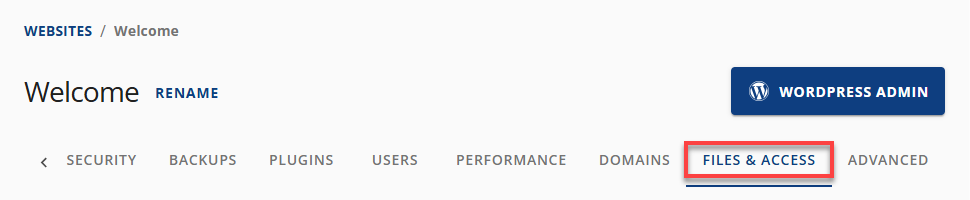
- In the top navigation menu, click the Files & Access tab.
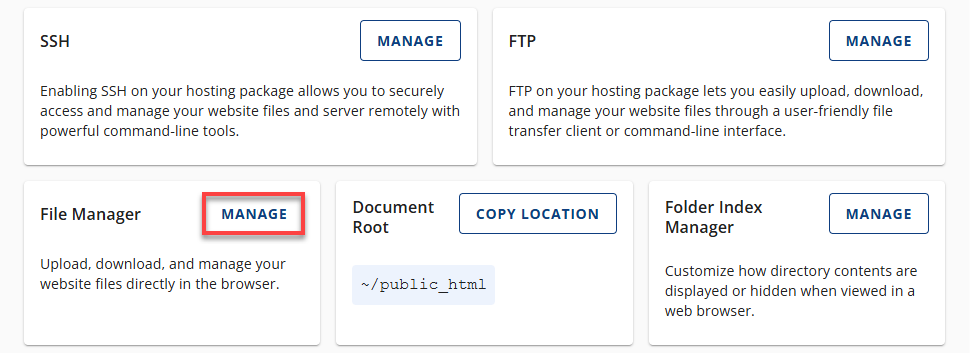
- Click the Manage button located under the File Manager section.
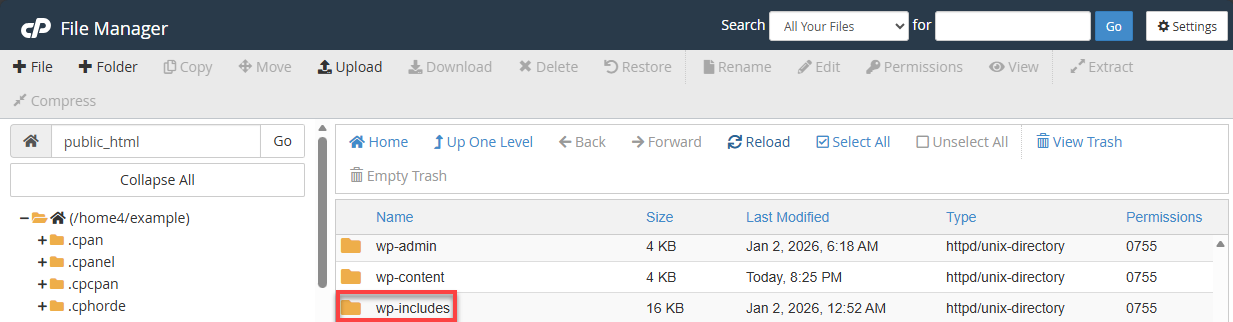
- In the left-hand menu, select public_html.
- Open the wp-includes folder.
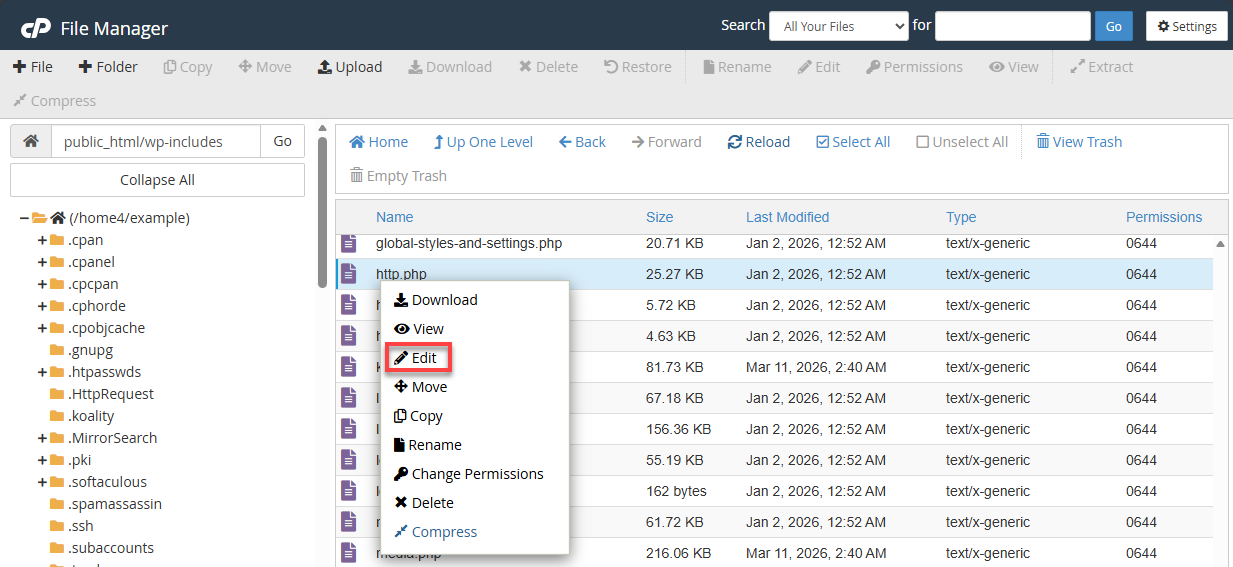
- Locate the http.php file and right-click it.
- From the pop-up menu, select Edit.
- When prompted, click Edit again to open the file in the Text Editor.
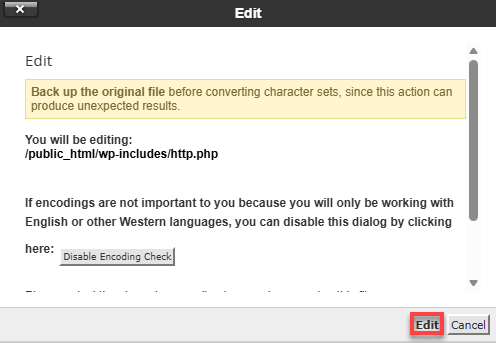
- Scroll through the file until you find this line:
'timeout' => apply_filters( 'http_request_timeout', 5 ),Update it to the following:
'timeout' => apply_filters( 'http_request_timeout', 30 ),This change increases the timeout duration from 5 seconds to 30 seconds, allowing WordPress more time to complete API requests.
- Click Save Changes in the top-right corner.
- Refresh your WordPress dashboard and check whether the Unexpected HTTP API error has been resolved.
Additional References and Troubleshooting Tips
If increasing the timeout does not fix the issue, consider these additional troubleshooting steps:
- Check your server’s firewall or security rules
- Confirm that cURL and OpenSSL are enabled
- Temporarily disable plugins and themes to identify conflicts
- Review WordPress debug logs for server-level errors
Summary
The WordPress Unexpected HTTP Error during the API request is often caused by short timeout limits or server restrictions. By safely editing the http.php file in the wp-includes directory and increasing the timeout value, many users can quickly restore access to plugins, themes, and updates. If the issue persists, further server-level checks or hosting support may be required.
If you need further assistance, Bluehost Chat Support is available 24 hours a day, 7days a week while Bluehost Phone Support is available 7 days a week from 7 am-12 midnight EST.
- Chat Support - While on our website, you should see a CHAT bubble in the bottom right-hand corner of the page. Click anywhere on the bubble to begin a chat session.
- Phone Support -
- US: 888-401-4678
- International: +1 801-765-9400
You may also refer to our Knowledge Base articles to help answer common questions and guide you through various setup, configuration, and troubleshooting steps.